Project Zomboid Mods für Server
Für einen modifizierten Project-Zomboid-Server brauchst du pro Projekt die Steam-Workshop-ID und die interne Mod-ID. Prüfe zusätzlich Spiel-Build, Abhängigkeiten und Lade-Reihenfolge, bevor du deine Welt mit den Änderungen startest.
Project Zomboid Mods sicher installieren
Ein Workshop-Abo allein aktiviert eine Mod auf dem Dedicated Server nicht. Die Einträge in `WorkshopItems=` und `Mods=` müssen zusammenpassen; außerdem muss jede Mod den gewählten Build 41 oder Build 42 ausdrücklich unterstützen.
- 1. Build prüfen: Build-41- und Build-42-Mods nicht ungeprüft mischen.
- 2. Workshop-ID, Mod-ID, Abhängigkeiten und erforderliche Reihenfolge vollständig dokumentieren.
- 3. Welt und Konfiguration sichern, Server neu starten und Logs sowie den Beitritt mit einem Test-Client prüfen.
Die vollständige Schritt-für-Schritt-Anleitung findest du im Project-Zomboid-Mods-Guide. Oder starte direkt mit einem Project Zomboid Server mit Mod-Support.
Häufige Fragen zu Project Zomboid Mods
Was ist der Unterschied zwischen Workshop-ID und Mod-ID?
Die Workshop-ID bezeichnet das Steam-Workshop-Projekt und steuert den Download. Die Mod-ID aktiviert den enthaltenen Mod im Spiel. Auf dem Server müssen beide Listen vollständig und passend gepflegt sein.
Laufen Build-41-Mods automatisch mit Build 42?
Nein. Nutze eine Mod nur dann auf Build 42, wenn ihre Workshop-Seite diese Kompatibilität ausdrücklich bestätigt. Prüfe dabei auch alle Bibliotheken und weiteren Abhängigkeiten.
Wie teste ich ein Mod-Update ohne Risiko für die Welt?
Sichere zuerst Welt, Sandbox-Konfiguration und Server-INI. Aktualisiere danach die zusammengehörigen Mods, starte den Server neu und prüfe Logs, Kernfunktionen und einen vollständigen Client-Beitritt.
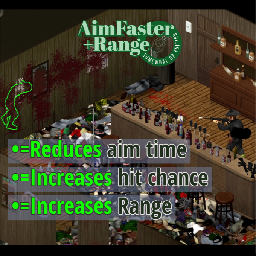
Instant Aim and Longer Range
von 76561198258460453
-Near-instant aim time -Increased firearm accuracy -Drastically extended firearm range -Compatible with most mod weapon packs -Works in multiplayer Workshop ID: 2943683340 Mod ID: AIMFR
Forest Multicam Bandits Integration
von 76561198096995823
Jusblazm's Forest Multicam Bandits This mod provides Bandits wearing modded clothing from Forest Multicam Uniform. Updates I plan to release a new update on the 2nd of each month. This update will replace the current batch of bandits with a brand new batch. This will not harm your saves, nor will it affect currently spawned bandits. Freshly spawned bandits will be wearing gear according to the new list. This will provide some, hopefully noticeable change to extended saves. Compatibility Absolutely no mod conflicts with two caveats: - someone uses my naming convention for their own integration. - A unique ID generates a dupe (Wikipedia: the probability to find a duplicate within 103 trillion version-4 UUIDs is one in a billion) Known Issues - Errors appear when opening the clan in Bandits Creator. These errors are harmless, it happens because the bandits are wearing clothing that cannot be displayed in Creator, like custom locations. Do not edit them or you will delete the clothing not being displayed. GitHub Archive I will be keeping an archive of each update's bandits.txt and clans.txt files, so that if there is a set you really like, you can continue to use them even after the mod updates and moves away from them. GitHub Archive Permissions I created a simple extension for Bandits NPC that allows bandits to wear the custom equipment slots provided by Forest Uniform. The item IDs belong to Jordanal's Forest Multicam Uniform, the BodyLocations belong to Jordanal's Forest Multicam Uniform and KATTAJ1's Clothes Core, and Slayer's Bandits NPC reads the text files. Both Forest Multicam Uniform and Bandits NPC have the default permissions of Credit where it's due, so I am extending their permissions. Be sure to credit them for their hard work. Credits The Indie Stone for Project Zomboid Slayer for Bandits NPC and Bandits Creator Jordanal for Forest Multicam Uniform Workshop ID: 3486024444 Mod ID: JusBanditsJGForestRANDOM
![Refillable Propane Tanks [B42] – Project Zomboid Mod](https://images.steamusercontent.com/ugc/16953637870856680819/B28E62A89C2CE854BDCC072DC07FE36DDFEE000A/)
Refillable Propane Tanks [B42]
von 76561197960801216
REFILLABLE PROPANE TANKS Put those massive industrial propane tanks to work. A useful world resource Those large white propane tanks scattered around Project Zomboid's industrial locations are no longer just scenery. Supported vanilla industrial tanks and Fossoil bulk tanks now function as persistent propane depots. Default supply: 2,000 / 2,000 propane units per assembled tank. That is enough to completely refill 20 standard propane tanks, with each full base-game propane tank costing 100 depot units. Blowtorches use Build 42's native refill ratio and cost approximately 14 units when filled from empty. How to use it - Carry a partially empty supported propane tank or blowtorch. - Stand beside a supported industrial or Fossoil propane tank. - Right-click any visible body, cap, pipe, or ladder section. - Open Industrial Propane Tank > Refill propane tank or blowtorch. - Select the item you want to refill. The timed action transfers only what the item needs or what the industrial tank has left. Partially depleted targets work correctly, and the context menu shows the expected refill percentage before you commit. New in Beta 1.6 - Added optional The Workshop B42 support for TW.LargePropaneTank and TW.HugePropaneTank. - Preserved The Workshop's fuel ratio: 250 depot units per Large tank and 2,500 per Huge tank. - The Workshop remains optional and is not a dependency. - Added support for all four vanilla Fossoil bulk-tank rotations. - All supported Fossoil body sections can be clicked, including tile location_shop_fossoil_01_91. - Added full support for the longer Build 42 industrial propane tank. - Every compatible section of a multi-tile tank routes to one shared reservoir. - Decorative top fixtures and ladders no longer create duplicate propane supplies. - Custom maps that place an individual compatible tank section remain supported. Gas-pump-style sandbox controls Server owners can tune the system from the dedicated Refillable Propane Tanks sandbox page: - Industrial tank capacity - 100 to 100,000 units; default 2,000. - Infinite industrial propane - refill forever without reducing supply; default Off. - Minimum initial fill - 0.0 to 1.0; default 1.0. - Maximum initial fill - 0.0 to 1.0; default 1.0. - Initial empty chance - 0% to 100%; default 0%. The defaults preserve the promised 2,000 / 2,000 start. Minimum fill, maximum fill, and empty chance are rolled once when a previously uninitialized tank is first loaded, then saved with that world object. If the minimum value exceeds the maximum value, the mod safely swaps them. Infinite supply takes effect immediately and displays Infinite in the context menu. One assembled tank, one refill point The original industrial tank rotations use these functional service sprites: - industry_02_64 - industry_02_66 The longer Build 42 tank is supported through: - industry_02_280 - industry_02_281 - industry_02_282 - industry_02_283 Any of these four sections can be clicked. On an assembled tank, they automatically route to one shared reservoir anchored on the nearby industry_02_281 section. This prevents one physical tank from accidentally providing four separate 2,000-unit supplies. A custom map that places one compatible body section by itself still works safely as an independent refill point. Fossoil bulk-tank support The vanilla Fossoil bulk tanks now dispense propane through these body-sprite groups: - location_shop_fossoil_01_80-83 - location_shop_fossoil_01_88-91 - location_shop_fossoil_01_100-103 - location_shop_fossoil_01_108-111 Every body section is clickable. Each assembled four-piece tank routes to one shared, orientation-specific reservoir. Compatible body sprites placed individually by custom maps remain usable. Body, cap, pipe, and ladder objects are clickable aliases but do not create additional reservoirs. Built for multiplayer - Server-authoritative transfers and validation. - Persistent per-object propane supply through object mod data. - Safe simultaneous use: the final available amount is recalculated when each action completes. - Nested carried-inventory support for eligible refill targets. - Tank state synchronizes between server and clients. - No constant OnTick world scanner. - No map edits or tile-definition replacements. Requirements and scope Project Zomboid Build 42.20 or newer. The mod currently refills: - Base.PropaneTank - Base.BlowTorch - TW.LargePropaneTank when The Workshop B42 is enabled - TW.HugePropaneTank when The Workshop B42 is enabled Finite industrial tanks cannot currently be replenished after their stored supply is consumed. Enable Infinite industrial propane if your server wants permanent refill stations. Workshop ID: 3786849936 Mod ID: ArcadiaRefillablePropaneTanks_B42 Find it. Fuel up. Keep welding. Support Midgar's Project Zomboid Workshop If this mod has improved your game, server, or community, optional support helps fund Build 42 testing, compatibility updates, server infrastructure, artwork, audio production, and continued maintenance. Public fixes and releases remain free and are never paywalled. Join the Arcadia Rising Community Get update news, support, bug-report help, and join our active long-term Project Zomboid RP/PVE server community. Server: 50.5.46.175:16261 Workshop ID: 3786849936 Mod ID: ArcadiaRefillablePropaneTanks_B42
![Animal Gender Fix [42.18] (fixed in 42.19) – Project Zomboid Mod](https://images.steamusercontent.com/ugc/18445579336389691965/73D6A5FF761FE483F2706F4D8DF30956423A118C/)
Animal Gender Fix [42.18] (fixed in 42.19)
von 76561198438774367
There's a known bug in 42.18 causing all male animals to display as female. { UPDATE : TIS has addressed this and next week this mod will be not needed } THIS MOD IS NOW OBSOLETE :) Navigate to C:\Program Files (x86)\Steam\steamapps\workshop\content\108600 and find the folder for workshop ID 3725305817 Copy the zombie folder found inside the mod's 42 folder Paste it into your game directory — usually C:\Program Files (x86)\Steam\steamapps\common\ProjectZomboid Launch the game — no need to enable anything in-game For Dedicated Multiplayer Servers: Follow the same steps, then also copy the zombie folder into your server's Project Zomboid directory. This must be installed client-side as well. NOTE FOR MULTIPLAYER USERS: Under certain conditions animals may occasionally revert — that's a known limitation under certain conditions that are outside of my control, overall world animals not spawned in debug 90 percent of the time are fixed in multiplayer. Single player remains 100% working. Save Compatibility: Works on both new and existing 42.18 saves New saves are strongly recommended for best results Saves upgraded from .17 to .18 will only see fixes in chunks you haven't visited yet — unfortunately transferred saves aren't something I'm able to support right now Once the next update releases, just delete what we added and you're all set! I unfortunately had to turn off comments because of people posting low effort responses / did not read my instructions, so you can contact me on the official Project Zomboid Discord server, but PLEASE read my instructions before doing so. https://discord.gg/theindiestone Workshop ID: 3725305817 Mod ID: Animal Gender Fix

排行榜 自定义
von 76561198408285292
前8名可获得奖励。奖品在沙盒设置设定。 基于https://steamcommunity.com/sharedfiles/filedetails/?id=2800327994 洛里斯杨远。 Workshop ID: 2913084713 Mod ID: PaiHangBang_DCM

ExtraWeight+5
von 76561198291828152
+5 Extra Base Carrying Weight Workshop ID: 2954526091 Mod ID: ExtraWeight+5
Most Genres True Music
von 76561198242147498
Adds 350 multiple styles lore-friendly songs from the '50s to '90s, none will go above 1993. Song list on the discussion tab. Workshop ID: 2785695233 Mod ID: mostly_true_music

<<== MAPS ==>>
von 76561198014036706
This is mod is merely for organizing and categorizing your mod collection lists, it does not alter or affect gameplay in any way. When editing your workshop collections you can put this, and the other icons I've made, anywhere in the list and use it as a header to indicate the category which it describes. This can help create more oversight in your list of mods, happy sorting! Workshop ID: 3368339553 Mod ID: ModTemplate
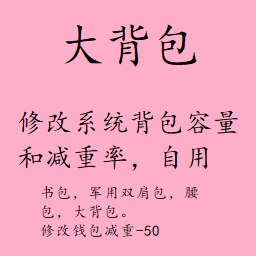
大背包
von 76561198284658845
修改系统背包容量和减重率 书包,军用双肩包,腰包,大背包。 修改黑色钱包减重-50 版本41.77.9 Workshop ID: 2882819776 Mod ID: BackpackModification
![[B41/B42] BloxburgTV – Project Zomboid Mod](https://images.steamusercontent.com/ugc/2408935857693115895/97D2DADFD5BBD247D65821130708C789FCE96416/)
[B41/B42] BloxburgTV
von 76561198374120897
Just a little mod I made that changes the TV/Radio mumbling to that of the old roblox bloxburg news tv mumbling. Workshop ID: 3196414468 Mod ID: BloxburgTV
Prepper Profession
von 76561198032145554
Start as a Prepper who has been preparing thier whole life for the end of the world. Mod has been nerfed! added some skills, removed traits. Check the picture for more details. Workshop ID: 788921049 Mod ID: PrepperProfession
![[COS] Mace – Project Zomboid Mod](https://images.steamusercontent.com/ugc/2015954844219012824/C07630CF8F3974B893FE69F373C007F3D5FD906E/)
[COS] Mace
von 76561199178116693
How Do I Use It? - You can go to the link below to see how to use it. - Link Recommended mode - Fashionoid - Gear Transmog - Hide All Attached Items - Clipping animation Fix How to use COS mode in build 42. - Navigate to the path where the mod is installed. - Create a 42.0 folder. - Create a common folder. - Paste the media folder / mod.info / preview.png into the 42.0 folder. The recipe code writing method has been changed in 42Build. Since COS (Costume) mode has approximately over 200 modes, converting to 42Build's recipe code is an extremely laborious task. In 42Build, you cannot create costumes in (42 build) the crafting tab. There are two methods: Spawn items in cheat mode. Select items in the clothing selection screen when creating a character. Like My Mode? - Join Our Discord If You Want Commission
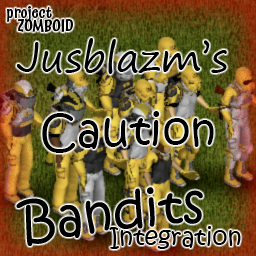
Caution Bandits Integration
von 76561198096995823
Jusblazm's Caution Bandits This mod provides Bandits wearing modded clothing from Caution Uniform. Updates I plan to release a new update on the 2nd of each month. This update will replace the current batch of bandits with a brand new batch. This will not harm your saves, nor will it affect currently spawned bandits. Freshly spawned bandits will be wearing gear according to the new list. This will provide some, hopefully noticeable change to extended saves. Compatibility Absolutely no mod conflicts with two caveats: - someone uses my naming convention for their own integration. - A unique ID generates a dupe (Wikipedia: the probability to find a duplicate within 103 trillion version-4 UUIDs is one in a billion) Known Issues - Errors appear when opening the clan in Bandits Creator. These errors are harmless, it happens because the bandits are wearing clothing that cannot be displayed in Creator, like custom locations. Do not edit them or you will delete the clothing not being displayed. GitHub Archive I will be keeping an archive of each update's bandits.txt and clans.txt files, so that if there is a set you really like, you can continue to use them even after the mod updates and moves away from them. GitHub Archive Permissions I created a simple extension for Bandits NPC that allows bandits to wear the custom equipment slots provided by Caution Uniform. The item IDs belong to Jordanal's Caution Uniform, the BodyLocations belong to Jordanal's Caution Uniform and KATTAJ1's Clothes Core, and Slayer's Bandits NPC reads the text files. Both Caution Uniform and Bandits NPC have the default permissions of Credit where it's due, so I am extending their permissions. Be sure to credit them for their hard work. Credits The Indie Stone for Project Zomboid Slayer for Bandits NPC and Bandits Creator Jordanal for Caution Uniform Workshop ID: 3485860447 Mod ID: JusBanditsJGCautionRANDOM
![[B42] Farming Wiki – Project Zomboid Mod](https://images.steamusercontent.com/ugc/11155607270496563966/819E50BC90029D038CE3B01D6B5822C518A5944A/)
[B42] Farming Wiki
von 76561198993860470
Works correctly in both single-player and multiplayer on 42.20 This mod displays detailed information about all crops registered in the farming system through a user interface. It was created out of necessity due to the very limited information available in the vanilla Build 42 farming system. To use it, find the "FarmingWiki" item, which spawns in places like farming-related magazines. Right-click the item and select "Open FarmingWiki" to view the crop information. Workshop ID: 3473886171 Mod ID: FarmingWiki
![Joshua Graham Player Voice [B42] – Project Zomboid Mod](https://images.steamusercontent.com/ugc/26558109380869570/61E5E572A86AF81E5BB1094F423A0D132449EE2C/)
Joshua Graham Player Voice [B42]
von 76561198031919262
Adds the voice of Joshua Graham from Fallout: New Vegas as a new voice in character creation. THIS MOD IS A WORK IN PROGRESS Workshop ID: 3403737424 Mod ID: VoiceJGraham

True Music K-POP B42
von 76561198062695591
자세한 노래 목록은 토론탭을 참고해주세요 노래는 Apple Music의 연도별 히트곡을 참고했습니다. 모드의 용량이 1.45GB 정도 되는 고용량이니 참고하시기 바랍니다. 현재 414곡 수록됨 아이템 스폰율을 수정해도, 적용되지 않는 True Music의 버그가 있기에, 해당 모드를 사용하시기를 추천합니다. 2001년 ~ 2010년 K-POP은 해당 모드를 사용하시기 바랍니다. 동시에 적용하시면, 2010년은 곡이 겹칠 수 있습니다 +24.11.20 스폰률 복구, 다른 애드온과 중복하여 사용 할 수 있도록 변경 샌드박스 설정에서 스폰률 변경 기능 추가 + 노래 몇곡 추가 Workshop ID: 3405286993 Mod ID: Hx_TrueMusic_KPOP
![Looser Clothes [B42][WIP] – Project Zomboid Mod](https://images.steamusercontent.com/ugc/16484646917399150683/21FE91F116A20D791B214ECCAB170065DB4FFC4D/)
Looser Clothes [B42][WIP]
von 76561198419656665
Do you also feel icky about how skin-tight the vanilla clothes are? Fret not, because so do I, and I finally got the motivation to do something about it! This mod converts almost all t-shirts (and many other clothes) from 2D to 3D, giving a looser, more summer-appropriate look to vanilla fashion. No more battling zombies in the Kentucky summer heat with clothes that look 3 sizes too small! Not what you were looking for? Try these cooler mods from some talented people instead! ^^ - Kiyosheep’s New Clothing Models - Bianca’s Wardrobe - Spongie’s Clothes - Spongie’s Open Jackets Anyway, right now, this mod is still very much WIP, so items are prone to changes as I fix, learn and work around constraints. Do also note that this mod is made from [u[100% vanilla assets, so there are limits to what I can do about smaller imperfections.But on the bright side, any improvements the devs ever make to their models will automatically apply to this mod! :) Q&A: - Does this add new items to the game? No, this mod does not add any new items to the game, it only converts existing items to 3D. :) For new items, check out those mods I listed! - Is this safe to remove from, or add to my save? Absolutely! You can freely enable and disable this mod any time without it affecting your save. ^^ - Why are all the female t-shirts v-necks now? I had to recycle the bathrobe/longcoat model, as that was the only model that would fit the female body like a proper t-shirt. Since the bathrobe model is open-necked, the t-shirt inevitably became open-necked too. This can change in the future as devs add or tweak models! - Can this mod work for b41? Unfortunately not - at least not for now. Most of the assets used to make this mod came from b42. A b41 version would most likely require a total re-build, and in this stage of development, that would be quite wonky. - What are your plans for developing this mod? I hope to expand it a lot over time, as this is a mod I've been wanting for 5 years! However, this is still only the earliest iterations of the mod. But if things go right in my life, I hope to be able to update frequently :) You can always check in on change notes or the "upcoming changes" thread to learn more about what is currently being worked on! Amount of items overwritten so far: 276 and counting! Workshop ID: 3704775324 Mod ID: looserclothes
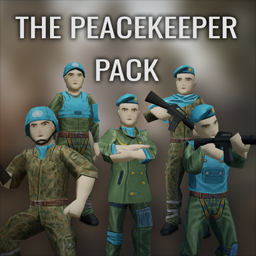
The Peacekeeper Pack
von 76561198042129945
"As refugees and undead alike flooded the hastily constructed military checkpoints throughout Knox County, it became abundantly clear that international intervention would be required to stem the tide. Days after the exclusion zone is widened, the U.N Security Council approves a new peacekeeping mission in Kentucky. The mission's official goal is to assist the U.S military in stopping the spread of the Knox Virus while also providing humanitarian aid across numerous refugee camps. Thus, the United Nations Interim Containment Force (UNICF) is born. Unfortunately, by the time said force had arrived, it was too late. Like every other poor soul in Knox County, the UNICF found itself cut off from the outside world and surrounded by the undead. Most perished while attempting to complete their assigned mission, but maybe it's not too late for someone else to take up the peacekeeper's mantle." Features - Adds three new outfits (Pants + Jacket): Peacekeeper Officer, Peacekeeper Dress Uniform and Peacekeeper Flecktarn Uniform. The latter two can have their sleeves pulled up or down. - Adds six head pieces: Peacekeeper Helmet, Peacekeeper Beret, Peacekeeper Cap, Peacekeeper Poncho, Peacekeeper Scarf and Peacekeeper Neck Wrap. - Adds one shoulder pad. - Adds two new vests: Peacekeeper K18 Vest and Peacekeeper Light Vest. - All items can be found around military areas or Surplus stores. Sometimes you may find zombies wandering around wearing the outfits aswell. Credits: - Kyne's Peace/ZunaSW: All the mod, code, 3D models, textures. - Oren: Commissioned this mod. Without Oren, this mod wouldn't exist. Oren also wrote the little lore description up there. Bug reports are welcomed. Feedback is welcomed, specially about balance and distribution. If you wish to do a translation of the mod, go to the mod folder and into \media\lua\shared\Translate\EN. Grab ItemName_EN, translate it, and send a link over through my Ko-Fi private messages. I will add you to the credits as translator! Please do not redistribute this mod without permission. This means do not post it anywhere, on Steam, or off Steam. However, feel free to make patches for it. If you put it in a modpack for your server, ask first, and then put me as author in the credits. Feel free to indeed add it to your own servers. If you'd like to support what I do, or commission me for other Project Zomboid mods, feel free to check my Ko-Fi! Workshop ID: 3680716987 Mod ID: ThePeacekeeperPack

Hide Backpack
von 76561198358762030
Change the large backpack texture to transparent. Change list: 1.Big Hiking Bag 2.Normal Hiking Bag 3.Large Backpack 4.Military Backpack Workshop ID: 2726695052 Mod ID: HideBackpack
![Better Flashlights [Fixed] ES – Project Zomboid Mod](https://images.steamusercontent.com/ugc/2495636941505419555/87BB36AB4998DDF8F5299C843CBA40EEEB99DBEC/)
Better Flashlights [Fixed] ES
von 76561199071220011
Versión en español del parche hecho por Sennyツ del mod original Better Flashlights de Enobdercas. Este mod es solo una traducción y requiere del mod base para funcionar, además de ser cargado después del mismo. Cualquier error o bug, por favor reportarlo. Todo el crédito a sus respectivos autores. Gracias :) Workshop ID: 3261897676 Mod ID: BetterFlashlightsFixed_ES
![Did I Have A Car? [Unofficial B42.18 Update] – Project Zomboid Mod](https://images.steamusercontent.com/ugc/11733243889013782309/2DCBCE6B99E180F61826AAFAAB9D7F778CC575DF/)
Did I Have A Car? [Unofficial B42.18 Update]
von 76561198076457533
Unofficial update of "Did I Have A Car?" originally created by N0wh3re. When you spawn, if there's a vehicle nearby, you'll receive its key — so you can roleplay that it was your car before the apocalypse. ━━━━━━━━━━━━━━━━━━━━━━━━━━━━━━ ✅ Compatible with Build 42.18 ━━━━━━━━━━━━━━━━━━━━━━━━━━━━━━ 🔧 CHANGES IN THIS UPDATE - Rebuilt for B42 folder structure (required /42/ + /common/) - Fixed vehicle iteration crash (B42.17+ changed getVehicles() from ArrayList to Set) - Fixed nil crash when cell hasn't loaded on first player move - Added profession-based vehicle table (carpenter, metalworker, mechanic, locksmith, etc.) - Code cleanup and nil guards throughout ⚙️ OPTIONS (Main Menu → Mods) - Toggle vehicle repair on spawn - Toggle character dialogue - Set min/max fuel % - Set max search distance (15 / 40 / 80 / 150 / 300 tiles) - Toggle profession-based special vehicle replacement + chance slider ⚠️ Start a NEW game for the mod to work correctly. Changes to options only apply to new worlds. All credit for the original concept and code goes to N0wh3re. Workshop ID: 3726148792 Mod ID: DidIHaveACar_B4218
![[B41] New Horizon Helicopter Skin – Project Zomboid Mod](https://images.steamusercontent.com/ugc/2004700197754164654/7B643ACDF8B70BB5E366938B7E18E28FE40B3272/)
[B41] New Horizon Helicopter Skin
von 76561198435891088
This mod adds a skin with the New Horizon logo to the Better Helicopter mod and reworks the 3D model and texture of the base version. Workshop ID: 2929870389 Mod ID: HelicopterNH
Berserk Weapons Pack
von 76561198960085322
Berserk Weapons Pack Raw heaps of iron to cut them ALL down with. Features: • 3 New Weapons • 1 New Clothing / Bag Item • 4 New Crafting Items • A progression through weapons with crafting Additions: Weapons: Hawk Raider Greatsword - The most basic greatsword of the 3, good for a more lightweight usage style. Hawk Captain Greatsword - A mix between the least and most heaviest weapons, for those who can't quite wield the heaviest of the 3 but also want a more damaging weapon than the previous. The Dragon Slayer - The thickest, heaviest and most devastating weapon out of the bunch, requiring the strongest survivor to be wielded, it can wipe out hordes in mere seconds if used correctly and is in the right hands. Clothing: Ragged Black Swordsman Cape - An old ragged cape that can be used as a backpack. Items: Blacksmith Journal Notes I, II and III - Pages of an old journal that can be found and put back together. Godot's Journal - The recovered journal of an ancient legendary blacksmith, it contains the recipes for blades strong enough to kill dragons. Disclaimer, Questions and A Note for Modders: Disclaimer: This is my first mod that I've made for Project Zomboid, I've tried my best to make it a balanced experience that slots in well with the vanilla game, I apologise for any bugs or unbalanced aspects that may be in the mod. Questions: Multiplayer? Multiplayer has NOT been tested for the mod but I don't see any reason it wouldn't work. How do I get the weapons? Try looking for ripped journal pages around the world to craft Godot's Journal. Perhaps places where a blacksmith would reside would be a good place to find them. A note for Modders: The mod was originally going to have Guts' Repeater Crossbow as an additional weapon that players could find the recipe for and craft, but due to bugs and my general misunderstanding of modding Project Zomboid, I ran into too many problems with it so I decided to cut it from the mod. Although, the model, texture, icons and other resources for not only the weapon itself but also ammo for the weapon remains in the mod files, if you wish to use them for your own project please feel free to grab them from the mod, although please credit me if you decide to do so! Workshop ID: 3345914342 Mod ID: BerserkWeaponsPack
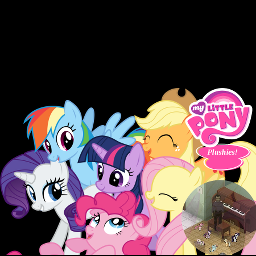
My Little Pony Plushies
von 76561197960691248
My Little Pony Plushies - Best Mods are pony mods! About: If Spiffo is leaving a void, this is the mod for you! Six pony plushies to make you feel better in the zombie apolocolypse. Collect the mane six pony plushies! * Applejack * Fluttershy * Pinkie Pie * Rainbow Dash * Rarity * Twilight Sparkle Don't like the ponies!? No problem use a lighter or matches to burn them into charred ponies! Do you have a strange hatred for fans of MLP? Don't worry this mod has features for folks that think just like you! Some of the bronies and pegasisters have already been zombified. Kill the undead incarnation of a brony or pegasister and you too can get a pony of your own! Where to find them: Find them in zombie corpses, toystores and closets. What people have to say about this mod: "No just no. We dont need pony mods for project zomboid." "No, shit pony come in this game, i'm sad..." "Killit... kill it with fire please. dont bronie my favorit game ..." Item Classnames: Use the following names in your serverconfig SpawnItems or add them into your starterkit or write a script to spawn them in! PlushMLP.MLP_Applejack PlushMLP.MLP_Fluttershy PlushMLP.MLP_PinkiePie PlushMLP.MLP_RainbowDash PlushMLP.MLP_Rarity PlushMLP.MLP_TwilightSparkle PlushMLP.MLP_CharredPony Workshop ID: 538825998 Mod ID: PlushMLP
Project Zomboid Details →
Project Zomboid Guides
Project Zomboid Mods installieren - Workshop Guide
Installiere Project-Zomboid-Mods sauber per Steam Workshop: IDs eintragen, Reihenfolge prüfen, Server neu starten und typische Fehler beheben.
Project Zomboid Build 42 auf dem eigenen Server: Umstieg, Spielstände und Mods
Build 42 ist Stable: Spielstände aus Build 41 sind nicht kompatibel. Umstieg, legacy41-Zweig, neue Serveroptionen, Anti-Cheat und der Hotfix 42.20.1 gegen Serverlag.
Project Zomboid Server mieten – Multiplayer Guide
Project Zomboid Server einrichten: RAM, Sandbox-Einstellungen, Workshop-Mods, Admin-Rechte und typische Fehler sauber prüfen.
Project Zomboid Server mit Mod-Support
Kompatible, unterstützte Mods über das Server-Dashboard installieren.
Project Zomboid Server mieten