Project Zomboid Mods für Server
Für einen modifizierten Project-Zomboid-Server brauchst du pro Projekt die Steam-Workshop-ID und die interne Mod-ID. Prüfe zusätzlich Spiel-Build, Abhängigkeiten und Lade-Reihenfolge, bevor du deine Welt mit den Änderungen startest.
Project Zomboid Mods sicher installieren
Ein Workshop-Abo allein aktiviert eine Mod auf dem Dedicated Server nicht. Die Einträge in `WorkshopItems=` und `Mods=` müssen zusammenpassen; außerdem muss jede Mod den gewählten Build 41 oder Build 42 ausdrücklich unterstützen.
- 1. Build prüfen: Build-41- und Build-42-Mods nicht ungeprüft mischen.
- 2. Workshop-ID, Mod-ID, Abhängigkeiten und erforderliche Reihenfolge vollständig dokumentieren.
- 3. Welt und Konfiguration sichern, Server neu starten und Logs sowie den Beitritt mit einem Test-Client prüfen.
Die vollständige Schritt-für-Schritt-Anleitung findest du im Project-Zomboid-Mods-Guide. Oder starte direkt mit einem Project Zomboid Server mit Mod-Support.
Häufige Fragen zu Project Zomboid Mods
Was ist der Unterschied zwischen Workshop-ID und Mod-ID?
Die Workshop-ID bezeichnet das Steam-Workshop-Projekt und steuert den Download. Die Mod-ID aktiviert den enthaltenen Mod im Spiel. Auf dem Server müssen beide Listen vollständig und passend gepflegt sein.
Laufen Build-41-Mods automatisch mit Build 42?
Nein. Nutze eine Mod nur dann auf Build 42, wenn ihre Workshop-Seite diese Kompatibilität ausdrücklich bestätigt. Prüfe dabei auch alle Bibliotheken und weiteren Abhängigkeiten.
Wie teste ich ein Mod-Update ohne Risiko für die Welt?
Sichere zuerst Welt, Sandbox-Konfiguration und Server-INI. Aktualisiere danach die zusammengehörigen Mods, starte den Server neu und prüfe Logs, Kernfunktionen und einen vollständigen Client-Beitritt.
VHS Pack: Tailoring
von 76561199230970910
Добавляет 5 кассет, просмотрев которые вы сможете вязать классные носки в свободное от выращивания капусты время Workshop ID: 3541398834 Mod ID: VHSPackTailoring
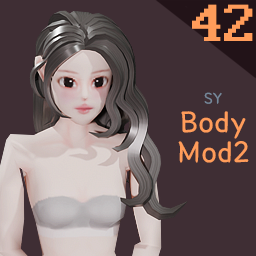
SY Body Mod 2
von 76561198141904117
42빌드 모드 구독 후 게임 재부팅 필수 Game reboot required after mod subscription 피부색 별로 눈동자 색이 달라요 ifferent skin tones have different eye colors 여자 캐릭터만 지원 Female characters only 바디 텍스쳐 사이즈 : 512x512 body texture sizes : 512x512 Workshop ID: 3396148580 Mod ID: 3344471334
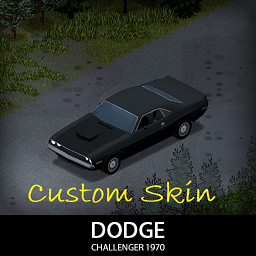
70 Dodge Challenger Custom Skin
von 76561198315858247
This is a custom skin for 70 Dodge challenger , It may still get unstable from time to time since I'm still updating the skins. If you like this mod, consider supporting me for buying a Coffee. So that I can stay awake for creating mods like this. Workshop ID: 3320323068 Mod ID: 70dodgeskn

True Moozic: Gorillaz
von 76561199446419840
Gorillaz's songs now in B42.13.2 and B42.14.0 Currently Adds -------------------- Gorillaz - 19-2000 Gorillaz - Andromeda Gorillaz - Aries Gorillaz - Baby Queen Gorillaz - Clint Eastwood Gorillaz - Cracker Island Gorillaz - DARE Gorillaz - Dirty Harry Gorillaz - El Manana Gorillaz - Empire Ants Gorillaz - Every Planet We Reach Gorillaz - Feel Good Inc Gorillaz - Humility Gorillaz - Kansas Gorillaz - Kids With Guns Gorillaz - Let Me Out Gorillaz - November Has Come Gorillaz - On Melancholy Hill Gorillaz - Pac-Man Gorillaz - Plastic Beach Gorillaz - Rhinestone Eyes Gorillaz - Shes My Collar Gorillaz - Silent Running Gorillaz - Tarantula Gorillaz - Tomorrow comes Today Gorillaz - Tranz -------------------- Breaker Requested: mrBobba Requested: Kansas Want a song added? Just put a comment with the song name! Official Discord Workshop ID: 3664004489 Mod ID: TM_Gorillaz
![[B42] Portion Sizes (Fish Fillets) – Project Zomboid Mod](https://images.steamusercontent.com/ugc/51326169871562561/F4552EEB8EA4734B84A10BA3A3FDEBB28D27918D/)
[B42] Portion Sizes (Fish Fillets)
von 76561198006063132
Obtain eldritch knowledge of cutting up a fish you just cut up two seconds prior. Adds three recipes to process fish beyond initial filleting of whole fish. - Halve fillet: Efficiently cut two equal fillets from a larger piece of fish. - Portion Fillet: Efficiently cut a meal-sized fillet from a larger piece of fish. - Trim Fillet: Attempt to cut inedible bits of fish from a heavier piece. - An inexperienced chef may accidentally waste up to a third of edible fish. - Using a dull knife (or worse, a sharp rock) could waste even more. I tried to keep somewhat close to TIS's apparent vision for fishing and fish weights. Trimmed fish is still relatively heavy compared to other food sources, but now you can use more than a single fish fillet in a salad before your knees buckle under the weight. Workshop ID: 3395624315 Mod ID: PortionSizes
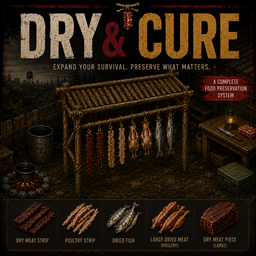
Dry & Cure
von 76561199116881450
Dry & Cure – Meat and Fish Preservation A complete drying and curing system for Project Zomboid Build 42.20. Dry & Cure introduces three craftable drying stations that allow you to preserve fish, poultry and meat for long-term survival. The stations use the familiar vanilla entity-crafting interface and display different tiles while empty, processing raw food or holding finished dried products. Three Drying Stations - Basic Drying Station Capacity: 6 pieces Drying time: 72 hours Carpentry required: Level 1 Affected by rain, humidity and temperature. - Advanced Drying Station Capacity: 12 pieces Drying time: 48 hours Carpentry required: Level 3 Affected by rain, humidity and temperature. - Professional Drying Station Capacity: 20 pieces Drying time: 24 hours Carpentry required: Level 5 Protected from weather penalties and operates at a stable rate. All stations occupy a proper 2x1 footprint, include collision on both squares and can be rotated by pressing R before construction. Supported Food The drying stations accept a wide selection of vanilla proteins: - Small, medium, large and legendary fish - Fish fillets - Chicken and turkey fillets - Chicken and turkey legs - Small bird meat - Whole chickens and turkeys - Rabbit, rodent and frog meat - Steaks, pork chops and mutton chops - Venison, beef and pork Different compatible proteins can be combined inside the same drying batch. You are not restricted to using multiple copies of a single food type. Rotten and frozen ingredients are rejected by the standard Build 42 crafting rules. Dynamic Nutrition and Balanced Outputs Every result is calculated from the actual food placed inside the station. Fish size, meat quality, weight and nutritional values are preserved when the dried food is created. A tiny fish will never produce the same nutrition as a large or legendary fish. The drying process applies the following balanced changes: - Calories: 105% of the original total - Protein: 108% of the original total - Fat and carbohydrates: preserved - Hunger reduction: 105% of the original total - Final weight: approximately 45% of the original weight Nutrition is calculated for the complete batch before being distributed between the resulting pieces. This prevents food values from being multiplied by the number of outputs. New Dried Foods The mod adds custom dried versions for: - Fish - Poultry - Meat strips - Regular meat cuts - Large pieces of meat All five dried foods include custom inventory textures, 3D models for the ground and character hands, and can be added to salads. Visual Processing States Each station has dedicated artwork for: - Empty - Raw meat being processed - Finished dried meat ready to collect The professional station also includes a roof and ground shadow, visually representing its protection from the weather. Construction Requirements Basic Station - 2 Logs - 6 uses of Twine - 4 Nails - Hammer - Saw Advanced Station - 2 Logs - 4 Tree Branches - 12 uses of Twine - 8 Nails - Hammer - Saw Professional Station - 4 Logs - 12 Tree Branches - 24 uses of Twine - 24 Nails - 1 Tarp - Hammer - Saw Tools are retained after construction but may suffer light durability loss. Compatibility - Designed for Project Zomboid Build 42.20 - Uses the Build 42 entity-crafting system - No additional mods required - Compatible with the Meat Expansion 2.0 mod - English and Spanish translations included This mod was created from an idea by Srta Crije; the credits for the idea go to her. This mod was made because of the redemption of 100k point rewards from the Twitch channel. This mod's permissions fall under TIS's policy Ask for permission This mod can only be added to and extended with the express permission from the original creator. Having received permission, credit must be given to the original creator, both within the files of the mod and wherever the mod roams online. If no permission is received you may not alter the mod, and it must be treated as a mod that is 'On Lockdown'. The only exception is that servers may freely include this mod in their modpacks, with the freedom to alter it or make modifications as they see fit, as long as credits are properly given to the original creator. Support the Mod Support the Project If you enjoy this mod and want to support future updates and new systems: Your support helps expand the project and keep development active. Every contribution makes a difference. Thank you for your support! ❤️ A like or favorite helps a LOT! Workshop ID: 3776848101 Mod ID: Dry&Cure
![Massive Military Containers [B42] – Project Zomboid Mod](https://images.steamusercontent.com/ugc/14776812307594796657/D53C162DD5B449AEAF88C0C9543526525D97087F/)
Massive Military Containers [B42]
von 76561198329194379
Craftable Huge & Light Military Crates (Olive/Tan) and Weapon Storage Lockers with multi-bay storage. Vanilla-compatible stacking, full Build 42 renderer support, works in SP and on dedicated servers. Sandbox options for bays, capacity, welding skill, and per-item craft costs. Adds three families of craftable military-grade storage to the metalworking build menu: - Huge Military Crate (Olive / Tan) — a two-man container for serious stockpiles. Multi-bay storage: 9 bays × 100 capacity by default (bays configurable 1–24, per-bay capacity 1–100). Pick-up weight 20.0. - Light Military Crate (Olive / Tan) — stackable up to 3 high using the vanilla protocol, so vanilla wooden/military crates stack on them and vice versa. 1 bay × 100 capacity. Pick-up weight 5.0. - Weapon Storage Locker — mesh-door gun locker with 3 bays × 100 capacity. Pick-up weight 10.0. Features: - Multi-bay storage that bypasses the per-container capacity cap — each bay is a separate 100-capacity compartment with its own icon and "Bay X/N" loot panel title. - Single-player and Multi-player support (including dedicated servers) - Welding-based crafting (blowtorch, welding rods, sheet metal, screws, hinges) with a configurable MetalWelding skill requirement (default 6). Sandbox options: - Welding skill requirement. - Full control over craft material amounts (sheet metal, small sheet metal, scrap, rods, hinges, screws, blowtorch/welding rod uses) — separately for Huge Crates, Light Crates and Lockers. Credits: - Geofisika (all textures) (Code has been written by A.I.) Workshop ID: 3774699319 Mod ID: MassiveMilitaryContainer
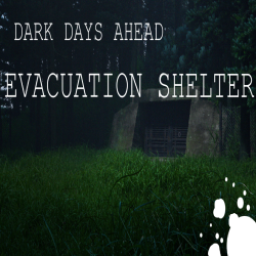
Evacuation Shelter Start
von 76561198049994591
A remote and poorly equipped emergency evacuation shelter, inspired by Cataclysm Dark Days Ahead. It is located just south east of Muldraugh on a small backroad, and consists of a bathroom, small storeroom, roof access, and a large waiting area with benches and lockers. Made for a challenge run by and for Twitch streamer ExtraBanal. Workshop ID: 2781204818 Mod ID: EvacShelter Map Folder: EvacShelter
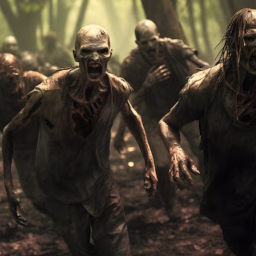
Blind Zombies!
von 76561198042093033
Description They are now blind! Explore the Knox Country with this new kind of zombie. But be careful! They don't like it when you get too close! This is the first version of the mod, which was created for myself around two years ago, with the objective of not only improving my knowledge in programming but also providing a new, fun way of playing Project Zomboid. In this version of the mod, you will play as if zombies were almost totally blind; get too close, and they will attack or follow you. However, if you want a sandbox menu with more control over things and newly developed features like memory, differences in detection between sneaking, running, and others, then check out the new in-development version on my Patreon page. This way, you can test it with me, give me feedback and suggestions, and support and help maintain this and any other mods I might create before fully releasing them to the public. I plan to delve deeper into the limited documentation and available information to explore what else I can add or modify to enhance the mod before making any other version public. This is why your support is important; it allows me to dedicate some of my limited free time to achieve workable and desirable results. Version comparassion: V1 - Simple version of a blind zombie. - The closest zombies are unable to interact or react to sounds other than to player proximity, the ones offscreen will react normally to sounds and events. - Yet missing options and a sandbox menu for further configuration. V2 - A more complex version, and direct continuation of the v1 version - Closest zombies will react to gunshots or even melee attacks (unless if disabled) - Contains a sandbox menu, something that was added recently with multiple configurable options. Click here to access my patreon page Notes - After doing some tests with this and the in-dev version, this mod seems to be better fitted with sprinters and high or max population, as removing their ability to see the player will have a significant impact on the game difficulty. - The v2 version is just a direct continuation to this version that will eventually be released, as I'm gonna take the features present in v2 and slowly add to this one as I attempted to optimize everything that might need it. - I assume it's multiplayer compatible. I need feedback about it since I don't do multiplayer, however, I did so that the script checks for multiple players in-game. Contact Do you wish to add me, or talk to me? Then please, feel free to add me on Discord! Or you can follow me on Instagram! Workshop ID: 3236920978 Mod ID: Blind Zombies

TrueActions Dancing VHS (正體中文翻譯)
von 76561198027811816
CH Translation for TrueActions Dancing VHS. 正體中文翻譯 Workshop ID: 2853964116 Mod ID: TrueActionsDancingVHS_ch
![Frank West Voice [B42] – Project Zomboid Mod](https://images.steamusercontent.com/ugc/25430472014144846/4C64BC8DA8EB3E433520402122F33651E610BA22/)
Frank West Voice [B42]
von 76561198042060301
Adds Frank West as a new voice option in character creation The sounds are from both Dead Rising 1 and 2 so there is a difference in the audio quality between some of the lines. Voiced by TJ Rotolo. I wasn't able to get a clean version of his scream for the death sound so if anyone is able to get one then let me know. Yes there is a chance he will say it when bandaging I'm not making any more voices please don't ask. Guide on how to create custom voices Workshop ID: 3395569666 Mod ID: VoiceFrankWest
![PZK Repair All Clothing [PAUSED] – Project Zomboid Mod](https://images.steamusercontent.com/ugc/18071477972122500313/866CAC41AEFBFCC3113C3CF303B7D219D4732813/)
PZK Repair All Clothing [PAUSED]
von 76561198074835140
Further PZK Mods develop paused until critical issue resolved. https://theindiestone.com/forums/index.php?/topic/93467-building-obstructing-view-before-player-eyes/ This mods allow to patch holes for any clothing, vanilla and modded. Make sure this mod is activated after all clothing mods. Warning! Make sure to load this mod after all clothing mods There may be or not future updates. For modders: In mod there are global tables where you can assign specific clothing item to change its material. - PZK_DenimItems - PZK_CottonItems - PZK_LeatherItems Clothing items that dont have any material specified will be defined as leather items by default(its mostly for vanilla shoes) SUPPORT If you want to support me, check my youtube channel https://www.youtube.com/watch?v=pe4U-PN6tZY&list=PLyC9R-J20zjeAHdlLts8KvLLwEfnjLDdZ Join Discord server https://discord.gg/mPWXu5f Consider support Contribute to add content to wiki to help other players and fans https://pzk-vlc.fandom.com/wiki/PZK_VLC_Wiki If you need 3d model or automotive mod, you can hire my skills for $ WIKI: https://pzk-vlc.fandom.com/wiki/PZK_VLC_Wiki FAQ: https://pzk-vlc.fandom.com/wiki/FAQ 1. Can i repack mod? - NO! Mod is intellectual property of PZK Forge. Due to License terms & rights of PZK Forge and 3rd parties licences, this mod can only be added to and extended with the express permission from the original creator. If no permission is received you may not alter the mod, and it must be treated as a mod that is 'On Lockdown'. You are not allowed to repack this mod under any circumstances, ever. Mod is intellectual property of PZK Forge. Due to License terms & rights of PZK Forge and 3rd parties licences, this mod can only be added to and extended with the express permission from the original creator. If no permission is received you may not alter the mod, and it must be treated as a mod that is 'On Lockdown'. You are not allowed to repack this mod under any circumstances, ever. 2. If something not working, breaks with official updates, let me know on discord. Workshop ID: 3551044544 Mod ID: pzkRepairAllClothing
![[COS] QIQI – Project Zomboid Mod](https://images.steamusercontent.com/ugc/2068882193853340985/C0B5F1560755A0E3FFE5ADD06D254912B9D1EE02/)
[COS] QIQI
von 76561199178116693
How Do I Use It? - You can go to the link below to see how to use it. - Link Recommended mode - Fashionoid - Gear Transmog - Hide All Attached Items - Clipping animation Fix How to use COS mode in build 42. - Navigate to the path where the mod is installed. - Create a 42.0 folder. - Create a common folder. - Paste the media folder / mod.info / preview.png into the 42.0 folder. The recipe code writing method has been changed in 42Build. Since COS (Costume) mode has approximately over 200 modes, converting to 42Build's recipe code is an extremely laborious task. In 42Build, you cannot create costumes in (42 build) the crafting tab. There are two methods: Spawn items in cheat mode. Select items in the clothing selection screen when creating a character. Like My Mode? - Join Our Discord If You Want Commission
Mutie's Evolved Recipe Tooltips
von 76561197988519654
Build 42+ Compatibility This mod is not being update for Build 42. Instead, I have collected my tooltip mods and ideas under a single mod called Mutie's Tooltips, which has mod options to turn off each individual feature if you only want bait and trap info! Functionality A simple tooltip addition to foodstuffs that displays what evolved recipes they can be used in. For vanilla, this means that mousing over foodstuffs will show if they can be added to soup, stew, oatmeal, pancakes, muffins, cakes, pies, beverages, juices, sandwiches, anjavascript:ValidateForm()d even more! When used with other tooltip mods by me, you can change the mod load order to control the order of the tooltips. Compatibility Fully compatible with Eris' Food Expiry mod (as seen in the screenshots) - Food Expiry tooltip not included in this mod. When mods add new evolved recipes or change the recipes that you can use certain ingredients in, this mod fully supports that and will also add those new tooltips to foods. Translation The mod should automatically use the localised strings for your language, and be compatible with any language that vanilla Project Zomboid is localised in, as well as the languages that your modded items and recipes are available in. Upcoming - Mod Options to enable/disable the tooltip when holding a modifier key (e.g. Shift) - SandboxVars support to hide the tooltip unless you have read a magazine, acquired a trait, have a specific profession, reached a certain level of Cooking, or any combination of the previous. - Sorting the list so things feel more orderly Promotion Also check out my other mods: Mutie's Bait Tooltips Mutie's Context Menu Icons Mutie's Diary Mutie's Loot Scrounging This work is MIT Licensed Workshop ID: 2843476927 Mod ID: MutiesEvolvedRecipeTooltips

Bus Ticket
von 76561198031286597
BusTicketTeleport v0.3 This mod bring Bus Ticket to Vanilia Maps for traveling to this location : "Train Station Louisville", 12697, 2347 "Rosewood Center", 8093, 11658 "West Point Town Hall", 11927, 6886 "Muldraugh Plaza", 10604, 9934 "Riverside Center", 6538, 5309 "March Ridge Center", 10009, 12706 Can build in Carpentry with : Magazine, 3 Money, Glue, Scissors Thanks for everyone... Also add modded Maps RavenCreek;Blackwood;Chestown;Grapeseed;NewEkron;Ashenwood if you want prefer Mod ID: BT_Patch Workshop ID: 2866535182 Mod ID: BT_Patch Mod ID: BT_NY
Stick
von 76561198329871201
Allows to stick another player. How To You can set a key under PlayerControl if you have ModOptions active. In this case your character will stick to the closest player. You can use the contextual menu (right click) and select (left click) "Stick to <Someone>". Details - It follows by walking. (no sprint, no run) - It crouches like the target. - It follows in car (if an empty seat can be reached) and out of it. - It can be cancelled by moving or pressing escape key. - A mismatch between client and server with B41 Multiplayer? Follow the steps here. The one who asks me if this works in multiplayer looses one point of charisma. Ask for permission This mod can only be added to and extended with the express permission from the original creator. Having received permission, credit must be given to the original creator, both within the files of the mod and wherever the mod roams online. If no permission is received you may not alter the mod. Workshop ID: 2713976116 Mod ID: Stick

Project Russia airdrop events
von 76561199227638063
______________________________RU______________________________ Внимание! этот мод необходимо включать последним. В ином случае мод может не работать Думаю большинство людей игравших с модом Project Russia видели в меню спавна транспорта: ПГС-500 в разных его версиях. Я решил добавить ему применение. Может быть криво, но добавить. Для того чтобы вызвать аэродроп. Вам необходимо добыть записи радиста (Они падают с трупов полицейских и военных), достать армейскую радиостанцию, и ввести нужную радиочастоту. Основной лут: Снаряжение, огнестрельное оружие, боеприпасы, наборы для чистки оружия, магазины, и т.д. Переводы: Русский Английский ______________________________ENG______________________________ Attention! this mod should be enabled last. Otherwise, the mod may not work. I think most people who have played with the Project Russia mod have seen spawn transport: PGS-500 in its various versions in the menu. I decided to add an application to it. This may not be a very high-quality video, but i added it. To call airdrop. You need to get the radio operator's recordings (they are taken from the corpses of police and military personnel), get an army radio station and enter the desired frequency. Main loot: Equipment, firearms, ammunition, weapon cleaning kits, magazines, etc. Translations: Russian English _______________________________________________________________ Workshop ID: 3365106546 Mod ID: PR_airdrop_events
SafehouseNameIndicator
von 76561199042257388
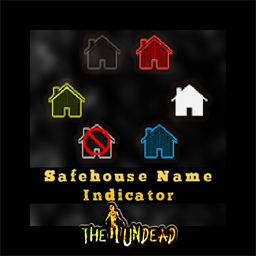
Safehouse Name Indicator Adds an indicator on the upper left side of the screen Shows a dynamic icon Shows shows safehouse title and owner It will show if youre standing on the ff: Outside Claimable Safehouse Own Safehouse Member of the Safehouse Other Player's Safehouse Non Claimable Safehouse -------------------------------------------------- Mod by Glytch3r Commissioned by YungSneed Zombie House Server For custom pz mod commissions contact me discord: Glytch3r#7331 / glytch3r https://ko-fi.com/glytch3r Workshop ID: 3246300242 Mod ID: SafehouseNameIndicator
![[B41.78] Negative weight Money and Card 음수 무게 돈, 카드(No big bags needed) – Project Zomboid Mod](https://images.steamusercontent.com/ugc/1811032820573626427/33399C443AC5EB0C775C40CB5F41DC907AC47C25/)
[B41.78] Negative weight Money and Card 음수 무게 돈, 카드(No big bags needed)
von 76561198040696359
What it do (이 모드의 기능): A bill of money is set to -0.1 weight, a creditcard -1 weight, so as you collect more money and creditcards, you can carry things more! Big bags or infinite inventory may not be needed. 돈을 주우면 인벤토리/가방에 담을 수 있는 무게가 0.1만큼 늘어나고 카드를 주우면 1만큼 늘어남. 돈과 카드를 많이 주우면 많은 물건들을 들고 다니거나 가방 등에 넣을 수 있음. 큰 가방 또는 무한 인벤토리 기능이 필요하지 않음. Where are money and credit cards (돈과 카드 구하는 곳): You can get about 5 bills of money in a cash register on counters of most stores. A credit card may be collected when you kill about 100 zombies and search their bodies. 대부분의 가게에 있는 카운터 위 금전 출납기에 5장 정도의 돈이 있음. 카드는 좀비 100마리 정도 잡으면서 찾아 보면 1장을 구할 수 있음. Build and testing (빌드 및 테스트): This mod is for B41.78. I haven't tested for other builds. Not recommeded. 빌드 41.78. 다른 빌드에 대해서는 테스트 안 해 봤으며 추천하지 않음. Not tested for multi-player environment. 멀티 플레이어 환경에서 테스트해 보지 않았음. For Build 41.65, go to https://steamcommunity.com/sharedfiles/filedetails/?id=2732260804 빌드 41.65용을 쓰려면 위 링크로 들어가세요. How I made this mod (이 모드 만든 방법): I copied 'newitems.txt' from the game build from <Your Steam Drive>:\SteamLibrary\steamapps\common\ProjectZomboid\media\scripts, and pasted it to a new mod folder and changed 2 numbers of weight. 게임 빌드에 포함된 원본 newitems.txt 파일을 새 모드 폴더에 복사 후 2개 숫자(돈, 카드 무게)만 바꿈. 원본 파일 위치: <사용자의 스팀 드라이브>:\SteamLibrary\steamapps\common\ProjectZomboid\media\scripts How you can change the weight (무게를 바꾸는 방법): Go to the mod folder. To check the mod folder, in the Main screen of Zomboid game > Mods > You can see the path of the mod folder of each mods. Example: D:\SteamLibrary\steamapps\workshop\content\108600\2732260804\mods\negmoney1 *This is only an example* In a sub folder, open newitems.txt with a text editor (like Notepad) and find 'money' and edit its weight number. 이 모드가 설치된 폴더로 감(좀보이드 첫 화면 > 모드 메뉴에 보면 이 모드의 세부 정보에 폴더 위치가 있음). 예시: D:\SteamLibrary\steamapps\workshop\content\108600\2732260804\mods\negmoney1 *예시임* 그 폴더의 하위 폴더의 하위 폴더로 계속 찾아서 내려가면 newitems.txt라는 파일이 있음. 메모장 등을 이용하여 열기. money라는 텍스트를 검색해서 그에 대한 무게(weight)를 원하는 대로 변경. For example (예): item Money { DisplayCategory = Junk, Weight = -0.1, As you can see above, Money's weight is set to -0.1 and you can change it to other value, like -0.5. Save the newitems.txt and exit the editor. 위와 같이 되어 있을 때 돈의 무게가 -0.1임. 이를 바꾸고 싶은 숫자로 바꿀 수 있음(예: -0.5). newitems.txt 파일 수정을 마쳤으면 저장하고 나옴. Recommended related mod (추천 관련 모드): Auto root https://steamcommunity.com/sharedfiles/filedetails/?id=2577903374&searchtext=auto+search It's a little hard to search for items from all the dead zombies. With Auto root mod, you can set the option to root credit cards from zombies automatically. 죽은 좀비를 일일이 뒤져보려면 힘듦. 'Auto root'라는 모드를 사용하면 카드를 자동으로 줍도록 옵션을 설정할 수 있음. Credit: This is an updated mod of NEGATIVE WEIGHT MONEY & CARD originally created by CATKA. Big thanks to CATKA. CATKA 씨가 만든 음수 무게 돈, 카드 모드를 업데이트했습니다. CATKA 씨께 감사합니다. Have fun gathering items! 물건 모으면서 즐거운 시간 되세요! Workshop ID: 2863291726 Mod ID: negmoney01
![Escape From Tarkov Backpacks_CH汉化 [B42] – Project Zomboid Mod](https://images.steamusercontent.com/ugc/41202108842273440/26B598BEDA1978B3DBDADCA87177FEBFB534F677/)
Escape From Tarkov Backpacks_CH汉化 [B42]
von 76561199229532027
原模组地址:https://steamcommunity.com/sharedfiles/filedetails/?id=3432928943 对该模组的英文翻译,逃离塔科夫这游戏我没玩过,翻译对不对,我也不确定,都是机翻 Workshop ID: 3454782221 Mod ID: EFTBP_CN
Hawkins Big Trunk (41 & MP)
von 76561198022503224
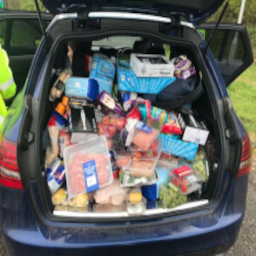
very simply doubled trunk capacity. ive added a version of this which has the capacity reduction caused by damage disabled, ive uploaded it as a separate mod as im not sure how to add options in game to enable and disable such a feature https://steamcommunity.com/sharedfiles/filedetails/?id=2693128348 Workshop ID: 2689380835 Mod ID: HBT
Skoda Felicia '97
von 76561198020727354
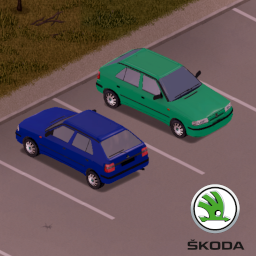
This mod adds a Skoda Felicia I to the game. Also check out my previous Skoda Fabia mod: https://steamcommunity.com/sharedfiles/filedetails/?id=2710576857 Workshop ID: 2725469586 Mod ID: Felicia97
Pistol Handling Styles
von 76561199042257388
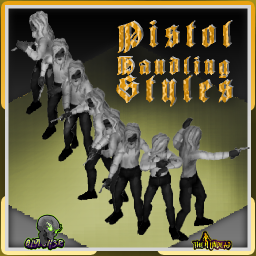
Pistol Handling Styles Adds 5 Custom Animation Sets to the game Equip a pistol and press Z to switch note: switching is disabled when you are near or inside a vehicle Switch Style Keybind Default: Z The keybind can be changed via options Sandbox Options Option To Show or Hide Style Name While Switching Styles Each Style Can Be Named You can Require Aim Level For Each Styles (0 to make it free, 11 to disable the style) Check Out Check out my Dual Pistol Wield too https://steamcommunity.com/sharedfiles/filedetails/?id=3174698197 ----------------------- B41 MP / SP can be installed mid save ------------------------ Mod by Glytch3r Commissioned by Figgy All my mods are commissioned including this one For custom pz mod commissions Contact Glytch3r via discord discord: glytch3r / glytch3r#7331 https://ko-fi.com/glytch3r Workshop ID: 3416887229 Mod ID: PistolHandlingStyles

Flashlight & Lantern on Belt - B42.20+ MP Patch
von 76561198054327790
Fixes Flashlight & Lantern on Belt for B42.15. in Multiplayer Workshop ID: 3684889202 Mod ID: FlashlightLanternBelt_B4215_Patch
Project Zomboid Details →
Project Zomboid Guides
Project Zomboid Mods installieren - Workshop Guide
Installiere Project-Zomboid-Mods sauber per Steam Workshop: IDs eintragen, Reihenfolge prüfen, Server neu starten und typische Fehler beheben.
Project Zomboid Build 42 auf dem eigenen Server: Umstieg, Spielstände und Mods
Build 42 ist Stable: Spielstände aus Build 41 sind nicht kompatibel. Umstieg, legacy41-Zweig, neue Serveroptionen, Anti-Cheat und der Hotfix 42.20.1 gegen Serverlag.
Project Zomboid Server mieten – Multiplayer Guide
Project Zomboid Server einrichten: RAM, Sandbox-Einstellungen, Workshop-Mods, Admin-Rechte und typische Fehler sauber prüfen.
Project Zomboid Server mit Mod-Support
Kompatible, unterstützte Mods über das Server-Dashboard installieren.
Project Zomboid Server mieten