Project Zomboid Mods für Server
Für einen modifizierten Project-Zomboid-Server brauchst du pro Projekt die Steam-Workshop-ID und die interne Mod-ID. Prüfe zusätzlich Spiel-Build, Abhängigkeiten und Lade-Reihenfolge, bevor du deine Welt mit den Änderungen startest.
Project Zomboid Mods sicher installieren
Ein Workshop-Abo allein aktiviert eine Mod auf dem Dedicated Server nicht. Die Einträge in `WorkshopItems=` und `Mods=` müssen zusammenpassen; außerdem muss jede Mod den gewählten Build 41 oder Build 42 ausdrücklich unterstützen.
- 1. Build prüfen: Build-41- und Build-42-Mods nicht ungeprüft mischen.
- 2. Workshop-ID, Mod-ID, Abhängigkeiten und erforderliche Reihenfolge vollständig dokumentieren.
- 3. Welt und Konfiguration sichern, Server neu starten und Logs sowie den Beitritt mit einem Test-Client prüfen.
Die vollständige Schritt-für-Schritt-Anleitung findest du im Project-Zomboid-Mods-Guide. Oder starte direkt mit einem Project Zomboid Server mit Mod-Support.
Häufige Fragen zu Project Zomboid Mods
Was ist der Unterschied zwischen Workshop-ID und Mod-ID?
Die Workshop-ID bezeichnet das Steam-Workshop-Projekt und steuert den Download. Die Mod-ID aktiviert den enthaltenen Mod im Spiel. Auf dem Server müssen beide Listen vollständig und passend gepflegt sein.
Laufen Build-41-Mods automatisch mit Build 42?
Nein. Nutze eine Mod nur dann auf Build 42, wenn ihre Workshop-Seite diese Kompatibilität ausdrücklich bestätigt. Prüfe dabei auch alle Bibliotheken und weiteren Abhängigkeiten.
Wie teste ich ein Mod-Update ohne Risiko für die Welt?
Sichere zuerst Welt, Sandbox-Konfiguration und Server-INI. Aktualisiere danach die zusammengehörigen Mods, starte den Server neu und prüfe Logs, Kernfunktionen und einen vollständigen Client-Beitritt.
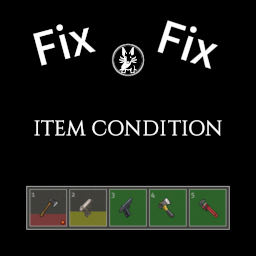
Item Condition Fix 2
von 76561198091538582
Item Condition Fix 2 B42.20 Displays item condition in the hotbar and equipped interface. Fixed items: - Wlakman - CDplayer - Radio - Walkie Talkie Require Item Condition mod. Or Item Condition mod. You can support my work here: Xolo Studios. Workshop ID: 3555116865 Mod ID: qdx_item_condition_fix2

谷歌汉化
von 76561198959382934
谷歌汉化 Workshop ID: 2678368105 Mod ID: ModTemplate Mod ID: googletranslate Map Folder: ModTemplateWorld1 Map Folder: ModTemplateWorld2
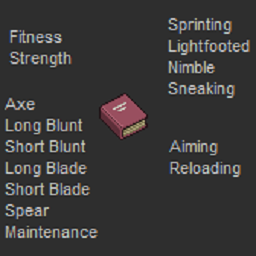
Where are the Missing Skill Books?
von 76561198003024529
The mod adds the skill books that are missing for all the base skills. Volumes 1 to 5: Fitness Strength Sprinting Lightfooted Nimble Sneaking Axe Long Blunt Short Blunt Long Blade Short Blade Maintenance Aiming Reloading The multipliers you get are the same as the default skill books! Note: All these books copies the base distribution chance from the regular skill books. The only exception is that Reloading and Aiming books is added onto the GunStoreMagazineRack distribution list with roughly half the chance of a magazine to appear. Workshop ID: 3020969309 Mod ID: MissingSkillBooks
VSRemake
von 76561199474031792
Variable Skin Remake Vanlia + SFW by DCinside PZGKO Workshop ID: 3003577443 Mod ID: VSRemake

20 Xtra Points
von 76561198065552617
Gives users 20 extra trait points Workshop ID: 2680019708 Mod ID: 20XtraPoints
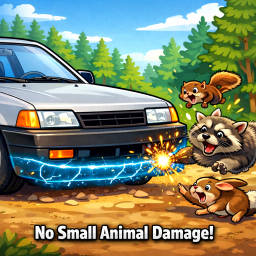
No Small Animal Vehicle Damage
von 76561198065846195
Server-side workaround for Build 42 vehicle collisions. When a small-animal corpse appears near a moving vehicle, restore the vehicle's part condition via snapshot so rats/rabbits/raccoons/chickens don't wreck vehicles. I noticed because I am capturing a snapshot before and after collision, you can hit, say, a raccoon and then a tree immediately after, and it will ignore the damage from the tree. I could narrow the window of the snapshot, but this was a good enough compromise for now. Still works on b42.13.2. Workshop ID: 3643490537 Mod ID: NoSmallAnimalVehicleDamage
Restore Utilities - BETA
von 76561198047070113
RESTORE UTILITIES IN B42 This is a simple port of Restore Utilities to B42, on a separate branch to hopefully make things less chaotic as this port is missing a critical feature of the mod THERE ARE NO AREAS TO REPAIR AT BY DEFAULT The official mapping tools have not yet been updated for B42, so the map part of this mod will not be brought over to B42 for now. However, as of March 2026, there is now a sub-mod you can enable that will add repair locations to the base map. In the sub-mod, the power repairs can be performed at a substation south-east of Louisville , the water repairs can be performed inside a small computer room in the water treatment plant, south of Rosewood If you'd like to automatically add these areas to the official PZ map, click here, then press "Add to existing markers". (Make sure you swap the map over to B42 in the top-left corner, it may be on B41 by default!) If I don't want to use the sub-mod, how do I perform utility repairs? The same admin/debug menu as before still works for you to place and delete repair zones. However, you may not want to use debug mode if you're doing a serious playthrough, so in another new sub-mod I added 2 new items that will let you place either of the utilities at a place of your choosing. They require level 1 electrical and 20 electronic scrap + 1 advanced electronic scrap to craft, once you have one you can right-click any square in the world to mark it as an area you can do repairs for the utility of your choosing. This works exactly the same as placing one in admin mode behind the scenes (meaning you can use debug mode to remove the spot). It should be noted these new items can only be placed once and cannot be picked up, though you can repair at them an infinite number of times. The repair square can also ONLY be removed in debug mode by right-clicking it and using the admin menu. Also without a coil fuse, repairs are... kinda loud (meaning it'll attract a lot of zombies!!). Do repairs from the comfort of your base at your own peril, you have been warned. WHAT HAPPENS NEXT? Other than fixing any bugs that pop up, nothing. I'll wait for the official B42 mapping tools to come out and remaster the original Rosewood and Muldraugh repair buildings, then once that update is stable I'll push this B42 update to the main mod and set this beta build to private. Afterwards I'll start working on Restore Utilities 2.0... >:) As of 2026 I'm not sure if I'll work on bringing the old buildings back, even if the mapping tools are updated. The sub-mod repair locations actually work pretty well and are roughly in the same area as the old ones anyway. However, there are very loose plans for a Restore Utilities 2.0 in the works that might see the light one day, we'll see. :) Workshop ID: 3409422147 Mod ID: restore_utilities Mod ID: restore_utilities_AiwRL Mod ID: restore_utilities_PRL
![神级系统 / God System CN [SP/MP][42.20] – Project Zomboid Mod](https://images.steamusercontent.com/ugc/10312669490222614478/F3A656B2EEAB47E6A83E3DD7C5500D514C7D3621/)
神级系统 / God System CN [SP/MP][42.20]
von 76561198432328294
v42.20_2.51 由于一直想体验一下末世系统,但是没找到和我想的比较像的,就用AI做了一个。当前测试环境 B42.20,100%纯AI制作,修复维护听天由命。 纯正义mod,可以考虑加点提难度的一起玩。虽然我什么都没加,也天天开饭。 【这是什么】 一个把任务、商店、回收、银行、成长、自动装填、机器人同伴、家园传送放进同一套界面的中文系统型 MOD。 使用实体系统币作为主要货币。系统币可以通过击杀、任务、回收和交易获得,也会用于购买、升级、传送、医疗和其他系统服务。 【怎么打开】 进入游戏后点击屏幕上的 GS 悬浮入口,或按默认 N 键打开/关闭主系统。顶部“设置”中可以修改按键;常用动作也可以放在系统快捷栏中。 第一次使用建议先看主界面的“说明”,再按需要领取空间终端、仓库核心或购买自动装填机。 【任务与成长】 任务包含待接取、进行中、追踪、倒计时、奖励和失败惩罚;可以手动放弃,也可以开启按游戏小时自动提交已完成任务。 升级页提供人物负重、属性成长、天赋改造和医疗服务。人物负重升级会按当前角色实际接口测算和刷新,不需要死亡后重新购买。 天赋可以购买正面效果或移除负面效果;医疗提供感染检查、伤势治疗和病毒治愈。 【商城与回收】 商城支持分类、搜索、分页和批量购买。回收解锁的商品可以隐藏、恢复或在隐藏管理中确认删除。 原版物品栏多选后右键可“回收”“回收并上架”或“仅上架”。保护物、钥匙、无价值物、不可回收物和已上架物会按模式智能跳过。 家具按具体世界贴图区分,床、货架等不同组件不会再只按同一个物品类型混在一起。 新增了抽奖券 【银行】 支持活期存取、自动存现金、贷款、提前还款和稳健/平衡/激进风险理财。 旧存档中的死期存单仍可支取,但当前版本不再创建新死期。 银行页可整理背包中的零散系统币,尽量换成大面额;死亡只影响活期规则,不直接扣除理财。 【系统自动装填机】 商城可购买自动装填机。它把随身散装弹药按具体弹种保存为数字账本,支持存入、取出和手动装填随身独立弹匣。 快速换弹动作完成后可自动补充弹匣;多台装填机按同弹种余额从低到高消耗。不会修改枪械内置弹仓。 【机器人同伴与维护】 单人模式可培养代码绘制的像素战斗无人机,包含跟随、守卫、攻击、灵视、守护和爆裂等能力;多人当前不运行机器人战斗逻辑。 商城提供系统修复组件、耐久强化核心和车辆修复模块,可处理手持装备或车辆的对应耐久问题。 【家园、快捷与管理】 可设置家园、回家、返回出发点和临时传送点;传送包含确认、费用和安全落点检查。 沙盒选项负责新世界初始规则,系统管理页负责当前世界运行时配置。诊断页可查看同步、等待命令和错误状态,方便多人排查。 【多人说明】 商城、回收、银行、任务、升级、医疗和自动装填等关键操作由服务端重新验证,并带操作防重。 Workshop ID: 3773949382 Mod ID: GodSystem_CN

Donkey-驴服-自动更新(修复版)
von 76561198138282350
驴服自用模组更新、两小时自动化重启、汉化版 Workshop ID: 3675145242 Mod ID: LVAutorestart
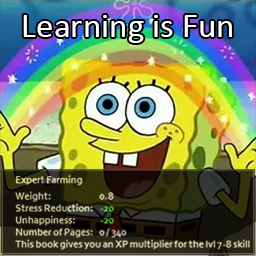
Learning Is Fun
von 76561197970374499
Learning is Fun uses the Item Tweaker API to add the same kind of stress relief and mood increase that reading most non-skill books do Who says learning can't be a fun and engaging activity? It's the apocalyse right?? What better time to learn new skills in a fun and engaging way Check out my other Zomboid mods here Workshop ID: 2809192570 Mod ID: LearningIsFun
![[Deprecated] I Can Shoot and Use Generators – Project Zomboid Mod](https://images.steamusercontent.com/ugc/937184098679697855/272776F9BF2D2645595CDA15453F339B1773191A/)
[Deprecated] I Can Shoot and Use Generators
von 76561198162154135
"At the begining of a new game, this mini mod increases aiming & reloading by 5 levels, and adds How to Use Generators magazine to starting inventory, so that generators can be used, once you read it. Created this mini-mod for myself since (i) I like that zombies by default are sensitive to gun shots, but the starting ineptitude of aiming made guns a grind for me at the moment. (ii) for mods like Survivors, where there are marauders and other armed hostile survivors to battle, this should help. (iii) I think generally a 27 year old in the apocalypse will be able to use a generator without needing to be an electrician, also I use the cars mod." -Original Description Fixed few lines of code. Now it doesnt give you points everytime you load your save, only at the start of a new game. All credits to the author of the original mod: http://steamcommunity.com/sharedfiles/filedetails/?id=932935059 Workshop ID: 1315669400 Mod ID: icanshoot2
![KEE: NPC Combinations [B42.14] – Project Zomboid Mod](https://images.steamusercontent.com/ugc/12822875285262952575/336411D25EE98F948AFDA1801419DEF2DC1CFF9D/)
KEE: NPC Combinations [B42.14]
von 76561199345112877
UPDATE SOON Adds way more modded/vanilla items for Knox Event Expanded NPCs to spawn with. CLOTHING: New - hats, glasses, gloves, armor, jewelry, jackets, masks, watches, walkie-talkies Expanded - shoes, pants, shirts and tshirts, socks, backpacks. WEAPONS: increased aiming n reloading skill for all npcs increased chance of npcs to spawn with firearms moree melee weapons (vanilla) firearms from VFE ARMY FACTION: make changes to army faction, now theyre abit randomized and use modded guns from Vanilla Firearms Expanded and clothing from Lillie's Enhanced Militaria INMATES: many new changes regarding clothing now they actually spawn with guns, i dont understand why its not in vanilla because there is armory in rw prison so we can imply that they would just stole gear and weapons from it Currently added mods: Authentic Z, Vanilla Firearms Expansion, Lillie's Enhanced Militaria, Vanilla Gear Expanded, Spongie's clothing, Spongie's open jackets, frockin splendor vol.2, vol.5 and wiseguys Regarding errors: I generated around 13k npcs with zero errors (26.02.2026) BUT this can change in future if some modder decides to rename/delete their clothing items, i'll try to fix that when it happens Some items may clip with each other Workshop ID: 3672617000 Mod ID: KEEcomb
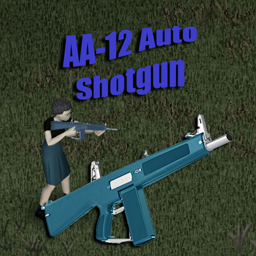
KD6's AA-12 Auto Shotgun
von 76561198034115854
This is my second official weapon mod for public use. This mod adds a AA-12 Auto Shotgun with a 8 round capacity. Items should spawn in limited quantities at gun stores, pawn stores and some military lockers. This mod requires the 'KD6's Weapon Attachment Companion Mod' mod to function properly. - 8 round capacity - Fast fire rate. - Average accuracy. - Loud & proud. Current Version 1.0.1 Works with build .41+ And MP compatible. Workshop ID: 2953313156 Mod ID: KD6AA12 ------------------------------------------------------------------------------------------------------------------------- Ask for permission This mod can only be added to and extended with the express permission from the original creator. Having received permission, credit must be given to the original creator, both within the files of the mod and wherever the mod roams online. If no permission is received you may not alter the mod. ------------------------------------------------------------------------------------------------------------------------- Thanks for stopping by, Also if you wish to support me with a donation please feel free to donate here. https://ko-fi.com/kd6pzproject

SledgeSafe
von 76561198053615648
SledgeSafe is a small mod that allows the use of sledgehammers in multiplayer without endangering safehouses! Details - A player that isn't part of a safehouse won't be able to destroy it. They will, however, be able to destroy unowned buildings! - A player that is an owner of a safehouse will always be able to destroy it using a sledgehammer. - Members of a safehouse are allowed to destroy a safehouse given the sandbox option "Safehouse Members Can Sledge" is turned on! - Admins of servers can destroy any part of any safehouse. A message from the creator Do you really enjoy this mod--or even better--want to build on it? Please consider donating to me. I'm in financial need and every bit helps!! Thank you. Special Thanks to Torstein and the Nexus Gaming community for commissioning this mod! Please don't copy this mod and upload it as your own! Please also ask if you can use this in a mod pack. If you would like to translate the mod, send me a message or leave a comment and I'll work with you to add it in! Workshop ID: 2993616454 Mod ID: SledgeSafe
![Build Ladders[B42] – Project Zomboid Mod](https://images.steamusercontent.com/ugc/10102877488705538640/A98AF68E57AA110C2569DC69891EE11EDE294990/)
Build Ladders[B42]
von 76561198425396477
Adds a buildable wooden ladder to the Carpentry build menu. Build it again on the same tile and the new section stacks on top of the old one, so you can reach the roof of a two- or three-storey building without ever being up there. Companion to Climb Ladders, which is what lets you actually climb it. The gap it fills Build 42 lets you build staircases - wooden, log and welded - but no ladders. The sprites have been in the game all along, in the carpentry tileset, with their ladder properties already set, and nothing uses them: they only ever appear placed by hand on the map. This mod gives them the recipe they were missing. No new art, no new tiles. The recipe - Carpentry, level 3. - 4 planks, 8 nails, and a hammer you don't use up. - Four orientations, rotated with the build cursor. They are four different sprites, not one mirrored: two are drawn with a bit of wall behind them and sit well against a building, two are bare and sit well on their own. Cheaper and lower level than the base game's staircases on purpose. A ladder is the cheap way up, and in exchange the dead can't follow you. Two and three storey buildings One section reaches the level above. A three-storey building needs three sections, and you build all three from the ground, aiming at the same tile every time: - Build on the ground tile against the wall. Section goes to level 0. - Build again, same tile. Section appears at level 1. - Build again, same tile. Section appears at level 2. You never have to be up there, which matters, because the build cursor only reaches the level you are standing on. One section, one payment - no discount for height. You need a climbing mod In Build 42 these sprites carry the ladder properties but not the climbSheet flag the engine checks, so without a mod that does the movement itself, a ladder you build is decoration. This mod no longer forces which one. It used to list Climb Ladders as a hard requirement, which meant it silently refused to load for anyone who preferred a different climbing mod. That was the wrong call and it's gone: use whichever you like. Mine is Climb Ladders, and version 2.4 or newer also fixes a related bug: a ladder that stopped short of the roof used to drop you inside the building, through the wall. Taking them down Destroy or dismantle the bottom section and the whole column comes down with it, refunding the materials for every section. This is because the build and destroy cursors only work at the level you are standing on, so stacked sections can't be selected from the ground - and to get up there you would need the very ladder you are trying to remove. Before, that left ladders you could only delete through debug mode. Details - Adds no items and no tiles. One build recipe, using sprites already in the game. - Doesn't require a wall behind it. Plenty of player-built bases are loose floors and platforms with nothing to lean on. - English and Spanish. Requires Build 42.20 or newer. Support If this saved you a trip around the building looking for a way up, you can buy me a coffee on Ko-fi. Completely optional - the mod is free and stays free. Workshop ID: 3778411996 Mod ID: ConstruirEscaleras
![[B42.20] [SP-Only] Ogrim Mod's - Sewing Workbranch – Project Zomboid Mod](https://images.steamusercontent.com/ugc/16523832570761485957/CDE8ADFF43AE97EDE6E0FA44261832D39F43E2A9/)
[B42.20] [SP-Only] Ogrim Mod's - Sewing Workbranch
von 76561198051362724
Custom sewing machines with a proper workbench UI, real maintenance, and oil-fueled operations. 🧑🤝🧑 Multiplayer I haven't finished updating the mod to make it compatible with multiplayer yet. 🔍 What is this? Sewing Workbranch adds three types of sewing machines to Project Zomboid, each with its own efficiency, requirements, and risks. Use a clean, custom interface (not just another crafting tab) to: Repair clothes (by fabric type) Tear down garments into rags/thread Consolidate thread and supplies All actions consume Machine Oil and can damage the needle or the machine over time. Keep it maintained, keep it running. Requires: Machine Utils (API) — provides Machine Oil and shared logic. 🧵 Machine Types 🏚️ Old — Rustic and heavy. No power required, but uses more material and breaks more easily. 🏠 Personal — Modern home machine. Needs electricity. The most common to find. 🏭 Industrial — Highest efficiency, supports all recipes/features, but is rarer. Each tier has its own efficiency multipliers, required Tailoring level, and chance to break. Tune it in Sandbox. 🧰 What you can do 🩹 Repair Clothes: Fix garments by fabric type with skill-based costs and time. ✂️ Tear Down: Turn clothing into rags/thread, with better yields for good condition. 🧶 Consolidate Thread: Merge partial spools and tidy up your stock. 📚 Batch Queue: Repair or dismantle multiple garments at once—add a whole list and the machine processes them in order. ⌨️ Quick Access: Press near a sewing machine to open the Workbranch UI instantly (no mouse required). 🛢️ Maintenance Loop: Actions consume Machine Oil; machines suffer wear and may need repairs. 🎚️ Skill scaling: Tailoring/Maintenance reduce time & materials and improve outcomes; you earn XP as you work. 🧪 Fabric System (extended) Support for richer materials beyond vanilla: Cotton, Denim, Stuffing Denim, Leather, Rubber, Kevlar, Stuffing Kevlar, Burlap, Tarp. Recipes, requirements, and minimum conditions are handled per fabric. ⚙️ Sandbox & Balance (server-friendly) Everything important is configurable, including but not limited to: Oil economy: base oil use per operation; oil rarity multiplier (from API). Wear & tear: base chance to damage needle / machine; minimum condition to run. Progression: required Tailoring level per Old/Personal/Industrial machine. Efficiency: per-tier throughput multipliers and action time scaling. Fabric rules: enable/disable repair by fabric, minimum condition, material costs. XP: Tailoring/Maintenance XP multipliers. Set it hardcore or comfy — your apocalypse, your sliders. 🧭 How to use Find a sewing machine (Old / Personal / Industrial). Stock Machine Oil (from the Machine Utils API). Insert a needle, open the Sewing Workbranch UI, pick a tab: Machine Status · Sewing Recipes · Repair Clothes · Cut Down Rags Watch oil, needle wear, and machine condition while you work. 📦 Compatibility Built on vanilla systems; adds new machines and fabric handling. No loot table overrides beyond machine/oil distribution (tuned by Sandbox). 🌍 Languages English, Español, Português (BR) ❓FAQ Does it run without oil? No — every operation uses Machine Oil. Can I use it without power? Only the Old machine type. Personal/Industrial need electricity. Is it OP? It’s as strong (or punishing) as your Sandbox settings. Safe to add/remove? Adding is generally safe. Removing after placing machines may cause missing-item warnings (like any dependency). 🔗 Requirements Machine Utils (API) ✅ (provides Machine Oil, shared code) 🎨🙏 Credits & Attributions Sprite Tiles: adapted from the tileset “tkTiles01” by throttlekitty. Huge thanks to throttlekitty for the excellent sprites and for sharing them with the community! Note: All rights to the original assets remain with their creator. If there’s any issue with attribution or usage, please contact me and I’ll update/remove promptly. Sew smarter, survive longer — and don’t forget to oil the gears. ☕🧡 Want to Support me? https://ko-fi.com/ogrimdooh 👥💬 Join the community! https://discord.gg/rTd2P6pbEu This mod cannot be modified by anyone else, for anything else, at all, ever. Even if the user disappears, he or she would much rather you didn't touch the fruits of their hard labour. http://theindiestone.com/forums/index.php/topic/2530-mod-permissions/?p=36479 Workshop ID: 3555588616 Mod ID: GRM-SewingWorkbranch Mod ID: GRM-SewingWorkbranch-Legacy

StalkerArmorPackLootRemoval
von 76561198054398995
Removes stalker armour from loot pool and adds the patches to the zombie loot pool. Workshop ID: 2855454003 Mod ID: StalkerArmorPackLootRemoval

BF_Cat3_SRJ Fix
von 76561198068643367
Minidoracat server SRJ Fix Settings. Workshop ID: 2915412610 Mod ID: BF_Cat3_SRJ Fix
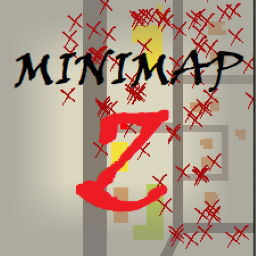
MinimapZ
von 76561198412045100
Tired of playing hide and seek with zombies? Always scared by the zombies behind the door? Don't want to be attacked from behind by zombies? MiniMapZ shows the location and vertical position of nearby zombies on a mini-map. How to enable Open the in-game minimap and tap S to open the symbol Known Issues 1. After closing the mini-map, the existing zombie markers will not be removed from the map, which also happens when the mod is removed. 2. When there are too many zombies, or when entering a new cell with a large number of zombies, it will cause performance problems p.s. can temporarily turn off the minimap or minimap symbol display to solve performance problems Compatibility Tested: Map Symbol Size Slider (The resize slider also changes the size of the zombie symbol on the world map, but does not affect normal use) Draw On Map Possible problems 1. Mods that allow you to choose complex symbol colors may be partially invalid 2. Other mods that modify the minimap may be overwritten WIP Customize the zombie symbol Workshop ID: 3413418219 Mod ID: MINIMAPZ Workshop ID: 3413418219 Mod ID: MINIMAPZ
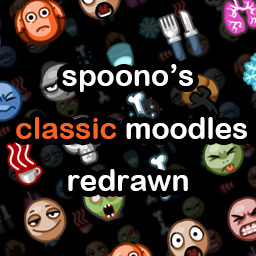
spoono's Classic Moodles Redrawn
von 76561198012905090
This is a silly little project I decided to do for fun. It attempts to bring the pre-b42 moodles to the resolution used by the new moodles introduced in b42, while retaining their charm and line weights. Making them more "HD", if you will. This is mostly just a personal mod I wanted to make for myself, but it would make me really happy seeing other people enjoy playing the game with it! Reviews from well-known figures in the Project Zomboid community: "your honor it peaks" - White Boy Euthanasia "i really like it - captures the “i’m fucked” expression" - Mr. T. Oast "i like the old one way more i cannot lie, i think its a fruitless endeavor" - Anqhor

NSZIS2
von 76561197980050664
UI for use on NSZ servers Workshop ID: 2799956618 Mod ID: NSZIS2
BlueAchive物品
von 76561198347251014
加入了BA武器和BA音乐磁带 Workshop ID: 3250019837 Mod ID: BlueAchiveItem Mod ID: BlueAchivemusic
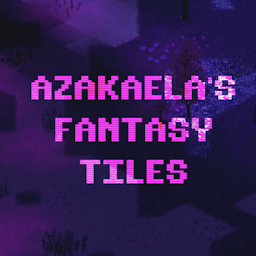
Azakaela's Fantasy Tiles
von 76561198039490063
Hello there. Inside this mod you'll find the tiles for creating fantasy biomes. All the tile properties are good to go. There's Like 5 Different BIomes Dry Grassland -- Longer grass, and some rocks. Might cause problems with my mountain tiles. Swamp -- Walkable water, dead trees, general swampiness. Shrek would approve. Fae Wilds -- Kinda a synthwave, glowy purple pink area. Permafrost Forest -- Ice, snow, and snowy grass. Ashlands -- Bunch of rocks, ash sand, ash, lava, mushrooms that glow. There are also RULES and BLENDS for mappers to incoroporate these into a new map right away: You can find them in the assets folder of the mod or at the google drive link: https://drive.google.com/drive/folders/1PK6JFFT3DiHRaLkHBDzD1pQb7DxAiCfA?usp=drive_link Workshop ID: 3105705404 Mod ID: AZA_FANTASY_TILES

WorkQueue
von 76561199193863491
Currently supported features: Chop down trees Pick up items Clean up weeds Clearing shrubs Harvesting crops Soil plowing Usage: Select 2 points Click on the working method you need Need corresponding tools Click to start working Workshop ID: 3084031365 Mod ID: WorkQueue
Project Zomboid Details →
Project Zomboid Guides
Project Zomboid Mods installieren - Workshop Guide
Installiere Project-Zomboid-Mods sauber per Steam Workshop: IDs eintragen, Reihenfolge prüfen, Server neu starten und typische Fehler beheben.
Project Zomboid Build 42 auf dem eigenen Server: Umstieg, Spielstände und Mods
Build 42 ist Stable: Spielstände aus Build 41 sind nicht kompatibel. Umstieg, legacy41-Zweig, neue Serveroptionen, Anti-Cheat und der Hotfix 42.20.1 gegen Serverlag.
Project Zomboid Server mieten – Multiplayer Guide
Project Zomboid Server einrichten: RAM, Sandbox-Einstellungen, Workshop-Mods, Admin-Rechte und typische Fehler sauber prüfen.
Project Zomboid Server mit Mod-Support
Kompatible, unterstützte Mods über das Server-Dashboard installieren.
Project Zomboid Server mieten