Project Zomboid Mods für Server
Für einen modifizierten Project-Zomboid-Server brauchst du pro Projekt die Steam-Workshop-ID und die interne Mod-ID. Prüfe zusätzlich Spiel-Build, Abhängigkeiten und Lade-Reihenfolge, bevor du deine Welt mit den Änderungen startest.
Project Zomboid Mods sicher installieren
Ein Workshop-Abo allein aktiviert eine Mod auf dem Dedicated Server nicht. Die Einträge in `WorkshopItems=` und `Mods=` müssen zusammenpassen; außerdem muss jede Mod den gewählten Build 41 oder Build 42 ausdrücklich unterstützen.
- 1. Build prüfen: Build-41- und Build-42-Mods nicht ungeprüft mischen.
- 2. Workshop-ID, Mod-ID, Abhängigkeiten und erforderliche Reihenfolge vollständig dokumentieren.
- 3. Welt und Konfiguration sichern, Server neu starten und Logs sowie den Beitritt mit einem Test-Client prüfen.
Die vollständige Schritt-für-Schritt-Anleitung findest du im Project-Zomboid-Mods-Guide. Oder starte direkt mit einem Project Zomboid Server mit Mod-Support.
Häufige Fragen zu Project Zomboid Mods
Was ist der Unterschied zwischen Workshop-ID und Mod-ID?
Die Workshop-ID bezeichnet das Steam-Workshop-Projekt und steuert den Download. Die Mod-ID aktiviert den enthaltenen Mod im Spiel. Auf dem Server müssen beide Listen vollständig und passend gepflegt sein.
Laufen Build-41-Mods automatisch mit Build 42?
Nein. Nutze eine Mod nur dann auf Build 42, wenn ihre Workshop-Seite diese Kompatibilität ausdrücklich bestätigt. Prüfe dabei auch alle Bibliotheken und weiteren Abhängigkeiten.
Wie teste ich ein Mod-Update ohne Risiko für die Welt?
Sichere zuerst Welt, Sandbox-Konfiguration und Server-INI. Aktualisiere danach die zusammengehörigen Mods, starte den Server neu und prüfe Logs, Kernfunktionen und einen vollständigen Client-Beitritt.
Fox's Fixed & Rebalanced Butchering
von 76561198109980905
This mod both fixes a long standing butchering hook bug as well as rebalances the butchering system as a whole. In essence it is a combination of these two mods with some tweaks and updated for 42.20: Butcher Hook Animal Size Fix Rebalanced Yields: Butchering In 42.20 the developers pushed a fix for the butchering hook bug that didn't actually fix anything and instead buffed both animals on the butchering hook AND small animals that you have to butcher on the ground which amplifies further the huge imbalance of the yields between small and large farm animals. So I've undone it and used Buh's proper fix. The butchering yields and item stats for the yielded meats have been changed as well according to unlockk's values and rewritten to use zomboid's own lua functions rather than ItemTweaker as that API is now unsupported. For further explanation of what this does please refer to the original mod pages. Workshop ID: 3783998596 Mod ID: Fox_Butcher_Fix
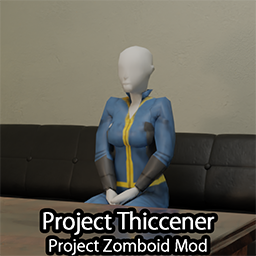
Project Thiccener - PZ realistic body shapes
von 76561198102180975
Project Thiccener This mod needs to be installed manually! This mod changes character shape (and clothing, modded as well) based on their current weight and strength level Installation: if you are reinstalling the mod after a game update, please make sure to first delete the "projectzomboid.jar.bak" file from the main game folder before you run the installer! (otherwise you will run into problems, as you will be restoring an older version of the game's jar file) make sure to also enable the mod in game so that you can use the dynamic morph, and to get notified at game startup if you are on the latest version. B41: Copy the contents of SteamLibrary\steamapps\workshop\content\108600\3659585445\mods\Project Thiccener\B41 into your main game's folder SteamLibrary\steamapps\common\ProjectZomboid and rename one of the install files (depending on if you have a Windows, Linux, or a Macintosh PC) - Windows - install.bat.txt (make sure you have file extensions turned on) - Linux - install_linux.sh.txt (you can also install with sed -i 's/\r$//' install_linux.sh.txt && bash install_linux.sh.txt) - MacOS - install_mac.command.txt B42: Copy the contents of SteamLibrary\steamapps\workshop\content\108600\3659585445\mods\Project Thiccener\B42 into your main game's folder SteamLibrary\steamapps\common\ProjectZomboid and rename one of the install files (depending on if you have a Windows, Linux, or a Macintosh PC) - Windows - install.bat.txt (make sure you have file extensions turned on) - Linux - install_linux.sh.txt (you can also install with sed -i 's/\r$//' install_linux.sh.txt && bash install_linux.sh.txt) - MacOS - install_mac.command.txt Here is an old video tutorial on how to install this mod This mod is safe to add or remove mid play-through! This mod does not add or remove items, it only changes 3d models, such as player characters, zombies and clothings. Even though this mod is safe to add or remove mid play-through, it is still highly recommended to backup your saves before adding, or removing this (or any other) mod. This mod works with multiplayer! Settings: You don't like something in this mod? you can change it in media\thiccener\Settings.ini! What to expect in the future: - I'm working on a build42 version of this mod as well, this should be finished in the next couple of days - fix the health panel character, as currently they do not have the same size as the in game character bug discussion bug discussion mods checked for compatibility (if you can't find a mod in the list, that doesn't mean it doesn't work, it just means it wasn't checked yet, try it out and report back if you find some problems!) For modders: If you want your clothing to be ignored by Project Thiccener, all you need to do is create an ini file (preferrably with your mod's name in order to avoid mod collision) in media\thiccener\ignore For example media\thiccener\ignore\MyModHere.ini In here you can set up your items, such as this: skinned/hair/* this would make Project Thiccener ignore all of the hair in the game! (as long as they're in skinned/hair/...) for more information look into the Thiccener.ini file found in the same folder join our discord There are 2 ways of uninstalling this mod, Partial uninstallation: (this will leave some of the files behind, they shouldn't cause any problems however, aside from taking a tiny bit of extra space.) you can just run the "Verify integrity of game files" in steam for Project Zomboid Complete uninstallation: On B42: you have to delete your ProjectZomboid.jar file to remove the mod completely, in your media folder there's also a "Thiccener" folder which you can safely remove as well, in the main folder (next to the ProjectZomboid.jar file) there is also a couple of installer files (such as install.bat.txt, install_linux.sh.txt, and install_mac.command.txt), and the ProjectZomboid.jar.bak file(s) that you can safely remove without impacting your game. then run the "Verify integrity of game files" in steam for Project Zomboid On B41: you have to remove the following files: "ProjectZomboid\zombie\core\skinnedmodel\advancedanimation\AnimatedModel.class" "ProjectZomboid\zombie\core\skinnedmodel\model\ModelInstance.class" "ProjectZomboid\zombie\core\skinnedmodel\model\ModelMesh.class" "ProjectZomboid\zombie\core\skinnedmodel\morph" (delete the whole folder) "ProjectZomboid\zombie\Lua\LuaManager.class" "ProjectZomboid\zombie\ui\UI3DModel.class" then run the "Verify integrity of game files" in steam for Project Zomboid Workshop ID: 3659585445 Mod ID: Project_Thiccener

Pek1gn's Cheese Expanded
von 76561198152758399
Pek1gn's Cheese Expanded Mod ============================================================ NOW WITH NATURAL DISTRIBUTION Adds: - Cheesecloth - Cheese Grater - Whey - Curds - Mozzarella Cheese - Brie Cheese - Cheddar Cheese - Parmesan Cheese - Cottage Cheese - Grated Parmesan - Breadcrumbs - Mozzarella Sticks - Cheese Pizza - Cheese Pizza Slice - Hawaiian Pizza - Hawaiian Pizza Slice ============================================================ All cheese recipes require these ingredients: x2 Whey x4 Curds 0.02 Units of Salt Empty Bowl (Keep) Spoon (Keep) ============================================================ **PLANNED UPDATES** - More cheeses - Evolved recipes - Natural loot spawns - Grilled cheeses ============================================================ Want to support me AND get an amazing Project Zomboid server? Host your PZ server with the best! BisectHosting offers 20 server locations and a seamless gaming experience. New customers can use my link https://bisecthosting.com/Pek1gn to get 25% off their first month of a Project Zomboid server. ============================================================ Made by Pek1gn - DO NOT REDISTRIBUTE, DO NOT REUPLOAD!! Mod Version = 1.1.1 PZ Version = 41.78.16+ Workshop ID: 3114925603 Mod ID: PKCheeseExpanded
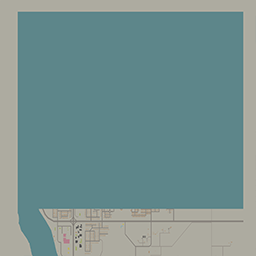
Remove Louisville
von 76561198352649250
路易斯维尔被水淹没 用来与另一个mod搭配使用 https://steamcommunity.com/sharedfiles/filedetails/?id=3251346251 Workshop ID: 3251481123 Mod ID: Remove Louisville Map Folder: Remove Louisville
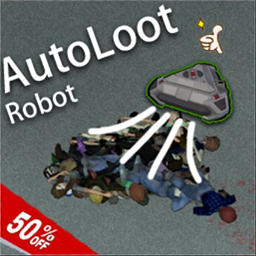
AutoLootAndCleanRobot
von 76561199193863491
After manufacturing, right-click to activate and use it Range is 4 * 4 size Stop operation after player moves away from 7 spaces Speed is Optional in sandbox-option Can clean corpses, items, and items in backpacks Current issue: Blood stained and perforated items will be refreshed to a new state, too lazy to subdivide Please provide feedback on any bugs found in brushing items Workshop ID: 2962154156 Mod ID: AutoCleanMachine

Big Freakin' Fonts
von 76561197986753531
This is an example mod with two worlds. You can use this as a template for your own map mods. The first world has a single 300x300-tile cell. The second world adds cells all around the first world. Workshop ID: 2304551373 Mod ID: ModTemplate Map Folder: ModTemplateWorld1 Map Folder: ModTemplateWorld2
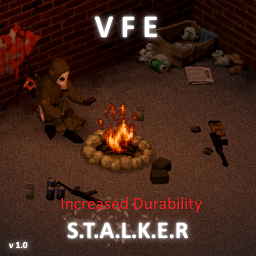
VFE STALKER PACK Complete edition (Increased Durability)
von 76561198346091456
Increased spawn rates for all weapons and magazines Damage and range has been reworked, sounds has been changed, weapon accuracy has been increased, especially for machine guns Weapon durability increased by several times VSS and UMP can now be found and used Added weapon spawn points in police stations and military camps as well as drug laboratories New weapon - KS23, russian Incredible power shotgun in 23mm caliber VSSK sniper rifle L85 Assault rifle CZ 52 Pistol New type of ammo - 7.62x54R, 7.62x25, 9x18, 23mm shotgun shells, 12.7x55 and 9x39 with custom textures for the corresponding weapons Latest update - adapted to the original, re-subscribe to the mod so that the download priority is after the original (or move the mod in the mod manager) Фактически это почти доделанная версия мода Исправлены баги, шансы спауна оружия и магазинов, параметры пушек, добавлены новые виды патронов, дробовик КС23, винтовка ВССК, автомат L85, пистолет CZ 52. Восстановлен ВСС и UMP, плюс мелкие разные исправления и прочее Добавлены переводы на русский и английский языки Enjoy Require - VFE B41 Workshop ID: 3140263830 Mod ID: VFExpansion2ID
Deformed Leg - Penguin Trait
von 76561198265426928
What does the trait do? Trait name: Penguin Negative Trait: +10 points What it does: You'll receive a ?permanent? leg fracture that will NEVER heal, the fracture won't damage you unless you walk around without a splint, when you create your character you will get a free splint and bandage to patch your fracture. You can walk around and "jog", which is a bit faster than walking, you can sneak normally. Things like jumping a high wall, a fence, windows, climbing ropes and any actions as such remain unaltered and you can perform them all normally. Another thing is that stomp damage remains unaltered as well, since the fracture is placed on your left leg. You wont have pain moodles from the fracture as well, since i've set it to be moments before it's healed. But why? I had this urge to make a trait that gave you a permanent broken leg. The trait name just as the video showcasing it are a direct reference to "Oswald Cobblepot" from the series Gotham, The Penguin. If you ever feel that 10 points is too little to be forced to jog for the rest of your life tell me down below in the comments, i can make another version that give you less or more points. I would like to credit "Hea", creator of "SimpleTraits" mod, for helping me with the code when i was lost, thank you very much. Mods featured in the video ----"Spongie's Hair"---- https://steamcommunity.com/sharedfiles/filedetails/?id=2463184726&searchtext=spongie - I didn't really showcased it in the video but i recommend another Spongie's mod as well, the Open clothes ? - https://steamcommunity.com/sharedfiles/filedetails/?id=2812326159&searchtext=spongie ----Slim Suits----- https://steamcommunity.com/sharedfiles/filedetails/?id=2801737616&searchtext=Slim (please make more of them) Workshop ID: 2837261072 Mod ID: PenguinMod
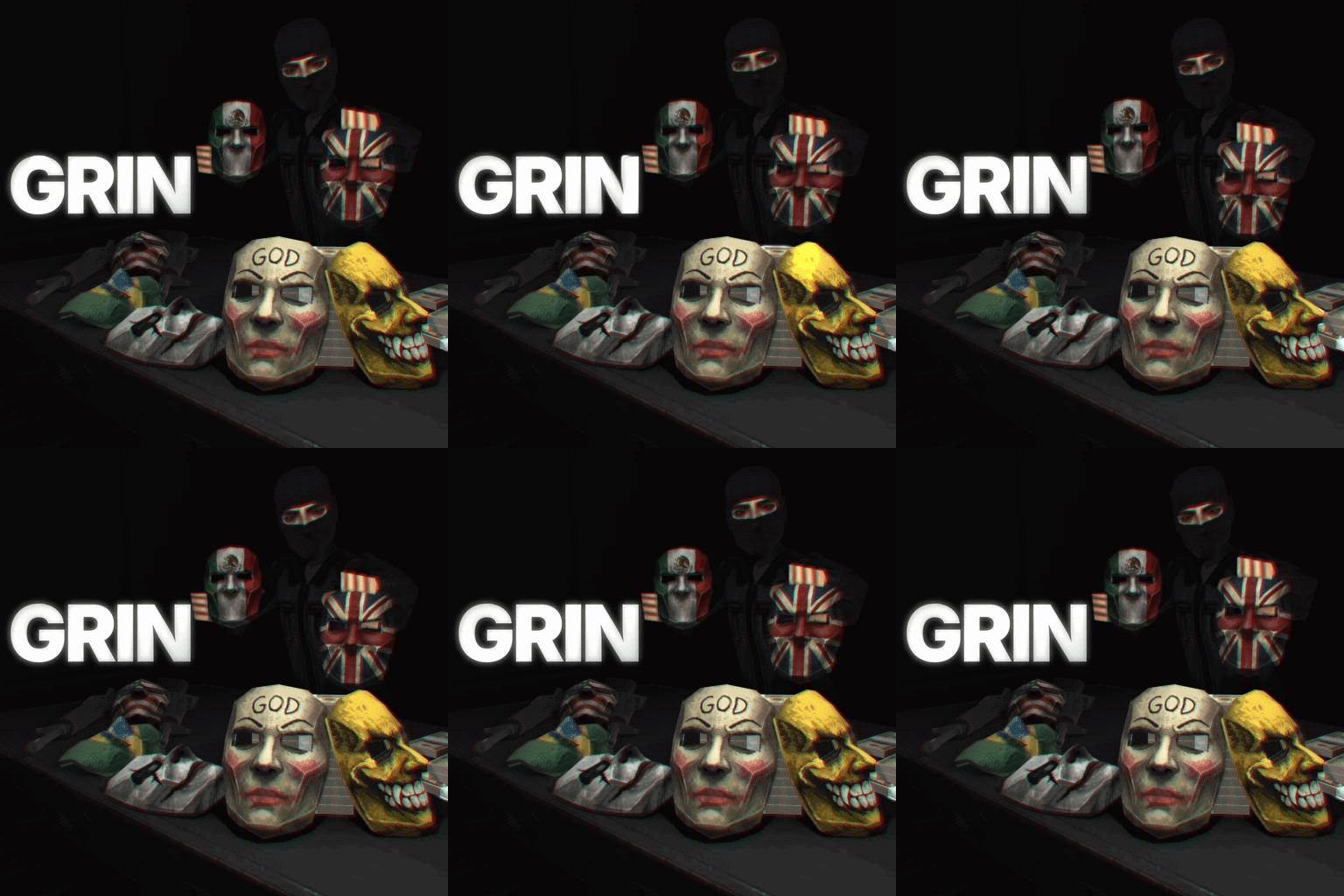
GRIN Ballistics
von 76561198122232128
Overview (B42+) This mod adds a low poly BULLETPROOF Ballistic Mask and Tactical Balaclava that can be found in military/police lockers and crates, or an admin can spawn them in as-well. divemods discord: https://discord.gg/B2tcKP4y4c Admins/Server Owners Change the BULLETPROOF % to your liking in Sandbox Options, let me know if there is any other settings you would like me to add. Plans - Spray Paint the mask - Make chest armor reference name is : PS-930 Ranger Body Armor - Mask in neck position and back of head Compatibility This mod should work with any other mod, it has no dependencies and should have zero incompatibilities. Workshop ID: 3748044794 Mod ID: grinbal Originally posted by dive Redistribution of this mod without explicit permission from the original creator is prohibited under any circumstances. This includes, but not limited to, uploading this mod to the Steam Workshop or any other site, distribution as part of another mod or modpack, distribution of modified versions.The product can be published on Steam only through an account with the name dive. © 2026 dive
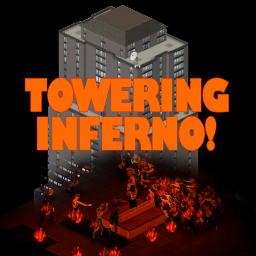
Towering Inferno!
von 76561197971064893
*REQUIRES B42* Adds a new Challenge, where you spawn on top of the Skyscraper in Louisville, the Bateman Office Building. And it's on fire. This Challenge is INCREDIBLY difficult. Good luck. ------------------------------------------------------ See my other Zomboid Mods here! Enjoy this mod? Please Rate and Share! Ask for permission! This mod can only be incorporated, packaged, added to, or extended with the express permission from the original creator. Having received permission, credit must be given to the original creator, both within the files of the mod and wherever the mod roams online. Workshop ID: 3419532486 Mod ID: serellantoweringinferno Map Folder: SerellanCustomSpawns
![More Packing[SP/MP][42.20] – Project Zomboid Mod](https://images.steamusercontent.com/ugc/12316456965394069372/60239DE8E14D74310231F0761D5656A9DE6DBF08/)
More Packing[SP/MP][42.20]
von 76561198327185242
You don't need to worry about packing in dozen of 12 or box of 100. You can start packing items from 2 items and more. Unpacking doesn't return everything either. You can customize how many to take out, and the remaining items stay inside the parcel The parcel weight reduction rate can be adjusted in the Sandbox settings. Using this mod can significantly save a large amount of memory (reducing memory usage by 50%–80%, depending on the complexity of the item data) and cut down item lookup time. The more items are packed, the more noticeable the improvement. Feature: Pack items that share the same Script ID into a parcel. (The parcel appears as a sealed carton box in-game). Unpack a parcel to retrieve all the original items. Alternatively, you can withdraw items directly from a parcel in quantities of 1, 5, or 10. Multiple parcels containing the same script ID of items can be merged into a single, larger parcel. Notice: Each parcel weighs 90% less than its contents, with a maximum weight of 30 kg. This allows you to bundle items weighing up to 300 kg. (can be modified in sanbox) Backpacks expanded using modded tools might not be packable or may lose their expanded capacity after being unpacked. Packing water container items is currently bugged; a fix will be attempted later. About the "extension" mod: 6.1This is an optional add-on module that requires the main Parcel Packing Mod. When enabled, you can find mystery parcels containing random loot. These parcels can spawn in the world or be dropped by corpses. 6.2 Acquire a packing cardboard Put anything inside and packing items inside this cardboard MP mode OK! Special Notes When using this mod to pack items from other mods, please note: [] If you uninstall other mods midway, the corresponding parcel will not disappear, but may exhibit unknown anomalies. [] Please regularly check the update logs of other mods. If the corresponding items are removed in updates, the aforementioned situation may also occur. Mod ID: vac_mod_b42_6.2 Mod ID: vac_mod_b42_6.1 Mod ID: vac_mod_b42_6 Workshop ID: 3478922403
![[NPDM] TAC-7 Ranger Crouch – Project Zomboid Mod](https://images.steamusercontent.com/ugc/11208400629360530484/EF40D8A52AB03EC5F1FD215ED9BB25DCD974BE13/)
[NPDM] TAC-7 Ranger Crouch
von 76561198068788655
TAC-7 Ranger Crouch Hey! How About We Aim that Rifle When Crouching... Yknow. Like A Real Firearm? Its Not a toy. TAC-7 Direct Replacer For the Crouch Anim Inside Lethal Stealth! Simple! Support Free & Open Modding! You can Grab ALL of my mods including ones steam hates or has nuked Etc From report spam On My Discord! The Mod Haven Discord Project AVA V3X Is Found there :P PERMISSIONS. ASK FOR ALL MOD INQUIRIES RELATED TO PERMISSIONS: IE: do not re-upload this Mod under ANY circumstances. Not On the Workshop, or Anywhere. Support the 'Gun Aiming Serious Edition Official' Release. Workshop ID: 3539318664 Mod ID: TAC7_Ranger_Crouch
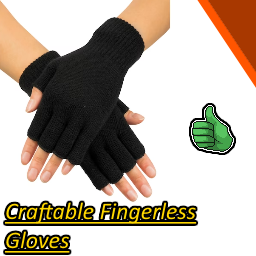
Black Fingerless Gloves
von 76561198852015246
Describtion Hello and welcome to one of my favorit mods I ever made. It's kinda like a game fix... but for me. That mean's following: As a played project zomboid I noticed one thing, fingerless gloves are cool but why are they so rare? Thats why I made this mod. It add's a new craftable clothing item to the game called "Black Fingerless Gloves". Recipe To craft these new gloves you will need: 1 Needle 6 ripped sheets Where can I find the crafting recipe? You will find the crafting recipe under a new tab called "Tailoring" Important Note that I didnt made the crafting realistic because fingerless gloves arent in any way giving you an advantage. . So I hope you enjoy :D. Workshop ID: 2901771598 Mod ID: Black Fingerless Gloves
Hex's Left 4 Dead 2 Level Up Sound
von 76561198851263296
Description This addon replaces the default level up sound effect with Left 4 Dead 2's safe house sound. With a demonstration video. Credits: Mike Morasky for creating the sound. Please check my other sound mods! i will be so happy if you like, favorite and leave a comment on my mods! https://steamcommunity.com/sharedfiles/filedetails/?id=3031323702 Support & Requests Thread! Do you found something out of place in my mods? Or is a sound mod so loud/quiet? Or do you have any mod requests? Feel free to write them in the thread. https://steamcommunity.com/workshop/discussions/18446744073709551615/3824174193412928774/?appid=108600 - Workshop ID: 3029091882 - Mod ID: HexL4D2SafeLevelUp - Tags: sound, music, audio, replace, replacement, audio, death, level, ui, left 4 dead, l4d, mod, addon, project zomboid
![WeldingTorchBalanced [B42 unstable] – Project Zomboid Mod](https://images.steamusercontent.com/ugc/34442676911958211/8697C6151D0BE1FCF29799424C9446FD27E5E295/)
WeldingTorchBalanced [B42 unstable]
von 76561198872062069
Tired of propane bottles lying everywhere, and to find a propane tank you need to clean hundreds of warehouses? Well well well... Decription This simple modification will bring a touch of balance to our lovely welding torch. Just fill your torch with propane bottle and be an absolute hero. Adds a new recipe to fill a welding torch: - Your welding torch - Those damn propane bottles (1 propane lantern bottle = 4 refills) - Rubber hose FAQ -Can I use on existing save? -Due to my skill issue this mod not really compatible with exisitng saves. I tried all my best but use at your risk Warining#1 For the reason that this is my first work for the workshop and my first experience with PZ, I was not able to set up the crafting properly. So the creation of the item will be separate, that's why I have two left hands. Warining#2 If you want to refill your propane lamp be warned. For the reason that I was changing the settings of one item. The lamp can only be refilled 4 times, just like the welding torch. Enjoy! If you have any problems with this modification send the feedback up to comms. Workshop ID: 3429392198 Mod ID: dxxurxak_wtb

Rooftop Spawns
von 76561197960903122
Spawn on the roof of the Louisville skyscrapers! You might have to find a way into the Buildings from up there. Good luck! Workshop ID: 3437709340 Mod ID: RooftopSpawns Mod ID: RooftopSpawns Map Folder: Bateman Map Folder: DamagedSkyscraper Map Folder: KnoxBank Map Folder: OrioOffice Map Folder: SpiffoHQ Map Folder: Bateman Map Folder: DamagedSkyscraper Map Folder: KnoxBank Map Folder: OrioOffice Map Folder: SpiffoHQ

True Music Addon: BOCCHI THE ROCK!
von 76561198408738041
收录了结束乐队的歌曲 Some of the songs of BOCCHI THE ROCK! Workshop ID: 3428544359 Mod ID: True Music Addon BOCCHI THE ROCK! B42
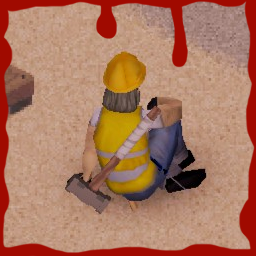
Makeshift Sledgehammer Mod
von 76561198142089988
This is a simple mod that adds a craftable sledgehammer variant. Please report any issues/suggestions down in the page comments <3 Workshop ID: 2859366328 Mod ID: MSSH
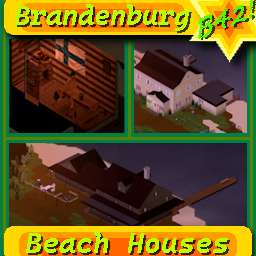
Brandenburg Beach Houses - B42.13+
von 76561199362394567
A new location for the previous map I made, I felt like the last location was a bit too far away from the action. Previous location (West Point): https://steamcommunity.com/sharedfiles/filedetails/?id=3528889511 Map works on 42.13 and in multiplayer! Some of the items and decorations used in the pictures are from other mods, make sure to check these out! Fish trophies and some of the fishing apparel: https://steamcommunity.com/sharedfiles/filedetails/?id=3457003463&searchtext=caster Alcohol: https://steamcommunity.com/sharedfiles/filedetails/?id=3405131820&searchtext=mix Finnish flag: https://steamcommunity.com/sharedfiles/filedetails/?id=3129312159&searchtext=flag Also use this if you want to spawn in Brandenburg: https://steamcommunity.com/sharedfiles/filedetails/?id=3391877435 Like the map? Workshop ID: 3591833551 Mod ID: BrandenburgBeachHouse Mod ID: BrandenburgBeachHouse Map Folder: BrandenburgBeachHouses
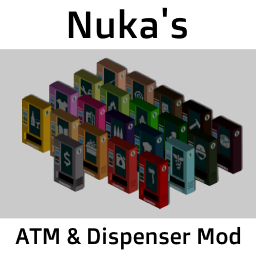
Nuka's ATM & Dispenser Mod
von 76561198089824634
Introduction This mod adds a total of 11 different dispencers to the game that will allow you to trade money for all kinds of items as well as a special dispencer where you can exchange jewelry for money. These dispencers will NOT naturally spawn on the map! They will need to be placed by an admin! This mod is intended to be used in multiplayer but also works in single player. You will need to place the dispencers in debug mode in that case. Important for server admins: I can't raise the encumbrance value of the dispencers above 50.0. That means players will be able to pick these up when they are completely naked! To prevent this from happening you can right click the ATMs when they are in your inventory and select "Edit Item". Then you can put their weight above the 50.0 treshold. Prices Prices at the item dispencers are hardcoded and I won't make changes to these for anyone as this mod was made with my own server and its very specific balance in mind. Prices might change unannounced and I won't discuss these changes with you. Keep in mind that the items offered at the ATMs will only show up if you have enough money in your inventory. The "cents" item from the original mod (more about that in the credits section) has been removed by me. This version only works with the vanilla money item. Exchange rates for jewelry: > Gold & Silver Jewelry = 1$ > Gemstone Jewelry = 3$ > Diamond jewelry = 5$ Note that jewelry items falling into two of the above categories will always sell for the higher price and these prices don't accumulate. So a silver ring with a diamond will sell for 5$ and not for 6$ or 1$. Compatibility / Requirements Required: - Vanilla Firearms Expansion (Gun and ammo dispencers sell these items) - Battery Jumpstarter (Mechanic dispencers sells these items) Incompatible: - Shops and Traders (Makes changes to the vanilla base.money item) - Any other ATM mod Credits This mod is an edited version of ATM's for Server Economy by Peter Chambers. I added more different dispencers, changed prices, translated the source code from spanish to english and removed the cent item. Workshop ID: 2960660626 Mod ID: nukasatmdispencersv2
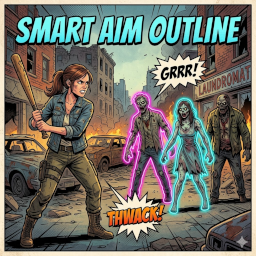
Smart Aim Outlines (SAO) | highly customizable
von 76561197976493763
🇬🇧 English | 🇩🇪 Deutsch | 🇪🇸 Español | 🇨🇳 简体中文 🇬🇧 Smart Aim Outlines (SAO) | highly customizable Smart Aim Outlines (SAO) is the ultimate quality-of-life upgrade for your combat system, giving you full control over your visual feedback! Key Features: - Ultimate Customization: Choose your own custom colors and transparency (Alpha) for targets in and out of range via the mod options. - See through Structures: Never get surprised again! Outlines remain visible even when zombies are hidden behind buildings, walls, or thick trees. - Performance: Extremely lightweight code that only runs when you are actively aiming. SETUP: Set "Melee Target Outline" to "NONE" in the game options! Developed for Build 42 | MP Compatible | Savegame Safe 🇩🇪 Smart Aim Outlines (SAO) | ultimative Anpassbarkeit Smart Aim Outlines (SAO) ist das ultimative "Quality of Life"-Upgrade für dein Kampfsystem und gibt dir die volle Kontrolle über dein visuelles Feedback zurück! Highlights: - Volle Anpassbarkeit: Wähle im Menü völlig frei deine eigenen Wunschfarben und die Transparenz (Alpha) für Ziele in und außerhalb deiner Reichweite. - Röntgenblick: Keine bösen Überraschungen mehr! Die Outlines sind auch dann deutlich sichtbar, wenn sich Zombies hinter Gebäuden, Mauern oder dichten Bäumen befinden. - Performance: Schlanker Code, der nur berechnet wird, wenn du auch wirklich zielst. SETUP: Stelle "Nahkampf-Zielumriss" (Melee Target Outline) in den Spieloptionen auf "KEINE"! Entwickelt für Build 42 | MP Kompatibel | Savegame Safe 🇪🇸 Smart Aim Outlines (SAO) | altamente personalizable Smart Aim Outlines (SAO) es la mejora definitiva de "calidad de vida" para tu sistema de combate, ¡dándote control total sobre tu retroalimentación visual! Características principales: - Personalización total: Elige tus propios colores y niveles de transparencia (Alpha) para objetivos dentro y fuera de alcance. - Visibilidad total: ¡Que no te pillen por sorpresa! Los contornos son visibles incluso cuando los zombis están detrás de edificios, muros o árboles densos. - Rendimiento: Código extremadamente ligero que solo funciona mientras apuntas. CONFIGURACIÓN: ¡Ajusta "Contorno de objetivo cuerpo a cuerpo" (Melee Target Outline) a "NINGUNO" en las opciones! Para Build 42 | Compatible con MP | Seguro para partidas guardadas 🇨🇳 Smart Aim Outlines (SAO) | 高度自定义 Smart Aim Outlines (SAO) 是您战斗系统的终极质量优化插件,让您完全掌控视觉反馈! 核心功能: - 极致自定义: 可通过模组选项自由选择范围内外目标的颜色及透明度(Alpha)。 - 结构穿透可见: 告别埋伏!即使僵尸隐藏在建筑物、墙壁或茂密的树木后,轮廓依然清晰可见。 - 高性能: 极简代码编写,仅在您主动瞄准时运行,不影响帧率。 设置:请在游戏选项中将“近战目标轮廓” (Melee Target Outline) 设置为“无”! 专为 Build 42 开发 | 支持多人联机 | 存档安全 Feedback & Support If you like this mod, please consider leaving a rating! Your feedback and thumbs up keep the motivation high and help other survivors find this mod! 🧟♂️ "have fun - don´t get bitten" 🧟♂️ Workshop ID: 3701823831 Mod ID: SmartAimOutlines
Skyrim Level Up Sound
von 76561198082999029
This mod changes the level up noise to the one you would hear in Skyrim. Workshop ID: 2379566932 Mod ID: skyrimLevelUp
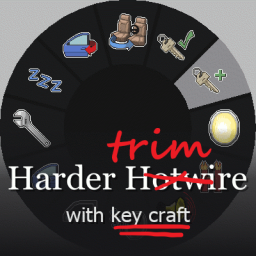
Car Key Craft - 차키 만들기 (확장)
von 76561198059533737
Edit "harder hotwire" of creators'rez','outdead'. (https://steamcommunity.com/sharedfiles/filedetails/?id=2164926937&searchtext=) Corrected the code in the old mode as it does not work like other vehicle function modes. TowingCar, betterLockpicking, etc. I have confirmed that it works on the IWBUMS version like several mods. It is not revised with the existing mode applied, but has been new changed. Turn off "harder hotwire" and apply only "harder_hotwire_trim". The fix version remains in the existing harder hotwire mode (version without item). Fixed a crash in the vehicle function menu for TowingCar and betterLockpicking. Unlike trim, it breaks the vanilla menu code and may not be compatible with other mods. Turn off "harder_hotwire_trim" and apply only "harder_hotwire_fix". What has changed of = The tooltip has only been left in English, and all other languages have been deleted. (I added the KO folder, but it is not written in Korean, and there are not many explanations, so I don't think there is a need for translation into other languages in the game.) = The wiring is in vanilla state. This is because I prefer the "Better lockpicking" mode. = Wiring removal and key production are changed by code modification. The interfaces are arranged in the order of execution of the mods, so I couldn't specify the desired location. = Required skill level adjustment Un-hotwire Metalworking: 4; Electrical: 4; Mechanics: 6; Time: 900. Craft Car Key Metalworking: 10; Electrical: 8; Mechanics: 9; Time: 2100. = Craft Car Key item required Car key making tool (keep) Perkey (consumed) I tried adding it more difficult to make the car key. ------ I was asked to translate, but I can't speak English, so I uploaded it with Google Translate. Please understand that the translation may not be smooth. Tags:IWBUMS,B41,Interface,Cars,Vehicles,Hard,Harder Workshop ID: 2463756578 Mod ID: harder_hotwire_fix Mod ID: harder_hotwire_trim
![The Legion - Outfit [B41/B42Stable] – Project Zomboid Mod](https://images.steamusercontent.com/ugc/16041251204940019284/F2DC53F04F02BD1BDAADBA66C6B8193AA3BDF205/)
The Legion - Outfit [B41/B42Stable]
von 76561198046849708
The Legion Outfit This mod adds a complete outfit of The Legion - Never Stop Slashing: - Legion Hood, - Legion Mask, - Legion Sweater, - Legion Jacket, - Legion Pants, - Legion Shoes, - Legion Backpack, - Leg Chain, Information about this mod: - Parts of outfit can rarely be found in clothing related containers, aswell as selected at the start of the game in character creation menu, - Fully modular, wear parts you want, - Can be added mid save and safely removed. - Mod was requested for B42, but have been made to work in B41 too, This mod has been requested by: Toxic Workshop ID: 3590579105 Mod ID: LegionOutfit
Project Zomboid Details →
Project Zomboid Guides
Project Zomboid Mods installieren - Workshop Guide
Installiere Project-Zomboid-Mods sauber per Steam Workshop: IDs eintragen, Reihenfolge prüfen, Server neu starten und typische Fehler beheben.
Project Zomboid Build 42 auf dem eigenen Server: Umstieg, Spielstände und Mods
Build 42 ist Stable: Spielstände aus Build 41 sind nicht kompatibel. Umstieg, legacy41-Zweig, neue Serveroptionen, Anti-Cheat und der Hotfix 42.20.1 gegen Serverlag.
Project Zomboid Server mieten – Multiplayer Guide
Project Zomboid Server einrichten: RAM, Sandbox-Einstellungen, Workshop-Mods, Admin-Rechte und typische Fehler sauber prüfen.
Project Zomboid Server mit Mod-Support
Kompatible, unterstützte Mods über das Server-Dashboard installieren.
Project Zomboid Server mieten