Project Zomboid Mods für Server
Für einen modifizierten Project-Zomboid-Server brauchst du pro Projekt die Steam-Workshop-ID und die interne Mod-ID. Prüfe zusätzlich Spiel-Build, Abhängigkeiten und Lade-Reihenfolge, bevor du deine Welt mit den Änderungen startest.
Project Zomboid Mods sicher installieren
Ein Workshop-Abo allein aktiviert eine Mod auf dem Dedicated Server nicht. Die Einträge in `WorkshopItems=` und `Mods=` müssen zusammenpassen; außerdem muss jede Mod den gewählten Build 41 oder Build 42 ausdrücklich unterstützen.
- 1. Build prüfen: Build-41- und Build-42-Mods nicht ungeprüft mischen.
- 2. Workshop-ID, Mod-ID, Abhängigkeiten und erforderliche Reihenfolge vollständig dokumentieren.
- 3. Welt und Konfiguration sichern, Server neu starten und Logs sowie den Beitritt mit einem Test-Client prüfen.
Die vollständige Schritt-für-Schritt-Anleitung findest du im Project-Zomboid-Mods-Guide. Oder starte direkt mit einem Project Zomboid Server mit Mod-Support.
Häufige Fragen zu Project Zomboid Mods
Was ist der Unterschied zwischen Workshop-ID und Mod-ID?
Die Workshop-ID bezeichnet das Steam-Workshop-Projekt und steuert den Download. Die Mod-ID aktiviert den enthaltenen Mod im Spiel. Auf dem Server müssen beide Listen vollständig und passend gepflegt sein.
Laufen Build-41-Mods automatisch mit Build 42?
Nein. Nutze eine Mod nur dann auf Build 42, wenn ihre Workshop-Seite diese Kompatibilität ausdrücklich bestätigt. Prüfe dabei auch alle Bibliotheken und weiteren Abhängigkeiten.
Wie teste ich ein Mod-Update ohne Risiko für die Welt?
Sichere zuerst Welt, Sandbox-Konfiguration und Server-INI. Aktualisiere danach die zusammengehörigen Mods, starte den Server neu und prüfe Logs, Kernfunktionen und einen vollständigen Client-Beitritt.
![InGameMaps [Camden County] – Project Zomboid Mod](https://images.steamusercontent.com/ugc/2265940142988660168/643F936695DDD56D0914710C7E61DDE2DE8ED4A5/)
InGameMaps [Camden County]
von 76561198040780708
InGame Maps Add in-game maps for several older mods. Expect errors, sometimes lack of precision as the maps are computer generated. At least, now you have maps without external mods. Want a map? just ask and point the mod, I'll check if it's doable. MP/SP Compatible. Do not require a new game/save You just have to enable this mod and map appear only if you also have the proper map enabled. Actual maps added (if author add proper ingame map, I'll delete mine): This mod should be enabled AFTER every mods adding map to your world If you do not know how to do it, I can only redirect you to : https://steamcommunity.com/sharedfiles/filedetails/?id=2694448564 Problem ? Go on main mod comment section: https://steamcommunity.com/sharedfiles/filedetails/?id=2756689895 Credits goes to original author Camden County spoon https://steamcommunity.com/sharedfiles/filedetails/?id=2888082232 Workshop ID: 3140745578 Mod ID: InGameMaps_CamdenCounty Map Folder: CamdenCounty_map

OnionCap
von 76561197984540815
Caps carryweight at 50, freezes the player if overweight. discord.gg/notonion <-- best server Workshop ID: 3651573945 Mod ID: OnionCap
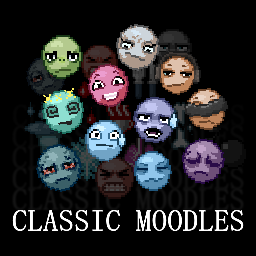
Classic Moodles
von 76561199100951994
Replaces the default B42 moodles with a combination of custom-drawn moodles and the B41 moodles. This mod replaces EVERY MOODLE, including ones that (as far as I can tell) have not been fully implented yet. Now comes with a clean moodle border and background by default! All art is my own, and no AI is used, though I did take some inspiration from the moodles of molecule31 for a couple specific moodles. "Why did you put a face on some of the "Status_" moodles? Isn't that inconsistent?" The moodles are significantly more intuitive that way, and get their meanings across much more effectively. Also it seems like it's rather arbitrary whether something gets called a "mood" or a "status", so I don't really see a problem with it. Check out my other mod, Expanded Professions! "Why do my moodles look like shit at 48x48, 80x80, and 96x96?" Game issue, but can be mitigated by using Moodles In Lua (which this mod is compatible with). Moodles may still look slightly odd at these resolutions, but it's a significant improvement. Workshop ID: 3386949627 Mod ID: obstructedsClassicMoodles

<<== CLOTHING ==>>
von 76561198014036706
This is mod is merely for organizing and categorizing your mod collection lists, it does not alter or affect gameplay in any way. When editing your workshop collections you can put this, and the other icons I've made, anywhere in the list and use it as a header to indicate the category which it describes. This can help create more oversight in your list of mods, happy sorting! Workshop ID: 3368332786 Mod ID: ModTemplate
Elevators
von 76561198011707905
Elevators Every office block, hospital and hotel in Knox County has them. Polished steel doors, a call button worn smooth by a decade of thumbs, and a floor indicator frozen where it stopped. You have walked past a hundred of them and taken the stairs every time. The elevators work now. Press the button. Built for Build 42.20+. Works in new games and existing saves. How it works Right-click an elevator door or its call button, pick a floor, wait for the car, and step out. That is the whole mod. - It uses the elevators that were already there. The doors in the vanilla map are recognised on sight. No new tiles, no new items, no map edits, nothing added to the world. - Every floor the shaft actually serves. Floors are read off the building itself and numbered from the bottom of the shaft, so towers, split levels and basements all list correctly. A tower that skips its mechanical floors will skip them in the menu too. - It knows which side the doors open. Some shafts open on one side downstairs and the other side upstairs, and the mod puts you out at whichever doors serve the floor you asked for, in the lobby rather than in the shaft. - No power, no lift. An elevator runs on grid power or a generator, and the whole shaft shares one supply, so a lift you can ride up is always a lift you can ride back down. No getting stranded on the sixteenth floor. - Separate cars stay separate. Where a building has a second car for its top floors, you ride to the transfer floor and walk to it, exactly like the real thing. What it is not There is no elevator car to stand in and no doors sliding open. The doors are scenery the map already had, and the ride is a wait and an arrival. If you want a fully animated lift, this is not that mod. Sandbox options Whether elevators need power at all, how long the car takes to arrive, and how much longer each additional floor adds. Requirements & compatibility - Project Zomboid Build 42.20 or later. No dependencies. - Safe to add to an existing save, and safe to remove. The mod places nothing in the world and stores nothing on your character. - Overwrites no vanilla files and replaces no vanilla functions. - Singleplayer and dedicated server tested. Any issues, drop them in the comments. Workshop ID: 3780306632 Mod ID: Elevators

VHS Pack: Medicine
von 76561199230970910
Добавляет 5 кассет, просмотрев которые вы станете чуть ближе к медицинской теме, что в принципе будет достаточно для работы в морге во время апокалипсиса Workshop ID: 3536435337 Mod ID: VHSPackMedicine

<<== VEHICLES ==>>
von 76561198014036706
This is mod is merely for organizing and categorizing your mod collection lists, it does not alter or affect gameplay in any way. When editing your workshop collections you can put this, and the other icons I've made, anywhere in the list and use it as a header to indicate the category which it describes. This can help create more oversight in your list of mods, happy sorting! Workshop ID: 3368333557 Mod ID: ModTemplate

<<== TRAITS ==>>
von 76561198014036706
This is mod is merely for organizing and categorizing your mod collection lists, it does not alter or affect gameplay in any way. When editing your workshop collections you can put this, and the other icons I've made, anywhere in the list and use it as a header to indicate the category which it describes. This can help create more oversight in your list of mods, happy sorting! Workshop ID: 3368340325 Mod ID: ModTemplate

新人问答时钟 大葱橘
von 76561198408285292
. Workshop ID: 2913058935 Mod ID: Clock_DCM
Build limiter
von 76561198073717195
The number of construction is possibly limited around the player and possibly restricted to building around his safehouse. This mod is fully configurable, and will necessarily meet your expectations, there are many editable parameters in the sandbox var. Depending on the options you have predefined in the sandbox, you will be subject to one or more restrictions. These restrictions may concern: The limit of the number of buildable objects around the player / If players are allowed to build, or only allowed near their claimed safehouse / If claiming a shelter gives you a bonus within the limit of constructible objects / Several types of restrictions around the dismantling or destruction of objects around shelters other than yours / ... in short, several things that will be described in detail below. - The buildable objects affected by the object limit rule are those found in the context menu, carpentry construction and metalworking. (fortifiable build items) - Door barricades and window barricades are not affected by the buildable object limit. - Tents and Campfires are also not affected by the buildable limit. - If you have the Dylan Barricade mod, it will be taken into account in the accounting if the limit of authorized objects is effective. - Some world objects will be taken into account, as some player-buildable objects are part of the Map Tiles, but this is rarely the case. - With a hammer in hand, you will have access to a context menu right click on the objects affected by the construction limit rule, giving you the possibility to count the constructions around you. - With a hammer in hand, you will have access to a contextual menu right click anywhere on an area, with the option "check if you are in your area", this will tell you if you are in your area around your claimed safehouse. - Everything is largely configurable in the SandboxVars.lua in the BuildLimiter part - If you go for a high radius and height, it will cause latency when placing the object, the higher the numbers, the higher the delay when placing the construct, as the code checks the environment in order to count the constructions before authorizing the installation. I advise you a height of 3 if you choose a radius greater than 200. do your tests! - When I say latency, I mean a small delay for the client while the code is applied. I'm not talking about the network / speed. SandboxVars BuildLimiter = { -- Minimum=0 Maximum=500 Par défaut=25 RadiusLimit = 25, -- Minimum=0 Maximum=7 Par défaut=3 HeightLimit = 3, -- Minimum=-1 Maximum=1000 Par défaut=20 BuildLimit = 20, StorageIsInclued = true, SafeHouseIsInclued = true, SafeZoneIsNotIncluedInBuildLimit = false, -- Minimum=0 Maximum=500 Par défaut=100 BuildPlayersBonusInSafehouse = 100, CanBuildEveryWhereIfNotNearOtherSafeHouse = true, CantDismantleIfNearOtherSafeHouse = true, CantDestroyStuffIfNearOtherSafeHouse = true, CantClaimIfNearOtherSafeHouse = true, -- Minimum=0 Maximum=500 Par défaut=25 CantClaimIfNearOtherSafeHouseRadiusAddition = 25, CantBuildArroundSafeZone = true, }, -- Minimum=0 Maximum=500 Par défaut=25 Define the radius on which the restrictions will be limited/enforced arround player. RadiusLimit = 25 -- Minimum=0 Maximum=7 Par défaut=3 Define the height on which the restrictions will be limited/enforced. HeightLimit = 3 -- Minimum=-1 Maximum=1000 Par défaut=20 Define limit of number of builds allowed per x-y-z area. -1 means no limit BuildLimit = 20 Set to true, the buildable storage furniture by players will be taken into account when calculating the number of constructions allowed. StorageIsInclued = true If set to true, this will imply the player's claimed safehouse within the radius, depending on the options you set below, you will either be forced to build around your arbi, or the shelters may offer certain privileges. SafeHouseIsInclued = true -- Minimum=0 Maximum=500 Par défaut=100 if the safe house is included, Each player registered in the safehouse will give a bonus regarding the limit of objects to build allowed. x10 = 100% of the defined limit in addition BuildPlayersBonusInSafehouse = 100 If true, and if safehouse is included, then you can build anywhere, as long as there is no safehouse other than yours in the radius. CanBuildEveryWhereIfNotNearOtherSafeHouse = true if true, and the safe house is included, then players will not be able to dismantle map objects/furniture/barricades/doors etc if they are within the radius of any shelter other than their own CantDismantleIfNearOtherSafeHouse = true if true, and the safe house is included, then players will not be able to destroy objects with the sledgehammer if they are within the radius of any cover other than their own CantDestroyStuffIfNearOtherSafeHouse = true If it is true, and the safe house is included, then you cannot claim if another safe house than yours is within the radius. CantClaimIfNearOtherSafeHouse = true -- Minimum=0 Maximum=500 Par défaut=25 this will define additional squares added to the predefined radius in the "radius limit" regarding the restriction of the claim, because there could be an overlap of the radii of each, which could be desirable in certain conditions CantClaimIfNearOtherSafeHouseRadiusAddition = 25 Work in SP MP-COOP / Existing Save / Safety to Remove / No rewrite vanilla code I created this mod for my server, and I share it ! If you think this mod would be interesting for the community My others mods related Can repair doors : https://steamcommunity.com/sharedfiles/filedetails/?id=2905027525 Indestructible Doors : https://steamcommunity.com/sharedfiles/filedetails/?id=2902458630&tscn=1671207268 Restriction for disassemble locked doors : https://steamcommunity.com/sharedfiles/filedetails/?id=2856298125 Sledgehammer mod : https://steamcommunity.com/sharedfiles/filedetails/?id=2854012382 Reinforced doors Restriction (better lockpicking needed): https://steamcommunity.com/sharedfiles/filedetails/?id=2856350810 -More Lock STANDALONE Version : https://steamcommunity.com/sharedfiles/filedetails/?id=2874279665 -More Lock Better lockPicking Version : https://steamcommunity.com/sharedfiles/filedetails/?id=2738370718 -Interior Lock : houses’ doors will now be locked and lockable from inside buildings. Ideal for privatizing a room in RP Multiplayer : https://steamcommunity.com/sharedfiles/filedetails/?id=2811440552 Workshop ID: 2905513879 Mod ID: BuildLimiter
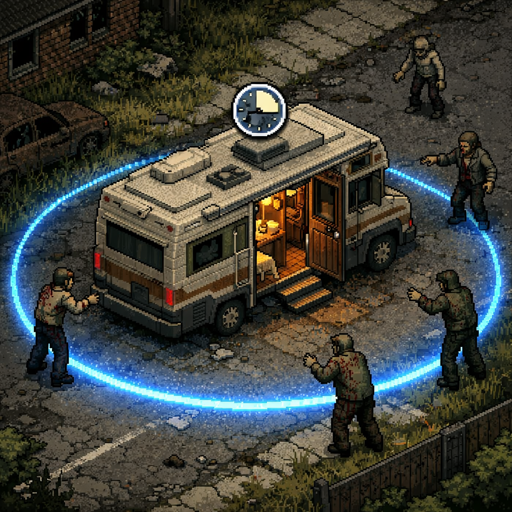
RV Interior Addon - Anti-Spam & Safety
von 76561198263280176
Addon for PROJECT RV Interior mod. Features - Enter/Exit Cooldown - Configurable timer between entering and exiting the RV interior. Prevents teleport spam that causes chunk loading lag on servers. - Zombie Proximity Check - Can't enter the RV interior if zombies are within a configurable radius around you. - Sledgehammer Block - Prevents using the sledgehammer inside the vehicle interior. Admins and vehicle owners can bypass this. - Vehicle Claim Integration - Compatible with AVCS and Mysterious Vehicle Claim Key (MVCK). Only the vehicle owner and players with permissions can enter the RV interior. Faction and safehouse members are also supported. - Admin Immunity - Admins, moderators, and GMs can bypass all restrictions. Each bypass is individually configurable. - RV Dashboard - Right-click inside the RV to open a clean UI panel showing generator status (fuel, condition, on/off) and water barrel levels. You can toggle the generator on/off and refuel it from your inventory directly from the panel. Sandbox Options All settings are fully configurable in Sandbox Options: - Cooldown duration (0-300 seconds, default: 5) - Zombie check radius (0-100 tiles, default: 15) - Sledgehammer block (on/off) - Vehicle claim integration (on/off) - Admin bypass: cooldown (on/off) - Admin bypass: zombie check (on/off) - Admin bypass: sledgehammer (on/off) - Vehicle owner bypass: sledgehammer (on/off) - RV Dashboard (on/off, default: on) Compatibility - Required: PROJECT RV Interior - Optional: AVCS - Another Vehicle Claim System (auto-detected) - Optional: MVCK - Mysterious Vehicle Claim Key (auto-detected) Works in both Singleplayer and Multiplayer. Server-side validation prevents exploits. Workshop ID: 3683545014 Mod ID: RVInteriorAddon
![Canning Overhaul [B41] – Project Zomboid Mod](https://images.steamusercontent.com/ugc/2497883838556698290/DFC76644CF3D0EE20169D5537D05D3D5312F6CCA/)
Canning Overhaul [B41]
von 76561198019058849
This mod overhauls the canning process in the game to make it much more useful. Features - Adds a craftable pressure canner to aid the canning process. - Opening jars of food now returns an empty jar and a lid. - Adjusted crafting requirements for the canning process to make it viable. - Food in jars after preservation last for 1 year. - Boxes of jars are more common. FAQ: Does it work on multiplayer? Yes! Does it work on existing saves? Yes! Existing canned foods will need to be re-canned to last for 1 year. Is it safe to remove the mod? Yes! You will lose your pressure canner though. Future plans: - GUI for canning. - Translations. Release notes: - v1.2.1 - Fixed jar of carrots recipe. - v1.2.0 - Updated pressure canner recipe and jar spawn. - v1.1.0 - Added more spawn locations for box of jars. - v1.0.0 - Initial release. Workshop ID: 3221570110 Mod ID: canning-overhaul
Elliot pond foraging expansion
von 76561198148247268
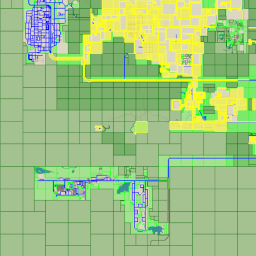
This mod adds foraging zones around Elliot pond. This mod was made for Ash & Dust RP. A heavy Roleplay, 18+ server we've been proudly developing for a while. For more information, you can visit our Discord server here: https://discord.gg/e97UeyNa Workshop ID: 3227299031 Mod ID: ElliotPondForagefix01 Map Folder: Elliot Pond foraging expansion
![Sleep Well[42.10] – Project Zomboid Mod](https://images.steamusercontent.com/ugc/11116157246507314776/8D621836081C9EA8F4D7B0854867682C3955E373/)
Sleep Well[42.10]
von 76561198121972048
Sleep Well A simple mod that improves the sleeping mechanics in Project Zomboid: Shows the exact time you'll wake up before going to sleep in tooltip) Allows you to wake up by moving (using WASD or arrow keys) Removes sleeping restrictions related to fatigue, panic, and rain No need for configurations - just install and play! Feel free to use this mod in your modpack. Fix and updated to 42.10 Workshop ID: 3405811529 Mod ID: sleepWell

三猫的太刀侠歌单
von 76561198408285292
大聪明服务器自用歌单108首 都为群员推荐,可能风格乱七八糟。 列表:(懒得排序了) 禁绝的边境线 Break The lce Gimme More Yesterday Once More My Heart Will Go On 极乐净土 Hotel California Fingers 另一个童话 那一夜 让世界暂停—分钟 Gasoline Scarborough Fair Loaded and Alone Summer Air Five Hundred Miles 经济舱(Live) Applause 月亮之上(cover:凤凰传奇) Croatian Rhapsody Bressanone You Are Not Alone Cooler Than Me 送你一朵小红花 Lonely Never Forgive Me,Never Forget Me only my railgun For Honor Pump♂It we will Rock You Light A Fire 佛系少女(cover冯提莫) Fresh Meat shot in the Dark 深海少女 everytime you kissed me (Cover Emily Bindiger) The Wolven Storm 卡斯特梅的雨季(纯人声) 你的答案 梦的光点(神兵小将主题曲)(翻自群星) 交通国-叶问宗师(粤语DJ版)(骚飞/交通国remix) 风一样的勇士DNF 月无旧时意 紫 一万个舍不得 你的酒馆对我打了烊 乔峰处刑曲 游园设施 广东爱情故事 说好了不散 千本樱 38度6 香水有毒 恋爱循环 孩子(Live) 小苹果 套马杆 你笑起来真好看(Live) 风恋歌 可惜没如果(Live) 大田後生仔 幻觉动物 成吉思汗 真的汉子 兰陵王入阵曲 漠河舞厅 盛夏的果实 飘向北方(Live) 小三 一曲相思 郎的诱惑 十八摸 俏如彩蝶飞飞飞 请给我一首歌的时间 杀死那个石家庄人 伤不起(DJ版) 难以启齿的柔弱 学猫叫 清明雨上 火红的萨日朗 下山 万里长城永不倒 爱情买卖 念旧 沙漠骆驼 最炫民族风(Live) Man on a Mission Deja Vu 未闻花名 难忘今宵 后面忘了(懒得写了) 12.29 写了汉化 Mod ID: CatchMeee_Music_Remaking Workshop ID: 2881874659 Mod ID: CatchMeee_Music_Remaking
Bedford Falls (RU)
von 76561198212702180
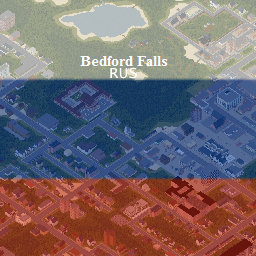
Локализирует мод добавляющий город "Bedford Falls" (Ссылка на оригинальный мод ниже описании, для работы локализатора требуется обязательно!!!) Original author mod ( needed for working ) : https://steamcommunity.com/sharedfiles/filedetails/?id=522891356 Оригинальный мод от автора ( без оригинального мода локализация работать не будет ) : https://steamcommunity.com/sharedfiles/filedetails/?id=522891356 Workshop ID: 2738391599 Mod ID: BedfordFallsRU
Alarm Check Mod
von 76561198010345591
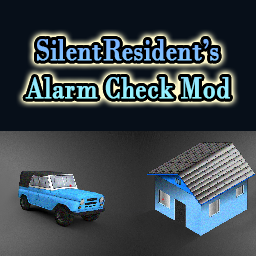
MOD INFO: Allows the player to pinpoint burglar alarms in homes and cars. HISTORY: There is no way to tell whether a home or car has an alarm, The game lacks any visual representation for the alarms; the only way for the player to discover if there is an alarm, is to trigger it by breaking in. The mod corrects this by providing the means for the players to check homes and cars for alarms. MOD USE: Pinpointing an alarm in a house or car, requires that the player finds and reads the instructive manual containing security diagrams and electronic information on how to pinpoint Alarms in homes and vehicles. The manual is titled "How to Check for Alarms" granting the player the basic level of knowledge necessary for checking Alarms. Usually, the manual is found in places where other similar magazines and guides such as "How to Use Generators" also make an appearance, such as bookshelves, and libraries, so keep looking for it, it can prove quite a life-saver in several occasions, such as when trying to keep a low profile and avoid nasty surprises, trying to scavenge dangerous areas which are heavily infested by zombies, or when playing as a deaf player who can't hear whether there is actual alarm going off! Overall, it is useful to know whether there is an alarm around, as it enables you to plan different scavenging approaches and offers new gameplay strategies! NEW OR EXISTING SAVES: It doesn't matter if your save is new or existing. The mod will work regardless. COMPATIBILITY: This is a very simple mod and should not have any compatibility issues with other mods, but if you find any, let me know. VERSION: This mod is made for the IWBUMS version 41.52 of the game. For the IWBUMS version 41.53, please check: https://steamcommunity.com/sharedfiles/filedetails/?id=2577249755 CREDITS: All credits for the alarm detection script go to Aiteron, creator of the "Better lockpicking" Mod, while credits for the textures and UI go to SilentResident. - - - - - - - - - - - - - - - - - - - Workshop ID: 2456156326 Mod ID: AlarmCheckMod
![BMW 3-Series 1983 [E21] – Project Zomboid Mod](https://images.steamusercontent.com/ugc/29936677804964787/DB27A4716563620F4FB65EE0AC6AC6433C6ADB3E/)
BMW 3-Series 1983 [E21]
von 76561198305560297
BMW 3-Series 1983 This Mod add the iconic BMW E21 in various Specs. The BMW E21 is the first generation of the BMW 3 Series, a range of compact executive cars. The E21 was produced from June 1975 to December 1983 and replaced the BMW 02 Series. The series was exclusively built in a two-door coupé body style. - 315 - 316 - 318i - 320i - 323i - ALPINA B6 2.8 Workshop ID: 3409431864 Mod ID: e21sedan
Fog Controls (Control the Fog)
von 76561198054548261
Allows you to control the Fog with three options. "Disable Fog" > Fog never appears "Disable Fog During the Morning" > 6AM - 11:59AM "Disable Fog During the First Day" > Fog is only disabled for the first day Created by Browser8 Workshop ID: 2729332491 Mod ID: fogcontrol
![[B42.20+MP] Nik's Military Stuff – Project Zomboid Mod](https://images.steamusercontent.com/ugc/15364049622996532117/5C644DB91A45E068687DFDC96B83432686403011/)
[B42.20+MP] Nik's Military Stuff
von 76561198046849708
Nik's Military Stuff Personal Project that i've been working in my free time. Some pieces have been teased in my other mods. This mod will be where i'll be adding any military stuff (mostly clothes) that i would like to see in game and use myself. The preview pictures don't show every single item This mod adds: Protective Gear: - Recon Plate Carrier - 100% Bite/Scratch/Bullet defense, protects only chest, but its light and durable (Condition = 4, Condition Lower Chance = 1), - Medium Plate Carrier - 100% Bite/Scratch/Bullet defense, Protects Chest and Stomach area, medium weight across plate carriers with medium coverage and high durability (Condition = 4, Condition Lower Chance = 1), - Heavy Plate Carrier - 100% Bite/Scratch/Bullet defense, Protects Upper Arms, Chest,Stomach and Groin, Heavy durable armor for the most protection (Condition = 4, Condition Lower Chance = 1), - Tactical Helmet - 100% Bite/Scratch/Bullet defense, comes with multiple options to wear: Bulletproof glasses Up/Down, Faceshield Up/Down or base version (does not afect stats, purely visual) - Full Cut Helmet - 100% Bite/Scratch/Bullet defense, Old reliable full cut helmet, No fancy faceshields or glases. Containers: - Thigh Pouch - 8 Capacity 85% reduction Pouch that can be worn on Right or Left leg, can be worn: with strap, with loosen strap or without strap for maximum compatibility with various clothing/body mods, - Big Thigh Pouch - 11 Capacity 85% reduction, same as above applies. - Tactical Pouch - 12 Capacity 90 % reduction Pouch that can be worn in front or back (similar to fanny pack), - Tactical Medium Backpack - 25 capacity 90% reduction backpack, - Tactical Heavy Backpack - 35 Capacity 85% reduction backpack, Clothes: - Tactical Jacket - Leather Jacket that can be worn open or closed, - Tactical Shirt with and without Camo patterns - Skintight shirt to match the pants, - Tactical Tanktop and Cropped Tank Top - personaly my favorite, - Tactical Pants with and without Camo patterns - comes with skintight and losen versions (Loosen variants are separate items that need to be found) - Tactical Shorts - What it says... why tactical? It makes it cool... right? - Tactical Leggings - ...i don't know... Uniques: - UN version of Medium Plate Carrier with UN Full Cut helmet - Both come with Extra Texture option (Damaged), but that mostly spawn on UN Zombies. Extra info: - This mods clothes (most of it) will spawn on custom zombies, very rarely in all over the world and there should be a few guaranteed at Army (LV checkpoint) and Secret Base locations. - Most clothes come with 4 different texture colors: Tan, Green, Black and White. - Vests and Leg pouches come with mutliple options to wear them to ensure maximum compatibility and minimum cliping. FAQ: - Does work in MP? - It's a clothing mod that uses Vanila systems, as MP friendly as it gets, - Can i add it Mid-save? - Of course. Remember though, that items will not appear in already visited locations, unless item respawn is turned on. - Can i craft it? - No, currently i do not plan to make those craftable, - Where can i find it? - Mostly Army related locations. Army Barracks, Safehouses, Army Surpluses, some items can be rarely found in Camping Stores or in Redneck's houses. - Can't find anything, isn't it too rare? - I don't want those items to be really common. If you want one straight away, just use debug or unlockallclothing. I'm however reading comments and might adjust depending on feedback. - Is it compatible with Tomb's body or other remodel? - While working on this mod i used tomb's body as a base, but made sure it also fits vanila body. Texture on body clothes have been painted on Tomb's body. - What's that Female character and hair model/texture? - Its my personal version of Tomb's body with custom Texture and hairstyle to match. Currently no plans to release any of it soon. - Will you add XYZ? - I'm pretty sure i'll be adding more stuff, for what i'll add i don't know. I'm open for suggestions. Ask for permission This mod can only be added to and extended with the express permission from the original creator. Having received permission, credit must be given to the original creator, both within the files of the mod and wherever the mod roams online. Discord Server I've created a Discord server, if you're interested on stuff i am working on, report bug/give feedback and have more direct way to contact me. Link Here Enjoying my mods? Leave a rate or/and comment, i do appreciate it. Would you like to request one for yourself? Reach out, my Discord DM's are open. You don't have to, but if you'd like to support me even more, link below: Workshop ID: 3791086306 Mod ID: NiksMilitaryStuff
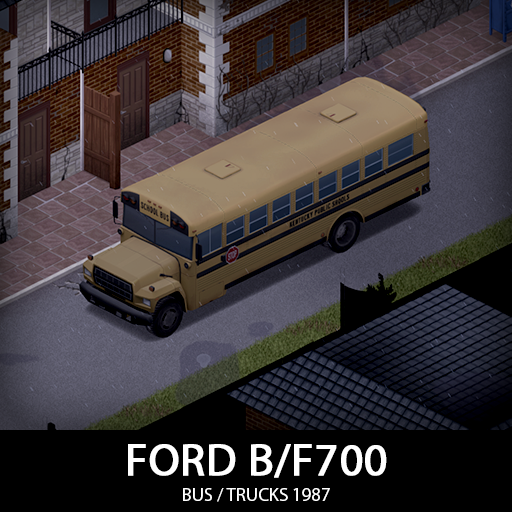
87 Ford F700 Armored Parts Compatibility
von 76561198156244528
Build 42 compatibility add-on for KI5's 87 Ford B700/F700 Trucks. Lets matching F700 slots use armored doors, front side windows, windshield, and rear windshield. Workshop ID: 3774304190 Mod ID: 87fordF700ArmoredPartsCompatibility

Left 4 Dead 2 Death Music
von 76561198089059417
There will be link to Left 4 Dead 1 Death Music: https://steamcommunity.com/sharedfiles/filedetails/?id=2604613922 Workshop ID: 2604614320 Mod ID: Left4Dead2DeathMusic
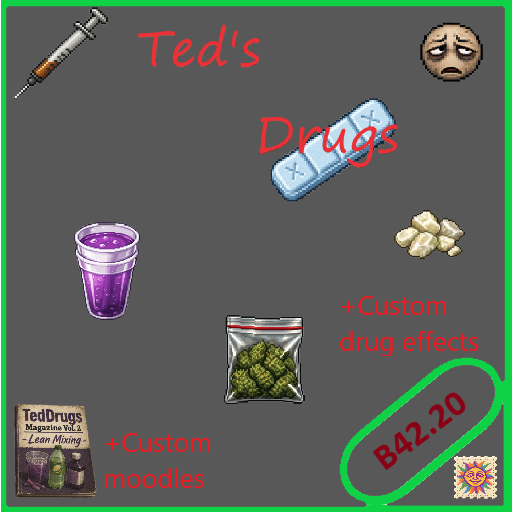
Ted's Drugs
von 76561199055207470
Ted's Drugs is a drug effects overhaul for Project Zomboid, adding new consumable drugs, custom moodles, screen visual effects, character speech, crafting recipes, magazines, sandbox options, and loot distribution. This mod is built around risk, reward, and bad decisions. Some substances may help with stress, fatigue, or mood for a short time, but can also cause crashes, cravings, confusion, paranoia, toxicity, or dangerous overload effects, especially when mixed together. FEATURES - Custom drug effects - Custom moodles - Screen visual effects - Character speech while affected - Drug crashes and comedowns - Cravings and withdrawal-style effects - Dangerous drug combinations - Crafting recipes - Recipe magazines - Sandbox options - Loot distribution - Zombie loot support - Multi-language recipe translations +50 drugs CUSTOM MOODLES - Cannabis High - Stimulant Rush - Psychedelic State - Psychedelic Trip - Drug Euphoria - Sedated - Drug Confusion - Drug Paranoia - Drug Nausea - Drug Crash - Drug Body Aches - Drug Craving - Drug Withdrawal - Drug Toxicity - Drug Overload - Nodding Off - Breakthrough CRAFTING Learn recipes from magazines: Ted's Drugs Magazine Vol. 1 - Rolling - Roll a Joint Ted's Drugs Magazine Vol. 2 - Lean Mixing - Mix Lean - Make Lean Gummies Ted's Drugs Magazine Vol. 3 - Street Inhalants - Make Perlandez Rag Ted's Drugs Magazine Vol. 4 - How to make CRACK -Make crack cigarette Ted's Drugs Magazine Vol. 5 - Bong -Make homemade bong -Make cannabis bong SANDBOX OPTIONS You can customize: - Drug loot spawn rate - Literature spawn rate REQUIREMENTS This mod requires the Moodle Framework. NOTES Some combinations are intentionally dangerous. Mixing substances can cause heavy negative effects, overload, confusion, crashes, or death-risk gameplay. MULTIPLAYER The mod is mainly designed around the local player experience. Items, recipes, and loot should work normally, but visual effects and speech are client-side/local-player focused. 🌐 Translations for: EN CN DE IT JP RU FR ES KO TR AR PL UA CH TH ENTER: https://discord.gg/7Bw6d2ae7 Workshop ID: 3759347647 Mod ID: Ted'sDrugs
![Trading Expansion with Vanilla Gun Shop [Build 41] – Project Zomboid Mod](https://images.steamusercontent.com/ugc/1824516255943748570/C36043957547E93D6006C2B400A9F1A2665798F9/)
Trading Expansion with Vanilla Gun Shop [Build 41]
von 76561198347081565
If you are on pc , press b to open craft menu. If you are on controller , press back and select craft. You will see " Buy " and " Sell " in crafting menu. Need some gun ? Yeah I got some for you. Since there is no shop mod in build 41 so I made one with Shai Hulud's and NavySeal 's HC Trading Expansion mod. Q : Why items are so cheap ? A : To be honest. I don't know how to balance so .... yeah. If you want to change price or edit to buy gun with other item instead of money. You have to edit HTE_Buy.txt and HTE_Sell.txt. How to edit HTE_Buy.txt and HTE_Sell.txt files Example Buy recipe Weapon: M1911 Pistol for 50${ Base.Money=50, Result:Base.Pistol2, Time:20.0, Category:Buy } Base.Money=50, is mean that gun or that item is 50$ If you want to change the price just do this Base.Money=100 which it's mean that gun is 100$ now What If you want to change from buy gun with other item instead of money ? Just edit Base.Money=50, to Base.Glue, now you can buy a gun with 1 glue If you want to buy gun with 2 glue just edit Base.Glue=2, now you need to have 2 glues to buy 1 gun Sell recipe Weapon: M1911 Pistol for 50${ Base.Pistol2, Result:Base.Money=50, Time:20.0, Category:Sell } Now you have to focus on Result:Base.Money=50, If you want to sell gun for Axe just edit Base.Money=50, to Base.Axe=1, If you want to sell gun for 2 Axes just edit Base.Money=50, to Base.Axe=2, You can find item list code name in the wiki That's how to edit and balance the price as you want Original mod HydrocraftTradingExpansion created by Shai Hulud and NavySeal http://steamcommunity.com/sharedfiles/filedetails/?id=559068827 But this mod you don't need Hydrocraft since I didn't use money item from Hydrocraft so you don't need one Workshop ID: 2660391843 Mod ID: HCTradingRFHCEdit41build
Project Zomboid Details →
Project Zomboid Guides
Project Zomboid Mods installieren - Workshop Guide
Installiere Project-Zomboid-Mods sauber per Steam Workshop: IDs eintragen, Reihenfolge prüfen, Server neu starten und typische Fehler beheben.
Project Zomboid Build 42 auf dem eigenen Server: Umstieg, Spielstände und Mods
Build 42 ist Stable: Spielstände aus Build 41 sind nicht kompatibel. Umstieg, legacy41-Zweig, neue Serveroptionen, Anti-Cheat und der Hotfix 42.20.1 gegen Serverlag.
Project Zomboid Server mieten – Multiplayer Guide
Project Zomboid Server einrichten: RAM, Sandbox-Einstellungen, Workshop-Mods, Admin-Rechte und typische Fehler sauber prüfen.
Project Zomboid Server mit Mod-Support
Kompatible, unterstützte Mods über das Server-Dashboard installieren.
Project Zomboid Server mieten