Project Zomboid Mods für Server
Für einen modifizierten Project-Zomboid-Server brauchst du pro Projekt die Steam-Workshop-ID und die interne Mod-ID. Prüfe zusätzlich Spiel-Build, Abhängigkeiten und Lade-Reihenfolge, bevor du deine Welt mit den Änderungen startest.
Project Zomboid Mods sicher installieren
Ein Workshop-Abo allein aktiviert eine Mod auf dem Dedicated Server nicht. Die Einträge in `WorkshopItems=` und `Mods=` müssen zusammenpassen; außerdem muss jede Mod den gewählten Build 41 oder Build 42 ausdrücklich unterstützen.
- 1. Build prüfen: Build-41- und Build-42-Mods nicht ungeprüft mischen.
- 2. Workshop-ID, Mod-ID, Abhängigkeiten und erforderliche Reihenfolge vollständig dokumentieren.
- 3. Welt und Konfiguration sichern, Server neu starten und Logs sowie den Beitritt mit einem Test-Client prüfen.
Die vollständige Schritt-für-Schritt-Anleitung findest du im Project-Zomboid-Mods-Guide. Oder starte direkt mit einem Project Zomboid Server mit Mod-Support.
Häufige Fragen zu Project Zomboid Mods
Was ist der Unterschied zwischen Workshop-ID und Mod-ID?
Die Workshop-ID bezeichnet das Steam-Workshop-Projekt und steuert den Download. Die Mod-ID aktiviert den enthaltenen Mod im Spiel. Auf dem Server müssen beide Listen vollständig und passend gepflegt sein.
Laufen Build-41-Mods automatisch mit Build 42?
Nein. Nutze eine Mod nur dann auf Build 42, wenn ihre Workshop-Seite diese Kompatibilität ausdrücklich bestätigt. Prüfe dabei auch alle Bibliotheken und weiteren Abhängigkeiten.
Wie teste ich ein Mod-Update ohne Risiko für die Welt?
Sichere zuerst Welt, Sandbox-Konfiguration und Server-INI. Aktualisiere danach die zusammengehörigen Mods, starte den Server neu und prüfe Logs, Kernfunktionen und einen vollständigen Client-Beitritt.

Frozen Milk
von 76561197991838237
This mod makes milk freezable, because it doesn't make any sense that eggs can be frozen but milk cannot. In addition to the base game milk, following items from Sapph's Cooking are also supported. Make sure to load this mod after Sapph's Cooking if you're using both. - Almond Milk - Strawberry Milk - Buttermilk - Bottle with Milk - Bottle of Milk - Pop Bottle with Milk - Wooden Churn with Buttermilk - Bottle of Protein Shake - Bleach Bottle with Protein Shake - Pop Bottle with Protein Shake - Milkshake - Smoothie - Puree Tested with SP only but should work fine in MP. Workshop ID: 3153236153 Mod ID: FrozenMilk
Unbreakable Windows
von 76561198168480115
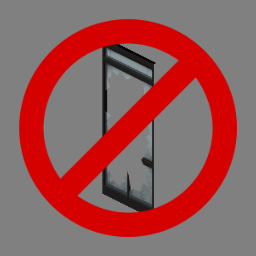
Makes all windows unbreakable. As a side effect they cannot be opened. Made for the Kentucky Roleplay Server(WIP). Workshop ID: 2787838485 Mod ID: UnbreakableWindows
![[MSW]Hammerfall: Forge of the Ancients – Project Zomboid Mod](https://images.steamusercontent.com/ugc/2467487627953218783/6AFF3FFA60CE3EA00D3F4124538C55B5C8C1221E/)
[MSW]Hammerfall: Forge of the Ancients
von 76561198116731544
Hammerfall Blacksmith - Blacksmith Skill - New 3D Items - Crafting varied recipes - Forge, Mold, Destroy and Repair almost anything - It also combines some Metalworking, Tailoring and Woodworking skills for some recipes Crafting - Now you can feel like a real medieval Blacksmith in the apocalypse - Build a recycler machine, and dismount almost any item to get some scrap - Melt scrap, jewelry, and iron ores - Forge most weapons, tools and basic materials - Mold and repair those with a grindstone, also it repairs katanas at high levels - Create a new sharpener tool to fix your weapons anywhere - Cut logs to make firewood and burn it into coal in a furnace, 1 log usually give 5 hours of fuel, but if you burn it into coal it will give 20 hours of fuel - Forge new weapons Items - Practice sword, 0 damage but improves a lot maintenance skill - Hagakure Katana, a katana forged by the gods, it have a lot of resistance - Coal pit, just a container for coal - Rack for swords, container for weapons - Grindstone, has 100 uses before it is destroyed - Recycler, has 1000 uses before it is destroyed - Portable sharpener, has 10 uses before it is destroyed - Heavy Anvil - Iron vessels, you can fill them with scrap metal to burn in a furnace, it takes a long time before it melts. - Bellow, usually the bellows are used to stoke the fire, but here their function is to cool the molds for forging. - Firewood, stone mold, wood handle and a lot more! Enhanced Weapons - Use alloys to enhance some weapons - The enhanced stats are random - The higher your skill, better the enhance - Perfecly balance to avoid overpowered weapons, it just give a little boost - Named weapons after enhanced, so people would know who enhanced that weapons - Enhanced weapons can be repaired with a sharpener, if u use a grindstone their stats will disappear WARNING The recycler destroy anything close to it, so be careful with your tools and weapons, unequip and save them before recycling It takes a lot of different process to forge a single tool, since this mod was planned to be as a roleplay crafting skill If B42 it is released soon, this mod is gonna be adapted to expand the original Blacksmithing, only if B42 comes soon... SP/MP Compatible Tested on 41.78+ Version Works in current saves This mod should not have compatibility problems, since all the items were made from the root Also supports for forging and melting Firearms B41 Bushcraft Gear - Tools Mining Chucked Checkout my other mods Mereszhka's Survivor Works StoryTeller Custom Safehouse Anywhere Biochemistry of Life Do you like my mods? Buy Me a Coffee! <3 Workshop ID: 3247670917 Mod ID: HammerfallBS Mod ID: HammerfallBSBushcraftT Mod ID: HammerfallBSFirearmsB41 Workshop ID: 3247670917 Mod ID: HammerfallBS Mod ID: HammerfallBSBushcraftT Mod ID: HammerfallBSFirearmsB41
Hidden Progress Indicator
von 76561198047485926
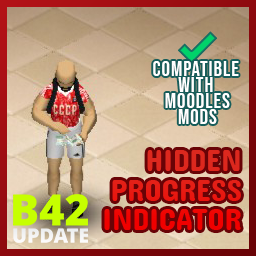
Hidden Progress Indicator Hide that thing above your head Could be good for immersive RP This mod is fully compatible with other moodles mods, allowing you to enhance your gaming experience without sacrificing any of your favorite moodles packs. Alternate Version If you like this mod, please consider giving it an upvote so that other players can discover and enjoy it as well. Workshop ID: 2927170841 Mod ID: HiddenProgressIndicator
![[B42] The End Credits – Project Zomboid Mod](https://images.steamusercontent.com/ugc/10379725330055215385/7465EF572610812FCBF3ABCB79692FA987537943/)
[B42] The End Credits
von 76561198875202045
You didn't just die. You survived for a while. You killed things, built things, ate questionable food, and eventually Knox County won. You deserved more than a zombie kill count and three buttons. The End Credits replaces the vanilla death screen with a cinematic credits sequence -- personalized to your character's specific run. No two deaths look the same. What's new in 1.5.0 The whole sequence is actually animated now. Every fade, wipe and scroll ran off a clock that only ticked once per second, so animations advanced in one hard step instead of playing. Now runs on a millisecond clock, interpolating every frame -- roughly 45x finer. If the old version felt like a slideshow, this is why. - Fixed being stuck with no respawn options. Clicking "Continue with new character" then backing out of character creation left the death screen gone with no way to respawn. It now hides itself like the vanilla death screen and returns when you cancel. Thanks to OhHoop (Quick Restart) for spotting it. - Mod interoperability -- other mods can now hook OnEndCreditsStarted / OnEndCreditsFinished and query credits state via a documented API instead of reaching into internals. See TEC_API.lua / TLG_API.lua. - Custom message for server admins -- new sandbox option adds your own paragraph to the death screen. See Server admins below. - All your skills actually show up now. The screen read a hardcoded B41 skill list, so Blunt→Long/Short Blunt, Carpentry→Woodwork, Farming→Agriculture, and Maintenance, Masonry, Carving, Fishing, Foraging, Tailoring, Pottery etc. never matched. It now asks the game directly, so modded skills appear too, with proper translations. - Smooth fades -- every transition eases in/out instead of snapping. - The Long Goodbye actually scrolls -- used to jump 40px once a second; now moves continuously, eases to speed, and scales with resolution so it takes the same time on 1080p and 4K. - Bigger text -- was locked to the smallest UI font; now one tier larger and follows your UI Scale setting. - Animated skill bars -- the fill animation existed but was never visible; bars now sweep to your level and settle. - Lines rise as they fade in -- keeps the screen from feeling static. - Section rules wipe open from the centre rather than blinking on. - No more banding -- top/bottom fade in The Long Goodbye was 4 stacked blocks showing visible bands; now a continuous fade. - The roll ends on something -- used to scroll everything off and leave a blank screen; now rests on your epitaph as the final frame. - Long epitaphs wrap instead of running off both edges. - Layout adapts to your screen -- stat columns, inventory, and skill rows now fit any resolution/UI Scale instead of overlapping at fixed pixel sizes. - Buttons fade in at the end instead of popping over the epitaph. - Skills listed best-first, long lists show "+N more" instead of cutting off silently. - Better epitaph matching -- the "dominant skill" epitaph had the same B41 blind spot. Fitness/Strength no longer count as your defining skill since most builds start high in them. 2 versions available The End Credits (original) - reimagines the death screen as a cinematic credits sequence, personalized to your character's story. The End Credits: The Long Goodbye - replaces the death screen with a slow scrolling credits sequence -- your entire run compiled into a single roll, bottom to top like real film credits. What you'll see Title card Character name, survival time, zombie kills -- fading in over black. By the numbers Days survived, kills, skills leveled, items carried -- laid out as a stat block. Skills at time of death Every skill leveled above zero, as animated fill bars with level numbers. Last known inventory What you carried at death. Duplicates stack -- 12x gauge rounds is one line, not twelve. Epitaph A single generated line reading your kills, dominant skill, time survived, and inventory -- picking whichever fits your death most honestly. "Five hundred zombies. One got lucky." "They built walls to keep the world out. The world got in anyway." "They didn't even last an hour." "Nothing in their pockets. Nothing left to lose." "This is how you died." How the epitaph is chosen The mod works through a priority list; the first matching condition wins: - Kill count -- 100, 200, or 500+ zombies - Dominant skill -- highest skill above level 5 wins. Fitness/Strength ignored. Level 9-10 gets an extra sentence. - Long runs -- 7, 30, 100, or 365+ days survived - Short runs -- under an hour, a few hours, half a day, or day one - Empty pockets -- nothing in inventory at death - Fallback -- "This is how you died." Some skills have a dedicated line; others fall back to a general one. On a tie, the skill with its own line wins. Server admins Sandbox option Custom message shows your text on the death screen -- beneath the epitaph in the original, near the end of the roll in The Long Goodbye. Empty = nothing drawn. Server-authoritative, so all players see the same message. Long text auto-wraps. For deliberate breaks, type | where each break goes, || for a blank line: Thanks for playing on Knox County RP.||discord.gg/example Avoid double quotes -- dedicated servers store sandbox settings in a Lua file, and an unescaped quote can break parsing. Compatibility Build 42 only, not compatible with B41. Singleplayer fully supported. Multiplayer -- works for the dying player. Client-side only, no server files or world state changes -- safe to add to any modlist. Known limitations Cause of death, panic, and stress aren't shown -- B42's API doesn't expose these reliably at death time. Survival time is estimated from real elapsed time since spawn; accuracy depends on server time scale (default settings give correct results). Some item names may fall back to their internal type string if a translation is missing. On very small windows at a large UI Scale, the three-column recap hides itself to avoid overlapping the buttons -- epitaph and title card still show. A very long custom message is trimmed to fit and will push the recap out of the way -- keep it to a few lines for both. Also check out my other mods in my collection! Your support is much appreciated! Workshop ID: 3699490974 Mod ID: TheEndCredits Mod ID: TheEndCreditsTheLongGoodbye
Fire Hook/Halligan bar Replace Crowbar (Build 41)
von 76561198060208392
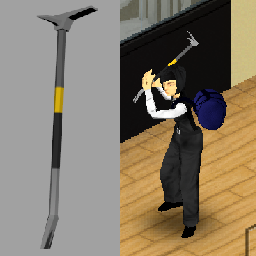
Replaces Crowbar with a Fire Hook Crowbar Works with all 41.x builds as this only modifies the texture and model: "ProjectZomboid\media\models_X\weapons\1handed" "ProjectZomboid\media\textures\weapons\1handed" Workshop ID: 2095325601 Mod ID: FireHookCrowbar
Melee in Vehicles!!
von 76561198859966056
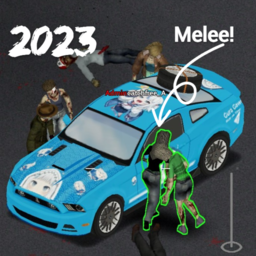
In Build 41.78, they have: Disabled being able to make melee attacks while inside a vehicle with the window rolled down. Wanna fight zombies inside the car? Then install this mod, NO need extra settings. Note: need to overide other firearms mod, recommended to load last. Compatibility: Brita's Weapon Pack Minidoracat DC: https://discord.gg/minidoracat My server: Minidoracat #4 Workshop ID: 2959069921 Mod ID: CarCanMelee

True Music Addon: Gorillaz - Plastic Beach
von 76561198131981656
Adds Gorillaz - Plastic Beach album to the game Track List: 1. Orchestral Intro 2. Welcome to the World of the Plastic Beach 3. White Flag 4. Rhinestone Eyes 5. Stylo 6. Superfast Jellyfish 7. Empire Ants 8. Glitter Freeze 9. Some Kind of Nature 10. On Melancholy Hill 11. Broken 12. Sweepstakes 13. Plastic Beach 14. To Binge 15. Cloud of Unknowing 16. Pirate Jet 17. Pirate's Progress Workshop ID: 2928134469 Mod ID: gorillaz_plastic_beach
![June's Joints [B42+] [Trio Update] – Project Zomboid Mod](https://images.steamusercontent.com/ugc/16963619533669916617/9EE07473F30DCB2ABA1BCB65BF1B0982D5BC6111/)
June's Joints [B42+] [Trio Update]
von 76561198050991757
A simple cannaMod for Project Zomboid (updated for B42+) This mod adds three new items to the base game: sativa, hybrid, and indica prerolls. Prerolls are the best reducers of unhappiness and boredom — they differ slightly in their effects on pain reduction, stress, fatigue, hunger and thirst. Trio Update A third variety, the hybrid preroll, is added in the new Trio update to June's Joints along with color coordinated filters for the 3D models. Hello World That's when he saw it — the bar. The neon sign was dead, but the wooden structure stood firm. Hope flickered in his chest as he forced the door open. Inside, the place was empty. Safe. Behind the bar, he found them. Prerolls, nestled in a box like a long-lost treasure. He pulled one out, inhaling deep. The tension in his muscles faded. For the first time in ages, he allowed himself to imagine a future — a safehouse, reinforced doors, stocked supplies. With renewed energy, he barricaded the entrance, stacking furniture and nailing planks over the windows. He cleared debris, checked supplies, and even wiped down the counter, envisioning the bar as more than a hideout. Could this be a home? Before sleep took him, he lit another joint, the smoke curling above him, easing his aches and lulling him into a deep, dreamlike drowsiness. Outside, the dead shuffled aimlessly, unaware that one survivor had found a small piece of peace in the chaos. New Items + Features Sativa Preroll Reduces unhappiness, boredom, and fatigue. Slight increase in thirst. Hybrid Preroll Reduces unhappiness, boredom, and stress. Added pain reduction. Indica Preroll Reduces unhappiness, boredom, and stress. Greater added pain reduction. Slight increase in hunger and fatigue. Notes - Prerolls do not trigger the same side-effects that cigarettes do (chance of sickness/Smoker trait) - This mod features custom object models, new textures and a sound effect Distribution You have a chance to find prerolls in... - Bar counters - Bathroom cabinets - Bathroom shelves - Bedroom dressers - Bedroom side tables - Bowling alley lockers - Generic desks - Drug shacks - Janitor closets - Medical clinics - First-aid kits - Home office desks - Prison cells - Safehouses - Testing labs Compatibility / Looking for B41? Click the link below for the original B41 version of the mod. https://steamcommunity.com/sharedfiles/filedetails/?id=3454574534 Workshop ID: 3551804871 Mod ID: JJ_cannaMod
![[B42] Cannibal Trait – Project Zomboid Mod](https://images.steamusercontent.com/ugc/29937078181375055/7012D52152BC168EF9B9433F5762DA0DD53CAFD0/)
[B42] Cannibal Trait
von 76561198135117801
At the cost of 2 Trait Points, this mod adds the Trait of Cannibal. It allows the Player to extract Human Meat from corpses by Right Clicking a Corpse and choosing Extract Meat. Cooking and eating the Human Meat provides -40 Hunger and +10 Unhappiness. Workshop ID: 3414013160 Mod ID: Cannibal
Zombie Children
von 76561198150140896
Zombie Children adds visibly smaller 0.60-scale child zombies to Project Zomboid Build 42.20. Every child is a genuine native IsoZombie, so it walks, attacks, takes melee and firearm hits, falls, dies, saves, and replicates through the normal game systems. Public civilian areas convert a configurable share of existing zombies in place. Schools, daycares, toy stores, pediatric/youth venues, and recognized playgrounds convert eligible existing adults one-for-one for child-heavy locations. No automatic path adds zombies; an empty venue remains empty until Project Zomboid supplies zombies there. Military, prison, checkpoint, police-only, and secure armory areas remain excluded during normal play. World settings control child health, damage, public population percentage, and semantic weights. The retired spawn-count value is fixed at one for existing-save safety. The optional Childpocalypse setting converts every encountered zombie in place and is disabled by default. Supports Solo, private listen servers, and dedicated servers. No dependencies and no vanilla file edits. Existing saves using earlier versions keep the stable internal mod ID AgeVariantZombies. Compatibility notes: arbitrary body and clothing packs cannot automatically layer onto the scaled baked composite, although corpse loot remains made from real vanilla clothing items. Build 42.20 combat still targets the invisible adult IsoZombie bones, so the native head and upper-body target sits above the visible 0.60-scale child. Please post any bugs or issues in the comments or send them to H at https://firebird.gg/invite/CE981E06 (making an account after clicking this link will auto join the server). Also feel free to use the mod for videos or other content. CHANGELOG v1.5.19 - Made every automatic conversion population-neutral, retired additive school and venue filling, fixed public percentage handling and Grab Corpse menu errors, and documented the native adult combat-target limitation. Existing extra zombies are preserved rather than deleted. Workshop ID: 3776822217 Mod ID: AgeVariantZombies
![[41] Zombies can destroy TVs – Project Zomboid Mod](https://images.steamusercontent.com/ugc/2469751390374661104/EF705C85FFAD6F8E7449674ADC9252D16BFC63FC/)
[41] Zombies can destroy TVs
von 76561198073717195
Zombies can destroy TVs, whereas before they couldn't ! You can put it into an existing save, only TVs placed after installing this mod will be supported. Already placed TVs will only be supported once placed again. Work in SP/MP. Ordered by Xianah If you think this mod would be interesting for the community Workshop ID: 3337563121 Mod ID: ZombiesCanDestroyTVs

Danger Zone - Scent Of Blood LessLite Version
von 76561197963943841
For frands. 10 tiles smellovision Workshop ID: 2718662173 Mod ID: DangerZoneScentOfBloodLite

True Music: Mostly Hip Hop (time-period friendy)
von 76561198856497418
I added some of the more popular era friendly addons, but I felt they lacked in hip hop and some standardly classic 80s pop. Here is my attempt to flesh them out. I will certainly add to it in the future. NWA, MJ, WuTang, Prince, some other stuff, but mostly hip hop. 114 tracks. Enjoy. UPDATE: I added in 6 mixtapes to avoid having to change the cassette every few minutes. Huge variety of hip hop. they are the 'Phat Tape' mixes from 88 to 93. Full tracklists can be found on youtube... but I assure you, if you are here for era-friendly hip hop, I got you. Word is bond. Feel free to make requests/suggestions in the comments. Ill add them if they are worth it. Workshop ID: 3131788158 Mod ID: mostly_hiphop

JM3 propane
von 76561198203096659
JM3 PROPANE 💬 NOTE: Suggestions and bug reports are welcome in the comments. Thank you for supporting the development of JM3! 🏪 OTROS MODS: JM3 ARCHERY JM3 ACCESSORIES JM3 CHOP JM3 PROPANE JM3 ALARMS JM3 CLOTHING WASHER Workshop ID: 3479641945 Mod ID: JM3_propane
![[B42.13] 500 Cigarettes – Project Zomboid Mod](https://images.steamusercontent.com/ugc/2509152814178681624/14C6CC80C695ACD33B269E16F41B7FBCA76CF840/)
[B42.13] 500 Cigarettes
von 76561198112144017
Craft 500 Cigarettes into one powerful Super Cigarette! Features: Extreme Effects: Rapid health drain and intense coughing. Zombie Attraction: Each cough draws zombies near. Workshop ID: 3304255967 Mod ID: 500CigaretteItemMod

True Music Addon: KISH and COI
von 76561199523067862
Fixed non-working mod!!! Die with a Russian song! Hello to all readers! I hope you enjoy this mod and support me! I don't plan to add new songs yet, as I don't know how to do so (without reinstalling the entire mod). I've added two popular bands from the 1980s and 1990s. Кино: Кино - Алюминевые огурцы Кино - Апрель Кино - Атаман Кино - Бошетунмай Кино - В наших глазах Кино - Верь мне Кино - Видели ночь Кино - Война Кино - Восьмиклассница Кино - Группа крови Кино - Дальше действовать будем мы Кино - Закрой за мной дверь Кино - Звезда по имени солнце Кино - Звезда Кино - Когда твоя девушка больна Кино - Кончится лето Кино - Красно-желтые дни Кино - Кукушка Кино - Легенда Кино - Мама Анархия Кино - Мама, мы все сошли с ума Кино - Место для шага вперёд Кино - Муравейник Кино - Нам с тобой Кино - Невесёлая песня Кино - Ночь Кино - Пачка сигарет Кино - Перемен Кино - Песня без слов Кино - Печаль Кино - Попробуй спеть вместе со мной Кино - Последний герой Кино - Проснись это любовь Кино - Прохожий Кино - Растопите Снег Кино - Сказка Кино - Следи за собой Кино - Спокойная ночь Кино - Стук Кино - Ты выглядишь так несовременно Король и Шут: Король и Шут - Бедняжка Король и Шут - Бунт на корабле! Король и Шут - В доме суета Король и Шут - Валет и дама Король и Шут - Ведьма и Осел Король и Шут - Весёлые тролли Король и Шут - Воспоминания о былой любви Король и Шут - Гимн шута Король и Шут - Голые коки Король и Шут - Два вора и монета Король и Шут - Два друга и разбойники Король и Шут - Девушка И Граф Король и Шут - Джокер Король и Шут - Дурак и молния Король и Шут - Ели Мясо Мужики Король и Шут - Жаль, нет ружья! Король и Шут - Забытые Ботинки Король и Шут - Защитник свиней Король и Шут - Инструмент Король и Шут - Истинный убийца Король и Шут - История о мёртвой женщине Король и Шут - Камнем по голове Король и Шут - Карапуз Король и Шут - Кукла Колдуна Король и Шут - Кукольный театр Король и Шут - Лесник Король и Шут - Медведь Король и Шут - Мёртвый анархист Король и Шут - Мотоцикл Король и Шут - Наблюдатель Король и Шут - Некромант Король и Шут - Он не знает, что такое жить Король и Шут - Отец и маски Король и Шут - Охотник Король и Шут - Паника в селе Король и Шут - Песенка пьяного деда Король и Шут - Помоги мне! Король и Шут - Похороны панка Король и Шут - Прерванная любовь, или Арбузная корка Король и Шут - Проклятый старый дом Король и Шут - Прыгну Со Скалы Король и Шут - Ром Король и Шут - Сапоги мертвеца Король и Шут - Северный Флот Король и Шут - Сказка про дракона Король и Шут - Смельчак и ветер Король и Шут - Собрание Король и Шут - Спятил отец Король и Шут - Тяни! Король И Шут - Утренний Рассвет Король и Шут - Хозяин леса I would be grateful for your support! Enjoy Russian music :) Workshop ID: 3547742919 Mod ID: tm_kishcoi
True Music Addon: Radiohead
von 76561199164901580
Radiohead :] A list of Radiohead music's, if you have any recommendations to add in this mod feel free to comment. ------------------------------------------------------------------------------------------------------ ⬤ All I Need ⬤ Creep ⬤ Exit Music (For A Film) ⬤ Fake Plastic Tree's ⬤ High and Dry ⬤ Karma Police ⬤ No Surprises ⬤ Paranoid Android ⬤ Street Spirit (Fade Out) ------------------------------------------------------------------------------------------------------ Added few songs Workshop ID: 3066225852 Mod ID: RDHD
Crashed Cars Reupload
von 76561197997412091
Reupload of the Crashed cars mod that was removed from the workshop for some reason, back so that your server/playthrough isn't broken. Will remove upon request by the Original Author. Not sure if this will work for B42 or not, I'll mark as working for both but let me know. We were using this for B41. The old workshop # to remove for servers is: 1539281445, the ID is the same as the original so no need to modify Workshop ID: 3412131980 Mod ID: CrashedCarsMod
Checkpoint Rosewood (Legacy)
von 76561198115442320
Hi there, The small expansion of town includes: - A checkpoint at the exit from the city. - A gun store. - A VHS store. Updated version: https://steamcommunity.com/sharedfiles/filedetails/?id=3159578653 If you're looking for a no-store version, here is the link: https://steamcommunity.com/sharedfiles/filedetails/?id=3160536818 The legacy version will be kept so that the already-created worlds won't crash. This map conflicts with Rosewood Expansion and industrial Rosewood maps. If you want to check out my other stuff or just want to show your support, you can find info on how to here: https://steamcommunity.com/sharedfiles/filedetails/?id=3156342020 I'm always open to ideas and suggestions. Feel free to use this mod in your server, add to builds, or modify it. Workshop ID: 3146366217 Mod ID: Checkpoint_Rosewood Map Folder: Road_Block_26x37_27x37
![Support Goods [B42] MyRoom! (MyPhoto!) - Support Series – Project Zomboid Mod](https://images.steamusercontent.com/ugc/46828747820032126/B38D125E1FCE8F1C10D1EFD0D127EB32D9A6FC15/)
Support Goods [B42] MyRoom! (MyPhoto!) - Support Series
von 76561198107736168
Anyone has the right to create any sub-mods using this mod, port it to B41, add onto it new content (Such as poster collections, artwork, new cameras, etc), or use it for a multiplayer server as long as credits are given in the new uploaded mod, none are needed if the mod is depended (required for mod through mod's steam workshop page) on. This mod will include posters in the future. It doesn't include any posters & photographs right now. Only what the player adds himself. Framework for photography in Zomboid! Support Goods Mega Mod: (MyRoom mod is a standalone and is not included in it) https://steamcommunity.com/sharedfiles/filedetails/?id=3434464110 Mod Team’s Discord. Join for updates, bug reports or technical support. https://discord.gg/5JWZQKqXAu You can now place your own photos, there are now framed photos and Polaroids! Both come out with their own recipe systems and items to produce them. You can now also add your own posters to the game and hang them on your wall! Each wall hung item (wall photo frame, Polaroid, and poster) comes in several different height settings easily switchable. You also have 7 items made for you. All you have to do is to copy this mod into your workshop file and simply slap your texture over a square using any photo editing software (you could even find one to do it on your smartphone if you don't have one for PC). All items in this model are 3D objects. There are no tiles. It is easy to use and modify for yourself. You are free to use this mod in any way, port it to B41, use it in a multiplayer server if you port it and such. However, you may not re-upload the mod in its entirety (unless porting to B41). Porting should be very easy as there are only scripts involved which isn't different from B42. You are free to upload your own mods that add posters or photos through this framework! Credits would be appreciated. THIS MOD DOES NOT REQUIRE THE SUPPORT GOODS MOD. MOD CAN BE EDITTED (If you follow steps correctly) WITHOUT HARMING SAVE GAME. Steps to adding your own photos:- Step 1- Download the mod Step 2- Head to your steam workshop directory. Should be E:, D: or C:\SteamLibrary\steamapps\workshop\content\108600 Step 3- Find the mod's file, should be (3434920270) Step 4- Copy the file Step 5- Paste the file in C:\Users\USERNAME\Zomboid\Workshop Step 6- Open any photo editting software. Step 7- Open the file till you reach 42. Go to media, go into textures, go to worlditems, open any of the PhotoFrame1-7 images, except PhotoFrameEmpty and PhotoFrame. Step 8- Add your photo onto the white square, orient it to face East. (Reference Sadam Zomboid in PhotoFrame texture for positioning and direction) Step 9- Go into game, activate your mod, gather the loot needed to craft the photo and craft it! (Developer Fluid, Fixer Fluid, Developing Tank, Waterbath and Camera) Steps to adding your own polaroids:- Step 1-6 as above. Step 7 - Open the file till you reach 42. Go to media, go into textures, go to worlditems, open any of the PhotoPolaroid1-7 images, except Polaroid. Step 8- Add your photo onto the black square. Make it oriented normally. Use DEBUG polaroids for reference. Step 9- Go into game, activate your mod, gather the loot needed to craft the polaroid! (Polaroid Camera and Polaroid Frame) Steps to adding your own posters:- Step 1-6 as above. Step 7 - Open the file till you reach 42. Go to media, go into textures, go to worlditems, open any of the MyPoster1-7 images, except MyPosterEmpty. Step 8- Add your photo onto the white square. Make it oriented normally. Use DEBUG poster for reference. For best result, increase brightness by 50%. Step 9- Go into game, activate your mod, gather the loot needed to craft the polaroid! (Konan Bubblejet Printer and Sheet of Paper) How do I add more photos/posters to use? There is no limit to how many you can add. Here's what you need to do; 0- Follow steps 1-5 above if you did not do it before. 1- Copy the item script and change the item name and model name, 2- Copy model scripts and duplicate the item you want to have many of (poster and photo). Make sure to take all it's variants. Make sure your new model name is the same as the model name in WorldStaticModel in item script. 3- Copy MyPosterEmpty or whatever item you're doing and paste with the new name "MyPoster8" make sure it is the exact texture names you used in the model scripts. Simply change the textures as you usually do, do not touch the mesh. 4- Finally, replicate the recipes for your new items to make them actually obtainable in-game or add them to loot distribution (or both) in lua/server/items. 5- Add LUA translations in lua/shared/translate for items and recipes. How do I find the one I editted? If you editted PhotoFrame1 you'll find a recipe called "Develop Photo 1". Each recipe related to photo development has a number that corresponds to texture. How do I rescale? Open media, open scripts, open model scripts (MyPhoto - Models), find your item's model and its variants, change the scale. This allows you to make your framed photos any size you want. How to update! I have the old version? Simply download the new update. Copy the textures you editted and place them in a temporary file, delete old version, copy the mod’s file again into your User/Zomboid/workshop, go into 42, remove the textures you used and paste your custom textures. How to make my own submod with my own posters/photos? The mod has pretty much all you need. You might need to remove the photography development stuff from scripts (to make it depend on MyRoom), change the module name, change the names of the items, textures, and models, in scripts, files, and loot distribution script and translation files. Must be unique names to avoid conflicts. Add your new textures, test, and report. If you'd like to show your support, feel free to donate to me to keep me modding: https://www.paypal.com/paypalme/darwishcotton1914 Credits to:- - Healdiver (Most 3D models) Workshop ID: 3434920270 Mod ID: GOPHOTO

<<== MISCELLANEOUS ==>>
von 76561198014036706
This is mod is merely for organizing and categorizing your mod collection lists, it does not alter or affect gameplay in any way. When editing your workshop collections you can put this, and the other icons I've made, anywhere in the list and use it as a header to indicate the category which it describes. This can help create more oversight in your list of mods, happy sorting! Workshop ID: 3368342718 Mod ID: ModTemplate

ApexWeapon
von 76561199193863491
目前武器: 轻型:RE45,R301,转换者冲锋枪,R99冲锋枪 霰弹:EVA8,獒犬霰弹枪,莫桑比克 能量:Lstar能量机枪,电能冲锋枪 狙击:长弓精确步枪,小帮手 对进阶弹道进行适配 物品万能弹匣转换器可获得所有枪械弹匣,具体看沙盒设置 密客,直布罗陀,恶灵,命脉,瓦尔基里,侵蚀,班加罗尔传家宝,ash的刀 传家宝通过碎片获取,沙盒设置可调整 物品:凤凰治疗包,小型医疗包,医疗包,侵蚀的杯子(80容量),小水怪玩偶(消除无聊) -3-19- 修bug -3-22- 炸蛛生成率修改 5/5 此mod已被废弃 新mod待上传 Workshop ID: 2917824999 Mod ID: ApexWeapon
Vehicle Recycling
von 76561198450882774
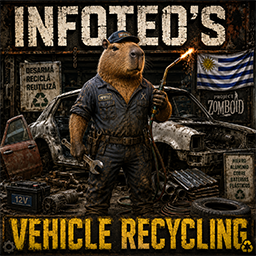
# Vehicle Recycling — Build 42.20.2 **Vehicle Recycling** permite desmontar vehículos y remolques completos para recuperar materiales reutilizables. Al interactuar con un vehículo desde el menú contextual o el menú radial exterior, los jugadores con las herramientas y habilidades necesarias podrán iniciar el proceso de reciclaje. ## Características * Permite desmontar vehículos y remolques. * Recupera chapas metálicas, barras, cables, componentes electrónicos y otros materiales. * Puede recuperar baterías, mangueras, espejos, radios, telas, cuero y lonas. * Suelta en el suelo los objetos almacenados dentro del vehículo antes de eliminarlo. * El rendimiento aumenta según el nivel de Metalurgia. * Consume propano en función del tamaño del vehículo. * Requiere máscara de soldar y soplete. * Impide reciclar vehículos con pasajeros. * Impide reciclar vehículos enganchados a otros vehículos o remolques. * Incluye opciones Sandbox para ajustar requisitos, tiempo, materiales, experiencia y consumo de propano. * Compatible con vehículos vanilla y vehículos de otros mods que utilicen el sistema estándar. * Preparado para servidores multijugador dedicados. * Compatible con **Project Zomboid Build 42.20.2**. En multijugador, el servidor valida los requisitos, genera los materiales, consume el propano, concede la experiencia y elimina el vehículo, reduciendo errores de sincronización y posibles abusos. ## Agradecimientos Agradecimiento especial a **MineHost** por proporcionar el alojamiento y el entorno de servidor utilizado para realizar pruebas de funcionamiento, sincronización y compatibilidad en multijugador dedicado. Su colaboración permite continuar desarrollando, revisando y adaptando mods para las nuevas versiones de Project Zomboid. ## Permission & Redistribution Notice Este mod no puede ser copiado, resubido, redistribuido, espejado, modificado, republicado, empaquetado, incorporado en colecciones privadas o públicas, incluido en modpacks, almacenado en sitios de terceros, utilizado como base para otros mods, ni utilizado total o parcialmente sin autorización escrita explícita del autor. Queda expresamente prohibido realizar forks de este mod, ya sea de forma pública o privada, total o parcial, con o sin modificaciones, sin permiso escrito explícito del autor. También queda prohibido extraer, reutilizar, adaptar, renombrar, modificar o redistribuir cualquiera de sus archivos, scripts, assets, sonidos, texturas, configuraciones, código Lua, traducciones o partes internas sin autorización escrita explícita. Se permite únicamente compartir el enlace original de Steam Workshop. Cualquier copia, fork, redistribución, reupload, modificación no autorizada, uso parcial, uso total, publicación alternativa o almacenamiento fuera de la página original será considerado una infracción a los permisos establecidos por el autor. Workshop ID: 3653593791 Mod ID: InfoteoVehicleRecycling
Project Zomboid Details →
Project Zomboid Guides
Project Zomboid Mods installieren - Workshop Guide
Installiere Project-Zomboid-Mods sauber per Steam Workshop: IDs eintragen, Reihenfolge prüfen, Server neu starten und typische Fehler beheben.
Project Zomboid Build 42 auf dem eigenen Server: Umstieg, Spielstände und Mods
Build 42 ist Stable: Spielstände aus Build 41 sind nicht kompatibel. Umstieg, legacy41-Zweig, neue Serveroptionen, Anti-Cheat und der Hotfix 42.20.1 gegen Serverlag.
Project Zomboid Server mieten – Multiplayer Guide
Project Zomboid Server einrichten: RAM, Sandbox-Einstellungen, Workshop-Mods, Admin-Rechte und typische Fehler sauber prüfen.
Project Zomboid Server mit Mod-Support
Kompatible, unterstützte Mods über das Server-Dashboard installieren.
Project Zomboid Server mieten