Project Zomboid Mods für Server
Für einen modifizierten Project-Zomboid-Server brauchst du pro Projekt die Steam-Workshop-ID und die interne Mod-ID. Prüfe zusätzlich Spiel-Build, Abhängigkeiten und Lade-Reihenfolge, bevor du deine Welt mit den Änderungen startest.
Project Zomboid Mods sicher installieren
Ein Workshop-Abo allein aktiviert eine Mod auf dem Dedicated Server nicht. Die Einträge in `WorkshopItems=` und `Mods=` müssen zusammenpassen; außerdem muss jede Mod den gewählten Build 41 oder Build 42 ausdrücklich unterstützen.
- 1. Build prüfen: Build-41- und Build-42-Mods nicht ungeprüft mischen.
- 2. Workshop-ID, Mod-ID, Abhängigkeiten und erforderliche Reihenfolge vollständig dokumentieren.
- 3. Welt und Konfiguration sichern, Server neu starten und Logs sowie den Beitritt mit einem Test-Client prüfen.
Die vollständige Schritt-für-Schritt-Anleitung findest du im Project-Zomboid-Mods-Guide. Oder starte direkt mit einem Project Zomboid Server mit Mod-Support.
Häufige Fragen zu Project Zomboid Mods
Was ist der Unterschied zwischen Workshop-ID und Mod-ID?
Die Workshop-ID bezeichnet das Steam-Workshop-Projekt und steuert den Download. Die Mod-ID aktiviert den enthaltenen Mod im Spiel. Auf dem Server müssen beide Listen vollständig und passend gepflegt sein.
Laufen Build-41-Mods automatisch mit Build 42?
Nein. Nutze eine Mod nur dann auf Build 42, wenn ihre Workshop-Seite diese Kompatibilität ausdrücklich bestätigt. Prüfe dabei auch alle Bibliotheken und weiteren Abhängigkeiten.
Wie teste ich ein Mod-Update ohne Risiko für die Welt?
Sichere zuerst Welt, Sandbox-Konfiguration und Server-INI. Aktualisiere danach die zusammengehörigen Mods, starte den Server neu und prüfe Logs, Kernfunktionen und einen vollständigen Client-Beitritt.
![[B42.20] [SP/MP] Getting Old – Project Zomboid Mod](https://images.steamusercontent.com/ugc/15233473161595302449/DE9BB3B30B42E42D3C83087F27EFCE287E2F6FDA/)
[B42.20] [SP/MP] Getting Old
von 76561198136454857
STILL A WORK IN PROGRESS Getting Old – Dynamic Aging System Ever wondered what surviving the apocalypse for years would really do to your body? Getting Old adds a dynamic, immersive aging system to Project Zomboid. Your character now has a real age, a birthday, and gradually changes over time – for better or worse. Youth comes with advantages. Old age comes with consequences. Features: - Real Age System - Characters start with an actual age based on selected traits - Randomized birthday (day and month. year is based on trait or also random) - Age increases naturally as in-game years pass - Physical stat Changes Over Time (based on the four groups above) Your age affects: - Endurance - Movement speed - Pain sensitivity - Depression - Fatigue - Chance to stumble or fall (elderly) Trait Integration: Age groups are implemented as real traits: Trait ----- Effect Young ----- Extra endurance | Higher pain tolerance | Less stressed Adult ----- Balanced/Base stats but at least you're not 45 Middle-aged ----- Less endurance | Lower pain tolerance | More stressed Elderly ----- No endurance | No pain tolerance | Always stressed | Might fall over Young and Adult are positive traits. Middle-aged and Elderly are negative traits. Immersive Details: Stores birthday and age in player mod data Designed to be compatible with other mods How It Works: On first spawn, your age is assigned automatically A birthday is generated Each year your age increases Stat effects update dynamically Elderly survivors may occasionally stumble while moving No configuration required — just subscribe and play. Compatibility: Safe to add to existing saves (new characters is recommended otherwise you may be at RN-Jesus's mercy) Works in singleplayer and multiplayer Updated for Project Zomboid Build 42.20 stable Designed to avoid overwriting vanilla systems Lightweight and performance friendly For fellow Modders: Includes a simple shared DevTools.lua helper library that I'm building out for my mods. Stat-based design Uses Stats API instead of direct player mutation Modular age system Easy to extend (diseases, vision loss, arthritis, etc.) Notes: Elderly characters are playable, but challenging This mod does not change zombie behaviour Credits Created by Devlin (artwork by AI cause I can't draw) Workshop ID: 3643959369 Mod ID: GettingOld
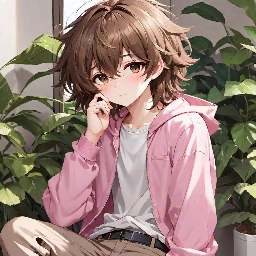
Femboy Species Mod
von 76561198370629437
So I've been playing project zomboid, and tried the anthro survivors mod, and that was cool and all, but you know what i noticed missing? Femboys. Nobody else made this so i decided to do so myself! If you find any bugs, pwease let me know! (The model doesn't belong to me, i just edited discman's elf mod, all credits go to them as i used their model as a template) You'll need anthro survivors installed for this! NOTICE: Some clothes will be clipped, and for some reason, the female clothes are especially broken... stick to picking male as a gender when you start Workshop ID: 3050615289 Mod ID: Femboyspeciesmod ORIGINAL MODEL: https://steamcommunity.com/sharedfiles/filedetails/?id=3027909559&searchtext=elf If i get told by the person that made the original model to take this down, then i shall abide :3
![Fallas Lake Spawnpoints[B42/41] – Project Zomboid Mod](https://images.steamusercontent.com/ugc/2477634592177908195/5FB1D806309B672B5A97983D10C46DA556D8E278/)
Fallas Lake Spawnpoints[B42/41]
von 76561198799122213
Add spawn points in the small towns of Rosewood and Riverside. Workshop ID: 3350174838 Mod ID: FallasLakeSpawnpoints Map Folder: Fallas Lake, KY
![[B41] Randomized Water Dispensers – Project Zomboid Mod](https://images.steamusercontent.com/ugc/2371777175527089401/05AAF4BA412F755F1B21F3B0867B3A88F4A5B4E8/)
[B41] Randomized Water Dispensers
von 76561197972532323
Randomized Water Dispensers In the Water Dispenser mod, each one has between 50 and 250 water. I added sandbox options, so that we can set our own Min and Max amounts. You can also set a percentage chance for the water inside to be tainted, yikes! (Default 0%) Special thanks to KONIJIMA, albion, and the Project Zomboid #mod_development discord Workshop ID: 3156717457 Mod ID: RandomizedWaterDispensers

Easy Packing Update for Extra Books Mod
von 76561198004313378
Allows for creating and unpacking of book collections for the books added with the Extra Books Mod (2859508566). Workshop ID: 3472290933 Mod ID: EasyPacking4ExtraBooks
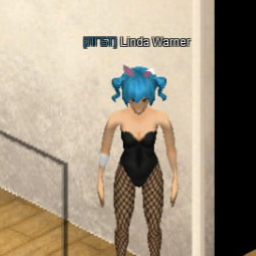
Twin-Tail Hair
von 76561198851488592
Haircut "Twin-Tail" From collaboration DECO*27 with Hatsune Miky Model by me. Use the models and code from this addon freely. Let's say yes to free content from the workshop! Workshop ID: 3172255946 Mod ID: TwinTail
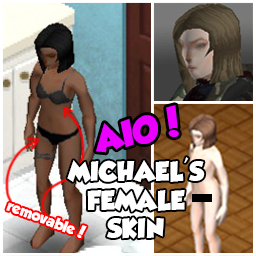
Fix for Michael's Female Skin Retexture AIO
von 76561198059214426
DOESN'T REQUIRE THE ORIGINAL MOD TO WORK Fix for Michael's Female Skin Retexture transparent patches on clothes Original mod: https://steamcommunity.com/sharedfiles/filedetails/?id=2708485220 Workshop ID: 2856423651 Mod ID: Fix for Michael's Female Skin Retexture AIO

VHS Pack: Reloading
von 76561199230970910
Добавляет 5 кассет, просмотрев которые вы станете чуточку ближе к тому, чтобы скорость вашей перезарядки была сравнима с Голливудскими боевиками, где ее вообще нет Workshop ID: 3540352715 Mod ID: VHSPackReloading
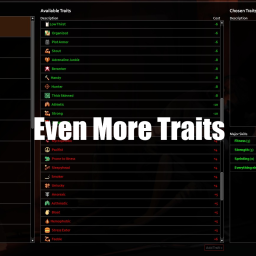
Even More Traits Multiplayer
von 76561198081142601
42.13.1 version: This mod adds many more traits, it was made to work well with More Traits Workshop ID: 3650143655 Mod ID: LazoloTraitsMP

True Music Addon: Into The Flames (Far Cry 5)
von 76561198133176813
Into The Flames (2018) Dan Romer 01. The World Is Gonna End Tonight (ft. Peter Harper) 02. Oh John (ft. Charlie Mtn) 03. Build a Castle (ft. Osei Essed) 04. Help Me Faith (ft. Madi Diaz) 05. Now Hes Our Father (ft. Greg Holden) 06. Set Those Sinners Free (ft. Peter Harper) 07. Keep Your Rifle by Your Side (ft. Wil Farr) 08. We Will Rise Again (ft. Meredith Godreau) 09. Oh the Bliss (ft. Jenny Owen Youngs) 10. Let the Water Wash Away Your Sins Cassettes and Vinyl Records. Multiplayer (41.77+) supported. Requires True Music. Workshop ID: 2875417337 Mod ID: TMA_FC5_ITF
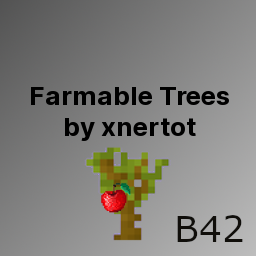
Xnertot Farmable Trees B42
von 76561198048282450
B42 Port of Xnertot's plantable Trees mod Adds tree for: - Apple - Banana - Cherry - Lemon - Orange - Peach Adds plant for: - Pineapple Trees can be planted like other crops. - Complete code Overhaul for B42 - Added Sandbox options for Growtime and Yield Known issue: After game reload it can take some time for the tree sprites to load if its not loading at all after a long time just plow a tile with the shovel Other Mods: - Mechanics Eye - Apocalypse Engineer - Radial Barricading - Xnertot Farmable Trees B42 - Fjord Mustard Saloon S281 - Generator Powered Buildings - ModernFirearmsSystem Translation/Rebalance 42.13+ - Faster Cloth Ripping - Craft Backpacks and Containers - Show Weapon Stats Plus Workshop ID: 3663890932 Mod ID: XnerTreeB42
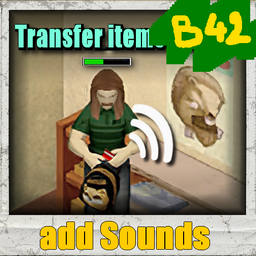
Transfer items sounds
von 76561198073717195
Audio for Transfer Items and Actions With this mod, you will have better immersion, each transfer of items and several actions will have a sound, in MP the other players will hear them to 15m arround, the zombies do not hear the sounds (unless you have a mod that does so...) - Over 300 different sounds for the transfer items action - Approximately 20 actions get sounds (Place 3d object / Attach/detach items / Medic actions ... etc ) - The high frequencies of sounds are reduced for all sounds when your character is inside a vehicle, a low frequency effect (this will sound closed). Work in: MP/SP/ExistingSave/SafeToRemove/NoRewriteCode these sounds are unique, it's my creation from audio samples like all my others audio mods. If you think this mod would be interesting for the community Workshop ID: 3782616391 Mod ID: AuDmodTransferItemsSoundsB42
![[LEGACY] Noir's Attachments backpack weight reduction fix (java mod) – Project Zomboid Mod](https://images.steamusercontent.com/ugc/2501266877154217012/3966C084CCC8B2B93BA6A6543CBCDE038D0F61CF/)
[LEGACY] Noir's Attachments backpack weight reduction fix (java mod)
von 76561198073756733
ねぇしってる? Please consider using my other mod, Hotbar Attachments Weight Reduction Fixes & Overhaul (requires Java mod), instead! It requires my other java mod but they not only fix but also expand on hotbar weight reduction mechanics :) This mod is not required for those mods; it's technically compatible with them, but is completely superseded if you let Hotbar Attachments Weight Reduction Fixes & Overhaul (requires Java mod) manage Noir's Attachments' weight reduction. This is a java mod! needs to be manually installed Fixes an issue where weapons are practically unaffected by setActualWeight/setWeight This means that (for example) backpack weight reduction from Noir's Attachments will be able to affect weapons with this fix :) The problem is brought up here: Implementation of HandWeapon:getActualWeight() makes HandWeapon:setActualWeight() ineffectual This is a java mod! needs to be manually installed Must be installed manually! Must be installed on the server and per player for multiplayer! Docu: zombie.inventory.types.HandWeapon.class's notable methods: getActualWeight and getWeight returns the InventoryItem versions of the methods + the sum of the WeaponPart weightModifiers; a bit of weird logic: setActualWeight and setWeight subtract WeaponPart weightModifiers and ContentsWeight (ammo usualy) from the argument manual installation steps - Navigate to ..\steamapps\common\ProjectZomboid\zombie\inventory\types\ - Create a backup copy of HandWeapon.class (I recommend putting it in your %USERNAME%\Zomboid\ folder) - Subscribe to this workshop item to download the replacement file - Navigate to ..\steamapps\workshop\content\108600\3264807739\mods\HandWeaponFix\ - Copy the mod's HandWeapon.class file - Navigate to ..\steamapps\common\ProjectZomboid\zombie\inventory\types\ again - Paste HandWeapon.class, overwrite existing if you've made a backup --- check out my other mod made possible by this one! Weapon Skills Improve Hotbar Weight Reduction (requires a java mod) :) it might be buggy but the sooner i spot the bugs the sooner i squish em! --- im still brainstorming a way to do this without java modding, so watch this space? rn im thinking using an invisible negative-weight item to do a corrective total player inventory contents weight adjustment, using moddata to store the working values, and hijacking the tooltips to show the corrected values... --- plans bugfixing if ppl kindly report them, then some mods to take advantage of this, like customizing hotbar weight reduction (in general or equipment-based) many thanks to Tchernobill and Konijima for their great decompiling guides here and here and ofc Noir for Noir's Attachments and its super good (!!) NATT_WeightReductionHandler that was the impetus for getting this mod done! -- Workshop ID: 3264807739 Mod ID: HandWeaponFix
![[B41] [FR] KillCount – Project Zomboid Mod](https://images.steamusercontent.com/ugc/1841422324039523138/01E14D13D0E97B8233818036CA94967FB727E8D7/)
[B41] [FR] KillCount
von 76561198092633119
Disclaim: Basically I had optimized the code to avoid too much writing to the disk, I was already aware of that. After several thoughts, unfortunately I think this is not enough to avoid tiring SSDs these days. I recommend not using this mod too frequently, and looking at other mods of the same style (as of 05.2026), they do exactly the same, or even worse (write every 1 second..). Avoid all these mods, save your SSDs! Traduction française du mod KillCount (Fait très très (très... ) fièrement par Tchernobill) et création de fichiers pour l'afficher en Overlay pour le Streaming (StreamKillCount.lua). French translation for KillCount mod (Work done very very (very... ) proudly by Tchernobill) and creation of files to display it in Overlay for Streaming (StreamKillCount.lua). *Sous réserve d'un changement très important du "Jeu" lui-même, ce mod (StreamKillCount.lua) sera encore fonctionnel. Il n'apporte rien de plus au fonctionnement du jeu, il est purement collecteur d'informations et ne fait qu'afficher ces informations. L'installer avant, pendant ou après une partie, ne corrompra aucune de vos sauvegardes.* Création d'Overlay pour streamer : Lancez une nouvelle partie, ou reprenez celle en cours pour créer les fichiers nécessaires, que vous retrouverez dans : C:/Users(ou utilisateurs)/VOTRELOGIN/Zomboid/Lua/ ou par le chemin de recherche de l'explorateur windows : %username%/Zomboid/lua/ Il vous suffira de créer les liens d'overlay pointant sur les fichiers texte créés avec votre logiciel de Streaming. Par exemple, avec OBS Studio : Créer une nouvelle "Source" Texte (GDI+), ensuite cochez la case "Lire à partir d'un fichier" et juste à droite cliquer sur "parcourir", puis choisissez un des fichiers suivants se trouvant dans : C:/Users(ou utilisateurs)/VOTRELOGIN/Zomboid/Lua/ ou par le chemin de recherche de l'explorateur windows : %username%/Zomboid/lua/ PZsurvie.txt = Temps de survie PZtraits.txt = Traits du personnage PZname.txt = Nom et Prenom du personnage PZarme.txt = Nombre de Zombies tués par arme PZfeu.txt = Nombre de Zombies tués par le feu PZvoiture.txt = Nombre de Zombies tués par les voitures PZtotal.txt = Nombre de Zombies total tués par arme + feu + voiture Il existe un décalage de 1 Zombie, qui se remet dans l'ordre en relançant la partie (Désolé :) ). Credits where it is due: KillCount done very very (very... ) proudly by Tchernobill (But very VERY inspired from Additional Kill Counter by Dannehlee) Workshop ID: 2814483749 Mod ID: KillCountFR

Book Writer
von 76561198038167266
This is a simple Mod to allow skilled characters to write lesser skill books created by Saxon. This mod add a recipes to craft all skill books if you are skilled enough. for exemple, at least 3 in Carpentry skill, you are able to craft a Beginners Carpentry book. The recipe uses a few Journal or Notebooks, and take more time and materials for each level, so only a Master Mechanics (Mechacinc level 10) can write a Master Book of Mechanics, and it will take time and resourses. Workshop ID: 1435587441 Mod ID: BW
![[B42] MazeRunner - Laberinto – Project Zomboid Mod](https://images.steamusercontent.com/ugc/18143865191756746638/B1DA0038D777BCCBA4AB5ABAF5506E7A629CF077/)
[B42] MazeRunner - Laberinto
von 76561199216662233
MazeRunner: El Laberinto Despierta atrapado en un gigantesco laberinto, sin recuerdos y sin salida aparente. Inspirado en Maze Runner, este mod transforma Project Zomboid en una prueba extrema de ingenio, exploración y supervivencia. 🧩 Características principales: - Compatible con Build 42 (versión experimental). - El mapa original fue modificado para limitar el acceso a una sola entrada al laberinto. - Sistema de iluminación adaptado a las nuevas restricciones de la B42. - Se añadieron nuevos tiles, sonidos ambientales y notas coleccionables (lore). - Mecánica de llaves para abrir puertas por secciones, fomentando la exploración. - Mejora del sistema de mapa interno del juego para guiar tu progreso. - Spawn de zombies reducido: su comportamiento está afectado por cambios internos en la B42. ⚠️ CORRECCIONES: - Corregido el problema al abrir Mapa (No aparece el diseño del laberinto debido a cambios ne la B42.11 han pedido incluir más archivos que no tengo cómo generarlos). - Ya está disponible la Katana que algunos han encontrado en tirada en el suelo sin poder recogerla. Ahora si puedes tomarla. - Corregido los (hidden box) tiles o espacios que bloquean el paso en las esquinas. ☢️ Añadido zona de radiación en a ultima sección (Requiere mascara de gas vanilla) 🤔⁉️ FAQ (Preguntas Frecuentes). 🙎🏻♂️:¿El mod esta incluido en el mundo de PZ? 🧟:Si efectivamente el mod de MazeRunner es parte del standalone o mundo principal de PZ al salir puedes continuar tu partida con normalidad. 🙎🏻♂️: ¿el mapa no funciona? 🧟: El mapa funciona, pero no tiene detalles del laberinto, Inicialmente se crearon las rutas del laberinto, pero con la actualización de la B42.11 donde se incluyeron los nombres de las calles, se quitó porque causaba un crash. Se incluyo un mapa del laberinto al inicio. Puede visualizarlo haciendo clic derecho sobre el tiles que esta en la mesa como muestra la imagen. 🙎🏻♂️: ¿Las luces del laberinto se apagan? 🧟: Si, la mecánica es que se enciendan sola cuando pasas cerca por primera vez, pero cuando te alejas de esa zona o sales de la partida, todas las luces se apagan. Sin embargo, puedes encenderlas haciendo clic derecho sobre la luz. (Turn off the lamp) 🙎🏻♂️: ¿Se puede salir del laberinto? 🧟: Efectivamente, se puede salir del laberinto; sin embargo, vas a necesitar buscar las llaves que se encuentran en los laboratorios. Las llaves solo están en lugares específicos, Las llaves en el loot de los zombies no guardan relación con las puertas. 🙎🏻♂️: ¿Se puede desactivar el gas tóxico? 🧟: El gas tóxico aparece a partir del segundo laberinto, y se puede desactivar usando los motores de ventilación. Excepto en el laboratorio 7. Que no tiene dicho motor. ⚠️ IMPORTANTE: Esta es una versión de prueba. Es posible encontrar errores o comportamientos inesperados. Agradecemos tu comprensión y te invitamos a dejar tus comentarios: 📩 Steam Workshop o en nuestro Discord: https://discord.gg/XNYJU4h4 Workshop ID: 3499055498 Mod ID: MazeRunnerArea Map Folder: MapLaberinto Workshop ID: 3499055498 Mod ID: MazeRunnerArea Map Folder: MapLaberinto

Russia Kataysk
von 76561198130118360
Помните ли вы свою родную улицу, школу, а место где первый раз поцеловались? Вернитесь в это место так, как будто здесь ничего и не изменилось спустя 10 или 20 лет как вы уехали отсюда. Если вы родились в маленьком городе, где никогда ничего не происходит, но он до сих пор является вам родным, тогда эта карта точно заинтересует вас. Workshop ID: 2362347687 Mod ID: Kataysk Map Folder: Kataysk
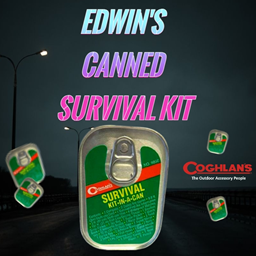
Edwin's Canned Survival Kit
von 76561199508684204
Adds Canned Survival Kits to the game. Coghlan's Camping Company is a prominent outdoor and camping gear manufacturer known for its wide range of innovative products designed to enhance the camping experience. Founded in 1959, the company specializes in producing high-quality, practical equipment and accessories for campers, hikers, and outdoor enthusiasts. Their product lineup includes items like cooking utensils, lighting solutions, and tools, all aimed at providing reliable and user-friendly solutions for outdoor adventures. With a commitment to quality and functionality, Coghlan's has established itself as a trusted brand among camping aficionados. Provides a pocket knife, compass, matches, and other assorted items to aid in unexpected situations. Fits perfectly in the kitchen junk-drawer! Can be found in Gigamarts, kitchens, and general stores Workshop ID: 3454662304 Mod ID: Edwin'sCannedSurvivalKit

<<== TILES ==>>
von 76561198014036706
This is mod is merely for organizing and categorizing your mod collection lists, it does not alter or affect gameplay in any way. When editing your workshop collections you can put this, and the other icons I've made, anywhere in the list and use it as a header to indicate the category which it describes. This can help create more oversight in your list of mods, happy sorting! Workshop ID: 3368339971 Mod ID: ModTemplate
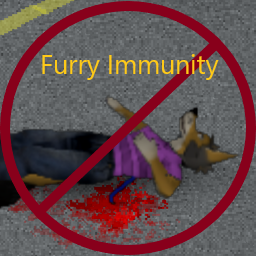
Anthro Immunity
von 76561198833978028
Hi there. Were you ever wondering why PZ lore states that animals can't get infected with the Knox virus, yet Anthro Survivors can? Well no more! This mod slaps a big ole bandaid on that issue. Now anthro survivors can be immune, whilst keeping the normies out of the loop. Features: * Anthro players, and only anthro players, are immune to the virus. * Human players can still get infected! * Should, in theory, work with AnthroSurvivors addons out of the box. * There's now a second version shipped as a submod with a 50% chance of zombie infection when bitten. EXPERIMENTAL! Do NOT use the main version with this submod!!! Limitations: * Instant Infection will still kill anthro survivors, but they won't zombify. * If you aren't wearing AnthroSurvivors' "Human_Placeholder" thingamabob, you will be immune. But you SHOULD have it on as a human! Unless you did something goofy.... Anyways, enjoy! Workshop ID: 2926203145 Mod ID: FurryImmuneSurvivors Mod ID: FurryImmuneSurvivorsChanced
![Pager mod MP [41.66] – Project Zomboid Mod](https://images.steamusercontent.com/ugc/1854925368530579515/926CF2B3459E9B042421A9D3545F45F66417B7AA/)
Pager mod MP [41.66]
von 76561198117640434
Pager mod I present my new mod which adds pager in the game. The mod is for RP and only works in multiplayer. Range of radios is taken into account ! How to use the mod ? Get a pager The first thing to do to use it is to get a pager. The only way to get one is by crafting it. To get the pager craft, you must learn the recipe from Electronics Magazine Vol. 4. Send a message To send a message, you need a two way radio ! In the radio menu, if it is on, you will see an icon in the shape of an envelope. Click on it to open the menu to send a message. In this menu you have to choose two things, the recipient(s) and the message to send. For the recipient. You choose from a list specific to your character. To add a contact to the list, you click on the "Add contact" button. In this menu you enter a name for the contact and pager numbers. To add a number, you write it then press enter. The number should appear in the list. You can add as many numbers per contact as you want. Once all number enter, press the "Save" button. For the text to send, just enter what you want to send next to "Message:" and press "Send" (Or enter in the box). You can only send a text with this characters: "0123456789-_=. " (See seconde video) Exemple of code to send: http://www.piclist.com/techref/io/pagercodes.htm Use the pager To use a pager, you right click on it in the inventory and then you get 3 options: (See first video) - Change the pager's name, like that the display name in the inventory is change. Usefull if you have more than one pager. - Get pager's number. - Open the pager. When you open the pager, you get an UI with four buttons and which displays the first message received (or empty if no message). There are two buttons to navigate through the messages, a button to delete the selected message and a button to display the date and time the message was received. (first click display the the day, month and year, second click hour and minute and third click go back to the message text.) To know - To get a notification, the pager need to be in your inventory. - Clicking outside the pager when it is open closes it. - You can change the size of the pager (need a restart) and the color of the screen in the options. - The range of radios is taken into account, so if you do not receive messages, chances are that you are too far. Messages that are not received are deleted. - Messages are backed up between server resets - If you have a pager in your inventory and are not in the server when you get a message, you still get it when you come back, with the date when sended. Maybe to add - The window to send a message in the radio window - Alphanumerical pager - Pager use battery - Traps (send a message when a door is open for exemple) - World model for pager For moder I doubt it but let's imagine that someone wants to send a message for his mod. For that it is not very complicated, you can only do it from the client. You can use the timed action: ISSendMessageTimedAction:new(character, pagerNumber, messageText, radioRange, onlyOneMesage) pagerNumber, is either a string of the number to send a message (exemple "555-5555") or a table or number. (use with onlyOneNumber) messageText, the text to send (exemple "12345678") radioRange, range in meter of the radio onlyOneMesage, boolean true if send one message, false is send a table of number Or the function directly: SendPagerMessage(pagerNumber, messageText, radioRange) pagerNumber is a string SendPagerMessages(pagerNumber, messageText, radioRange) pagerNumber is a table Doesn't work in split screen I do not authorize the use of my code for other mods or modpacks. If you want it, ask it pls. Workshop ID: 2773785202 Mod ID: PagerMod
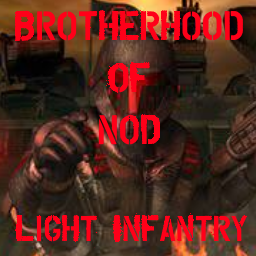
Brotherhood of Nod Light infantry
von 76561198120479073
This Mod add Brotherhood of Nod Light infantry (TS) Armor Firearm & tiberium in to the Game - NOD light infantry Suit - NOD light infantry Helmet - NOD light infantry Backpack - Hornet Pistol MK.IV - 7mm Hornet Magazine - 7mm Hornet Rounds - M16 MK2 Pulse Rifle - .22 pulse Magazine - .22 pulse Bullets - Tiberium crystal Workshop ID: 2730214725 Mod ID: po_pattara_NodLightInfantry
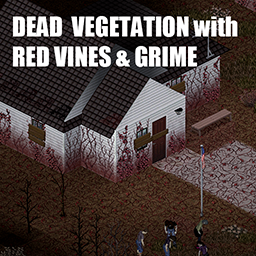
Dead Vegetation with Red Vines & Grime
von 76561198255003525
Tile replacement to make everyshing a little creepier. All trees will now be dead or red no matter what season is outside. All vines will be dead and red too. Grass should be less alive. + most of the floors will be covered in vines too. I made this for my video to pair with SecretZ lab. Adding overlays based on 10years later mod by Dane. I suppose this mod will not work with "10 years later " Workshop ID: 3370505363 Mod ID: RedVegetationAndGrime Mod ID: RedVegetationAndGrimeNoVines
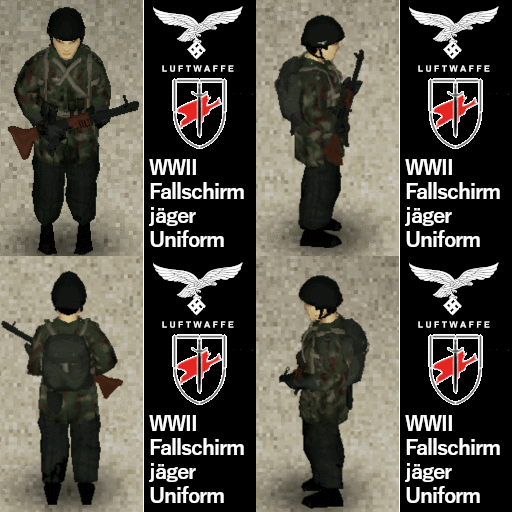
WWII Fallschirmjager Uniform - Ultraviolet
von 76561198130139709
Let us then in position, the fight then begins. We yell "Hurra Hurra!" to counterattack! FG42 in the picture is made by me: Workshop ID: 3012358156 Mod ID: UVGermanParatrooperUniform
Project Zomboid Details →
Project Zomboid Guides
Project Zomboid Mods installieren - Workshop Guide
Installiere Project-Zomboid-Mods sauber per Steam Workshop: IDs eintragen, Reihenfolge prüfen, Server neu starten und typische Fehler beheben.
Project Zomboid Build 42 auf dem eigenen Server: Umstieg, Spielstände und Mods
Build 42 ist Stable: Spielstände aus Build 41 sind nicht kompatibel. Umstieg, legacy41-Zweig, neue Serveroptionen, Anti-Cheat und der Hotfix 42.20.1 gegen Serverlag.
Project Zomboid Server mieten – Multiplayer Guide
Project Zomboid Server einrichten: RAM, Sandbox-Einstellungen, Workshop-Mods, Admin-Rechte und typische Fehler sauber prüfen.
Project Zomboid Server mit Mod-Support
Kompatible, unterstützte Mods über das Server-Dashboard installieren.
Project Zomboid Server mieten