Project Zomboid Mods für Server
Für einen modifizierten Project-Zomboid-Server brauchst du pro Projekt die Steam-Workshop-ID und die interne Mod-ID. Prüfe zusätzlich Spiel-Build, Abhängigkeiten und Lade-Reihenfolge, bevor du deine Welt mit den Änderungen startest.
Project Zomboid Mods sicher installieren
Ein Workshop-Abo allein aktiviert eine Mod auf dem Dedicated Server nicht. Die Einträge in `WorkshopItems=` und `Mods=` müssen zusammenpassen; außerdem muss jede Mod den gewählten Build 41 oder Build 42 ausdrücklich unterstützen.
- 1. Build prüfen: Build-41- und Build-42-Mods nicht ungeprüft mischen.
- 2. Workshop-ID, Mod-ID, Abhängigkeiten und erforderliche Reihenfolge vollständig dokumentieren.
- 3. Welt und Konfiguration sichern, Server neu starten und Logs sowie den Beitritt mit einem Test-Client prüfen.
Die vollständige Schritt-für-Schritt-Anleitung findest du im Project-Zomboid-Mods-Guide. Oder starte direkt mit einem Project Zomboid Server mit Mod-Support.
Häufige Fragen zu Project Zomboid Mods
Was ist der Unterschied zwischen Workshop-ID und Mod-ID?
Die Workshop-ID bezeichnet das Steam-Workshop-Projekt und steuert den Download. Die Mod-ID aktiviert den enthaltenen Mod im Spiel. Auf dem Server müssen beide Listen vollständig und passend gepflegt sein.
Laufen Build-41-Mods automatisch mit Build 42?
Nein. Nutze eine Mod nur dann auf Build 42, wenn ihre Workshop-Seite diese Kompatibilität ausdrücklich bestätigt. Prüfe dabei auch alle Bibliotheken und weiteren Abhängigkeiten.
Wie teste ich ein Mod-Update ohne Risiko für die Welt?
Sichere zuerst Welt, Sandbox-Konfiguration und Server-INI. Aktualisiere danach die zusammengehörigen Mods, starte den Server neu und prüfe Logs, Kernfunktionen und einen vollständigen Client-Beitritt.
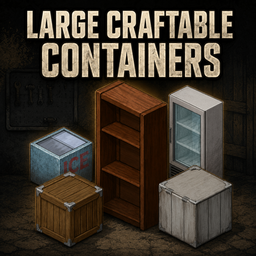
Large Craftable Containers
von 76561197990050982
Large Craftable Containers Adds ten separate, craftable high-capacity storage options for survivors who need more room without filling their base with dozens of containers. These are new variants; vanilla furniture is not overwritten or altered. Safe to add mid-save in both SP and MP. Storage Capacity Every individual compartment provides 100 base capacity, or 130 with the Organized trait. The Popsicle Freezer has two freezer compartments, while each Industrial Fridge has one fridge and one freezer compartment, giving those units 200 total base capacity or 260 with Organized. 100 base capacity is currently a limit enforced by the engine. Hopefully in the future I can release an optional add-on bundled with this mod that gives even more space. Included Containers Carpentry - Wooden Bookcase (Large) — requires Carpentry 7 - Wooden Crate (Large) — requires Carpentry 9; remains stackable and can be padlocked Metalworking - Metal Crate (Large) — requires Metalworking 9; remains stackable and can be padlocked - Chest Freezer (Large) — requires Metalworking 7; one freezer compartment - Popsicle Freezer (Large) — requires Metalworking 8; two freezer compartments - Industrial Fridge (Large) — requires Metalworking 9; separate fridge and freezer compartments - White Industrial Fridge (Large) — requires Metalworking 9; separate fridge and freezer compartments - Metal Storage Cabinet (Large) — requires Metalworking 8 - Military Locker (Large) — requires Metalworking 8; can be padlocked - Tall Military Locker (Large) — requires Metalworking 9; can be padlocked Features - Separate recipes in the Furniture crafting category - Large crates retain the vanilla stacking system and can still be padlocked - Military lockers retain the vanilla ability to accept padlocks - Powered fridges and freezers preserve food - Appropriate container, locker, fridge and freezer interaction sounds - Dedicated crafting icons for every included object - Balanced around higher-level vanilla furniture recipes - Does not overwrite or alter vanilla furniture - No additional mod dependencies Latest Update — Lockers and Metal Storage - Added the Metal Storage Cabinet (Large), Military Locker (Large), and Tall Military Locker (Large) - Added four-direction placement and dedicated Build-menu icons for all three new containers - Military lockers retain the vanilla ability to accept padlocks - All three use the established locker open, close and item-transfer sounds - Each new container provides 100 base capacity, or 130 with Organized Compatibility - Project Zomboid Build 42.20+ - For multiplayer, the mod must be enabled by the server and installed by connecting players If you encounter any issues with crafting, stacking, placement, sounds, refrigeration or capacity, please leave a comment with your game version and any relevant error messages. Known Issue The books overlay does not appear when items are added to the bookcase. Fencing Mods - Craftable Tall Wooden Fences - Craftable Military Fences - Craftable Security Fences Other Mods - Open Curtains From Outside - Jimothy of Knox Country Workshop ID: 3780276812 Mod ID: LargeCraftableContainers
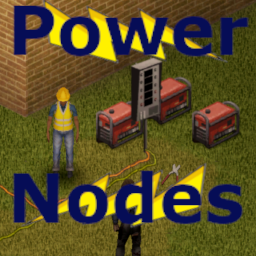
Power Nodes
von 76561197998850878
This mod Allows the extension of generator power through the use of a Switch object, extension cords, and a Power Node object. Only for B41 Works with multiplayer Power Objects The Switch and Node are crafted through the context menu and require the character to have metal cutters and pliers from the workshop mod Generators must be placed within 2 tiles of a switch and then connected to be added to the power When there is power and nodes connected to the switch a context option for power info will appear that will tell all of the details of each node connected to the switch -note that power values for lights will probably show wrong, tried a few ways to fix it but the game doesn't like really low numbers in tooltips Nodes can be turned on with a context option or left clicking on the sprite Extension Cords Extensions cords need to be added to the same tile as the switch and node and every tile leading up to it the power will not work with any breaks and will turn off if a cable is removed Extension cords are found throughout the world in various tool spawns. To place extension cords just have the item in your inventory and use the move object tool and it will be an option that can be placed, also a place option in the inventory context. They will automatically pick the sprite based on other nearby extension cord tiles and act like a drainable item that will disappear when fully used. Sandbox Options will let you modify range, number of switches and nodes in a single cable network, skill requirement, and item spawn rates. Make sure this mod loads after all of its required mods This mod was commissioned by BowlOfOodaLoops Workshop ID: 3555538237 Mod ID: PWRNODE

ZOMBIE HEALTH
von 76561199245003326
ZOMBIE HEALTH BAR Workshop ID: 2778091068 Mod ID: ModTemplate Map Folder: ModTemplateWorld1 Map Folder: ModTemplateWorld2
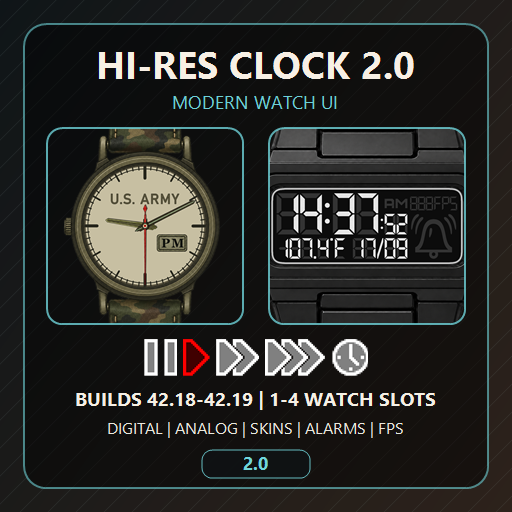
Hi Res Clock 2.0 - Modern Watch UI
von 76561197974968019
Hi Res Clock 2.0 - Modern Watch UI Mod ID: Hi-Res-Clock Workshop ID: 3676283016 Current version: 2.0.13 Supported builds: 42.18+ Hi Res Clock replaces Project Zomboid's vanilla display for worn and equipped watches with up to four independent, scalable, high-resolution Watch Slots. 2.0 Highlights - Digital and Analog Watch Families with automatic item classification and safe unknown-watch fallbacks. - One to four logical Watch Slots, each with its own visibility, position, scale, formats, update rate, FPS display, skin, and Family colors. - Three display styles: Pure Vanilla, HiRes Vanilla, and complete HiRes Frames. - Continuous corner-handle resizing plus the established Watch Scale presets and optional Scale Sync. - Interactive Frame buttons for update rate, formats, temperature, FPS, date, and Alarm where supported. - Per-slot alarm capability independent of Digital/Analog appearance. - Detached or slot-anchored singleplayer SpeedControls with independent visibility, scale, and Follow Watch Visibility. - Per-slot FPS plus a configurable standalone fallback. - Hooked or free Moodles with coordinated default Watch, detached SpeedControls, standalone FPS, and Companion Dogs placement, including consistent 10 px screen and element gaps. - A full Global Options window, live Ingame Options, compact UI Element Settings, and Watch Settings. - A Watch Family catalog and Preview for Vanilla and registered mod watches, available without an active game session. - External skins with per-file fallback, Modern/Legacy color namespaces, per-Family colors, and Frame-button profiles. - Public Watch Family Registry for mod authors and separate compatibility patches. - UI available in English, German, French, Spanish, Italian, Brazilian Portuguese, Polish, Russian, Ukrainian, Turkish, Japanese, Korean, Simplified Chinese, and Traditional Chinese. Using the Options - Open Global Options provides the complete editor available without an active game session, including the Family catalog, Preview, skin tools, resets, and Revert Changes. - Open Ingame Options provides the live four-column editor. Holding the right mouse button temporarily passes gameplay input through the window. - The normal Slot Gear opens compact UI Element Settings. Alarm-capable watches expose Watch Settings and Set Alarm behavior. - Unlock a Slot to move it or resize it from any corner. Reset Position and Reset Slot remain separately scoped. Moodles and Top-Right HUD - Free Moodles / Hook Moodles is one global action available in Slot-1 UI Element Settings, Ingame Options, and Global Options. - With Moodles hooked, visible default Slot 1, detached SpeedControls, standalone FPS, Companion Dogs, and Vanilla Moodles form one vertical top-right layout. Only visible eligible elements reserve space. - With Moodles free, the Moodle column uses its 10 px top/right screen padding and the managed Watch, SpeedControls, and FPS layout moves to its left. Companion Dogs remains integrated above Vanilla Moodles. - Pure Vanilla and HiRes Vanilla Watch defaults use 10 px screen padding. HiRes Frames Watch defaults touch the top-right edge, while standalone SpeedControls and FPS retain 10 px padding in every style. - In HiRes Frames, Button Helpers can be controlled for every Slot from both UI Element Settings and Ingame Options. SpeedControls and Multiplayer Custom SpeedControls are singleplayer-only. Hi-Res Clock does not add time-speed controls to multiplayer. The worn-watch Alarm fix uses an authenticated server-authoritative Lua channel on Build 42.20, so Vanilla and Hi-Res Alarm changes persist on the exact worn watch without a Java dependency. External Skins External skins are optional. Copy the shipped folder: Steam/steamapps/workshop/content/108600/3676283016/mods/Hi-Res-Clock/common/HiResClock-Skins to: %userprofile%/Zomboid/Lua Then register skin folder names in: %userprofile%/Zomboid/Lua/HiResClock-Skins/HiResClockSkins.ini The shipped Spiffo Example is a functional registered skin and the starting point for copying and editing your own skins. Missing supported PNGs fall back individually to integrated assets. Digital glyphs and symbols are always provided by the mod. Mod-Author Compatibility The shared Registry accepts single items or alias arrays, Wrist/Handheld/Placeable equipment types, Analog/Digital display types, explicit Alarm capability, editable Digital Family Digit/Border RGBA defaults, safe asset roots/files, fallback Families, and Frame/button profiles. Owner registrations take precedence over separate compatibility patches; protected Vanilla mappings cannot be replaced. The package documentation includes complete Registry/asset examples and the external-skin contract. Compatibility No external dependencies. Integrated Optional Compatibility to: - LuaDigitalWatchUI - Unseasonal Weather - Companion Dogs - Moodle Effects Explained - Expanded Moodles - Moodles - Moodles in lua - Plain Moodles Redone - Zed's Watch Slots - The Division Equipment Incompatible with: - Actual Classical Watches - Addicted To Weight Credits - Created by Antikristianos. - Coded with ChatGPT. - Big thanks to Ninamiii for her help with some of the assets. - Special thanks to Beathoven for his invaluable help! Check out his other awesome PZ mods. - Inspired in part by RedChili's Lua Digital Watch Framework mod. Hi-Res Clock remains standalone and uses its public visibility API only when both mods are active. - Translations by ChatGPT. Workshop ID: 3676283016 Mod ID: Hi-Res-Clock
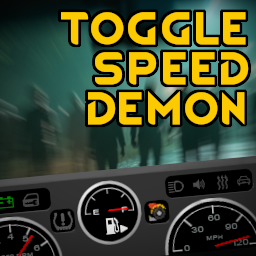
Expert Driver Trait (toggle speed demon)
von 76561197968647786
Adds a new trait, Expert Driver, that allows you to toggle the Speed Demon trait on and off using a convenient button on the dashboard. Sandbox options can be set to allow everyone to toggle speed demon on and off without needing Expert Driver. FAQ Can this mod be added/removed to an existing save? Yes, but when removing it be sure to set Speed Demon to the desired status first. Is this mod compatible with <other mod> Probably. The way this mod works means it shouldn't conflict with anything unless another mod adds a feature to the same place on the dashboard. Why are you adding/removing a character trait instead of modifying the vehicle properties? Because the vehicle code is in the java part of game, which is not easy to modify. Can you allow the trait cost to be set in sandbox options? No, because I can't figure out how to make the change between sandbox variables becoming available and the trait list being presented to the user. Workshop ID: 3403031401 Mod ID: NepToggleOverdrive
![[COS] nea – Project Zomboid Mod](https://images.steamusercontent.com/ugc/5109928735896484243/B71C70FFABA37E4DB4A98994530ABE07783984A5/)
[COS] nea
von 76561199178116693
How Do I Use It? - You can go to the link below to see how to use it. - Link Recommended mode - Fashionoid - Gear Transmog - Hide All Attached Items - Clipping animation Fix How to use COS mode in build 42. - Navigate to the path where the mod is installed. - Create a 42.0 folder. - Create a common folder. - Paste the media folder / mod.info / preview.png into the 42.0 folder. The recipe code writing method has been changed in 42Build. Since COS (Costume) mode has approximately over 200 modes, converting to 42Build's recipe code is an extremely laborious task. In 42Build, you cannot create costumes in (42 build) the crafting tab. There are two methods: Spawn items in cheat mode. Select items in the clothing selection screen when creating a character. Like My Mode? - Join Our Discord If You Want Commission
GoldenEye - Undead Relent
von 76561198062782667
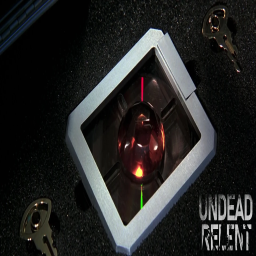
he Russian space weapon is a Soviet-era satellite armed with a nuclear electromagnetic pulse (EMP) weapon codenamed "GoldenEye". The weapon is developed by the Soviet Union during the Cold War and then hijacked by the Janus Syndicate from its Russian control facility in Severnaya, Russia. Credits to Arendameth for scripting & modeling Join our Discord at https://discord.gg/undeadrelent Workshop ID: 3249237993 Mod ID: GoldenEyeWeapon
![[COS] Silverhand – Project Zomboid Mod](https://images.steamusercontent.com/ugc/2044106057044721952/FDFAD1F5C28778E7E353CF62D571D3E649D02E60/)
[COS] Silverhand
von 76561199178116693
How Do I Use It? - You can go to the link below to see how to use it. - Link Recommended mode - Fashionoid - Gear Transmog - Hide All Attached Items - Clipping animation Fix How to use COS mode in build 42. - Navigate to the path where the mod is installed. - Create a 42.0 folder. - Create a common folder. - Paste the media folder / mod.info / preview.png into the 42.0 folder. The recipe code writing method has been changed in 42Build. Since COS (Costume) mode has approximately over 200 modes, converting to 42Build's recipe code is an extremely laborious task. In 42Build, you cannot create costumes in (42 build) the crafting tab. There are two methods: Spawn items in cheat mode. Select items in the clothing selection screen when creating a character. Like My Mode? - Join Our Discord If You Want Commission
Tick Tock TF2 Jumpscare Sound
von 76561198064944451
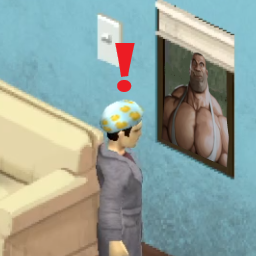
This mod plays the intro from the song Tick Tock whenever the player gets jump-scared by a zombie. If you've played enough TF2 as I have this song induces very strong emotions upon listening to it. If you know you know. I figured I wasn't getting enough anxiety already playing Zomboid so I figured I'd add this in and decided to share it with the world. You're welcome. Workshop ID: 2915762213 Mod ID: TickTockJumpscareSound
Better Auto Mechanics - Spanish
von 76561199592234537
Traduccion completa del mod Better Auto Mechanics al Español para B42. Workshop ID: 3667399075 Mod ID: BetterAutoMechanics_Spanish

Fishing John TV Show
von 76561198254049935
This adds a Fishing TV Show directed by Fisherman John and his crappy puns. Watch the TV Show every day for six days to gain experience in Fishing. You can watch this every day at 10:00! As said before, there is six episodes. I have now added VHS tapes, they can be found in VHS stores. I do not plan on adding the VHS tapes for this mod to any other location spot. This mod can be added midsave, but the Fishing John show will not appear on the TV as it requires a new save because it manually puts in a new show. The VHS tapes however can be found in unexplored areas. Current subscribers, this will not affect your save. I have several other projects that are currently being worked on. The estimated time amount should be end of January, however it can get pushed back. Incompatibilities: I am unsure if my VHS tapes interfere with other VHS tapes mods but it is highly unlikely. This mod should be compatible with any mod. If there is issues, please write in the comments or join the discord and let me know. I will work on fixing it as soon as possible. https://discord.gg/cxVHEb9eGt Permissions: Permission is NOT given to redistribute this mod in whole or in part. I do not wish it to be reposted anywhere other than Steam. If you have questions regarding this, send me a message. My thoughts will highly unlikely change. If you plan on adding it into a MODPACK. Make it known to me and give credit. Workshop ID: 2896635494 Mod ID: FisherJohn
JK's Boxes Of Garbage Bags
von 76561198955543057
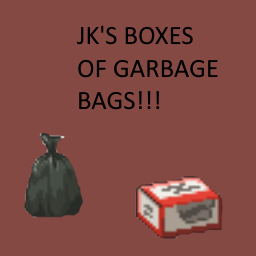
Really simple mod, just adds boxes of garbage bags that spawn in places like Gigamarts, toolstores, etc. where you would expect these things to be. Each box gives you 4 garbage bags each, normally it would be like 100 but this is made with a mix of balance and realism in mind. Update 1 - Boxes of Plastic Bags have been added. 10 plastic bags per box. Sandbox variability has been added (Thank you Sapphs Cooking mod for giving me some good reference code to look at) Workshop ID: 3084003901 Mod ID: JKGRB
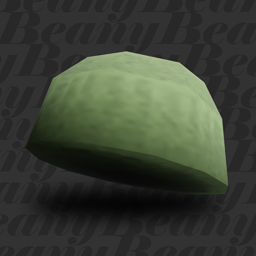
Beanie Redux
von 76561199000543758
Fluffy Hair is required! Please restart the game after enabling this mod for it to work! DISCLAIMER, PLEASE READ! Since the model is made smaller overall to make it look better, there might be some inevitable clipping issues with the hairs. Keep in mind that Fluffy Hair has a few clipping issues of it's own. If the hair clips through, please test the clipping with a vanilla baseball cap before reporting it. Makes beanies more fitting to the character's head! If you're on B41, use Simsimix's Beanie Overhaul. A spiritual successor for Simsimix's Beanies Overhaul. Credit where the credit is due, but the new beanie models are different from Simsimix's and were made by me, this is not an update for his mod, but a standalone recreation by me for Build 42. Workshop ID: 3404518479 Mod ID: BeanRedux
![[42.13+] [SP ONLY] Quest Remover for Week One – Project Zomboid Mod](https://images.steamusercontent.com/ugc/13071678223762081226/576871DB8B64866A8B5B5E0356D985429E3B98D5/)
[42.13+] [SP ONLY] Quest Remover for Week One
von 76561199262086144
This is a simple addon to the Week One mod by Slayer. All credit goes to him, as always. You are NOT the Chosen One! That meddling archangel won't bother you with a suicide mission any longer, allowing you to live through the collapse of civilization in "peace" and without a guilty conscience! But the government will still do everything in their power to stop the outbreak, and the nukes will still fall... This mod will remove the dreams and revert the custom intro text back to the classic "this is how you died." It's meant for players who find the dream quest repetitive, annoying, intrusive, and/or unimmersive, and want to remove it without disabling the Final Solution event completely. It is still possible to disable the nukes in the military base, but I assume that if you're downloading this mod, you're tired of being the hero. Have a fun apocalypse! Workshop ID: 3512483331 Mod ID: WeekOneQuestRemover

Totally's Firearms of Asian Communism
von 76561199025597402
Totally's Firearms of Asian Communism From the start of the Korean War in 1950, through the Vietnam War, Sino-Veitnamese War, Eastern Asia was not only hotbed of conflict between the 2 great ideological of the West and East, but between The USSR and the PRC, seeing the usage a wide array of Firearms ranging from the captured colonial equipment left over, to copies of Soviet designs to the regions own designs. This mod aims to add some of these weapons seen in the hands of Chinese (PLA), North Korean (KPA) and Vietnamese (Viet Cong / NVA) troops throughout the later half of the 20th century. People's Republic of China: - Type 54 Pistol - Type 56 SKS Rifle - Type 56-2 Assault Rifle - Type 63 Assault Rifle - Type 58 Machine Gun - Norinco 213 (Norinco made export 9mm Tokarev) Democratic People's Republic of Korea (North Korea): - Type 49 PPSH Democratic Republic of Vietnam (North Vietnam): - K50M Viet Cong: - MAS 49 (Colonial Capture) - MAS 49-56 (Colonial Capture) - MAT 49 (Colonial Capture) - MAT 49M (Modified Colonial Capture) Note: This not an endorsement nor any sort of commentary of the Militaries or Nations referenced in this mod, simply I find the weapons interesting. This mod is should be Nativity compatible with B41 Firearms, Guns of 93 and Vanilla Firearms Expansion. If you have an issue with either, please raise it and i will try address it as quickly as possible. Workshop ID: 3366210711 Mod ID: TFACP
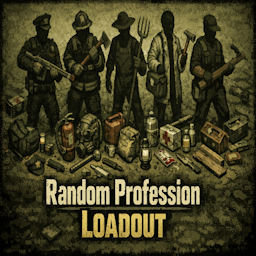
Random Profession Loadout (B42-B42.15)
von 76561199380096488
✨ Random Profession Loadout — Start with gear that fits your job! Every new character spawns with a randomly selected set of items based on their chosen profession. A police officer might find a pistol in their pocket. A farmer might grab their pitchfork. A doctor starts with a first aid kit. Or maybe nothing at all — that's the thrill! 🎽 Bags — backpacks and duffel bags matching your profession 🛠️ Tools & Misc — useful items tied to your job 🔫 Weapons — from a kitchen knife to a shotgun, if you're lucky 3 difficulty versions included: 🔴 Low — rare spawns, tough start 🟡 Normal — balanced, recommended 🟢 High — frequent spawns, easier start ⚠️ Activate only ONE of the 3 versions or it won't work! Compatible with Build 42+ — all vanilla professions supported plus the new B42 ones (Angler, Tailor, Welder, Blacksmith, and more). Workshop ID: 3554352913 Mod ID: RandomProfessionLoadout_B42 Mod ID: RandomProfessionLoadoutHigh_B42 Mod ID: RandomProfessionLoadoutLow_B42
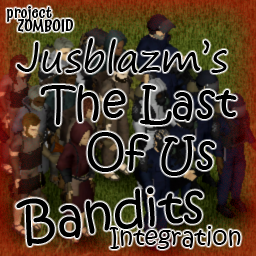
TLOU Bandits Integration
von 76561198096995823
Jusblazm's The Last Of Us Bandits This mod provides Bandits wearing modded clothing from The Last of Us: Factions & Gear. Updates My monthly bandit refresh has ended for this mod. The Last of Us: Factions & Gear is no longer being supported and will not be going to Build 42.13 and beyond, that means I will no longer be updating this mod myself. Compatibility Absolutely no mod conflicts with two caveats: - someone uses my naming convention for their own integration. - A unique ID generates a dupe (Wikipedia: the probability to find a duplicate within 103 trillion version-4 UUIDs is one in a billion) GitHub Archive I will be keeping an archive of each update's bandits.txt and clans.txt files, so that if there is a set you really like, you can continue to use them even after the mod updates and moves away from them. GitHub Archive Permissions I created a simple extension for Bandits NPC that allows bandits to wear the custom equipment slots provided by The Last of Us: Factions & Gear. The item IDs and BodyLocations belong to Nik and ay's The Last of Us: Factions & Gear and Slayer's Bandits NPC reads the text files. Both The Last of Us: Factions & Gear and Bandits NPC have the default permissions of Credit where it's due, so I am extending their permissions. Be sure to credit them for their hard work. Credits The Indie Stone for Project Zomboid Slayer for Bandits NPC and Bandits Creator Nik and ay for The Last of Us: Factions & Gear Workshop ID: 3491329999 Mod ID: JusBanditsTLOURANDOM
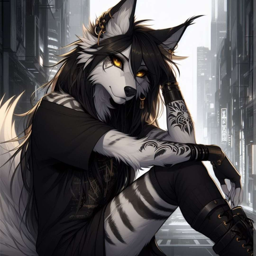
Anthro Survivor - Keyyleon
von 76561198253186837
Keyyleon's wolf but boided Updated for B42 Workshop ID: 3140304637 Mod ID: Keyyleon
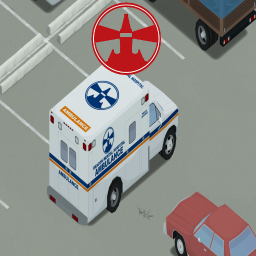
(B41) Beacon Mental Hospital Ambulance
von 76561198969079348
Note: More updated & expanded version can be found here (this one will not be deleted though) https://steamcommunity.com/sharedfiles/filedetails/?id=3373616238 Hi there, a small project i made while working on the big one Its a recreation of the Ambulance from The Evil Within 1 in which our heroes escaped from the Hospital at the begin of the game and later crashed it Nothing much to add here So if you like it, drop and comment and maybe a feedback on what should I try to do later and maybe even a like Workshop ID: 2652422698 Mod ID: BMHA

Craftable Tires
von 76561198092221873
Renewable Tires! With this mod you will be able to rip tires to get rubber, which can be later used to craft tires from scratch. Both the magazine which teaches how to craft the tires and rubber will be found on Mechanic shops. How it works: After obtaining and reading the magazine The basics of Assembling Tires you will learn to craft your own tires, which need a minimum level of welding and mechanics to complete - 🔨 Recipes 🔨 - • Build 41 - Rubber: Any Tire and a sharp knife. If the tire has over 80% you get an additional rubber piece. - Tire: 2 Rubber, 4 Screws, 1 Metal Sheet, a Blowtorch and a Lug Wrench. • Build 42+ - Tire: 4 Tire Piece, 4 Screws, 1 Steel Sheet, a Blowtorch and a Lug Wrench - 🔧 Sandbox Options 🔧 - + Whether the quality of the crafted tires scales with Mechanics/Welding (Metalworking for B41) level and by how much it scales with each skill. + If the crafted tires are always max quality. - 💡 Frequent Questions 💡 - - Works on Singleplayer - Works on Multiplayer - Works in B41, B42.x, and B42.20 - Can be added to existing saves - Can be removed from existing saves Future objectives > Full compatibility for tires from KI5 mods. If you like the mod please consider dropping a rating and a favorite. Do not copy or reupload this mod. If you wish to add it to a modpack, use the Steam Collection feature. Workshop ID: 3378303543 Mod ID: CraftableTires
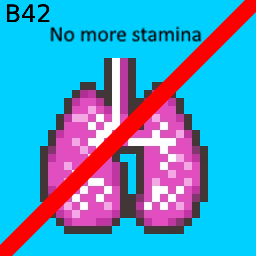
No more stamina B41/B42.17+
von 76561198843306844
Are you getting tired of the stamina system in the vanilla game? If so, this mod is for you, with it you no longer have to worry about having low stamina in the middle of a fight, Now with sandbox option. Now with spend less stamina instead of leaving it infinite option B42.17+ UPDATE CHANGELOG V1.05.26 -Fix translation -Fix mod lol -Now all the functions works V7.2T -Three new options in the new sandbox dropdown menu!! -Infinity(default), Spend less, Disable mod Current version under testing V7.0: -Translations have been corrected -Fix the mod doesn't work in some circumstances Workshop ID: 3127023259 Mod ID: NoMoreStamina
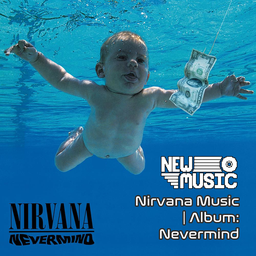
Nirvana Music | Album: Nevermind
von 76561199258285984
Nirvana Music | Album: Nevermind Generated with New Music Builder Nevermind Side A 01 Smells Like Teen Spirit 02 In Bloom 03 Come as You Are 04 Breed 05 Lithium 06 Polly Nevermind Side B 01 Territorial Pissings 02 Drain You 03 Lounge Act 04 Stay Away 05 On a Plain 06 Something in the Way + Endless, Nameless Workshop ID: 3754258757 Mod ID: 2NirvanaAlbum

Lemon's Big Degen Emporium Addon: MiSide
von 76561197993571330
Praying for you 🕯️ O Great Mita 💝 - Available for B41/B42 - Multiplayer Compatibility Untested Features: - 19 Total Dakimakuras - Dakimakuras are weapons - Covert to Dakimakura Armor: 1x Daki + 1x Rope - Dakimakuras can spawn on beds - Daki weapons (and world models) can be flipped to the desired side B41 Only - All merchandise can also be purchased from the craft menu with money (optional shop module). However, Alex's Big Degen's Addon is highly recommended to gain sufficient funds via Credit Cards ($50) and Wallets ($5) to purchase the wide variety of goods. Addon Specific Icons for Dakimakuras: Prices: Dakimakuras $200 - Crazy Mita 1 - Crazy Mita 2 - Chibi Mita - Short-Haired Mita - Kind Mita - Cap-Wearing Mita (Cappie) - Tiny Mita - Dummy Mita - Ghostly Mita - Sleepy Mita - 2D Mita - Mila - Creepy Mita - Core Mita - Mita Sailor Black - Mita Sailor Blue - Mita Sailor White - Vampire Mita - Christmas Mita My other Dakimakura Addon(s) - Lemon's Big Degen Emporium Addon: Dakis & Doujinshi Special Thanks: MiSide NalMac Daki Discord Changelog: 27-Jan-25: Release --- Tags: Weeb, Weaboo, Anime, MiSide, Waifu, Dakimakura, Body Pillow, Miside, miside, praying for you o great mita Workshop ID: 3415730549 Mod ID: DakiLemonsBigDegenEmporiumMiSide Mod ID: DakiLemonsBigDegenEmporiumMiSide Mod ID: DakiLemonsBigDegenEmporiumMiSideShop1
![Bodily functions Moodles Retexture [B42] – Project Zomboid Mod](https://images.steamusercontent.com/ugc/10048680636705940086/37183553D933DAA691D5E9D9177F27DCE454444A/)
Bodily functions Moodles Retexture [B42]
von 76561198203712089
Replaces Bodily Functions moodles textures with better ones for Build 42 Compatible with preview version Thanks to Higgs Workshop ID: 3428137688 Mod ID: Bodilymoodlesretexture
Project Zomboid Details →
Project Zomboid Guides
Project Zomboid Mods installieren - Workshop Guide
Installiere Project-Zomboid-Mods sauber per Steam Workshop: IDs eintragen, Reihenfolge prüfen, Server neu starten und typische Fehler beheben.
Project Zomboid Build 42 auf dem eigenen Server: Umstieg, Spielstände und Mods
Build 42 ist Stable: Spielstände aus Build 41 sind nicht kompatibel. Umstieg, legacy41-Zweig, neue Serveroptionen, Anti-Cheat und der Hotfix 42.20.1 gegen Serverlag.
Project Zomboid Server mieten – Multiplayer Guide
Project Zomboid Server einrichten: RAM, Sandbox-Einstellungen, Workshop-Mods, Admin-Rechte und typische Fehler sauber prüfen.
Project Zomboid Server mit Mod-Support
Kompatible, unterstützte Mods über das Server-Dashboard installieren.
Project Zomboid Server mieten