Project Zomboid Mods für Server
Für einen modifizierten Project-Zomboid-Server brauchst du pro Projekt die Steam-Workshop-ID und die interne Mod-ID. Prüfe zusätzlich Spiel-Build, Abhängigkeiten und Lade-Reihenfolge, bevor du deine Welt mit den Änderungen startest.
Project Zomboid Mods sicher installieren
Ein Workshop-Abo allein aktiviert eine Mod auf dem Dedicated Server nicht. Die Einträge in `WorkshopItems=` und `Mods=` müssen zusammenpassen; außerdem muss jede Mod den gewählten Build 41 oder Build 42 ausdrücklich unterstützen.
- 1. Build prüfen: Build-41- und Build-42-Mods nicht ungeprüft mischen.
- 2. Workshop-ID, Mod-ID, Abhängigkeiten und erforderliche Reihenfolge vollständig dokumentieren.
- 3. Welt und Konfiguration sichern, Server neu starten und Logs sowie den Beitritt mit einem Test-Client prüfen.
Die vollständige Schritt-für-Schritt-Anleitung findest du im Project-Zomboid-Mods-Guide. Oder starte direkt mit einem Project Zomboid Server mit Mod-Support.
Häufige Fragen zu Project Zomboid Mods
Was ist der Unterschied zwischen Workshop-ID und Mod-ID?
Die Workshop-ID bezeichnet das Steam-Workshop-Projekt und steuert den Download. Die Mod-ID aktiviert den enthaltenen Mod im Spiel. Auf dem Server müssen beide Listen vollständig und passend gepflegt sein.
Laufen Build-41-Mods automatisch mit Build 42?
Nein. Nutze eine Mod nur dann auf Build 42, wenn ihre Workshop-Seite diese Kompatibilität ausdrücklich bestätigt. Prüfe dabei auch alle Bibliotheken und weiteren Abhängigkeiten.
Wie teste ich ein Mod-Update ohne Risiko für die Welt?
Sichere zuerst Welt, Sandbox-Konfiguration und Server-INI. Aktualisiere danach die zusammengehörigen Mods, starte den Server neu und prüfe Logs, Kernfunktionen und einen vollständigen Client-Beitritt.

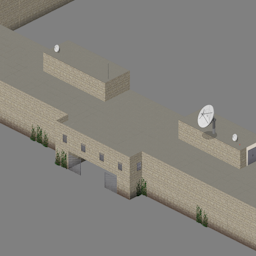
Valhalla Community Arena
von 76561198084334204
Arena map for Valhalla Community Workshop ID: 3109911526 Mod ID: Arena Map Folder: Arena
Louisville Fort
von 76561198010172160
Adding a bastion fort near Louisville Road to fort starts at 13800,1799 Conflicts with other map mods that use a 46x5 cell Workshop ID: 2984063044 Mod ID: LouisvilleFort Map Folder: LouisvilleFort
WeldingRods&WelderMask制作焊条与焊接面罩
von 76561198185272861
让我们制作焊条与焊接面罩吧!,建议和其他mod配合使用,金属箱子或者其他的子弹mod太需要金工了。Let's make welding rods and welding masks! It is recommended to use with other mods. Metal boxes or other bullet mods require too much metalworking Workshop ID: 2709016456 Mod ID: WeldingRods&WelderMask
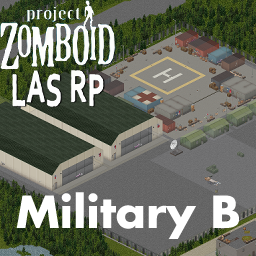
MilitaryB
von 76561198146639477
Este mapa no cuenta con Spawnpoint This map is to set a roleplay server This mod does not contain spawn point Workshop ID: 2895250054 Mod ID: Military B Map Folder: Military B
Project Weeboid V2
von 76561198060387777
Custom Texture and Models for female characters. Workshop ID: 2757303173 Mod ID: ProjectWeeboidV2 Additional Tags: Anime, Animu, Texture, Model, Mod, Kawaii, Female, FemaleBody, Female Body, 41.65
True Music Addon: Persona 3 OST
von 76561198081836646
Track List: 20 Originals, 8 Reincarnation Tracks, 30 Reload Tracks, 6 Fan-Made Tracks + Vinyl =Original= Persona 3 OST - A Deep Mentality Persona 3 OST - Afternoon Break Persona 3 OST - Burn My Dread -Last Battle- Persona 3 OST - Changing Seasons Persona 3 OST - Deep Breath Deep Breath Persona 3 OST - During the Test Persona 3 OST - Iwatodai Station Persona 3 OST - Joy Persona 3 OST - Mass Destruction Persona 3 OST - Master of Shadow Persona 3 OST - Master of Tartarus Persona 3 OST - Memories of the School Persona 3 OST - Memories of You Persona 3 OST - Mistic Persona 3 OST - The Battle for Everyone's Souls Persona 3 OST - The Poem for Everyone's Souls Persona 3 OST - This Mysterious Feeling Persona 3 OST - Unavoidable Battle Persona 3 OST - Want To Be Close Persona 3 OST - When The Moon's Reaching Out Stars =Reincarnation= Persona 3 Reincarnation - Burn My Dread Persona 3 Reincarnation - Changing Seasons Persona 3 Reincarnation - Deep Breath Deep Breath Persona 3 Reincarnation - Living With Determination Persona 3 Reincarnation - Mass Destruction Persona 3 Reincarnation - Memories of You Persona 3 Reincarnation - Unavoidable Battle Persona 3 Reincarnation - Want To Be Close Persona 3 Reincarnation - When the Moon's Reaching out the stars =Reload= Persona 3 Reload - Full Moon Full Life Persona 3 Reload - Master of Shadow Persona 3 Reload - Master of Tartarus Persona 3 Reload - Memories of School Persona 3 Reload - Memories of the City Persona 3 Reload - This Mysterious Feeling Persona 3 Reload - Unavoidable Battle Persona 3 Reload - Want To Be Close Persona 3 Reload - When The Moon s Reaching Out Stars Persona 3 Reload - Afternoon Break Persona 3 Reload - Deep Breath Deep Breath Persona 3 Reload - Deep Mentality Persona 3 Reload - During the Exams.. Persona 3 Reload - It's Going Down Now Persona 3 Reload - Iwatodai Dorm Persona 3 Reload - Joy Persona 3 Reload - Living With Determination -Iwatodai Dorm Arrange- Persona 3 Reload - Living With Determination Persona 3 Reload - Mass Destruction Persona 3 Reload - Memories of You -Instrumental- Persona 3 Reload - Memories of You Persona 3 Reload - Mistic Persona 3 Reload - Paulownia Mall Persona 3 Reload - Tranquillity Persona 3 Reload- Aria of the Soul Persona 3 Reload- Battle Hymn of the Soul Persona 3 Reload- Because I Will Protect You Persona 3 Reload - Burn My Dread -Last Battle- Persona 3 Reload - Changing Seasons Persona 3 Reload - Color Your Night =Reload Bonus (_Mosq Arrangement)= Persona 3 Reload Bonus - Persona 3 Reload - Sun (_Mosq Arrange) Persona 3 Reload Bonus - Time (_Mosq Arrange) Persona 3 Reload Bonus - Time (Night Version _Mosq Arrange) Persona 3 Reload Bonus - Wiping All Out (_Mosq Arrange) Persona 3 Reload Bonus - A Way of Life (_Mosq Arrange) Persona 3 Reload Bonus - Persona 3 Reload - Danger Zone (_Mosq Arrange) =Vinyl= Persona 3 Reload Bonus - Persona 3 Reload - Sun (_Mosq Arrange) Persona 3 Reload Bonus - Time (_Mosq Arrange) Persona 3 Reload Bonus - Time (Night Version _Mosq Arrange) Persona 3 Reload Bonus - Wiping All Out (_Mosq Arrange) Persona 3 Reload Bonus - A Way of Life (_Mosq Arrange) Persona 3 Reload Bonus - Persona 3 Reload - Danger Zone (_Mosq Arrange) Workshop ID: 2896929782 Mod ID: persona_three_ost
10 Years Later (NO GRASS Interiors) OUTDATED GO TO ORIGINAL MOD FOR DOWNLOAD
von 76561198004895744
DOWNLOAD THE ORIGINAL INSTEAD, IT INCLUDES MULTIPLE VERSIONS LIKE THIS keeping this mod up incase people are still using it ORIGINAL 10 YEARS LATER MOD MADE BY DANE HERE - NO GRASS on INTERIOR FLOORS only. ALL THE CREDIT goes to Dane for making this awesome mod. https://steamcommunity.com/sharedfiles/filedetails/?id=2820757649 (Was having trouble getting friends to join when editing the main 10YL veg.lua file so I created this version of Dane's mod on workshop instead) Workshop ID: 2822763886 Mod ID: 10YearsLaterNOGRASSInteriors
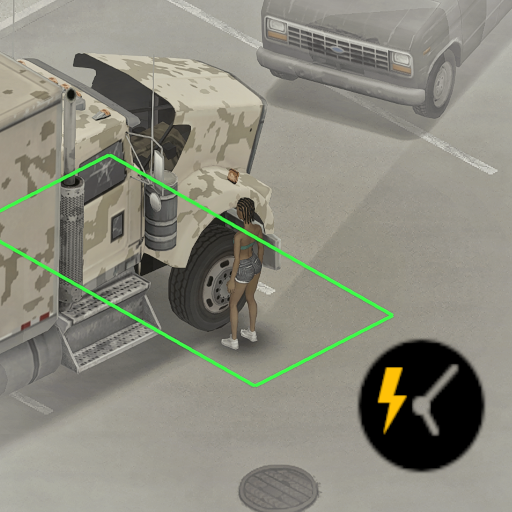
Instant Hood Action
von 76561198048282450
Instant Hood Action (Pop the Hood, Faster Hood Opening, call it what you want lol) What it does - Removes the timed wait when opening a vehicle hood. - Removes the timed wait before the mechanics UI opens from the hood. Why Vanilla hood interaction adds a delay every time you want to inspect an engine or work on a vehicle. This mod strips that delay out so vehicle checks feel immediate. Faster Hood Opening and Pop The Hood are not working for me in the latest versions anymore. Compatibility - Should be compatible with most vehicle mods because it only targets hood-opening actions. - Tested with KI5, Autotsar and W900 Workshop ID: 3697955389 Mod ID: InstantHoodAction
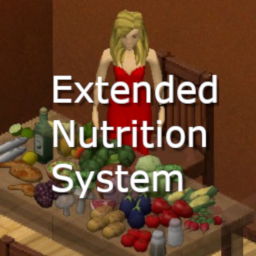
Extended Nutrition
von 76561198012435478
Introduction The aim of this mod is to introduce some more realism to the nutrition system. You will not survive by eating just one type of food in a long term. If you like my work: This mod brings 19 new vitamins and macro elements into the game. All food items have unique combination of these elements that will be absorbed by your organism when eaten. You will have to balance your diet in order to stay healthy. If you eat badly, vitamins or macro elements deficiency will lead you to problems. This mod will not make your character die because of lack of the vitamins, but it will make your life miserable, and that may lead to death. The problems you might expect may be mild or severe. Expect: fatigue, sleep disturbance, abdominal discomfort, weight loss, depression, itching leading to scathing, hair graying and hair loss, spontaneous vomiting, headaches, stomachaches, catching a cold, problems with healing, bleeding teeth, panic attacks, pain in your chest, nail problems leading to bleeding. So, if you wake up in the morning and you hair is lost and you have multiple scratches, know, that your mom was right about those veggies you should have been eating. Details The 19 elements are: Vitamins A, B1, B2, B3, B5, B6, B9, B12, C, D, E, K. Macro elements: Calcium, Phosphorus, Magnesium, Iron, Zinc. Electrolytes: Sodium and Potassium. Almost all food you can loot or create in game has those elements assigned according to what I found in nutrient databases. I skipped Pionkies, Sno Globes etc,I don't think these have any vitamins anyway. Your organism has a specific level of these elements. It slowly lowers over time. The maximum capacity of a particular element may be magazined for maximum 4 days. You cannot check the state of your organism. You cannot see the doctor, cannot test your blood. But depending on symptoms you will learn what you are missing. Remember that some deficiencies lead to multiple problems, so do not expect it to be easy. Some extra tips Elements usage is lower when you sleep and higher when you are active especially when running. When cooking food, some vitamins are lost. D is completely heat resistant, whereas C is lost almost completely. Vitamins absorption depends on the presence of other vitamins in your organism. For example B absorption is boosted by other Bs, whereas C is boosted by the presence of A, B, E, Calcium, Magnesium and Zinc. The worse your condition is, the harder it is to recover. Vitamin D is naturally synthesized when you stay in the sun. Vitamin supplements don't work. Sorry, they are only a placebo. You must eat good food! If you are a vegetarian, you are in trouble. But if you eat rabbit only, you will suffer too. Spice and herbs also play important role in your diet. Workshop ID: 3103090994 Mod ID: ExtendedNutrition
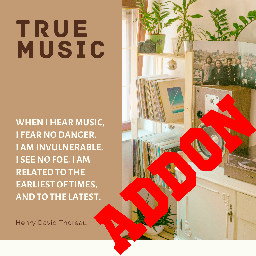
Days End Music Pack
von 76561198031382343
Pre 1999 Music Workshop ID: 2816452036 Mod ID: days_end-music-pack
![[B42 SP] Halflings: Attack of the kiddo zombies – Project Zomboid Mod](https://images.steamusercontent.com/ugc/17512806731018432974/C37B8C0832FDFA2EAC2EE4A92DFE870B7A7EBF15/)
[B42 SP] Halflings: Attack of the kiddo zombies
von 76561197968665386
!!! INSTALLATION please read !!! - You need to install ZombieBuddy once (see below why). Subscribe to it on the workshop and follow ZombieBuddy's mod page for instructions - After ZombieBuddy is set up, just enable this mod from the Mod Manager - All mods using ZombieBuddy will automatically work once you've set it up What does this mod do? Adds proper children zombies to the game - Proper single (asexual) zombie kid model - No performance impact - Proper animations so that they don't clip inside walls/furniture - Accurate melee outline - Accurate reticle and ranged ballistics (headshots) - Coherent outfits and loots - Zone distribution: they spawn mostly in schools, but they also spawn everywhere among general population (customizable in Sandbox options) Mod compatibility - Inventory Tetris With Inventory Tetris, children's clothes won't be hidden. You still won't be able to loot them or use them for crafting. - Other mods - Any mod interacting with the inventory UI (like Inventory Tetris) will potentially make children's clothes visible and locked, instead of hidden. It can also create Lua errors. Patch coming for CleanUI and others - Any mod modifying zombies spawns can potentially prevent children to spawn in schools and other specific areas. They should still spawn in generic zones. FAQ - Does it work in multiplayer? Probably not. It will be officially supported in a future update. - I can't loot their clothes/accessories That's normal. They would be too small for you anyway! - There are too many / too few of them Adjust general spawn rate in sandbox options (Halflings page) - Can I remove this mod from an existing save? Yes. All existing children will turn into adults. - Can I add this mod to an existing save? Back up your save first! You can, but all previously visited zones won't spawn children: adult zombies will stay adults. Turn the mod on inside the save, not just in the main menu. - Can you add more realistic / gendered models? Never. - How much of this is AI generated? If it matters to you, literally 0%. Why ZombieBuddy? There are two kind of PZ mods: Lua mods and Java mods. Lua mods work out of the box. Java mods offer more power to the modder (here, adding zombie models with their own animation and saving their state without performance impact), but require the player to install a Java bytecode manipulation framework. It's a tradeoff. This mod uses ZombieBuddy because it's the most popular framework at the moment. Of course you have to trust the mod doesn't do anything shady. Technically, you can easily decompile the halflings.jar file to check the Java code. If you have any questions about any part of that code, feel free to ask in the comments or in discussions. Mod information Workshop ID: 3783561711 Mod ID: HALFLINGS
![[42.20, SP+MP] Woody's Proximity Corpse Filter – Project Zomboid Mod](https://images.steamusercontent.com/ugc/15887699116351687972/70B8FC79B9BB1F2FBD9BC050E49DB86EC04D8892/)
[42.20, SP+MP] Woody's Proximity Corpse Filter
von 76561198001041185
Twenty corpses, one new backpack, and no way to tell them apart. You held the fence line, the horde is down, and the proximity loot window is a wall of pockets - nineteen of which you went through an hour ago. A corpse you have walked away from is one you have dealt with. So that is the rule: get 10 tiles clear of a body and it drops out of the list. Only fresh ones show up. Changed your mind ? Hold Shift and everything comes back for as long as you hold it. Nothing is deleted, hidden for good or moved. The corpses are still there with everything still on them. Mark distance is adjustable from 2 to 20 tiles, the show-all key is remappable in Key Bindings, and the whole thing has one off switch. Multiplayer: tracking is per player, so what you have seen is yours alone. Verified on a dedicated server. Nothing is stored in the world, so it is safe to add or remove at any time. Requires Proximity Inventory by khamseen_air, the mod this builds on, and Woody's Lib (3622629134). More of my mods How this one actually got built - what broke, how long it took to find, and what the game turned out to be doing instead. Costs nothing to read and needs no account. Please don't reupload or copy this one. If you want to build on it, ask me first. If it saved you an evening and you feel like buying me a coffee, the button is below - and if not, that is genuinely fine. Mostly I hope you have a good run out there. Dedicated server: WorkshopItems=2847184718;3622629134;3622629943 and Mods=ProximityInventory;WoodysLib;WoodysProximityCorpseFilter, in that order.
![[B41] Composter are no longer invincible – Project Zomboid Mod](https://images.steamusercontent.com/ugc/2398822869388812994/03E31C9513CE06EF9F11B8890A6185A6C429122A/)
[B41] Composter are no longer invincible
von 76561198993860470
퇴비통은 이제 더 이상 무적이 아닙니다. 모드 활성화 후 별다른 작업을 하지 않아도 새로 만든 퇴비통은 좀비가 공격합니다. 기존에 만들어진 퇴비통엔 적용되지 않으며 새로 만든 퇴비통에만 적용 됩니다. 멀티 플레이에서도 정상 작동 합니다. Workshop ID: 3357593890 Mod ID: Composterarenolongerinvincible

TEH Respirator Filter Fix 42
von 76561198026598168
Simple QoL package for respirators (42.12 and 42.13): - There is a recipe to reattach respirator filter missing in 42.12. This bug was fixed in 42.13. - Filters and gas mask filters degrade 10 times slower (pristine now expire in about 1 business day of active usage, recharged - twice as fast) - 42.12-42.13 - Respirator, Gas Mask and Imrovised Gas Mask discomfort modifier reduced (15%, 30%, and 40% respectively; down from 60% each) - 42.12-42.13 search terms: attach, респиратор, фильтр Support and ongoing development in Discord Workshop ID: 3588185627 Mod ID: tehrespiratorfilter42
![[41]/[42]全职业属性开局999不变态版和可以和More Trait同时使用 – Project Zomboid Mod](https://images.steamusercontent.com/ugc/6291911070469753/D0599836BC6B4455215ED80A4E873D7A9A7DE8C0/)
[41]/[42]全职业属性开局999不变态版和可以和More Trait同时使用
von 76561198301801164
全职业属性开局,初始属性点999,全职业属性可以和更多特质一起用 修改了999点属性点,全职业技能,你只需选择无业游民即可,如果人物死了,点数会还原,这时需要重新选择技能得小退一下,重新进去就能继续999了。 可和更多特质同时使用,效果更爽,只修改力量和体质到10,其他没修改。 Workshop ID: 3407299131 Mod ID: wudikaiju999
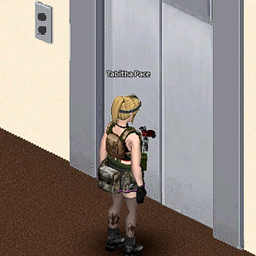
Rem Personal Use jimorie Project Elevator Tweak
von 76561198302044707
jimorie's Tweak of jest's ProjectElevator https://steamcommunity.com/sharedfiles/filedetails/?id=2730158335&searchtext=elevator Workshop ID: 2915728144 Mod ID: ElevatorTweaked
The Workshop PT-BR
von 76561198877541324
Tradução para Português do Brasil do mod: "The Workshop". Espero que gostem! Em breve será adicionado oficialmente ao mod, eu espero. Não esqueçam de usar o mod "The Workshop" junto com a tradução . Caso queiram alguma tradução, de algum mod, comentem ai ou me chamem do discord: ZL18k#3921 Workshop ID: 2724933022 Mod ID: TheWorkshopPTBR

Take No Prisoners (Hostile NPC's with PZNS framework)
von 76561198316491144
Beware! Backup your save before using this mod, both my mod and npc framework are still in development and could lead your character to unfair death. For single player only (I mean, not tested on multiplayer, neither the mod and possibly the framework) . This mod spawn random hostile npc near the player using the PZNS Framework mod. Configurations using Mod Options mod. This mod should not be treated as a NPC mod, they are enemies, not full-fledged NPCs, so they miss some behaviors. Types of Enemies: (1) Prisoner - Pistols or Shotguns (Medium) (2) Thugs - Baseball bats or crowbars (Easy) (3) Hunter - Varmint Rifle .223 (Difficult) (4) Militia - M14 (Difficult) (5) Weeping Angel - Nothing (?) Never underestimate the melee guys (they are better than you, shoot them) Notes for the Artificial Behavior: 1. If you go far enough the Enemy will stop the pursue. But could be necessary to run or sprint. 2. If the npc spawns or go inside a building they will stay there walking randomly until find something to shoot (you). That not applies for thugs though. 3. By Default the enemies don't have names, there are options to show enemy position which will display dots above the npc (Crouching increase the detection radius, Foraging Skill Increase detection radius) for both field and building enemies. 4. The field npcs have stronger health than building npcs, still you should fear building npcs. 5. Now they can spawn safely with zombies (For performance, control de Zombie Tolerance using mod options) 6. Increase the difficulty using mod options (The default is for unskilled firearm character). Notes for Interface: 1. A red texture around the PVP Button will indicate a raiding spawn Notes for Walkie-Talkie Spawn: 1. Must be attached to belt hotbar and turned on to work. 2. Right click on the Walkie-Talkie in the hotbar select "Survivors>Call For Survivors". Don't take any prisoners Workshop ID: 3023939431 Mod ID: tnp_pzns_framework
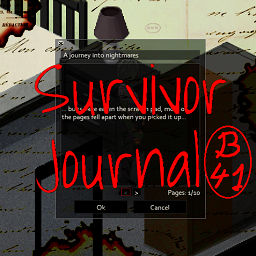
SurvivorJournal
von 76561197992039217
Adds procedurally generated survivor journals with useful hints. Version updated for B41 Based on original Survivor Journals-Not maintained Special thanks to oZumbiAnalitico for the update Workshop ID: 3144650323 Mod ID: SurvivorJournal
![ARSENAL-26-Gunfighter[PANDADENSERVER] – Project Zomboid Mod](https://images.steamusercontent.com/ugc/1856045982894346110/EBAEA9AC32C86D63D49D032CD3F114CBE6CDE205/)
ARSENAL-26-Gunfighter[PANDADENSERVER]
von 76561198215467567
These are the Panda Den settings for the Arsenal Gunfighter Mod. Adjusted to my liking. Thanks for the great mod Arsenal. Workshop ID: 2712376608 Mod ID: Arsenal(26)GunFighter

Common Sense B42 Patch
von 76561198180656895
Fixes Common Sense mod for Build 42.14+ Replaces removed "Alcohol" fluid in recipes with valid items (Whiskey, Wine, Beer) Fixes API changes: Type.Normal -> getTypeString() for GunStats UI Adds missing RecipeCode functions (OpenJarredFood, CanOpener, HasCanOpener) Requires original Common Sense mod to be enabled. Load order: Enable Common Sense first, then this patch. Workshop ID: 3731452261 Mod ID: CommonSenseB42Patch
![[B42.20+] Lifestyle Music Traits Patch – Project Zomboid Mod](https://images.steamusercontent.com/ugc/14452445883995134299/5F86D6A4F342CA22398FC98BDA492B81D414B505/)
[B42.20+] Lifestyle Music Traits Patch
von 76561199509085038
No more randomness! Choose your exact music taste through traits during character creation. addon for: https://steamcommunity.com/sharedfiles/filedetails/?id=3403870858 Make sure to load Lifestyle: Hobbies first, and then the Lifestyle Music Traits Patch(this mod). ----------------------------------------------------------------------------------------------------- Chega de aleatoriedade! Escolha seu gosto musical direto pelos traços na criação de personagem. addon para: https://steamcommunity.com/sharedfiles/filedetails/?id=3403870858 Certifique-se de carregar primeiro o Lifestyle: Hobbies e, em seguida, o Lifestyle Music Traits Patch(esse mod). ----------------------------------------------------------------------------------------------------- Workshop ID: 3599386373 Mod ID: LSMusicTraitsPatch
Krucker's Salt Recipes 42.13+ (Foraging Update)
von 76561198987664060
Update: I have added the ability to forage Salt Lick blocks, they are more common in farmland but if they end up being too common comment and I will look into turning them down. I probably will not add anything else to this mod as I am currently working on my next mod (a cooking mod) so I will be pretty busy with that and work. Thank you for how much this has already gained traction definetly more than I thought it would and I hope you guys enjoy my next mod! This mod is not realistic, while salt can be collected from seawater it is safe to say the Ohio river is not salty enough to produce seasalt in reasonable quantities; however, later game gathering salt for baking/cooking can be a tedious and almost impossible task. This mod aims to give reasonable options at producing salt. Recipes include the use of "large" quantities of water and kilns to make small amounts of salt or using hammers on salt licks to make slightly larger amounts of salt. Recipes are learned by default so they do not require any magazines or levels to make. This is my first mod so please be patient if anything breaks and I will attend to bugs when I can make time. Workshop ID: 3630191017 Mod ID: KruckersSalt
Show IsoRegionsWindow
von 76561197980074567
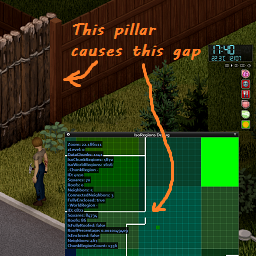
This mod allows you to see the IsoRegionsWindow when not in debug mode. When this mod is run in non-debug sessions the window's edit menu options are not included. Includes an "Is Enclosed" moodle which shows green if the player is in an enclosed area, and red if not enclosed. (requires MoodleFramework) The 'IsoRegions Debug' menu option can be disabled using the ModOptions setting. Provides ability to show the IsoRegions Debug Window when running non-debug sessions of Project Zomboid. The IsoRegionsWindow shows the known bounaries (eg walls) of each region and chunk on the map. This is important to know if you are running a high population game with respawn, and need to "wall-off" sections to prevent respawn. In the game you can construct a wall and if there is a "pillar" object connecting the walls they will appear to be joined, but in the IsoRegionsWindow it will show a gap. This mod allows opening the tool needed to identify the gaps and take action (usually removing the wooden pillar). Note: The white wall boundaries will not appear in the IsoRegions window until you construct a wall or other construction. Sandbox options: - Allow debug window: Allow all players to open the IsoRegions window. If this is 'off' the "Is Enclosed" moodle toggle option will still be available. - Allow Admin debug window: Allow the Admin player can open the IsoRegions window if "Allow debug window" is off - Allow Observer+ debug window: Any player with the access (ie: /setaccesslevel username observer) 'observer' and above can open the IsoRegions window if the "Allow debug window" is off. This allows the admin to grant players the ability to open the window without needing to grant Admin privilege to that player. Languages supported: English and (possibly badly translated): Simplified Chinese, Spanish, Korean, Portuguese Required mod(s): modoptions Optional mod(s): MoodleFramework (to see the moodle) Credits: Made under commission from Rozzler to assist in securing zombie-free areas so zombies don't "sneakily" spawn in. Many thanks to @Fͥraͣgͫger for correcting the Simplified Chinese translations. Workshop ID: 3262909717 Mod ID: RicksMLC_ShowIsoRegionsWindow
Project Zomboid Details →
Project Zomboid Guides
Project Zomboid Mods installieren - Workshop Guide
Installiere Project-Zomboid-Mods sauber per Steam Workshop: IDs eintragen, Reihenfolge prüfen, Server neu starten und typische Fehler beheben.
Project Zomboid Build 42 auf dem eigenen Server: Umstieg, Spielstände und Mods
Build 42 ist Stable: Spielstände aus Build 41 sind nicht kompatibel. Umstieg, legacy41-Zweig, neue Serveroptionen, Anti-Cheat und der Hotfix 42.20.1 gegen Serverlag.
Project Zomboid Server mieten – Multiplayer Guide
Project Zomboid Server einrichten: RAM, Sandbox-Einstellungen, Workshop-Mods, Admin-Rechte und typische Fehler sauber prüfen.
Project Zomboid Server mit Mod-Support
Kompatible, unterstützte Mods über das Server-Dashboard installieren.
Project Zomboid Server mieten