Project Zomboid Mods für Server
Für einen modifizierten Project-Zomboid-Server brauchst du pro Projekt die Steam-Workshop-ID und die interne Mod-ID. Prüfe zusätzlich Spiel-Build, Abhängigkeiten und Lade-Reihenfolge, bevor du deine Welt mit den Änderungen startest.
Project Zomboid Mods sicher installieren
Ein Workshop-Abo allein aktiviert eine Mod auf dem Dedicated Server nicht. Die Einträge in `WorkshopItems=` und `Mods=` müssen zusammenpassen; außerdem muss jede Mod den gewählten Build 41 oder Build 42 ausdrücklich unterstützen.
- 1. Build prüfen: Build-41- und Build-42-Mods nicht ungeprüft mischen.
- 2. Workshop-ID, Mod-ID, Abhängigkeiten und erforderliche Reihenfolge vollständig dokumentieren.
- 3. Welt und Konfiguration sichern, Server neu starten und Logs sowie den Beitritt mit einem Test-Client prüfen.
Die vollständige Schritt-für-Schritt-Anleitung findest du im Project-Zomboid-Mods-Guide. Oder starte direkt mit einem Project Zomboid Server mit Mod-Support.
Häufige Fragen zu Project Zomboid Mods
Was ist der Unterschied zwischen Workshop-ID und Mod-ID?
Die Workshop-ID bezeichnet das Steam-Workshop-Projekt und steuert den Download. Die Mod-ID aktiviert den enthaltenen Mod im Spiel. Auf dem Server müssen beide Listen vollständig und passend gepflegt sein.
Laufen Build-41-Mods automatisch mit Build 42?
Nein. Nutze eine Mod nur dann auf Build 42, wenn ihre Workshop-Seite diese Kompatibilität ausdrücklich bestätigt. Prüfe dabei auch alle Bibliotheken und weiteren Abhängigkeiten.
Wie teste ich ein Mod-Update ohne Risiko für die Welt?
Sichere zuerst Welt, Sandbox-Konfiguration und Server-INI. Aktualisiere danach die zusammengehörigen Mods, starte den Server neu und prüfe Logs, Kernfunktionen und einen vollständigen Client-Beitritt.
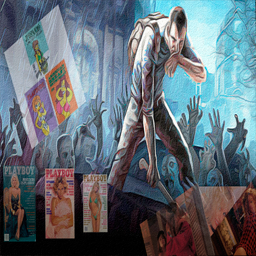
Journal
von 76561198814040752
Не забывайте ставить палец вверх! Fix and add 3 new journal Playboy 12 1991, 02 1992 and 03 1992 (+ 3 posters) Language EN & RU Porno Mags (build 41) - https://steamcommunity.com/sharedfiles/filedetails/?id=2181287530 All of the content is, at worst, PG-22. Original description: Adds a Porno Mag item to PZ that can help with negative moodlets. Also, now, centerfolds can be removed from said magazines. All of the content is, at worst, PG-13. If you enjoy this mod please consider tipping the creator: ko-fi.com/planetalgol Or subscribe to my Patreon: patreon.com/planetalgol Workshop ID: 2936060245 Mod ID: Journal
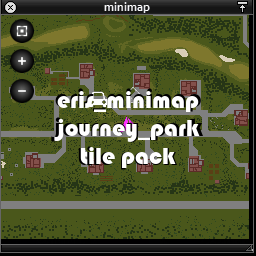
eris_minimap_journey_park_plugin
von 76561198005552216
eris_minimap_journey_park_plugin This is a plugin that adds the community map Journey Park to eris_minimap. Credits With credit to turbotutone, TIS and anyone involved with creating cartoZed, thankyou! eris_minimap - Minimap mod. And big thanks to eris for making eris_minimap, giving me permission to create plugins, and all the help in doing so! And thanks to Erin Azakaela Redfire, the author of the map, for granting permission for this plugin. If you run in to any problems, don't hesitate to ask, I will do my best to assist. :) note: if your minimap won't open, or the tiles from a plugin aren't loading, restart Project Zomboid and load your save again, it should work then. Join us on TheGoodOldDayz Server! Workshop ID: 2570309454 Mod ID: eris_minimap_journey_park_plugin
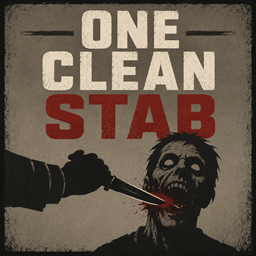
One Clean Jaw Stab
von 76561198079270621
One Clean Jaw Stab This mod allows you to perform "stealth kill" aka "jaw stab" whenever you want In vanilla, the jaw-stab attack depends heavily on zombie awareness and combat conditions(you can't perform jaw stab if more than 1 zombie pursuing you). One Clean Jaw Stab turns it into a deliberate combat move: get close, pick your target, and attempt the kill when you decide the moment is right. Unlike similar mods it doesn't change chances or interfere with mechanic. It gives you control whether to use it or not with dedicated rebindable button. And it does not require manual installation! How It Works - Equip a short blade in your primary hand. - Hold aim and approach a standing zombie until your character raises their free hand. - Press the Middle Mouse Button to attempt the close kill. - But be careful because there is customizable chance that zombie will push you away leaving you exposed or you can lose your weapon during the attack The hotkey can be changed under Options > Mods > One Clean Stab. Zombie awareness and the number of pursuing zombies do not prevent the attempt, but positioning still matters. You must be aiming, close enough, and facing a valid standing target which makes you open. So plan your stabs with right timing. Features - A dedicated and fully rebindable close-kill button. - Works with every short-blade weapons - Configurable success chance. A failed attempt makes the character pushed away by zombie and fall backward, leaving them exposed. - Optional Short Blade skill requirement for unlocking the mechanic. - Optional endurance, fatigue, and cooldown restrictions to prevent careless spam. Every value can be adjusted in the Sandbox settings, from a reliable action-movie finisher to a risky last-resort move that demands skill and careful stamina management. Compatibility ✅42.20 ✅Build 42.19 ✅Singleplayer and multiplayer Should work with any modded short blade weapons Workshop ID: 3772642726 Mod ID: OneCleanStab
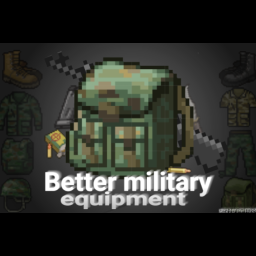
Better Military Equipment更好的军用物资
von 76561199609722479
This mod optimizes the original military items, such as military jackets, M16 assault rifles, and hunting knives For example, the defense properties of the original military jacket are not high, so I added 20 anti bite and 20 defense Hunting knives can be used for group attacks M16 assault rifle reduces sound range by 10 and jamming rate by 1 The latest update content is that the sound range of M16 is 40, and using M16 does not require level restrictions. Level 4 is the best level, and it can be used at levels 0 and 1. The effect is comparable to 进阶弹道 该模组优化了原始的军用物品,如军用夹克、M16突击步枪和猎刀例如,原来的军用夹克的防御性能不高,所以我增加了20个防咬和20个防御M16突击步枪的音程降低了10,干扰率降低了1猎刀可用于团体攻击 最新更新内容是M16的音域为40,使用M16不需要音量限制。级别4是最佳级别,可用于级别0和1。其效果与进阶弹道一样 只是没有瞄准 Workshop ID: 3366589652 Mod ID: Better Military Equipment
![[B41&B42]Prostitute Profession – Project Zomboid Mod](https://images.steamusercontent.com/ugc/12949287122543202876/332E0B068C7FAFA594EA5866CF25A23DDFF1EB17/)
[B41&B42]Prostitute Profession
von 76561199180136401
Welcome to the world's oldest profession! Tired of surviving the apocalypse the boring way? Now you can start with the oldest profession known to mankind. This mod adds a fully playable Prostitute Profession to Project Zomboid, complete with a new profession, clothing, and a special starting location. Features: -New Challenge Spawn: Start directly at The Velvet Tassel in Louisville the most famous (and infamous) club in Kentucky, ready to be f****d by the zombies? -Dedicated profession, you start dressed in a bunny suit, with some traits and with 50 bucks. (-1 strenght, +2 Fitness) -Fully Multiplayer compatible -Regular updates and improvements based on community feedback Current Version Highlights: -Multiplayer support -The Velvet Tassel spawn challenge (Louisville) -Fixed profession item spawning issues -B42 PORT! Created in a bit of a rush originally but updated with passion, I actively update the mod and add more content based on what the community wants. Planned Features: Better integration with popular mods If you enjoy challenges, realism and chaotic roleplay mods, this one’s for you. Drop your suggestions, bug reports, or ideas in the comments, I read everything! Welcome to the business… APOCALYPTIC style. Changelog: -Update 1: Multiplayer Friendly -Update 2: Fixed a bug that duped the prostitute profession items -Update 3: Now you can spawn on The Velvet Tassel, be ready for a new hell! -Update 4: New spawn now is MP friendly -Update 5: MP Prostitute clothing has been patched (It didn't spawn anymore after update 4) but it works now! -Update 6: BUILD 42 PORT RELEASED, PROFESSION FULLY IMPLEMENTED (map has been fully implemented) -Update 7: Map fully implemented into build 42 -Update 8: Fixed a b42 map bug Notice: ⚠IF YOU ARE GOING TO DO THIS CHANGE THE FUCKING MOD ID⚠ REPACKS ARE NOT ALLOWED, IF YOU REPACK MY MOD I'LL GET IT TAKEN DOWN This mod is fully open-coded, feel free to modify, edit, fork, or do whatever the fuck you want with the code, no permission needed, you can use it in your own mods, expand it, or change it completely, no credits required, go wild, that said, if you do use parts of my work, a simple credit or mention would be greatly appreciated ❤️ REPACKS ARE NOT ALLOWED, IF YOU REPACK MY MOD I'LL GET IT TAKEN DOWN ⚠IF YOU ARE GOING TO DO THIS CHANGE THE FUCKING MOD ID⚠ Tags (ignore this): Professions, Roleplay, RP, Challenge, Multiplayer, Silly, Funny, Comedy, Mature Humor, Dark Humor, Satire, Chaotic, Louisville, Velvet Tassel, New Spawn, Custom Profession, Custom Career, Starting Location, Spawn Challenge, Survival, Zombie Apocalypse, Fun Mod, Meme Mod, Over The Top, Immersive RP, Build 41, Build 42, B41, B42, Multiplayer Compatible, Co-op, Character Customization, Stress Relief, Alternative Gameplay, Unique Mechanics, Community Mod, Frequent Updates, Feedback Driven, Sandbox, Sandbox Survival, Hardcore Survival, Casual Survival, Apocalypse, Zombie Survival, Undead, Infected, Post-Apocalyptic, Open World, RPG, Roleplaying, Storytelling, Character Backstory, Character Progression, Occupation System, Career System, Job System, Spawn Overhaul, Starting Traits, Custom Starts, Challenge Run, Funny Challenge, Meme Challenge, Survival Challenge, Hardcore Challenge, Randomized Start, Louisville Spawn, Urban Survival, City Survival, Kentucky, Knox Country, Knox Event, Survivor Stories, Emergent Gameplay, Dynamic Gameplay, Replayability, High Replayability, Solo Play, Singleplayer, Multiplayer Server, Dedicated Server, Server Mod, RP Server, Community Server, Friends Server, Cooperative Play, Team Survival, Group Survival, Social Gameplay, Humor Mod, Joke Mod, Comedy Mod, Parody, Absurd, Ridiculous, Unhinged, Cursed Mod, Weird Mod, Wacky Mod, Chaotic Good, Chaotic Neutral, Entertainment, Fun Gameplay, Lighthearted, Dark Comedy, Black Comedy, Meme Content, Internet Humor, Satirical Gameplay, Novelty Mod, Experimental Mod, Creative Mod, Flavor Mod, Quality Content, Custom Content, Expanded Gameplay, Enhanced Roleplay, Immersion, Immersive Gameplay, Character Creation, Custom Characters, Survivor Build, Survivor Career, Survivor Profession, Occupational Traits, Skill Progression, Trait Build, Build Diversity, Playstyle Variety, New Experiences, Fresh Start, Alternative Start, Spawn Variety, Random Spawn, Louisville Challenge, Urban Challenge, City Roleplay, Apocalypse Roleplay, Survival Roleplay, Zombie RP, Community Driven, Player Feedback, Actively Developed, Regular Updates, Long-Term Support, Workshop Mod, Steam Workshop, Modded Gameplay, Gameplay Expansion, Sandbox RP, Sandbox Challenge, Custom Scenarios, Scenario Mod, Survival Sandbox, Endurance, Resource Management, Scavenging, Exploration, Looting, Base Building, Safehouse, Survivor Life, Last Survivor, Apocalypse Humor, Survival Comedy, Funny RP, Casual RP, Serious RP, Semi-Serious RP, Character Driven, Narrative Gameplay, Story Generator, Emergent Stories, Sandbox Stories, Dynamic Stories, Unpredictable, Randomized Gameplay, Replayable, Modded Server, RP Community, Multiplayer Fun, Friends Multiplayer, Co-op Survival, Zombie Sandbox, Louisville Roleplay, Kentucky Survival, Occupation Expansion, Profession Expansion, Career Expansion, Spawn Expansion, Trait Expansion, Lifestyle Mod, Survivor Simulator, Zombie Simulator, Apocalypse Simulator, Survival Simulator, Custom Occupations, Custom Jobs, New Jobs, New Professions, New Careers, Roleplay Enhancement, Humor Enhancement, Gameplay Variety, Alternative Progression, Unique Playthroughs, Endless Replayability, Community Favorite, Server Friendly, Lightweight Mod, Lore Friendly, Semi-Lore Friendly, Vanilla Friendly, Vanilla Plus, Enhanced Vanilla, Creative Roleplay, Social Roleplay, Interactive Roleplay, Character Focused, Survivor Focused, Post-Apocalypse Comedy, Absurd Survival, Chaotic Survival, Fun First, Entertainment Focused, Roleplay Focused, Challenge Focused, Sandbox Focused, Multiplayer Focused, Co-op Focused, Louisville Focused, Custom Spawn, Unique Spawn, Occupation Roleplay, Career Roleplay, Profession Roleplay, Survivor Challenge, Apocalypse Challenge, Louisville Survivor, Knox Survivor, Zombie Chaos, Zombie Humor, Zombie Comedy, Survivor Humor, Workshop Favorite, Mod Showcase, Community Creation, Indie Mod, Fan Made, Passion Project, Content Expansion, Gameplay Overhaul Lite, Feature Rich, Highly Customizable, User Friendly, Easy To Install, Server Compatible, Dedicated Server Compatible, Build 42 Ready, Build 41 Compatible, Ongoing Development, Regular Maintenance, Player Requested Features, Community Suggestions, Customizable Experience, Enhanced Replayability, Endless Possibilities, Ultimate Roleplay, Ultimate Challenge, Ultimate Spawn Experience Workshop ID: 3738139366 Mod ID: ProstituteProfession Map Folder: The Velvet Tassel, Louisville, KY
![[b42]MoreEndurance 42.13fix – Project Zomboid Mod](https://images.steamusercontent.com/ugc/14296395786474098434/5622889849F948BF5054F69EA615BF1BB2770FC5/)
[b42]MoreEndurance 42.13fix
von 76561199020860145
MoreEndurance 42.13fix 感谢 十叁 大佬提供的技术支持 Workshop ID: 3623558899 Mod ID: MoreEndurance
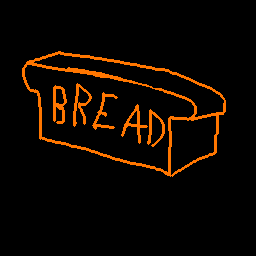
Bread town
von 76561199132799316
My first map in Project zomboid, do not judge strictly)))) The map has a park, a farm, warehouses, a gas station and a small town with a fire station. The map is 2 by 2 chunks. Workshop ID: 3013785231 Mod ID: breadmap Map Folder: breadmap
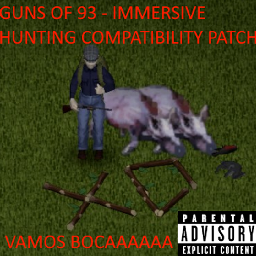
Immersive Hunting mod Guns of 93 compatibility patch
von 76561199012754638
Patch that makes you able to hunt with the Immersive Hunting mod using guns from the mod Guns of 93. -Guns of 93 by Marrok -Immersive Hunting by Spoon Workshop ID: 3135870108 Mod ID: SIHGuns93CompPatch

New Infection System
von 76561198148183611
How does this mod work? Adds 4 new traits related to zombie infection: Positive Traits Partial Immunity (Easy): You won't die from the zombie infection, but you will suffer all symptoms, and your health will drop to 5%. However, you'll survive. Total Immunity (Easy): You will be completely immune to the zombie infection, with no symptoms. Negative Traits Weak Immune System (Hard): Even the slightest scratch will infect you. You have a 99.9% chance of getting infected from a zombie attack. Keep Your Distance (Hardcore): You could get infected just by touching a zombie. You must protect yourself with clothing and avoid sleeping in overly bloody clothes. Additionally, there is a 99.9% chance of getting infected if hit by a zombie. ====> More about this trait <==== Workshop ID: 3400051090 Mod ID: RET_NewInfectionSystem

Lugli - Fast Loading
von 76561198172703919
Project Zomboid does a lot of loading work it does not need to do. This finds that work in the engine and removes it. Your loot, your items and your world are unchanged, and they are fingerprinted on every build to prove it. 300+ mods: 130s to 90s to be in the world (-31%). 300+ mods: 47s to 32s to the main menu (-32%). Vanilla: 37s to 27s to be in the world (-27%). For Build 42.20 and later. Measured on 42.20.4 with 337 mods: same machine, same save, arms interleaved, every run checked against its own log. It scales with your mod count, not your map size. Still in development, and maintained. The numbers are a snapshot, not a ceiling, and I keep it current as Build 42 moves. Where a change is faster but riskier for the base game or for other mods I take the slower option, and anything that cannot verify itself disables itself. Needs ZombieBuddy Almost all of this is engine patching and ZombieBuddy is what permits it. Without it only the two loot fixes run, and the mod says so on the main menu rather than pretending to work. What it does - Skips the intro logos, which the game plays after loading has already finished - Walks your mod folders on 8 threads instead of one, without changing override order - Stops the script and Lua loaders doing per file what only needs doing per folder - Decodes textures, tilesets and shaders in parallel instead of behind one lock, and sizes the texture buffer to your machine instead of a hardcoded 50MB - Loads vehicle textures while you sit at the menu instead of while you wait to spawn - Builds the loot table once, after every mod has added to it, instead of once per mod - Indexes the SWMG Gunworks loot insert, 78s down to 8s, if you run that mod - Parses tile geometry off the loading thread, and fixes a tokenizer that re-copied each script file per item - Replaces the blank loading screen with a real one: progress bar, phase name, elapsed time and the walking figure Every part can be switched off on its own, and any part that cannot enable itself says so on the main menu. The loading screen looks different. That is this mod, not a bug. -Dfastloading.progress=off restores the vanilla blank screen. The photosensitivity notice is hidden by default because it otherwise covers most of boot; -Dfastloading.warningms=-1 puts it back. FAQ ZombieBuddy asks me to approve a Java mod. Expected. Approve it and enable the mod. ZombieBuddy never runs Java code you have not agreed to, and asks once. Why is this not signed, and should I trust it? ZombieBuddy verifies an unlisted author's key by fetching my Steam profile page on every launch, and anything other than that page (rate limit, outage, VPN) fails closed with no approve button. That is the "signature is invalid" people hit. Unsigned takes the ordinary approve-once path instead. My key is queued at PR #44; signing returns when it merges. A signature would only prove the file came from this Steam account. It is not an audit. The source is what you can actually check: MIT and public, including the measurements that failed. Decompile the jar and compare it; I would rather you did. If you would rather not, do not install it. That is a reasonable decision; Not subscribing or validating with real proofs and calling the author untrustworthy afterwards is not. Can the main menu arrive sooner? There is a switch that queues animation meshes ahead of textures, and it ships off because it moves work rather than removing it: the menu arrives ~11s sooner and the world load then waits on what it deferred. Break-even is about 22 seconds on the menu and most people are quicker. If you linger there, add -Dfastloading.meshprio=on to vmArgs. Do I need it on a dedicated server? Only for the loot fixes. The Java half never loads on a server, so the rest is client side and each player gets it from their own install. Can I add or remove it mid-save? Yes. It writes nothing into your save and nothing into your game folder. Is it safe with my mod list? It changes when work happens, not what comes out. The item database, the loot tables and the tilesets are hashed on every build and must match an unpatched run or the build fails. Replaced engine code checks itself against the original and switches off on any disagreement. Something looks wrong and I want to rule this mod out. Add -Dfastloading.logo=keep -Dfastloading.assets=off to vmArgs to disable the two largest parts. Every switch is listed on GitHub. If that fixes it, open an issue there. Also by me: Lugli - Optimizations. This one is the two minutes before you spawn; that one is the milliseconds after. Neither needs the other. Open source under MIT. Full switch list, engine analysis and method: github.com/ViniciosLugli/PZWorkspace Built alongside LugliPack - B42, the 300+ mod list these numbers come from. Workshop ID: 3787104045 Mod ID: Lugli_FastLoading

True Music Addon: Atomic Heart (Original Game Soundtrack) Vol.1
von 76561198009275962
Саундтрек на кассетах и винилах. Atomic Heart (Original Game Soundtrack) Vol.1 01. Песняры - Косил Ясь конюшину (Mujuice Acid Rework) 02. Земляне - Трава у дома (Geoffrey Day Remix) 03. Алла Пугачёва - Арлекино (Geoffrey Day Remix) 04. Владимир Кузьмин - Я не Казанова (Geoffrey Day Remix) 05. Игорь Скляр - Комарово (DVRST Phonk Remix) 06. Игорь Скляр - Комарово (DVRST Phonk Slowed Remix) 07. Игорь Скляр - Комарово (DVRST DnB Remix) 08. Мария Пахоменко - Стоят девчонки (Geoffrey Day Remix) 09. Мария Пахоменко - Стоят девчонки (ill fame Remix) 10. Ольга Восконьян - Обруч золотой (NEUS Remix) 11. Ольга Восконьян - Обруч золотой (Gamma Intel Remix) 12. Ольга Восконьян - Обруч золотой (Mujuice Remix) 13. Алла Пугачёва - Звёздное лето (Geoffrey Day Remix) 14. Антон Михайлов и Boogrov - Libertango 15. Антон Михайлов и Boogrov - Tango 16. Geoffplaysguitar - For The Good Of Mankind 17. Geoffplaysguitar - PT-1X12 Check out my other TRUE MUSIC mods: Workshop ID: 2944840999 Mod ID: DL_AtomicHeartvol1
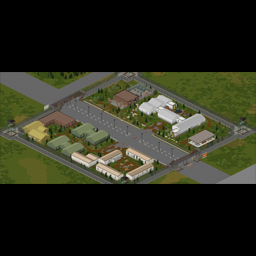
Quarantine-Checkpoint-no-loot
von 76561198006141780
Simon_MDs Quarantine Checkpoint to be used as a settlement on MrAtomicDuck's server - therefore, no loot. Lootable version will be out later. Located in cell 37x37 (#11305x11203x554). Workshop ID: 2921413188 Mod ID: SimonMDQuarantineCheckpointNoLoot Map Folder: quarantinecheckpointnoloot

Iroc-Z
von 76561198179501978
Classic Muscle Car This is still a work in progress, animations and texture clean up is in the making. Workshop ID: 2789652638 Mod ID: Iroc_Z
![[B42/MP] Irish's Dinosaurs – Project Zomboid Mod](https://images.steamusercontent.com/ugc/12895336375469298866/FB903D6E209E637C78B96F501196EB653A2B3799/)
[B42/MP] Irish's Dinosaurs
von 76561198016256408
This mod adds raptors, rexes, carnotaurus, pachys, ankys and stegos to Project Zomboid. Get your dinosaur experience here! Jurassic Park has arrived to Knox County. Multiplayer support included. Be warned IT CAN DESYNC AND YOU WILL PROBABLY DIE DUE TO THIS. You play this mod on multiplayer knowing this. Dinosaurs now fight eachother Raptor/Carno: Raptor will give you bites/scratches, carno just damage health Rex: Will remove 3/4 your health Will attack any car or fence between the player and it (and will attack your car with you in it as well, immune to be run over) Will deaggro if you go indoors Pach Ignores players at range; if you get too close it commits to a headbutt, knocks you down, then retreats Anky/Stego: Ignore players at range; if you get too close they strike with their tail and then retreat FAQ: -Can you turn off zombies: You can, this uses animals so is completely separate -I cant see the dino options: They're in the normal options menu not sandbox options -Trex is too slow: You can increase its speed in options -Add 'x' feature: Suggest it down below, I am looking for all feature suggestions -I found a bug: Leave a comment, I appreciate bug finding comments :) use caution and make backups if adding to a save or removing from a save Enjoy! Still WIP, so expect bug fixes or feature changes/additions as people play and encounter them and I fix them "Velociraptor" https://skfb.ly/pLEQy by Alexey "T-REX" https://skfb.ly/oM76u by seth the yutyrannus "Ankylosaurus from unity" https://skfb.ly/oMBVG by dead tubby's "Carnotaurus from unity" https://skfb.ly/oMzFO by dead tubby's "Overpowered Stegosaurus" https://skfb.ly/oNoBC by SpiderBight "PBR Pachycephalasaurus (Animated)" https://skfb.ly/oHptR by Ferocious Industries if you want to donate so I can get my daily coding white monster haha Workshop ID: 3784875732 Mod ID: VRaptor
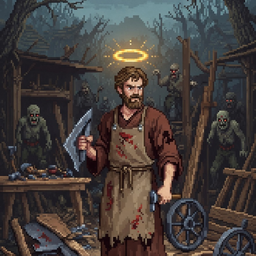
MP Fast Crafting
von 76561198078921620
Reduces all crafting recipe times by a configurable percentage (default 90%). Configurable via sandbox options. Designed for multiplayer servers. Workshop ID: 3680845225 Mod ID: MPFastCrafting Mod ID: MPFastCrafting
![[B42.13]随身垃圾桶/RubbishBinBag – Project Zomboid Mod](https://images.steamusercontent.com/ugc/12811221656290370399/ACF9E6079B0EA6AA718C1FCDE593C752A2018099/)
[B42.13]随身垃圾桶/RubbishBinBag
von 76561198129355372
English Translation The original mod has not been updated, so I fixed it myself. In case of infringement, it will be removed immediately. Original mod URL: https://steamcommunity.com/sharedfiles/filedetails/?id=2922887904 Changelog January 2, 2026 1.Compatible with Build 42.13 2.Multiplayer mode not tested 3.Known Bug: The backpack icon will not show up when equipped for the first time; you need to equip it a second time to fix this issue. Crafting Recipes: RubbishBinBag = Garbagebag + TinCanEmpty Original Mod Description Thanks to the Build 42 fix provided at https://steamcommunity.com/sharedfiles/filedetails/?id=3448427420. Based on that version, we have fixed errors and some other issues. If there are any infringement-related problems, please contact me to remove the Build 42-related patch content. Build 42 Special Notes Due to changes in some code logic in Build 42, this mod theoretically only supports single-player mode, and the logic of seed packs granting crops has been removed. This mod has only undergone simple testing in the vanilla game environment. We cannot guarantee normal operation in a modded environment. Please back up your save files before use to avoid unnecessary losses. This mod does not consider compatibility with any Build 42 mods, so compatibility with other mods may be invalid. Since the drop configuration table has not been modified, errors may occur if items that existed in Build 41 but not in Build 42 are dropped. Most drop configurations are located in \RubbishBinBag\42\media\lua\shared\rubbish_bin_config.lua, which can be modified as needed. If an error occurs, please provide the complete error log and I will attempt to fix it. No further updates will be made to other functional content. If needed, you can modify the files and submit them independently—simply include a link to this mod in the description, no need to notify me. Place unwanted items from your inventory into the portable trash bin, and they will be automatically destroyed. You will receive a small amount of experience for the corresponding skill based on the type of item destroyed (all probabilities above can be modified in the Sandbox Settings). After the corresponding skill reaches maximum level, each item destroyed has a chance to yield a resource reward pack. Open it to get a random amount of resource rewards (all probabilities above can be modified in the Sandbox Settings). Right-click the trash bin to toggle the function on/off. Remarks The portable trash bin only takes effect when worn. If you have an auto-loot mod installed, it is recommended to disable the trash bin's auto-loot function to prevent the loss of important supplies. The rules for experience rewards from recycling are based on the vanilla game and may not apply to modded items. The amount of experience granted for destroying different items may vary. The quantity of items in the reward pack is random, but there is a guaranteed minimum for each pack. Workshop ID: 3637285737 Mod ID: XIQURubbishBinBag
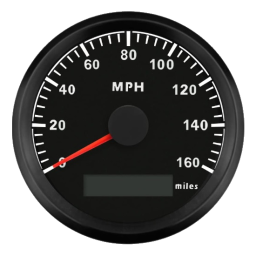
Better Speedometer
von 76561198019203966
A more realistic speedometer that matches the speed of the vehicles. Workshop ID: 2963627503 Mod ID: BetterSpeedometer
Torque Rewarding Night Combat Server Options
von 76561197994196375
Dying Light Watch Alarm Trigger and End Workshop ID: 2865613208 Mod ID: TorqueRewardingNightCombatServerOptions
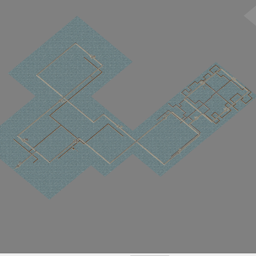
Subterranea - Kentucky
von 76561198046928019
A subway and sewer system for the vanilla Kentucky map. players can enter the underground in various locations around the map. To do so, right click the escalator tile and select the 'Enter Subway' button or 'Exit Subway' to leave it. I built this map for the RP server I play on. Workshop ID: 3159933420 Mod ID: Subterranea - Kentucky Map Folder: Kentucky Sewer System
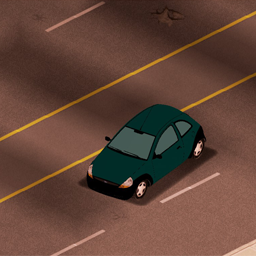
Ford KA 1998
von 76561198106853063
Ford KA model 1998 Workshop ID: 2824679886 Mod ID: nmcfordka
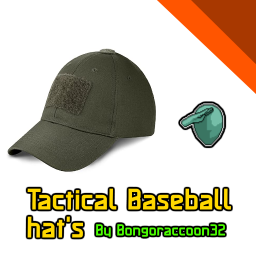
Tactical Baseball hats
von 76561198852015246
Describtion This simple retexture mod is based on one of my older mods, aming to make the baseball hat's look like a tactical baseball hat. So yeah that's it. Hope everyone enjoys :D Workshop ID: 2945970332 Mod ID: Tactical_Basball_hat
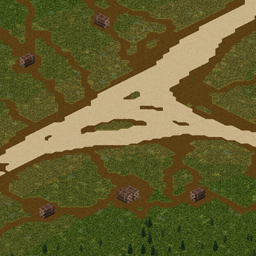
Cutting area, KY
von 76561197995274654
This mod adds cutting areas near Muldraugh Workshop ID: 2096202212 Mod ID: cuttingarea Map Folder: Cuttingarea
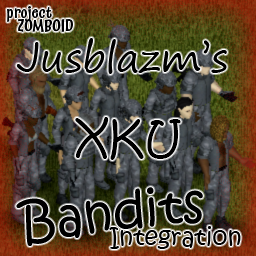
XKU Bandits Integration
von 76561198096995823
Jusblazm's XKU Bandits This mod provides Bandits wearing modded clothing from XKU Uniform. Updates I plan to release a new update on the 2nd of each month. This update will replace the current batch of bandits with a brand new batch. This will not harm your saves, nor will it affect currently spawned bandits. Freshly spawned bandits will be wearing gear according to the new list. This will provide some, hopefully noticeable change to extended saves. Compatibility Absolutely no mod conflicts with two caveats: - someone uses my naming convention for their own integration. - A unique ID generates a dupe (Wikipedia: the probability to find a duplicate within 103 trillion version-4 UUIDs is one in a billion) Known Issues - Errors appear when opening the clan in Bandits Creator. These errors are harmless, it happens because the bandits are wearing clothing that cannot be displayed in Creator, like custom locations. Do not edit them or you will delete the clothing not being displayed. GitHub Archive I will be keeping an archive of each update's bandits.txt and clans.txt files, so that if there is a set you really like, you can continue to use them even after the mod updates and moves away from them. GitHub Archive Permissions I created a simple extension for Bandits NPC that allows bandits to wear the custom equipment slots provided by XKU Uniform. The item IDs belong to Jordanal and Galodar's XKU Uniform, the BodyLocations belong to Jordanal and Galodar's XKU Uniform and KATTAJ1's Clothes Core, and Slayer's Bandits NPC reads the text files. Both XKU Uniform and Bandits NPC have the default permissions of Credit where it's due, so I am extending their permissions. Be sure to credit them for their hard work. Credits The Indie Stone for Project Zomboid Slayer for Bandits NPC and Bandits Creator Jordanal and Galodar for XKU Uniform Workshop ID: 3486407324 Mod ID: JusBanditsJGXKURANDOM
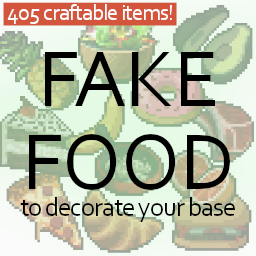
Decorative Food
von 76561198321756529
What does this mod do? This mod was requested by Silverbane7. It adds every single (all but scrambled eggs) food item as craftable model to the game. This is for decorative purposes. The fake foods are crafted with 1 unit of paper mache and the food itself (can be rotten) Crafting recipe for a bucket of paper mache: - 2 of Newspaper / Magazine / ComicBook / Book / ToiletPaper / Notebook / Journal / Sheet Paper - 2 units of Water - 1 Unit of Glue - An empty bucket One bucket of paper mache lasts for 10 uses. The crafted items can only be placed, not consumed. They obviously do not expire and rot. Future plans - more complex recipes (crafting with paper mache or sawdust) (done) - add translations (if you want to help -> translation discussion) Feedback or recipe suggestions If you find a broken item / recipe, please report it in the error reporting discussion. If you want to suggest a recipe for an item post it in the recipes discussion Check out my other mods! - Refillable Lighters - Pool Ball Set - Decorative Food - Fast Reload - Pill Duration Or click here to visit my workshop page! Permission You can use this mod in your own creations, but please credit me if you do so. Workshop ID: 2860417716 Mod ID: FakeFood
Project Zomboid Details →
Project Zomboid Guides
Project Zomboid Mods installieren - Workshop Guide
Installiere Project-Zomboid-Mods sauber per Steam Workshop: IDs eintragen, Reihenfolge prüfen, Server neu starten und typische Fehler beheben.
Project Zomboid Build 42 auf dem eigenen Server: Umstieg, Spielstände und Mods
Build 42 ist Stable: Spielstände aus Build 41 sind nicht kompatibel. Umstieg, legacy41-Zweig, neue Serveroptionen, Anti-Cheat und der Hotfix 42.20.1 gegen Serverlag.
Project Zomboid Server mieten – Multiplayer Guide
Project Zomboid Server einrichten: RAM, Sandbox-Einstellungen, Workshop-Mods, Admin-Rechte und typische Fehler sauber prüfen.
Project Zomboid Server mit Mod-Support
Kompatible, unterstützte Mods über das Server-Dashboard installieren.
Project Zomboid Server mieten