Project Zomboid Mods für Server
Für einen modifizierten Project-Zomboid-Server brauchst du pro Projekt die Steam-Workshop-ID und die interne Mod-ID. Prüfe zusätzlich Spiel-Build, Abhängigkeiten und Lade-Reihenfolge, bevor du deine Welt mit den Änderungen startest.
Project Zomboid Mods sicher installieren
Ein Workshop-Abo allein aktiviert eine Mod auf dem Dedicated Server nicht. Die Einträge in `WorkshopItems=` und `Mods=` müssen zusammenpassen; außerdem muss jede Mod den gewählten Build 41 oder Build 42 ausdrücklich unterstützen.
- 1. Build prüfen: Build-41- und Build-42-Mods nicht ungeprüft mischen.
- 2. Workshop-ID, Mod-ID, Abhängigkeiten und erforderliche Reihenfolge vollständig dokumentieren.
- 3. Welt und Konfiguration sichern, Server neu starten und Logs sowie den Beitritt mit einem Test-Client prüfen.
Die vollständige Schritt-für-Schritt-Anleitung findest du im Project-Zomboid-Mods-Guide. Oder starte direkt mit einem Project Zomboid Server mit Mod-Support.
Häufige Fragen zu Project Zomboid Mods
Was ist der Unterschied zwischen Workshop-ID und Mod-ID?
Die Workshop-ID bezeichnet das Steam-Workshop-Projekt und steuert den Download. Die Mod-ID aktiviert den enthaltenen Mod im Spiel. Auf dem Server müssen beide Listen vollständig und passend gepflegt sein.
Laufen Build-41-Mods automatisch mit Build 42?
Nein. Nutze eine Mod nur dann auf Build 42, wenn ihre Workshop-Seite diese Kompatibilität ausdrücklich bestätigt. Prüfe dabei auch alle Bibliotheken und weiteren Abhängigkeiten.
Wie teste ich ein Mod-Update ohne Risiko für die Welt?
Sichere zuerst Welt, Sandbox-Konfiguration und Server-INI. Aktualisiere danach die zusammengehörigen Mods, starte den Server neu und prüfe Logs, Kernfunktionen und einen vollständigen Client-Beitritt.
Print Ingame Time One Hour & Death to LOG
von 76561198150967668
Very simple mod that prints the in-game date time (every 1 hour) to the server console. Useful for tools that extract server information from the console. Also added write server game time and realy current PC time in log yyyy/mm/dd_PTime.txt in logs folder every "1 hours" games process. Added player death logging with parameters: Cause, days/hours survived, zombie killed, death coordinates, and time. Saved to yyyy/mm/dd_Death.txt Example: C:\Users\Your_Profile_name\Zomboid\Logs\2026-08-11_14-33_PTime.txt Date in game (dd/mm/yyyy) - 09/07/1993 23:00. Date on server - Tue Aug 11 14:36:44 GMT+12:00 2026. ... C:\Users\Your_Profile_name\Zomboid\Logs\2026-08-11_14-33_Death.txt 76561198150967668 "Test" (Бобби Пичи) DEATH | Cause: zombie | Played: 0.0 days (0 hours) | Zeds: 0 | Position: 11910,6759,0 | Game date/time: 09/07/1993 23:01 | Server date/time: Tue Aug 11 14:36:48 GMT+12:00 2026. ... To force display of the current game time, enter the command "reloadlua gametime.lua" (without quotes) in the server console. ... Original mod "Print Ingame Time" https://steamcommunity.com/sharedfiles/filedetails/?id=2740018049 Workshop ID: 2773478544 Mod ID: PrintIngameTimeOneHour
Jankamite
von 76561198045160207
You thought the Propane bomb was big? psh, a child's toy. This, this is for the those of you who want to leave a permanent hole in the earth. The biggest of bombs, for destroying buildings, nothing to do with zombies (but will 100% turn them into pink mist), just pure destruction. Does require you to be an Engineer to know the recipe, even if you find the recipe guide out in the wild unless you're an engineer it'll not make any sense to you. It has a multi-step recipe including cooking some ingredients & letting others simply set over time, you need patience & to truly understand the devastation you're crafting. Once you've finally made the Jankamite you won't be able to use it until you combine it with either a motion sensor or a crafted trigger, your weak noodle human arms simply can't throw it far enough to be out of the blast wave. By using this Mod you 100% take responsibility for burning all of Knox County to cinders & any Loot lost in said burning is forfeit to the pyrotechnic Gods. SP Only. Save game safe. Locked behind Engineer Profession. Big Badda Boom Copyright 2022. This item is not authorised for posting on Steam or elsewhere in any format, including modpacks, except under the Steam account named Darkmoriarti Workshop ID: 2655243166 Mod ID: Jankamite
![Use Belt as Weapon [42MP] – Project Zomboid Mod](https://images.steamusercontent.com/ugc/2502402487691260034/33B368C8831FD9CA51C141F902D376537F5AB1EF/)
Use Belt as Weapon [42MP]
von 76561198866362317
Use the belt as a weapon. Workshop ID: 3339423397 Mod ID: UseBeltAsWeapon
MiningMod
von 76561199042257388
Mining Mod by Glytch3r Adds a bunch of mineable ores UPDATE: mining ores reduces weight you can no longer needs right click on the item. instead you can now right click on the ground.. might still have some bugs... modified the success chances the information are no longer accurate Outdated Details: Iron 13%, Copper 12%, Silver 11%, Gold 10% Ruby 4%, Amethyst 3%, Emerald 2%, Diamond 1% Right click on your shovel to start digging You must pair this app with a shop mod Or you can simply just add it for RP purposes metalworking level requirements for refining changed: iron=0, copper=1, silver=2, gold=4, ruby=5, amethyst=6, emerald=8, diamond=9 adds metalworking exp when digging+10 and refining+25 you can now refine when you are near the anvil, you dont have to be directly infront of it added admin item that lets you spawn anvil added more junk items when digging the dirt pile overlay will now despawn after 15 seconds Ores can now be refined You must be facing an anvil to refine MetalWorking level 5 to refine metals MetalWorking level 7 to refine gems Modders can also create recipes using these items for their own mods as long as you credit me somehow Glytch3r Commissioned by WilliamGroover Kentucky Roleplay Server A Zedless RP server Join the discord using the link below https://discord.gg/pxjuSYSZhe Donations: https://ko-fi.com/glytch3r/ Contact: Discord: Glytch3r#7331 Workshop ID: 2882228912 Mod ID: MinningMod
True Music Addon: Stalker
von 76561198357941109
Music and other from the S.T.A.L.K.E.R. game series: Addaraya - Gurza Dreaming Firelake - Against The Ionized Odds Firelake - Dirge for planet Firelake - Fighting unknown Propaganda Dolga Radio Banditov Radio CHistogo Nebo Radio Dolga 1 Radio Dolga 2 Radio Svobody Workshop ID: 2976183356 Mod ID: truemusic_addon
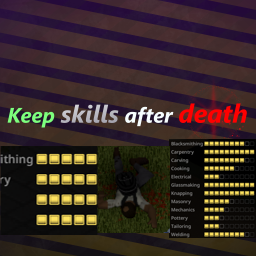
Keep skills after death
von 76561198360387471
Keeps skill after death. warning: (skills will reset if you go back to menu when you die, so you should always create new character before exiting) Multiplayer support is only tested alone so there might be bugs. also there is slight change that it dosen't even work with multiple people so please let me know if it works! Workshop ID: 3636931195 Mod ID: Keep_Skills_After_Death Mod ID: Keep_Skills_After_Death_MULTIPLAYER
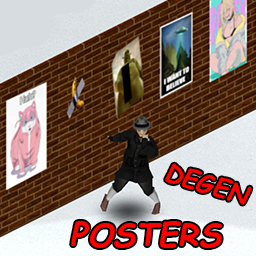
Big Degen's Posters!
von 76561198338627571
An array of Degenerate Posters for you to decorate your Neckbeard Nest with. Workshop ID: 3439701161 Mod ID: DegenPosters

bikinitools: Server Edition - Traditional / Simplified Chinese translation
von 76561198872228515
Using DeepSeek for translation with some minor adjustments It seemed like an interesting mod, so I translated it. Workshop ID: 3422423619 Mod ID: BTSE_TS_Translation

2022 Lexus ES350 (XZ10)
von 76561198035338496
This mod adds the 2022 Lexus ES350 as a standalone vehicle to the game. They can be found in the world where most cars spawn, or optionally have their spawns disabled. The ES is Lexus' flagship midsize sedan. It's one of the brand's longest running model lines, with the first generation debuting in 1989 alongside the LS400. The 7th generation ES (chassis code XZ10) continues this tradition with striking features, and sporting up to a 3.5L V6 in the ES350 outputting just over 300 horsepower. The mod contains a couple sub-mods to change certain features of the mod: - Lexus ES350 (XZ10) (ID:fhqES350XZ10) - The base mod - Lexus ES350 (XZ10) - Disabled Spawns (ID:fhqES350XZ10_NoSpawns) - Disables spawns of the vehicle - Lexus ES350 (XZ10) - Real Name (ID:fhqES350XZ10_RealName) - Changes the vehicle name to the real-world name, lore-friendly name is the default. In addition, the vehicle IDs are as follows: -fhqES350XZ10 - Standard variant -fhqES350XZ10_2 - Alternate rims and plate This mod was commissioned by ppfang0326, big thanks for the support!! Also check out my vehicle pack here: In addition, some of my other mods are here: (Some mods are pending updates for B42.13+) Workshop ID: 3762195505 Mod ID: fhqES350XZ10 Mod ID: fhqES350XZ10_NoSpawns Mod ID: fhqES350XZ10_RealName
![UmaBoid B42 [ UNOFFICIAL PORT] – Project Zomboid Mod](https://images.steamusercontent.com/ugc/12027917397637780787/F2443609603C59A0A9FF87C5A813370D92A592B9/)
UmaBoid B42 [ UNOFFICIAL PORT]
von 76561198273218719
Hi all survivors ^_^. I'm happy to bring the UmaBoid costumes from B41 to B42. This version is UNOFFICIAL. I'm not the creator of the original mod, so if the creator of the mod wants it removed, this mod goes bye bye. Yes one day i will learn to make good descriptions ^_^. Have fun with the mod, and report the bugs if any happens. The mod should work in SP and MP without problems. Workshop ID: 3722974110 Mod ID: UmaBoid_B42_Miroki

Immersive Solar Arrays - B42 Fork
von 76561198082153708
Immersive Solar Arrays Harvest solar power for the needs of your base. Wire car batteries into a battery bank, put panels on the roof, and run your fridges and freezers off the sun instead of a generator that has to be fed. This is a fork of RadX5 and Poltergeist's Immersive Solar Arrays, rebuilt for build 42. Support for build 41 has been dropped. Build 42.20 or newer. Singleplayer and multiplayer. What it does - Battery banks. Wire car batteries, build a bank, and it powers everything a generator would, in the same radius, without fuel. - Solar panels. Flat, wall mounted and floor mounted. Connect them to a bank and they charge it through the day. Cloud, fog, temperature and the length of the day all move the number. - Status window. Right click the bank. The summary tab says whether the panels are keeping up and how long the charge lasts at the current draw. The details tab lists what is actually pulling power. - Generator backup. A generator plugged in near a bank becomes its backup. Put a failsafe trigger on the generator's square and the bank starts it when the charge runs low, then stops it once the panels have caught up. - Loot and world spawns. Panels, batteries, inverters and the skill magazine spawn in the containers you would expect. Pre-placed crates and battery banks appear around the map, and five stash houses hide a solar cache behind an annotated map. Putting one up Panels and battery banks are moveables rather than build menu entries, so nothing from this mod shows up under construction. - Craft a panel in the crafting menu. The loose solar panel you find as loot is a part, not something you can install, so turn it into a roof tile, a wall panel or a floor panel first. - Put the crafted panel in your main inventory. Not in a bag, and not in your hands, or the next step will not appear. - Right click it, choose Place Object, and place it outdoors. - Right click the battery bank, pick Connect panels, and click the panel. You need a screwdriver on you and Electrical 3 to place a panel or pick one back up, the same as the crafting recipes ask for. What this fork fixes The build 42 branch loaded and appeared to work, but most of it quietly did nothing. None of the below wrote anything to the log. - Every string showed as its own key. Build 42 reads only JSON translations. The mod still shipped build 41 text tables, which are not loaded at all. All 27 languages converted. - Every item had no item type. The field that declares one was renamed, and the old name is not parsed any more. - Every recipe was impossible to perform. Item tags are matched literally and are namespaced now, so the tools the recipes asked for matched nothing. - Battery banks never became generators. Two property accessors removed in build 42 threw on every placement, so banks powered nothing, their window closed on open, and panels could not see them. - Base game loot tables were being corrupted. A misspelt field put a weight into vanilla item lists with no item in front of it, shifting every pair after it. - Stash houses errored on load and their caches were never placed. - Multiplayer did nothing. Plugging a generator, flipping the bank switch, connecting a panel and moving a battery all reached for a server object that does not exist on a client. - Tile fixes. Flat panels no longer draw over your feet, and the failsafe no longer hides under the generator it is wired to. Requirements Target Square: On Load Commands is needed for the pre-placed crates that spawn around the map. Without it everything else still works, you just do not get those crates. It is safe to add or remove on an existing save. Options Sandbox options cover panel efficiency, how quickly batteries wear out, DIY battery capacity, how often the bank charges, how power draw is calculated, loot rarity for each item group, world spawns and stash houses. Making a solar panel and making an inverter from scratch are off by default. Turn on expanded recipes in the sandbox options if you want them. Notes - Only run one version of this mod. The mod id is ISA. - Some options need a game reload, and stash houses want a new save to appear properly. - Mods that replace the default inventory transfer or generator interactions can cause problems. - Test on a save you are willing to lose before adding it to a long running one. Reporting a bug Reproduce it with only this mod enabled and write down the steps. If it only happens alongside other mods, narrow down which ones. Check the console log for errors and post those with everything else. Credits Original mod by RadX5 and Poltergeist, with thanks to everyone who contributed to it over the years, translators included. Licensed under the Apache License 2.0. Original: github.com/radx5Blue/ImmersiveSolarArrays This fork: github.com/aspctt/ImmersiveSolarArrays Workshop ID: 3781944805 Mod ID: ISA
Historical Weapons and Armor Resurect
von 76561197965660493
This mod Add Crafting and Balance the original mod ===Feature==== -Mod Weapons no longer spawn in the world. After learning the recipe from the book, you can make them by smithing. -Forge material can be placed on the ground near the forge when crafting weapons. -Player need to build the forge first by right clicking on space you want to build -Player can smelt metal bar and Metal pipe to Metal sheet -you can craft basic tool such as Sledgehammer and Wood axe ====Update==== -1.Extra recipe for converting Metal sheet to other metal relate material, a good practice to leveling Metal working -2.fix some recipe not given metalworking xp -3.Add Recipe to fix weapon -4. Add Gamberson as Mid game Armor -5.Nerf some armor protection -6.Add some early game weapon for crafting This mod gave the idea to balance weapons to the same highest power level as vanilla all stat credit to https://steamcommunity.com/sharedfiles/filedetails/?id=2897707516&searchtext=medieval This mod use Original model from https://steamcommunity.com/sharedfiles/filedetails/?id=2838108930&searchtext=medieval This mod use craft station to help simplify smiting process https://steamcommunity.com/sharedfiles/filedetails/?id=2923979345&searchtext=craft+statation Workshop ID: 2940743937 Mod ID: MedievalFix Workshop ID: 2940743937 Mod ID: MedievalFix

AHS - Advanced Health System
von 76561199116881450
Advanced Health System Survive your own body. Advanced Health System is a complete physiological overhaul for Project Zomboid focused on progressive, realistic health deterioration based on player decisions. This is not a random illness mod. This is a systemic survival framework. Your body reacts to: - Sleep neglect - Poor nutrition - Dehydration - Stress accumulation - Physical exhaustion - Infection - Weight - Temperature - Poison Health conditions develop gradually through defined stages: Mild → Moderate → Severe → Peak → Recovery No instant deaths. No unfair spikes. No invisible RNG. Core Features - Progressive 3–8 day health episodes - No phase skipping - Only one dominant critical condition at a time - Immunity cooldown after recovery - Critical conditions can affect vitality - Integrated with Vanilla First Aid skill First Aid Reworked First Aid is no longer reactive — it is preventive. - Gain XP by maintaining proper hygiene - Gain XP by sleeping correctly - Gain XP by preventing severe episodes - Auto-examination system with skill-based diagnosis - High skill reveals dominant conditions and true severity Low skill means limited perception. High skill means informed survival. Health Interface - You can open the interface with the H keybind or by using the mod button on the vertical buttons of your screen. - Minimalist body silhouette - Color-coded severity based on medical knowledge - No numbers, no bars, no artificial stats - Clean and immersive visual feedback The body tells a story — if you know how to read it. Advanced Medical Items This mod introduces a set of advanced medical items designed to expand survival possibilities without replacing the vanilla system. - Electrolyte Drinks – Improve hydration recovery and help stabilize the body under stress. - Broad Spectrum Antibiotics – More effective against infections compared to standard treatments. - Beta-blockers – Help control stress-related physiological responses. - Anti-inflammatory Medication – Reduce internal strain and inflammation effects. - Medical Thermometer – Useful for tracking body condition and detecting abnormalities. Vanilla medical items are still fully functional and remain a viable option. However, AHS medical items are generally more effective and suited for advanced or critical conditions. Dynamic Traits System AHS introduces a fully dynamic health trait system driven by your character's habits and physical condition over time. - Traits are not static – they evolve based on how you play. - Poor habits (dehydration, stress, infections, exhaustion) may lead to negative traits. - Maintaining good health over time can grant positive adaptations. - Your body reacts to accumulated strain through hidden systems such as: - Hydration - Sleep - Stress - Physical - Bacterial - Poison - Weight - Temperature You are not given exact values. Instead, your character provides subjective feedback based on their First Aid skill. Diagnosis & Perception The diagnosis system is designed around uncertainty and interpretation. - Low First Aid → vague and unreliable feedback - Higher First Aid → more precise and consistent observations - Symptoms may overlap or appear gradually - Not all conditions are immediately obvious “You feel better… but something is still not right.” Design Philosophy AHS is not a numbers-based system. - No visible stats or exact condition values - No instant clarity on what is happening - Focus on immersion, interpretation, and survival decision-making Your character does not know everything. You must observe, interpret, and adapt. AHS does not punish single mistakes. It punishes accumulated neglect. - Three days without proper care will have consequences - Ignoring warning signs will escalate risk - Recovery takes time — there are no instant fixes Your worst enemy might not be the zombies — it might be your own body. Compatibility ✔ Multiplayer supported ✔ Designed for long-term survival runs ✔ Does not replace vanilla health system Stay alive. Stay aware. FAQ Is it safe to add mid-save? Yes, you can add it to an existing save. How can I safely remove the mod? First, it's necessary for a server admin to remove all players' traits for MP, and in SP enter debug mode with the character to remove the adaptive traits before you can delete the mod. No Sandbox Options AHS is designed as a consistent and cohesive system. There are no sandbox sliders or configurable values. - All mechanics are carefully balanced to work together - Health progression is meant to be experienced, not customized - The system relies on long-term consequences and internal consistency This is not a system you tweak — it is a system you learn. This mod's permissions fall under TIS's policy: Ask for permission (theindiestone.com) This mod can only be added to and extended with the express permission from the original creator. If permission is granted, proper credit must be given both within the mod files and wherever the mod is published. If no permission is received, the mod must be treated as 'On Lockdown'. Servers are allowed to include this mod in their modpacks and apply internal changes, as long as proper credit is given to the original creator. Support the Mod Support the Project If you enjoy this mod and want to support future updates and new systems: Your support helps expand the project and keep development active. Every contribution makes a difference. Thank you for your support! ❤️ A like or favorite helps a LOT! Workshop ID: 3674399753 Mod ID: AdaptiveHealthSystem
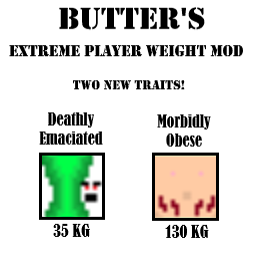
Extreme Player Weights
von 76561198064944451
This mod adds two new traits to the game! Morbidly Obese: Starting Weight of 130kg. Maxed out calories (3700) at game start. You'd better start eating healthy now that hell has broke loose! Deathly Emaciated: Starting Weight of 35.15kg. Bottomed out calories (-2200) at game start. You desperately need something to eat, you have roughly ~3 hours before you starting dying from starvation. Lucky for you the apocalypse has begun and you can take what you need to live! IMPORTANT: Due to the way the backend Java code handles player weight these traits will immediately be written over by Obese or Emaciated depending on your selection. This means your character screen will not show these traits. Furthermore, I cannot add any special effects from these traits as they will always use the stats of Obese / Emaciated for character ability calculations. These traits just serve as a way to set your weights to their min and max at the start, which provides an extra challenge in of itself. These traits must be added to a NEW character. Finally, these traits are mutually exclusive with the following other traits: Morbidly Obese conflicts with... Obese Overweight Underweight Very Underweight Emaciated Deathly Emaciated Fit Athletic Light Eater ** Unimplemented Conflicts - It is conceivable that the character used to have these skills ** Jogger Gymnast Deathly Emaciated conflicts with... Morbidly Obese Obese Overweight Underweight Very Underweight Emaciated Athletic Stout Strong ** Unimplemented Conflicts - It is conceivable that the character was starving and did not have access to food ** Hearty Appetite This mod is the first one I've ever made for any game. I made it in preparation for a video series I'll be doing if I'm free enough with work to do it! I'll also be adding further mods in relation to that in the future as part of a collection. I'd also like to thank the creators of the More Traits mod as examining their mod's contents greatly helped me understand how to implement my own traits in relation to character weight, and the overall PZ modding process. If any issues or bugs arise please let me know in the comments. Workshop ID: 2907931151 Mod ID: EXTPWT
![[42] Lilypool (Beta) by TwinCrows – Project Zomboid Mod](https://images.steamusercontent.com/ugc/56962680128333746/5B5EE761AB3C1D758C2FFC85F5EBD40FD3619C94/)
[42] Lilypool (Beta) by TwinCrows
von 76561197985184545
OVERVIEW: Lilypool is a small town nestled among ponds and lakes, in the proximity of Sunderland Hills Sanatorium. It's located at cells 11,22 and 12,22. This is a BETA release, it's fully playable, however Foraging zones are incorrect (forest everywhere). LORE: Lilypool was a backwater until the Apogee Memorial Hospital was funded by a mysterious benefactor, revitalizing the town. Ever since, people have practically flooded the town, eager to make use of its healthcare facilities. GAMEPLAY: There are spawn locations for each profession. Doctors/nurses/security guards in the hospital. Police/fire in their own buildings, with a chance for police to spawn in hospital bed. Recommend changing your 'Zombies do not spawn in building' setting to 'Zombies do not spawn in room', due to how I set up the spawns around large buildings such as the hospital and condos. The map is intended for zombies to spawn in the same large buildings/townhouses as you. There are vehicle spawns, including good vehicles, as well as possible spawns for police cars, fire trucks, ambulances, and a few wrecks. There are story zones, mostly camp and lakeside sites in the west trails. There are zombie type spawns, and so you will see doctors, pharmacists, police, firefighter, and army types. Zombie populations have been balanced to match elsewhere in Kentucky. The main-street hospital is packed with zombies, but the rest of Lilypool is mostly rural. It's a 2-cell town, but most of it is within 1 cell, and so it's a fairly small town on its own in the woods, with its own hospital and perhaps 50 local residents. KNOWN ISSUES: 1. Foraging biomes are not set up correctly CREDITS: Daddy Dirkie dirk for his immensely valuable tutorials. Nasimo for Community Center Township, which I used for the file structure. Alree for the TileZed/WorldEd Unofficial Fork for B42 Workshop ID: 3440983634 Mod ID: Lilypool Mod ID: Lilypool Map Folder: Lilypool
![Zombies With Player Animations [B41] – Project Zomboid Mod](https://images.steamusercontent.com/ugc/1798648461454716959/945F4D44829AC2B9303D2CF68D6B2CE2DC54AFCD/)
Zombies With Player Animations [B41]
von 76561199079709559
"Project Humanoid" Workshop ID: 2867602810 Mod ID: ZWPA
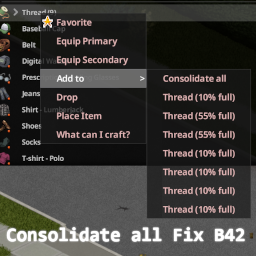
Consolidate All Fix (B42)
von 76561198067067280
Fixes the "Consolidate all" button in the context menu for Build 42. This mod will be removed once the issue is fixed in the vanilla game. Works on Stable Version Since the issue has somewhat been fixed after more than a year, here is my attempt at a fix for the Stable version. Without the mod the consolidation occurs until the first item is consolidated, but no subsequent items will be consolidated. With the mod it consolidates things until there is no more to consolidate. Workshop ID: 3485382965 Mod ID: ConsolidatedAllFixB42
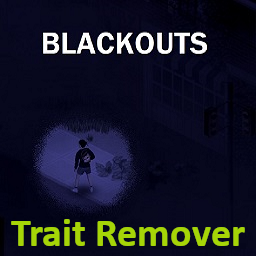
Blackouts Trait Remover
von 76561198276941338
Are you a Blackouts user who wants to remove the trait that it adds? This one's for you. Workshop ID: 3243197124 Mod ID: BlackoutsTraitRemover
![[B42/41] BeNTheHunter's 1995 Mitsubishi Lancer – Project Zomboid Mod](https://images.steamusercontent.com/ugc/4040836193204906/8924AE653411974AE1370732A3F71108FD913A50/)
[B42/41] BeNTheHunter's 1995 Mitsubishi Lancer
von 76561198246710042
---------- Regarding the release of Build 42 stable ---------- The mod should be unaffected by the changes made to the game by the stable release of Build 42. If you find any issues, please leave a comment in the comment sections. There is a small bug currently which makes the car's name not display correctly in the mechanics menu. This will be fixed in the coming days. Support for Build 41 will continue for the time being. ---------------------------------------------------------------- In 1995 after enjoying high acclaim for the Lancer lineup's motorsport track record, Mitsubishi released the 6th generation Lancer. The 6th generation was developed in a "Total Evolution" mindset with the aim of creating a "new generation basic car" using the same dimensions as the 5th generation, while being revamped inside and out, featuring more living space for the driver and passangers as well as a slight increase in trunk volume. The 6th generation was produced with 8 different engines including a new 1,5 liter DOCH, 1,8 liter V6 and a 1,6 liter MIVEC engine. The 6th generation Lancer was the basis for the Lancer Evolution IV, V and VI. Description Although this car was made 2 years after the game takes place, It still makes a very good companion for the survivors of the apocalypse. With a somewhat spacious trunk (at least compared to other sedans) the 6th gen Lancer makes you able to get a good ammount of stuff from point A to point B without too much hassle. You can carry a generator and you still have some space left over. The car comes in 11 different genuine Mitsubishi factory colors, but you can also occasionally come across random colored ones which were given custom paintjobs by their owners (HSV random color selector). Just like the other car mods I made this version of the Lancer is also ready to tow or be towed by other vehicles. My other mods 1991 Mitsubishi Lancer Sedan (5th gen): https://steamcommunity.com/sharedfiles/filedetails/?id=3027667583 1992 Mitsubishi Lancer Wagon (5th gen): https://steamcommunity.com/sharedfiles/filedetails/?id=3044794581 1991 Mitsubishi Pajero (2nd gen): https://steamcommunity.com/sharedfiles/filedetails/?id=3525537028 Credits - Original creator: BeNTheHunter Disclaimer This mod cannot be in any way modified or redistributed without the permission of the original creator. This means that it cannot be added to, extended, repacked or reuploaded by a third party and must not be tampered with without permission from the original creator. If you find any bugs, or want to share your thoughts about changing certain aspects of the mod, do so in the comment section of the mod's Steam Workshop page. Workshop ID: 3141457368 Mod ID: BeN95Lancer
Fix PZNS NPC Framework Awkward Movement
von 76561198316491144
This is a quick fix for awkward twitching movement for companions NPCs. Extracted from mod TNP ADDON - Armed Squad. Eventually this fix will be on main project of PZNS NPC Framework, but for a while ... Possible Causes of twitching movement on original PZNS Framework: 1. Unnecessary or too frequent calls for "Clear NPC Action Queue" function. 2. Machine dependent tick configuration. As the "render tick event" is dependent of fps, the mod will behave differently with unlocked framerate, vsync, or any different locked framerate configuration. This mods override the "Companion Job" so any other mod that do the same could conflict with this mod. Feature: 1. Configure the Tick update for the variable jobTick in PZNS NPC Framework using (mod options) mod. Increasing this variable will decrease the AI updates, so the calls for "clear npc action" and update position etc will be less frequent, decreasing the twitching. Workshop ID: 3067591143 Mod ID: pzns_fix_awkward_mov

Band Shirts
von 76561198799314349
Disclaimer: They appear in game as shirts instead of t-shirts which I need to fix in a future update. Includes 60 Band Shirts for you and the zombies to wear. Shirts Included: ACDC Alice Cooper 2 Alice In Chains Shirts Anthrax Beavis And Butthead 2 Black Sabbath Shirts Blondie Boston Butthole Surfers Cannibal Corpse Crowbar Cypress Hill Danzig Death Row Records Def Leppard Dr. Dre Eazy-E Faith No More Fleetwood Mac 2 Guns N' Roses Shirts Helmet Ice Cube Iron Maiden Jimi Hendrix KISS Led Zeppelin Lynyrd Skynyrd Mayhem 3 Megadeth Shirts 3 Metallica Shirts Ministry Misfits Motley Crue Nine Inch Nails 3 Nirvana Shirts NWA Ozzy Osbourne 2 Pantera Shirts Pearl Jam Pink Floyd Queen Ramones Red Hot Chili Peppers Run DMC Slayer Skidrow Smashing Pumpkins Soundgarden Stone Temple Pilots Sub Pop Sublime Suicidal Tendencies The Beatles The Cure The Doors The Rolling Stones The Smiths The Who Type O Negative White Zombie Willie Nelson Wu-Tang Clan Workshop ID: 3691535369 Mod ID: bandshirts
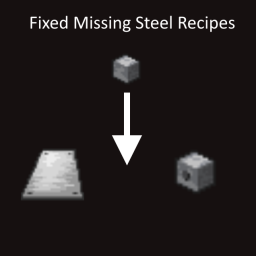
(PROBABLY OUTDATED) Fixed Missing Steel Recipes
von 76561198334035218
Adds some missing recipes for piercing steel blocks in the forge and also making steel sheets out of steel. Before you could only use iron to make steel sheets for some strange reason. Workshop ID: 3426916863 Mod ID: MissingSteelRecipes

UFP - Soul Filcher's Awesome / Farming Time Patch
von 76561198131954636
Adds general compatibility between Soul Filcher's Awesome / Farming Time and Ultimate Farming Patch . Awesome Time and Farming Time may become seperate patchers in the future. Workshop ID: 3222577209 Mod ID: UFPSF
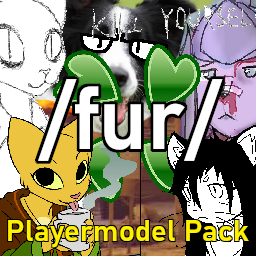
fur model pack
von 76561199586404618
Adds various anthro models inspired by /fur/ characters, as well as some kemono characters and anything else I sloppily model. Should work in build 42 unless I broke something (again) Workshop ID: 3119666843 Mod ID: FurPack
Project Zomboid Details →
Project Zomboid Guides
Project Zomboid Mods installieren - Workshop Guide
Installiere Project-Zomboid-Mods sauber per Steam Workshop: IDs eintragen, Reihenfolge prüfen, Server neu starten und typische Fehler beheben.
Project Zomboid Build 42 auf dem eigenen Server: Umstieg, Spielstände und Mods
Build 42 ist Stable: Spielstände aus Build 41 sind nicht kompatibel. Umstieg, legacy41-Zweig, neue Serveroptionen, Anti-Cheat und der Hotfix 42.20.1 gegen Serverlag.
Project Zomboid Server mieten – Multiplayer Guide
Project Zomboid Server einrichten: RAM, Sandbox-Einstellungen, Workshop-Mods, Admin-Rechte und typische Fehler sauber prüfen.
Project Zomboid Server mit Mod-Support
Kompatible, unterstützte Mods über das Server-Dashboard installieren.
Project Zomboid Server mieten