Project Zomboid Mods für Server
Für einen modifizierten Project-Zomboid-Server brauchst du pro Projekt die Steam-Workshop-ID und die interne Mod-ID. Prüfe zusätzlich Spiel-Build, Abhängigkeiten und Lade-Reihenfolge, bevor du deine Welt mit den Änderungen startest.
Project Zomboid Mods sicher installieren
Ein Workshop-Abo allein aktiviert eine Mod auf dem Dedicated Server nicht. Die Einträge in `WorkshopItems=` und `Mods=` müssen zusammenpassen; außerdem muss jede Mod den gewählten Build 41 oder Build 42 ausdrücklich unterstützen.
- 1. Build prüfen: Build-41- und Build-42-Mods nicht ungeprüft mischen.
- 2. Workshop-ID, Mod-ID, Abhängigkeiten und erforderliche Reihenfolge vollständig dokumentieren.
- 3. Welt und Konfiguration sichern, Server neu starten und Logs sowie den Beitritt mit einem Test-Client prüfen.
Die vollständige Schritt-für-Schritt-Anleitung findest du im Project-Zomboid-Mods-Guide. Oder starte direkt mit einem Project Zomboid Server mit Mod-Support.
Häufige Fragen zu Project Zomboid Mods
Was ist der Unterschied zwischen Workshop-ID und Mod-ID?
Die Workshop-ID bezeichnet das Steam-Workshop-Projekt und steuert den Download. Die Mod-ID aktiviert den enthaltenen Mod im Spiel. Auf dem Server müssen beide Listen vollständig und passend gepflegt sein.
Laufen Build-41-Mods automatisch mit Build 42?
Nein. Nutze eine Mod nur dann auf Build 42, wenn ihre Workshop-Seite diese Kompatibilität ausdrücklich bestätigt. Prüfe dabei auch alle Bibliotheken und weiteren Abhängigkeiten.
Wie teste ich ein Mod-Update ohne Risiko für die Welt?
Sichere zuerst Welt, Sandbox-Konfiguration und Server-INI. Aktualisiere danach die zusammengehörigen Mods, starte den Server neu und prüfe Logs, Kernfunktionen und einen vollständigen Client-Beitritt.
Big Chiefs Dynamic Hordes Ultimate Survival
von 76561198097839449
Dynamic Hordes BC Ultimate Survival I wanted hordes in Zomboid that actually feel like hordes. Not just 100 zombies suddenly appearing because a timer went off, and not hundreds of zombies randomly wandering between bits of countryside with no real destination. Large persistent hordes exist around the map, move from town to town, stay in towns for a while, then move on somewhere else. It is heavily inspired by the large travelling herds in The Walking Dead and is built specifically around Build 42.20. What the mod does • Adds between 1 and 8 persistent roaming hordes, configurable in Sandbox Options. • Hordes travel between actual named towns, rather than picking random groups of buildings and calling them settlements. • Includes the legacy towns and newer Build 42 areas including Brandenburg, Echo Creek, Ekron and Irvington. • Hordes continue migrating around the map even when the player is nowhere near them. • When a horde reaches a town it remains and roams there for 1 to 3 in-game days before moving on. • Hordes exist abstractly when far away and gradually become real zombies when they enter the player's loaded area. • Zombies materialise off-screen before you reach the herd rather than suddenly appearing around the player. • Killing physical herd zombies genuinely reduces that herd's persistent population. • Surviving hordes can slowly rebuild their numbers over time. • If a herd falls below the configured collapse percentage, it breaks apart and the remaining zombies become normal stragglers. • Destroyed hordes can eventually be replaced by a new generation elsewhere on the migration network. • Replacement hordes are distributed around the world rather than deliberately spawning near the player. • Individual hordes can be reset from the debug menu and recreated with a fresh migration. Onslaught Mode There is also an optional Onslaught Mode. Turn this on and every active horde stops following its normal town route and begins migrating towards you. They do not teleport. If a horde is on the other side of Kentucky, it has to migrate across the map to reach you. Move somewhere else and the destination moves with you. Turn Onslaught back off and the hordes return to their normal town-to-town migrations. The mod accounts for • Player-built bases - An outdoor courtyard inside a completely walled compound is technically still outdoors. The mod checks Build 42's enclosure regions so a properly enclosed compound is rejected as a spawn area. The horde has to appear outside and get through your defences normally. • Buildings- Horde zombies are not allowed to materialise inside rooms or houses. They can enter them afterwards like normal zombies. • Visible spawning- If a potential spawn square is on-screen, the mod rejects it. • Open wilderness- Forest and countryside squares without a world-region object remain valid if they pass the normal spawn checks. • Saving and loading- Physical herd representatives and persistent abstract population are handled separately to avoid duplication through vanilla zombie virtualisation. • Chunk unloading- Herd zombies are deliberately accounted for before they leave the loaded world. • Horde population- The population shown for a herd is meaningful. Killing herd zombies reduces it. • Horde collapse- A nearly destroyed herd does not continue wandering around pretending to contain hundreds of zombies. • Player detection- One member spotting the player can alert nearby herd zombies, they are pursuing you. • Town distribution- Long-distance migration uses a hand-authored named-town network instead of treating farms, warehouses or random building clusters as towns. • Build 42's expanded map - The migration network includes major newer settlements as well as the legacy towns. Debug tools Debug Mode is off by default. When enabled you can: • See H1, H2, H3 etc on the world map. • See herd population, state, route and destination. • See normal migration lines. • Select and test individual hordes. • Bring a herd near the player for testing. • Reset an individual herd and give it a fresh migration. • Force replacement of a destroyed herd. • Inspect generation and replacement information. During Onslaught Mode the normal migration lines are hidden because the destination is continuously moving with the player, but the individual herd icons remain visible. Sandbox Options Pretty much everything important can be adjusted: • Enable or completely disable Dynamic Hordes. • Number of active hordes. • Minimum and maximum herd population. • Maximum physical zombie representatives per herd. • Horde movement speed. • Horde replacement and replacement delay. • Horde regeneration, delay and speed. • Collapse threshold. • Town roaming and town stay duration. • Collective alert radius. • Player warning dialogue. • Onslaught Mode. • Debug Mode. Why another horde mod? There are already some really interesting horde mods for Zomboid. This is not meant as a dig at any of them. I made this because most of them are trying to solve a slightly different problem, and I wanted to avoid some of the limitations reported on their own Workshop pages and changelogs. Hordes Alpha B42 has reported limitations hordes becoming stuck around buildings with some navigation settings, and inherited notes around player-built structures/custom-map navigation. Dynamic Hordes instead gives its persistent herds known named-town destinations and controlled materialisation rules. Horde Night fundamentally an event/attack mod. Its changelog has historically included fixes for Build 42 spawning, spawn distance, safehouse spawning and multiplayer visibility. Dynamic Hordes is not based around creating a fresh attack because a particular night arrived. The hordes already exist elsewhere on the map and have somewhere they are going. Dynamic Horde Events creates encounters relative to the player's position. Dynamic Hordes is instead a persistent world simulation: normal-mode hordes have their own map position and migration whether you are near them or not. Living Hordes takes the larger approach of replacing the normal spawning and migration simulation. Dynamic Hordes deliberately adds persistent travelling mega-herds on top of the existing apocalypse rather than replacing the entire vanilla zombie population system. Important notes • Currently designed for single player. • Built and tested against Project Zomboid Build 42.20. • No external framework dependency. • Normal zombie behaviour still applies once herd zombies are physically present. • Base protection stops a travelling herd from materialising inside a properly enclosed compound. It does not make the compound safe once the horde arrives outside it. The basic goal I want clearing a town to matter, but I don't want it to mean that town is safe forever. You might clear Rosewood completely. A few weeks later there could be 200 zombies coming down the road from somewhere else. That's the mod. Workshop ID: 3780696417 Mod ID: DynamicHordesBCUltimateSurvival
Loot-Bearing Bandits (Continued) 42.19+
von 76561198222428528
This is a continued version of Loot-Bearing Bandits by Lynch. Several parts of the original mod still relied on older Build 41 APIs, which could cause crashes during startup, initialization, and when killing armed bandits. I updated those systems for Build 42 and applied 15 compatibility and crash fixes so the mod can keep working on current versions of the game. What Was Fixed - Updated the ammunition system for the Build 42 API. - Fixed crashes involving weapons without magazines or valid ammunition data. - Removed a broken game-start event that referenced a missing function. - Added safeguards for missing outfit and weapon information. - Fixed additional errors affecting bandit loot generation and initialization. I don’t claim ownership of the original mod, its code, or any of its assets. All credit belongs to Lynch and anyone else who contributed to the original release. If the original author returns and wants to maintain the mod again, use anything from this update, or ask for this version to be removed, they’re welcome to contact me. Looking for more restored and continued mods? Ulas's Continued Collection If you enjoy these continued mods and would like to help support the time spent updating and maintaining them: Support me on Ko-fi PLEASE READ THE ENTIRE DESCRIPTION BEFORE SUBSCRIBING OR COMMENTING. THANK YOU! Warning to spammers and trash talkers: If you post spam, trash comments, or copy-pastes, you will be blocked immediately. This is your only warning. Did you like the add-on? Show your support by giving it a thumbs up! ABOUT Are zombie bandits and survivors too empty and not worth hunting down? Not anymore! This simple add-on introduces enhanced bandit-type zombies with much more rewarding loot and equipment, making them worth the risk. You can find these new zombies anywhere. FEATURES - Fully compatible with other mods that modify zombie outfits or spawning behavior. - Uses only vanilla firearms, equipment, and items. - Configurable spawn rates. - Tons of random combinations, including clothing, armor, items, backpacks, and weapons. - Does not add any new items or clothing to the game. FREQUENTLY ASKED QUESTIONS Q: Can you make it compatible with a particular weapons mod? A: No. This add-on is designed to work with vanilla content only and will stay that way. Q: Can you add a feature or request? A: Sorry, the original author does not take requests. Q: Which build is supported? A: Build 42 only. Q: Is it safe to remove from an existing save? A: Yes. Q: Will this add-on receive more updates? A: The original release was expected to remain in the version in which it was published and was unlikely to receive further updates. KNOWN ISSUES It appears that the mod may not work correctly on existing saves, although this has not been confirmed. You have been warned. Opinions are very important to the original author. Positive and negative reviews are welcome, but please remain polite. Enjoy! Did you like the original add-on? You can thank the original author with a small donation: Support Lynch on Ko-fi Original Workshop page: Loot-Bearing Bandits Mod ID: Bandit_Zombies_Expanded Workshop ID: 3770497130 Mod ID: LootBearingBanditsContinued

WZ551(不刷新)
von 76561198408285292
服务器活动自用。 Workshop ID: 2899452127 Mod ID: WZ551_APC_Modified
![[B41/B42] Weapon Stat Variance – Project Zomboid Mod](https://images.steamusercontent.com/ugc/9672878328422343/B85B6AE0155873435625336823AE9BB192E9D5AD/)
[B41/B42] Weapon Stat Variance
von 76561198069682455
Weapon Stat Variance This mod will vary the stats of weapons that spawn. It will add up to 15% to weapon stats such as min/max damage, critical chance/multiplier, and Aim/Reload/Recoil stats (for ranged). Exemplary -> overall 13%+ stat bonus Exceptional -> overall +10.5% stat bonus Superior -> overall +8% stat bonus Refined -> overall +5.5% stat bonus This mod is compatible with existing saves and has been tested in both singleplayer and multiplayer. In Single Player, this mod will affect all weapon items (crafted, spawned, or otherwise). In Multiplayer, this mod will only affect weapon items that spawn inside containers and will not affect recipes or admin spawned items Compatible with B41/B42. KNOWN ISSUES ============= 1. Weapons that spawn on zombies in multiplayer will not have updated stats 2. Critical chance % and critical damage multiplier does not set in multiplayer Workshop ID: 3427555526 Mod ID: WeaponStatVariance
WaterDispenserReducedWeight
von 76561198075849472
Reduced weight so allowed to fit inside microwave. Full credit is to creator/developer. I have only changed 4 lines to change weight, everything else was KONIJIMA. Workshop ID: 2979419137 Mod ID: WaterDispenserReducedWeight
Rifle Sling Port
von 76561198450882774
# Infoteo’s Rifle Sling — B42.20.2 **Rifle Sling** es una adaptación y revisión para Project Zomboid basada en el mod original **Rifle Sling**, creado y publicado originalmente en Steam Workshop:https://steamcommunity.com/sharedfiles/filedetails/?id=2644986930 Todo el crédito por la idea, concepto y base original corresponde a su autor original. Esta versión fue revisada, adaptada y optimizada para Build 42.20.2, permitiendo utilizar correas/portafusiles como parte del equipamiento del jugador y mejorando la inmersión, utilidad y estética de personajes armados o enfocados en supervivencia. ## Características principales * Agrega correas/portafusiles para armas largas. * Basado en el mod original **Rifle Sling**. * Actualizado para **Project Zomboid Build 42.20.2**. * Revisado para Singleplayer y Multiplayer. * Adaptado y optimizado para servidores dedicados. * Mejora la inmersión visual de personajes armados. * Ideal para supervivientes, cazadores, militares, policías, roleplay y servidores tácticos. * Aporta una opción práctica y estética para transportar armas largas. * Diseñado para integrarse con el estilo visual de Project Zomboid. * Puede instalarse en una partida ya iniciada. * Puede utilizarse en otros servidores. ## ¿Qué agrega? El mod incorpora correas/portafusiles pensadas para complementar el uso de armas largas dentro del juego. Estas correas ayudan a mejorar la apariencia del personaje y aportan una sensación más realista e inmersiva al equipamiento, especialmente en partidas donde las armas largas, la exploración, la caza o la supervivencia táctica tienen un papel importante. El Rifle Sling está pensado como una pieza adicional de equipamiento que complementa la configuración del personaje sin reemplazar el sistema normal de mochilas, cinturones u otros accesorios. ## Uso recomendado Este mod está especialmente recomendado para: * Servidores Roleplay. * Servidores militares o tácticos. * Partidas de supervivencia hardcore. * Personajes cazadores. * Personajes policías o militares. * Comunidades Multiplayer. * Servidores PvE. * Servidores PvP. * Jugadores que buscan mayor inmersión con armas largas. * Partidas donde el equipamiento visual del personaje tiene especial importancia. ## Balance e integración Rifle Sling está pensado principalmente como un mod de **equipamiento, inmersión y utilidad visual**. No busca romper el balance del juego ni proporcionar ventajas exageradas. Su objetivo es incorporar una opción coherente para personajes que utilizan armas largas o buscan una apariencia más preparada para situaciones de supervivencia. La intención es mantener una integración cercana al estilo vanilla, aportando variedad y realismo sin sobrecargar la experiencia. ## Notas importantes Este mod agrega y adapta equipamiento relacionado con armas largas y con el sistema visual de equipamiento del personaje. Aunque esta versión fue revisada para reducir conflictos, otros mods que modifiquen profundamente cualquiera de los siguientes sistemas podrían alterar el resultado final: * Armas. * Modelos de armas. * Attachment Points. * BodyLocations. * Ropa. * Equipamiento visual. * Inventario. * Hotbar. * Mochilas. * Holsters. * Webbing. * Animaciones. * Modelos del personaje. ## Créditos Agradecimiento especial al autor original de **Rifle Sling** por la creación, concepto y base original del mod. **Mod original:** Rifle Sling **Workshop original:** https://steamcommunity.com/sharedfiles/filedetails/?id=2644986930 Todos los créditos correspondientes al trabajo original pertenecen a su respectivo autor. Esta versión corresponde a una adaptación, revisión y actualización de compatibilidad para Build 42.20.2. ## Agradecimientos / Special Thanks Agradecimiento especial a **MineHost** por su apoyo a la comunidad y por brindar servicios de hosting para servidores de Project Zomboid. Thanks to **MineHost** for their support and hosting services for the Project Zomboid community. ## Permission & Redistribution Notice Este mod es una adaptación/revisión basada en el mod original **Rifle Sling**, cuyo crédito y derechos originales corresponden a su respectivo autor. Todos los permisos de esta adaptación se encuentran sujetos también a los derechos y condiciones establecidos por el autor original. Esta versión adaptada no puede ser copiada, resubida, redistribuida, espejada, republicada, empaquetada, incluida en modpacks, almacenada en sitios de terceros, utilizada como base para otras publicaciones ni utilizada total o parcialmente sin autorización escrita explícita cuando corresponda. Queda expresamente prohibido realizar **forks públicos o privados de esta adaptación**, totales o parciales, con o sin modificaciones, sin autorización escrita explícita. También queda prohibido extraer, reutilizar, adaptar, renombrar, modificar o redistribuir archivos, scripts, assets, sonidos, texturas, configuraciones, código Lua, traducciones o cualquier otra parte específica de esta adaptación sin autorización correspondiente. Las **colecciones de Steam Workshop que únicamente enlacen a la publicación original** pueden hacerlo siempre que no incluyan, empaqueten o redistribuyan una copia de los archivos del mod. Se permite compartir el enlace oficial de Steam Workshop. Cualquier copia, fork, redistribución, reupload, modificación no autorizada, publicación alternativa o almacenamiento externo de esta adaptación deberá respetar tanto los permisos establecidos para esta versión como los derechos del autor del mod original. Workshop ID: 3736120991 Mod ID: infoteosriflesling
![[DEPRECATED] Propane and Gasoline Balanced – Project Zomboid Mod](https://images.steamusercontent.com/ugc/1871836941651755732/4B26A84BD42AF5AE19C3531CDF96F8F88B21B1C1/)
[DEPRECATED] Propane and Gasoline Balanced
von 76561197995357233
A slightly harder version of making propane and gas products. Adds Gas as a prereq to propane, and sugar to distill gasoline. Its advisable to get a supporting mod to produce sugar. Fixed and balanced for Update 41.78 Distill Propane (Heat the Distiller with Water in the oven and right click on it to Distill Propane): Logs x 1 Water x 20 units (Heated) Gasoline x 1 units Requires a Propane tank and the Distiller nearby OR Planks x 2 Water x 10 units (Heated) Gasoline x 2 units Requires a Propane tank and the Distiller nearby --- Distill Gas (Heat the Distiller with Water in the oven and right click on it to Distill Gas): Logs x 2 Water x 20 units (Heated) Sugar/SugarBrown/Yeast x 1 Requires a Propane tank and the Distiller nearby --- Create Distiller: Pot x 1 Sheet Metal x 1 Metal Pipes x 2 Propane Torch x 5 units of fuel Metal Working 5 Required --- Create Empty Propane Tank: Sheet Metal x 5 Small Sheet Metal x 3 Door Knob x 1 Screws x 12 Propane Torch x 5 units of fuel Metal Working 5 Required Big thanks to the original mod here: https://steamcommunity.com/sharedfiles/filedetails/?id=2651349283 Workshop ID: 2888840260 Mod ID: PropaneandGasolineHarderBalanced
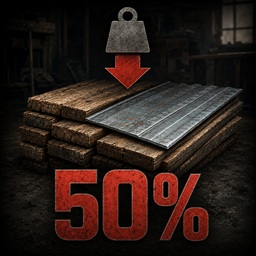
Metal, Wood & Stone Materials - 50% Weight
von 76561198147971407
Reduces the weight of wooden, metal and stone crafting/building materials by 50%. Compatible with Project Zomboid Stable 42.20 and multiplayer. Does not reduce the weight of weapons, tools, furniture or cookware. Workshop ID: 3777372817 Mod ID: MetalWoodHalfWeight
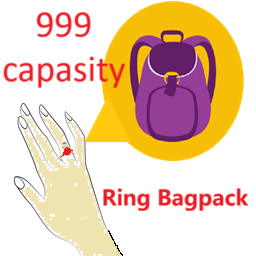
999 Capacity Ring Bagpack 42.13
von 76561198287491810
Fixed Now you can equip 4 rings normally. Add 4 space rings (bagkpack). A backpack that can be carried on finger Recipe: Make a ring with 50 RippedSheets.Each ring has a capacity of 999, reducing weight by 100% You can use, modify, and move my MOD, but please indicate where it comes from and provide a link. 已修复 现在已经能正常装备4个戒指了。 增加4个位置为手指的背包。而且不和其他MOD冲突。 配方: 50个RippedSheets做一个戒指。每个戒指容量50,减重100%. 你可以随便使用、修改、搬运我的这个MOD,只要你说明原作者是我。 Workshop ID: 3451831078 Mod ID: Dios Ring Mod ID: Dios Ring
waifu
von 76561199219836238
10%刷新率 伤害正常 模型腿部接缝改了 Workshop ID: 3084811322 Mod ID: waifu zombie Mod ID: sound
![[RE-UPLOAD] ZREs - mealZ Ready to Eat (build 41) – Project Zomboid Mod](https://images.steamusercontent.com/ugc/2499011470326817167/9646225B7D0BF806D2F42A26564129C0D76196D9/)
[RE-UPLOAD] ZREs - mealZ Ready to Eat (build 41)
von 76561199310235509
Become the ultimate survivalist with these military surplus rations. It's no fun to be spoonfed how to find these, but they'll turn up in places where it would be reasonable for them to be! There's several different entrees, sides and beverages. Unlike the real-life version, the contents of a MRE are completely random, and, to avoid these being too OP, do not contain all of the items you find in the real-life MREs. Special thanks to Paw Low for making the models, sprites and cute icons used in this mod. If you enjoy this mod please consider tipping the creator: ko-fi.com/planetalgol Or subscribe to my Patreon: patreon.com/planetalgol Copyright 2022 planetalgol. This item is not authorized for posting on Steam, except under the Steam account named planetalgol, or with the copyright holder's explicit permission. Redistribution of this mod without explicit permission from the original creator is prohibited under any circumstances. This includes, but not limited to, uploading these mods to the Steam Workshop or any other site, distribution as part of another mod or modpack, and distribution of modified versions. Workshop ID: 2372994639 ( ORIGINAL AND OLD ID, DO NOT USE AND PLEASE OVERWRITE WITH NEW ONE ) Mod ID: ZREs Received from >> GushingGranny << to be re-uploaded! Workshop ID: 3241724256 Mod ID: ZREs
![[B42] omnom's Black & Brown Alice Pack & Belt – Project Zomboid Mod](https://images.steamusercontent.com/ugc/15920568122046199671/0D3FFFAEBC593FFDE1CA4B6B9AA96C47B8314E47/)
[B42] omnom's Black & Brown Alice Pack & Belt
von 76561198000108494
Added black and brown colour variants of the Alice Suspender Belt and Alice Backpack. These Alice Suspender Belt variants are worn on the belt slot so you can wear a chest rig with it. They can be found in Gunstores, Military Surplus stores and Military zones. Future update : Working to add them into the soldier zombie loot pool. More colour varieties by request. Workshop ID: 3525380133 Mod ID: omnom's Alice Belts & Backpacks

TraditionalTurkishFoods
von 76561198410097956
We are serving the traditional turkish foods to especially turkish server players and global players. In this mod 12 new items, 15 recipes and making of milk and yoghurt has been added. Earning cooking Xp from recipes. Added Items - Kebap - Sarma - Baklava - Pide - Lahmacun - Ayran - Boiled Potato (Potatoes for milk making) - Potato Milk - Dolma - Şalgam - Dürüm - Turkish Delight Added Recipes - Make Kebap - Make Food Mix (for making Dolma and Sarma) - Make Dolma - Make Baklava - Make Pide - Make Lahmacun - Make Ayran - Make Boiled Potato - Make Potato Milk - Make Yoghurt - Make Şalgam - Make Dürüm - Make Turkish Delight Workshop ID: 3019654757 Mod ID: TraditionalTurkishFoods
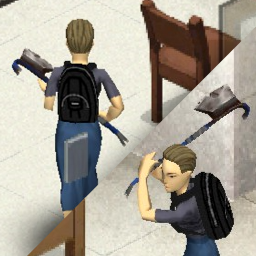
BasedCrowaxe
von 76561198005261007
Adds a craftable "Crowaxe" to the game. Functions as both an Axe and a Crowbar. Does less damage then the Axe, is less durable then the Crowbar. Only craftable, cannot be found in the world. Found under the Metalworking crafting tab. Workshop ID: 2992050231 Mod ID: BasedCrowaxe

Skill Tapes - Video Meister Patch
von 76561198076948732
This patch was made to update the Video Meister mod when used in conjunction with my Skill Tapes series. Currently the majority of skills are supported by Video Meister, but as there are no vanilla VHS tapes that award XP for the new B42 skills, the newer Skill Tapes series are not (you will not see the XP award information for these tapes). This patch mod rectifies that, adding in the new skill information so that Video Meister can do it's job. I have also added the required information for the Combat Tapes mod, and the modded skill tapes for Driving, Scavenging and Woodcutting. Please note, like the Video Meister mod, the tooltip information displayed will remain for any save game that has had the mod enabled, even if the mod is deactivated for that save game. Workshop ID: 3407792681 Mod ID: P4VideoMeisterPatch
Project Signalis Overhaul
von 76561198191467838
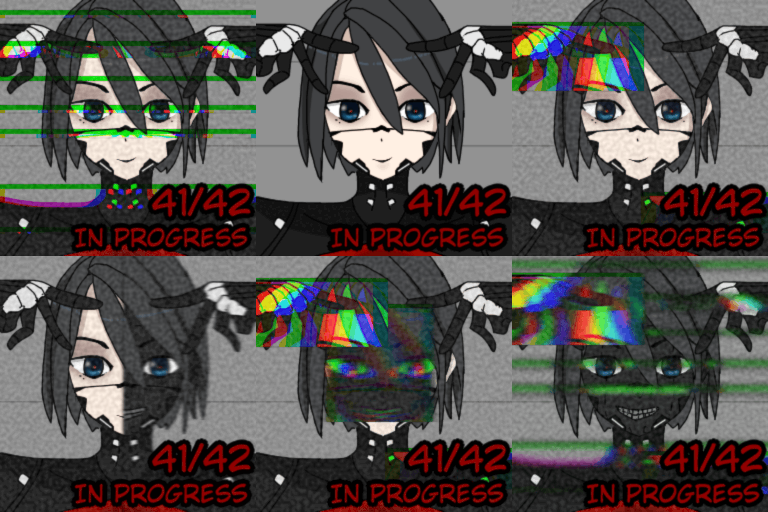
Signalis Overhaul is in progress. Compatible with Project Signalis but don't enable the main Signalis. Warning: If you are still using Build 41 Mod, enable the additional weapons section to prevent this from happening. - Fix Weapons muzzle flash - Fix spawn weapons - Add Sitting weapons Sandbox - Small bullet conversion 10mm to .45acp and 9mm to 8mm Unready - Reload BW-5 like Double barreled shotgun, I can't change model open BW-5 (it make me late update) Update fix Build 41 - Add old weapons back (I didn't know I deleted it because it was a firearm, not a weapon T-T sorry form I do that) - can craft all Replika Unit from item fit the game (not have craft item Gestalt not as all, have some Gloves Gestalt) After Update: I will customize the new remake model, ability, and build or other section, it will result in future updates being not able to play old save Future plans: - Added special features to Replika - Added items that heal only Replika - Fixed the clothing model - Fixed the gun model - Added add-ons for Replika Base mod from Project Signalis (I just saw that Project Signalis wasn't updated so I wanted to do something) Supported languages - EN - TH - DE - RU - CH - CN - JP - KO Support way & looking news about update dav (This support is for mod developers and other channels for displaying work) Workshop ID: 3454660496 Mod ID: SignalisOverhaul_AEON_Weapons Mod ID: SignalisOverhaul Mod ID: SignalisOverhaul_NextGen Mod ID: SignalisOverhaul_nonz
Asthma mod
von 76561198125800394
This mod introduces a new trait called "Asthmatic", adding a challenging layer to survival by affecting stamina and overall character condition. Asthmatic characters may suffer from breathlessness attacks triggered by stress, panic, extreme temperatures, and other factors. To manage symptoms, an inhaler is included as a temporary relief item. Key Features: - "Asthma" Trait (12 points): - Reduces stamina and increases vulnerability to stress, panic, and extreme temperatures. - Incompatible with the "Smoker" and "Athletic" traits. Asthma Attacks: - Can occur due to low stamina, high stress, panic, or exposure to cold/heat. - Cause coughing, reduce health, and drain stamina completely. Inhaler Item: - Temporarily relieves asthma symptoms during an attack. - Spawns in medical facilities, pharmacies, and other logical locations. - Reduces panic and partially restores stamina. Installation & Compatibility: Works on Build 42. No major conflicts with vanilla gameplay, but caution is advised with other mods affecting traits or medical items. Perfect for players seeking extra realism and survival challenges! Lang: ENG | RUS Discord: https://discord.gg/F7mu3KnxVM SUPPORT If you want to support the author, any encouragement is always welcome... 5208 1300 9668 4653 Alpha (MasterCard) 9112 3880 3498 8027 СберБанк (МИР) 9112 3820 9809 6645 Priorbank (МИР) WARNING! Mod permissions according to MIT License rules: Attribution required. You are free to use, modify, and distribute this mod. You may include it in your modpacks provided that you retain the original copyright notice and give proper attribution in the description of derivative works. Author DocRP © 2017 MLD Workshop ID: 3470657747 Mod ID: mldAsthma

不在服装店 防冲突
von 76561198848481734
删除了超人和吉尔伽美什 Workshop ID: 2999799579 Mod ID: Cosplaywa_miaofu

Infoteo's Claim Vehicle
von 76561198450882774
# Infoteo Claim Vehicle — Build 42.20.2 **Infoteo Claim Vehicle** permite a los jugadores reclamar vehículos y asignarles un propietario dentro de partidas individuales y servidores multijugador. Una vez reclamado, el vehículo queda protegido mediante permisos configurables que determinan quién puede conducirlo, utilizar sus asientos, acceder al baúl, extraer combustible o manipular sus piezas mecánicas. ## Características * Permite reclamar vehículos mediante una licencia. * Establece un límite configurable de vehículos por jugador. * Protege vehículos frente a jugadores no autorizados. * Permite compartir el acceso con miembros de una facción o casa segura. * Incluye permisos independientes para: * conducir; * viajar como pasajero; * abrir el baúl y otros contenedores; * transferir objetos; * extraer combustible; * desmontar piezas; * retirar piezas del motor; * inflar o desinflar neumáticos; * enganchar y desenganchar remolques; * reciclar o destruir vehículos. * Incluye un panel para consultar vehículos reclamados, ubicación y tiempo restante. * Incluye herramientas administrativas para gestionar reclamos. * Permite liberar automáticamente vehículos cuyos propietarios permanezcan inactivos. * Compatible con vehículos vanilla y vehículos de otros mods que utilicen el sistema estándar. * Compatible con servidores multijugador dedicados. * Adaptado para **Project Zomboid Build 42.20.2**. Las operaciones importantes son verificadas directamente por el servidor, incluyendo reclamos, liberaciones, permisos, licencias, transferencias y acciones mecánicas. Los miembros autorizados de una facción o casa segura pueden utilizar el vehículo según la configuración establecida, pero únicamente el propietario o un administrador puede cambiar sus permisos o liberar la propiedad. ## Agradecimientos Agradecimiento especial a **MineHost** por proporcionar el alojamiento y el entorno de servidor utilizado para realizar pruebas de funcionamiento, seguridad, sincronización y compatibilidad en multijugador dedicado. Su colaboración permite continuar desarrollando, revisando y adaptando mods para las nuevas versiones de Project Zomboid. ## Permission & Redistribution Notice Este mod no puede ser copiado, resubido, redistribuido, espejado, modificado, republicado, empaquetado, incorporado en colecciones privadas o públicas, incluido en modpacks, almacenado en sitios de terceros, utilizado como base para otros mods, ni utilizado total o parcialmente sin autorización escrita explícita del autor. Queda expresamente prohibido realizar forks de este mod, ya sea de forma pública o privada, total o parcial, con o sin modificaciones, sin permiso escrito explícito del autor. También queda prohibido extraer, reutilizar, adaptar, renombrar, modificar o redistribuir cualquiera de sus archivos, scripts, assets, sonidos, texturas, configuraciones, código Lua, traducciones o partes internas sin autorización escrita explícita. Se permite únicamente compartir el enlace original de Steam Workshop. Cualquier copia, fork, redistribución, reupload, modificación no autorizada, uso parcial, uso total, publicación alternativa o almacenamiento fuera de la página original será considerado una infracción a los permisos establecidos por el autor. Workshop ID: 3652548151 Mod ID: InfoteoClaimVehicle
Wheelbarrow
von 76561198186790309
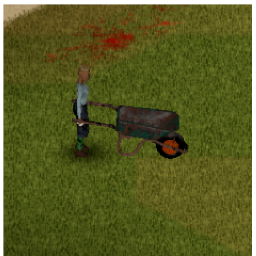
A working pushable wheelbarrow to help making moving things easier! A great way to transport heavy materials like Logs and planks! How to use: Craft the wheelbarrow using sheet metal, screws, a hammer, and a screwdriver. Once it is in inventory, equip the wheelbarrow to both hands and roll near the items you need to pick up. Drag the loot from the floor or nearby containers into the wheelbarrow WHILE IT IS EQUIPPED. Push the wheelbarrow to wherever you need to unload. You can unload while it is equipped still or can drop it and unload it as you wish. This wheelbarrow has a capacity of 200 and is an AMAZING way to move around wood and other materials. **If the wheelbarrow is unequipped and you load it full you wont be able to pick it up due to being too heavy, so make sure to load it while it is equipped!!** Tested in both solo and multiplayer and it works great! Workshop ID: 3424572331 Mod ID: Wheelbarrow
![ORGM Expanded [Discontinued / B40.x] – Project Zomboid Mod](https://images.steamusercontent.com/ugc/780747930169944001/00687D31DB238738CFCE0C267277EBC9CEA33E23/)
ORGM Expanded [Discontinued / B40.x]
von 76561198022961009
This mod is on indefinite hiatus, at least until such a time that B41 hits multiplayer and is stable, there's just too much work needed to be done to update to B41 that I'm not going to consider it until said build is done and ready. I apollogize for any inconvenience this may cause. I am granting a non exclusive, non transferable license to the PZ community to use limited content within this mod for the purposes of furthering the enjoyment of Project Zomboid. The following content is covered by this license: 3d models, textures, and the config files explicitly concerning the individual weapons themselves. The sounds, and other aspects of this mod are not covered by the license above and may not be used without explicit written permission from the authors of the ORGM mod. Should I continue developing this mod when B41 drops to MP, the license above will cease in effect for any new usage of the contents within this mod at that time, any use prior will still be covered by the license. The revocation of the license will be marked the removal of in the mod page's title. This mod expands upon the selection of ORGM weapons. Build 40.x is required for this mod to work. (I have not tested any other versions so your mileage might vary. It might work, it might not.) This is an ORGM Addon, and thus requires the ORGM base mod to function. Download it here:https://steamcommunity.com/workshop/filedetails/?id=514618604 This mod could never have been created without the generous assitance of Hurley636, Fenris_Wolf, and Filibuster Rhymes. Download their mods here: https://steamcommunity.com/workshop/filedetails/?id=514618604 ORGM https://steamcommunity.com/sharedfiles/filedetails/?id=1510950729 Filibuster Rhymes' Used Cars! This mod is currently in an early stage, expect imbalances, limited, and non functioning content. Workshop ID: 1987186043 Mod ID: ORGMExpanded
SMB Street Names
von 76561198005360199
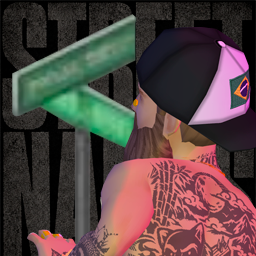
What it does Lets you navigate diegetically when map location is disabled. You read physical world objects and your character says only the street information that can be confirmed from the active map data. The mod does not open, reveal, or modify the map. How to use Right-click on: - Mailboxes (Mailbox) - Post boxes (PostBox) - Payphones (Payphone) - ATMs (ATM) - Street signs (Street Signs) - Intersection signs (Intersection) What shows up - A real street name when the object can be associated with confidence - A real intersection only when the streets geometrically cross at that object - Varied spoken observations that cycle without immediate repetition - A short immersive failure message when the object does not provide enough information - No invented house numbers, no coordinates, and no GPS-style fallback when the object is inconclusive Supported maps Build 42 maps that include media/maps/<map>/streets.xml are detected automatically from the active map list. The mod also keeps bundled fallback data for: - Vanilla - CamdenCounty - EdsAutoSalvageB42 - LittleTownship - RavenCreek - Tikitown - WestPointExpansion - Maplewood Want to add street names to your map? Include streets.xml in your map folder. If the map has no street data, the mod cannot invent real street names. ALWAYS CHECK THE RELEASE NOTES ALWAYS CHECK THE RELEASE NOTES ALWAYS CHECK THE RELEASE NOTES Workshop ID: 3647280706 Mod ID: SMBStreetNames
Makeshift Items+
von 76561198090050203
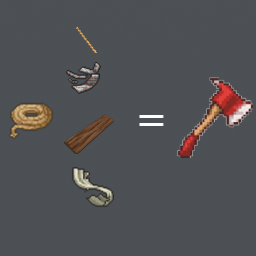
Adds a variety of makeshift items to the game, including a propane torch, makeshift axe, and more. This is My first Ever mod Im still testing here are all the recipes by version 1.0 Makeshift Axe: 4 Unusable metal, 1 Sheet rope, 3 Ripped sheets, 1 Rope 2 Sturdy Stick. Scrapping Unusable Metal from pop cans! You need 1 empty pop can to get 2 unusable metal to make the axe! Bandage: 1 Tissue 2 Ripped sheets More items coming in the future! Stay Tuned (this mod is a little unbalanced) Workshop ID: 2950619430 Mod ID: makeshiftitems+
FNAF Window Scare Alert Mod
von 76561198045663440
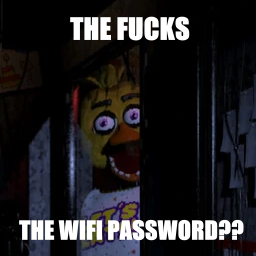
Replaces the jumpscare violins with the FNAF window jumpscare sound Workshop ID: 2731573425 Mod ID: FnafWindowScare
Project Zomboid Details →
Project Zomboid Guides
Project Zomboid Mods installieren - Workshop Guide
Installiere Project-Zomboid-Mods sauber per Steam Workshop: IDs eintragen, Reihenfolge prüfen, Server neu starten und typische Fehler beheben.
Project Zomboid Build 42 auf dem eigenen Server: Umstieg, Spielstände und Mods
Build 42 ist Stable: Spielstände aus Build 41 sind nicht kompatibel. Umstieg, legacy41-Zweig, neue Serveroptionen, Anti-Cheat und der Hotfix 42.20.1 gegen Serverlag.
Project Zomboid Server mieten – Multiplayer Guide
Project Zomboid Server einrichten: RAM, Sandbox-Einstellungen, Workshop-Mods, Admin-Rechte und typische Fehler sauber prüfen.
Project Zomboid Server mit Mod-Support
Kompatible, unterstützte Mods über das Server-Dashboard installieren.
Project Zomboid Server mieten