Project Zomboid Mods für Server
Für einen modifizierten Project-Zomboid-Server brauchst du pro Projekt die Steam-Workshop-ID und die interne Mod-ID. Prüfe zusätzlich Spiel-Build, Abhängigkeiten und Lade-Reihenfolge, bevor du deine Welt mit den Änderungen startest.
Project Zomboid Mods sicher installieren
Ein Workshop-Abo allein aktiviert eine Mod auf dem Dedicated Server nicht. Die Einträge in `WorkshopItems=` und `Mods=` müssen zusammenpassen; außerdem muss jede Mod den gewählten Build 41 oder Build 42 ausdrücklich unterstützen.
- 1. Build prüfen: Build-41- und Build-42-Mods nicht ungeprüft mischen.
- 2. Workshop-ID, Mod-ID, Abhängigkeiten und erforderliche Reihenfolge vollständig dokumentieren.
- 3. Welt und Konfiguration sichern, Server neu starten und Logs sowie den Beitritt mit einem Test-Client prüfen.
Die vollständige Schritt-für-Schritt-Anleitung findest du im Project-Zomboid-Mods-Guide. Oder starte direkt mit einem Project Zomboid Server mit Mod-Support.
Häufige Fragen zu Project Zomboid Mods
Was ist der Unterschied zwischen Workshop-ID und Mod-ID?
Die Workshop-ID bezeichnet das Steam-Workshop-Projekt und steuert den Download. Die Mod-ID aktiviert den enthaltenen Mod im Spiel. Auf dem Server müssen beide Listen vollständig und passend gepflegt sein.
Laufen Build-41-Mods automatisch mit Build 42?
Nein. Nutze eine Mod nur dann auf Build 42, wenn ihre Workshop-Seite diese Kompatibilität ausdrücklich bestätigt. Prüfe dabei auch alle Bibliotheken und weiteren Abhängigkeiten.
Wie teste ich ein Mod-Update ohne Risiko für die Welt?
Sichere zuerst Welt, Sandbox-Konfiguration und Server-INI. Aktualisiere danach die zusammengehörigen Mods, starte den Server neu und prüfe Logs, Kernfunktionen und einen vollständigen Client-Beitritt.
FNAF Window Scare Alert Mod
von 76561198045663440
Replaces the jumpscare violins with the FNAF window jumpscare sound Workshop ID: 2731573425 Mod ID: FnafWindowScare
Car Protection - Engine Parts Protection
von 76561198450882774
# Car Protection — Build 42.20.2 **Car Protection** impide que los jugadores extraigan piezas del motor de los vehículos mediante la opción vanilla **“Sacar piezas del motor”**. El mod bloquea la acción desde el menú de mecánica, muestra un aviso al jugador y cancela cualquier intento de extracción que ya haya sido iniciado. Está pensado para servidores que buscan proteger los motores de los vehículos y evitar el desmantelamiento de autos de uso comunitario, vehículos de facciones, flotas administrativas o automóviles reservados. Compatible con **Project Zomboid Build 42.20.2**. ## Agradecimientos Agradecimiento especial a **MineHost** por proporcionar el alojamiento y el entorno de servidor utilizado para realizar pruebas de funcionamiento y compatibilidad en multijugador dedicado. Su colaboración permite continuar desarrollando, revisando y adaptando mods para las nuevas versiones de Project Zomboid. ## Permission & Redistribution Notice Este mod no puede ser copiado, resubido, redistribuido, espejado, modificado, republicado, empaquetado, incorporado en colecciones privadas o públicas, incluido en modpacks, almacenado en sitios de terceros, utilizado como base para otros mods, ni utilizado total o parcialmente sin autorización escrita explícita del autor. Queda expresamente prohibido realizar forks de este mod, ya sea de forma pública o privada, total o parcial, con o sin modificaciones, sin permiso escrito explícito del autor. También queda prohibido extraer, reutilizar, adaptar, renombrar, modificar o redistribuir cualquiera de sus archivos, scripts, assets, sonidos, texturas, configuraciones, código Lua, traducciones o partes internas sin autorización escrita explícita. Se permite únicamente compartir el enlace original de Steam Workshop. Cualquier copia, fork, redistribución, reupload, modificación no autorizada, uso parcial, uso total, publicación alternativa o almacenamiento fuera de la página original será considerado una infracción a los permisos establecidos por el autor. Workshop ID: 3722506269 Mod ID: InfoteoCarProtect
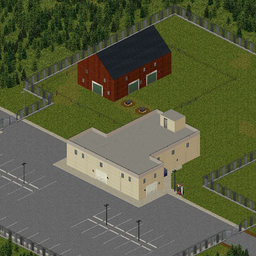
Buck's Hideaway
von 76561198010548807
Buck Compton is, or was, one of the meanest S.O.B.s in Knox County. If you ever bought a dime-bag in Muldraugh, it's likely that buck stepped on it at some point. If you don't know what that means you must be from of those gated communities. Anyway, old Buck decided he was gonna fight every zombie in downtown with a pool cue. It likely didn't go well for him. He made a lot of money from selling drugs over the years and his house is nice and more importantly fortified. Old Buck tried his hand at farming, but it never worked out for him. The only part he liked was choosing which stock to slaughter. He called it "playing god" whenever he mentioned it. There's a good barn, plenty of room for stock and a fertile field out back. The barn is chock full of stuff that Buck bought for farming. Not that he ever had the patience to use it. There's a gas pump outside the huge garage. Some of Buck's "associates" didn't like all those cameras at the gas station. They say you could pull a semi into it, unload the cargo completely out of sight, and then leave the back way. The place is a fortress. They say the walls were built by the same company that built the expansion at Fort Knox. Of course there's the junkyard out back. Mainly full of vehicles Buck took off of tweakers who couldn't pay for their habit. Might be some gold out there though, you never know. Buck loved fishing. There's a fishing dock out back. There's the trailer park up the road. Watch out, that place was full of sick people earlier this week. It was where a lot of Buck's "emplyees" lived. It's a rough place. On the back road there's another big place. It was Molly Dupree's place. They say Buck built it for her when they were dating. Might want to check on her and her kids, maybe they made it. Rest in peace Buck Compton, you were a mean son of a bitch. Many thanks to MrSercr3t, Pabbiqo and everyone else on the Unofficial PZ mapping Discord. They basically held my hand while I was learning to do this. Workshop ID: 3553081863 Mod ID: BucksHideaway Mod ID: BucksHideaway Map Folder: BucksHideaway
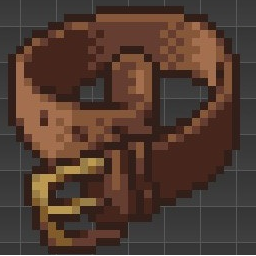
Craftable Belt
von 76561198139781569
This mod adds a simple recipe to craft a belt RECIPE: - 5 units of Twine - 2 Leather Strips - 3 Paperclips - Needle - Scissors - Workshop ID: 3096314433 Mod ID: MakeBelt
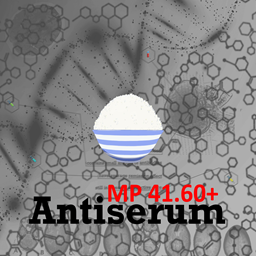
Antiserum MP Nicebowl
von 76561198343512988
测试用联机抗病毒-汉化版 Workshop ID: 2931558290 Mod ID: NicebowlAntiserumMP
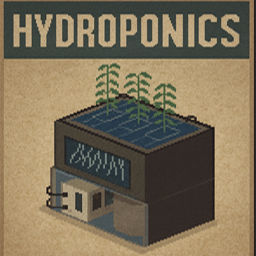
Hydroponics
von 76561199269856244
How to Use Hydroponics.... This ain't your normal farming mod ...You must have a generator this is also compatible with the solar mod. Even if the world power is on the lights will not work... Find the Book.. Go to any bookshelf or classroom and hope to find "Plants VS Water"... This book will teach you all about Hydroponic Barrels and Lights.. IT WILL BE CONSUMED AFTER USE! Uses 5 seeds per plant no matter what it is. Hydro Barrel, You will need.. 3 Metal Sheets, 4 Broken Glass, 2 Metal Pipes, 10 Screws. Propane Torch '1 use', Screwdriver, Wrench, Hydro Light, You will need.. 3 Electronic Scrap, 3 Metal Pipes, 3 Light Bulb, 10 Screws. Propane Torch '1 use', Screwdriver, Wrench, Skills Needed.. Electrical 3, Metalworking 3, Farming 5, Place Barrel and Lights in a location, These barrels have many features, You can manually fill them with water in your inventory. The lights must be within a generators radius to work, they cover a 3x3 radius of barrels. The Barrels can be hooked up to rain collectors in a 3x3 radius as well, you do not need to place the collector directly above it can be 8 floors up if you want and will fill the barrels over time. They hold 200 units of water each 'enough for up to 8.5 in game days of water ' '!You do not need to plumb the barrel, that option is there if you would like to drink from the barrel. It is classified as a sink!' Right click the Barrel You should see "Hydroponic System" Hit that and the Menu will pop up 'You must be within 3 Tiles of the barrel to see the menu come up, if you walk away it will disappear. You can only open one menu at a time' Everything can be done from this menu. Buttons.. Harvest Crop... Harvest Crops uses 20% water and resets barrel, becomes available at stage 5. 'gives 5 crop per harvest' Harvest Seeds... Harvest Seed Bearing Crops uses %20 water and resets barrel, becomes available at stage 6. 'gives 5 crops and 5 seeds per harvest' Remove Plant... If your plant dies this will become available, drains all water and resets barrel. Add Water... It will use all water in your inventory to fill barrel when you hit this. Plant Seeds... Plants Seeds in barrel, Uses 5 seeds per plant. will bring up a second panel for selection. Drain Water... Drains all water from barrel The Plants will not die easily they only die when they run out of water or light and they do die slowly. This was made for host or dedicated servers, might work on single player not sure. The barrels should progress when the server runs and no players are online but that is questionable. Seed Compatibility... This mod has been tested and is compatible with.. Vanilla of course Mo' Crops Jigga's Green Fire More Smokes It should in theory work with any seeds from all farming mods. no animation or sound yet maybe in the future. Please do not reupload or alter this mod in any way ^-^ Workshop ID: 3620377809 Mod ID: Hydroponics
![[41] GPS addon – Project Zomboid Mod](https://images.steamusercontent.com/ugc/1885333321266020902/E6BCC5BCA651BA4764E79E818C705046DB61701F/)
[41] GPS addon
von 76561198073717195
better GPS now !! dont use gps addon mod if you use item gps mod ;) https://steamcommunity.com/sharedfiles/filedetails/?id=2877484605 GPS With these mods, you need GPS for see your red marker position, do you find that normal? logical? me too^^ Incompatibility with the itemGPS mod ! - MiniMap in server/local options can be activated or not. - The vanilla radial menu for toggle mini map is cancelled/inhibited (because hotkey now). - Differents sounds is added. - Constant beep sound when you look your GPS display. Remember - GPS hand equiped, charged, turned on, GPS transmission received = Minimap is auto toggle on. - GPS attached belt, keep pressed "K" key for GPS toggle on, released "K" = GPS toggle off. - GPS turned ON, not equiped and not attached belt, just in your inventory = GPS auto off. - Press "F" or belt hotkey for turn on/off. - Keep pressed "F" for equip GPS in your hand. - Press "C" on interactive map for auto equip GPS to hand. take this mod if you dont want fog hide unvisited in interactive map : Just Region - NoHideUnvisitedArea >> https://steamcommunity.com/sharedfiles/filedetails/?id=2820067727 This addon work with "Just region-No map marker mod" and "PLGR plugger mod" (thx author) Work in: MP/SP/ExistingSave/SafeToRemove good game ;) My related GPS mods PLGR mod: https://steamcommunity.com/sharedfiles/filedetails/?id=2232541659&searchtext=plgr Just region - No map marker: https://steamcommunity.com/sharedfiles/filedetails/?id=2811128354&searchtext=no+map+marker Just Region - NoHideUnvisitedArea: https://steamcommunity.com/sharedfiles/filedetails/?id=2820067727 If you think this mod would be interesting for the community Workshop ID: 2817479963 Mod ID: Just_RegionMap_GPSaddon
Fix AEBS Localisation (Save Our Station/Expanded Helicopter Events)
von 76561198027445715
Fix Localisation of AEBS messages This mod fixes a relatively recent bug where the Automated Emergency Broadcast System strings are not localised successfully. If you are using Expanded Helicopter Events or Save Our Station On a server then you want this mod. It serves no purpose for single-player, but it will also not cause any harm. You can enable/disable this mod at will, at any time for new or existing games. If you are using Mod Manager, look for "Multiplayer AEBS i18n Hack" Technical Details At some point in 2022, the server-side code was modified and Translation strings were loaded before mods were. This had the consequence of breaking getRadioText() for localisation strings in mods like Save our Station and Expanded Helicopter Events since the server will never load in their strings. This mod is an incredibly trivial fix, but exists as a workshop item both for the convenience of users who want to fix unmaintained mods, to avoid unnecessary code duplication and unnecessary server load from copying the snippet everywhere and causing the startup process to reload the strings multiple times. As a side-note, because it reloads all strings, it will fix anything localisation related that's server-side. The mod is just titled this way because AEBS is the most common manifestation of the problem. Integrating this fix into your mod 1. Edit your mod's mod.info to include the line require=FixRadioi18n (case-sensitive) 2. Upload it. 3. Edit your workshop item on the Steam website to depend on this workshop item. Workshop ID: 2915954029 Mod ID: FixRadioi18n
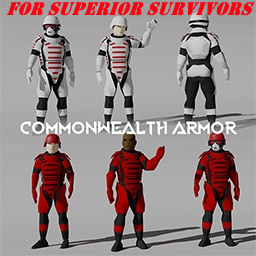
Superior Survivors Clothing Addon - Commonwealth NPC
von 76561198011463963
Commonwealth Outfits for NPC from Gabester Commonwealth Armor Pack. Works on Version 17+ of the Superior Survivors mod. Those npc are rare to find just like the police ones ( on my test got 1 of 20 or 25 Npc). NPC's wear white and officer armors (with mask and without). Huge thanks to Gabester for creating the Commonwealth Armor Pack and allowing me to make this sub mod for superior survivors. also thanks to Ryuu for his hardwork on fixing and making Superior Survivors mod better. Requires Gabester Commonwealth Armor Pack & Superior Survivors mods: https://steamcommunity.com/sharedfiles/filedetails/?id=2845972123 https://steamcommunity.com/sharedfiles/filedetails/?id=2821231605 Workshop ID: 2848010155 Mod ID: mysurvivors_commonwealthsharknpc
![[B42]繁體簡體模組翻譯 By Minidoracat 如一漢化組 – Project Zomboid Mod](https://images.steamusercontent.com/ugc/16871984867256331318/27178F24654194700AB69F6F71E38502999E9CA0/)
[B42]繁體簡體模組翻譯 By Minidoracat 如一漢化組
von 76561198033176898
🌏 繁體簡體模組翻譯 By Minidoracat 如一漢化組 By Minidoracat × 如一漢化組(As1) ✨ 功能特色 - 670+ 個 Workshop 模組(830+ 個模組 ID)的中文翻譯 - 有效覆蓋率約 94%——現行有效上游翻譯鍵 111,998 個中已覆蓋 104,809 個;其餘 7,189 鍵多為其他原始 MOD 新增/更新、尚未被 As1 收錄的文本,會持續排入補譯。另有少數模組把文字寫死在程式碼裡,任何翻譯包都補不了(已於支援清單逐一標註) - 不覆蓋遊戲本體的官方翻譯——撞到本體代號的鍵一律不出貨(詳見下方說明) - 繁體中文(台灣用語)/ 簡體中文 雙語支援 - 每日自動追蹤各模組文本更新,持續維護校對 - 新收錄與後續維護採 JSON-only——不新增 Lua 覆寫、不改動任何 MOD 檔案;僅保留早期既有的 BanditsWeekOne 開日貼圖 Lua 相容層(凍結,不再擴充) 🛡️ 不覆蓋遊戲本體的翻譯 Project Zomboid 把所有 MOD 的翻譯檔載入同一張全域字串表、後載入者勝——所以翻譯包只要出貨一個與本體同名的代號,就會全域改寫官方譯文,連沒裝那個 MOD 的玩家都會被改到。 本包的硬性原則:每次建置都掃描 MOD 的代號有沒有撞到遊戲本體(英文/繁中/簡中三語聯集),撞到就不出貨那個代號,一個都不例外。那些文字一律交由遊戲本體自己的官方譯文顯示。 代價要講清楚:如果你裝的 MOD 重製了原版物品(例如把原版霰彈槍換成真實槍型),那個物品在物品欄會顯示本體的官方名稱,而不是該 MOD 的重製名稱——這不是漏翻,是刻意的取捨。JSON 全域字串表做不到「只在某個 MOD 啟用時生效」;若為了裝了該 MOD 的玩家出貨那個代號,所有沒裝的玩家都會看到被改掉的官方文字。哪個 MOD 會動到多少官方鍵,可在支援清單的「覆寫本體」欄查到。 📋 支援清單與問題回報 👉 完整支援 MOD 清單(含中文名稱與摘要) 📐 配方名覆蓋率稽核(製作選單還缺哪些配方中文、成因分類與清償進度) 🐛 GitHub 問題回報 🙋 申請新 MOD 翻譯(附 Workshop 連結與理由即可) 💬 Discord 交流與回報 想要的 MOD 還沒中文?歡迎透過上方連結申請,收錄順序將參考需求熱度、文本量與上游活躍度;「統一模組漢化」已涵蓋的 MOD 會隨同步自動加入,不需申請。 🔍 翻譯邊界與上游回報責任 本包只維護 Project Zomboid 的 JSON 翻譯檔(Translate/CH、Translate/CN)。有些文字在技術上任何翻譯包都碰不到: - 模組把文字寫死在 Lua 程式碼裡,不經遊戲的翻譯機制 - 模組自建文字系統,不讀遊戲的字串表 - 英文只放在 Build 42 已不再讀取的舊格式檔(*_EN.txt),或鍵名前綴不在引擎的路由表上 - 兩個模組用同一個代號指向不同的東西,沒有對雙方都成立的譯名 遇到這類情況,我們會把可驗證的檔名、鍵名、上游原文與機制原因查清楚並公開記錄,讓你能直接拿去跟作者溝通: ⚖️ 模組間代號衝突裁決紀錄(哪些鍵不出貨中文、各模組抑制後會顯示英文還是代號) 但責任歸屬要講清楚:本包不代為向模組作者回報,也不代為追蹤上游是否修復。需要該模組中文化的玩家——實際使用者或翻譯申請者——請自行拿上述資訊向原作者反映;本包負責的是把成因查清楚並記錄,不負責催上游。上游把文字改成標準的 JSON 翻譯機制、或把撞名的代號改開之後,本包就能接手翻譯;在那之前這些文字會維持英文或顯示代號。 🧩 姊妹作:本體完全翻譯 本包涵蓋其他 Workshop 模組的文本;遊戲本體的完整翻譯請搭配訂閱: 👉 繁體簡體中文完全翻譯 By Minidoracat 如一漢化組 兩者搭配即為完整中文體驗。 🤝 授權與致謝 本 MOD 為如一漢化組(As1)「統一模組漢化」的授權繁體中文版,掛名如一漢化組。 授權範圍內的簡體文本逐字保留原包內容;原創翻譯的模組則由本包逐鍵自撰簡體。繁體文本全部逐鍵人工維護——對照英文原文與術語表校訂,不使用自動簡繁轉換。 感謝如一漢化組授權與長期維護的翻譯成果。 📋 MOD 資訊 - Mod ID: CatModLangFor42 - 支援版本: Build 42.20.4+ - Mod 版本: 42.20.4-1.22.0 - Workshop ID: 3765907717 #Build42 #繁體中文 #簡體中文 #漢化 #翻譯 #Minidoracat #如一漢化組 Tags: Build 42;Language/Translation;Multiplayer
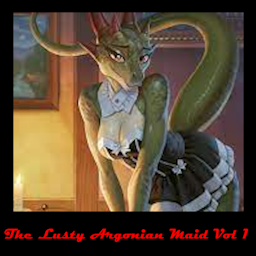
The Lusty Argonian Maid Vol 1
von 76561198039490063
this mod adds a readable "The Lusty Argonian Maid Vol 1" item to the game, it spawns on zombies sometimes. Requires Simple UI Library to work! :D Made using this tool: https://azakaela.itch.io/journal-maker-tool-for-project-zomboid Workshop ID: 2998809410 Mod ID: LustyArgonianMaidVol1
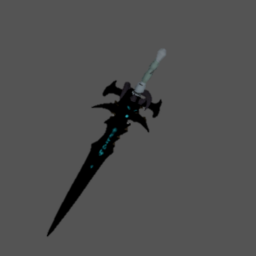
Sword of Frostbourne
von 76561198153729007
Frostbourne Inspired by the legendary **Frostmourne**, the cursed blade of the Lich King from World of Warcraft, this mod introduces a custom glowing sword into Project Zomboid. Features: - Unique 3D model and texture - Emits a faint icy-blue light when equipped - Special flash effect and sound on swing & impact - Works as a Long Blade (high damage, two-handed) - Custom sound effect (ice.ogg) included How to Use: 1. Enable the mod from the Mods menu. 2. Spawn the item via debug mode or add it to loot tables with sandbox options. 3. Equip it as a weapon to unleash its chilling power. Notes: - This weapon is a **fan-made tribute to Frostmourne** from World of Warcraft. - It does not replace vanilla weapons, it is completely standalone. Author: Inz (_)(_)ZZZD Workshop ID: 3573148800 Mod ID: _Frostbourne
Fazarian's Lifestyle Addon
von 76561198279368245
Привет выживший. Хочу представить тебе мой самый первый мод который я выкладываю в общий доступ. Он добавляет пару композиций на аккустику и клавитару. В аддоне есть произведения с вокалом в списке они будут помечены буквой "V" Hello survivor. I want to introduce you to my very first mod that I post to the public. He adds a couple of compositions on acoustics and keytar. In the addon there are works with vocals in the list they will be marked with the letter "V" Aria - Dirt Aria - Shard of Ice Eagles - Hotel California (guitar and keytar) Queen - Show Must Go On Nirvana - Smells like teen spirit Static-X - The Only "V" Depeche Mode - World In My Eyes "V" Dio - Raibow in the Dark "V" KISS - I Was Made For Lovin You Metallica - Nothing Else Matters Metallica - The Unforgiven Scorpions - Wind Of Change Journey - Separate Ways (guitar and keytar) Motley Crue - Kickstart My Heart Workshop ID: 3020222485 Mod ID: FazarianLifestyleAddon
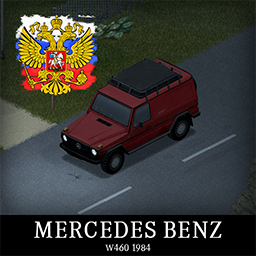
'84 Mercedes Benz W460 RU
von 76561198181369158
Перевод мода ( '84 Mercedes Benz W460 ) на Русский язык Workshop ID: 2832240172 Mod ID: 84mercRU

Project Golf
von 76561198066611821
Time to Golf. Find a golf club or golf ball, then convert it into a "Hittable Golf Club" MP compatible. Enjoy! Workshop ID: 2766645289 Mod ID: ProjectGolf

LightBulb live longer
von 76561198013594175
This is mod, with which you can use Lightbulb 30times longer. It does not change the setting of the axes anymore Workshop ID: 2710432473 Mod ID: LightbulbLiveLonger

LvRepair
von 76561198138282350
LvRepair Workshop ID: 3673780342 Mod ID: Vehicle Repair For Donkey Server
![Bleak World - Horror [B42] – Project Zomboid Mod](https://images.steamusercontent.com/ugc/45698407798955047/2B2B5C6A608DF2D00B4BDBA4D63A3D76C514625C/)
Bleak World - Horror [B42]
von 76561198162738919
If effects are still visible after deactivating the mod then restart the game to reset the shaders to default. Creates a horror like environment. Does not affect the UI or screen overlays. Changes zombie textures and spawn definitions. Adds screen and highlight effects. Adds fog on the first day. Sandbox Options to make it easier or harder! - Adjust vision radius - Adjust blur strength - Adjust blur darkness - Set day fog frequency - Set day fog intensity - Set night fog frequency - Set night fog intensity Enable sub-mod to remove film grain effect. Some creepy complimentary mods Spooky Trees and Vines Starving Zombies Lingering Whispers Random Sound Events Climbing Zombies Workshop ID: 3403923830 Mod ID: BleakWorldHorror Mod ID: BleakWorldHorrorNoFilmGrain
![SMUI Buff[PrivatePao] – Project Zomboid Mod](https://images.steamusercontent.com/ugc/1856050083750039611/5622889849F948BF5054F69EA615BF1BB2770FC5/)
SMUI Buff[PrivatePao]
von 76561198047304351
A buff to shark's military utility improvements to my private server Workshop ID: 2761597248 Mod ID: SMUI_Buff
Undead Survivor Bandits Integration
von 76561198096995823
Jusblazm's Not-Quite-Undead Survivor Bandits A requested integration. This mod provides Bandits wearing modded clothing from Undead Survivor. Compatibility Absolutely no mod conflicts with two caveats: - someone uses my naming convention for their own integration. - A unique ID generates a dupe (Wikipedia: the probability to find a duplicate within 103 trillion version-4 UUIDs is one in a billion) Known Issues - Errors appear when opening the clan in Bandits Creator. These errors are harmless, it happens because the bandits are wearing clothing that cannot be displayed in Creator, like custom locations. Do not edit them or you will delete the clothing not being displayed. Permissions Literally nothing I'm providing to you is made by me. The item IDs belong to Scavenger's Undead Survivor and Slayer's Bandits NPC reads the text files. However, both Undead Survivor and Bandits NPC have the default permissions of Credit where it's due, so I am extending their permissions. Be sure to credit them for their hard work. Credits The Indie Stone for Project Zomboid Slayer for Bandits NPC and Bandits Creator Scavenger for Undead Survivor Workshop ID: 3510554118 Mod ID: JusBanditsUndeadSurvivorRANDOM
Compatibility Indicator
von 76561199042257388
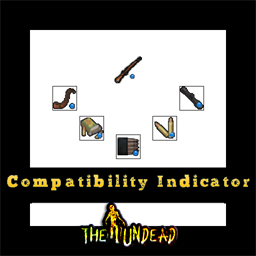
Compatibility Indicator - A Quality of Life mod Lightweight mod that helps with loadout selection. A blue dot Shows all the relevant items related to what item the player is holding Identifies related items no matter what you equip!(only for guns) Hold a magazine to see which gun can use it and what ammo it uses. Determine what part can attach to your firearm. No longer do you need to memorize everything, especially if you have a lot of gun mods. You can also check the ammo box or the ammo just by holding them Very effective for fast looting It can highlight items on different containers Even items on the ground You can equip weapon parts to check which guns you can upgrade This mod adds a convenient blue dot image on top of icons to indicate that the item is somehow related to the firearm you are currently equipped with. The indicator will be visible for items in your inventory, bags, on the floor, and in containers. This is especially useful for new players who may not know which items are compatible with their guns, including Ammo, Ammo boxes, Magazines, and Weapon Parts. NOTES: The mod only adds an indicator and doesn't have any other functionality. Can be installed mid-save, making it easy to integrate into your existing game. Please note that it has not been thoroughly tested for compatibility with heavily modded guns. If certain modded guns have their own unique weapon parts types, the indicator may not work as expected. The mod follows the vanilla game's Weapon Part Upgrade mechanics. Remember to have a screwdriver in your inventory to access the upgrade option (this is a vanilla game requirement). The indicator highlights a weapon part when it's eligible for an upgrade if no upgrade option is available, you may be missing a requirement. Mod by Glytch3r Commissioned by The Free Man For custom pz mod commissions contact me discord: Glytch3r#7331 / glytch3r https://ko-fi.com/glytch3r Workshop ID: 3012988777 Mod ID: GunPartsCompatibilityIndicator
WaterPipesB42Fix
von 76561198052852868
Water Pipes – Build 42 Community Fix This is an unofficial compatibility update for Build 42 of Project Zomboid. REPLACE original mod with this one. Changes: • Removed deprecated networking calls • Updated object replication for the new Entity system • Multiplayer safe • Fully compatible with existing saves Original mod by Slayer. This version exists to keep the mod functional in Build 42. It will be taken down if the original author publishes an official update. Workshop ID: 3676884366 Mod ID: WaterPipesB42Fix
![CaiGou's Trading Post&Shop 2.0 [MP] [Build 42] – Project Zomboid Mod](https://images.steamusercontent.com/ugc/13601683738273169627/55FA77B8B5654E4FFE537209761415119E56C662/)
CaiGou's Trading Post&Shop 2.0 [MP] [Build 42]
von 76561198279659185
CaiGou's Trading Post&Shop 2.0 Workshop ID: 3725197912 Mod ID: CaiGou's ShopV2
Zombie No Clothes 90percent
von 76561198007047050
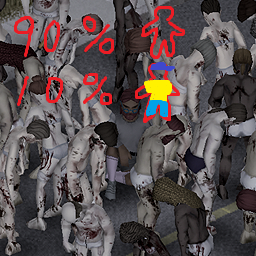
Zombies don't wear clothes nearly **90 PERCENT** . This is alternate version of Zombie No Clothes This may help reduce lag. I'm not sure about compatibility with other mods since I only briefly checked the code. I modified and adjusted the Vegetation Zeds mod. Thank you. *chat gpt translated korean to english Workshop ID: 3286319344 Mod ID: ZombieNoClothes90 Workshop ID: 3286319344 Mod ID: ZombieNoClothes90
Project Zomboid Details →
Project Zomboid Guides
Project Zomboid Mods installieren - Workshop Guide
Installiere Project-Zomboid-Mods sauber per Steam Workshop: IDs eintragen, Reihenfolge prüfen, Server neu starten und typische Fehler beheben.
Project Zomboid Build 42 auf dem eigenen Server: Umstieg, Spielstände und Mods
Build 42 ist Stable: Spielstände aus Build 41 sind nicht kompatibel. Umstieg, legacy41-Zweig, neue Serveroptionen, Anti-Cheat und der Hotfix 42.20.1 gegen Serverlag.
Project Zomboid Server mieten – Multiplayer Guide
Project Zomboid Server einrichten: RAM, Sandbox-Einstellungen, Workshop-Mods, Admin-Rechte und typische Fehler sauber prüfen.
Project Zomboid Server mit Mod-Support
Kompatible, unterstützte Mods über das Server-Dashboard installieren.
Project Zomboid Server mieten