Project Zomboid Mods für Server
Für einen modifizierten Project-Zomboid-Server brauchst du pro Projekt die Steam-Workshop-ID und die interne Mod-ID. Prüfe zusätzlich Spiel-Build, Abhängigkeiten und Lade-Reihenfolge, bevor du deine Welt mit den Änderungen startest.
Project Zomboid Mods sicher installieren
Ein Workshop-Abo allein aktiviert eine Mod auf dem Dedicated Server nicht. Die Einträge in `WorkshopItems=` und `Mods=` müssen zusammenpassen; außerdem muss jede Mod den gewählten Build 41 oder Build 42 ausdrücklich unterstützen.
- 1. Build prüfen: Build-41- und Build-42-Mods nicht ungeprüft mischen.
- 2. Workshop-ID, Mod-ID, Abhängigkeiten und erforderliche Reihenfolge vollständig dokumentieren.
- 3. Welt und Konfiguration sichern, Server neu starten und Logs sowie den Beitritt mit einem Test-Client prüfen.
Die vollständige Schritt-für-Schritt-Anleitung findest du im Project-Zomboid-Mods-Guide. Oder starte direkt mit einem Project Zomboid Server mit Mod-Support.
Häufige Fragen zu Project Zomboid Mods
Was ist der Unterschied zwischen Workshop-ID und Mod-ID?
Die Workshop-ID bezeichnet das Steam-Workshop-Projekt und steuert den Download. Die Mod-ID aktiviert den enthaltenen Mod im Spiel. Auf dem Server müssen beide Listen vollständig und passend gepflegt sein.
Laufen Build-41-Mods automatisch mit Build 42?
Nein. Nutze eine Mod nur dann auf Build 42, wenn ihre Workshop-Seite diese Kompatibilität ausdrücklich bestätigt. Prüfe dabei auch alle Bibliotheken und weiteren Abhängigkeiten.
Wie teste ich ein Mod-Update ohne Risiko für die Welt?
Sichere zuerst Welt, Sandbox-Konfiguration und Server-INI. Aktualisiere danach die zusammengehörigen Mods, starte den Server neu und prüfe Logs, Kernfunktionen und einen vollständigen Client-Beitritt.
Project Zomboid Expanded (OUTDATED)
von 76561198033354149
Project Zomboid Expanded (PZExpanded) Mod Version: 1.72 Alpha (Build 38.15 ) -OUTDATED- Workshop ID: 587405379 Notice:This mod is NOT compatible with other mods like Hydrocraft Mod Description Project Zomboid Expanded shortly known as PZExpanded is WIP (Work In Progress) mod for players who likes the vanilla style but still want more out of it. This mod is focusing to increase the realism of the game. PZExpanded adds new guns, melee weapons, containers, drinks, foods, literatures, occupations, traits, recipes and changes/replacements have been made for vanilla items to improve your ways to survive. Workshop ID: 587405379 Mod ID: PZExpanded
AutoTurret_Improved
von 76561198032787348
AutoTurret (Old Version. maybe 08/04/23ver) just for fun, i added few simple features. the alpha version of the AutoTurret 1. Distance-based sound detection has been implemented. Turrets now use battlefield DLC weapon sounds for five turret types, with added 3D spatial audio effects, adjusted decibel levels, and EQ balancing. 2. Four new turret models from AutoTurret 2.0 have been added. These include: - Vanilla turrets that use 12-gauge and 9mm rounds. - GunFighter 2.0 / Brita turrets that use 7.62x54R and .50 BMG rounds. By default, the 7.62x54R and .50 BMG turrets can be crafted, but they won’t fire unless the corresponding ammo from GunFighter 2.0 and Brita mods is available. Brita's Weapon Pack https://steamcommunity.com/sharedfiles/filedetails/?id=2200148440&searchtext=brita Arsenal GunFighter Mod https://steamcommunity.com/sharedfiles/filedetails/?id=2297098490&searchtext=gunfighter 3. Added logic to convert excess turret parts (excluding ammo drums and barrels) into useful upgrade components. - Sensor: Increases turret range from 15 to 20 tiles (25 for .50 BMG turrets, 15 for shotgun turrets). - Signal System: Reduces firing delay from 1 second to 0 seconds. - Bearing: Increases turret turning speed from level 1 to level 2. 4. Adjusted firing speed and damage balance based on caliber type. 5. Fixed recipe errors and reduced the welding skill level required to craft parts from 7 to 5. 6. Added zombie hit animations when turrets fire targets. looks even better with the "More Zombie Death Animations" mod. 7. Turrets now prioritize and attack the closest target first. 8. Added logic to ensure consistent behavior for target detection speed, rotation speed, and firing rate across all sandbox day-length settings in the vanilla game. In MP (Default tick settings are calibrated for a 1-hour day. Custom day lengths outside vanilla are not supported.) Workshop ID: 3470055156 Mod ID: AutoTurret

ToSBackpacks Build 41.65+
von 76561198820622001
An improved edition based on 41.55 (https://steamcommunity.com/sharedfiles/filedetails/?id=2638493251) Add 4 bags. Now the running speed of the huge backpack has increased and the huge backpack occurrence probability increased. NOTE: Originally this mod is not made by me. Workshop ID: 2714684202 Mod ID: ToSBackpacks Build41.65

Gateway Tile Assets
von 76561198049973575
Extra Tiles for Gateway Roleplay. Functionally, adds a bunch of tile sheets an a large mess of tiles located South of Valley Station. This mod has no functional purpose outside of Gateway Roleplay and other Roleplay Servers who build in game using Necroforge. Workshop ID: 2314934857 Mod ID: gateway Map Folder: gateway

80s/90s chevrolet opala (remaster)
von 76561199082352521
a remaster of my first mod, expect to see an wagon version of it in the future. features: openable doors the car parts appears when placed on the ground comes with 5 different versions here's a list of all the versions: opala sedan opala coupe opala ss: sporty version, comes in a coupe bodyshape opala diplomata: sporty and luxurious version, comes in a sedan bodyshape opala police: self explanatory you can make the car more or less common by editing the spawnlists file in the mod folder > lua > shared Mod ID: opalasedan Mod ID: opalacupe Mod ID: opalass Mod ID: diplomata Mod ID: opalapm Workshop ID: 3244613942 Workshop ID: 3244613942 Mod ID: opalasedan

Donkey-驴服-排行榜
von 76561198169284458
1 Workshop ID: 3668900945 Mod ID: LVMPrankingPVXB42

INMS Bandits Integration
von 76561198096995823
Jusblazm's I Need More Style Bandits This mod provides Bandits wearing modded clothing from I Need More Style: Clothing Edition. I Need More Style provides clothing for females, so while some of the outfits might work on males, I have elected to make all bandits in this mod female. Updates I plan to release a new update on the 2nd of each month. This update will replace the current batch of bandits with a brand new batch. This will not harm your saves, nor will it affect currently spawned bandits. Freshly spawned bandits will be wearing gear according to the new list. This will provide some, hopefully noticeable change to extended saves. Compatibility Absolutely no mod conflicts with two caveats: - someone uses my naming convention for their own integration. - A unique ID generates a dupe (Wikipedia: the probability to find a duplicate within 103 trillion version-4 UUIDs is one in a billion) GitHub Archive I will be keeping an archive of each update's bandits.txt and clans.txt files, so that if there is a set you really like, you can continue to use them even after the mod updates and moves away from them. GitHub Archive Permissions Literally nothing I'm providing to you is made by me. The item IDs belong to NSE's I Need More Style: Clothing Edition and Slayer's Bandits NPC reads the text files. I Need More Style: Clothing Edition and Bandits NPC have the default permissions of Credit where it's due, so I am extending their permissions. Be sure to credit them for their hard work. Credits The Indie Stone for Project Zomboid Slayer for Bandits NPC and Bandits Creator NSE for I Need More Style: Clothing Edition Workshop ID: 3482271715 Mod ID: JusBanditsINMSRANDOM

Maze Tickets
von 76561198062782667
Maze Ticket System made for Undead Relent Server. Credits to Monkey for base code. Workshop ID: 3169655424 Mod ID: MazeUndeadRelent

Real Room Heat 2.0 - B42 SP&MP
von 76561197960772922
Real Room Heat 2.0 Update Bigger buildings. Better heat simulation. Faster, more predictable performance. Real Room Heat 2.0 replaces RRH 1.x through this existing Workshop item. It is a complete rewrite, not a separate companion mod, and existing subscribers will receive the update automatically. Back up important saves before updating a server. What's New in 2.0? - Complete performance-focused rewrite addressing the main lag and server-tick spike problems reported with RRH 1.x. - Building discovery and simulation now run as small, resumable jobs with strict time and workload limits. - Caches, queues, and persistent records have explicit size and inactivity limits. - Rooms, heaters, doors, and windows are refreshed incrementally instead of through broad rescans. - Improved support for large mapped buildings, multi-floor homes, and enclosed player-built structures. - Improved vehicle cabin simulation, drying-rack integration, and the player-facing Inspect Warmth interface. - Added a craftable Building Electric Heater with selectable 1000 W and 2000 W output. - Server-authoritative multiplayer with validated requests and targeted network updates. Performance and Large Buildings The main known causes of RRH 1.x performance spikes have been addressed. Building discovery, room simulation, heater and opening detection, persistence, vehicle cabins, and drying-rack discovery now operate within bounded workloads. Large operations retain their progress and continue during later updates instead of trying to finish in a single frame or server tick. A newly visited large building may therefore require several short updates before every room, heater, and opening is recognized. RRH2 should be substantially more predictable than RRH 1.x, but performance can still vary with maps, building size, player count, hardware, and other mods. It is not advertised as universally lag-free. Room, Building, and Player-Built Heat - Rooms store persistent air and structural temperatures. - Walls, floors, and building mass absorb and release heat gradually. - Large rooms require more energy and change temperature more slowly. - Heat transfers through doors, passages, stairs, and supported vertical openings. - Open doors and windows increase heat transfer and heat loss. - Broken windows, missing walls, incomplete roofs, and exposed edges connect rooms more strongly to outdoor air. - Openings on several exterior sides can create cross-ventilation. - Interior walls are not incorrectly treated as outdoor exposure. - Log and wooden structures have distinct thermal behavior. - Mapped buildings and enclosed player-built structures are supported. - Door-separated player-built spaces remain individual thermal rooms. - Bounded offline simulation handles time spent away from a building. Project Zomboid's indoor/outdoor classification still matters. RRH2 will not force tiles classified as outdoors to behave like fully enclosed heated rooms. Supported Heat Sources - Wood Stoves (5000 W) - Crafted Ovens (4000 W) - Fireplaces (3000 W) - Electric Heaters (1000 W / 2000 W) Each supported source has its own heat output. Heating is limited by room capacity, building capacity, safe temperature-change limits, and reduced efficiency in already warm rooms. Unsupported objects are not automatically treated as heaters. Electric Heater The Electric Heater can be crafted from the Build menu with Electrical Level 2. It requires a screwdriver, 2 Small Metal Sheets, 4 Electronics Scrap, 2 Electric Wires, and 4 Screws. It provides selectable 1000 W or 2000 W room heating and, when generator-powered, consumes approximately 0.045 L/h or 0.09 L/h of fuel respectively. Inspect Warmth Right-click a supported heater to inspect its room. Depending on the available information, the view can show: - whether the selected heater is active and whether fuel information is available - whether the room feels cold, comfortable, or hot - whether temperature is rising, falling, or steady - how well the room retains warmth - whether the structure is absorbing or returning heat - other active heat sources and exposed openings Inspect Warmth uses existing server state and bounded background observation. It does not synchronously scan or simulate the entire building. Additional Thermal Systems Vehicle Cabins Occupied vehicles are simulated as separate thermal spaces. - Cabin air and vehicle structure change temperature at different rates. - Outdoor conditions, nearby indoor temperatures, and openings influence the cabin. - Vehicle heating and cooling affect the cabin through guarded HVAC behavior. - Cabin state remains server-authoritative. Drying Racks RRH2 connects drying conditions to the surrounding thermal environment. - Room or outdoor temperature affects drying conditions. - Nearby supported heaters can provide radiant warmth. - The strongest credible heat source is selected safely. - Drying status can be displayed in the crafting tooltip. - Discovery work is time-budgeted to protect responsiveness. Multiplayer - The server owns simulation, persistence, heaters, openings, drying, and vehicle cabins. - Clients receive small, targeted responses instead of complete thermal stores. - Building graphs and persistent simulation data remain server-private. - Requests are validated for position, distance, rate, and stale context. - Background work rotates between active players and buildings. Support and Compatibility - Supported: Singleplayer - Supported: Dedicated-server multiplayer - Not tested: Hosted co-op - Not tested: Split-screen - Requires: Project Zomboid Build 42 - Requires: Lua Digital Watch Framework RRH2 may overlap with mods that also replace indoor temperature, building heat transfer, heaters, vehicle cabin temperature, drying-rack behavior, or digital-watch temperature providers. Technical Details The current default coefficients are shown below. Every result is constrained by temperature and per-tick safety limits. dT_heater = (sumOutput / C_air) * 0.1 * timeFactor dT_outside = (T_outside - T_air) * 0.015 * timeFactor * exposure / (C_air / 100) Q_rooms = conductance * (T_A - T_B) * 0.01 * timeFactor * 100 dT_A = -Q_rooms / C_A; dT_B = Q_rooms / C_B C_structure = 3 * C_air * materialMultiplier Q_structure = min(C_air, C_structure) * 0.0625 * (T_air - T_structure) * timeFactor Walls, floors, and building mass use one aggregate structural temperature. Material multipliers range from 0.8 to 1.5. The structure receives +Q_structure / C_structure, while room air receives -Q_structure / C_air. Configuration Workshop ID: 3741066319 Mod ID: RealRoomHeat

Yumi's Zombies Drop Ammo Boxes
von 76561199089009325
🌸 Taking a Mental Break from Modding 🌸 Hey everyone! I wanted to give you a quick update. ✨ I’ve decided to take a break from modding so I can rest, enjoy other games, spend more time with my family, and avoid burning myself out. I truly love modding, and I want to keep it that way instead of letting it feel like a chore. I’m not quitting or abandoning my mods. If something is genuinely broken or game-breaking, I’ll still do my best to fix it, but smaller updates and requests may take some time while I recharge. 🌿 I’ll also no longer be replying to comments on Steam. If you need to report an issue, please head over to my Discord instead! 🛠️ 🎮 YumiNekoGirl’s Modding Den 🌸 It’s a new 18+ community for mod support, questions, and updates. You’re also welcome to hang out, make friends, chill, play together, or watch me stream! 🎮✨ Join YumiNekoGirl’s Modding Den I’ll also be adding an optional donation link soon for anyone who wants to support my modding work. ☕💕 Thank you all for your patience and support. This isn’t goodbye. I just need some time to relax, recharge, and come back when I’m ready. 🌸 — Yumi <3 Zombies Drop (ノ◕ヮ◕)ノ*:・゚✧ This mod was inspired by Riko Prushka and their various “Zombies Drop Ammo” style mods. After using their work, I realized there wasn’t a version that supported the Real Firearms mod — so I decided to create one myself. (ง •̀_•́)ง This mod allows zombies to drop ammunition and ammo boxes compatible with vanilla, Real Firearms, Gael’s Gun Store, Guns of Mars, Vanilla Firearms Rework, Vanilla Firearms Expansion Redux, and VFE Redux addons. The goal is to create a more immersive and rewarding combat loop where fighting zombies can directly support your firearm usage without completely breaking the survival balance. Ammo drops are designed to feel natural and consistent with what these mods provide, ensuring compatibility while maintaining a fair survival experience. (。•̀ᴗ-)✧ Important Compatibility Note (。•́︿•̀。) Many firearm mods overwrite vanilla firearms and ammo systems. Because of this, you will usually only see that mod’s version of vanilla ammo along with their own custom ammo types. You should only use ONE major gun overhaul mod at a time. Using multiple overhaul gun mods together can cause: - Conflicts - Duplicate ammo - Broken loot pools - Overwritten firearm systems Because of this, I removed the requirement to download any specific firearm mod. You only need one compatible gun mod installed for this mod to work properly. (っ◔◡◔)っ Features (づ。◕‿‿◕。)づ - Zombies can drop ammo and ammo boxes - Supports vanilla ammo - Supports Real Firearms ammo types - Supports Gael’s Gun Store ammo types - Supports Guns of Mars ammo types - Supports Vanilla Firearms Rework - Supports Vanilla Firearms Expansion Redux - Supports VFE Redux addons - Supports Gael’s arrow and bolt packs Compatible Gun Mods (´。• ᵕ •。`) - Real Firearms - Gael’s Gun Store - Guns of Mars - Vanilla Firearms Rework - Vanilla Firearms Expansion Redux These gun mods are NOT required all at once. Pick one major gun overhaul mod to avoid conflicts. Compatibility (ง •̀_•́)ง - Works with Build 42.20 - Multiplayer compatible - Works with vanilla ammo - Works with supported compatible gun mods Credits (≧◡≦) Full inspiration goes to Riko Prushka for their original zombie ammo drop mods. If you enjoy this mod, be sure to check out their work as well! Final Notes I’m a mom to a two-year-old, I work full-time, I run a household, and I have a life that exists well beyond this game. So updates won’t always be instant—I fit this in when I can, and I appreciate your patience. If you run into a glitch or bug, please let me know with as much detail as possible (what happened, any error messages, steps to reproduce). That genuinely helps me fix things faster. And about the images: yes, I use AI to make them. I don’t draw, I’m not paying someone to create art for a hobby project, and I’ve got far bigger things to deal with than pixel-perfect illustrations. I like the images I generate—they bring my OC to life in a way that makes me happy. That’s the point. So if you’re here to drop “AI slop” comments, save it. I don’t care. Move on. I’m here to have fun, share something I love, and build a little community around it. If that’s not your vibe, the door’s right there. ✌️ — Yumi <3 Check Out My Other Mods! Feel free to check out my other Project Zomboid mods! Thank you so much for the support. <3 - Yumi's Fridge Expansion Deluxe w/ Storage Boost Add-On - Yumi's Moonlight Mayhem - Yumi's Superior Stews Reheated - Tactical Sling Reborn - Yumi's Faster Tree Chopping: A Lumberjack’s Dream - Eat Anything For Animals <3 - Open All Ammo Boxes - Animals Everywhere: A Hunter's Dream - Yumi's Endless Harvest-Regrowth Farming Overhaul - Advanced Trapping Overhaul - Yumi's Fishing Expansion - Yumi's Meat Expansion - Run Faster, Die Later WARNING Any hateful or disrespectful comments towards me or my family will be deleted and reported. Workshop ID: 3700723031 Mod ID: AmmoLootDropBox
![[B42]Azumanga Daioh Valuline – Project Zomboid Mod](https://images.steamusercontent.com/ugc/12269717411775914304/520F27304A46B63962E335E8D2EB5AF60381742B/)
[B42]Azumanga Daioh Valuline
von 76561199113984281
This mod adds (YES, ADDS, NOT REPLACES SMTH) The Azumanga Daioh Franklin Valuline. . idk how to make spawn rate, so i copied it from KI5's VW Golf. . . >:) YOU SHOULD CHECK MY OTHER ADDONS, NOW! . 👉SUGGEST YOUR MODS IDEAS👈 Workshop ID: 3486010378 Mod ID: StasiksAzuvan

Def's Long Term Survival (Fixes & Tweaks)
von 76561198028764681
All credit goes to Def for making the original mod Complete overview is on the wiki https://github.com/faeldray/DefsLTS/wiki In short: Food preservation, more foraging, simple metalwork, plastic recycling, kitchen sink chemistry, packaging, logistics, zombie loot, car trunks increased ... All based on real life! Fixes/tweaks include: - Allowed any glue to be used in recipes instead of just wood glue - Reduced the amount of briquettes needed in recipes - Created difficult charcoal recipe to get started on charcoal stuff if you don’t have metal drums yet - Pine tar requires less pine cones and uses vanilla pine cones (modded one were removed from foraging table but can be converted into vanilla ones) - Added recipes for mayo bottles, remoulade bottles, and bowls - Renamed distillation equipment recipe - Added recipe to turn unusable metal into scrap metal - Scrapping weapons now works on broken weapons - Added recipe for gunpowder - More plastic items can be scrapped - Empty mayo/remoulade bottles and bowls can now be made from plastic - Pumpkins can be cut up into bits of fruit - Acorns can be used in nut recipes (butter/milk/flour) - Changed recipes to use item types where possible (ex. hammers, saws) - Fixed old non-forageable version of wild garlic being used in recipes - Tea bags were added to all hot beverage evolved recipes, not just the one with the green mug - Many drainable items no longer will drain just from equipping them in your hands Please report any bugs or suggestions on Github. Workshop ID: 3051800131 Mod ID: DLTS

HK416 SP+ MP Build 42.20+ 42.19
von 76561198133098852
HK416 "Professional. Reliable. Built to Survive." Bring one of the world's most iconic modern rifles to Project Zomboid. The HK416 Platform is more than just another weapon mod. It's a fully modular assault rifle system designed to blend naturally into the world of Knox Country while delivering a premium gameplay experience. Every detail has been crafted with immersion in mind—from high-quality models and textures to visible attachments and realistic customization. Whether you're scavenging abandoned towns, clearing military checkpoints, or making your last stand against the undead, the HK416 is ready for the challenge. Features ✔ High-quality 3D models ✔ Detailed HD textures ✔ Fully modular attachment system ✔ Functional suppressor ✔ EOTech sight ✔ Laser module ✔ Tactical flashlight ✔ Vertical grip ✔ Multiple magazine configurations ✔ Visible attachments on the weapon ✔ Accurate world models ✔ Custom inventory icons ✔ Multiplayer compatible ✔ Vanilla-friendly balance ✔ Build 42.19 Support Customize Your Rifle Create the HK416 that fits your playstyle. Mix and match attachments to build anything from a lightweight patrol rifle to a fully equipped tactical platform. Every attachment is visually represented directly on the weapon. No fake stats. No invisible upgrades. What you equip is exactly what you see. Built for Immersion Designed specifically for Project Zomboid. The weapon integrates naturally into the game without feeling overpowered or out of place. Every texture, model and attachment has been carefully optimized to deliver both quality and performance. Planned Features • Additional optics • More attachment variants • New magazine types • Expanded customization • Even more tactical accessories Feedback Found a bug? Have an idea? Feel free to leave a comment. Constructive feedback helps improve the mod with every update. ❤️ Support Development If you're enjoying the mod and would like to support future updates, new weapons, attachments and free content, consider buying me a coffee. Every bit of support helps keep these projects alive and allows me to spend more time creating high-quality mods for the Project Zomboid community. Thank you for your support! ❤️ https://ko-fi.com/nein1234 Version Project Zomboid Build 42.19 Workshop ID: 3754947991 Mod ID: HK_416

Special Ops Force Occupation mod
von 76561198122042302
Mod adding some special force profession for my private server lore purpose but you are free to download this and use. To work propertly, you need KATTAJ1 Military Pack , Lynx Pack and Brita's Weapon Pack . Equipment is poor but i did this for balance purpouse, for lore, you losed most of your stuff after deploymend, your job is to find a ECO-13 squad ( zRe Vaccine 2.0 ReMod by kERHUS , i plan to make a occupation for this mod too) and help them with finding a vaccine. SOF Operator: Basic unit, cost -6 trait points, starting EQ: Weapons: HuntingKnife, Glock 21, x2 .45 acp box, x2 .45 acp 13 bullet magazine. Clothing: Lynx shirt, shoes, pants, gloves, headset, hat, military black holster, knife sheat, gasmask. -Strength +2 -Fitness +2 -Aiming +5 -Reloading +5 -Small Blade +4 -Sprinting +2 -Desensitized SOF Sniper: Special unit, cost -8 trait points, starting EQ: Weapons: HuntingKnife, Glock 21, x2 .45 acp box, x2 .45 acp 13 bullet magazine. Clothing: Lynx shirt, shoes, pants, gloves, headset, hat, military black holster, knife sheat, gasmask. -Strength +2 -Fitness +2 -Aiming +7 -Reloading +5 -Small Blade +4 -Sprinting +4 -Desensitized -EagleEyed SOF Combat Medic: Special unit, cost -8 trait points, starting EQ: Weapons: HuntingKnife, Glock 21, x2 .45 acp box, x2 .45 acp 13 bullet magazine. Clothing: Lynx shirt, shoes, pants, gloves, headset, hat, military black holster, knife sheat, gasmask. -Strength +2 -Fitness +2 -Aiming +5 -Reloading +5 -Small Blade +4 -Sprinting +2 -Doctor +2 -Desensitized -FirstAid SOF Engineer: Special unit, cost -8 trait points, starting EQ: Weapons: HuntingKnife, Glock 21, x2 .45 acp box, x2 .45 acp 13 bullet magazine. Clothing: Lynx shirt, shoes, pants, gloves, headset, hat, military black holster, knife sheat, gasmask. -Strength +2 -Fitness +2 -Aiming +5 -Reloading +5 -Small Blade +4 -Sprinting +2 -Woodwork +1 -Electricity +1 -MetalWelding +1 -Desensitized Workshop ID: 3438038755 Mod ID: SOFoccupationMod

Better VoIP
von 76561199029977380
I made this simple mod to play with my friends; It just makes the VoIP more immersive This mod reworks Zomboid's VoIP making zombies that react to your real microphone; And reworks radio VoIP making walkies and HAM radios more immersive with SFX and mechanics This mod needs to be Java installed so with you don't wanna you have the following mechanics: this is my list of what works without Java (Lua only): *Full-map walkie-talkie / HAM radio range *Reduced walkie-talkie weight *Radio doesn't turn off automatically when you unequip and equip it *Real push-to-talk radio (mic muted unless you hold the V/T/Q key) *Zombies hear your real microphone *Radios SFX press and release *IMPORTANT* If you want the Radio sound, text and HEAR YOUR FRIENDS even when the radio is NOT in your hand you NEED to install the Java (zombie folder) Installation: 1) Subscribe to this mod 2) go to workshop paste and find the mod 2) Inside the mods there will be a folder a paste named java-override, just copie the zombie folder and paste inside project zomboid folder Workshop ID: 3777731571 Mod ID: BetterVoip

VEÍCULOS BRASILEIROS - VANS
von 76561198121845674
Substitue os arquivos originais do jogo. PARA TER OS 3 CAMINHÕES (BRAHMA, BRINKS E CASAS BAHIA) CONFIRA MEU OUTRO MOD: https://steamcommunity.com/sharedfiles/filedetails/?id=2869220907 São 7 Vans modificadas. Fossoil= Ultragaz Transit= Autoescola Mccoy= Madeireira Destillery= Heineken Postail= Correios/Sedex Radio LBMW= Record TV Radio= VIVO Obs: A madeireira já está com a textura corrigida, mas no print aí ainda não está. Obs: Ainda existem outras "Vans" espalhadas pelo jogo. Não sei se todas estão in-game pois existem vários veículos para cada tipo de serviço. A Maccoy tem 3 veículos diferentes, por exemplo. Futuramente devo fazer mais algumas texturas. Alguma sugestão? Workshop ID: 2869684135 Mod ID: VEÃ�CULOS BRASILEIROS
HydroCraft日本語化Mod
von 76561198129114832
Googleでの機械翻訳+少しの手作業程度ですが、使えると思います。 前提MODとしてHydrocraftを使用します。 翻訳ファイルのみなので、基本的にバージョンアップしても問題ありません。 Workshop ID: 1301054029 Mod ID: HydroCraftJP 翻訳書のファイルはそのまま使えます! 作業場、翻訳modなどを作成しましたが、更新の継続は約束できません。 翻訳modのデータや作業場データなどに関しては自由に使用していただいて構いませんし、そのつもりでどうぞ。 何か不都合や問題があった場合、Steamのメッセージでどうぞ。 翻訳作業所案内 コンテキスト https://docs.google.com/document/d/1tl1Yzyasz5lTvOGCgqb1U6E8DLYJHRnQWNGzsB4PAs4/edit 農業関連 https://docs.google.com/document/d/1kKDO_HEfSCJp5iFA0sT8eOKQFLPbjFfZ1iXGn8XiVfE/edit UI https://docs.google.com/document/d/1rEsAKGQaan9r1f3OTjeQgn1DM5GbEHYUvKkW23gSb2E/edit アイテム https://docs.google.com/document/d/1z2EZrNzfmy0WXCBpk9vFCJzq9ZDK_cy1Mhton4XpJWk/edit レシピ https://docs.google.com/document/d/1UGs6Ufq1VFGqhYKLm8IrdLsqU6m3e2enb3DzWAol6zg/edit ツールチップ https://docs.google.com/document/d/1oV3BVOxUsoNpeoMHK-toBcpFIvGhX1YtYccXhJ1dOb0/edit 作業場の内容はみんなでバックアップを取っておきましょう。 ファイルアップロード場所 https://ux.getuploader.com/zomboiduploader/

(outdated) NonSugarHotDrink
von 76561198003036971
This mod has not been updated. Please download the new mod. https://steamcommunity.com/sharedfiles/filedetails/?id=2703284814 -------------------------------------- Let's enjoy a teatime more.
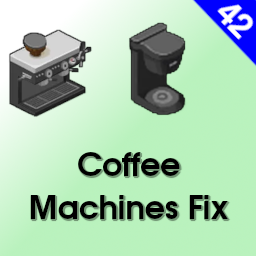
Coffee Machines Fix
von 76561198007941120
Coffee Machines Fix This tiny mod turns the vanilla X-presso Deluxe Coffee Machine into a fully functional appliance. It also adds some quality of life improvements to the usage of in game coffee machines. Compatible with builds 42.20 and up. - Can be added to the existing saves, it will update already placed machines to the working models. - Coffee machines now require electricity to function and will display warning in the context menu, when none is present on the tile. - Adds icons to the context menu brewing actions. - Fixes appliance names in the crafting menu and the requirements. Translations are provided, if yours is missing, feel free to let me know. Multiplayer / Server Can be used on servers. Players need to subscribe to the mod and server admins need to add the mod to their configs, mod ids available in the table below. Workshop ID Mod ID 3782821433 NidCoffeeMachinesFix
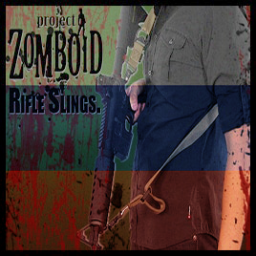
Rifle Slings (Полный русский перевод)
von 76561199029093600
Полный русский перевод мода «Rifle Slings» Workshop ID: 2949688032 Mod ID: SlingMod

Frost's Shirt Texture Replacer
von 76561197990009292
I really didn't like the shirt texture. It has way too many pockets, and I am the most nitpickiest fashion player. My solution: create my own texture. Workshop ID: 2517651011 Mod ID: frostShirtTexture

Hydr-O-Holic
von 76561197993040030
Mod compatibility - Building Craft - Lifestyles (load first) Hydr-o-holic is a mod that basically plumbs your base with running water, let it be vanilla building, player built, basement or roof top. It differentiates itself from other water mods in one specific way: Rather than refilling the 20l in the sink constantly, it creates unlimited water just as it was when the water was turned on. What does that mean? You can do actions on the sink that exceed the 20l requirement, such as washing all your clothes at once or cleaning a larger amount of rags. Only fixtures and containers that you explicitly plumb or connect are added to the Hydr-O-Holic network. Unplumbed objects continue to behave normally. Basic Setup 1. Choose a Water Source Build a Hydr-O-Holic well, or use a supported existing water source such as: - Lakes and rivers - Rain barrels - Storage silos 2. Build and Power the Pump Place the pump directly beside the water source. Connect and start a generator that can power the pump, then right-click the pump and turn it on through the Hydr-O-Holic menu. 3. Run the Pipe Network Run Metal Pipes or Clay Pipe Segments from the pump to a building wall. The pipe run must reach the building wall before fixtures inside the building can be plumbed. 4. Plumb the Fixtures Grab a Pipe Wrench, right-click a fixture, and plumb it into the network. Once the building is connected, fixtures can be plumbed throughout the structure. They do not need to be on the ground floor or directly beside the outside pipe connection. Upper floor sinks? No problem. Basement sinks? Also no problem. You still need to plumb each fixture individually, but you do not need to run a separate outside pipe to every floor. 5. Connect Fluid Containers and Troughs Fluid containers and troughs can also be connected directly to the pipe network. Place a pipe beside the container, right-click it, and select Connect Fluid Container. Once connected to a working network, the container will automatically refill. Whenever Project Zomboid correctly recognizes a plumbed fixture, its normal vanilla water menu will be available. Vanilla fixture detection can occasionally be finicky, especially in unusual buildings, basements, bunkers, and some player-built structures. When the normal sink menu does not appear, the Hydr-O-Holic right-click menu provides fallback water actions such as washing and filling containers. Hydr-O-Holic also supports washing machines and Washer/dryer combinations. Irrigation Pipes Irrigation pipes automatically water the tiles immediately around them at regular intervals. Wall connectors can also carry an existing plumbing network through a connected building. This makes it possible to create: - Indoor irrigation systems - Rooftop irrigation - Basement irrigation - Pipe networks that continue through one building and into another Wall connectors extend an existing working network. They do not provide water or pressure by themselves. Connecting Multiple Buildings Buildings that Project Zomboid recognizes as part of the same connected structure should normally share the same plumbing network. If two connected buildings are not sharing water correctly, use a wall connector to carry the network from one building into the other. This can also be used to daisy-chain several structures onto the same pump network. Pump Status and Troubleshooting If a pump does not behave as expected, open the Pump Status window from the Hydr-O-Holic right-click menu. The status window can help identify problems such as: - No valid water source detected - Water source is empty - Generator power is unavailable - Pump is turned off - Source water is tainted and a required filter is missing The Pump Status window should always be your first troubleshooting step. Building Recognition Project Zomboid's vanilla building and room recognition can be inconsistent, especially with player-built structures, connected buildings, bunkers, and unusual map locations. Hydr-O-Holic includes custom building tagging for situations where vanilla does not recognize the structure correctly. If a newly connected building or fixture is not being detected: - Confirm that the pipe reaches a wall connector - Right-click the wall connector - Select Flush Pipe Network This forces the connected pipe and building network to be evaluated again. March Ridge Bunker The March Ridge bunker is supported, but it requires a pipe connection on the bunker level itself. See the screenshots below for the required connection location. Important Limitation Pipe networks are limited by loaded map chunks. Very long pipe runs that pass through unloaded areas may not be fully detected or updated until the relevant chunks are loaded. Keep this limitation in mind when designing extremely large networks. Current notes / Future additions - Written for 42.20 MP - Supports EN, ES, FR, DE, RU, IT, PTBR, CH, JP, KO. If any of the translations are funky, please let me know so I can fix it. - Planning to add hydroponics eventually, but that will take me a bit to do Safe Removal - You can add and remove this mod mid save, however, if you remove the mod make sure that you removed any wells, pumps and pipes before doing so. Did you find any issues, need help or have a suggestion? Come join the discord and tell me about it! Workshop ID: 3744204092 Mod ID: hydr-o-holic
![BMW 5-Series 1987 [E28] – Project Zomboid Mod](https://images.steamusercontent.com/ugc/29935809099822353/B8E0C2758F51F82FBC573D672DC72694B82A995D/)
BMW 5-Series 1987 [E28]
von 76561198305560297
BMW 5-Series 1987 This mod add the iconic BMW E28 in various specs from 520i to the M5 The BMW E28 is the second generation of BMW 5 Series executive cars, which was produced from 1981 to 1988 and replaced the E12 5 Series. Pre-series production began in April 1981 and the car was introduced in the autumn that year. - 520i - 525i - 528i - 533i - 535is - M5 - Alpina B7 Turbo Workshop ID: 3341103200 Mod ID: e28sedan
![[COS] blade_girl – Project Zomboid Mod](https://images.steamusercontent.com/ugc/2505772116904095181/5F48FAB6A1838755FBFCB85D8D3FD3EFC417A67C/)
[COS] blade_girl
von 76561199178116693
How Do I Use It? - You can go to the link below to see how to use it. - Link Recommended mode - Fashionoid - Gear Transmog - Hide All Attached Items - Clipping animation Fix How to use COS mode in build 42. - Navigate to the path where the mod is installed. - Create a 42.0 folder. - Create a common folder. - Paste the media folder / mod.info / preview.png into the 42.0 folder. The recipe code writing method has been changed in 42Build. Since COS (Costume) mode has approximately over 200 modes, converting to 42Build's recipe code is an extremely laborious task. In 42Build, you cannot create costumes in (42 build) the crafting tab. There are two methods: Spawn items in cheat mode. Select items in the clothing selection screen when creating a character. Like My Mode? - Join Our Discord If You Want Commission Workshop ID: 3282813441 Mod ID: blade_girl
Project Zomboid Details →
Project Zomboid Guides
Project Zomboid Mods installieren - Workshop Guide
Installiere Project-Zomboid-Mods sauber per Steam Workshop: IDs eintragen, Reihenfolge prüfen, Server neu starten und typische Fehler beheben.
Project Zomboid Build 42 auf dem eigenen Server: Umstieg, Spielstände und Mods
Build 42 ist Stable: Spielstände aus Build 41 sind nicht kompatibel. Umstieg, legacy41-Zweig, neue Serveroptionen, Anti-Cheat und der Hotfix 42.20.1 gegen Serverlag.
Project Zomboid Server mieten – Multiplayer Guide
Project Zomboid Server einrichten: RAM, Sandbox-Einstellungen, Workshop-Mods, Admin-Rechte und typische Fehler sauber prüfen.
Project Zomboid Server mit Mod-Support
Kompatible, unterstützte Mods über das Server-Dashboard installieren.
Project Zomboid Server mieten