Project Zomboid Mods für Server
Für einen modifizierten Project-Zomboid-Server brauchst du pro Projekt die Steam-Workshop-ID und die interne Mod-ID. Prüfe zusätzlich Spiel-Build, Abhängigkeiten und Lade-Reihenfolge, bevor du deine Welt mit den Änderungen startest.
Project Zomboid Mods sicher installieren
Ein Workshop-Abo allein aktiviert eine Mod auf dem Dedicated Server nicht. Die Einträge in `WorkshopItems=` und `Mods=` müssen zusammenpassen; außerdem muss jede Mod den gewählten Build 41 oder Build 42 ausdrücklich unterstützen.
- 1. Build prüfen: Build-41- und Build-42-Mods nicht ungeprüft mischen.
- 2. Workshop-ID, Mod-ID, Abhängigkeiten und erforderliche Reihenfolge vollständig dokumentieren.
- 3. Welt und Konfiguration sichern, Server neu starten und Logs sowie den Beitritt mit einem Test-Client prüfen.
Die vollständige Schritt-für-Schritt-Anleitung findest du im Project-Zomboid-Mods-Guide. Oder starte direkt mit einem Project Zomboid Server mit Mod-Support.
Häufige Fragen zu Project Zomboid Mods
Was ist der Unterschied zwischen Workshop-ID und Mod-ID?
Die Workshop-ID bezeichnet das Steam-Workshop-Projekt und steuert den Download. Die Mod-ID aktiviert den enthaltenen Mod im Spiel. Auf dem Server müssen beide Listen vollständig und passend gepflegt sein.
Laufen Build-41-Mods automatisch mit Build 42?
Nein. Nutze eine Mod nur dann auf Build 42, wenn ihre Workshop-Seite diese Kompatibilität ausdrücklich bestätigt. Prüfe dabei auch alle Bibliotheken und weiteren Abhängigkeiten.
Wie teste ich ein Mod-Update ohne Risiko für die Welt?
Sichere zuerst Welt, Sandbox-Konfiguration und Server-INI. Aktualisiere danach die zusammengehörigen Mods, starte den Server neu und prüfe Logs, Kernfunktionen und einen vollständigen Client-Beitritt.

自用传送石碑大聪明与橘子联合王国
von 76561198227102696
https://steamcommunity.com/sharedfiles/filedetails/?id=2900928983&searchtext=%E4%BC%A0%E9%80%81%E7%9F%B3%E7%A2%91 Workshop ID: 2984866184 Mod ID: PZwaystone
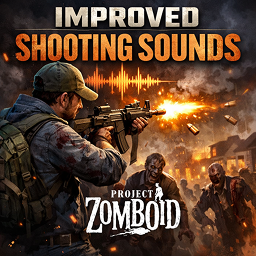
Improved Shooting Sounds
von 76561198053590676
This mod changes the sounds of shooting to more pleasant and realistic ones and creates several options for reproducing the sound of a shot both with and without a silencer. The mod uses +200 pre-recorded sounds for different weapons to achieve maximum truthfulness and clarity of the shot sound. ⚠️ The mod is primarily designed to work with Firearms, and in the future, as the modification develops, I will add compatibility with future mods. ⚠️ The mod must be loaded last, otherwise there may be a problem with replacing the sound of the shot with a new one, this is due to a conflict of modifications. Thanks a lot to Relax_68 for the sounds. This mod is an adaptation of his I.W.P.S mod for STALKER, so thank him! Compatibility: ✅ Vanilla + Multiplayer ✅ Firearms + Multiplayer ⏳ Real Firearms in progress ⏳ GaelGunStore - Firearms pack in progress Workshop ID: 3650577854 Mod ID: improvedshootingsounds
![[42] ClothingBased On Occupation42 – Project Zomboid Mod](https://images.steamusercontent.com/ugc/17854066511655303511/D17DF829CEA30DFBEBAA35BC1501D8AAD639178B/)
[42] ClothingBased On Occupation42
von 76561198091758436
🛠️ Spawn with Items and Clothing by Occupation - REWORK The original mod has been unmaintained for a long time. This is a complete migration to Build 42.13 with compatibility fixes, preserving all original functionality: 👕 Multiple clothing sets based on your chosen occupation when creating a new character 🎒 Occupation & trait-specific tools and consumables spawn in your starting backpack, including items for new B42 traits 🔧 Fixed deprecated API calls, now fully supports multiplayer ⚖️ All balance values remain consistent with vanilla; only necessary technical adjustments made 🧍 Unemployed ValuTech Radio, Video Game Controller 👨🚒 Fire Officer Firefighter Axe, Fire Extinguisher, Gas Mask, Tactical Walkie-Talkie 👮 Police Officer Holster, Tactical Walkie-Talkie, Frosted Donut, Random Pistol (M625 Revolver / M36 Revolver / Magnum Revolver / M9 Pistol) + corresponding ammo (Box of .45 Rounds / Box of .38 Rounds / Box of .44 Rounds / Box of 9mm Rounds + 9mm Magazine) 🌲 Park Ranger Hunting Knife, Hand Axe, Tent Kit (Packed), Tactical Walkie-Talkie, Trap Box 🏗️ Construction Worker Pickaxe, Hammer, Box of Nails 🛡️ Security Guard Nightstick, Flashlight, Tactical Walkie-Talkie 🔨 Carpenter Hammer, Screwdriver, Saw, Box of Nails 🕵️ Burglar Duffel Bag, Crowbar, Hand Torch, Paperclip x5, Balaclava 👨🍳 Chef Kitchen Knife, Frying Pan, Cooking Pot, Bowl, Baking Pan, Roasting Pan, Sandwich 🛠️ Repairman Pipe Wrench, Screwdriver, Duct Tape x2, Duffel Bag 🌾 Farmer Gardening Trowel, Random farming tool (Shovel / Spade / Garden Hoe / Garden Fork), Sack, Seed Packet (Random Seed Packets x2) 🐄 Rancher Gardening Trowel, Random farming tool (Shovel / Spade / Garden Hoe / Garden Fork), Sack 🎣 Fisherman Fishing Rod (with Line), Fishing Line x2, Paperclip, Random Fishing Lures x2 (Jig Lure / Minnow Lure / Worm / Small Fish Bait / Bobber) 🩺 Doctor Scalpel, Tweezers, Surgical Mask, Random Pills x3 (Painkillers / Antidepressants / Beta Blockers / Sleeping Pills / Vitamins / Antibiotics), Bandages x3, Suture Needle, Needle Holder, Disinfectant 🎖️ Veteran Holster, M1911 Pistol, .45 Magazine, Box of .45 Rounds x3 👩⚕️ Nurse Painkillers, Antidepressants, Beta Blockers, Sleeping Pills, Vitamins, Antibiotics, Disinfectant, Surgical Mask 🪓 Lumberjack Wood Axe, Saw 🏋️ Fitness Instructor Duffel Bag (contains: Barbell x1, Dumbbell x2) 🍔 Burger Flipper Frying Pan, Kitchen Knife, Burger (Recipe) x3 ⚡ Electrician Screwdriver, Electrical Wire, Battery, Electrical Scrap x4 💥 Engineer Fireworks x3, Aluminum, Ice Pack, Gunpowder, Makeshift Walkie-Talkie 🔩 Metalworker Propane Torch, Welding Mask, Welding Rods x4 ⚒️ Blacksmith Blacksmith Hammer, Simple Wood Tongs, Bellows 🔧 Mechanic Wrench, Screwdriver, Jack, Lug Wrench 🧵 Tailor Sewing Kit (contains: Needle x1, Thread x5) Trait Additional Items Athletic: Water Bottle (Full) Tailor: Sewing Kit (Needle x1, Thread x5) Fit: Water Bottle (Full) Needs Less Sleep: Sleeping Pills Mechanics: Wrench (if not already provided) Fishing: Fishing Rod (if not already provided) + Random Fishing Lures x2 (Jig Lure / Minnow Lure / Worm / Small Fish Bait / Bobber) Baseball Player: Baseball Bat, Baseball First Aid: First Aid Kit (Alcohol Wipes, Antibiotics, Bandages, Adhesive Bandages, Disinfectant, Painkillers, Suture Needle, Tweezers) Gardener: Gardening Trowel (if not already provided) + Random Seed Packet x1 Handy: Hammer (if not already provided) + Nails x4 Herbalist: Mortar and Pestle + Random Herbs x3 (Black Sage / Comfrey / Common Mallow / Ginseng / Lemongrass / Plantain / Wild Garlic) Hiker: Small Hiking Backpack + Map (corresponding to spawn location; random if unknown: Map of Muldraugh / Map of West Point / Map of Riverside / Map of Rosewood / Map of March Ridge) Hunter: Hunting Knife (if not already provided) Cowardly: Beta Blockers High Thirst: Empty Water Bottle Needs More Sleep: Vitamins Insomniac: Sleeping Pills Smoker: Pack of Cigarettes + Random Lighter or Matches Thin-skinned: Adhesive Bandages x4 If you encounter any issues, please leave a comment on the workshop page. I will continue to maintain this mod. Thanks to Mr.Mister for the original work. All credit goes to the original author. https://steamcommunity.com/sharedfiles/filedetails/?id=2747517727 Workshop ID: 3650016308 Mod ID: ClothingBasedOnOccupation42
![[RE-UPLOAD] Safehouse Loot – Project Zomboid Mod](https://images.steamusercontent.com/ugc/2494507313172914995/AEA66B18F84C13366C808C98D22555C85BE98237/)
[RE-UPLOAD] Safehouse Loot
von 76561199310235509
Increases the variety and also the quality of the items found in barricaded survivior houses. Workshop ID: 2621912395 ( ORIGINAL AND OLD ID, DO NOT USE AND PLEASE OVERWRITE WITH NEW ONE ) Mod ID: Safehouse Loot Workshop ID: 3234890041 Mod ID: Safehouse Loot

Kavinsky - nightcall as death song
von 76561198847591956
Replaces the default death music with the kavinsky nightcall (the something inside you) Original theme:https://www.youtube.com/watch?v=MV_3Dpw-BRY Workshop ID: 3115201153 Mod ID: Kavinsky dead song
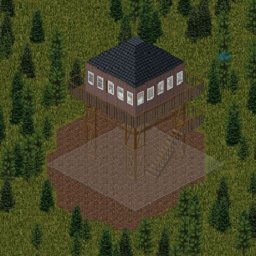
Fears of fathom tower
von 76561199245740760
the modification adds a fire tower from the game Fears of Fathom to the original Project zomboid map 1.1: player spawning in this location has been fixed (previously, when selecting a tower as a spawn point, the game crashed) 1.2: Added a warehouse with tools, now here can spawn only firemans 1.3: Previously, all professions could appear on the tower, I made it so that only firefighters could, but now when choosing a tower as the spawn point for another profession, an error appeared and the game crashed. I removed the ability to appear here, sorry. Workshop ID: 3070676770 Mod ID: vyshka Map Folder: vyshka
![Minecraft Diamond Sword [Build 41] – Project Zomboid Mod](https://images.steamusercontent.com/ugc/14173935055775927/26A3D55005261D6C3D323F20FFAA87E13D0930FB/)
Minecraft Diamond Sword [Build 41]
von 76561198409021683
This mod adds a new Minecraft Diamond Sword to the game that is craftable **ITS NOT A REMODEL** its a new item that is craftable with WoodenStick x1 Earring Dangly Diamond x2 **VIEW FROM BLENDER** (i am thinking of changing the recipe give me suggestions please) Workshop ID: 3410852166 Mod ID: BrawlyDiamondSword
Childlike Whimsy
von 76561198819471419
It's the apocalypse. No more friends, no more family... No more parents to tell you what not to do! Finally, as we have all been wanting, we can eat a few non-conventional food items! Spread toothpaste on toast! Hell, make a toothpaste pie! Make a crayon omelette, put Lego Bricks on pizza, you're a grown adult who can make their own decisions :) I will be the first to say that balancing is not my strongest ability, so if you have any recommended stat changes, or if you want another item to be edible, or able to be added to a recipe, let me know and i'll try to add it! Shoutout and a major thanks to PALSJ for the toothpaste idea :) https://steamcommunity.com/id/palsj Unsure if this works on existing saves, i don't think it does though Workshop ID: 3324029117 Mod ID: ChildlikeWhimsy

Compact Admin Powers Panel
von 76561199133259679
Build compatibility: Project Zomboid Build 41 and Build 42.13.2 through 42.18.0 A cleaner, more practical layout for Project Zomboid’s Admin Powers panel. This mod is designed for server admins who want faster access to all admin privilege toggles, especially on smaller screens, high UI scales, or when frequently changing admin permissions during testing, hosting, moderation, or debugging. Why use this mod? In vanilla, the Admin Powers panel can become awkward to use when the option list is too tall. Later Build 42 versions improved the vanilla layout, but the panel is still limited and does not let you choose how compact or wide it should be. Compact Admin Panels gives you more control: - Use a tighter layout. - Choose the minimum number of columns. - Apply changes without closing the panel. - Keep the window usable across different resolutions and UI scales. What changes compared to vanilla? - More compact layout – less vertical spacing between Admin Power entries. - Configurable columns – choose the minimum number of columns instead of being locked to the vanilla layout. - Better screen usage – options are distributed across columns to avoid excessively tall panels. - APPLY button – apply changes while keeping the Admin Powers panel open. - Centered footer buttons – cleaner button placement inspired by the Main Options menu. - Build 42.18 support – updated for the new vanilla admin power option system introduced in 42.18. Features - Automatically arranges Admin Power options into one or more columns. - Balances entries across columns for a cleaner overall layout. - Keeps footer text and action buttons accessible when the vanilla panel would otherwise be too tall. - Improves the usable width and wrapping of the “Show Admin Tag” help text. - Automatically reduces the column count if the selected value would make the panel wider than the screen. - Adds 3 centered action buttons: - BACK — close without applying changes. - APPLY — apply changes and keep the panel open. - ACCEPT — apply changes and close the panel. Settings Available under: ESC → Options → Mods - Minimum columns — choose the minimum number of columns used in the Admin Powers panel. - Range: 1–8. - Default: 2. Existing saved ModOptions values are preserved. The new default only affects new or reset configurations. Build 41 note On Build 41, editing ModOptions requires: Mod Options (Build 41) Compatibility - Compatible with Project Zomboid Build 41. - Compatible with Project Zomboid Build 42.13.2 through 42.18.0. - Client-side UI mod only — no gameplay, balance, server data, or save changes. - Multiplayer-friendly: only admins who install it will see the compact panel. - May conflict with other mods that replace or heavily patch the Admin Powers panel / `ISAdminPowerUI`. - If you run into conflicts, try loading this mod after other admin UI mods. Localization ModOptions texts are translated into multiple in-game languages. The Admin Powers panel itself mostly relies on vanilla UI strings and terminology, so no separate language pack is required. More mods & feedback You can find my other Project Zomboid mods here If you find this mod useful, please consider leaving a thumbs up and adding it to your favorites. It helps other players and server admins discover it. Feedback, bug reports, compatibility notes, and suggestions are always welcome in the comments. Workshop ID: 3650033661 Mod ID: Compact_Admin_Panels

Hydrocraft for build 41 (GER/DEU) Translation
von 76561198134436393
Dies ist die Übersetzung vom Hydrocraft for build 41 vom Mod Creator: David Hasihoff https://steamcommunity.com/sharedfiles/filedetails/?id=2081538550 Ihr müsst den Originalen Hydrocraft von David und meine Übersetzungs Mod in euerer Modliste aktivieren. Ich werde versuchen, regelmäßige Updates zu bringen, sodass ihr immer auf dem neuesten Stand bleibt. Von den 9060 Zeilen wurden bereits 40% übersetzt. Workshop ID: 2417718385 Mod ID: HydrocraftGER
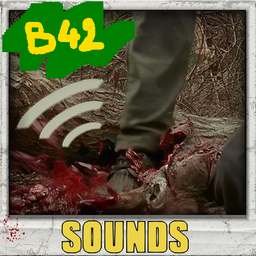
Better Head Smash Sounds
von 76561198073717195
Better Smashed Head sounds Tired of the same repetitive sounds when you trample your zombie friends, this mod will add a little renewal during your smashing head activity ! Replaces the original head smash and stomp action sounds with better gory sound effects!! you can see some exemple in video. 36 different smashed head sound and 15 stomped sound, attack of sounds is less aggressive than in vanilla, fully edited and personalized, unique sound effects ! If you think this mod would be interesting for the community Workshop ID: 3782609540 Mod ID: AuDmodBetterHeadSmashSoundsB42
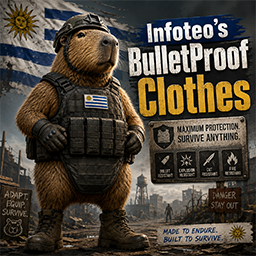
Infoteo's BulletProof Clothes
von 76561198450882774
**Infoteo’s BulletProof Clothes** mejora y amplía la protección balística de distintas prendas y piezas de equipamiento vanilla de , manteniendo una progresión lógica entre chalecos, cascos, botas y guantes. El objetivo del mod es que el equipamiento diseñado para combate y protección personal tenga una utilidad real frente a disparos, especialmente en servidores multijugador con PvP, eventos armados o situaciones donde las armas de fuego forman una parte importante de la experiencia. ## Características * Compatible con **Project Zomboid Build 42.20.2**. * Diseñado para **Singleplayer y Multiplayer / Dedicated Server**. * Mejora la protección contra balas de equipamiento vanilla. * No modifica innecesariamente la protección contra mordidas o arañazos. * Respeta las estadísticas vanilla existentes siempre que sea posible. * Distribución de loot adaptada al sistema actual de Build 42.20. ## Protección balística El equipamiento se organiza según su función y nivel de protección. ### Chalecos antibalas Los chalecos balísticos continúan siendo la principal defensa contra armas de fuego: * Civilian Bulletproof Vest — **100** * Police Bulletproof Vest — **100** * Army Bulletproof Vest — **100** * SWAT Bulletproof Vest — **100** * Desert Bulletproof Vest — **100** * Desert New Bulletproof Vest — **100** * Olive Drab Bulletproof Vest — **100** Los chalecos ya cuentan con una elevada protección balística en Build 42.20.2, por lo que el mod mantiene su nivel máximo sin alterar innecesariamente sus demás estadísticas. ### Cascos Los cascos reciben valores diferentes según su diseño y función: * SWAT Helmet — **90** * Military Helmet — **85** * Desert Military Helmet — **85** * Air Force SPH Pilot Helmet — **80** * WWII Military Helmet — **70** * Riot Helmet — **65** * Police Motorcycle Helmet — **45** * Full Motorcycle Helmet — **35** * Motorcycle Helmets — **25** Un casco militar o táctico ofrece así una protección considerablemente mayor que un casco diseñado principalmente para accidentes de tránsito. ### Botas militares Las botas militares proporcionan protección balística limitada: * Army Boots — **30** * Desert Army Boots — **30** No sustituyen una armadura real, pero pueden reducir la vulnerabilidad de las piernas y pies frente a impactos. ### Guantes de cuero Los guantes reciben una protección pequeña: * Leather Gloves — **12** Su función sigue siendo principalmente proteger las manos frente a lesiones comunes, pero ahora aportan una resistencia limitada frente a proyectiles. ## Balance El mod está diseñado para que el equipamiento militar y táctico sea **potente contra balas sin convertir todas las prendas en armadura pesada**. La jerarquía general es: **Chaleco antibalas > casco táctico/militar > casco antidisturbios > casco policial > casco de moto > botas > guantes** De esta forma, cubrir correctamente el cuerpo con equipamiento apropiado representa una ventaja importante, pero sigue siendo necesario utilizar varias piezas para obtener una protección integral. ## Multijugador El mod está pensado especialmente para servidores dedicados. No realiza búsquedas permanentes de jugadores, zombies o inventarios y no necesita sincronizar constantemente información mediante Lua. Las modificaciones se aplican directamente sobre los ítems vanilla al cargar el juego, por lo que su impacto sobre el rendimiento es prácticamente inexistente. ## Loot La distribución fue actualizada para **Build 42.20.2**. El mod utiliza las tablas actuales y evita sobrescribir una aparición vanilla si el juego ya utiliza una probabilidad superior. Esto permite mantener compatibilidad con futuras modificaciones de distribución y con otros mods que añadan equipamiento militar o policial. # Agradecimientos Agradecimiento especial a **MineHost** por proporcionar infraestructura y apoyo para las pruebas relacionadas con servidores dedicados. Su colaboración ayuda a continuar revisando y adaptando mods para las nuevas versiones de Project Zomboid. # Permission & Redistribution Notice Este mod no puede ser copiado, resubido, redistribuido, espejado, modificado, republicado, empaquetado, incorporado en colecciones privadas o públicas, incluido en modpacks, almacenado en sitios de terceros, utilizado como base para otros mods, ni utilizado total o parcialmente sin autorización escrita explícita del autor. Queda expresamente prohibido realizar forks de este mod, ya sea de forma pública o privada, total o parcial, con o sin modificaciones, sin permiso escrito explícito del autor. También queda prohibido extraer, reutilizar, adaptar, renombrar, modificar o redistribuir cualquiera de sus archivos, scripts, assets, sonidos, texturas, configuraciones, código Lua, traducciones o partes internas sin autorización escrita explícita. Se permite únicamente compartir el enlace original de Steam Workshop. Cualquier copia, redistribución o modificación no autorizada será considerada una violación de los permisos establecidos por el autor. Workshop ID: 3722781171 Mod ID: InfoteoBulletProofClothes
![True Music Addon: Grand Theft Auto Vice City +Talk [B42] – Project Zomboid Mod](https://images.steamusercontent.com/ugc/47952110332581677/0DFDE7DFBB95E1C43E9F1E5AC0CFF76D31D2A8E9/)
True Music Addon: Grand Theft Auto Vice City +Talk [B42]
von 76561197979681529
This pack still works but won't be updated anymore and has moved to the New Music mod which can be found here: https://steamcommunity.com/sharedfiles/filedetails/?id=3784698548 Adds all of the radio station music from the official soundtrack PLUS all of the talk radio and commercials. I've also added another mod for JUST the music if you want that instead, which can be found below: https://steamcommunity.com/sharedfiles/filedetails/?id=3419281318 Requires True Music for B42. True Music Radio is also recommended for ease of listening (92.0 MHz plays random songs from your library whenever you click "Tune In"). Includes music from: Fever 105 - Disco, Soul Flash FM - Pop Emotion 98.3 - Soft Pop, Power Ballad Radio Espantoso - Latin Jazz, Mambo V-Rock - Hard Rock, Heavy Metal Wave 103 - New Wave, Synthpop Wildstyle - Hip Hop, Electro Talk radio: VCPR - Vice City Public Radio, Politics Talk Station K-Chat - Entertainment Talk Station Assorted commercials and commentary from each station's DJ All raw, individual tracks. The VCPR and K-Chat stations exist as a ~1.5 hour long mix each. Full tracklist here, it won't all fit in this description: https://pastebin.com/NYmGcMNe Workshop ID: 3420514389 Mod ID: True Music Addon: GTA Vice CIty (Music + Talk)

E. Pringles
von 76561199164901580
Pringles? Yes Pringles are now in Project Zomboid! Pringles are not rare and also not common your mostly gonna find them in GigaMart, and almost all fridges. I will add more flavors soon in a week or so. [: ------------------------------------------------------------------------------------------------------ ------------------------------------------------------------------------------------------------------ Update 1.2 *2 New Flavors -Sour Cream And Onion -Barbecue Update 1.7 *5 New Flavors -CheddarCheese -Cheddar&SourCream -Pizza Flavored -Minecraft Suspicious Stew Flavored -A secret flavor that you have to find out for your self :) -The Empty Pringles are now container! with 3 max capacity Update 2.0 -Bleach Flavor Added -Added Recipes, You can add pringles now as a ingredients to most foods, not bleach tho.. Update 2.2 -Added Throwable Pringles Can, *You can use this to Distract Zombies* -You will notice that when you equip the Original Pringles, Sour Cream, Barbecue, and Cheddar & Cheese Throwable there will be a Bug where the models seems very cursed and Idk how to fix. Workshop ID: 2959911426 Mod ID: PNLPringles
True Music Addon: Brazzilian musics
von 76561198137880052
musicas para eu e meu amigo jogar, so musica boa. Se tiver Sujestão de musica boa só falar :D Workshop ID: 2758437278 Mod ID: Musicasfodaskkkkkk

Double Whopper 2.0 (The Whoppening)
von 76561198034201437
The Whopper is the signature hamburger and an associated product line sold by the international fast food restaurant chain Burger King and its Australian franchise Hungry Jack's. Introduced in 1957, the hamburger has undergone several reformulations, including changes to portion size and bread used. The hamburger is well known in the fast food industry, with Burger King advertising itself as "the Home of the Whopper" and naming its kiosk stores the BK Whopper Bar. In response to the Whopper, Burger King's competitors have developed similar products designed to compete against it. Burger King sells several variants that are either seasonal or tailored to local tastes or customs. To promote the product, the restaurant occasionally releases limited-time variants. It is often at the center of advertising promotions, product tie-ins, and corporate practical jokes and hoaxes. History The Whopper was created in 1957 by Burger King co-founder James McLamore and originally sold for 37 US cents (equivalent to US$3.86 in 2022). McLamore created the burger after he noticed that a rival restaurant in Gainesville, Florida was succeeding by selling a larger burger. Believing that the success of the rival product was its size, he devised the Whopper, naming it so because he thought it conveyed "imagery of something big". Major fast food chains did not release a similar product, until the McDonald's Quarter Pounder and the Burger Chef Big Shef in the early 1970s. Initially, the sandwich was made with a plain bun; however, that changed when the company switched to a sesame-seeded bun around 1970. In 1985, the weight of the Whopper was increased to 4.2 oz (120 g), while the bun was replaced by a Kaiser roll. This was part of a program to improve the product and was accompanied by a US$30 million (US$82 million in 2022) advertising campaign featuring various celebrities such as Mr. T and Loretta Swit. The goal of the program was to help differentiate the company and its products from those of its competitors. The Whopper reverted to its previous size in 1987 when a new management team took over the company and reverted many of the changes initiated prior to 1985. In 1994, the Whopper sandwich's Kaiser roll reverted to a sesame seed bun, eliminating the last trace of the sandwich's 1985 reconfiguration. The packaging has undergone many changes since its inception. Unlike McDonald's, the company never used the clamshell style box made of Styrofoam, so when the environmental concerns over Styrofoam came to a head in the late-1980s, the company was able to tout its use of paperboard boxes for its sandwiches. To cut back on the amount of paper that the company used, the paperboard box was fully eliminated in 1991 and was replaced with waxed paper. For a short time in 2002, the company used a gold-toned, aluminum foil wrapping for the sandwich as part of the 45th anniversary of the sandwich. The packaging was changed again in 2012 when the company moved to half wrapped sandwich packaged in a paperboard box, marking a return to the paperboard box for its packaging since 1991. The Whopper Jr. was created, by accident, in 1963 by Luis Arenas-P rez (a.k.a. Luis Arenas), the only Latino in the Burger King Hall of Fame and president and CEO of Burger King in Puerto Rico. Upon the opening of the first Burger King restaurant in Carolina, Puerto Rico, the molds for the (standard) Whopper buns had not yet arrived to Puerto Rico from the United States mainland and thus there were no buns to make and sell the company's flagship Whopper offering. Arenas opted for honoring the advertised opening date but using the much smaller regular hamburger buns locally available. The result was such a success that Burger King adopted it worldwide and called it the Whopper Jr. In 2020, as part of a global advertising campaign showing the company's commitment to dropping all artificial preservatives, Burger King ran the "Moldy Whopper" ad showing a Whopper decomposing and rotting over a period of 34 days. The Moldy Whopper campaign reached a level of awareness 50 percent higher than Burger King's ad in the 2019 Super Bowl. \-----------------------------------------------------------------------------------------/ If you aint whoppin, are you really boppin? Go out there and get that Whoppa Bread Credits to Darkmoriarti for making the 3D Model usable and starting me off with some solid base code. Join us at Discord.gg/UndeadRelent DO NOT REPRODUCE OR REUPLOAD THIS MOD WITHOUT MY PERMISSION Workshop ID: 3228359524 Mod ID: Whoppa
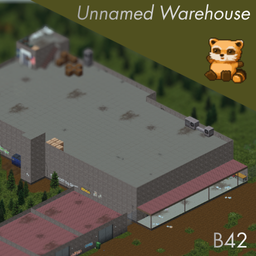
Unnamed Warehouse
von 76561199468186338
🟪 ABANDONED WAREHOUSE ──────────────────────────────────── 🟪 An abandoned warehouse with underground storage. 🟪 Um armazém abandonado com armazenamento no subsolo. ──────────────────────────────────── 🟪 CELLS 🟪 (3,30) 🟪 (4,30) 🟪 (3,31) 🟪 (4,31) ──────────────────────────────────── 🟪 Obrigado pelo apoio. Novos mapas chegando em breve. 🟪 Thank you for your support. New maps are coming soon. 🟪 (⌐■_■) ──────────────────────────────────── 🟪 Drink Coffee Workshop ID: 3604338907 Mod ID: UnnamedWarehouse Map Folder: Unnamed Warehouse

UDWAP Boarding School
von 76561198015081276
The remote Doe Valley Boarding School could be your next base. Full power and water are tucked away in the basement. Recommend spawning elsewhere as no cars will spawn here. Bring your broom and mop! * Optional solar support. * Optional extra loot config Workshop ID: 3561711603 Mod ID: DWAP_BoardingSchool Map Folder: DWAP_BoardingSchool

Kino's Journey
von 76561198041121447
A mod adding Kino's attire and weapons from the LN/Manga/Anime series, Kino's Journey. The Items This mod adds two guns, Kino's Colt Woodsman and Colt Navy 1851 Revolver, 22LR rounds, .44 Liquid Rounds, as well as her pants and jacket. The Woodsman will be a weaker gun than the M9 Pistol but the 22LR rounds it fires are plentiful. The Colt Navy Revolver is a bit sturdier and a bit luckier than a normal Magnum Revolver. .44 Liquid Rounds can be created using .44 bullets and some gasoline Once you have some, use the Reload radial menu or the Right Click Context Menu to convert the revolver to liquid ammo Liquid rounds massively increase the power of the revolver, allowing it to hit 10 zombies in a single shot but firing liquid rounds has a very high chance of breaking the gun. Where to Get The only way to obtain Kino's gear is to find a Kino zombie and loot it off her. She can spawn anywhere but very rarely. Good hunting. Shoutout This mod was made at the behest of my friend, Kinori. Be sure to pair this mod with KI5's '28 Brough Superior SS100 for the complete Kino's Journey experience. Check out my other mods Workshop ID: 2913065267 Mod ID: KinosJourney

Shelter PVE HUB 2.0
von 76561198007234266
https://discord.gg/VjzpFpvE9V Workshop ID: 2986595325 Mod ID: Shelter_PVE-HUB_2.0 Map Folder: Shelter_PVE-HUB_2.0
![[B42.20+] BladeRunner Emote – Project Zomboid Mod](https://images.steamusercontent.com/ugc/15611699965988976510/939D1715B2B861CB03E6CD93CBA46B1387EE5F45/)
[B42.20+] BladeRunner Emote
von 76561199025041264
BladeRunner Emote All mp compatibility issues were fixed in recent update! huge shoutout to @eggpie for helping me debug mp issues :DD For when you know the end is near - Adds custom blade runner animation under "bob" category in emote wheel (hold Q) This is my first custom animation let me know if you encounter any bugs and as always if you have any suggestions for future mods/animations let me know in the comments :D Compatibility: - Build 42 Stable - Multiplayer compatible - Can be added to existing saves ! To do: - add a smoking animation All rights reserved. Use of the Workshop item is permitted. Reuploads, forks, ports, translations, mod-pack inclusion, and reuse of code or artwork require prior permission. Support Workshop ID: 3785409974 Mod ID: BladeRunnerEmote
![Required Item Navigator [B42.20] – Project Zomboid Mod](https://images.steamusercontent.com/ugc/15027019089947645450/C4BE0786EFE1B6C7226F48F30B9768686B7A895F/)
Required Item Navigator [B42.20]
von 76561198054302095
Have you ever searched for a recipe, looked at the required items, and then immediately thought, “Okay... but how do I make these materials in the first place?” At least I do. Constantly. Required Item Navigator is a very small quality-of-life mod that lets you right-click items shown in the Required Items list to check recipes that produce them, inspect their ingredients, or jump directly to the crafting screen. How to use: - Open a recipe in the Crafting or Building window - Right-click an item in the Required Items list that makes you think, “What even is this?” - Choose a recipe from the context menu - Check its tooltip for ingredients and details, or jump directly to the crafting screen - No more mystery ingredient, yay! Main features: - Lets you look up recipes for items shown in the Required Items list - Works in both the Crafting window and the Building window - If multiple recipes can produce the same item, you can choose from a submenu - Lets you preview recipe details and ingredients in a tooltip before jumping Supported version: - Confirmed working on Build 42.15 Notes: - For now, some entries such as Unstack may still appear. They are not really "craft this item" recipes in practice, but the game still treats them as recipes, and filtering them out cleanly is more trouble than it is worth. - This mod does not change crafting balance or recipe contents - It is meant as a helper mod to make intermediate items and multi-step crafting chains easier to follow - It will work on MP as well. Probably. 何かを作ろうとレシピを検索して必要素材を見て、「それで…これらの材料になってるアイテムはどうやって作るんだ…?」となったことはありませんか?少なくとも私はしょっちゅうあります。 Required Item Navigatorは、Required Itemsに表示されている素材を右クリックして、その素材を作れるレシピを確認したり製作画面へ直接飛べるようになるとても小さなQOL MODです 使い方: - Crafting または Building のレシピを開く - Required Items に並んでいるアイテムから「なんだこれ?」と思った物を右クリックする - 表示されたメニューからレシピを選ぶ - ツールチップで材料等を確認したり、そのまま制作画面へ飛んだりする - 完璧に作り方が分かったぞ!やった! 主な特徴: - Required Itemsがレシピを持つアイテムの場合、逆引きでレシピを確認可能 - Crafting ウィンドウと Building ウィンドウの両方に対応 - 同じ素材を作れるレシピが複数ある場合はサブメニューで選択可能 - レシピへ飛ぶ前にツールチップで必要素材や内容を確認可能 対応バージョン: - Build 42.15 で動作確認済み 補足: - 現状Unstackなどの純粋な製作レシピではない物も表示されてしまいますが、これらを非表示にするのも大変なのでそのままです - クラフトバランスやレシピ内容そのものは変更しません - 中間素材や多段クラフトの導線を分かりやすくするための補助MODです - MPでも動作するはずです。多分。 Workshop ID: 3695122429 Mod ID: RequiredItemNavigator
![[Anthro Survivors] Fox Fixed – Project Zomboid Mod](https://images.steamusercontent.com/ugc/15529046552986123408/00CF4B07A173690FAD56BB273CCD3746A4A97368/)
[Anthro Survivors] Fox Fixed
von 76561199066407970
This fixes the fox snout to be more fox-like Workshop ID: 2946331908 Mod ID: Foxfix
Project Zomboid Details →
Project Zomboid Guides
Project Zomboid Mods installieren - Workshop Guide
Installiere Project-Zomboid-Mods sauber per Steam Workshop: IDs eintragen, Reihenfolge prüfen, Server neu starten und typische Fehler beheben.
Project Zomboid Build 42 auf dem eigenen Server: Umstieg, Spielstände und Mods
Build 42 ist Stable: Spielstände aus Build 41 sind nicht kompatibel. Umstieg, legacy41-Zweig, neue Serveroptionen, Anti-Cheat und der Hotfix 42.20.1 gegen Serverlag.
Project Zomboid Server mieten – Multiplayer Guide
Project Zomboid Server einrichten: RAM, Sandbox-Einstellungen, Workshop-Mods, Admin-Rechte und typische Fehler sauber prüfen.
Project Zomboid Server mit Mod-Support
Kompatible, unterstützte Mods über das Server-Dashboard installieren.
Project Zomboid Server mieten