Project Zomboid Mods für Server
Für einen modifizierten Project-Zomboid-Server brauchst du pro Projekt die Steam-Workshop-ID und die interne Mod-ID. Prüfe zusätzlich Spiel-Build, Abhängigkeiten und Lade-Reihenfolge, bevor du deine Welt mit den Änderungen startest.
Project Zomboid Mods sicher installieren
Ein Workshop-Abo allein aktiviert eine Mod auf dem Dedicated Server nicht. Die Einträge in `WorkshopItems=` und `Mods=` müssen zusammenpassen; außerdem muss jede Mod den gewählten Build 41 oder Build 42 ausdrücklich unterstützen.
- 1. Build prüfen: Build-41- und Build-42-Mods nicht ungeprüft mischen.
- 2. Workshop-ID, Mod-ID, Abhängigkeiten und erforderliche Reihenfolge vollständig dokumentieren.
- 3. Welt und Konfiguration sichern, Server neu starten und Logs sowie den Beitritt mit einem Test-Client prüfen.
Die vollständige Schritt-für-Schritt-Anleitung findest du im Project-Zomboid-Mods-Guide. Oder starte direkt mit einem Project Zomboid Server mit Mod-Support.
Häufige Fragen zu Project Zomboid Mods
Was ist der Unterschied zwischen Workshop-ID und Mod-ID?
Die Workshop-ID bezeichnet das Steam-Workshop-Projekt und steuert den Download. Die Mod-ID aktiviert den enthaltenen Mod im Spiel. Auf dem Server müssen beide Listen vollständig und passend gepflegt sein.
Laufen Build-41-Mods automatisch mit Build 42?
Nein. Nutze eine Mod nur dann auf Build 42, wenn ihre Workshop-Seite diese Kompatibilität ausdrücklich bestätigt. Prüfe dabei auch alle Bibliotheken und weiteren Abhängigkeiten.
Wie teste ich ein Mod-Update ohne Risiko für die Welt?
Sichere zuerst Welt, Sandbox-Konfiguration und Server-INI. Aktualisiere danach die zusammengehörigen Mods, starte den Server neu und prüfe Logs, Kernfunktionen und einen vollständigen Client-Beitritt.

AK-47
von 76561198125763020
Adds an AK-47 to the game. Workshop ID: 3416663088 Mod ID: AKM

Spiffo Upgrades
von 76561198073904810
Allows you to upgrade the Spiffo "fur"suit heads. Features: +Allows you to combine an Welder's mask with the spiffo headsuit to allow you to keep on the headsuit whiles dismantling car wrecks. *Note: Does not work with vehicle recycling mod due to it using item and not the tag WeldingMask. Will also apply to other mods that do not use the Tag function. +The Welder Mask version DOES add bite and scratch protection equal to the welder mask, mostly to make sense with the idea of wearing the welder mask all the time. -Removed chance of the mask of the suit to fall of, including base version and upgraded varients. JP_SpiffoUpgrade_Modded also adds nightvision version so you may see in the dark, it's the final upgrade and is added AFTER the welder's mask version. The modded version requires Brita's Armor pack and Shark and Peach's Military Improvement mods. REQUIRED MODS FOR _MODDED VERSION Shark removed the mod, provided is an version reuploaded by another member on the Workshop. It should still work. ONLY ONE SPIFFO UPGRADE MOD IS REQUIRED. Workshop ID: 2891443171 Mod ID: JP_SpiffoUpgrade Mod ID: JP_SpiffoUpgrade_Modded
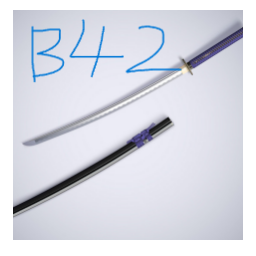
武士刀耐久增强
von 76561198308472629
武士刀耐久增强 把武士刀掉耐久概率改为了1/900,总耐久改为了100,如果算上维护等级,挥砍总期望要大于90000,当年剑心那把刀都没它硬。 Workshop ID: 3406001534 Mod ID: DXQ_Katana
Car Panel
von 76561198008336709
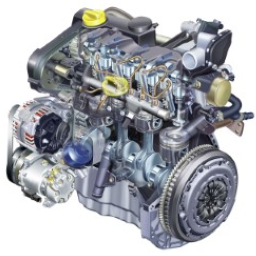
What does this mod do? This mod modifies the vehicle's control panel by making several changes. Engine Icon: Changes color according to its state. Battery Icon: Changes color according to its charge. Fuel Icon: Displays an arrow indicating the direction of the fuel tank. Replaces the speedometer with one in KM/H. ---- TO-DO LIST ---- Add a Texture Selector for the speedometer. (It's taking longer than expected) The idea is to be able to choose from various textures, KM/H, MP/H, etc... Create a completely revamped panel with digital format. Digital indicators, etc, etc, etc. Special thanks to the original authors of the mods for their ideas. You are free to modify it, package it, or use it as you wish (it would be nice if you mention me). Workshop ID: 2980834301 Mod ID: CarPanel
Red Valley
von 76561198136531587
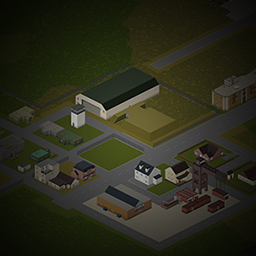
It's just a simple map north of Rosewood. This is my first map. Thanks to all the help from the Community. It uses some buildings from All player made Building Archives Updated 6/2/18 Workshop ID: 1433385705 Mod ID: RedValley Map Folder: RedValley
Lifestyle 42.20 Compatibility Patch
von 76561198090180105
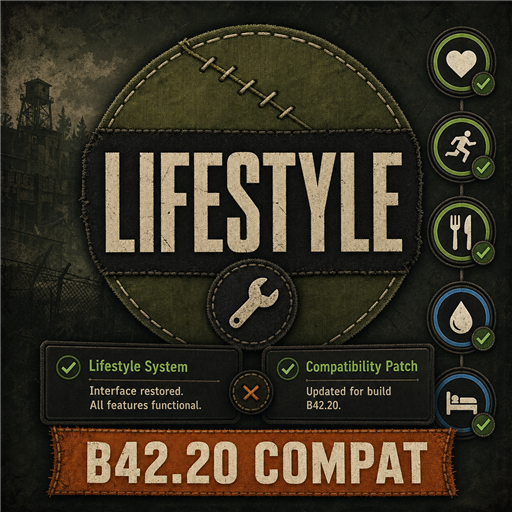
Temporary compatibility patch for Lifestyle: Hobbies on Project Zomboid Build 42.20. This is a temporary solution intended for use until the original Lifestyle: Hobbies mod receives an official Build 42 update. Once the original mod is updated and these fixes are included, disable and unsubscribe from this patch. Current fixes: - Fixes overlapping or persistent Lifestyle moodle tooltips. - Restores missing Lifestyle moodle data in multiplayer. Requires Lifestyle: Hobbies. Install this patch after the original mod. This package contains only compatibility code and does not redistribute any files from the original mod. Mod ID: Lifestyle4220Compat Workshop ID: 3774999360 Mod ID: Lifestyle4220Compat
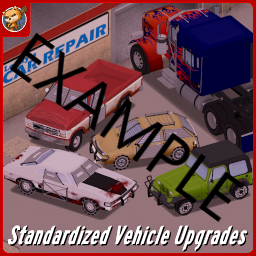
Standardized Vehicle Upgrades 2 (Addon Example)
von 76561198833978028
For modder use. Just some example stuff to make addons for the new and improved StandardizedVehicleUpgrades. Workshop ID: 3024366568 Mod ID: StandardizedVehicleUpgradesEM
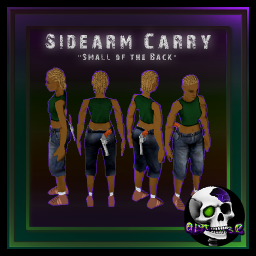
SidearmCarry
von 76561199042257388
SidearmCarry Updated: Fixed B41 version mod previously allows you to carry item without item requierments but since there was an incompatibility with tsarslib i ended up setting items to be able to add the hotbar heres the list of attachment locations that gets overwritten - underwear_bottom - dress - long_dress - long_skirt - pants - pants_skinny - short_pants - shorts_short - skirt If other mods uses these vanilla attachment locations then it will also get affected - B41 MP / SP - B42 MP / SP - Can be installed mid save Mod by: Glytch3r Commissioned by Mayhem CONTACT: All my mods are commissioned including this one For custom pz mod commission requests Contact me via discord discord: glytch3r Workshop ID: 3641255542 Mod ID: SidearmCarry

Mining Chucked
von 76561198012326036
Adds a mining skill as well as a Zone-Editor to add zones which spawn nodes/ore veins. Original code written by TheHunterJP. Commissioned by MrAtomicDuck. Copyright 2026 Chuckleberry Finn. This item is not authorized for posting on Steam, except under the Steam account named Chuckleberry Finn. Workshop ID: 3020684845 Mod ID: miningChucked
![[B42]Occupations Rebalanced [BROKEN in 42.13 MP] – Project Zomboid Mod](https://images.steamusercontent.com/ugc/17548090573240923888/8873CCA1CF3A09AC28116BB37410935F48D46EE2/)
[B42]Occupations Rebalanced [BROKEN in 42.13 MP]
von 76561198112447300
CHECK OUT MY OTHER MODS - Vanvival - Build's 42 Nomadic Experience - Infirmities - Pathology Occupations Rebalanced Tired of over-the-top occupation mods? Frustrated starting as a police officer who can’t even shoot? Rebalanced Occupations keeps the vanilla professions you love — just smarter, fairer, and more fun. No gimmicks. No crazy perks. Only better runs and smoother gameplay. Update Log 1.1.0 - Rebalanced occupations costs - Thanks TikaTops again! Features - Vanilla professions rebalanced – All existing occupations have been adjusted for better gameplay without adding anything new. I really appreciate your support — every coffee helps keep the mods alive! Credits Special thanks to: - TikaTops – For the original idea over in reddit © 2025 Twuben. Credit appreciated! Copyright & Permissions Notice You are free to: - Use this mod on your server. - Add it to public collections. - Extend or add content to this mod. Please give proper credit if you do any of the above. Mod Permissions According to This Policy Workshop ID: 3555409948 Mod ID: twbOccupationsRebalanced
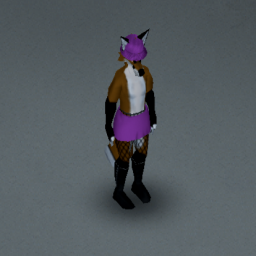
Anthro Survivors Fishnets Fix
von 76561198833978028
ONLY USE 1 VERSION AT A TIME!!! Howdy all. Today I bring you a godsend to Anthro Survivors users. This simple mod fixes bug that all the vanilla stockings, tights, and fishnets have with the furry mod. Where they'd cause issues with the leg rendering. Should, in theory, work with most if not all anthro addons. Floofers rejoice! Workshop ID: 3133563540 Mod ID: NightModPatchesFurry Mod ID: NightModPatchesFurryNoFeet
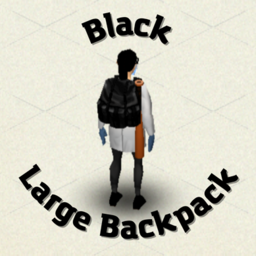
Black Large Backpack
von 76561198200023141
This mod replaces the default Alicepack texture to a black texture Workshop ID: 2992642739 Mod ID: BlackLBackpack
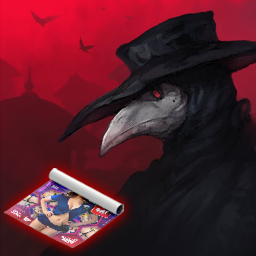
Korkuluk's Delishious Poster Tiles NSFW
von 76561198080203779
Adds 100 nsfw delishious posters to decorate your safehouse, featuring 64 regular posters, 16 horizontal posters, 10 vertical posters, 4 mega posters. Compatible with both Build 41 and Build 42. Note: The 3D world models for ground placement are only available in Build 42. It functions as custom tile definitions in Build 41. Important Note: This mod is strictly required to be used alongside Korkuluk's Poster Tube. Posters will not spawn on the world without it. Workshop ID: 3739288808 Mod ID: Delishious
Lightning Legacy Menu
von 76561198040780708
Lightning Legacy Menu restores the animated, “stormy” main-menu that shipped briefly with the first B42 unstable build of Project Zomboid: a looping background video, periodic lightning-flash overlay, and the original scrolling credits —plus two extra credit lines for the community members who preserved the assets. Everything is Lua-only; no class replacements, no byte-code patches, and the menu UI remains fully clickable. When Project Zomboid B42 first hit unstable, the title screen featured a moody background That menu was removed after controversy around potential AI-generated imagery, and all supporting files/classes were stripped from later builds. This mod brings it back. Two synced videos – pztitletest.bik (base loop) and pztitletest_light.bik (lightning). Both play in lock-step; a short timer flips to the flash video for 1.50 s every ~25 s, recreating the thunder effect. Zero UI impact – we hook MainScreen:prerender() and only decide which texture to draw. All buttons, sub-menus and tooltips behave exactly as in vanilla. Credits preserved & extended – the vanilla credit list scrolls as before, preceded by: • Idea & encouragement – Try Honesty • Asset recovery – Ash / EtherealShigure Pure Lua implementation – no Java patching, no JVM bytecode edits, multiplayer-safe. Why this matters • Nostalgia / curation – lets players who missed the first unstable build experience the original vision. • Template for others – shows how fully animated backgrounds can be added with nothing more than Lua and Bink videos. Replace the two textures and tweak the timer constants to build your own themed menus. HOW TO INSTALL 1. Subscribe/download like any normal Workshop mod. 2. Copy the two .bik files once: • From → …\\workshop\\content\\108600\\3520676549\\mods\\LightningLegacyMenu\\common\\media\\videos\\ • To → …\\steamapps\\common\\ProjectZomboid\\media\\videos\\ (The game only loads videos from its own media/videos/ folder.) 3. Launch PZ – the classic lightning menu is back. Why so heavy? The videos are native 2560×1440 and converted from the original BK2 to BIK, so the download is ~450 MB. That’s all data; no code bloat. ============== CREDITS & TRIVIA ============== Made with the *help* of AI… because sometimes you have to fight controversy with even more controversy. Don’t worry: the videos themselves are still 100 % AI&human-made pixels from 2024 – we just asked the robot to wire them back in. Workshop ID: 3520676549 Mod ID: LightningLegacyMenu

Veracious Network's Weed
von 76561198157934652
DEVELOPMENT FOR DRUG FRAMEWORK WILL BEGIN WITH B42 MULTIPLAYER DROP! Development on hold! Development on this mod is currently on hold as we near the build 42 release. At which point we have an exciting announcement to make! Gone are the days of only being able to smoke pot in zomboid. Introducing Veracious Network's Drug Framework This new and complex framework is not only expanding on the foundation we have laid with VN Weed, but also introducing MANY new drugs into the game, Maybe your tired of you character being tired all the damn time and you need a pick me up, Not a problem, living in rural kentucky in the 90's sure makes it easy to find all the parts for a methlab! Or how about something to deal with that depression? Maybe some molly? or how about we chill out and trip on a few tabs? All of this and much more is going to be possible with our latest creation! We do not have a release date yet as much of the development work is awaiting build 42's arrival to ensure nothing major will change in the way we program it! Small updates: Dab rigs are now findable and craftable so you can smoke the hashoil, Gives better postive buffs and not as bad negative buffs. Rolling Papers are now a pack item and can be broken down into 6 single rolling papers. Item image updates as well! Enjoy! **UPDATE 1.1 LIVE NOW!** Update 1.1 Has came with some major advancements to the mod! It is now possible to Cultivate your own marijuana! Seeds can be obtained by grinding raw flower in a grinder (now a find-able object in the world) You will Need Multiple Seeds in order to plant you desired Strain, Upon planting 2 Plants will start growing. There is 8 stages in total with the 6th stage being the harvest-able stage (indicated by the Colored Nuggets on the plant) Be sure to harvest it on time or you will lose all of your crop! (Indicated by the browning of leaves) Below you can see the stages of the growth! Also included in this update is a new Craftable object which will be coming into play during the 1.2 update! Time to start saving some scrap parts to create the New Weed Press! The weed press serves as a handheld hydraulic press that compresses raw flower to produce an oil by product! Thats right you can now make your own Shatter! In the future you will not only be able to smoke your shatter for a bigger buff, but also use the shatter in cooking recipes to increase their buffs as well! Coming with that update will also be the ability to seperate THC and CBD, Both will have uses in advanced Medicine! You find yourself bored on a Saturday afternoon, all of the sudden you remember you hid some weed from your teenage years. You Run to the crate to find an old pack of rolling papers, and some super dry herb. You do the only thing to do in a zombie apocalypse, You roll up your shitty old weed to take the edge off, to turn that frown upside down! Features - 5 Strains of weed with the ability to add any you want - Multiple Ways to smoke and use the weed - Buffs to your unwanted traits such as Boredom, Depression, Etc - Debuffs to Hunger and Thirst so make sure you have snacks handy! - Actively Developed - Open Sourced! Plans! - THC & CBD Seperation - Hash Oils in Cooking - Use of CBD and THC to create advanced Medicines (still requires Knowledge in first aid) - Hemp & Hemp building products and tiles. - Continued work on loot distribution and recipes SourceCode: https://github.com/VeraciousNetwork/PZ-VNWeed Discord :https://discord.gg/ymWb5tfN3P License: MIT This mod is OPEN SOURCE, so redistribution and use is mod packs is ALLOWED. Workshop ID: 3134354570 Mod ID: legalizeit Workshop ID: 3134354570 Mod ID: legalizeit
More Blacksmithing!
von 76561198066783643
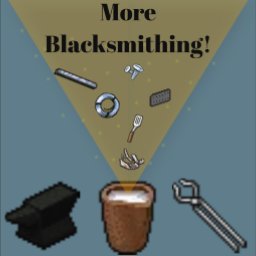
More Blacksmithing! IMPORTANT: Thanks to the current government in the UK the population has been subjected to online censorship. This makes sourcing images from the pzwiki etc very difficult (i.e. twice the amount of work). There is no such thing as "unusable metals". Most, if not all can be repurposed for a grander cause! All items have been researched for their most common compositions and I have made it my mission to add functionality to them. Forge: - Added recipes for cutting railroad track pieces. Railroad tracks are foraged in the vanilla game and are quite rare and also useless, but with this mod they are able to be cut in to smaller pieces and be used to make steel bars. Railroad tracks have been removed (hopefully) temporarily from the game. This recipe will return when they are added back unless the developers add a sufficient use for them. - Recipes to make steel wire and electrical wire in a realistic way using the draw plate (the devs will probably add this at some point to the vanilla game seeing as how the draw plate is vanilla) Furnace: - Wire, Paperclips, Spatula & Sheet Metal Scrap and many more items in the game that are composed of iron/steel are able to be used in the "Smelt Item" recipes in furnaces. - Make anvils from steel as well as iron. Planned features: - Covering all metal items with the appropriate recipes in either the forge and or furnace. This will be an ongoing planned feature. - Add assembly projects like the cast iron stove. If you find any errors with blacksmithing i.e fulfilling a recipes requirements and the game showing a red outline, please post it in the comments. Please enjoy! Credits: Harkness (me) Hugo Qwerty for helping me with some scripting ThisIsName. This was originally their idea with the mod "Ironworks". I have just expanded on it. euah for being super helpful and helping keep the mod moving. My lord and saviour Jesus Christ. Workshop ID: 3581691478 Mod ID: blacksmithext Workshop ID: 3581691478 Mod ID: blacksmithext

Undead Relent Mystery Box
von 76561198062782667
Description What's in the box? Mystery Box system made specifically for Undead Relent PVE. Credits - The mod was commissioned by Undead Relent - This mod was created by Arendameth This mod's permissions fall under TIS's policy Ask for permission This mod can only be added to and extended with the express permission from the original creator. Having received permission, credit must be given to the original creator, both within the files of the mod and wherever the mod roams online. If no permission is received you may not alter the mod, and it must be treated as a mod that is 'On Lockdown'. The only exception is that servers may freely include this mod in their modpacks, with the freedom to alter it or make modifications as they see fit, as long as credits are properly given to the original creator. Workshop ID: 3528727376 Mod ID: URMysteryBox
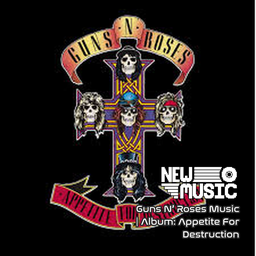
Guns N’ Roses Music | Album: Appetite For Destruction
von 76561199258285984
Guns N’ Roses Music | Album: Appetite For Destruction Generated with New Music Builder Appetite For Destruction Side A 01 Welcome To The Jungle 02 It's So Easy 03 Nightrain 04 Out Ta Get Me 05 Mr. Brownstone 06 Paradise City Appetite For Destruction Side B 01 My Michelle 02 Think About You 03 Sweet Child O' Mine 04 You're Crazy 05 Anything Goes 06 Rocket Queen Workshop ID: 3756849258 Mod ID: 1GunsrosesAlbum

Donkey-驴服全局僵尸控制
von 76561199237590989
基于原版41 Random Zombies Full 修改适配,感谢原作者的优秀工作。 修复 B42 中僵尸属性访问方式(直接读取公开属性,不再使用调试函数) 优化僵尸更新逻辑,提升性能 完善配置验证和错误处理 🔌 插件支持 支持第三方插件扩展,可实现更多自定义触发条件 ⚡ 性能优化 可调节更新频率 - 1000ms 至 60000ms 可调,平衡模组响应速度与服务器性能 白天/夜间独立设置 - 根据不同时段配置僵尸的速度、强度和智力 季节影响 - 可根据季节自定义夜晚的开始和结束时间 自动切换 - 游戏内自动检测时间并切换僵尸行为 雨天 - 下雨时可触发特殊僵尸配置 雪天 - 下雪时可触发特殊僵尸配置 雾天 - 起雾时可触发特殊僵尸配置 强度阈值 - 可设置触发特殊配置的天气强度(轻微/中等/严重) 🧠 精细的僵尸属性控制 速度类型 - 爬行者、蹒跚者、快速蹒跚者、冲刺者(百分比配置,总和100%) 生命强度 - 脆弱、普通、坚韧(百分比配置,总和100%) 智力 - 聪明僵尸(会开门)的百分比 智能批量更新 - 优化僵尸更新逻辑,减少 CPU 占用 更新: 与区域僵尸控制器共存, 控制全局:白天/夜晚/特殊天气的僵尸属性动态变化 控制特例:特定区域内僵尸属性完全由区域配置决定 Workshop ID: 3704630223 Mod ID: RandomZombies

Psychology Skill (B41/B42)
von 76561198013475692
Psychology Skill — Mental Resilience Build 41 / Build 42.20+ | Singleplayer | Multiplayer | Dedicated Servers Train your survivor’s mind. Psychology Skill adds a new Psychology skill to Project Zomboid, allowing survivors to gradually build mental resilience against stress, panic, and unhappiness. Face the undead, practice breathing exercises, read specialized books, complete therapeutic workbook activities, and recover from Nicotine or Alcohol dependency through a fully simulated mental health progression system. Main Features - Psychology Skill — gain levels and reduce mental strain over time. - Zombie Exposure XP — facing visible zombies gradually toughens your survivor. - Practice Breathing — perform a self-action to lower stress and gain Psychology XP. - Skill Books 1–5 — vanilla-style books with XP multipliers and boost indicators. - CBT Workbook — a drainable workbook used for therapeutic exercises. - Quit Smoking Guide — helps reduce Nicotine dependency. - Alcohol Sobriety Guide — helps reduce Alcohol dependency. - Addiction System — survivors can develop dependencies even without addiction traits. - Psychology Panel — view mental state, XP, level, and dependency progress. - Sandbox Configuration — adjust all major Psychology and addiction mechanics. Build Compatibility - Fully supports Build 41. - Fully supports Build 42.20+. - Both versions are included in this single Workshop item. - Each build loads its own compatible scripts and files. - Works in Singleplayer, Multiplayer, and Dedicated Servers. How Psychology Progression Works Zombie Exposure Survivors gain Psychology XP by being exposed to visible zombies. The more your character endures, the more mentally resilient they become. Emotional Resistance Higher Psychology levels reduce incoming stress, panic, and unhappiness gains. Therapeutic Activities Breathing exercises, CBT workbook activities, and specialized literature provide alternative ways to train Psychology outside of combat exposure. Skill Books Five Psychology books cover levels 1–10 and use a vanilla-style XP multiplier system. Addiction & Recovery System Nicotine and Alcohol dependency increase through repeated consumption. When withdrawal begins, survivors may suffer increased stress and unhappiness. A higher Psychology level helps mitigate these effects, making mental resilience valuable for long-term recovery. Dependencies naturally decay over time, while specialized recovery guides provide a faster method to reduce dependency. - Nicotine Dependency — affected by repeated tobacco use. - Alcohol Dependency — affected by repeated alcohol consumption. - Withdrawal Effects — stress and unhappiness penalties. - Recovery Guides — reduce dependency faster. - Psychology Mitigation — higher Psychology helps soften withdrawal effects. Psychology Panel The character information window includes a dedicated Psychology tab showing: - Psychology level. - Current XP and XP required for the next level. - Stress, Panic, and Depression status. - Overall psychological condition. - Nicotine dependency level. - Alcohol dependency level. Sandbox Configuration In Singleplayer or while hosting, open the Psychology page in the Sandbox Options menu. Dedicated servers can configure the system through SandboxVars: SandboxVars.PSY = { StressGainMultByLevel = 0.98, PanicGainMultByLevel = 0.985, UnhappyGainMultByLevel = 0.985, StressDecayBonusPerLvl = 0.0015, ``` NicoGain = 0.5, NicoDecay = 1, NicoMinInt = 120, NicoStrMin = 0.002, NicoUnhMin = 0.2, NicoGuide = 20, AlcGain = 5, AlcDecay = 1, AlcMinInt = 360, AlcStrMin = 0.003, AlcUnhMin = 0.3, AlcGuide = 20, ``` } Languages - English - Portuguese - Portuguese (Brazil) Build 42 uses the JSON translation system introduced in Build 42.15. Compatibility Notes - No vanilla file overrides. - High compatibility with other mods. - Separate Build 41 and Build 42 implementations. - Compatible with existing saves. - Newly added items may require unexplored areas to spawn naturally. Latest Update - v1.0.2 (Build 42.20 fixes) - Fixed the constant red errors on Build 42.20. The mod called a function that no longer exists in Build 42. It was silently failing until 42.20 started reporting these errors, at which point it began spamming the console every in-game minute. - Fixed permanent maximum stress and unhappiness. Withdrawal was all-or-nothing, ignored your Psychology level entirely, had no upper limit, and ran at full strength through every minute of sleep - so a single night could leave you waking up completely broken. - Withdrawal now scales with how addicted you actually are. Two beers no longer trigger anything. A light dependency is a mild nuisance; a heavy one is genuinely rough. - Psychology level now actually reduces withdrawal, as the sandbox descriptions always claimed it did. - Withdrawal is heavily reduced while sleeping. - Stress and unhappiness from withdrawal now plateau instead of pinning at maximum forever. - Performance: zombie-exposure detection no longer scans 441 map tiles per player every minute. - Smokers are no longer penalised twice on Build 42. Build 42 has its own nicotine withdrawal, and this mod was stacking a second penalty on top of it. Your nicotine dependency still builds, decays and shows in the panel exactly as before - but the withdrawal itself is now delivered once, not twice. - Your Psychology level now genuinely softens nicotine withdrawal without wiping out the dependency you built up. - The Psychology tab opens at its own size again instead of inheriting the size of whichever tab you looked at last. Note for dedicated server admins This release was tested in singleplayer, including saving and reloading. Dependency syncing on a dedicated server with multiple players has not yet been verified. It is expected to work and is built to be server-authoritative, but if you run a server please report anything that looks wrong so it can be fixed quickly. Server IDs Workshop ID: 3561213456 Mod ID: psychology_skill Support & Feedback Feedback, bug reports, balance suggestions, and translation corrections are welcome in the comments. If you enjoy the mod and want to support future updates: Support me on Ko-fi
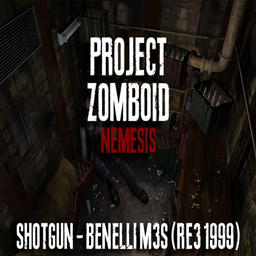
Resident Evil 3 - Shotgun Benelli M3S (B42 UPDATE - CHECK DESCRIPTION)
von 76561198124164193
Project Zomboid Nemesis it's a collection that change some elements in game, like outfits, main menu, sounds, musics and many other things. This modification will insert the Benelli M3S shotgun from Resident Evil 3 (1999). This weapon has its own icon and a faithful appearance to the Benelli M3S, it is not a retexture of the JS2000, it is a standalone weapon mod. it will use the same original ammunition from the game, in this case 12 gauge You can find it at the police station, police officers, riot police, cop cars, weapon stores, hunting stores, drug laboratory, some garages This weapon has been ported, improved, and redesigned for Build 42; just click the thumbnail below to be redirected to the new mod. Workshop ID: 3066967560 Mod ID: Resident Evil 3 - Shotgun Benelli M3S
![True Cable TV [B42.20] SP|MP – Project Zomboid Mod](https://images.steamusercontent.com/ugc/10929527513102677482/E0070E41D0AC0D15F8207F0BE32A33670B6E9ACE/)
True Cable TV [B42.20] SP|MP
von 76561199044501844
|----------------------------------------------------------------------------------------------------| True Cable TV SP|MPExpands Project Zomboid’s televisions into a full cable-style broadcasting system built for B42.20 SP/MP. The mod adds a lineup of lore accurate custom television channels covering sitcoms, kids’ cartoons, stand-up comedy, late-night animation, news, sports, music television, talk shows, religious broadcasting, infomercials, and weather programming. All mostly sourced from Kentucky related media and period broadcasts surrounding 1993. Hear the ’90s again! Easter eggs included. Warning: some content may be offensive, these are broadcasts from 33 years ago. Each channel runs its own synchronized schedule and can transition naturally between programs and a shared pool of period-style commercials. Because every station operates independently, channel surfing can genuinely land you in the middle of another program or commercial break. The weather channel is also fully dynamic. It reads the save’s actual in-game climate and displays current conditions, humidity, wind, rain, snow, fog, thunderstorms, forecast highs and lows, expected weather timing, sunrise, sunset, and severe-weather alerts. The TV will behave as a radio and a TV simultaneously, occasionally printing the in-game weather out into the world just like a vanilla radio would while the channel plays the weather broadcast. |----------------------------------------------------------------------------------------------------| CHANNEL LINEUP 212: 90s Sitcom Television 213: 90s Kids Cartoons 214: 90s Stand-Up Comedy 215: 90s Late-Night Animation 216: 90s News Television 217: 90s Sports Television 218: 90s Music Television 219: Weather Channel & Local Access (Current Weather & Forecasts) 220: 90s Talk Show Television 221: 90s Religious Broadcasting 222: 90s Infomercial Television -The Weather Channel displays current weather reports every 10 in-game minutes. -Detailed same-day forecasts run every 30 in-game minutes. -Full multi-day forecasts run at the top of every in-game hour. |----------------------------------------------------------------------------------------------------| FEATURES -Eleven custom cable television channels -Independent channel schedules -Server-controlled program selection -Shared randomized commercial breaks -Multiplayer-synchronized program scheduling -Live in-game weather reports -Existing-world television preset support -Normalized program audio across all channels -No vanilla radio mumbling on custom channels -Automatic preset registration for Channels 212–222 -Compatible with TV & Radio Reinvented -Complete Build 42.20 SP/MP support -Safe to add mid-save |----------------------------------------------------------------------------------------------------| LATEST UPDATE (Aug 23 2026): True Cable TV has received a major performance and initialization overhaul. The previous 6-10 second client-side hard freeze when initializing True Cable TV in-game was reduced to essentially 0 seconds, resulting in near-instant startups, while normal channel behavior remains unchanged. TVs naturally spawned in the world will now also sometimes be tuned to a True Cable TV channel. Check the Change Notes if you'd like to read the full technical breakdown. |---------------------------------------------------------------------------------------------------|UPCOMING ADDITIONS & CHANGES -A much larger catalogue of broadcasts and new commercials for every channel. -Programmable TV Remotes that will require batteries to use. -New thumbnail and promotional artwork. |----------------------------------------------------------------------------------------------------| KNOWN ISSUES -Currently no known issues. Please report any bugs you encounter. |----------------------------------------------------------------------------------------------------| TRUE MUSIC COMPATIBILITY True Cable TV is designed to work alongside the True Music B42 framework. Yes, the True Music B42 mod itself still works correctly on B42.20 as is, believe it or not. However, many older True Music music packs contained cassette and vinyl item IDs that used punctuation, spaces, and other characters that B42.20 could not reliably process. This could prevent the game from recognizing, spawning, transferring, or playing those media items correctly, particularly in multiplayer. Rather than replacing True Music with an entirely new music framework, I repaired the affected internal item IDs in several major legacy music collections. Every associated reference was updated while preserving the mappings between the physical cassettes and records, their audio files, and their GlobalMusic definitions. |----------------------------------------------------------------------------------------------------| RECOMMENDED TRUE MUSIC SETUP Subscribe to these mods and use your mod manager’s automatic load-order sorting. This is the complete True Music stack, tested with True Cable TV. True Music B42 (3397198968): https://steamcommunity.com/sharedfiles/filedetails/?id=3397198968 True Music Radio B42 (3631572046): https://steamcommunity.com/sharedfiles/filedetails/?id=3631572046 True Music Jukebox B42 (3398874593): https://steamcommunity.com/sharedfiles/filedetails/?id=3398874593 True Music Jukebox | B42.2 SP/MP| Cassette/Vinyl Transfer Fix & Server-Side Sync (3776282543): https://steamcommunity.com/sharedfiles/filedetails/?id=3776282543 COMPATIBLE MUSIC COLLECTIONS (with compatible IDs) True Music | B42.2 | 1909–1993 Complete Collection (3776356957): https://steamcommunity.com/sharedfiles/filedetails/?id=3776356957 True Music | B42.2 | True Music Catalogue I (3776573122): https://steamcommunity.com/sharedfiles/filedetails/?id=3776573122 True Music | B42.2 | True Music Catalogue II (3776623164): https://steamcommunity.com/sharedfiles/filedetails/?id=3776623164 (These collections support cassettes, vinyl records, radios, televisions, and jukeboxes.) |----------------------------------------------------------------------------------------------------| To create your own packs that are compatible with this stack, please refer to this page and read the description: True Music FORGE | B42.2: https://steamcommunity.com/sharedfiles/filedetails/?id=3783117168 Workshop ID: 3777241403 Mod ID: J93ClassicTV
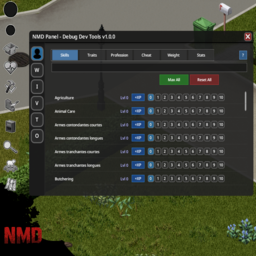
NMD Panel - Debug Dev Tools B42.19
von 76561199793378347
NMD Panel - Debug Dev Tools est un panneau d'outils moderne pour Project Zomboid Build 42.19+ Solo. Il regroupe dans une interface NeatUI intuitive les fonctionnalites essentielles de debug et de gestion du jeu Fonctionnalites actuelles MODULE PLAYER, WORLD, ITEMS et VEHICULES (Disponible) Le module Player offre une gestion complete de votre personnage : SKILLS - Competences Modification par niveau (0-10) ou quantite XP Recherche par nom Max All : Mettre toutes les competences au maximum Reset All : Reinitialiser toutes les competences TRAITS - Traits de personnage Ajouter/Retirer des traits Filtrage par type (positif/negatif/actif) Descriptions detaillees avec cout et effets Add All / Remove All PROFESSION - Metiers Changez votre profession Toutes les professions disponibles Descriptions des competences associees CHEAT - 28 fonctionnalites God Mode : Invincibilite Ghost Mode : Invisible aux zombies No-Clip : Traverser murs et objets Fly Mode : Voler avec fleches haut/bas Instant Mode : Actions instantanees Unlimited Carry : Portage illimite Build Mode : Construction sans materiaux Craft Mode : Fabrication sans materiaux Unlimited Ammo : Munitions infinies Unlimited Durability : Armes indestructibles Besoins vitaux : Faim, Soif, Fatigue, Endurance Sante : Vie, Infection, Maladie, Poison Emotions : Stress, Panique, Ennui, Malheur, Colere Environnement : Temperature, Humidite, Ivresse, Douleur, Inconfort WEIGHT - Poids corporel Modification du poids du personnage STATS - Statistiques de jeu Zombies tues Jours survecus Statut d'infection Ouverture / Fermeture du panel Bouton flottant NMD (deplacable) Touche F10 : Ouvrir/Fermer le panel Requis : NeatUI_Framework Compatibilite Build 42.19+ Solo uniquement Notes importantes Le mod est en developpement actif Les modules PLAYER, WORLD, ITEMS et VEHICULES sont 100% fonctionnel Les autres modules seront ajoutes progressivement Nouveau modules WORLD : Meteo, Temps, Teleportation ITEMS : Generation d'items VEHICLES : Generation et reparation de vehicules Modules a venir TOOLS : Brush tools, Basement, Destruction OTHER : Gestion des zombies, Recettes, Animaux Et d'autres fonctionnalites sont a venir Pensez a activer NeatUI_Framework dans vos mods Le mod NeatUI_Framework doit etre charge avant le mod NMDebug Ordre de priorite des mods: NeatUI_Framework -> NMDebug Gratuit et Open Source Ce mod est concu pour faciliter le developpement de mes projets personnels et est mis gratuitement a disposition de la communaute. Vous etes libre de le modifier, l'ameliorer ou l'etendre selon vos besoins. Mods sur demande Si vous souhaitez un mod personnalise, vous pouvez me contacter via : Commentaires du Workshop Message prive Steam Discord : nmd0317 Je propose des developpements sur mesure. Les delais, la faisabilite et le cout dependent de la complexite du projet. Mise a jour de mods Je propose egalement la mise a jour de mods abandonnes de la Build 41 vers la Build 42, sous reserve de l'accord du createur original. Bugs et suggestions N'hesitez pas a signaler les bugs ou proposer des ameliorations dans les commentaires Workshop ID: 3625802912 Mod ID: NMDdebug
![[Obsolete] Nested Containers Fix – Project Zomboid Mod](https://images.steamusercontent.com/ugc/12572847183058960456/7343304BB4A87E76CFCE2B27ECD50FD0712B817E/)
[Obsolete] Nested Containers Fix
von 76561199581786860
In case you don't know, this mod will let you access containers that are for example inside a shelf without having to equip it. This fix aims to fix the duplicated container bug usually found in car mods. This mod was originally made by Nikku Miru. I am not the original creator and all the credit goes to them. I'll remove this mod if the creator asks me to. Feel free to leave a comment or report a bug. Workshop ID: 3491726049 Mod ID: nm_nested_containers_fix
Project Zomboid Details →
Project Zomboid Guides
Project Zomboid Mods installieren - Workshop Guide
Installiere Project-Zomboid-Mods sauber per Steam Workshop: IDs eintragen, Reihenfolge prüfen, Server neu starten und typische Fehler beheben.
Project Zomboid Build 42 auf dem eigenen Server: Umstieg, Spielstände und Mods
Build 42 ist Stable: Spielstände aus Build 41 sind nicht kompatibel. Umstieg, legacy41-Zweig, neue Serveroptionen, Anti-Cheat und der Hotfix 42.20.1 gegen Serverlag.
Project Zomboid Server mieten – Multiplayer Guide
Project Zomboid Server einrichten: RAM, Sandbox-Einstellungen, Workshop-Mods, Admin-Rechte und typische Fehler sauber prüfen.
Project Zomboid Server mit Mod-Support
Kompatible, unterstützte Mods über das Server-Dashboard installieren.
Project Zomboid Server mieten