Project Zomboid Mods für Server
Für einen modifizierten Project-Zomboid-Server brauchst du pro Projekt die Steam-Workshop-ID und die interne Mod-ID. Prüfe zusätzlich Spiel-Build, Abhängigkeiten und Lade-Reihenfolge, bevor du deine Welt mit den Änderungen startest.
Project Zomboid Mods sicher installieren
Ein Workshop-Abo allein aktiviert eine Mod auf dem Dedicated Server nicht. Die Einträge in `WorkshopItems=` und `Mods=` müssen zusammenpassen; außerdem muss jede Mod den gewählten Build 41 oder Build 42 ausdrücklich unterstützen.
- 1. Build prüfen: Build-41- und Build-42-Mods nicht ungeprüft mischen.
- 2. Workshop-ID, Mod-ID, Abhängigkeiten und erforderliche Reihenfolge vollständig dokumentieren.
- 3. Welt und Konfiguration sichern, Server neu starten und Logs sowie den Beitritt mit einem Test-Client prüfen.
Die vollständige Schritt-für-Schritt-Anleitung findest du im Project-Zomboid-Mods-Guide. Oder starte direkt mit einem Project Zomboid Server mit Mod-Support.
Häufige Fragen zu Project Zomboid Mods
Was ist der Unterschied zwischen Workshop-ID und Mod-ID?
Die Workshop-ID bezeichnet das Steam-Workshop-Projekt und steuert den Download. Die Mod-ID aktiviert den enthaltenen Mod im Spiel. Auf dem Server müssen beide Listen vollständig und passend gepflegt sein.
Laufen Build-41-Mods automatisch mit Build 42?
Nein. Nutze eine Mod nur dann auf Build 42, wenn ihre Workshop-Seite diese Kompatibilität ausdrücklich bestätigt. Prüfe dabei auch alle Bibliotheken und weiteren Abhängigkeiten.
Wie teste ich ein Mod-Update ohne Risiko für die Welt?
Sichere zuerst Welt, Sandbox-Konfiguration und Server-INI. Aktualisiere danach die zusammengehörigen Mods, starte den Server neu und prüfe Logs, Kernfunktionen und einen vollständigen Client-Beitritt.
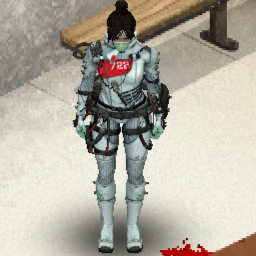
Quarantine_722
von 76561199178116693
How Do I Use It? - You can go to the link below to see how to use it. - Link Recommended mode - Fashionoid - Gear Transmog - Hide All Attached Items - Clipping animation Fix Like My Mode? - Join Our Discord If You Want Commission Workshop ID: 3174611504 Mod ID: Quarantine_722
Optimised Tooltip
von 76561198064576595
Optmises the Rip Clothing and Craft Sheet Rope tooltip to prevent the game locking up when the game has a lot of clothing added via mods. Workshop ID: 3004315108 Mod ID: DisableRipTooltip
口袋空间
von 76561199193863491
添加了一个可以随便进入的空间 获得空间戒指后右键申请空间,然后可以进入 (不要在空间内再次进入空间,不然会无法离开) 空间戒指还可以存储物品,装备在左手后右键物品即可(物品不能在地上) 进入空间后右键部署 空间戒指提供传送点功能,可以自主设置和删除 未设置获取方式 单人游玩请打开沙盒的开局就送 6/11 移除了添加传送点和部署的限制 一定要在主世界留一个传送点,防止回不去 Workshop ID: 2980429402 Mod ID: PocketArea Map Folder: PocketArea
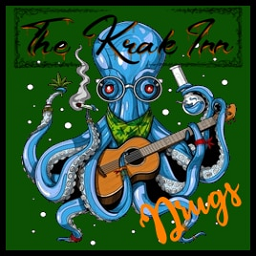
The Krak Inn Drugs
von 76561197975916165
*REUPLOADED* The original author deleted this mod without warning for some reason. Reuploading this so servers won't break. This Mod is very much a work in progress. We will be doing updates over time to add cool new features and functionality. The mod will be adjusted according to feedback from the community. While using this mod we encourage feedback so that we can build a well rounded product for everyone to enjoy. What does this mod do? This mod adds the ability to not just find drugs and drug paraphernalia but the ability to craft drugs and drug paraphernalia. It adds 9 different drugs, several crafting recipes, and much more. Future plans Add the ability to farm weed. Add ability to farm Cocaine leaves. Add drug based clothing. Take over the world... Continue testing distributions. Continue testing status effects. Add more as ideas come... Add an XP system. Workshop ID: 2996907462 Mod ID: TheKrakInnDrugs
![[Abandoned] Capacity vest and ammo straps(ShellsBandolierPatch) – Project Zomboid Mod](https://images.steamusercontent.com/ugc/2155594875917683004/FB0E1DE485566880294FA7AA23CEAFDA1F1E652D/)
[Abandoned] Capacity vest and ammo straps(ShellsBandolierPatch)
von 76561198258866155
Notice! I am stepping down from modding, and my mods will no longer receive updates. I suffered a major loss when my hard drive went missing (I believe it was stolen, though I cannot prove it). The drive contained months—if not years—of unreleased work, source files, and upcoming updates. Losing all of that progress has completely drained my motivation and willpower to continue modding. I am sorry. Permissions I grant full permission for anyone to use, modify, reupload, or continue anything from my mods. You do not need to ask for my permission, and you do not even need to credit me. Workshop ID: 3061703495 Mod ID: Capacity vest and ammo straps(ShellsBandolierPatch)
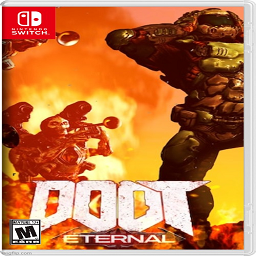
True Music Addon: Doom Eternal TAG P1 & P2 OST
von 76561198045493330
The DLC of Doom Eternal both parts. These are the main music. If I missed any that would like to be added or any issues, let me know. Hope you like the picutre choice. As always I don't own any of these. Workshop ID: 2933065639 Mod ID: Doom_Eternal_TAG_P1_P2_OST

金喵交易修改
von 76561198352649250
其他功能没动 增加了一个交易日志系统 位置在服务器存档Project Zomboid Server\Lua\mods\TradingLog 每次服务器重启都会新建一个文件进行日志储存 记录玩家的金钱变化 上架 购买记录 Workshop ID: 3485244862 Mod ID: Trading_bank Miao
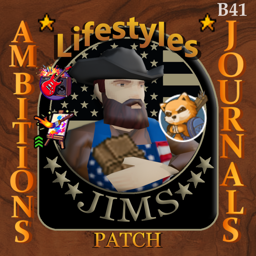
Jim's Lifestyle+SRJ Compatibility Patch B41
von 76561198130319517
Build 41 compatibility patch Compatibility patch for Lifestyle and Skill Recovery Journal on Build 41. MP compatible. What it does - Saves completed, unlocked, and in-progress Lifestyle ambitions into Skill Recovery Journals - Reading the journal restores completed ambitions and puts unfinished ambitions back into your ambition list - The journal does not force ambitions active, so players can choose what to activate with the normal Lifestyle system - For unfinished ambitions: read the journal, activate the ambitions you want, then read the journal again to restore their saved progress - Adds a compact ambitions summary to the journal tooltip Notes Requires both Lifestyle and Skill Recovery Journal. If you spot a translation issue, please report it so it can be corrected. Workshop ID: 3687745049 Mod ID: JimsLSSRJpatchB41
Pretendard Korean Font
von 76561198006110278
프리텐다드 한국어 폰트입니다. 폰트 다운로드 페이지로 이동 Workshop ID: 3128661240 Mod ID: pretendard
![[B42]Lighter Ammos – Project Zomboid Mod](https://images.steamusercontent.com/ugc/9450636570683675907/63FC43871FC79C04B5612EE8E0211248C0C7CFFC/)
[B42]Lighter Ammos
von 76561198107533137
Reduce the weight of the original bullets. The weight of the bullets is changed to 0.01. The weight of boxed/cased bullets is reduced to 1/10 of the original. This way, we can carry more bullets when fighting in the demon cave. Workshop ID: 3482928802 Mod ID: ASCFLighterAmmos001
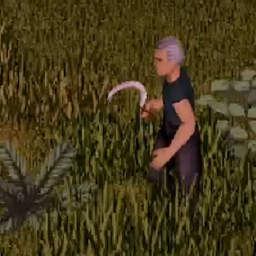
Rick's MLC Grass Cutting With Tool
von 76561197980074567
Do you love cutting grass, but don't have the time to enjoy it? Now with this mod from Rick's Mid Life Crisis grass removal is a breeze. With this mod installed simply equip the Hand Scythe* in your primary hand and away you go. As an added bonus** you may gain a little Small Blade experience with each cut. Remember, using a Hand Scythe* to cut grass requires an empty second hand in order to hold the grass you are cutting. If you have a Hand Scythe in your backpack it will be autmatically equipped. Languages supported:English and (possibly badly translated): Spanish, Korean, Portuguese * Hand Scythe not included. Check with your garden supplies store for availability. ** Can be disabled in the sanbox options. Workshop ID: 2840634072 Mod ID: RicksMLC_GrassCuttingMod
Key Ring Recipe
von 76561197993148748
Make a new key ring if you lost yours. Just find 5 paperclips. Workshop ID: 2264287394 Mod ID: NFKeyRing
Arknight明日方舟德克萨斯自定义背景壁纸
von 76561199144623815
明日方舟德克萨斯自定义背景壁纸 启动后记得重启游戏 如果你想自己自作一个可以在这个文件里面找到教程 关于怎么把模组上传到创意工坊可以去看看这个人的视频BilBil:BV1Au41197GQ steam共享游戏是无法上传模组的请使用拥有游戏本体的账号上传 Workshop ID: 2952695955 Mod ID: ARK0001CustomMenu
True Music Addon: FeFe music recommendation
von 76561198928977926
Minidoracat Server #3 Songpack Song List : https://open.spotify.com/playlist/1bNGEmoFHQjehjKKliObR7?si=c6835c1eae314bf0 Song List : https://docs.google.com/spreadsheets/d/e/2PACX-1vSBSGLZ-N-vKSWyeCowu4UAcF_sUzklYlQc0mfmNEzK7_NxURugse63gWy25HH_NA/pubhtml?gid=1173334996&single=true Workshop ID: 3014870895 Mod ID: FeFe_music_mod
Doomsday's Gym Gains Mod
von 76561198046378017
Adds some gym and fitness oriented edibles and magazines. This mod adds a Protein Bar, Protein Powder, Protein Shake and two fitness-oriented magazines. These items will give you XP boosts to Strength and Fitness, as well as giving you endurance boosts. This mod works both in Singleplayer & Multiplayer on Build 41. This is my second mod for Project Zomboid, thanks for taking a look! Check out my first mod here!

Super weapon超级武器
von 76561198168982409
大范围秒杀,几乎无限耐久爽就完事了,不会自然生成,需使用物品生成器刷出,物品生成器输入:徐飞的大宝剑。记得开武器群攻,新增一把无敌左轮,开枪不会吸引丧尸,也是大范围秒杀,物品生成器输入:徐飞的大枪 A large range of instant killing, almost infinite durability, will be finished, and will not be generated naturally. You need to use the item generator to brush it out, and the item generator input:徐飞的大宝剑. Remember to start weapons group attack,Add an invincible revolverShooting won't attract zombiesIt is also a large-scale flash killing. Item generator input: 徐飞的大枪
![Accessory Skill Bonuses [B42] – Project Zomboid Mod](https://images.steamusercontent.com/ugc/12059342747804278201/91FD414DAFECA3798E05D5F0491FCE65C87AECF7/)
Accessory Skill Bonuses [B42]
von 76561198089891314
Lootbound: The Successor Is Here! Accessory Skill Bonuses has grown into something much bigger. Lootbound: RPG Equipment Bonuses expands the original concept into an ambitious equipment-driven RPG system. Clothing, armor, bags, accessories, protective gear, melee weapons, and firearms can now become permanent finds with themed XP bonuses. Lootbound includes expanded item coverage, new sandbox options, weapon-specific bonuses, protective-equipment support, multiplayer functionality, and many more opportunities to build your survivor through the equipment you discover. Lootbound is a separate successor, not a direct update. The two mods are incompatible and cannot be active together. Disable Accessory Skill Bonuses before enabling Lootbound. Existing saves are supported, but previously assigned bonuses are not transferred and eligible items will be processed under Lootbound’s new rules. >>> Visit Lootbound: RPG Equipment Bonuses <<< Updates / Fixes 8/7/2026: v2.0.1 — Removed the label from regular items for cleaner inventory names. No-bonus results are still stored permanently and cannot reroll. Turn Every Accessory Into an Opportunity Accessory Skill Bonuses gives non-protective wearable accessories a chance to carry permanent XP bonuses. Quick fix 8/5/2026 Fixed compatibility issues with KI5 Vehicles. Version 2 Is Here You can now customize how frequently skill bonuses appear through the new Bonus Frequency sandbox setting. Choose Minimal for small bonuses that are quite rare and make every useful find feel special. Choose Abundant when you want bonuses to appear much more often, making their combined effect far more noticeable. Scarce, Default and Frequent provide additional steps between those two playstyles. The setting changes how often newly processed accessories receive a regular bonus. It does not reroll accessories that have already been discovered, and Default preserves the mod's original balance. Rings, necklaces, bracelets, watches, eyewear, hats, underwear, belts, bags, stockings, ties, piercings and many other accessories can support skills matching their style and purpose. A watch may help with technical skills. Eyewear may sharpen observation or aiming. A holster may favor firearm handling, while a backpack could support strength, fitness or maintenance. Every supported accessory family has its own carefully selected skill pool. Features - Hundreds of explicitly selected vanilla accessories - Themed skill pools for every accessory family - Permanent bonuses unique to each individual item - Bonuses from matching equipped items stack together - Works with ordinary XP, skill books, television and VHS experience - Colored item names show the strength of each bonus - Your total equipped bonus appears directly in the Skills panel - Helpful tooltips explain where each bonus comes from - Supports items already owned, newly discovered loot and accessories inside opened containers - Five sandbox frequency presets, from Minimal to Abundant - No protective equipment - choose protection or progression - Compatible with Project Zomboid Build 42.20 Most accessories will remain ordinary. Useful bonuses are uncommon, powerful finds are rare, and the very luckiest survivors may discover something that seems almost impossible... Adding the Mod to a New Game Subscribe to the mod, restart Project Zomboid if it is already running, and enable Accessory Skill Bonuses from the main menu's Mods screen. Make sure it is also enabled when creating your new game. Adding the Mod to an Existing Save No new character or world is required. From the main menu: - Choose Load - Select your save - Choose More... - Open Choose Mods... - Enable Accessory Skill Bonuses - Load the save Accessories already carried or worn will be processed automatically. Existing accessories elsewhere in the world will be processed when encountered or when their container is opened. Multiplayer Supported Multiplayer item synchronization, permanent bonuses, server restarts and XP awards have been tested successfully. If you encounter an unusual synchronization issue, please include whether you were hosting, using a dedicated server or joining as a client. Sandbox Options Bonus Frequency offers five presets: Minimal, Scarce, Default, Frequent and Abundant. Default preserves the original balance. Frequency changes affect newly processed accessories only; previously processed items always keep their existing results. Feedback and Bug Reports Feedback, balance suggestions and bug reports are greatly appreciated. If you encounter a problem, please describe what happened and mention whether you were playing solo or multiplayer. Check Out My Other Mods Gemstone Key Chains Carried Watch Clock Originally Posted by: onestis Ask for Permission This mod can only be added to and extended with the express permission of the original creator. Having received permission, credit must be given to the original creator, both within the files of the mod and wherever the mod appears online. If no permission is received, you may not alter the mod, and it must be treated as a mod that is “On Lockdown.” Workshop ID: 3768214171 Mod ID: AccessorySkillBonuses
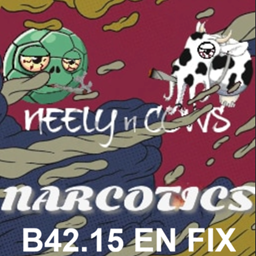
N&C’s Narcotics – B42.15 FIX (Tooltips Restored + EN Cleanup)
von 76561197974792967
Restores missing tooltips (duration, effects) and fixes English text for N&C’s Narcotics in Build 42.15. Includes fixes for edibles, joints, blunt packs, and other items that previously showed no effect information. ━━━━━━━━━━━━━━━━━━━━━━ Tooltips fully restored Adjusted English Improved naming consistency No gameplay balance changes Standalone replacement for broken B42 version 2026-03-27 Restored compatibility with True Smoking mod (load this mod after True Smoking) 2026-03-28 True Smoking controller Support ━━━━━━━━━━━━━━━━━━━━━━ WHAT THIS FIX INCLUDES Restores tooltip functionality Add missing tooltips for weed edibles, blunt/joint packs, other consumables English & readability improvements: Fixed grammar, typos, and awkward phrasing Standardized item naming (packs, containers, mirrors, etc.) Improved tooltip clarity and consistency Balanced some word usage based on context Gameplay clarity improvements: Tooltips now display duration and effects properly Cooking/prep items clearly indicate usage (e.g. needs baking) More natural, vanilla-style wording across the mod ━━━━━━━━━━━━━━━━━━━━━━ NOTES • This is an UNOFFICIAL standalone fork • DO NOT use with the original N&C’s Narcotics mod • This mod replaces the original for Build 42.15 • Safe to add/remove mid-save ━━━━━━━━━━━━━━━━━━━━━━ Original mod by: Neely a_COW_says https://steamcommunity.com/sharedfiles/filedetails/?id=3404956403 All original assets, design, and core functionality belong to the original authors. This fork exists solely to restore functionality, fix broken tooltips, and improve English readability for Build 42.15 compatibility. If the original authors update their mod or request this version to be removed or changed, this mod will be updated or taken down accordingly. ━━━━━━━━━━━━━━━━━━━━━━ TECH DETAILS • Standalone fork (no dependency required) • Includes updated script files and translation files • Fixes missing Tooltip references in item definitions • Updates ItemName.json Tooltip.json and scripts for edibles and smokables. • No gameplay or balance changes — UI/UX improvements only Workshop ID: 3690070194 Mod ID: N&Cs42.15ENfixStandalone
![[B41/B42] Keks Dice Mod – Project Zomboid Mod](https://images.steamusercontent.com/ugc/40067006299838293/D751280A96FC7FC63086BA9B6091FE39B05F7A60/)
[B41/B42] Keks Dice Mod
von 76561198079581882
Workshop ID: 3373398806 Mod ID: KeksDiceMod
![[RU] Boots and Clothes Expanded – Project Zomboid Mod](https://images.steamusercontent.com/ugc/17579674201906728780/9F43F8593F14CD181D7EDCF4EEC4A4EEDCA3BFB5/)
[RU] Boots and Clothes Expanded
von 76561198142196952
Перевод для мода Boots and Clothes Expanded на русский язык Это только перевод! Для работы необходим оригинальный мод автора Mark IV https://steamcommunity.com/sharedfiles/filedetails/?id=2850935956&searchtext=expanded+boots Добавляет 3D-модели ко всей ванильной обуви, а также множество различных новых ботинок и скинов, в том числе очень редкие ботинки, которые наносят огромный урон при ударе ногой. Мы постарались, чтобы все соответствовало тому типу обуви и кроссовок, которые люди носили в 90-х годах. Мод также добавляет разнообразную одежду, соответствующую эпохе, такую как жилеты без рукавов, куртки-бомберы, блейзеры, платья, одежду металлистов, готов и панков и другие вещи. Он также добавляет очень редкое тактическое снаряжение, такое как тактические ремни, жилеты для переноски, броня спецназа, наколенники, налокотники и футбольная броня. Записи: - Включена версия, которая заменяет только ванильную обувь. - Убедитесь, что вы загрузили ее после всего остального. Любые другие моды, которые изменяют обувь, могут вызвать проблемы с этим. - Этот мод вызовет проблемы с несколькими другими модами, такими как мод на броню Бриты, и я ничего не могу с этим поделать. Не тратьте свое время, сообщая об этом, так как я ничего не могу сделать, чтобы это исправить. Если хотите, используйте версию Vanilla 3D Shoes, чтобы уменьшить количество ошибок. Workshop ID: 3220019110 Mod ID: Boots Expanded
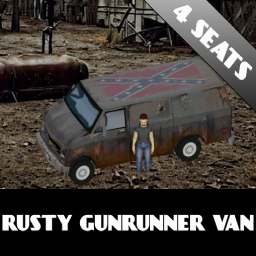
Rusty Gunrunner Van
von 76561198082577074
Nice rusty 4 seat van for some rural RP or for a better post-apocalyptic feel. It has a pretty rare(not super rare) spawn and the loot table contains a lot of guns, ammo and also some medicine. You can use backdoor to get in and out of the vehicle as well. I lowered some of the performance stats about 10% and made it just a little more noisy then it's vanilla equivalent is. It is not a retexture of existing vanilla van but rather a new copy of it with new textures. What can I say, it is what it is, watch the pictures and the video. Credits : Thank you Gabester for the inspiration! Workshop ID: 2964760574 Mod ID: RedneckDelight

Scrap Armor Repair API
von 76561199277277690
Made exclusively for Mr. Brollow's PVP server. Workshop ID: 3504291430 Mod ID: ScrapArmorRepairAPI

Read All
von 76561198979695436
Select and read multiple books and journals. Compatible with Alternative Inventory Rendering. Workshop ID: 3189907629 Mod ID: FrogfulReadAll

遊戲聯合公國【GDG自訂模組】
von 76561197993795229
警告!本系列非原版,以下為參考或包含的模組: 原始模組:Trading technology (!請勿和原版一起使用!) .安裝方法(非Steam版): 訂閱之後請到 「Steam\steamapps\workshop\content\108600\2856856785\mods\MidnightPops_GDG_Mod」 這個目錄複製到 %Username%/Zomboid/mods 並在遊戲主選單「模組管理」啟用。 .安裝方法(Steam版): 請訂閱,並在遊戲主選單「模組管理」啟用。 原因:原模組長時間未更新,所以自行另作改版使用。 <= 加入我們Discord伺服器 遊戲聯合公國 Workshop ID: 2856856785 Mod ID: MidnightPops_GDG_Mod Mod ID: MidnightPops_GDG_Mod_Addon_1 Mod ID: MidnightPops_GDG_Mod_Addon_2
Project Zomboid Details →
Project Zomboid Guides
Project Zomboid Mods installieren - Workshop Guide
Installiere Project-Zomboid-Mods sauber per Steam Workshop: IDs eintragen, Reihenfolge prüfen, Server neu starten und typische Fehler beheben.
Project Zomboid Build 42 auf dem eigenen Server: Umstieg, Spielstände und Mods
Build 42 ist Stable: Spielstände aus Build 41 sind nicht kompatibel. Umstieg, legacy41-Zweig, neue Serveroptionen, Anti-Cheat und der Hotfix 42.20.1 gegen Serverlag.
Project Zomboid Server mieten – Multiplayer Guide
Project Zomboid Server einrichten: RAM, Sandbox-Einstellungen, Workshop-Mods, Admin-Rechte und typische Fehler sauber prüfen.
Project Zomboid Server mit Mod-Support
Kompatible, unterstützte Mods über das Server-Dashboard installieren.
Project Zomboid Server mieten