Project Zomboid Mods für Server
Für einen modifizierten Project-Zomboid-Server brauchst du pro Projekt die Steam-Workshop-ID und die interne Mod-ID. Prüfe zusätzlich Spiel-Build, Abhängigkeiten und Lade-Reihenfolge, bevor du deine Welt mit den Änderungen startest.
Project Zomboid Mods sicher installieren
Ein Workshop-Abo allein aktiviert eine Mod auf dem Dedicated Server nicht. Die Einträge in `WorkshopItems=` und `Mods=` müssen zusammenpassen; außerdem muss jede Mod den gewählten Build 41 oder Build 42 ausdrücklich unterstützen.
- 1. Build prüfen: Build-41- und Build-42-Mods nicht ungeprüft mischen.
- 2. Workshop-ID, Mod-ID, Abhängigkeiten und erforderliche Reihenfolge vollständig dokumentieren.
- 3. Welt und Konfiguration sichern, Server neu starten und Logs sowie den Beitritt mit einem Test-Client prüfen.
Die vollständige Schritt-für-Schritt-Anleitung findest du im Project-Zomboid-Mods-Guide. Oder starte direkt mit einem Project Zomboid Server mit Mod-Support.
Häufige Fragen zu Project Zomboid Mods
Was ist der Unterschied zwischen Workshop-ID und Mod-ID?
Die Workshop-ID bezeichnet das Steam-Workshop-Projekt und steuert den Download. Die Mod-ID aktiviert den enthaltenen Mod im Spiel. Auf dem Server müssen beide Listen vollständig und passend gepflegt sein.
Laufen Build-41-Mods automatisch mit Build 42?
Nein. Nutze eine Mod nur dann auf Build 42, wenn ihre Workshop-Seite diese Kompatibilität ausdrücklich bestätigt. Prüfe dabei auch alle Bibliotheken und weiteren Abhängigkeiten.
Wie teste ich ein Mod-Update ohne Risiko für die Welt?
Sichere zuerst Welt, Sandbox-Konfiguration und Server-INI. Aktualisiere danach die zusammengehörigen Mods, starte den Server neu und prüfe Logs, Kernfunktionen und einen vollständigen Client-Beitritt.
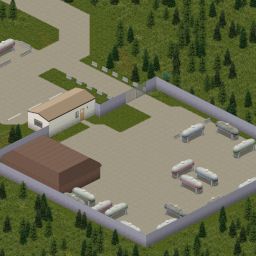
Valley Station Welding Supply and Propane (B42)
von 76561197976596561
Just a quick map mod that adds a large welding supply store, Propane Depot and scrap yard at Valley station. Made to work with Faded_Ones Propane mod. Workshop ID: 3702811228 Mod ID: valleyStation-propane Map Folder: Valley Station Welding Supply and Propane

Rewarding Night Time Combat - Dying Light night sound
von 76561198074544421
This is an override of the mod "Rewarding Night Time Combat to replace the night sound with the one on the Dying Light videogame Workshop ID: 2818851546 Mod ID: RewardingNightCombatServerOptionsDyingLightsound
![Custom Light Switch [42.20.4] – Project Zomboid Mod](https://images.steamusercontent.com/ugc/11939331118568988750/B86CB6A4F163311185893C5A3CB069730D30DC24/)
Custom Light Switch [42.20.4]
von 76561198095806841
Custom Light Switch Read the guide, grab a screwdriver, wire up any room you build yourself. No more pitch-black player-built rooms because "there's no switch here". What it does In vanilla, wall light switches only exist in buildings the game generates — build your own walls and you're stuck in the dark. This mod adds a fully functional wall light switch you can build (and dismantle) yourself, in any room, with the game's real lightbulb and power system underneath. Features - Build in all 4 directions, always placed flush against the wall - Actually lights a room you built yourself: in the base game, only rooms that already existed on the map from the start can ever light up, never ones you build yourself. This mod creates the lighting itself the moment you place a switch, with a generator running - Multiple switches, one room: if a room has more than one switch, they stay in sync — flipping one turns the room's light on or off for all of them - Universal dismantle: works on any wall switch, even ones already in the generated world (not lamps, fixtures, or streetlights — only real switches) - Random salvage on dismantle (25% chance per material) to stop infinite farming - Screwdriver wear: chance to lose 1 condition per build or dismantle, same system as any tool in the game (hammer, axe...) — regular, old, or improvised all work, but the improvised one wears down faster - Electrical XP: +5 on build, +2 on dismantle - Recipe tied to a findable item: the magazine spawns in electronics store and bookstore loot, or learned automatically at Electrical level 3 - 100% compatible with the native electrical system: lightbulb, generator power cuts, everything behaves like a vanilla switch How to use - Find "The Great Mystery of the Light Switch" magazine (electronics stores, bookstores) and read it (requires Electrical level 1) — or just reach Electrical level 3, the recipe unlocks on its own, no magazine needed - Carry a screwdriver (regular, old, or improvised), 1x Electronics Scrap, 1x Electric Wire, 2x Screws - Right-click an interior wall → Build a Light Switch - Add a generator nearby, same as any switch in the game — your room actually lights up, even a brand new one - Right-click any switch → Dismantle Light Switch to take it back down (recipe known + screwdriver required) Compatibility - Project Zomboid Build 42.20+ (Stable) - Solo: Yes (tested) - Multiplayer: Yes, tested and confirmed working on a live dedicated server (build, dismantle, lighting, recipe learning) - Other mods adding walls/rooms: Yes (generic wall detection via tile properties) Languages English, French, Russian (translation by AVA) Version française Lis le guide, prends un tournevis, câble n'importe quelle pièce que tu construis toi-même. Fini les pièces plongées dans le noir faute d'interrupteur. En vanilla, les interrupteurs muraux n'existent que dans les bâtiments générés par le jeu — si tu construis tes propres murs, impossible d'en avoir un. Ce mod ajoute un interrupteur mural constructible (et démontable) toi-même, dans n'importe quelle pièce, branché sur le vrai système d'ampoule et de courant du jeu. Fonctionnalités - Pose dans les 4 directions, toujours collée au mur - Éclaire vraiment ta pièce construite toi-même : dans le jeu de base, seules les pièces déjà présentes sur la carte au départ peuvent s'allumer, jamais celles que tu construis toi-même. Ce mod crée l'éclairage lui-même dès que tu poses un interrupteur, avec un générateur en marche - Plusieurs interrupteurs, une pièce : si une pièce a plusieurs interrupteurs, ils restent synchronisés entre eux, actionner l'un allume ou éteint la pièce pour tous - Démontage universel : marche sur n'importe quel interrupteur mural, même ceux déjà présents dans le monde généré (pas les lampes, luminaires ou lampadaires, seulement les vrais interrupteurs) - Récupération aléatoire au démontage (25% de chance par matériau) pour éviter le farm infini - Usure du tournevis : chance de perdre 1 de condition à chaque construction ou démontage, même système que n'importe quel outil du jeu (marteau, hache...) — classique, vieux ou improvisé tous acceptés, mais l'improvisé s'use plus vite - XP Électricité : +5 à la construction, +2 au démontage - Recette liée à un objet trouvable : le magazine apparaît dans le loot des magasins d'électronique et des librairies, ou apprise automatiquement au niveau Électricité 3 - Compatible à 100% avec le système électrique natif : ampoule, coupure de courant par générateur, tout fonctionne comme un interrupteur vanilla Comment l'utiliser - Trouve le magazine "Le grand Mystère de l'interrupteur" (magasins d'électronique, librairies) et lis-le (Électricité niveau 1 requis) — ou atteins simplement le niveau Électricité 3, la recette se débloque toute seule, sans magazine - Prends un tournevis (classique, vieux ou improvisé), 1x Pièce électronique, 1x Fil électrique, 2x Vis - Clic droit sur un mur intérieur → Construire un interrupteur - Ajoute un générateur à proximité, comme pour n'importe quel interrupteur du jeu — ta pièce s'allume vraiment, même toute neuve - Clic droit sur n'importe quel interrupteur → Démonter Interrupteur pour le retirer (recette connue + tournevis requis) Compatibilité - Project Zomboid Build 42.20+ (Stable) - Solo : Oui (testé) - Multijoueur : Oui, testé et confirmé fonctionnel sur un vrai serveur dédié (construction, démontage, éclairage, apprentissage de la recette) - Mods ajoutant des murs/pièces : Oui (détection de mur générique via propriétés de tuile) Feedback & bug reports Found a bug? Have a suggestion? Drop a comment below — I read everything. Credits Created by Ghoosty. Russian translation by AVA. All Rights Reserved © 2026 Ghoosty Workshop ID: 3779343349 Mod ID: CustomLightSwitch
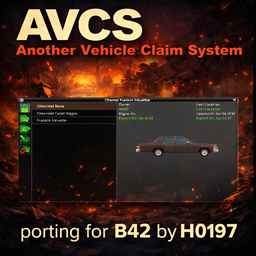
AVCS Vehicle Claim Porting for B42.13+
von 76561198030452396
Another Vehicle Claim System – B42 Port | ITA Translation Porting per Build 42 dello storico Another Vehicle Claim System, con traduzione italiana integrata originariamente per il server LA RESISTENZA. La mod permette di gestire i veicoli reclamati dai giocatori, rendendo più chiara e organizzata la proprietà dei mezzi in multiplayer. Attenzione: può andare in conflitto con altre mod che gestiscono il vehicle claim. Usarne solo una alla volta. Aggiornata per B42.13.2 Traduzione italiana Mod mantenuta e adattata da Hypno197. Description Another Vehicle Claim System – B42 Port Build 42 port of the classic Another Vehicle Claim System. This mod helps manage player-claimed vehicles, making ownership clearer and more organized in multiplayer environments. Warning: may conflict with other vehicle claim mods. Use only one at a time. Updated for B42.13.2 Italian translation included Maintained and adapted by Hypno197. Original mod and credits: https://steamcommunity.com/sharedfiles/filedetails/?id=2957935793 Thank you so much!! Workshop ID: 3623312955 Mod ID: AVCSB42LaResistenza

惊吓声变成你干嘛~ Startle sound becomes "你干嘛"
von 76561199194915845
搞笑MOD+1 这个MOD将玩家受到惊吓的音效替换成了坤坤的“你干嘛,哎呦” Funny MOD+1 This mod replaces the frightened sound effect of the player with CXK's "what are you doing, whoops" CXK is a Chinese network meme Workshop ID: 3002661602 Mod ID: cxk_ngm
![Girls' Last Tour Clothing & Equipment [B42] – Project Zomboid Mod](https://images.steamusercontent.com/ugc/14515092046233653719/D5A46D13921FBC17381AE425ED233003C92672B5/)
Girls' Last Tour Clothing & Equipment [B42]
von 76561198061384923
"It's almost like we're the only people in the world." Adds the clothes that Chito and Yuuri wear from Girls' Last Tour All models and textures were created by me :) This mod is a WIP so expect bugs and changes Includes: Chito's Jacket ("Service Jacket" In-Game) Chito's Helmet ("Brodie Helmet" In-Game) Yuuri's Parka ("Service Parka" In-Game) Yuuri's Helmet ("Stahlhelm Helmet" In-Game) Girls' Shirt ("Service Shirt" In-Game) Girls' Pants ("Service Pants" In-Game) Girls' Boots ("Service Boots" In-Game) Girls' Backpacks ("Rucksack" In-Game) Type 38 Arisaka Rifle 6.5x50mm ammunition for the Type 38 3 Flavors of Calorie Mate Ration Blocks ("Ration Bars" In-Game) It is recommended to spawn clothes and equipment in. The clothes, helmets, and rucksacks can spawn in surplus stores and are made intentionally rare. The Type 38 and its bullets can spawn in pawn shops or rarely in military storage box or surplus stores. 6.5mm Arisaka is a really exotic caliber for 1993 Kentucky so save your bullets. The rations can spawn in grocery stores and can sometimes be found in gas stations. Only tested with the female model. I haven't checked for clipping when mixing other clothes since it's not really made to be worn with other clothes. Wearing satchels breaks the clipping for some reason. If you are experiencing weird textures, try setting the maximum texture size to at least 512px and disabling texture compression. Untested in multiplayer but there shouldn't be any issues since this mod only add items, Possible plans for the future: Crafting recipes Fix the male models Ability to modify and convert the Type 38 from 6.5mm to 7.62mm Update some textures Custom Chito and Yuuri hairstyles More gear and equipment Compatibility with other mods Sakana Right now I have no plans on adding the kettenkrad as it's way beyond my skill range, I barely scraped together this mod. Recommended to go with this mod: Cold Winters https://steamcommunity.com/sharedfiles/filedetails/?id=3577100076 Try playing with no zombie population for the authentic post-post-post-post-post-apocalyptic feel This is my first mod so please report any bugs or issues you find. Feel free to add to or edit this mod. Just make sure to credit me if you do so. No AI was used in the making of this mod. Tags:Girls Last Tour, GLT, Shoujo Shuumatsu Ryokou, Chito, Yuuri, Winter, Coat, Jacket, Parka, Gear, Brodie, Stahlhelm, Helmet, Anime, Manga, Military, World War II, WWII, WW2, German, Surplus, Roleplay, RP Workshop ID: 3699216742 Mod ID: gltclothes
![[COS] EXO – Project Zomboid Mod](https://images.steamusercontent.com/ugc/2068882586683031285/0A6DD06B3AED7C005B163EB31B4C4C611D1471E7/)
[COS] EXO
von 76561199178116693
How Do I Use It? - You can go to the link below to see how to use it. - Link Recommended mode - Fashionoid - Gear Transmog - Hide All Attached Items - Clipping animation Fix How to use COS mode in build 42. - Navigate to the path where the mod is installed. - Create a 42.0 folder. - Create a common folder. - Paste the media folder / mod.info / preview.png into the 42.0 folder. The recipe code writing method has been changed in 42Build. Since COS (Costume) mode has approximately over 200 modes, converting to 42Build's recipe code is an extremely laborious task. In 42Build, you cannot create costumes in (42 build) the crafting tab. There are two methods: Spawn items in cheat mode. Select items in the clothing selection screen when creating a character. Like My Mode? - Join Our Discord If You Want Commission
![Moodle Details B42 [EN / ES / PT-BR] – Project Zomboid Mod](https://images.steamusercontent.com/ugc/14820175121597012284/3D6D405046592C1169C2AC6A3EDDBED3A86E03B7/)
Moodle Details B42 [EN / ES / PT-BR]
von 76561199562554849
🇧🇷 Português do Brasil ✔️ Verificado e funcionando 100% na atualização B42.20! Versão 2.0.1 (Atualização de Idiomas e Status Exatos) Acompanhe o progresso das atualizações e correções na aba de Alterações (Changelog). Visão Geral do Mod Cansado das descrições vagas do jogo que não te dizem quase nada sobre a gravidade da sua situação? Este mod reescreve as descrições originais (vanilla) para serem precisas e diretas, fornecendo as porcentagens exatas de perda de velocidade, redução de dano e outros status ocultos, além de trazer dicas práticas para lidar com os efeitos dos Moodles. Tudo isso mantendo uma interface limpa, sem textos gigantescos e respeitando o visual nativo do jogo. Os dados foram baseados nos parâmetros reais da Build 42. Compatibilidade - Compatível com qualquer mod que não altere diretamente os textos dos Moodles. - Compatível com jogos em andamento (Ongoing saves). Você pode adicionar ou remover no meio do seu jogo sem problemas ou riscos de corromper o save. - Para garantir o funcionamento perfeito, ative este mod depois de mods que alteram a UI ou pacotes de traduções base. Traduções Inclusas O mod detecta o seu idioma automaticamente (não precisa configurar nada)! - Inglês (EN) - Português do Brasil (PT-BR) - Espanhol (ES) 🇺🇸 English ✔️ Verified and 100% working on Build 42.20! Version 2.0.1 (Languages and Exact Stats Update) Track the progress of updates and fixes in the Changelog tab. Mod Overview Tired of vague game descriptions that tell you almost nothing about the severity of your situation? This mod rewrites the vanilla descriptions to be exact and straightforward, providing the exact percentages of speed loss, damage reduction, and other hidden stats, along with practical tips to deal with the negative effects of Moodles. All of this while keeping a clean UI, avoiding massive text blocks, and respecting the native look of the game. Data is based on actual Build 42 parameters. Compatibility - Compatible with any mod that does not directly alter Moodle texts. - Ongoing save compatible. You can add or remove it mid-game safely without corrupting your save. - For perfect functionality, enable this mod after other UI mods or base translation packs. Included Translations The mod detects your game language automatically (no setup required)! - English (EN) - Brazilian Portuguese (PT-BR) - Spanish (ES) Workshop ID: 3771656906 Mod ID: MoodleDetailsBR Workshop ID: 3771656906 Mod ID: MoodleDetailsBR

True Music Addon: Vertigo Chile: Elotillo's Playlist
von 76561198058744514
Vertigo Chile: Elotillo's Playlist Workshop ID: 3062006557 Mod ID: Vertigo Chile: Elotillo playlist
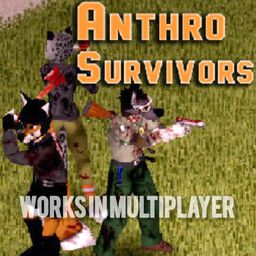
Anthro Survivors (the "Furry Mod") Fix
von 76561199489350013
Unofficial fix for Anthro Survivors mod. Fixes bugs and compatibility issues (including Build 42). Not the original mod. Original mod: https://steamcommunity.com/sharedfiles/filedetails/?id=2893930681 Workshop ID: 3743215660 Mod ID: FurryMod
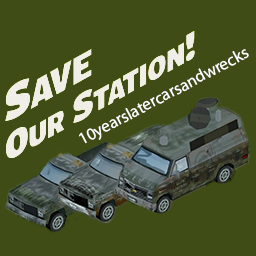
Save Our Station - 10 Years Later Cars and Wrecks
von 76561198235251380
A simple mod that changes the textures for the Save Our Station vehicles! SAVE OUR STATION: https://steamcommunity.com/sharedfiles/filedetails/?id=2398274461 10 YEARS LATER CARS AND WRECKS: https://steamcommunity.com/sharedfiles/filedetails/?id=2824543895 10 YEARS LATER: https://steamcommunity.com/sharedfiles/filedetails/?id=2820757649 All the credit to this mod really goes to the maker of 10 years later cars and wrecks, Dikkiekloot, and the makers of Save Our Station, Spacew00t and YoshiWoof22. I just simply overlayed their textures over one another. If the textures do not appear, reset your game and it should be fixed. I'm not smart enough to work around that issue... Workshop ID: 3140373372 Mod ID: saveourstationcarsandwrecks
![ShelterHold: Beehive [B42] - Русификация – Project Zomboid Mod](https://images.steamusercontent.com/ugc/17930029345099265705/262B8A89544158E8663BAB2C920024DD0C6B7494/)
ShelterHold: Beehive [B42] - Русификация
von 76561198414246143
Русификация ShelterHold: Beehive Раз животные уже стали частью апокалипсиса, почему бы не добавить и насекомых? Этот мод представляет совершенно новую систему пчеловодства с функциональными структурами, едой, медицинскими предметами и другими сюрпризами. Что делает мод? • Три вида пчёл: Медоносные, шмели и зомби-пчёлы - каждый с уникальными характеристиками • Факторы окружающей среды: Температура, погода и время дня влияют на сбор нектара • Ульи и рамки: Добавление рамок увеличивает эффективность производства мёда • Бонус для фермерства: Активные ульи ускоряют рост nearby культур • Экстрактор мёда: Специальное устройство для сбора мёда из рамок Новые предметы и механики • Продукты питания: Десятки новых блюд на основе мёда с высокой калорийностью • Медицинские предметы: Медовые бинты и пластыри с увеличенным временем стерильности • Уход за оружием: Пчелиный воск может восстановить счетчик ремонтов оружия • Собирательство: Поиск пчёл и диких ульев в лесных зонах • Приманочные ульи: Привлекайте дикие рои с помощью мёда и воска Особенности работы с пчёлами • Защита от укусов: Костюм химзащиты или костюм Spiffo обеспечивают иммунитет • Безопасное взаимодействие: Работайте пока пчёлы спят чтобы избежать укусов • Лёгкие повреждения: Укусы заживают быстро и не требуют перевязки Ключевые особенности: Реалистичная система пчеловодства, разнообразие видов пчёл, полезные бонусы для фермерства, новые крафтовые предметы. Dear foreign friends, this mod is only a localization of the main mod. If you came here because of the preview or text on it, you can safely go to the modification page itself. Хочу перевод Поддержать переводчика Workshop ID: 3597288148 Mod ID: SHEHOLBEERUS

Xnertot Farmable Trees-果树种植 简体汉化
von 76561198886213099
原模组新增多种可种植果树:苹果、香蕉、樱桃、柠檬、橙子、桃子及菠萝。 果树的种植方式与其他农作物相同,并支持多人联机。 与 Hydrocraft(水电工艺) 模组不兼容。 此mod仅包含汉化mod 请订阅原mod。 Workshop ID: 3565646993 Mod ID: Xnertot Farmable Trees_124CN
![[B41] Sensible Balance: Clothing Protection Values Overhaul – Project Zomboid Mod](https://images.steamusercontent.com/ugc/2465242083819207689/2E73B0391126EFE501AF68EFE35AAF4217FCD94E/)
[B41] Sensible Balance: Clothing Protection Values Overhaul
von 76561198045742109
This is a mod for Build 41, the Build 42 version is released as Clothing Protection: Rebalanced. Rebalances all vanilla (and some modded) clothing in-game for protection values, weights, and adds missing insulation, wind resistance, and water resistance where they are appropriate. Makes changes without incompatibilities with other mods. Contains two optional small sub-mods. See changelog for mod support information. Detailed Description: PROBLEM: In the vanilla game the utility of clothing as a means of defence is rather marginal as a great fraction of items do not offer even scratch protection. A lot of clothing also carries penalties to combat speed and movement speed, however due to one reason or another, Build 41 does not apply the movement speed penalty. You have to ask, is it worth using heavy clothing which is prone to overheating the player and affects combat speed in order to get the desired percentages of protection - bearing in mind that most clothing receives holes upon damage (and all layers of clothing on that body part receive holes if a zombie successfully injures the player) which renders that area of the body unprotected from scratches, bites, and thermal insulation of the clothing items. If you are curious, here is someone on reddit explaining how the injury system works. SOLUTION: All clothing has been rebalanced by hand. A lot of encumbrance values have been modified in the process (e.g. a t-shirt is certainly lighter than a pair of jeans, surely), missing insulation values (and wind and water resistances) have been corrected, and so on. Even the very basics will offer some sort of scratch and bite protection, and it now makes sense to layer up. This does mean it is possible to achieve protection for 100% on a part of a body with several basic thick layers. What does this mean for tailoring? In the default game, the patches offer little protection until one can get higher levels of tailoring. Does this make the skill useless? Does it make clothing in general overpowered? No. I would like to change the % offered by patches, however I found no easy way to do so. In the vanilla game tailoring fixes a hole on an item if your skill is at 8 or above if you are using the right material (e.g. leather strips for leather jacket). This way it is possible to mend your favourite outfit to keep your character in top condition through the later game. Also consider that you may be wearing a highly protective item on the outer layer which can only withstand one scratch or bite, dropping your resistance from 80% to e.g. 30%. Don’t forget that zombies will drag you down as a group regardless of what you are wearing. A very small selection of items can no longer receive holes (e.g. bulletproof vests and firefighter jackets) and therefore act as ‘passive’ protection for the relevant parts of the body as long as they are worn, until their condition bar is depleted down to zero. It may not be 100% true to life that a bulletproof vest is resistant to this type of damage, however it does mean that it can now block more than 1 scratch, or 1 bite, or 1 bullet, before your entire upper torso is somehow exposed due to a ‘hole’. Two additional sub-mods: Optional - Glasses Fall Chance: Lowers the chance of glasses falling in an attack (to 20% of the vanilla) and removes the probability of goggles falling during a zombie attack completely. Makes changes without incompatibilities with other mods. Optional - Bags Balanced: Rebalances the bags, a major change is to offer a combat speed penalty, as Build 41 does not have code to apply clothing or bag run speed penalty EDIT: Bags run speed is the only run penalty the game currently applies! No other clothes apply the run/movement penalty. The combat speed penalty ranges from 1% to 4% (0.99 to 0.96 combat speed modifier) which is subtle, though may affect the speed more significantly when paired with heavy clothing. E.g., the schoolbag, small hiking bag, and satchel have a 1% combat speed penalty, whereas larger bags 2% and the military/largest backpacks a 4% penalty. The run speed modifier now matches the combat speed penalty, e.g. 4% for the run penalty on the large backpack. The weight reduction percentage follows 50% for satchels and duffel bags (one strap), 60% for school bag, and 70% for all intentionally comfortable bags e.g. hiking bag, large hiking bag, large backpack, military backpack. Fanny Packs have an 80% reduction (and no movement/combat penalty). This means that the player's strength plays a greater role to their encumbrance than just their bag, and reaching for a larger backpack may not always be the best idea given the slight combat/run speed penalty (up to 4% for large/military backpack), so the 'linear upgrade of bags' part of gameplay is no longer necessary. When in doubt, pick up a small hiking bag (1% penalty). Larger bags do just that - allow for greater capacity, as in, physical volume of things, not for greater weight reduction. A few handheld bags/containers now have higher reduction, e.g. at least 20% to make them at least a little useful compared to holding items in your main inventory. The bags have also been slightly reweighed to account for their bulk, e.g. storing a bag within your inventory or another bag will be more cumbersome. Makes changes without incompatibilities with other mods. Permissions: Please do not mod-pack or reupload this mod anywhere else –just share the link to this page. I hope you enjoy this mod. Permissions update: If my mod is deleted you are welcome to reupload to Steam Workshop only. Thanks. Workshop ID: 3287628235 Mod ID: sensiblebalanceclothingbags Mod ID: sensiblebalanceclothingprotection Mod ID: sensiblebalanceclothingglassesfall
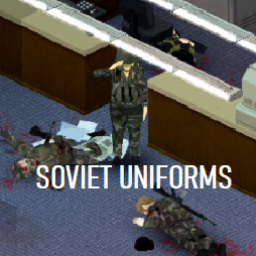
Soviet Uniforms B41/B42
von 76561199126682840
A pack of a KZS suit, KLMK , Poyas-A , Ssh-40 This is a retexture of original items and my first mod
![[B42] Lockpicking Skill – Project Zomboid Mod](https://images.steamusercontent.com/ugc/10363369660955253646/3290944B47261B89796A6403AED2E4AB711E8F68/)
[B42] Lockpicking Skill
von 76561198058544130
Lockpicking Skill Lockpicking Skill adds a dedicated Lockpicking skill with level-based failure chances, paperclip break chances, action speed progression, XP rewards, skill books, and extensive Sandbox configuration. Lockpicking is built around a simple and reliable setup: a trusty screwdriver and a paperclip. FEATURES Lockpicking Skill The mod adds a dedicated Lockpicking skill that improves as you successfully and unsuccessfully attempt to pick locks. Your Lockpicking level affects: - Lockpick failure chance - Paperclip break chance - Lockpicking action speed - Overall progression through the skill Vehicle doors can also be lockpicked. TOOLS Lockpicking requires: - Screwdriver - Paperclip The screwdriver is used as part of the lockpicking process while the paperclip acts as the lockpick. Paperclips can break when an attempt fails, making them an expendable resource. FAILURE SYSTEM Lockpicking has a configurable failure system. Failure chances can be configured individually for each progression tier. The failure system can also be completely disabled through the Sandbox settings. LOCKPICKING PROGRESSION The Lockpicking skill is divided into five progression tiers. | Skill Level | Failure Tier | Failure Chance | Break Chance | |-------------|--------------|----------------|--------------| | 1-2 | Tier 1 | 35% | 100% | | 3-4 | Tier 2 | 30% | 95% | | 5-6 | Tier 3 | 20% | 90% | | 7-8 | Tier 4 | 15% | 85% | | 9-10 | Tier 5 | 10% | 80% | The values above are the default settings and can be changed through the Sandbox options. As your Lockpicking skill increases, your chance of successfully picking a lock improves and your paperclips become less likely to break. ACTION SPEED PROGRESSION Higher Lockpicking skill levels also reduce the time required to pick a lock. Default action speed progression: | Skill Level | Speed Multiplier | |-------------|------------------| | 1 | 0.25x | | 2 | 0.50x | | 3 | 0.60x | | 4 | 0.80x | | 5 | 1.00x | | 6 | 1.20x | | 7 | 1.40x | | 8 | 1.60x | | 9 | 1.80x | | 10 | 2.00x | Higher levels allow experienced characters to work through locks considerably faster. The action speed system can also be switched to use a single default multiplier instead of level-based progression. XP SYSTEM Lockpicking provides experience for both successful and failed attempts. Default XP rewards: | Result | XP | |--------|----| | Successful Lockpick | 20 XP | | Failed Lockpick | 10 XP | XP values can be changed through the Sandbox options. An optional XP indicator can display the amount of Lockpicking XP gained after an attempt. SANDBOX CONFIGURATION The Lockpicking system is designed to be highly configurable. Available options include: - Enable or disable lockpick failure - Enable or disable the paperclip break system - Enable or disable the XP indicator - Configure successful lockpicking XP - Configure failed lockpicking XP - Configure failure chance for each skill tier - Configure paperclip break chance for each skill tier - Configure the default action speed - Configure action speed for each skill level - Use either default or level-based action speed This allows the mod to be configured for a more forgiving experience or a much more difficult survival experience. SKILL BOOKS The mod includes five Lockpicking skill books designed to support progression through the skill. Beginner's Bend: Paperclip Tactics Wiggle & Lift: A Novice's Guide to Tumblers Quiet Hands: Intermediate Lock Manipulation The Subtle Click: Advanced Pin Control Master of the Mechanism: Professional Lock Defeat CURRENT DEVELOPMENT This is my first Project Zomboid mod, and the mod is still actively being developed and balanced. Current development is focused on: - Playtesting and balancing the Lockpicking progression - Balancing XP progression - Balancing failure and paperclip break chances - Testing action speed progression - Multiplayer testing - Fixing bugs and compatibility issues - Testing the mod with the current B42 stable release FUTURE PLANS Possible future additions include: - Actual lockpicks as a more durable alternative to paperclips - A very rare Skeleton Key - Skeleton Key providing extremely fast lockpicking - Additional ways to gain Lockpicking XP - Security doors being significantly harder to pick than standard doors - Different lock difficulties based on the type of door or security level - Additional Lockpicking-related items and mechanics - Further progression and balancing options The goal is to keep Lockpicking useful without making it an easy replacement for keys or other methods of accessing secured areas. FEEDBACK As this is my first mod, feedback, bug reports, balance suggestions and ideas for future features are very welcome. Thanks for giving the mod a try! Workshop ID: 3774467540 Mod ID: Cf_LockpickingSkill Mod ID: Cf_LockpickingSkill_beta

Black Mesa Source Soundtrack but you're HECU dropping in (IFAKs gone) Main menu music replacer (B42)
von 76561198010808723
As the title says, replacing the main menu music. SEMPER FI Workshop ID: 3415081262 Mod ID: BlackMesaSourceMainTheme

Cooterville Raceway
von 76561198042069087
A large 2 Cell map (27,25 and 28,25) with two routes and a dirt track. Will be adding additional buildings. Workshop ID: 3300598921 Mod ID: CVRaceway Map Folder: Cooterville Raceway
![[B42.20] 2023 Audi A6 / S6 / RS6 – Project Zomboid Mod](https://images.steamusercontent.com/ugc/17095762996491856617/9898D9669A483AD4D3A41557E1E29C0E7894034E/)
[B42.20] 2023 Audi A6 / S6 / RS6
von 76561198180934533
The C8 generation of the Audi A6 / Audi S6 / Audi RS6 is what happens when German engineering stops trying to whisper and starts speaking in a perfectly tailored, expensive accent. From 2018 onward, Audi turned the A6 into something that looked less like a company car and more like it had diplomatic immunity. Razor-cut body lines, a grille big enough to inhale continents, and lighting signatures sharp enough to feel mildly judgmental at night. Features - Three distinct models from the C8 generation, the A6, S6 and RS6. The RS6 also has a Performance variant. - Unique textures for each car variant with different bumpers and trims. - Each car has colors that match real life factory options. - Unique stats for each vehicle, with matching real life engine horsepower values. - Supports damage, rust and blood. - Spawn rates that make sense for each vehicle. Works for both Build 41 and 42. The Vehicles A6 In the collapse of civilization, the A6 becomes something terrifyingly efficient: the ghost of the highway system. While cities burn and panic eats itself alive, the A6 slips through with its 2.0 litre turbocharged engine, producing 204 horsepower, mated to a dual-clutch gearbox. S6 The S6 was built for roads that no longer have rules. Fast enough to outrun collapsing hordes, sharp enough to thread through wreckage at impossible speed. Inside the engine bay sits a 444 horsepower 2.9 litre turbocharged V6, working with a dual-clutch gearbox. RS6 If the world ends, the RS6 doesn’t adapt, it takes command. Wide enough to bully through wrecked streets, brutal enough to turn escape into domination, practical enough to carry fuel, food, weapons, and the people worth saving. Its 4.0 litre V8 roars to life producing 591 horsepower, along with a ZF8 gearbox, and all-wheel drive quattro system. RS6 Performance If the standard RS6 survives the apocalypse, the RS6 Performance conquers what’s left of it. This isn’t the escape vehicle. This is the machine people whisper about over dying campfires, the thing seen tearing through ruined motorways at impossible speed, headlights cutting through ash storms like the end of a prophecy. The 4.0 litre V8 under the hood produces a staggering 621 horsepower, working together with a ZF8 gearbox, and of course, quattro all-wheel drive, creating simply put, a monster. Created by Amash. Contact me if you encounter issues or have any questions. Permission Required This mod may only be modified or expanded with explicit permission from the original creator. If permission is not granted, the mod must not be altered in any way. Repacking or redistributing this mod in any form is strictly prohibited. Workshop ID: 3728223552 Mod ID: 23c8
Cries of the Infected
von 76561198151187846
IMPORTANT: THIS IS FOR B42.20 USERS ONLY For those looking for the B42.19 version, use this link instead. Changes the sounds of zombies to various zombie sounds from other games. Includes reaction sounds for pushes, zombie deaths etc. How to use the mod - READ THIS CAREFULLY. 1. Go to steam/steamapps/workshop/content/108600/3626294647/mods/Cries of the Infected/B42.20/media/sound/banks/desktop/Zomboidsound.bank 2.Cut or copy the file. Make a copy of the original file, just in case. 3. Go to Steam/steamapps/common/ProjectZomboid/media/sound/banks/desktop and replace the file. If you're looking for a mod that makes amendments to the vanilla game soundtrack, check out my other mod. I personally think it complements this pretty well. Workshop ID: 3626294647 Mod ID: Cries of the Infected

Can You Smelt It?
von 76561198039256021
The mod adds a convenient graphic over the item in your inventory to signify if it is smeltable or not. Perfect for looters on the go, or when you have a horde of undead banging on the window and can't remember what you needed to finish your metalworking project at home. Workshop ID: 3415857617 Mod ID: MopCanYouSmeltIt
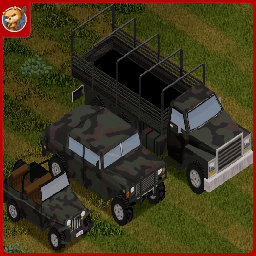
Small Town First Responders - Military
von 76561198833978028
This is the experimental Military Addon. Requires PZK and/or Filibusters to work Credits: Code: Jack, albion. Textures: soze, Jan2004p, Bill, evansmine8, Emma, Henry, Racer, FoxInABeret. Special thanks to Guardian, Frozen and Doe! HUGE thanks to shark for letting us use the Police Belt model from his law enforcement mod. Though we did make our own textures for it. HUMONGOUS thanks to Albion for her extremely helpful support of the mod. Seriously, she's a legend! A MASSIVE thanks to Greywolf for some of the VVE textures. The STFR community is great. The STFR community: Being Awesome. Comments are locked because all feedback and questions should go to the new discord. https://discord.gg/usJNRbKq5Z Workshop ID: 3667163633 Mod ID: STFRMilitary
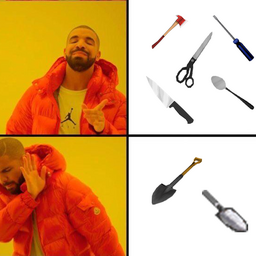
Let Me Dig
von 76561198032305554
Adds tag "DigPlow" to items, so we can use Axes, Spoons, Branches, etc to dig soil Made with help of NoctisFalco Works in Multiplayer Workshop ID: 2684937054 Mod ID: LetMeDig
![[B42] MallStart : Crossroads Mall Spawn – Project Zomboid Mod](https://images.steamusercontent.com/ugc/2075635787459802293/58BCA24B24F6A1636A8F29A118549365289B95D7/)
[B42] MallStart : Crossroads Mall Spawn
von 76561197984018498
I've covered wars, you know. Start inside the Crossroads Mall. Workshop ID: 2947722061 Mod ID: 2947722061/MallStart Map Folder: Crossroads Mall
Project Zomboid Details →
Project Zomboid Guides
Project Zomboid Mods installieren - Workshop Guide
Installiere Project-Zomboid-Mods sauber per Steam Workshop: IDs eintragen, Reihenfolge prüfen, Server neu starten und typische Fehler beheben.
Project Zomboid Build 42 auf dem eigenen Server: Umstieg, Spielstände und Mods
Build 42 ist Stable: Spielstände aus Build 41 sind nicht kompatibel. Umstieg, legacy41-Zweig, neue Serveroptionen, Anti-Cheat und der Hotfix 42.20.1 gegen Serverlag.
Project Zomboid Server mieten – Multiplayer Guide
Project Zomboid Server einrichten: RAM, Sandbox-Einstellungen, Workshop-Mods, Admin-Rechte und typische Fehler sauber prüfen.
Project Zomboid Server mit Mod-Support
Kompatible, unterstützte Mods über das Server-Dashboard installieren.
Project Zomboid Server mieten