Project Zomboid Mods für Server
Für einen modifizierten Project-Zomboid-Server brauchst du pro Projekt die Steam-Workshop-ID und die interne Mod-ID. Prüfe zusätzlich Spiel-Build, Abhängigkeiten und Lade-Reihenfolge, bevor du deine Welt mit den Änderungen startest.
Project Zomboid Mods sicher installieren
Ein Workshop-Abo allein aktiviert eine Mod auf dem Dedicated Server nicht. Die Einträge in `WorkshopItems=` und `Mods=` müssen zusammenpassen; außerdem muss jede Mod den gewählten Build 41 oder Build 42 ausdrücklich unterstützen.
- 1. Build prüfen: Build-41- und Build-42-Mods nicht ungeprüft mischen.
- 2. Workshop-ID, Mod-ID, Abhängigkeiten und erforderliche Reihenfolge vollständig dokumentieren.
- 3. Welt und Konfiguration sichern, Server neu starten und Logs sowie den Beitritt mit einem Test-Client prüfen.
Die vollständige Schritt-für-Schritt-Anleitung findest du im Project-Zomboid-Mods-Guide. Oder starte direkt mit einem Project Zomboid Server mit Mod-Support.
Häufige Fragen zu Project Zomboid Mods
Was ist der Unterschied zwischen Workshop-ID und Mod-ID?
Die Workshop-ID bezeichnet das Steam-Workshop-Projekt und steuert den Download. Die Mod-ID aktiviert den enthaltenen Mod im Spiel. Auf dem Server müssen beide Listen vollständig und passend gepflegt sein.
Laufen Build-41-Mods automatisch mit Build 42?
Nein. Nutze eine Mod nur dann auf Build 42, wenn ihre Workshop-Seite diese Kompatibilität ausdrücklich bestätigt. Prüfe dabei auch alle Bibliotheken und weiteren Abhängigkeiten.
Wie teste ich ein Mod-Update ohne Risiko für die Welt?
Sichere zuerst Welt, Sandbox-Konfiguration und Server-INI. Aktualisiere danach die zusammengehörigen Mods, starte den Server neu und prüfe Logs, Kernfunktionen und einen vollständigen Client-Beitritt.

Jadzia's sortingReborn
von 76561198036252840
sortingReborn: just better sorting Item categories, display name tweaks, and more in the name of less-than-garbage sorting. Based off of Better Sorting by CC. Updated to include the whole of 41.68's items and changes. Workshop ID: 2773740876 Mod ID: sortingReborn
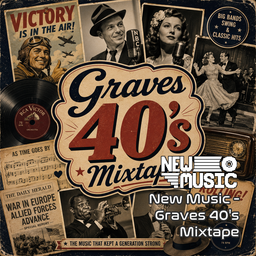
New Music - Graves 40's Mixtape
von 76561199111946290
New Music - Graves 40's Mixtape MADE FOR: NEW MUSIC GENERATED BY: NEW MUSIC BUILDER Graves 40's Mixtape 1/5 Side A 01 Bing Crosby – White Christmas 02 Nat King Cole – Nature Boy 03 Frank Sinatra – I'll Never Smile Again 04 Édith Piaf – La Vie en rose 05 Hank Williams – Lovesick Blues Graves 40's Mixtape 1/5 Side B 01 The Andrews Sisters – Boogie Woogie Bugle Boy 02 Glenn Miller – Chattanooga Choo Choo 03 Louis Jordan – Caldonia 04 Doris Day – Sentimental Journey 05 Ella Fitzgerald – Dream a Little Dream of Me Graves 40's Mixtape 2/5 Side A 01 Dinah Washington – Am I Asking Too Much 02 Peggy Lee – Mañana (Is Soon Enough for Me) 03 Tex Williams – Smoke! Smoke! Smoke! (That Cigarette) 04 Muddy Waters – I Can't Be Satisfied 05 Charles Brown – Driftin' Blues Graves 40's Mixtape 2/5 Side B 01 The Ravens – Write Me a Letter 02 Lionel Hampton – Flying Home 03 The Mills Brothers – You Always Hurt the One You Love 04 Patti Page – Tennessee Waltz 05 Woody Guthrie – This Land Is Your Land Graves 40's Mixtape 3/5 Side A 01 Nat King Cole – Mona Lisa 02 Gene Autry – Rudolph the Red-Nosed Reindeer 03 Roy Acuff – Wabash Cannonball 04 Arthur Big Boy Crudup – That's All Right 05 T-Bone Walker – Call It Stormy Monday (But Tuesday Is Just as Bad) Graves 40's Mixtape 3/5 Side B 01 The Ink Spots - I Don't Want to Set the World on Fire 02 The Ink Spots - We Three 03 Kay Kyser - (I Got Spurs) Jingle Jangle Jingle 04 Roy Brown - Mighty Mighty Man 05 Patsy Montana - I Didn't Know the Gun Was Loaded Graves 40's Mixtape 4/5 Side A 01 Wynonie Harris - Grandma Plays the Numbers 02 Bob Crosby and the Bobcats - Dear Hearts And Gentle People 03 Glenn Miller - Juke Box Saturday Night 04 Ella Mae Morse - Mr. Five By Five 05 Bing Crosby and The Andrews Sisters - Pistol Packin' Mama Graves 40's Mixtape 4/5 Side B 01 Bing Crosby and The Andrews Sisters - Don't Fence Me In 02 Johnny Bond - Headin' Down The Wrong Highway 03 Ella Fitzgerald and The Ink Spots - Into Each Life Some Rain Must Fall 04 Tommy Dorsey - Opus One 05 The Andrews Sisters - Rum And Coca Cola Graves 40's Mixtape 5/5 Side A 01 Louis Jordan - Salt Pork, West Virginia 02 Ella Mae Morse - Pig Foot Pete 03 Sons of the Pioneers - Tumbling Tumbleweeds 04 Jerry Irby - Answer to Drivin' Nails in My Coffin 05 Danny Kaye and The Andrews Sisters - Civilization (Bongo, Bongo, Bongo) 06 Eddy Arnold - It's a Sin Graves 40's Mixtape 5/5 Side B 01 Tennessee Ernie Ford - Sixteen Tons 02 The Three Suns - Worry Worry Worry 03 Roy Brown - Good Rockin Tonight 04 Freddie Slack - Two Left Hands 05 Cass Daley - A Good Man Is Hard to Find 06 Billie Holiday - Crazy He Calls Me Workshop ID: 3765058592 Mod ID: NewMusicG40s
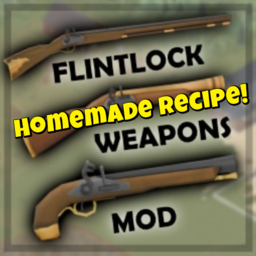
Homemade Musket!
von 76561199140301824
Homemade Musket require Musket Plank=4 Nails=5 Pipe=2 ScrapMetal=4 BlowTorch=5 SkillRequired MetalWelding=2 Woodwork=2 FlintlockPistol Plank=2 Nails=5 Pipe=1 ScrapMetal=4 BlowTorch=5 SkillRequired MetalWelding=2 Woodwork=2 Blunderbuss Plank=2 Nails=5 Pipe=1 ScrapMetal=4 BlowTorch=5 SkillRequired MetalWelding=2 Woodwork=2 My other mods? Lootable Musket improvement!! Flintlock Weapons Mod Workshop ID: 3381776878 Mod ID: Homemade_Musket
![Obvious Crafting [Mecanica de Oxidación - Rust] – Project Zomboid Mod](https://images.steamusercontent.com/ugc/2501268517212630378/1B1B3407A2FEE71C64860DFF352CB6E1509AA0F1/)
Obvious Crafting [Mecanica de Oxidación - Rust]
von 76561199503391478
Nueva Funcion en desarrollo Oxidacion de Armas Para usarse en cualquier otro mod que modifique el Farming del juego se debe usar el parche UFP y el Mod que se quiere parchear, para así tener una compatibilidad con otros mods Obvious Crafting es un mod extenso que esta enfocado principalmente en la fabricación con mas de 300 recetas y mas de 100 objetos y 50 armas solamente obtenidos por el sistema de fabricacion. Ademas el mod deja usar muchas de las herramientas o trastos del juego como armas, algunos ejemplos son - Tubo de Plástico, Trinchador, Sacacorchos, Sierra, Serrucho, Palo robusto, Tabla de madera y de plástico para cortar, etc. To use in any other mod that modifies the Farming of the game, you must use the UFP patch and the Mod that you want to patch, in order to have compatibility with other mods. Obvious Crafting is an extensive mod that is mainly focused on crafting with more than 100 recipes and more than 90 objects and weapons only obtained through the crafting system, this mod will make your game longer and more fun, explore all the recipes . and all the curiosities and hidden objects of the game. Workshop ID: 3271195512 Mod ID: Obvious Crafting
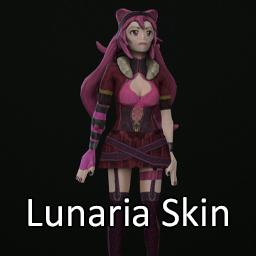
Lunaria Skin
von 76561198042129945
This mod was commissioned by Lunaria. It is her skin from her Twitch channel: https://www.twitch.tv/lunaria Workshop ID: 3271146134 Mod ID: LunariaSkin
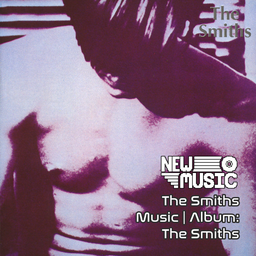
The Smiths Music | Album: The Smiths
von 76561199258285984
The Smiths Music | Album: The Smiths Generated with New Music Builder The Smiths Side A 01 Reel Around the Fountain 02 You've Got Everything Now 03 Miserable Lie 04 Pretty Girls Make Graves 05 The Hand That Rocks the Cradle The Smiths Side B 01 This Charming Man 02 Still Ill 03 Hand in Glove 04 What Difference Does It Make 05 I Don't Owe You Anything 06 Suffer Little Children Workshop ID: 3755145813 Mod ID: 2SmithsAlbum
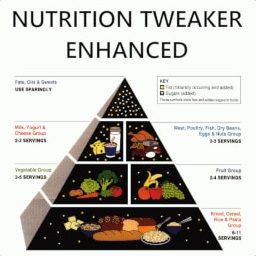
Nutrition Tweaker Enhanced
von 76561197991631517
Allows fine-tuning of nutrition value modifiers: carbohydrates, lipids, proteins, and calories. Each stat has separate multipliers for increase and decrease rates. Lower values slow down stat changes; higher values speed them up. For example, 0.1 applies only 10% of the original change, while 2.0 applies 200%. This mod is an improved and fixed version of the original Nutrition Tweaker mod. The original only affected stat decline while idle???this version works correctly while moving as well. Workshop ID: 3078272807 Mod ID: NutritionTweakerEnhanced
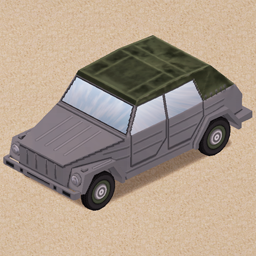
VW 181 "Thing"
von 76561198211131259
Not really suited for zombie apocalypse. Just like you. Available in my cars pack, you can find it in my profile Report any problems and enjoy ^_^ Workshop ID: 2079099245 Mod ID: VWthing tags: vehicle car

Prostitute occupation Build 41
von 76561199137907060
This mod adds a prostitute occupation mod to Project Zomboid's Build 41. This mod requires the Professional Framework. Workshop ID: 3039482686 Mod ID: Prostitute Occupation
![Koyuki Lifestyle Addon Cover [B42] – Project Zomboid Mod](https://images.steamusercontent.com/ugc/18203295772375236868/0EF62744D77EE8281EFE0A29658FC23AAC1FBB5E/)
Koyuki Lifestyle Addon Cover [B42]
von 76561199388212063
Given the limited number of playable tracks in the original Lifestyle Hobbies mod, this add‑on mod is specially created for anime fans who love piano and guitar. All pieces are graded by playing difficulty. You need to level‑up the corresponding skill to the required rank to unlock and play each track. **Playable Acoustic Guitar Tracks** Level 4: Ordinary DISCO, Promise Level 6: Final Phase, Idol, Pacific Rim, A Cruel Angel's Thesis, The Disappearance of Hatsune Miku, Detective Conan Main Theme Level 8: Idol Hard, Only My Railgun Level 10: Flower Dance, aLIEz, Beat It **Playable Piano Tracks** Level 2: Carrying You, Kimi wo Omou Melodi, Lightning Moment, Rooftop Level 4: Passionate Duelists, Renai Circulation, Usagi Flap Level 6: A Cruel Angel's Thesis, Akino Anata no Sora Tooku, Bad Apple, Garasu no Hanazono, Gurenge, LEVEL5 Judgelight, Only My Railgun, Senbonzakura, Snow Halation, Unravel, Idol Level 8: Rush A, Rush B, Rush E, Twinkle Twinkle Little Tsar, Unwelcome School, Korobeiniki Level 10: Only My Railgun Hard Workshop ID: 3779257370 Mod ID: koyukilifestyleaddoncover
Bandits Extra Options Patch
von 76561199374944964
Basically this is just an updated requirements so that it works with the new Bandits v2 If the author updates their mod I'll take this down. Workshop ID: 3551503436 Mod ID: BanditsAddOptionsPatch
Venicle Chop Shop RUS
von 76561198258536002
Info/Информация This is a translation of the mod Venicle Chop Shop. All rights goes to creator of the original mod. https://steamcommunity.com/sharedfiles/filedetails/?id=2517149036 If you are creator of original mod, please contact me and we will integrate the translation into your mod _______________________________________________________ Это перевод мода Venicle Chop Shop. Все права отходят создателю оригинального мода. Посмотрите мои другие переводы: https://steamcommunity.com/workshop/discussions/18446744073709551615/3075377162296163214/?appid=108600 _______________________________________________________ Tags:B41,Cars,Vehicles,Lang,Translation,Language Workshop ID: 2524192989 Mod ID: POETVehicleRecyclingRUS Mod ID: POETVehicleMechanicsRUS
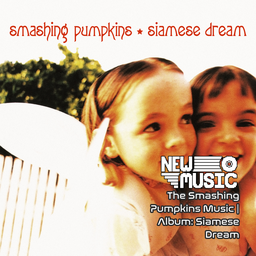
The Smashing Pumpkins Music | Album: Siamese Dream
von 76561199258285984
The Smashing Pumpkins Music | Album: Siamese Dream Generated with New Music Builder Siamese Dream Side A 01 Cherub Rock 02 Quiet 03 Today 04 Hummer 05 Rocket 06 Disarm Siamese Dream Side B 01 Soma 02 Geek U.S.A. 03 Mayonaise 04 Spaceboy 05 Silverfuck 06 Sweet Sweet 07 Luna Workshop ID: 3754941775 Mod ID: 2PumpkinsAlbum
ammo weight reduce
von 76561198044495372
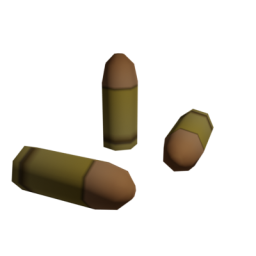
This reduce ammo weight , vanilla or if you activate each mods. Vanilla VFExpansion1(VANILLA FIREARMS EXPANSION (B41)) 2667899942 2612617201(Ammunition of Box & Cardboard Case MOD for build 41) 2612617201 Triceratops Playermodels 2781054058 BlueArchiveWeapon 3021045285 -BlueArchiveWeapon 3021045285 some pistol changes one hand. Workshop ID: 3033175196 Mod ID: TARAs_ammo_weight_reduce
LouisVille Spawn Near Large Gated Communty
von 76561198204674115
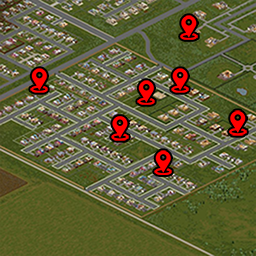
Spawn Point LouisVille Near Large Gated Communty Supported Languages: - EN - TH How to use mod. - add mod to SteamWorkShop. - add mod to Mods. if use mod manage don't forgot turn on my mod. You can use with other mod Spawn Point LouisVille if mod not work use try set part 1.Enter the folder. C:\Users\"Enter Your Name PC"\Zomboid\Server 2.open file servertest_spawnregions.lua by notepad++, VScode or other program can open file. 3. Set part. { name = "Louisville LGC, KY", file = "media/maps/Louisville LGC, KY/spawnpoints.lua" }, 4. check setting server Map add LouisVille LGC, KY Thank you use my mods good luck and enjoy the game Workshop ID: 3018648750 Mod ID: LouisVille Spawn LGC Map Folder: Louisville LGC, KY
Lemon's RP Mode
von 76561197995106360
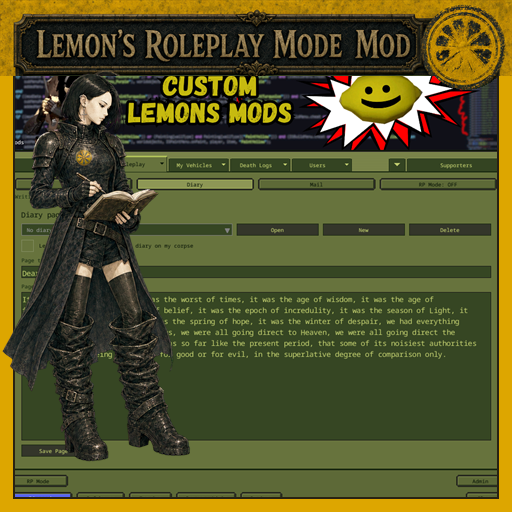
Lemon's RP Mode Turn Project Zomboid multiplayer into a shared roleplaying world with character profiles, nearby in-character chat, private diaries, player mail, map controls, and optional supporter badges. No required dependencies. Lemon's Aid integration is optional. What's New in 0.4.12 - IC chat-range changes now stay saved after a server restart. - Detached chat keeps keyboard focus after every message. - Opening your own profile loads your saved details without erasing anything you started typing. - Mail retries no longer create a second delivery, and newer drafts stay safe when an earlier send finishes late. Features - Player-controlled RP Mode that remembers your choice - Nearby in-character chat and local faction chat - Custom chat tabs that can be filtered, moved, detached, or closed - RP icons above characters and beside chat names - Character profiles with physical descriptions and biographies - Profile discovery when characters meet in the world - Private notes about characters you have met - Multi-page private diaries with an optional readable corpse copy - Private player mail for individuals, groups, or your faction - A shortcut for the vanilla Remote Players map option - Three optional admin-assigned supporter badges - Optional Lemon's Aid Home, Roleplay, and Supporters controls Quick Start /rpmode turns RP Mode on or off. /profile opens your character profile. /diary opens your private diary. /mail opens your mailbox. /ic message speaks in character to nearby RP players. /ooc message uses ordinary local speech while RP Mode is enabled. /lf message or /localfaction message speaks to nearby faction members. /f and /faction remain the vanilla faction-wide chat commands. Other useful commands include /me, /w, /r, /sit, /wave, /clap, /thumbsup, and /salute. Press Tab to cycle recent whisper targets. Profiles and Encounters Write a physical description and biography for the survivor you are playing. When RP characters meet nearby, their profiles become available to each other. You can keep private notes about people you have metthose notes are visible only to you. Profile, encounter, note, and diary information currently follows your account when you create a new survivor. Diary Keep a private journal with multiple titled pages. If you choose, a readable copy can be left on that character's corpse for other survivors to discover. Player Mail Send private mail to one player, several players, or your entire faction. Your inbox and sent mail remain available between sessions. Open a received message and choose Reply to begin a fresh response to its sender. Chat Tabs Use the + button in chat to create filtered tabs. Right-click a tab to configure, move, detach, or close it. RP Mode adds in-character and local-faction choices without taking away the vanilla faction and safehouse commands. World Map and Minimap The profile screen includes a checkbox for Project Zomboid's vanilla Remote Players option. The server still decides which players may appear; this mod cannot reveal anyone the server has hidden. Admin Options Admins can choose an IC chat range from 1 to 3000 Optional Lemon's Aid Integration Lemon's RP Mode works by itself. With Lemon's Aid installed, it adds an RP Mode button on Home, a dedicated Roleplay tab, and an admin-only Icon Roles screen under Supporters. Suggested order: LemonsAID;RoleplaySupporterIcons4219MP Standalone: RoleplaySupporterIcons4219MP Compatibility Chat, nameplate, or map-interface overhauls may overlap with the same screen space, so place them before Lemon's RP Mode and test the combination. Mods that add ordinary items, vehicles, clothing, recipes, loot, maps, or locations should not need a special load order. Server IDs Workshop ID: 3770373396 Mod ID: RoleplaySupporterIcons4219MP The older number in the permanent Mod ID is part of its established name. This release requires Project Zomboid Build 42 stable version 42.20 or newer. Workshop ID: 3770373396 Mod ID: RoleplaySupporterIcons4219MP

simpleGPS
von 76561198238026430
a simple gps. it shows current coords on top-left of the screen Workshop ID: 3137612736 Mod ID: simpleGPS_Zelta
![[B42]真音乐扩展—TOP100全年代动漫 True Music Addon——TOP100 All Decades Anime Musics – Project Zomboid Mod](https://images.steamusercontent.com/ugc/5166736106146418/4993670AC673E913B7C0257ECAEB2C283FE9EF71/)
[B42]真音乐扩展—TOP100全年代动漫 True Music Addon——TOP100 All Decades Anime Musics
von 76561199384028827
真音乐扩展—TOP100全年代动漫 True Music Addon——TOP100 All Decades Anime Musics Workshop ID: 3411706468 Mod ID: TrueMusic_Anime Top 100
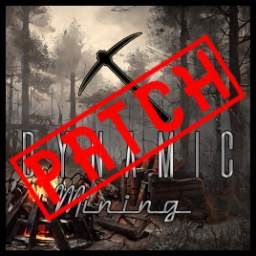
Dynamic Mining Patch
von 76561198862578441
Got tired of spending hours getting rocks. Patch for Dynamic Mining that will increase the chances of finding rare ores. Old Chances: | Ore Type | Percentage Chance | |-----------------|---------------------| | Gold Mines | ≈ 0.75% | | Silver Mines | ≈ 0.75% | | Salt Mines | ≈ 4.5% | | Aluminum Mines | ≈ 9% | | Coal Mines | ≈ 12% | | Iron Mines | ≈ 15% | | Rock Mines | ≈ 58% | New Chances: | Ore Type | Percentage Chance | |-------------------|---------------------| | Gold Mines | ≈ 3.1% | | Silver Mines | ≈ 3% | | Salt Mines | ≈ 4% | | Aluminum Mines | ≈ 10% | | Coal Mines | ≈ 10% | | Iron Mines | ≈ 30% | | Rock Mines | ≈ 40% | Workshop ID: 3115786832 Mod ID: DynamicMining(Patch)
Ghetto Smosh VHS
von 76561198188997647
Adds Ghetto Smosh Episodes as retail VHSs discoverable around the map! Workshop ID: 2994717191 Mod ID: GhettoSmoshVHS

大背包
von 76561199292171527
1大部分背包容器扩大为原版的30倍 2添加100减重的钱包黑 Workshop ID: 3260281660 Mod ID: BackpackModification
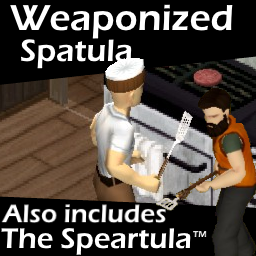
Weaponized Spatula
von 76561198035338496
This mod modifies the vanilla spatula to be a weapon, along with adding a 3D model and textures. This means that as a result, you can actually decorate your areas with spatulas. In addition, it can be attached to a spear to create the Speartula, a next generation cooking utensil. This serves as an update to my old spatula mod, but can be used alongside it if you wish (though I'd recommend just using this new one) Changes over the old mod include: - A new texture, based on the icon - Uses the vanilla spatula, since they added one in 41.60+ - Different sounds, as some were changed with updates It is save and MP compatible, but unfortunately a possible side effect from changing the item type is that you may lose any existing spatulas you have been holding on to. Workshop ID: 2739945700 Mod ID: WeaponizedSpatulafhq
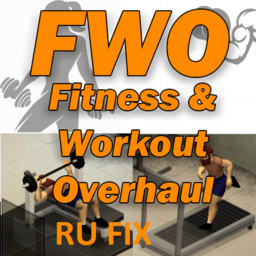
FWO Fix Ru Translate
von 76561198038423617
FWO Fix Ru Translate Workshop ID: 3340580077 Mod ID: FWOBenchPress&TreadmillRUFIX Mod ID: FWOBenchPress&TreadmillRUFIX

Yumi's Backpack Barnyard
von 76561199089009325
🌸 Taking a Mental Break from Modding 🌸 Hey everyone! I wanted to give you a quick update. ✨ I’ve decided to take a break from modding so I can rest, enjoy other games, spend more time with my family, and avoid burning myself out. I truly love modding, and I want to keep it that way instead of letting it feel like a chore. I’m not quitting or abandoning my mods. If something is genuinely broken or game-breaking, I’ll still do my best to fix it, but smaller updates and requests may take some time while I recharge. 🌿 I’ll also no longer be replying to comments on Steam. If you need to report an issue, please head over to my Discord instead! 🛠️ 🎮 YumiNekoGirl’s Modding Den 🌸 It’s a new 18+ community for mod support, questions, and updates. You’re also welcome to hang out, make friends, chill, play together, or watch me stream! 🎮✨ Join YumiNekoGirl’s Modding Den I’ll also be adding an optional donation link soon for anyone who wants to support my modding work. ☕💕 Thank you all for your patience and support. This isn’t goodbye. I just need some time to relax, recharge, and come back when I’m ready. 🌸 — Yumi <3 Backpack Barnyard Let’s be honest for a second. You ever look at a full-grown cow and think: “Yeah… I’m putting that in my backpack.” No? …well now you can. This mod lets you pick up animals and store them in your inventory, backpacks, fanny packs — pretty much wherever you want in single player. Pigs, sheep, cows… if it exists, it’s going in the bag. And yes… they only weigh 0.01. Because honestly, driving miles moving animals one at a time got old real fast. Now you can just carry your entire farm with you. How To Use — Single Player After a LOT of trial and error, this is the most stable way to use it: - To pick up an animal, right-click slightly UNDER the animal - Do NOT click directly on it because that opens the vanilla menu - You’ll see: Pick Up Animal - Your hands must be empty - Once it’s in your inventory, right-click the animal item - Choose Move Animal To - Select where you want to move it: - Main Inventory - Backpack - Fanny Pack - Other worn containers If the animal is already inside a backpack, fanny pack, or another container, right-click the animal and choose: Move Animal To Main Inventory This lets you move animals back and forth without needing to click and drag. Putting Animals Down — Single Player The custom “Place Animal Down” option has been removed because it caused instability and bugs. - To drop an animal, click and drag the animal from your inventory onto the ground or use the normal drop option - This is currently the only reliable method Multiplayer — IMPORTANT Multiplayer finally works, but it works differently from single player. - To pick up animals in multiplayer, use MP Pick Up Nearby Animals (#) - The number shows how many animals are nearby - Do not use the regular Pick Up Animal option in multiplayer - After the animal is in your inventory, right-click it and use Move Animal To - You can transfer animals between your main inventory, backpack, fanny pack, and worn containers using the right-click menu Important: Drag-and-drop can be unreliable in multiplayer, so use the right-click transfer options instead. How To Transfer Animals Between Inventories Once an animal is in your inventory: - Right-click the animal item - Choose Move Animal To - Select the inventory you want: - Main Inventory - Backpack - Fanny Pack - Other worn containers If the animal is inside a backpack or fanny pack and you want it back in your regular inventory: - Right-click the animal item - Choose Move Animal To Main Inventory This was added because click-and-drag can be annoying or unreliable, especially in multiplayer. Compatibility - Build 42.20+ - Single player supports inventory, backpacks, fanny packs, and containers - Multiplayer supports pickup using MP Pick Up Nearby Animals (#) - Right-click animal transfer works for moving animals between inventories - Trailer capacity works in multiplayer Credits This mod is inspired by the original work from Swamp Fox. All credit goes to them for the original idea. Final Notes I’m a mom to a two-year-old, I work full-time, I run a household, and I have a life that exists well beyond this game. So updates won’t always be instant—I fit this in when I can, and I appreciate your patience. If you run into a glitch or bug, please let me know with as much detail as possible (what happened, any error messages, steps to reproduce). That genuinely helps me fix things faster. And about the images: yes, I use AI to make them. I don’t draw, I’m not paying someone to create art for a hobby project, and I’ve got far bigger things to deal with than pixel-perfect illustrations. I like the images I generate—they bring my OC to life in a way that makes me happy. That’s the point. So if you’re here to drop “AI slop” comments, save it. I don’t care. Move on. I’m here to have fun, share something I love, and build a little community around it. If that’s not your vibe, the door’s right there. ✌️ — Yumi <3 Check Out My Other Mods! Feel free to check out my other Project Zomboid mods! Thank you so much for the support. <3 - Yumi's Fridge Expansion Deluxe w/ Storage Boost Add-On - Yumi's Moonlight Mayhem - Yumi's Superior Stews Reheated - Tactical Sling Reborn - Yumi's Faster Tree Chopping: A Lumberjack’s Dream - Eat Anything For Animals <3 - Open All Ammo Boxes - Yumi's Endless Harvest-Regrowth Farming Overhaul - Advanced Trapping Overhaul - Yumi's Zombies Drop Ammo Boxes - Yumi's Fishing Expansion - Yumi's Meat Expansion - Run Faster, Die Later WARNING Any hateful or disrespectful comments towards me or my family will be deleted and reported. Workshop ID: 3710497894 Mod ID: BackpackBarnyard Mod ID: BackpackBarnyardMPFix
Project Zomboid Details →
Project Zomboid Guides
Project Zomboid Mods installieren - Workshop Guide
Installiere Project-Zomboid-Mods sauber per Steam Workshop: IDs eintragen, Reihenfolge prüfen, Server neu starten und typische Fehler beheben.
Project Zomboid Build 42 auf dem eigenen Server: Umstieg, Spielstände und Mods
Build 42 ist Stable: Spielstände aus Build 41 sind nicht kompatibel. Umstieg, legacy41-Zweig, neue Serveroptionen, Anti-Cheat und der Hotfix 42.20.1 gegen Serverlag.
Project Zomboid Server mieten – Multiplayer Guide
Project Zomboid Server einrichten: RAM, Sandbox-Einstellungen, Workshop-Mods, Admin-Rechte und typische Fehler sauber prüfen.
Project Zomboid Server mit Mod-Support
Kompatible, unterstützte Mods über das Server-Dashboard installieren.
Project Zomboid Server mieten