Project Zomboid Mods für Server
Für einen modifizierten Project-Zomboid-Server brauchst du pro Projekt die Steam-Workshop-ID und die interne Mod-ID. Prüfe zusätzlich Spiel-Build, Abhängigkeiten und Lade-Reihenfolge, bevor du deine Welt mit den Änderungen startest.
Project Zomboid Mods sicher installieren
Ein Workshop-Abo allein aktiviert eine Mod auf dem Dedicated Server nicht. Die Einträge in `WorkshopItems=` und `Mods=` müssen zusammenpassen; außerdem muss jede Mod den gewählten Build 41 oder Build 42 ausdrücklich unterstützen.
- 1. Build prüfen: Build-41- und Build-42-Mods nicht ungeprüft mischen.
- 2. Workshop-ID, Mod-ID, Abhängigkeiten und erforderliche Reihenfolge vollständig dokumentieren.
- 3. Welt und Konfiguration sichern, Server neu starten und Logs sowie den Beitritt mit einem Test-Client prüfen.
Die vollständige Schritt-für-Schritt-Anleitung findest du im Project-Zomboid-Mods-Guide. Oder starte direkt mit einem Project Zomboid Server mit Mod-Support.
Häufige Fragen zu Project Zomboid Mods
Was ist der Unterschied zwischen Workshop-ID und Mod-ID?
Die Workshop-ID bezeichnet das Steam-Workshop-Projekt und steuert den Download. Die Mod-ID aktiviert den enthaltenen Mod im Spiel. Auf dem Server müssen beide Listen vollständig und passend gepflegt sein.
Laufen Build-41-Mods automatisch mit Build 42?
Nein. Nutze eine Mod nur dann auf Build 42, wenn ihre Workshop-Seite diese Kompatibilität ausdrücklich bestätigt. Prüfe dabei auch alle Bibliotheken und weiteren Abhängigkeiten.
Wie teste ich ein Mod-Update ohne Risiko für die Welt?
Sichere zuerst Welt, Sandbox-Konfiguration und Server-INI. Aktualisiere danach die zusammengehörigen Mods, starte den Server neu und prüfe Logs, Kernfunktionen und einen vollständigen Client-Beitritt.

Ave Mujica Lifestyle
von 76561198863524627
我要组一辈子乐队!!! 曲目有20多首 具体有哪些我忘记了() 吉他基本上都有,贝斯 键盘吉他和电吉他只有几首,别的乐器就没有几个了 还有几首我比较喜欢的曲就当彩蛋了 曲目用的音频是B站up主 喵子梨 https://b23.tv/n5dAXJu 雪鹽子_Yukishioko https://b23.tv/bD4GiVl Workshop ID: 3630396405 Mod ID: Ave MujicaAddonB42
![[OUTDATED] eris_minimap: OldPark Town plugin – Project Zomboid Mod](https://images.steamusercontent.com/ugc/1868428498977224121/D8B05F612AB48EC6E114FD432FCA260632C9EE4D/)
[OUTDATED] eris_minimap: OldPark Town plugin
von 76561198146214498
NO LONGER UPDATING - MY MAP WORKS WITH VANILLA MINIMAP All credits for code goes to Eris. I just copied the file structure and added my own .png for the minimap. Workshop ID: 2671412435 Mod ID: eris_minimap_parkinglot

TweaksnPatches B41
von 76561198137899832
You can now rip more clothing articles, For example, boots give leather, some hats give sheets or leather. Also you now obtain twine similar to thread upon ripping clothing depending on your tailoring skill. Hammers can be dissasembled for scrap metal with a saw Screwdrivers can also be dissasembled for scrap metal with propane torch and welder mask ---Updated---- Saws are dissasemblable with propane torch same with paintbrush with saw for 1 sturdy stick Looking at adding disassemble options for things such as aluminum (pop) cans + more Let me know if you have any suggestions or something you would like to see added to this mod Workshop ID: 2360424519 Mod ID: TweakMod

NoSleep trait
von 76561198277500462
A simple mod that adds the "No Sleep" Trait which removes the need for sleep. Workshop ID: 3052704952 Mod ID: NoSleepMod
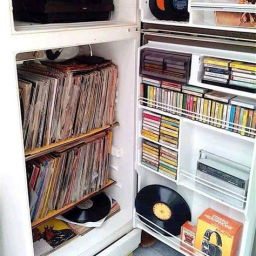
Better Sorting - True Music Period-Accurate Pack
von 76561197967578704
This Patch applies Better Sorting categories to cassettes & vinyls added by a number of True Music add-on mods themed around being 'Period-Accurate.' Includes TCCacheMP sorting as a bonus since that's somehow not covered anywhere else I could find. Mostly took the time on this for my own use, but figured others might want a copy as well! Note that none of the mods are intrinsically required, I've just listed them there for easier reference! It's also safe to add/remove this from a save at your leisure. Be sure to load after the mods in question if you want the categorization to apply correctly. Covers: True Music / TCCacheMP Time-Period Accurate Music (True Music) True Music: Period-Accurate Rock & Classic True Music: Period-Accurate Metal & Industrial True Music: Period-Accurate Pop & Alternative True Music: Period-Accurate Goth & New Wave Workshop ID: 2871821508 Mod ID: BSTM-PAPack

Show Zoom Level
von 76561197969273143
Hide with "SHIFT + Z" Key Displays current zoom level next to the clock (for now, tested at 1080p & 1440p large clock size, I'm experimenting with making it resolution/clock-size agnostic) This is a stupid simple mod I made for myself. Someone else might find it useful.
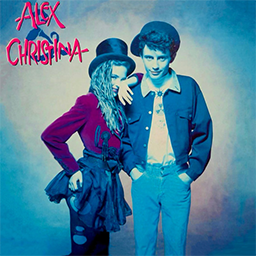
True Music Addon
von 76561198094413580
Canciones: Alaska y Dinarama - A Quién le Importa Alaska y Dinarama - Ni Tú Ni Nadie Alaska y los Pegamoides - Bailando Alex & Christina - Chas y Aparezco a Tu Lado Camarón de la Isla - Como el Agua Camarón de la Isla - La Leyenda del Tiempo Camarón de la Isla - Soy Gitano Camarón de la Isla - Volando Voy Camela - Amor Imposible Camela - Cuando Zarpa el Amor Camela - Lágrimas de Amor Celtas Cortos - 20 de Abril Celtas Cortos - Cuéntame un Cuento Dover - Cherry Lee Dover - Devil Came to Me Dover - Serenade Duncan Dhu - Cien Gaviotas Duncan Dhu - En Algún Lugar Duncan Dhu - Esos Ojos Negros Duncan Dhu - Una Calle de París El Fary - Apatrullando la Ciudad El Fary - Carabirubi El Fary - El Toro Guapo El Fary - La Mandanga Estopa - Como Camarón Estopa - El Del Medio de los Chichos Estopa - La Raja de Tu Falda Estopa - Tu Calorro Estopa - Vino Tinto Extremoduro - Decidí Extremoduro - Golfa Extremoduro - Puta Extremoduro - So Payaso Extremoduro - Sucede Hombres G - Devuélveme a Mi Chica Hombres G - El Ataque de las Chicas Cocodrilo Hombres G - Marta Tiene un Marcapasos Hombres G - Voy a Pasármelo Bien Jeanette - El Muchacho de los Ojos Tristes Jeanette - Por qué Te Vas Loquillo - Cadillac Solitario Loquillo - Feo, Fuerte y Formal Los Chichos - El Vaquilla Los Chichos - La Historia de Juan Castillo Los Chichos - Ni Más Ni Menos Los Chichos - Quiero Ser Libre Los Chichos - Son Ilusiones Los Chunguitos - Dame Veneno Los Chunguitos - Me Quedo Contigo Los Chunguitos - Me Sabe a Humo Los Ronaldos - No Puedo Vivir Sin Ti Los Secretos - Déjame Mago de Oz - Fiesta Pagana Manzanita - Gitano Manzanita - La Quiero a Morir Manzanita - Un Ramito de Violetas Manzanita - Verde Mecano - Barco a Venus Mecano - Cruz de Navajas Mecano - Hijo de la Luna Mecano - Maquillaje Mecano - Me Colé en una Fiesta Mecano - Un Año Más Medina Azahara - Necesito Respirar Medina Azahara - Palabras de Libertad Medina Azahara - Todo Tiene su Fin Miguel Ríos - Himno de la Alegría Nacha Pop - La Chica de Ayer Pimpinela - A Esa Pimpinela - Con un Nudo en la Garganta Pimpinela - Olvídame y Pega la Vuelta Pimpinela - Por Ese Hombre Raphael - Como Yo Te Amo Raphael - Mi Gran Noche Raphael - Yo Soy Aquel Seguridad Social - Chiquilla Seguridad Social - Mi Rumba Tarumba Triana - Abre la Puerta Triana - Tu Frialdad Workshop ID: 2958543808

Fast Mag Swap Hotkey + MORE (42.19)
von 76561198009251303
Adds a niffty hotkey (under combat in the hotkey options tab) that will remove and put a new mag into your weapon in one smooth action. This works amazing with my new Inventory tetris mod option, "Easy Mag Container" (check it out): https://steamcommunity.com/sharedfiles/filedetails/?id=3713662067 But this mod was a pain to get right, but it should even reload your shotgun shells into the gun as well! It can even reload a mag when you only have one mag available too! AND there is mod option that allows you to toggle "held" key logic, so that this mag swap action only occurs when the key is held down, for those of you who want it have it on R, the option is there (i don't prefer it, but some might). Hope you enjoy! 6/6: fixed some translate errors. 6/8: made it good on 42.19. Fixed an issue where if you were in the inventory Tetris mod and holding an item and rotating it, that it would switch your mag. Now you can rotate freely without it accidently putting a new mag into the weapon. Fixed a bug with shotguns not reloading with the hotkey as it was supposed to. 6/15: Separated the large lua file into easier to work with files. Added an optional debug file that i will set to false by defaulit. Fixed a interaction with MagazineAPI and Vanilla Firearm Magazine mod. (I have fixes for both of those mods, so let me know if anyone wants me to upload them) 6/20: Added a saftey that prevents a mag from attempting to start another reload if a reload is already in progress and the hotkey is pressed. This was causing the mag to be removed after the reload ended, it was annoying. Workshop ID: 3739818815 Mod ID: HotkeyMagSwapRoy
![Food Expiration Date v1.3.1 (Outdated) PZ v31.13 [Legacy] – Project Zomboid Mod](https://images.steamusercontent.com/ugc/933803122820471254/E7718724919EC7C7D59CA9AB3C31E815D6A84C92/)
Food Expiration Date v1.3.1 (Outdated) PZ v31.13 [Legacy]
von 76561198028209982
The players can view the status food before be rotten. Also, with the new trait, the player can knows the exact status of a food. Special thanks to Svarog with her translations in english and Polish and Blindcoder to the german translation How to Use: Only that you need is move the mouse over the food and the new option in the Tooltip tells the status of a food and time left to expire if you have the new trait "Eye to Food" Current Version (v1.3.1) PZ Early Access v31.13 (Outdated) I've posted this mod because I did not find it in the workshop. I did not create it, this mod does not belong to me and I have no relation with the author. All information and credits of this mod are on this link https://theindiestone.com/forums/index.php?/topic/13992-food-expiration-date/ Workshop ID: 1279492539 Mod ID: comRichcppExpirationFood

Video Framebuffer
von 76561197993535399
The first-ever pixel-level framebuffer for Project Zomboid. Draw anything -- emulators, video playback, dynamic visualizations, mini-games -- all rendered at GPU speed inside PZ's UI. PZFB is a library mod that provides a framebuffer API for other mods to use as a dependency. SETUP (first time, and after every PZFB update): 1. Subscribe and enable the mod, then start a game. 2. A red "Setup Required" (or orange "Update Required" after an update) panel appears. 3. The panel shows where your auto-generated install script is: - PZ 42.20 and newer: the script is created inside the mod folder itself (its common subfolder). Click "Copy Path" on the panel, then: Windows: paste the path into Explorer's address bar and press Enter to run it. Linux: open a terminal and run: bash "<paste the path>" A fallback copy named pzfb_install.txt is also written to Zomboid/Lua (Linux: run it with bash as-is; Windows: rename it to pzfb_install.bat first). - Older PZ builds: the script lands in Zomboid/Lua as pzfb_install.bat (Windows, double-click it) or pzfb_install.sh (Linux: bash ~/Zomboid/Lua/pzfb_install.sh). 4. The script auto-detects your PZ install and copies 12 small class files into it. 5. Restart Project Zomboid. Done. WHY THE EXTRA STEP: Steam Workshop refuses to distribute .class/.bat/.sh files, and Project Zomboid loads Java classes only from its install directory, so a mod cannot install itself. PZ 42.20 also stopped Lua from writing .bat/.sh files into Zomboid/Lua, which is why the script now lives in the mod folder (PZFB 1.7.2 and older generate no script at all on 42.20 -- update PZFB). If your antivirus flags the script (it copies files into the Steam install dir), open it in any text editor first to see exactly what it does. Manual install (if the script cannot find your PZ install): inside the mod folder, rename each file in 42/media/pzfb/Color*.dat to Color*.class and copy them into <YourPZInstall>/zombie/core/. On Windows the install dir is the ProjectZomboid folder itself; on Linux it is the inner ProjectZomboid/projectzomboid folder. DEMO: Press HOME to open a test framebuffer window, END to close it. These keys are remappable in PZFBTest.lua. FOR MOD AUTHORS: Add require=PZFB to your mod.info, then use the PZFB Lua API to create and draw framebuffers. API reference: https://github.com/expectbugs/pzfb/blob/main/docs/API_REFERENCE.md Source: https://github.com/expectbugs/pzfb Workshop ID: 3698742271 Mod ID: PZFB

Cryogenic Winter Extreme Survival
von 76561198145952668
Cryogenic Winter is an endless winter mod for Project Zomboid. Are you ready for the ultimate freeze? Cryogenic Winter Hard Mode turns Project Zomboid into an extreme frozen apocalypse, making survival much harder! • Max temperature: -50°C Min temperature: -160° • Constant freezing, making survival much harder • Staying outside too long = hypothermia & death • Warm clothing, fire, and shelter are essential Hell Heaters Mod Beat the freezing cold with the power of heat! Hell Heaters Mod boosts vehicle heaters up to 130°C, giving you a safe, warm refuge from the deadly cold. • Stay warm inside your car! • Reduce the risk of freezing to death! • Fully compatible with Cryogenic Winter! Workshop ID: 3435419361 Mod ID: CryogenicWinterExtremeMode Mod ID: CryogenicWinter
![[B42] Sabores del Mundo Hispano – Project Zomboid Mod](https://images.steamusercontent.com/ugc/10718829828788188640/DF2EBF06DE2FE8B542B3BDC6E16CA8523A8F1930/)
[B42] Sabores del Mundo Hispano
von 76561198387867714
Sabores del Mundo Hispano B42 Una de mis pasiones IRL es la cocina, y por eso he querido hacer este recetario, el mas completo que posiblemente existirá de nuestra cultura culinaria, es una recopilación de las recetas mas famosas, conocidas o populares de nuestros países y regiones, desde españa a la Patagonia, pasando por el caribe y terminando en mex, con revistas de experiencia y mas de 170 recetas nuevas por descubrir Sabores del Mundo Hispano B42 amplía la cocina vanilla con recetas auténticas inspiradas en España y los países hispanohablantes de América. Prepara platos tradicionales, postres y bebidas utilizando ingredientes vanilla mientras exploras una nueva forma de progresar a través de la cocina. Todos los productos finales están integrados en los sistemas de alimentación de Build 42. No se añaden ingredientes, cultivos ni estaciones de cocina personalizadas. Características []171 nuevas recetas de cocina []Recetas de España e Hispanoamérica []Platos tradicionales, postres y bebidas []Utiliza ingredientes y sistemas vanilla []Progresión basada en la habilidad de Cocina []Valores nutricionales equilibrados []Gran variedad gastronómica regional []Traducciones al español e inglés - Compatible con multijugador Gastronomías Incluidas []España []México []Guatemala []El Salvador []Honduras []Nicaragua []Costa Rica []Panamá []Cuba []República Dominicana []Puerto Rico []Colombia []Venezuela []Ecuador []Perú []Bolivia []Chile []Paraguay []Uruguay []Argentina Ejemplos de Recetas []Paella Valenciana []Fabada Asturiana []Cocido Madrileño []Gazpacho []Empanada Gallega []Tacos de Carne []Pozole []Tamales []Pupusas []Baleadas []Casado []Sancocho []Arepas []Ajiaco []Ceviche []Lomo Saltado []Humitas []Asado Criollo []Chivito []Tarta de Santiago Ejemplos de Preparación Reunir Ingredientes -> Aprender la Receta -> Preparar los Componentes -> Cocinar el Plato Tradicional Cosechar Verduras -> Preparar Carne o Pescado -> Sazonar los Ingredientes -> Crear una Especialidad Regional Reunir Ingredientes de Repostería -> Preparar la Masa -> Hornear el Postre -> Servir Progresión Las recetas se desbloquean mediante revistas y recetarios que pueden encontrarse durante la exploración. Los platos más elaborados requieren mayores niveles de Cocina y una variedad más amplia de ingredientes. Dominar distintas tradiciones gastronómicas permite acceder a comidas más complejas y nutritivas. Filosofía de Diseño Sabores del Mundo Hispano está pensado para supervivientes que disfrutan de la cocina, el rol y la construcción de comunidades autosuficientes. El mod añade diversidad culinaria sin alterar el equilibrio de supervivencia de Project Zomboid. Cada receta ha sido diseñada para sentirse como una extensión natural del sistema de cocina vanilla mientras celebra la riqueza gastronómica del mundo hispano. Sabores del Mundo Hispano no reemplaza ni elimina recetas vanilla. Compatibilidad []Project Zomboid Build 42 []Puede añadirse a partidas existentes []Utiliza ingredientes vanilla []Compatible con un jugador y multijugador []Enfoque vanilla-friendly []Español e inglés Workshop ID: 3749006845 Mod ID: SaboresMundoHispano _____________________________________ Sabores del Mundo Hispano B42 One of my real-life passions is cooking, and that's why I wanted to create this cookbook: possibly the most complete collection of Hispanic cuisine ever made for Project Zomboid. It brings together some of the most famous, beloved, and iconic recipes from our countries and regions, from Spain to Patagonia, through the Caribbean and all the way to Mexico, featuring progression magazines and more than 170 new recipes to discover. Sabores del Mundo Hispano B42 expands vanilla cooking with authentic recipes inspired by Spain and the Spanish-speaking countries of the Americas. Prepare traditional dishes, desserts, and beverages using vanilla ingredients while exploring a new way to progress through cooking. All final products are integrated into the vanilla Build 42 food systems. No custom ingredients, crops, or cooking stations are added. Features []171 new cooking recipes []Recipes from Spain and Hispanic America []Traditional dishes, desserts, and beverages []Uses vanilla ingredients and cooking systems []Cooking skill progression []Balanced nutritional values []Wide regional culinary variety []English and Spanish translations - Multiplayer compatible Included Cuisines []Spain []Mexico []Guatemala []El Salvador []Honduras []Nicaragua []Costa Rica []Panama []Cuba []Dominican Republic []Puerto Rico []Colombia []Venezuela []Ecuador []Peru []Bolivia []Chile []Paraguay []Uruguay []Argentina Example Recipes []Paella Valenciana []Fabada Asturiana []Cocido Madrileño []Gazpacho []Empanada Gallega []Beef Tacos []Pozole []Tamales []Pupusas []Baleadas []Casado []Sancocho []Arepas []Ajiaco []Ceviche []Lomo Saltado []Humitas []Asado Criollo []Chivito []Tarta de Santiago Example Preparation Chains Gather Ingredients -> Learn Recipe -> Prepare Components -> Cook Traditional Dish Harvest Vegetables -> Prepare Meat or Fish -> Season Ingredients -> Create Regional Specialty Gather Baking Ingredients -> Prepare Dough -> Bake Dessert -> Serve Progression Recipes are unlocked through magazines and cookbooks that can be found while exploring. More elaborate dishes require higher Cooking skill levels and a wider variety of ingredients. Mastering different culinary traditions grants access to increasingly complex and nutritious meals. Design Philosophy Sabores del Mundo Hispano is intended for survivors who enjoy cooking, roleplaying, and building self-sufficient communities. The mod adds culinary diversity without altering Project Zomboid's survival balance. Every recipe has been designed to feel like a natural extension of the vanilla cooking system while celebrating the rich culinary heritage of the Hispanic world. Sabores del Mundo Hispano does not replace or remove any vanilla recipes. Compatibility []Project Zomboid Build 42 []Can be added to existing saves []Uses vanilla ingredients []Singleplayer and Multiplayer compatible []Vanilla-friendly []English and Spanish Workshop ID: 3749006845 Mod ID: SaboresMundoHispano

Buskets Drug Mod integration Fix
von 76561198023824231
This mod allows for the use of Jigga's Greenfire mod items (namely bongs) with Krak Inn's weed item. Also allows for simple conversion of KIDM's weed item into Jigga's Cannabis item. This corrects most, if not all, conflicts arising from using both mods versions of Cannabis. If any future conflicts arise, please comment on the Steam Workshop mod page with the item/recipe/mod that was not behaving properly and I will do my best to resolve the issues promptly. -CaptainBusketTTV Workshop ID: 2975167711 Mod ID: BusketsDrugFix
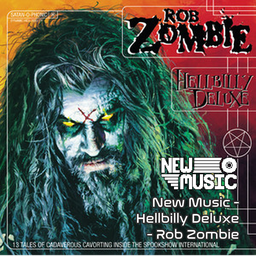
New Music - Hellbilly Deluxe - Rob Zombie (1998)
von 76561198824087521
New Music - Hellbilly Deluxe - Rob Zombie (1998) Check out The Spindoctor's New Music Mixes! MADE FOR: NEW MUSIC GENERATED BY: NEW MUSIC BUILDER Hellbilly Deluxe - Rob Zombie Side A 01 Call Of The Zombie 02 Superbeast 03 Dragula 04 Living Dead Girl 05 Perversion 99 06 Demonoid Phenomenon 07 Spookshow Baby Hellbilly Deluxe - Rob Zombie Side B 01 How To Make A Monster 02 Meet The Creeper 03 The Ballad Of Resurrection Joe And Rosa Whore 04 What Lurks On Channel X 05 Return Of The Phantom Stranger 06 The Beginning Of The End Workshop ID: 3759785342 Mod ID: NewMusic_HellbillyDeluxe

Simple Skill Books: Scavenger Skill Patch
von 76561198076948732
This patch was made to offer compatibility for Scavenger Skill mod when used in conjunction with my Simple Skill Books mod. Now, one can safely use thse two mods together, without the Scavenger Skill mod's books breaking the design behind Simple Skill Books. I made this patch on request. As such, this patch mod tweaks the Scavenger Skill books to fall in line with the vanilla books that Simple Skill Books already changes. Please note, like Simple Skill Books mod, the Scavenger Skill Patch is best added with a fresh game. It still can be added to an existing game, but be sure to burn any skill books that you found prior to adding the patch, as the fix is not retroactive. Workshop ID: 3422248070 Mod ID: ScavengerSkillPatch

Lucky Cookie
von 76561198256384855
- Este Mod adiciona 4 biscoitos que, ao serem comidos, darão Lvl 10 nas seguintes habilidades: Lvl - 10: Força. Lvl - 10: Aptidão Física Lvl - 10: Corrida. Lvl - 10: Agilidade -Ao consumir um dos biscoitos, você receberá o XP necessário para alcançar o nível 10 em determinada habilidade e também receberá dados vermelhos da sorte como lembrança. (Os Biscoitos da Sorte não spawnam no mapa, só podem ser obtidos por meio de ferramentas administrativas como debug ou Admin de Servidores) -Este Mod usa apenas recursos Vanilla do Jogo e Não depende de nenhum outro mod para funcionar. - Este Mod é para Uso Publico e qualquer um pode baixar, modificar e usar ele como quiser, tenham um bom jogo! Workshop ID: 3388967402 Mod ID: LuckyCookie

Skill Recovery JournalJP
von 76561199210051663
Skill Recovery Journalの翻訳 翻訳依頼はこちら 。 【ディスコード】https://discord.gg/H25mSxCdBM マルチプレイ用の24Hレンタルサーバーもあります サーバー専用MODあり Workshop ID: 3008323240 Mod ID: Skill Recovery JournalJP

Zomboid Rich Presence
von 76561198014024358
Bring your Project Zomboid survivor to Discord. Zomboid Rich Presence enhances Project Zomboid's basic Discord status with live information about your survivor. Supports both single-player and multiplayer, including dedicated servers. Multiplayer support is entirely client-side, with no server installation required. Your Discord status dynamically updates to show where your survivor is, how long they've survived, their zombie kill count, the current in-game time, and what they're currently doing. Installation Zomboid Rich Presence requires ZombieBuddy to communicate with Discord. Both mods must be installed and enabled correctly for Rich Presence to function. 1. Subscribe to both Zomboid Rich Presence and ZombieBuddy on the Steam Workshop. 2. Follow ZombieBuddy's installation instructions. On Windows, using the automated installer and selecting Both is recommended. macOS and Linux users should follow ZombieBuddy's manual installation instructions. 3. Once ZombieBuddy has been installed, relaunch Steam if the installer closed it, then launch Project Zomboid. 4. Enable both ZombieBuddy and Zomboid Rich Presence from the main Mods menu. Keeping Zomboid Rich Presence below ZombieBuddy in the mod list is recommended. 5. When ZombieBuddy's Java Mod Approval window appears for Zomboid Rich Presence, select Allow and confirm the approval. Zomboid Rich Presence is author-signed for ZombieBuddy, so you can also select Trust author if you want future signed updates from the same author to be trusted automatically. Single-player: Both ZombieBuddy and Zomboid Rich Presence must also be enabled for the save you are playing. Multiplayer: Make sure both ZombieBuddy and Zomboid Rich Presence are enabled from the main menu before joining a server. The server itself does not need either mod installed. How do I know it's working? Before loading a save or joining a server, check your Discord activity while sitting on Project Zomboid's main menu. If ZRP is working correctly, your Discord activity should display Project Zomboid - Main Menu. If Discord only displays Project Zomboid with no Main Menu status, ZRP has not successfully connected. Features Dynamic Survivor Information Your Rich Presence displays information about your current survivor, including: - Current location - Zombie kill count - In-game time - Survival time - Current activity - Death status and final survival time Location Detection Your presence changes as you travel throughout Knox Country, recognising major towns as well as a selection of notable locations and landmarks. This includes places such as Muldraugh, Riverside, Rosewood, West Point and Louisville, alongside recognisable locations including Kentucky State Prison, McCoy's Logging, Crossroads Mall, Louisville International Airport and more. Rural areas, forests and notable lakes are also recognised where applicable. Context-Aware Activities Zomboid Rich Presence dynamically detects what your survivor is doing and updates Discord accordingly. While an activity is active, it temporarily replaces the survival time in your Rich Presence. Once the activity ends, your survival time returns automatically. This includes activities such as fighting zombies, driving, sleeping, resting, reading, exercising, fishing, foraging, treating injuries, cooking, crafting, building, working on vehicles, trapping and more. Foraging can even reflect your current Search Focus, allowing your presence to distinguish between searching for particular resources and tracking animals. Activity Priority & Grace System Activities aren't simply switched on and off the instant an action changes. Zomboid Rich Presence uses a priority and grace system to keep your status natural and prevent Discord from constantly flickering between activities. For example, taking a brief pause during combat won't immediately clear Fighting Zombies, while reading a book when seated will display what you're reading rather than simply Resting. Requirements ZombieBuddy 2.0.0+ is required. Zomboid Rich Presence uses ZombieBuddy, created by Zed, to communicate with Discord. Built and tested for Project Zomboid Build 42.20.3. Compatibility Zomboid Rich Presence does not alter gameplay, items, recipes, maps or character progression. Vanilla locations are supported by the built-in location system. Rich Presence should continue to function on modded maps, but custom locations will not automatically be recognised by name. Multiplayer: Supported. Zomboid Rich Presence is a client-side mod and has been tested in both single-player and dedicated multiplayer environments. Dedicated servers DO NOT need to install or enable Zomboid Rich Presence or ZombieBuddy. Players only need Zomboid Rich Presence and ZombieBuddy enabled on their own client before joining a server. Known Limitations - Custom/modded map locations are not currently detected by name. - Not every individual action in Project Zomboid is represented; the mod focuses on activities that meaningfully describe what your survivor is doing. - Some very short actions are intentionally not displayed to avoid unnecessary Rich Presence updates. - Project Zomboid updates may occasionally change how an activity is detected. Please report anything that is missing or displaying incorrectly. Credits ZombieBuddy — Zed Required for communication between Project Zomboid and Discord. Thanks to Zed for creating and maintaining ZombieBuddy and making this mod possible. Version Zomboid Rich Presence v1.1.2 Adds improved Discord connection diagnostics and ZombieBuddy author signing for easier verification and trusted future updates, alongside minor compatibility improvements. Future updates will continue to focus on bug fixes, compatibility and improvements based on feedback. Workshop ID: 3785376350 Mod ID: ZomboidRichPresence
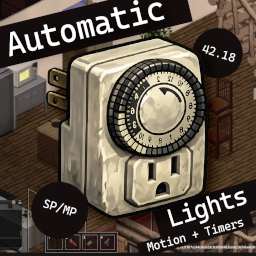
Automatic Lights
von 76561199856694748
Automatic Lights Add a timer or motion sensor to any light — like real-world wall-outlet timers and porch sensors. Save electricity, stretch your bulb supply, light your perimeter hands-free. What it does Craft one of four new devices, right-click a light to install it, then Configure the light to set its behavior. Each light holds one device at a time. - Light Timer — daily on/off schedule. Set ON and OFF times independently or use only one side. - Indoor Motion Sensor — turns the light on when a player enters the same room; off after an idle period. Walls block detection. - Outdoor Motion Sensor — turns the light on for any player within a configurable tile radius; off after an idle period. For porch and patio fixtures with no enclosed room. - Night Outdoor Motion Sensor — same as the outdoor sensor but only active between dusk and dawn. Saves bulbs and electricity by ignoring motion during daylight. Note: for performance reasons the "motion" sensors actually detect presence, not movement. The light stays on for as long as you remain in the room (indoor) or inside the radius (outdoor), and the idle countdown only begins once you leave the area. Lights will turn off while you sleep, however. Features - Four craftable devices in the Electrical category. Timer at skill 1, motion sensors at skill 2. - Per-light configuration — every light has its own schedule or idle-minutes setting. - Independent ON / OFF for timers — set only one side if you only want dusk-on or dawn-off. - Manual override respected — toggle a timer light by hand and it stays in that state until the next scheduled transition fires. - Returns to schedule when you walk back into range, even across an on/off boundary. - Motion lights are event-driven — they react immediately when someone enters detection range. - Optional zombie detection on motion sensors — early-warning porch lights. - Server-authoritative — all light state lives on the server, same code path in SP, hosted MP, dedicated MP, and split-screen. Crafting - Light Timer (Electrical 1) — salvaged kitchen timer or alarm clock, electronics scrap, electric wire, screws. Screwdriver required. - Indoor Light Motion Sensor (Electrical 2) — vanilla MotionSensor (electronics loot), electronics scrap, wire, screws. Screwdriver required. - Outdoor Light Motion Sensor (Electrical 2) — same as indoor plus 2 duct tape for the weatherproof housing. - Night Outdoor Motion Sensor (Electrical 2) — upgrade an existing Outdoor Motion Sensor with a wrist watch (provides the timekeeping element), electronics scrap, and wire. Screwdriver required. Worn watches are ignored. Skill gates live in the recipes. Once a device is built, anyone can install and configure it (configurable in sandbox). Requirements - Build 42 (versionMin 42.18). Not B41-compatible. - A working light bulb installed in the light. Configuration (Sandbox Options) Look for the Automatic Lights page in Custom Sandbox. Each option has a hover tooltip. Timer - Enabled — master toggle for the entire mod (default on). - Require Timer item — require a crafted Light Timer installed on a light before it can be scheduled (default on). Turn off to configure any light directly, gated only by Electrical skill. - Required Electrical skill — minimum skill to configure a light timer; applies only when Require Timer item is off (default 1, range 0–5). - Default ON / OFF time — prefilled in the timer dialog (default 19:00 / 06:00). - Catch up on chunk load — reconcile timer lights when their chunk reloads (default on). Motion sensor - Motion sensors enabled — toggle for the motion-sensor feature (default on). Off = installed sensors stop reacting and new installs are blocked. - Require Motion Sensor item — require a crafted Indoor or Outdoor Motion Sensor installed on a light (default on). - Motion Sensor Electrical skill — minimum skill when the item requirement above is off (default 2, range 0–5). - Default idle-off minutes — prefilled in the motion-sensor dialog (default 5, range 1–60). - Outdoor sensor radius (tiles) — detection radius for the outdoor sensor (default 6, range 1–20). Indoor sensors use room boundaries instead. - Motion poll interval (frames) — how often sensors check for nearby players (default 10). - Sensors detect zombies — also trigger on zombies, useful as an early-warning porch light (default on). Compatibility - Build 42 only. Not B41-compatible. - Singleplayer, hosted MP, dedicated MP, split-screen — same code path, all supported. Light state is server-authoritative. Server admins — adding to an existing world PZ does not merge new sandbox options into existing world saves. New worlds pick up defaults automatically. Existing worlds need an AutoLightTimers block hand-spliced into <servername>_SandboxVars.lua: AutoLightTimers = { Enabled = true, RequireTimerItem = true, RequiredElectricalSkill = 1, DefaultOnHour = 19, DefaultOnMin = 0, DefaultOffHour = 6, DefaultOffMin = 0, CatchUpOnChunkLoad = true, MotionSensorEnabled = true, RequireMotionSensorItem = true, MotionSensorSkillLevel = 2, MotionSensorDefaultIdleMinutes = 5, OutdoorMotionSensorRadius = 6, MotionSensorPollFrames = 10, MotionSensorDetectZombies = true, }, Server config: add to WorkshopItems= and Mods=AutoLightTimers. Mod ID: AutoLightTimers. Workshop ID: 3728891451 Mod ID: AutoLightTimers
![Teflons NVG[B42] – Project Zomboid Mod](https://images.steamusercontent.com/ugc/16473946024731403273/B075EA0F65C92C5837B186C24FDB0EA2A925B8A3/)
Teflons NVG[B42]
von 76561198073152106
Teflons NVG (B42) 3D models provided by I'm Still Standing RU translation provided by I'm Still Standing Huge thanks for the models and translations Overview - Adds a wearable Night Vision Goggles item and a toggleable NVG effect. - Includes a brightness/dimmer option and server-side spawn controls. How to Use 1) Wear Night Vision Goggles in the Eyes slot. 2) Bind a key in Options -> Key Bindings -> Teflons NVG -> Toggle NVG. 3) Press the bound key to toggle NVG on/off. The item Name- Base.NightVisionGoggles Settings Client (Mod Options) - Night vision dimmer: Multiplies night darkness while NVG is active. Higher values make it darker (reduces NVG brightness). Server (Sandbox Options) - NVG spawn rate multiplier: Multiplies NVG spawn weights in loot. 0 disables spawning. Spawn Locations - Military zones: ArmyBunkerLockers, ArmyHangarOutfit, ArmyStorageElectronics, ArmyStorageOutfit, ArmyStorageGuns - Police stations: PoliceLockers, PoliceStorageOutfit, PoliceStorageGuns, PoliceStorageAmmunition - Garages (very rare): GarageTools, GarageMechanics, GarageMetalwork - Zombies: - Police: Outfit_Police, Outfit_PoliceState (rare) - Military: Outfit_ArmyCamoGreen, Outfit_ArmyCamoDesert (sometimes) Notes - Loot settings are baked into a world on creation; change spawn rates before starting a new world for best results. - Already spawned zombies will not update their loot tables. Workshop ID: 3647854108 Mod ID: Teflons_NVG

Colt Peacemaker
von 76561198125763020
Adds a Colt Peacemaker to the game. Workshop ID: 3106869032 Mod ID: CLT
2-3 years later (Occupations and traits)
von 76561198074518239
Occupations and traits have been redesigned for the server with the concept of a single community/group of people living a few years later. Main Features: - New and redesigned occupations and traits corresponding to the setting of the near future All occupations have their own starting clothes, foraging bonuses, and some have recipes for crafting various items. - Revised balance. Traits that do not work correctly in multiplayer or have a negative impact on gameplay and balance have been removed or changed. Compatible with other mods It is advisable not to combine with other mods for occupations and traits, since almost all popular mods game easier and break the balance or will conflict due to changes in some perks. But no one forbids you to try it :) Thanks for the help and tips: Milka, E-Katetina, Heafoxy Recommends Fitness & Workout Overhaul mod for fair gaining fitness and strength exp https://steamcommunity.com/sharedfiles/filedetails/?id=2940354599 Workshop ID: 2974078402 Mod ID: 2-3 years later (occupations and traits)

Veicoli di KI5 - Traduzione in Italiano
von 76561198053090332
Traduzione italiana delle mod di KI5 Questa mod è una semplice traduzione delle mod sui veicoli di KI5. https://steamcommunity.com/id/KI5/myworkshopfiles/ Se giocando riscontrate errori fatemelo sapere e li corregerò il prima possibile! Workshop ID: 3385626587 Mod ID: 86oshkoshP19AITA Mod ID: 92amgeneralM998ITA Mod ID: damnlibITA

LVspawnchance
von 76561198173293063
111 Workshop ID: 3172797490 Mod ID: 84gageV300F
Project Zomboid Details →
Project Zomboid Guides
Project Zomboid Mods installieren - Workshop Guide
Installiere Project-Zomboid-Mods sauber per Steam Workshop: IDs eintragen, Reihenfolge prüfen, Server neu starten und typische Fehler beheben.
Project Zomboid Build 42 auf dem eigenen Server: Umstieg, Spielstände und Mods
Build 42 ist Stable: Spielstände aus Build 41 sind nicht kompatibel. Umstieg, legacy41-Zweig, neue Serveroptionen, Anti-Cheat und der Hotfix 42.20.1 gegen Serverlag.
Project Zomboid Server mieten – Multiplayer Guide
Project Zomboid Server einrichten: RAM, Sandbox-Einstellungen, Workshop-Mods, Admin-Rechte und typische Fehler sauber prüfen.
Project Zomboid Server mit Mod-Support
Kompatible, unterstützte Mods über das Server-Dashboard installieren.
Project Zomboid Server mieten