Project Zomboid Mods für Server
Für einen modifizierten Project-Zomboid-Server brauchst du pro Projekt die Steam-Workshop-ID und die interne Mod-ID. Prüfe zusätzlich Spiel-Build, Abhängigkeiten und Lade-Reihenfolge, bevor du deine Welt mit den Änderungen startest.
Project Zomboid Mods sicher installieren
Ein Workshop-Abo allein aktiviert eine Mod auf dem Dedicated Server nicht. Die Einträge in `WorkshopItems=` und `Mods=` müssen zusammenpassen; außerdem muss jede Mod den gewählten Build 41 oder Build 42 ausdrücklich unterstützen.
- 1. Build prüfen: Build-41- und Build-42-Mods nicht ungeprüft mischen.
- 2. Workshop-ID, Mod-ID, Abhängigkeiten und erforderliche Reihenfolge vollständig dokumentieren.
- 3. Welt und Konfiguration sichern, Server neu starten und Logs sowie den Beitritt mit einem Test-Client prüfen.
Die vollständige Schritt-für-Schritt-Anleitung findest du im Project-Zomboid-Mods-Guide. Oder starte direkt mit einem Project Zomboid Server mit Mod-Support.
Häufige Fragen zu Project Zomboid Mods
Was ist der Unterschied zwischen Workshop-ID und Mod-ID?
Die Workshop-ID bezeichnet das Steam-Workshop-Projekt und steuert den Download. Die Mod-ID aktiviert den enthaltenen Mod im Spiel. Auf dem Server müssen beide Listen vollständig und passend gepflegt sein.
Laufen Build-41-Mods automatisch mit Build 42?
Nein. Nutze eine Mod nur dann auf Build 42, wenn ihre Workshop-Seite diese Kompatibilität ausdrücklich bestätigt. Prüfe dabei auch alle Bibliotheken und weiteren Abhängigkeiten.
Wie teste ich ein Mod-Update ohne Risiko für die Welt?
Sichere zuerst Welt, Sandbox-Konfiguration und Server-INI. Aktualisiere danach die zusammengehörigen Mods, starte den Server neu und prüfe Logs, Kernfunktionen und einen vollständigen Client-Beitritt.
![Mans Best Friend [48 Dog Breeds] -- [42.20+] – Project Zomboid Mod](https://images.steamusercontent.com/ugc/11670322591273118528/9CFEBAB9D76D28F1E150936A83840F2352DDA5A9/)
Mans Best Friend [48 Dog Breeds] -- [42.20+]
von 76561199249323542
can i pet dat dawg A labor of love ~ 2,800+ hours in the making MP SUPPORT COMING SOON!!! Meet your new best friend! Facing the Apocalypse will never be lonely again! This mod adds Interactive Dogs into Zomboid! Every breed has unique gameplay mechanics! No two dogs will ever be the same! Adds two new interaction menus: "G" and "Z" keybinds! Adds Wild Coyotes and Wolves! (sandbox setting) All dogs in a single mod! Can be added mid-save: but new saves are recommended Features: ✦・48 unique dog breeds! ✦・8+ usable commands! ✦・Randomized Personalities & Traits! ✦・Wild & Domestic dog spawns! ✦・In-Depth Medical System! ✦・Training, Skills & Loyalty System! ✦・Pet Combat Protection! ✦・Smart Car Interactions! ✦・New Profession & Trait! ✦・Fully Customizable Experience! Sandbox Settings for every feature! ✦・Many more dog interactions! Gameplay Mechanics: ✦・Unique Breed Interactions! ・Each breed has individual stats, training options, and personalities! (certain breeds have predispositions for certain personality types) ・Some dogs are better for combat, some can herd other animals, others can even help you loot! ✦・Immersive Gameplay! ・Introduces new immersive systems into pz! ・Gameplay systems inspired by vanilla ・Dozens of interactions; from dog mechanics to small additions to the world ✦・Trust & Loyalty! ・Take good care of your friend! ・Quality of care affects loyalty & trust. Trust/Loyalty affects obedience! ✦・Specialized Training! ・Teach your dog! ・3 Training Categories ・13 Unique training skills ✦・Commands! ・8 Different commands for all dogs ・Includes: Attack, Defend, Follow, Stay, Go Home, Hunt, Forage, Call ・Supports multiple dogs running multiple commands at once ✦・Pack Mechanics! ・Players can own a maximum of 5 tamed dogs! (6 with the Dog Trainer profession) ・An Alpha male/female can be assigned for extra stat boosts & increased breeding chances! ・Certain dogs can be trained to motivate other pack members! ✦・Wild Wolves & Coyotes! ・Will be aggressive if attacked ・Spawns naturally in forests & cities ・(WIP: dynamic aggression system) ✦・Medical System! ・Based on realistic illnesses ・Doggie medicines spawn in medical loot tables ✦・Randomized Dogs! ・Every tamed doggo is unique ・Randomized personalities & traits ✦・Random & Guaranteed Spawn Zones! ・100+ Guaranteed Spawns across Knox county! ・Random Spawns evolve with the world! IMPORTANT: INSTALLATION: -- for the best experience using this mod: please see the install instructions: This mod requires either a manual install ~ or ~ usage of ZombieBuddy. ・ZB is listed as a requirement: but if the manual install route is chosen: ZB only needs to be subscribed-to from the workshop & turned on as a regular mod from the main menu. To install using ZombieBuddy: ・Navigate to the ZB workshop page: https://steamcommunity.com/sharedfiles/filedetails/?id=3619862853 ・Follow instructions for ZB installation. ・Enable MansBestFriend from ZB menu on game start. ・NOTE: if using ZB it may require restarting the game after turning on MBF for the first time (if the dog models fail to load, this is the most common fix) For manual Installation: ・Navigate to the MansBestFriend Workshop folder. (see below for exact paths) ・Copy/paste the "zombie" folder from MBF workshop to local game files. ・For Linux Users: the zombie folder can be installed using the "cp -a" command listed below. ✦ Windows: ・(x86)\Steam\steamapps\workshop\content\108600\3751069565\MansBestFriend\mods ・C:\Program Files (x86)\Steam\steamapps\common\ProjectZomboid ✦ Linux: ・.steam/steam/steamapps/common/ProjectZomboid/projectzomboid/ ・cp -a ~/.steam/steam/steamapps/workshop/content/108600/3751069565/mods/MansBestFriend/42.17/zombie ~/.steam/steam/steamapps/common/ProjectZomboid/projectzomboid/ ✦ Mac iOS: ・/Users/ApplicationSupport/Steam/steamapps/workshop/content/108600/3751069565/MansBestFriend/Contents/mods ・/Users/ApplicationSupport/Steam/steamapps/common/ProjectZomboid/Project Zomboid app/Contents/Java Credits ❤︎・Freylith -- Development // Modeling & Rigging // Concept & Design ❤︎・Xianah -- French translations // Custom Icons ❤︎・Ash/EtherealShigure -- Texture Work // Equipment Items ❤︎・Rachel -- German translations ❤︎・all of our wonderful beta testers!! <3 Permission of Use ✦・Credit where it's due!・✦ This mod can be added to and extended by anyone in the community, but credit must be given to the original authors within the files of the mod - and posted alongside the mod wherever it roams. This includes linking back to the original workshop page. All models & assets must stay within the original Man's Best Friend post -- or otherwise subsequent posts by @Freylith ・For any mod inquiries: please DM @Freylith on Discord・ Wanna suggest new dog breeds or features? Join our Discord! :D Long nights & lots of coffee went into making MBF! If you love the mod, please check out my Kofi! All of the support genuinely means the world ❤︎ MP SUPPORT ++ MORE BREEDS ++ MORE DOG MECHANICS ~ COMING SOON!!! Version 1.0.9 Workshop ID: 3751069565 Mod ID: MansBestFriend
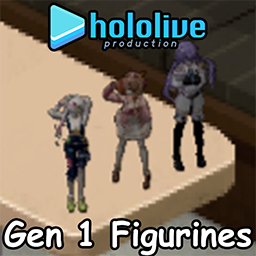
Hololive Figurines ID︳Gen 1
von 76561198969394197
═══════════════════════════════════════════════════════════════ This mod adds 3 figurines/action figures of hololive Indonesia first generation talents. More figurines from hololive are to be expected. Don't forget to favourite and comment ! Currently i am facing a financial situation, if you like my works and want to support me it will be realy appreciated. Workshop ID: 3143441155 Mod ID: HoloID1
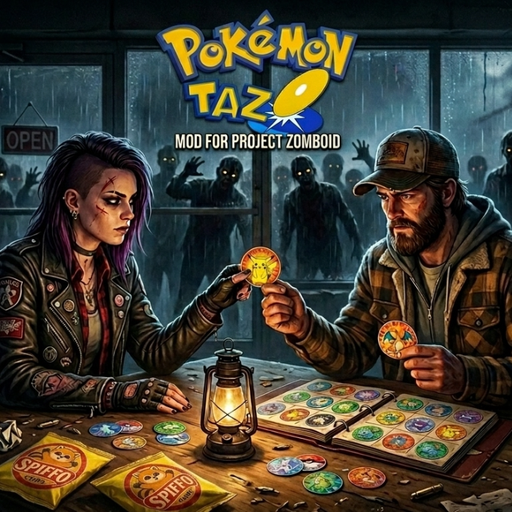
Pokemon Tazos 3D - Core
von 76561198400525210
Pokemon Tazos Collection Collect all 151 original Pokemon Tazos in Project Zomboid. Features - All 151 original Tazos, in three rarity tiers. - Potato chip bags can contain a random Tazo. - Momentazo! Sometimes a bag gives you two at once. - Interactive Tazo Album and Tazo Tubes to store your collection. - Every Tazo, the Album, the Tubes and the reward viewable in 3D. - Secret reward for completing the collection. - Tazo vending machine, for when the world loot runs dry. - Sandbox settings for rarity, prices and machine spawns. - Single Player and Multiplayer. Vending machine Spawns on its own next to the entrance of gas stations, supermarkets, convenience stores, cinemas, video rental stores, candy stores and arcades. One per business. Right click to buy Mixed Packs and generation packs. Daily stock refills at 00:00. Admins can place one anywhere: /additem "player_name" "Tazos.TazosMachine" Sandbox Rarity difficulty (Easy / Normal / Hard), machine spawn chance, daily stock and pack prices. Languages English, Spanish and Brazilian Portuguese. pt-BR translation reviewed by Hassan - thank you! Want to translate it into your language? Leave a comment. Core module Future Pokemon generations will be released as add-ons requiring this mod. Compatibility: Build 42.20 Coleccion de Tazos Pokemon Colecciona los 151 tazos originales de Pokemon en Project Zomboid. Caracteristicas - Los 151 tazos originales, en tres niveles de rareza. - Las bolsas de patatas pueden contener un tazo aleatorio. - Momentazo! A veces una bolsa te da dos de golpe. - Album de Tazos interactivo y PortaTazos para guardar la coleccion. - Todos los tazos, el Album, los PortaTazos y la recompensa en 3D. - Recompensa secreta al completar la coleccion. - Maquina expendedora de tazos, para cuando el loot del mundo se agota. - Opciones Sandbox de rareza, precios y aparicion de la maquina. - Single Player y Multiplayer. Maquina expendedora Aparece sola junto a la entrada de gasolineras, supermercados, tiendas de conveniencia, cines, videoclubs, tiendas de chuches y salones recreativos. Una por local. Clic derecho para comprar Packs Mixtos y packs de generacion. El stock diario se repone a las 00:00. Los admins pueden colocar una donde quieran: /additem "nombre_del_jugador" "Tazos.TazosMachine" Sandbox Dificultad de rareza (Facil / Normal / Dificil), probabilidad de aparicion de la maquina, stock diario y precio de los packs. Idiomas Ingles, espanol y portugues de Brasil. Traduccion al pt-BR revisada por Hassan - gracias! Quieres traducirlo a tu idioma? Deja un comentario. Modulo base Las futuras generaciones de Pokemon llegaran como complementos que necesitaran este mod. Compatibilidad: Build 42.20 License / Licencia Original mod by s0muchm0tta. Do NOT re-upload, repackage, bundle, rename or modify it without asking me first AND getting my permission. Credit is not permission. Want to use it on your server or collaborate? Just ask. Unauthorized copies may be reported to Steam. Mod original de s0muchm0tta. NO re-subir, reempaquetar, meter en packs, renombrar ni modificar sin pedirmelo antes Y con mi permiso. El credito no sustituye al permiso. Usarlo en tu server o colaborar? Preguntame. Las copias no autorizadas podran reportarse a Steam. Workshop ID: 3754485496 | Mod ID: Tazos3d
ZombieArmyExtraSpawn
von 76561198105994357
Adds army zombies in all area with 0.1-0.4 chance. Workshop ID: 2885153986 Mod ID: ZombieArmyExtraSpawn
加强型枪械v4.1
von 76561199239617598
请珍惜您的子弹! @提高所有枪械基础命中率至90%@提高所有枪械基础射程(步枪>手枪>霰弹枪) @关闭瞄准技能对暴击率的成长@关闭瞄准技能对暴击倍率的成长 @关闭瞄准技能对射程的成长@关闭瞄准技能对角度的成长 @提高所有枪械门损伤(霰弹>步枪>手枪)@减少所有枪械瞄准时间(手枪霰弹枪1秒,步枪2秒) @减少所有枪械噪音半径(霰弹>步枪>手枪) @提高所有枪械基础最小伤害@提高所有枪械基础最大伤害 @除霰弹枪所有枪械基础暴击率为零@除霰弹枪所有枪械基础暴击倍率为零 Workshop ID: 2862044616 Mod ID: Firearms Reinforced4.1
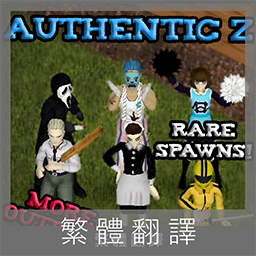
Authentic Z CH5
von 76561198096667470
原MOD已有新增繁體翻譯,大家用原MOD即可喔。 一段時間後此MOD將會刪除。 Authentic Z CH5 Workshop ID: 2719859627 Mod ID: Authentic Z CH5 - Current
![[B41.65] Negative weight Money and Card 음수 무게 돈, 카드 – Project Zomboid Mod](https://images.steamusercontent.com/ugc/1859425501045027545/D9A0EC217A82779F9FA9916FB190046D0F9958AA/)
[B41.65] Negative weight Money and Card 음수 무게 돈, 카드
von 76561198040696359
This is an updated mod of NEGATIVE WEIGHT MONEY & CARD originally created by CATKA. Big thanks to CATKA. CATKA 씨가 만든 음수 무게 돈, 카드 모드를 업데이트했습니다. CATKA 씨께 감사합니다. Build and testing: This mod is for B41.65. I haven't tested for other builds. Not recommeded. 빌드 41.65용. 다른 빌드에 대해서는 테스트 안 해 봤으며 추천하지 않음. For Build 41.73, go to https://steamcommunity.com/sharedfiles/filedetails/?id=2863291726 빌드 41.73용을 쓰려면 위 링크로 들어가세요. What it do: A money is -0.5 weight, a creditcard is -5 weight. As you collect more money and creditcards, you can carry things more! Big bags or infinite inventory may not be needed. 돈을 주우면 인벤토리/가방에 담을 수 있는 무게가 0.5만큼 늘어나고 카드를 주우면 5만큼 늘어남. 돈과 카드를 많이 주우면 많은 물건들을 들고 다니거나 가방 등에 넣을 수 있음. 큰 가방 또는 무한 인벤토리 기능이 필요하지 않음(취향에 따라 다르겠지만). How I made this mod: I copied 'newitems.txt' from the build and pasted it to the mod folder and changed 2 numbers of weight in the file. 이 모드 만든 방법: 게임 빌드에 포함된 원본 newitems.txt 파일에서 2개 숫자(돈, 카드 무게)만 바꿔서 모드로 만들었음. How you can change the weight: Go to the mod folder. To check the mod folder, in the Main screen of Zomboid game > Mods > You can see the path of the mod folder of each mods. In a sub folder, open newitems.txt with a text editor (like Notepad) and find 'money' and edit its weight number. 현재 설정된 음수 무게를 바꾸려면: 이 모드가 설치된 폴더로 감(좀보이드 첫 화면 > 모드 메뉴에 보면 이 모드의 세부 정보에 폴더 위치가 있음). 그 폴더의 하위 폴더의 하위 폴더로 계속 찾아서 내려가면 newitems.txt라는 파일이 있음. 메모장 등을 이용하여 열기. money라는 텍스트를 검색해서 그에 대한 무게(weight)를 원하는 대로 변경. For example(예): item Money { DisplayCategory = Junk, Weight = -0.5, As you can see above, Money's weight is set to -0.5 and you can change it to other value, like -1.0. 위와 같이 되어 있을 때 돈의 무게가 -0.5임. 이를 바꾸고 싶은 숫자로 바꿀 수 있음(예: -1.0). Save the newitems.txt and exit the editor. newitems.txt 파일 수정을 마쳤으면 저장하고 나옴. Have fun gathering items! 물건 모으면서 즐거운 시간 되세요! Workshop ID: 2732260804 Mod ID: negmoney1
![[WYD] VHS Skill Tapes: Husbandry – Project Zomboid Mod](https://images.steamusercontent.com/ugc/16254188671839248453/EF2E7747CEA8B841633033DA6E740B51127226A5/)
[WYD] VHS Skill Tapes: Husbandry
von 76561198076948732
This is a rework of my skill tape series, with all new original code, and for the B41 skills, dialogue. The mod series serves to add VHS sets for the new skills added in B42. The VHS tapes can be found primarily in VHS stores, but also in homes and such in the game. B42 added six new skills to the game, including Carving, Glassmaking, Knapping, Masonry, the new version of Metalworking (Blacksmithing) and Pottery. This is the Husbandry set. The series also recieved an adjustment, so it falls in line with the majority of the vanilla VHS series. Assuming your character has no skill buffs, watching a single VHS will award enough XP to complete tier one of the related skill. There are 6 VHS in each series. Watching the entire set for a skill will award enough XP to push complete tier 3, he default maximum for media based XP gains. Workshop ID: 3682665242 Mod ID: SkillTapesHusbandry42
![[B42 Compatible] The End of the World Death Song – Project Zomboid Mod](https://images.steamusercontent.com/ugc/2471996849325891790/C1915AD1C382BA9FC82EB0120A09716787CDEA45/)
[B42 Compatible] The End of the World Death Song
von 76561198286883551
This mod replace the original character's death song theme into The End of the World song theme by Skeeter Davis Workshop ID: 3293037661 Mod ID: The_End_Of_The_World_by_Skeeter_Davis
License Plates PW
von 76561198405171761
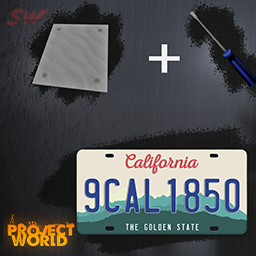
🚔 License Plates PW A mod created by etomarat in collaboration with the SW Team, specifically for the Project World server. It adds realistic license plate functionality to Project Zomboid, providing unique opportunities for role-playing interactions. 🔗 Useful Links - Join Us! 🌐 Project World Server Discord 📜 Official Project Forum 📜 Official SadWorld Team Website 🛠️ Mod Features Installing License Plates: Available only to players in the Police faction. Requires the following resources: ResourceAmountSteel Sheet - Small1 Plates are randomly generated (e.g., AAAA123) and are unique to each vehicle. Visibility of License Plates: Visible from up to 30 tiles away. The farther the plate, the more transparent it becomes, making it less noticeable. Damaging License Plates: Any player can scratch a license plate via the context menu (RMB → "Scratch License Plate"). Requires any melee tool or weapon. After damage: The plate becomes visually distorted. Cooldown: The action can be repeated only after 3 hours of real time. Restoring License Plates: Police officers can replace damaged plates with new ones. Editing License Plates (for Administrators): Administrators, moderators, and GMs can change the characters on the plates via the context menu (RMB → "Edit License Plate"). Input any Latin characters and numbers (up to 7 characters). 💡 A Unique Addition to Your Gameplay on Our Server! License Plates PW makes your game world more realistic and unique, adding functionality you won't find in other mods. Join the Project World server and enjoy these new features! ⚠️ Legal Information This mod is the property of SW Team. The following is prohibited: Modifying, distributing, or republishing the mod without explicit permission from the authors. Using the mod's materials for commercial purposes. Important: The mod is designed to work exclusively on the Project World server. If used without permission or outside the server, the mod will not function correctly and may cause errors in the game. By publishing this mod on the Steam Workshop, we acknowledge that it adheres to the Project Zomboid Modding Policy and the Steam Workshop Terms of Use. Users who violate these terms may face appropriate actions. 📷 Project and Team Logos Development Team: SW Team Project World Server Workshop ID: 3408152653 Mod ID: MRT_CarNumbers
Yakuza Kiwami - Funk Goes On Jumpscare Sound
von 76561198175514257
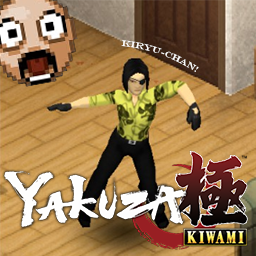
Replaces the default jumpscare sound with the fight theme from Yakuza Kiwami UPDATED FOR BUILD 42 Workshop ID: 2917484782 Mod ID: yakuzajumpscare
![[B42]No Plant Rot – Project Zomboid Mod](https://images.steamusercontent.com/ugc/15094794678682661747/D24F1C261AFEF2DF1E0749A366EF8D7676849468/)
[B42]No Plant Rot
von 76561199193863491
No Plant Rot Mature crops never rot. Features - Mature plants (harvestable or seed-bearing) never rot - Two sandbox options give you full control over rot behavior - Multiplayer safe, works with existing saves Sandbox Options - Rot Delay — How many times a plant postpones rotting before it finally rots. 0 = never rot (default). Set N to grant a grace period of N rot checks. - Reset Growth on Rot — When a rot is postponed, reset the plant back to the seed-bearing stage to regrow, or leave it as it is. Notes - Build 42 only - Plants still get diseases and still need water — this mod only stops rotting Workshop ID: 3779203470 Mod ID: NoPlantRot Workshop ID: 3779203470 Mod ID: NoPlantRot
Research Facility Z1
von 76561198138494366
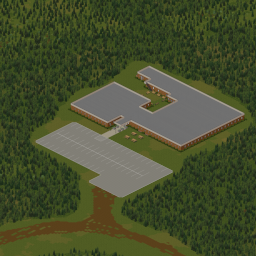
This is my first released map mod, so if you find any issues, please let me know, so I can correct them! This map adds a new medical research facility, near the military base outside of Rosewood. Single-cell map, no conflicts with any currently-known map mods. Cell Used: 19x40 Requires BigZombieMonkeys Tilespack! Support Me On Ko-FI!: Donations are never expected, but greatly appreciated! Love what I make, and want to help support me somehow? Please consider a donation through Ko-Fi! Workshop ID: 2925020198 Mod ID: ResearchFacilityZ1 Map Folder: ResearchFacilityZ1
Rocket launcher and land mines Mod
von 76561198156009884
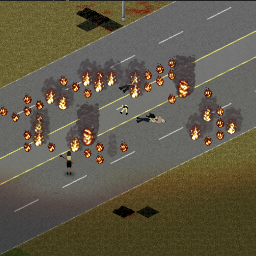
Adds various items you can use to well, explode things. AND a zombie lasso stick thingy, craft with a rope and sturdy stick or pool cue, then wack a zombie with it, then you can drag around the zombie and or right click on the ground to anchor that zombie to the ground by driving the zombie lasso into the ground. The explosions in this mod are different from base game explosions as they actually create a physical force that throws zombies or players back and or into the air! greater force applied to those closer to the center of the blast. The explosions are also more damaging than base game explosions. May get injured from being near a blast as a player, higher chance closer to the center of the blast. Guaranteed damage to player when about 5 squares away. Any other damage such as from being thrown too high into the air and falling to the ground is on top of these damages. TYPES OF EXPLOSIVES ADDED: Land Mine Explosives: right click from inventory menu to set on the ground, when a player or a zombie steps on the mine it will trigger the explosive. Rocket launcher and rockets for the rocket launcher WHERE TO FIND EXPLOSIVES? you will find the explosives or boxes of explosives in crates anywhere. If you want to spawn explosives for testing the codes are: Land Mine = Explosives.LandMine Big Land Mine = Explosives.LandMineBig Rocket Launcher = Explosives.RocketLauncher Rocket = Explosives.Rocket Enjoy ~Nolan Workshop ID: 899661158 Mod ID: Explosives
![KI5 Police Skins Patch [B42] – Project Zomboid Mod](https://images.steamusercontent.com/ugc/17556936373236935583/5DF491DDCCCE3C63492CF2B9E58980608B1A704E/)
KI5 Police Skins Patch [B42]
von 76561198010744100
Overrides files in the base mod. fixes the exception error fixes broken wheel textures reduced spawn rates added translation file fixes broken mechanics overlays Workshop ID: 3612746781 Mod ID: KI5PoliceSkinsPatch
![[B41&B42]额外武器槽 – Project Zomboid Mod](https://images.steamusercontent.com/ugc/15238947641838703762/E5E037F9C4B1B1510AC812F97E7FF99A4E4D7ADD/)
[B41&B42]额外武器槽
von 76561198107533137
我们在打游戏的过程中肯定会遇到在打魔窟的时候,需要远程和近战相互切换的场景. 但是背上只能背一把武器,这就导致切换另外一把武器的时候就比较麻烦. 此模组给出了解决方案,该 mod 改造了原版腰带, 让腰带多了一个武器槽位。只有穿腰带的时候,才会有背上的另外一个武器槽. 该模组参考了简单背带 SimpleSling mod 的部分代码参数. Workshop ID: 3478960843 Mod ID: ASCFExtraWeaponSlot001
Save Server Modlist
von 76561198044148998
This mod makes it easier to manage the modlist for servers Please report bugs in bugs discussion and not on the mod page itself Important You have to be subscribed to every enabled mod to get correct WorkshopItems list How to use - Enable this mod and make sure it is loaded - Go to "MODS" menu and check only the mods you want to have on your server (adjust the order if needed) - Press "SAVE" and enter a name that includes the word “Server" (capitalization doesn't matter, i.e. "cool server name" will work) - Press "OK", press "BACK" and "NO" to not replace your enabled by default mods (normally you want as little mods preloaded as possible when you are playing MP it speeds up game boot time and reduces the chance for weird issues in MP) - Navigate to (Windows) "C:\USERS\USERNAME\Zomboid\Lua\" or (Linux) "~/Zomboid/Lua/" - Copy lines from "SWModlist_PRESETNAME_Mods.txt" and "SWModlist_PRESETNAME_WorkshopItems.txt" to corresponding lines in your server ".ini" or via ingame admin menu How to sort/clean up modlist for the existing server - Copy modIDs list from your server ".ini" or via ingame admin menu - Navigate to (Windows) "C:\USERS\USERNAME\Zomboid\Lua\" or (Linux) "~/Zomboid/Lua/" - Open pz_modlist_settings.cfg, on new line add "PRESETNAME:" and paste modIDs copied from server and save the file - Enable this mod and make sure it is loaded - In "MODS" menu choose the preset you just added, make the desired changes and proceed from step "3" in the main "How to use" - If it errors when you are trying to save the preset it likely means that the modIDs you copied from the server have missing dependencies, look for mods marked with red font and make sure you have all requirements installed. This error is produced by vanilla game, not the mod Notes - Two separate files serve as a means to make it harder to screw up copypasting - Vanilla "MODS" UI already provides decent dependency/incompatibility checks and load order tool - This simple mod was made for personal use because I got tired of manually managing workshopIDs for dozens of mods A thumbs up helps with the mod's discoverability, thank you if you left one Check my other mods, maybe you'd like some of them Modpacking or reuploading is not allowed as long as the original version is present. PZ Modding Community Discord Workshop ID: 3672021948 Mod ID: SaveServerModlist
![[B42.2*] Make Stew in jar – Project Zomboid Mod](https://images.steamusercontent.com/ugc/10304640528485163668/395E3F025048A66DADBAC32020920B08F2F67997/)
[B42.2*] Make Stew in jar
von 76561198049529007
Compatible for version 42.2*, SP & MP ! Hello everyone You can preserve your best stew for months, cooking with good meat and vegetables from your garden. You will need: 1x: beef, venison, pork, whole chicken, whole turkey or 2x: pork chop, mutton chop, turkey leg, turkey wings, chicken wings, turkey breast, chicken breast, chicken breast, steak, ground beef, ground beef. You can mix the meats. Add either vegetables, mushrooms, or both to accompany your meat. Season to taste and cook your preparation. You can make 3 jars of stew. A bonus: you can also get 3 jars of stew with the basic recipe. A pot of stew, a pot of pasta, a pot of rice... Translate: FR / EN Thank you Redacted. Workshop ID: 3489824979 Mod ID: B42.13Stewjar
bunker
von 76561198065591577
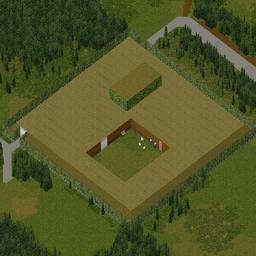
My first map mod so may not be 100% right. Outside of westpoint, look for the angel Workshop ID: 2952204622 Mod ID: Thebunker Map Folder: bunker
2002 Chevrolet Silverado
von 76561198042679014
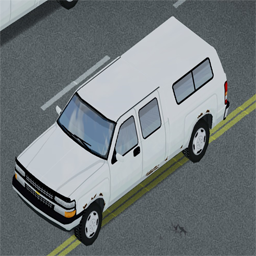
2002 Chevrolet Silverado Commissioned by Haddenj. Please beaware this truck is not in its final form and Haddenj has the final word on what he wants. This mod is his personal vehicle in IRL. He has only requested it in white. The truck is featured both as the pickup and covered bed variant and waiting on conformation if he wants more variants. Until requested vehicle will be white only. Truck also features that I will release for future mods and for my 1993 American Vehicle pack. New Model Features - New Axel models for chassis - Brake calipers - New suspension Springs - chasis rails/chasis features Updated Features; - Updated exhaust - Updated wippers My 1993 American Vehicle Pack https://steamcommunity.com/sharedfiles/filedetails/?id=2809058492 If you would like a commission please add me as a friend and message me that you would like a commission made Workshop ID: 3296376927 Mod ID: 02silverado
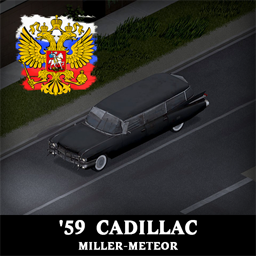
'59 Cadillac Miller-Meteor + ECTO-1 RU
von 76561198181369158
Перевод мода ( '59 Cadillac Miller-Meteor + ECTO-1 ) на Русский язык Workshop ID: 2832239777 Mod ID: 59meteorRU
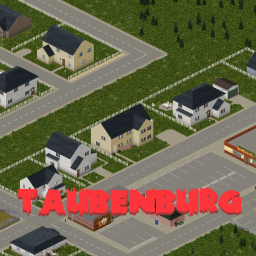
Taubenburg
von 76561198377088820
This mod adds a new small town called Taubenburg, located between West Point and Dixie (Cell 36-39x25). No custom tiles or additional mods are required. Contains custom and vanilla buildings. Special POIs: -Improvised Military Headquarters (former office buildings) -Spiffo's -Small Fire Department -Gun & Camping Store -Supermarkets -Police Station -VHS Store ...and more! Once just a small village, Taubenburg was on the verge of becoming a growing college town with the opening of student dormitories. The plan was for students commuting to Louisville to bring business to local shops—which quickly started to pop up. Just before the outbreak, major development projects were underway, but none would ever be completed. As this is my largest project to date, I would really appreciate any feedback, ratings, or suggestions you may have. Further development of cells 36x25 and 39x25 is planned for future updates. Workshop ID: 3468697685 Mod ID: Taubenburg Map Folder: Taubenburg

Shelter Shop Patch
von 76561198007234266
https://discord.gg/VjzpFpvE9V Workshop ID: 2975942371 Mod ID: ShelterSP
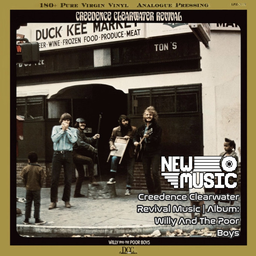
Creedence Clearwater Revival Music | Album: Willy And The Poor Boys
von 76561199258285984
Creedence Clearwater Revival Music | Album: Willy And The Poor Boys Generated with New Music Builder Willy And The Poor Boys Side A 01 Down On The Corner 02 It Came Out Of The Sky 03 Cotton Fields 04 Poorboy Shuffle 05 Feeling Blue Willy And The Poor Boys Side B 01 Fortunate Son 02 Don't Look Now (It Ain't You Or Me) 03 The Midnight Special 04 Side o' the Road 05 Effigy Workshop ID: 3755345325 Mod ID: 4CCRAlbum
Project Zomboid Details →
Project Zomboid Guides
Project Zomboid Mods installieren - Workshop Guide
Installiere Project-Zomboid-Mods sauber per Steam Workshop: IDs eintragen, Reihenfolge prüfen, Server neu starten und typische Fehler beheben.
Project Zomboid Build 42 auf dem eigenen Server: Umstieg, Spielstände und Mods
Build 42 ist Stable: Spielstände aus Build 41 sind nicht kompatibel. Umstieg, legacy41-Zweig, neue Serveroptionen, Anti-Cheat und der Hotfix 42.20.1 gegen Serverlag.
Project Zomboid Server mieten – Multiplayer Guide
Project Zomboid Server einrichten: RAM, Sandbox-Einstellungen, Workshop-Mods, Admin-Rechte und typische Fehler sauber prüfen.
Project Zomboid Server mit Mod-Support
Kompatible, unterstützte Mods über das Server-Dashboard installieren.
Project Zomboid Server mieten