Project Zomboid Mods für Server
Für einen modifizierten Project-Zomboid-Server brauchst du pro Projekt die Steam-Workshop-ID und die interne Mod-ID. Prüfe zusätzlich Spiel-Build, Abhängigkeiten und Lade-Reihenfolge, bevor du deine Welt mit den Änderungen startest.
Project Zomboid Mods sicher installieren
Ein Workshop-Abo allein aktiviert eine Mod auf dem Dedicated Server nicht. Die Einträge in `WorkshopItems=` und `Mods=` müssen zusammenpassen; außerdem muss jede Mod den gewählten Build 41 oder Build 42 ausdrücklich unterstützen.
- 1. Build prüfen: Build-41- und Build-42-Mods nicht ungeprüft mischen.
- 2. Workshop-ID, Mod-ID, Abhängigkeiten und erforderliche Reihenfolge vollständig dokumentieren.
- 3. Welt und Konfiguration sichern, Server neu starten und Logs sowie den Beitritt mit einem Test-Client prüfen.
Die vollständige Schritt-für-Schritt-Anleitung findest du im Project-Zomboid-Mods-Guide. Oder starte direkt mit einem Project Zomboid Server mit Mod-Support.
Häufige Fragen zu Project Zomboid Mods
Was ist der Unterschied zwischen Workshop-ID und Mod-ID?
Die Workshop-ID bezeichnet das Steam-Workshop-Projekt und steuert den Download. Die Mod-ID aktiviert den enthaltenen Mod im Spiel. Auf dem Server müssen beide Listen vollständig und passend gepflegt sein.
Laufen Build-41-Mods automatisch mit Build 42?
Nein. Nutze eine Mod nur dann auf Build 42, wenn ihre Workshop-Seite diese Kompatibilität ausdrücklich bestätigt. Prüfe dabei auch alle Bibliotheken und weiteren Abhängigkeiten.
Wie teste ich ein Mod-Update ohne Risiko für die Welt?
Sichere zuerst Welt, Sandbox-Konfiguration und Server-INI. Aktualisiere danach die zusammengehörigen Mods, starte den Server neu und prüfe Logs, Kernfunktionen und einen vollständigen Client-Beitritt.
![[COS] Deacon – Project Zomboid Mod](https://images.steamusercontent.com/ugc/2070010628939747827/73B0D5281F6214EEE14B819CBB648FEBFEC2A73F/)
[COS] Deacon
von 76561199178116693
How Do I Use It? - You can go to the link below to see how to use it. - Link Recommended mode - Fashionoid - Gear Transmog - Hide All Attached Items - Clipping animation Fix How to use COS mode in build 42. - Navigate to the path where the mod is installed. - Create a 42.0 folder. - Create a common folder. - Paste the media folder / mod.info / preview.png into the 42.0 folder. The recipe code writing method has been changed in 42Build. Since COS (Costume) mode has approximately over 200 modes, converting to 42Build's recipe code is an extremely laborious task. In 42Build, you cannot create costumes in (42 build) the crafting tab. There are two methods: Spawn items in cheat mode. Select items in the clothing selection screen when creating a character. Like My Mode? - Join Our Discord If You Want Commission

The Mad Scientist
von 76561198092535367
The Mad Scientist Saga. A work in progress... The Mad Scientist Profession: A little electrical, mechanical, welding, and first aid skills to get you running. A few skills including the only natural way to get the Neural Vascillator plans. You also get bonuses using the Neural Vascillator. The Mad Scientist Lab Trait: Purely to get you going with everything you need to start the lair, even a lab coat and a chair... Neural Vascillator: A wonderfully terrible machine. Harvest brains from zombies and drop them in the tank. You must be seated to ride this ride, so drop a chair in the same square as the console. (See photos above to see where) Hit the button and pray for good results. It can give you perk skill points, recipes for crafting, recipes for building and the memories of the dead may also make you happy as you relive their past. However not all brains are equal... A bad brain may cause damage or drive you insane... Unfortunately, all brains look alike... Some are very good and others pretty bad. Doctors and scientists can skew the results for the better. Hook yourself up and press the buttons... Unique brains drop from all players upon death. Recovering the brain before it rots and using it in the Neural Vascillator will allow you to get all the full perk levels and recipes from that player. If your level is already higher than the unique brain saved levels you gain nothing in that perk. When 42 goes multiplayer, there will be a sandbox option for players to harvest the brains of other players for skills... And if you have a taste for the darkness... cook some up... the better the brain, the better the results... There are now 5 possible spawn locations for working Neural Vascillators around the world. Thank you, Russo, for the Neural Vascillator artwork! Workshop ID: 3411576531 Mod ID: TheMadScientist
![Bad Bunny - Un Verano Sin Ti [True Music] – Project Zomboid Mod](https://images.steamusercontent.com/ugc/2026093748148128175/C225242E34E2E00A08D3C3F442966D32E3DCE948/)
Bad Bunny - Un Verano Sin Ti [True Music]
von 76561198267031962
Contiene: 1 - Moscow Mule 2 - Después de la Playa 3 - Me Porto Bonito (part. Chencho Corleone) 4 - Tití Me Preguntó 5 - Un Ratito 6 - Yo No Soy Celoso 7 - Tarot (part. Jhay Cortez) 8 - Neverita 9 - La Corriente (part. Tony Dize) 10 - Efecto 11 - Party (part. Rauw Alejandro) 12 - Aguacero 13 - Enséñame a Bailar 14 - Ojitos Lindos (part. Bomba Estéreo) 15 - Dos Mil 16 16 - El Apagón 17 - Otro Atardecer (part. The Marías) 18 - Un Coco 19 - Andrea (part. Buscabulla) 20 - Me Fui de Vacaciones 21 - Un Verano Sin Ti 22 - Agosto 23 - Callaita Workshop ID: 2934500008 Mod ID: Bad_Bunny_Un_Verano_Sin_Ti
![ARSENAL-26-GunFighter [THEMCZOMBIESERVER] – Project Zomboid Mod](https://images.steamusercontent.com/ugc/1838030727461145689/2A877939BB174D438A5FDE781B4AF91346E3A07F/)
ARSENAL-26-GunFighter [THEMCZOMBIESERVER]
von 76561198059891143
This mod is used to temp fix server settings for ARSENAL-26-GunFighter by Arsenal Workshop ID: 2699264341 Mod ID: ARSENAL-26-GunFighter
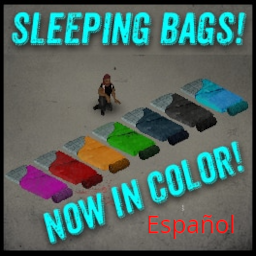
Sleeping Bags! Español
von 76561198000079119
Traduccion al español para Sleeping Bags! Workshop ID: 3216596735 Mod ID: SB!-SPA
True UI
von 76561199093286905
True UI Workshop ID: 3637190278 Mod ID: AL14 Chat Mod ID: betterHealthPanel Mod ID: CleanHotBar Mod ID: CleanUI Mod ID: CleanUI_Compat_42_14 Mod ID: NeatUI_Framework Mod ID: Russian Translate Mod ID: TrueUI42 Mod ID: Visual_Status

Strangerville Infection
von 76561199262415918
Changes the Zombies to look more like the infected from Strangerville in the Sims 4. The Mother calls and I must answer. Can't help but smile. Workshop ID: 3380403683 Mod ID: The Sims Strangerville
![[RE-UPLOAD] Algol Syringes II - Stims – Project Zomboid Mod](https://images.steamusercontent.com/ugc/2494507313155728405/8FBAD6343EE1CF4256C749DA317DF6689B2B62BA/)
[RE-UPLOAD] Algol Syringes II - Stims
von 76561199310235509
This is the original mod by planetalgol that adds 3 rare "combat stim" style syringes, that can be applied using the inventory interface or the health/first aid interface. I recommend using the remake by Yummy which adds translations, fixes multiple use of stimulants, adds sound to injectors and much more here https://steamcommunity.com/sharedfiles/filedetails/?id=3021176395 ONLY RUN ONE MOD, EITHER THIS OR YUMMY'S Workshop ID: 2666717345 ( ORIGINAL AND OLD ID, DO NOT USE AND PLEASE OVERWRITE WITH NEW ONE ) Mod ID: Algol Syringes II Workshop ID: 3232226760 Mod ID: Algol Syringes II
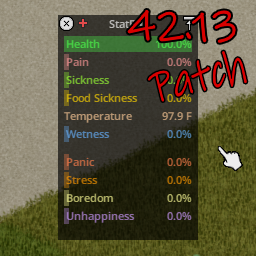
Visual_Status B42.13 Patch
von 76561198081786225
v1.1 UPDATE: Now with translation formats updated for 42.15+ and with correct workshop requirements included! This mod is a simple patch to bring the Visual_Status mod up to date with b42.13+. It requires Visual_Status by Satispie/Cream pie in order to function. This mod must be loaded after Visual_Status! I do not know whether this patch is multiplayer compatible, and make no promises to that effect. It works great on singleplayer with 90 other mods I have installed. When you first load your game with this patch, you may get a few errors from Visual_Status but those should stop immediately after loading and won't appear the next time you load. If you find this patch does not work on b42.13+, please see if your error is fixed by changing from the UNSTABLE branch to the 42.13.1 branch, as that seems to fix a number of mod-related bugs. If you are still having problems, please leave a comment below and I will do my best to address the problem. Workshop ID: 3629285085 Mod ID: VisualStatus42_13Patch

Death Message
von 76561198086394689
This mod announces in the chat when a player dies on the server. Workshop ID: 3418567599 Mod ID: Tz_DeathMessage
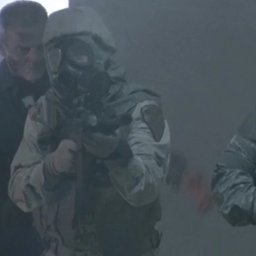
Checkpoint Soldiers
von 76561198285803521
This is a mod using PZNS framework (Seriously, check it out. It has a huge potential. I recommend it for modders to look at the code too, creator will appreciate assistance.), so it will obviously not work alone. It is relatively simple. Two soldiers wearing uniforms, helmets and gasmasks, armed with m16s along with officer in a booth stand guard on the border of Knox Event, shooting at any zombies around them. Unfortunately, I don't know how to make them hostile. I am not a skilled modder, and this was originally for personal use. Another problem, zombies spawn behind the line of Knox Event. This is immersion breaking, but as I said, I am not a modder and I have no idea to stop them from spawning here. Workshop ID: 3017137790 Mod ID: PZNS_Military
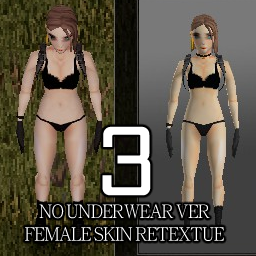
Skin Retexture 3
von 76561198168620690
Blue eye 눈매가 교정되었습니다. 푸른눈동자. 피부색의 수정 Workshop ID: 2672685518 Mod ID: Skin Retexture3
Superhuman Genes - Smasher
von 76561198042039674
Superhuman Genes Beta - Smasher SP and MP compatible. Can be used mid-save Features - A new "Smasher" trait which adds +2 to Strength and makes you able to perform "Smash" attacks; - Two types of Ground Smashes (DEL for the short range but more effective one, INS for the long range but less powerful one, keys rebindable); - Dependeing on how close your enemies are, the stronger the attack will be; - Energy\Cooldown system (24 hour if you deplete your stamina while using your smash attacks); More SuperHuman Genes Check out the other Superhuman Genes module: Flight Trait Infos GroundSmash by Glytch3r and Pao Commissioned by Rhizo and AmeIia Honor in Peril. Server Workshop ID: 2939920033 Mod ID: SHG_Smash
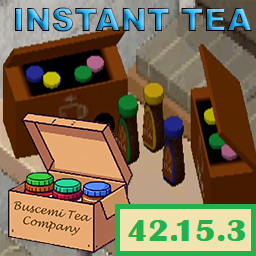
Instant Tea
von 76561198024110560
Instant Tea This mod adds 6 flavors of Instant Tea to the game, along with Tea Boxes. Also adds "Prepare beverage" functionality to various other liquid containers, such as Plastic Bottles, Cups and Glasses. Some Teas can be used as sugar in recipes. Works in 42.18 Contents - 5+1 Flavors of Instant Tea along with Boxes - Boxes contain one jar of each variety. You can also put the teas back into the box. - Prepare Beverages: Added Plastic Bottles, Plastic Cups, Fountain Cups, Drinking Glasses, Tumblers & Wine Glasses! - New: Use Peach, Lemon or Berries flavored Instant Tea as a substitute for Sugar in cooking recipes! - New models, textures, and icons for each type. - Balanced stats for happiness, fatigue, and calories. - Make drinks, or eat the tea directly. - Languages: English, German, Russian, French, Spanish, Italian, Portuguese - Confirmed working flawlessly in Build 42.18 How to prepare Instant Tea? Fill up your favorite mug, plastic bottle or glass with water. Have the tea in your inventory. Right-click your full mug and select "Create Beverage". Where to find Instant Tea? - Anywhere you can find coffee. - Camping lockers, gym lockers, school lockers (kids don't like black tea), break rooms - Living Room Cabinets - And many other places Suggestions Open to any suggestions regarding loot spawns or balancing. Think you've found the perfect spot for Instant Tea to spawn? Let me know! Credits Buscemi Rainmaker Models, Textures, LUA Slight warning: If you turn off the mod on a running save, the plastic bottles you've used to make beverages will be deleted, since it creates a new plastic bottle once you make a drink in one. The new bottle still works exactly the same, just has a different debug name. Not a huge deal since Plastic Bottles can be found everywhere. Workshop ID: 3543328573 Mod ID: InstantTea
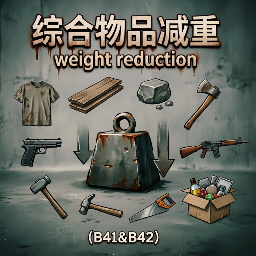
综合物品减重Comprehensive Items Weight Reduction(B41&B42)
von 76561199009707396
【功能】全面下调大部分服装、工具、近战武器、枪械武器、大部分木石金属等材料和常见杂物的重量。 -------- 【介绍】衣服穿太多走不动?背包里的工具重得要命?才带了几把石斧/步枪就超重?那就试试我悉心调整过这个的减重模组吧! -------- 【重量调整范围概览】 1. 小型零件类(0-0.1):螺丝、钉子、针、纽扣、钥匙等微小物品,钥匙直接归零。 2. 木材石料类(0.2-5):木板、原木、树枝、柴火、石板、大石头等基础建材。 3. 金属材料类(0.1-7.5):金属板、铁轨、钢锭、铜锭、金属管、铁丝等工业原料。 4. 布条皮革类(0.05-0.25):碎布条、牛仔布条、皮革条及其捆装版本。 5. 绳索麻束类(0.2-1):绳索、绳索捆、大麻束等捆绑材料。 6. 工具类(0.05-1.0):锤子、扳手、螺丝刀、锯子、撬棍、断线钳、千斤顶等。 7. 近战武器类(0.1-1.0):消防斧、大砍刀、武士刀、球棒、警棍、电锯等。 8. 枪械类(0.6-2.0):手枪、左轮、步枪、冲锋枪、霰弹枪等全系列枪械。 9. 头部装备(0-0.25):头盔、帽子、面具、头巾等,部分轻型帽仅 0.01-0.04。 10. 上身服装(0.04-0.25):夹克、衬衫、T恤、毛衣、卫衣、背心、防弹衣等。 11. 下身服装(0.05-0.2):军裤、牛仔裤、短裤、裙子、紧身裤等。 12. 鞋袜类(0.01-0.25):军靴、运动鞋、凉鞋、拖鞋、袜子、丝袜等。 13. 内衣睡衣类(0.01-0.1):内裤、文胸、泳衣、浴袍、睡衣等贴身衣物。 14. 其他服装配件(0.02-0.2):围裙、领带、皮带、围巾、手套、毛巾等。 =========================== 【Feature】Massively reduced weight for most clothing, tools, melee weapons, firearms, and common materials such as wood, stone, metal, and miscellaneous items. -------- 【Description】Too many clothes making you slow? Tools in your backpack weighing you down? Brought a few stone axes or rifles and already overencumbered? Try this weight-reduction mod I've carefully tuned! -------- 【Weight Adjustment Overview】 1.Small Parts (0 - 0.1):Screws, nails, needles, buttons, keys (keys now weigh 0), etc. 2. Wood & Stone (0.2 - 5):Planks, logs, twigs, firewood, stone blocks, large stones, etc. 3. Metal Materials (0.1 - 7.5):Metal sheets, rails, steel ingots, copper ingots, metal pipes, iron wire, etc. 4. Fabric & Leather (0.05 - 0.25):Ripped sheets, denim strips, leather strips, including bundled versions. 5. Rope & Hemp (0.2 - 1):Rope, rope bundles, hemp bundles, etc. 6. Tools (0.05 - 1.0):Hammers, wrenches, screwdrivers, saws, crowbars, bolt cutters, jacks, etc. 7. Melee Weapons (0.1 - 1.0):Fire axes, machetes, katanas, bats, batons, chainsaws, etc. 8. Firearms (0.6 - 2.0):Pistols, revolvers, rifles, submachine guns, shotguns, and all other guns. 9. Headwear (0 - 0.25):Helmets, hats, masks, bandanas, etc. Some light caps are only 0.01 - 0.04. 10. Upper Body (0.04 - 0.25):Jackets, shirts, T-shirts, sweaters, hoodies, vests, bulletproof vests, etc. 11. Lower Body (0.05 - 0.2):Military pants, jeans, shorts, skirts, tights, etc. 12. Footwear (0.01 - 0.25):Military boots, sneakers, sandals, slippers, socks, stockings, etc. 13. Underwear & Sleepwear (0.01 - 0.1):Underwear, bras, swimsuits, bathrobes, pajamas, etc. 14. Other Accessories (0.02 - 0.2):Aprons, ties, belts, scarves, gloves, towels, etc. Workshop ID: 3706730437 Mod ID: Comprehensive Items Weight Reduction
ATM Apocalipsis
von 76561198215872069
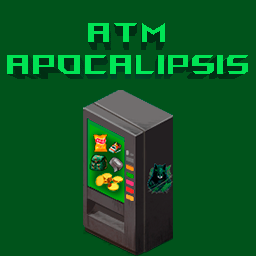
MOD para Comercio En el Juego, agrega la posibilidad de Comprar Diferentes Items Indispensables como Cinta, pegamento, caja de clavos, alguna ropa, comida y Muchas Cosas Mas!. solo necesitas agregar tambien el mod de APO Monedas, con ellas Comerciaras en la Tienda, los Zombis lootearan Monedas y Joyas Que Podras Vender. Workshop ID: 2948462322 Mod ID: ATM Apocalipsis
![[B42] M65 Army Field Jacket – Project Zomboid Mod](https://images.steamusercontent.com/ugc/10918479847548053606/0EEC0374ABF93994206B59A3FFE6753F5C7642FB/)
[B42] M65 Army Field Jacket
von 76561199113018152
Unofficial B42.20 update for the M65 Army Field Jacket mod. I'll delete this once the official mod is updated or if the original author asks me to. All credit goes to the original author. You can support the original creator of this mod through their Ko-fi. This mod will be supported in my free time. Please don't expect immediate updates or responses. Workshop ID: 3433103930 Mod ID: M65ArmyFieldJacketB42
Anthro Survivors - Draz and Rai
von 76561198326910926
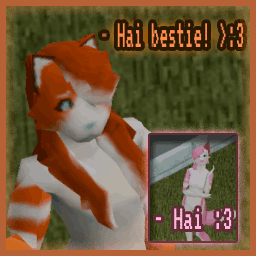
Two idots ready to die in good ol' ken tuk Contents: Draz - Cat - Masc Rai - Fox - Fem Whilst "Male" and "Female" options are available for both. Please note neither are really "gender-swapped" per say and are still designed to best resemble the character's respective gender. known issues: Thumbs on both models become semi transparent when wearing pants This is an issue with Anthro Survivors itself and how zomboid handles textures and so is really unfixable on my end Workshop ID: 3250325123 Mod ID: Drzmfinfur
![Bicycle! [B42] - Русификация – Project Zomboid Mod](https://images.steamusercontent.com/ugc/12742868785904707122/023ABFEB189F4F7E1048AC3CDC0397BD58954FD2/)
Bicycle! [B42] - Русификация
von 76561198414246143
Русификация Bicycle! Мод добавляет катающиеся велосипеды, скейтборды и самокаты для быстрого перемещения по миру. Что делает мод? • Велосипеды: Полнофункциональные велосипеды с увеличением скорости передвижения • Скейтборды: Альтернативное средство передвижения • Самокаты: Легкий транспорт для быстрых перемещений • Система управления: SHIFT для ускорения, ПКМ/CTRL для управления мышью • Горячие клавиши: E для посадки/высадки, удержание E для подножки • Иммерсивный режим: Снижение скорости на неровных поверхностях • Система запчастей: Контейнеры, фары, колеса и другие апгрейды Ключевые особенности: Реалистичная система велосипедов, модульные улучшения, иммерсивное управление. Dear foreign friends, this mod is only a localization of the main mod. If you came here because of the preview or text on it, you can safely go to the modification page itself. Хочу перевод Поддержать переводчика Workshop ID: 3628722246 Mod ID: BICYCLERUS
Customizable Grabby Zombies
von 76561198403034224
"Running isn't always an option anymore." You thought you could walk away from zombies mid-attack? Think again. With Customizable Grabby Zombies, escaping is no longer the easy way out. Once the undead get their hands on you, they'’ll slow you down, hold you in place, and force you to fight back. No more dancing around bites like it’s nothing — it’s time to turn and face the horde. Clarification: Lunge vs Attack - Lunge begins ~5 tiles away from you - when zombies raise both their arms towards you - Attack only happens when zombies get close enough (~1 tile from you), only then does the slow effect apply Features: - Realistic Grab Mechanic: Zombies now slow you down while they are attacking. In the vanilla game, you could just walk away from attacks - not anymore. - Scaling Difficulty: The more zombies attacking and the stronger they are, the greater the slow effect - up to a maximum of 99% movement reduction. - Your Strength Matters: Your character's Strength stat helps reduce the grab effect. Stronger survivors resist more. - Stamina Is Life: Zombies and easily pin down an exhauted player. - Push With Consequence: Trying to shove off zombies while they are grabbing you costs a lot of endurance. High fitness helps reduce this cost. - Fully Customizable: Every thing can be tweaked - from how strong zombies can grab you to how much endurance you lose for each shove. Includes and Excel tuning sheet so you can preview how your sandbox settings will play out. Additional Notes: - Works on existing saves. - Works in multiplayer - Not compatible with the mod Grabbing Zombies. This mod is inspired by it. Special thanks and credits to Lieutenant Laxative. - This is my first mod so if you see any errors, please describe it in comment and I will try my best to fix it. Recommendations: - Highly recommend using this with random zombie strength for a tense, unpredicted experience. - Highly recommend using Dodge and Dodge Stagger with this. Workshop ID: 3472957342 Mod ID: CustomizableGrabbyZombies
![[B42.20] 百分号翻译崩溃兼容补丁 – Project Zomboid Mod](https://images.steamusercontent.com/ugc/12917937426594381101/F169DB9A6D48DFF55026CD7F8C8A60F06FCD5DD5/)
[B42.20] 百分号翻译崩溃兼容补丁
von 76561198800514029
百分号翻译崩溃兼容补丁 适用于 Project Zomboid Build 42.20.0 至 42.20.2。 这个 Mod 解决什么问题 Build 42 会把翻译文本交给 Java Formatter 处理。普通百分号必须写成 %%;参数占位符则必须保持为 %1 至 %9。 部分模组翻译仍使用 +50% 伤害、1-100%、几率 (%) 等旧写法,打开模组选项或显示对应文本时可能出现: java.util.UnknownFormatConversionException: Conversion = ' ' java.util.UnknownFormatConversionException: Conversion = ')' 另一些 B42 汉化把参数占位符错误写成 %%1、%%2、%%3,游戏会把它们显示成原样文本,例如: %1危险等级为%2 有%3%的僵尸会进入疾跑状态 因此本补丁解决两类不同故障:一类会直接让模组选项或界面抛出 Java 格式化异常;另一类不会崩溃,但会把本应显示的动态数值错误显示成 %1、%2、%3。 本补丁仅覆盖最终仍然生效的错误翻译键: - 普通百分号由 % 修正为 %%。 - 错误双写的参数占位符由 %%1 至 %%9 恢复为 %1 至 %9。 - 只有同一翻译键的有效英文原文包含对应参数时,才会修复双写占位符,避免全局盲目替换。 - %s、%d、%.1f 等合法 Java 格式符保持不变。 当前修复范围 - 共修复 147 个最终生效翻译键。 - 50 个键包含 50 处非法普通百分号。 - 97 个键包含 118 处错误双写参数占位符。 - 涉及 B42ModTrans_CN、Antibodies、PhunSprinters2、OrangeTradingMod、VanillaFoodsExpanded、VLCS_HDRcade_Patchfix、SlowGasMaskFiltersB42。 - Antibodies 的诺克斯感染面板已恢复病毒、抗体、体温、疲劳、口渴、体能、体重及伤口等动态数值。 - PhunSprinters2 的危险等级、区域风险、月相修正和时长衰减等文本已恢复动态数值显示。 - VLCS 的“废车生成几率 (%)”修正为“废车生成几率 (%%)”,对应 Conversion = ')' 异常。 已经检查但当前不需要覆盖 - CombatText:B42 中文 UI.json 中没有百分号;调用栈中的 ISCombatTextOptions.lua 是选项界面入口,不代表错误文本来自 CombatText。 - ResearchLabInternProfession:原文件仍有 +40% 尸检速度和 +20% 尸检经验值,但当前被后加载的统一汉化安全版本 +60%%、+30%% 覆盖。 - MarzGuns:枪械模组自身主要提供英文翻译;当前统一汉化中的 Marz 中文键未发现最终生效的非法普通百分号或错误双写参数占位符。 安装与加载顺序 Mod ID=PZServerPercentTranslationCompatibilityPatch - 服务器和所有客户端都必须订阅并加载。 - 必须放在所有内容模组、Marz、VLCS、统一汉化包之后。 - 推荐直接放在服务器 Mods= 列表最后一位。 - 不要替换或修改原模组文件。 补丁不增加物品,不修改世界和角色存档,不写入持久化数据,可以在服务器关闭后添加或移除。 原汉化更新后怎么办 本补丁只覆盖已审核的错误翻译键,不修改 Translator 或其他 Mod 的全局格式化行为。原汉化修复后不会损坏存档,但继续覆盖可能让新译文被旧补丁文本替代;应先重新运行上游检查,确认对应键已修复后停服移除补丁。 更新检查 包内包含上游文件 SHA-256 清单和自检脚本。游戏或工坊模组更新后应重新运行检查;哈希变化时需要重新审计,避免继续覆盖已经被上游修复或改名的翻译键。
Server Guide
von 76561198077465326
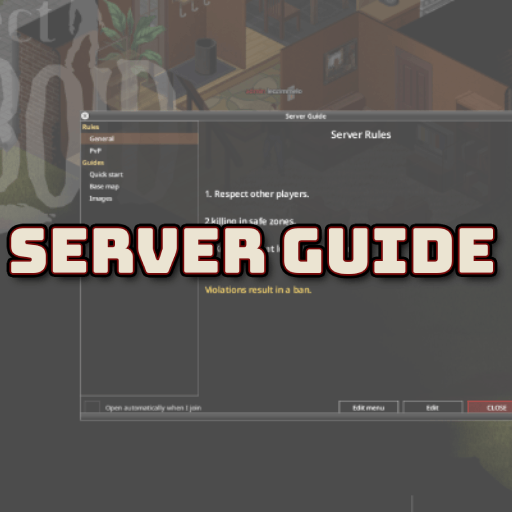
Publish your server's guides and rules, read in-game in a clean windowed viewer. Edit them live — straight from the pause menu, no relog, no file uploads. Your rules and guides stop being a Discord link nobody opens and become a first-class, in-game window with a side menu and formatted text. Content lives in one folder on the server and is streamed live to players: edit it and everyone sees the new version the next time they open the window. Built for dedicated / multiplayer servers — the client never touches the disk, it only receives text over the network. What it does - In-game guide & rules viewer — a window with a category menu on the left and formatted, scrollable text on the right. - Live content — the guides live in a folder on the server; change them and players get the new version on reopen. No client downloads, no relog. - Read-only for players — they open, read and close. No "I have read and agree" gate, no blocking. - Opens on join — the window pops up automatically every time a player enters the server, so newcomers actually see your rules. Each player can switch this off with a checkbox in the window. - Set the landing page — choose which page opens by default (e.g. your top rule or a welcome page). Without it, the guide opens the first page. - Collapsible categories — click a category in the side menu to expand or collapse its pages, so long menus stay tidy. - Opens from the pause menu — a Server Guide entry in the pause menu (Esc) opens it anytime. Edit in-game (staff only) Your staff never has to FTP into the server to fix a typo. Open the guide window and you get two extra buttons: - Edit — edit the current page's text right there (the raw rich-text markup). Save, and the change is written on the server and goes live for everyone. - Edit menu — create / rename / remove categories and pages, mark a category as Rules, reorder, and pick the default home page (Set as home) — all from the UI. New pages get their file created automatically. Who can edit is up to you — a sandbox option lists the access levels allowed (default admin;moderator;overseer;gm; leave empty to allow none). The single-player / co-op host can always edit. Multiplayer-ready - Server-authoritative — only the server reads and writes the files. Every edit is re-validated on the server (access level, safe path, 256 KB limit); the buttons are cosmetic, a client can't forge a write. - Streamed safely — pages are sliced into chunks over the network and reassembled on the client, so large guides just work. - Live sync — saved edits broadcast to everyone; no relog. Formatting & images - Rich text — write your pages with the native ISRichTextPanel tags (see the list below). - Images — reference an image packed in a loaded mod's media/ folder by name. A demo image and a separate example image-mod are included so you can ship your own. Supported tags: - <LINE> — line break - <SIZE:small|medium|large> — font size - <RGB:r,g,b> — text color (values 0–1) - <PUSHRGB:r,g,b> / <POPRGB> — push/pop a color (for inline colored spans) - <RED> <GREEN> <ORANGE> — quick colors - <CENTRE> <LEFT> <RIGHT> — text alignment - <INDENT:n> / <SETX:n> — indent / set X position (pixels) - <SPACE> — a space - <IMAGE:name> / <IMAGECENTRE:name,width,height> — show an image (by media/ name) Tip: when coloring a word mid-sentence, put a space before the closing tag and use <SPACE> around color changes, e.g. before <SPACE><PUSHRGB:1,0.82,0.3>colored <POPRGB><SPACE>after — otherwise words get dropped or glued. Using images The text is streamed live, but images are not — an image must be packed in a loaded mod's media/ folder (that's the only place the game scans into its texture map and syncs to clients). You then reference it by name, starting from media/ (the mod name is NOT part of the path): - Put your PNGs in a mod under media/ui/guias/ (a unique subfolder avoids clashes with other mods). - In a guide page, write <IMAGECENTRE:media/ui/guias/yourimage.png,512,512> (or <IMAGE:media/ui/guias/yourimage.png>). A demo image ships with this mod. To add your own images without editing this mod, use the companion mod ServerGuide Images Example as a template. In multiplayer that image mod must be on the Workshop (local mods don't sync to clients). Image size — prefer power-of-two dimensions (256, 512, 1024…) at/under ~2048px, and keep the file small (every client downloads the image mod). The image is scaled to the w,h you pass in <IMAGECENTRE:…,w,h>. Setup - Enable the mod on the server (and on clients in MP, via the Workshop). - On first run it creates ~/Zomboid/Lua/ServerGuide/ and fills it with template files — it never overwrites existing content. - Edit the guides in-game with the Edit / Edit menu buttons (staff), or edit the .txt files directly on the server (UTF-8). - Players open the window from the Server Guide button in the pause menu (Esc) — and it opens automatically on join. Sandbox options - Auto-open the guide on join — master switch (default on). Off = the guide never pops up on join; players open it only from the pause menu (Esc). - Let players disable auto-open — default on. Off = the per-player checkbox is hidden and the guide always auto-opens on join. - Access levels allowed to edit — a semicolon-separated list of roles that may edit in-game (default admin;moderator;overseer;gm). Languages English and Português (Brasil). RU by @V1rt PL by @houek Want it in your language? It's a tiny file — help translate it here: Help translate Server Guide. Build 42. Safe to add to an existing server: it only creates its folder if missing and never overwrites your content. Permissions for Modders Ask for permission. This mod may not be included in modpacks, collections distributed as a single download, or any form of redistribution without the express permission of the original creator. Extensions and patches are also subject to this restriction. Having received permission, credit must be given to the original creator both within the mod files and wherever the mod is published online. Copyright Copyright 2026 Leandro Ferreira. This item is not authorized for posting on Steam, except under the Steam account named leozimmelo. All rights reserved. This mod may not be reuploaded, mirrored, or included in modpacks or collections distributed as a single download without the express written permission of the original creator. Workshop ID: 3743488819 Mod ID: ServerGuide
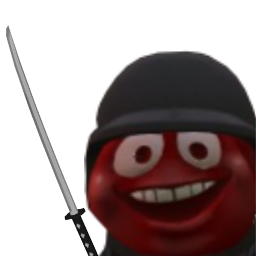
Katana Repair and Balancing
von 76561198829889759
Adds the ability to repair the katana, but nerfs some of its stats to compensate. Changes: Max hit count: was 3, now 2 (only hits 2 zombies at once) Crit chance: was 35, now 25 Crit Damage multiplier: was 6, now 5 Damage range: was 8 - 8, now 2.5 - 4 Damage to trees: was 1, now 2 Base Chance to break: was 1 in 15, now 1 in 20 Max condition: was 10, now 12 Workshop ID: 2868087251 Mod ID: Mystics_Katana_Repair_Balance
![[COS] NCR Ranger – Project Zomboid Mod](https://images.steamusercontent.com/ugc/2068881562364164001/2B0A2336B7B150BB21EC890A0FA9D2B96DFB8A05/)
[COS] NCR Ranger
von 76561199178116693
How Do I Use It? - You can go to the link below to see how to use it. - Link Recommended mode - Fashionoid - Gear Transmog - Hide All Attached Items - Clipping animation Fix How to use COS mode in build 42. - Navigate to the path where the mod is installed. - Create a 42.0 folder. - Create a common folder. - Paste the media folder / mod.info / preview.png into the 42.0 folder. The recipe code writing method has been changed in 42Build. Since COS (Costume) mode has approximately over 200 modes, converting to 42Build's recipe code is an extremely laborious task. In 42Build, you cannot create costumes in (42 build) the crafting tab. There are two methods: Spawn items in cheat mode. Select items in the clothing selection screen when creating a character. Like My Mode? - Join Our Discord If You Want Commission
Project Zomboid Details →
Project Zomboid Guides
Project Zomboid Mods installieren - Workshop Guide
Installiere Project-Zomboid-Mods sauber per Steam Workshop: IDs eintragen, Reihenfolge prüfen, Server neu starten und typische Fehler beheben.
Project Zomboid Build 42 auf dem eigenen Server: Umstieg, Spielstände und Mods
Build 42 ist Stable: Spielstände aus Build 41 sind nicht kompatibel. Umstieg, legacy41-Zweig, neue Serveroptionen, Anti-Cheat und der Hotfix 42.20.1 gegen Serverlag.
Project Zomboid Server mieten – Multiplayer Guide
Project Zomboid Server einrichten: RAM, Sandbox-Einstellungen, Workshop-Mods, Admin-Rechte und typische Fehler sauber prüfen.
Project Zomboid Server mit Mod-Support
Kompatible, unterstützte Mods über das Server-Dashboard installieren.
Project Zomboid Server mieten