Project Zomboid Mods für Server
Für einen modifizierten Project-Zomboid-Server brauchst du pro Projekt die Steam-Workshop-ID und die interne Mod-ID. Prüfe zusätzlich Spiel-Build, Abhängigkeiten und Lade-Reihenfolge, bevor du deine Welt mit den Änderungen startest.
Project Zomboid Mods sicher installieren
Ein Workshop-Abo allein aktiviert eine Mod auf dem Dedicated Server nicht. Die Einträge in `WorkshopItems=` und `Mods=` müssen zusammenpassen; außerdem muss jede Mod den gewählten Build 41 oder Build 42 ausdrücklich unterstützen.
- 1. Build prüfen: Build-41- und Build-42-Mods nicht ungeprüft mischen.
- 2. Workshop-ID, Mod-ID, Abhängigkeiten und erforderliche Reihenfolge vollständig dokumentieren.
- 3. Welt und Konfiguration sichern, Server neu starten und Logs sowie den Beitritt mit einem Test-Client prüfen.
Die vollständige Schritt-für-Schritt-Anleitung findest du im Project-Zomboid-Mods-Guide. Oder starte direkt mit einem Project Zomboid Server mit Mod-Support.
Häufige Fragen zu Project Zomboid Mods
Was ist der Unterschied zwischen Workshop-ID und Mod-ID?
Die Workshop-ID bezeichnet das Steam-Workshop-Projekt und steuert den Download. Die Mod-ID aktiviert den enthaltenen Mod im Spiel. Auf dem Server müssen beide Listen vollständig und passend gepflegt sein.
Laufen Build-41-Mods automatisch mit Build 42?
Nein. Nutze eine Mod nur dann auf Build 42, wenn ihre Workshop-Seite diese Kompatibilität ausdrücklich bestätigt. Prüfe dabei auch alle Bibliotheken und weiteren Abhängigkeiten.
Wie teste ich ein Mod-Update ohne Risiko für die Welt?
Sichere zuerst Welt, Sandbox-Konfiguration und Server-INI. Aktualisiere danach die zusammengehörigen Mods, starte den Server neu und prüfe Logs, Kernfunktionen und einen vollständigen Client-Beitritt.

Back with Another Milk Scream
von 76561198131974079
G, u know I'm obessed with it, I can't get enough... Workshop ID: 2971397137 Mod ID: HelpMeMilk
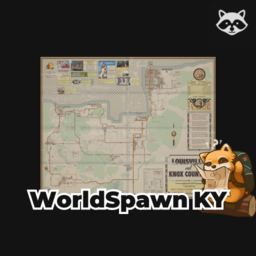
WorldSpawn B42
von 76561199213622654
WorldSpawn adds new starting location options to Project Zomboid. Tired of always starting in Muldraugh or West Point? With this mod, you can begin your survival in : March Ridge, Louisville, Ekron, Brandenburg, Irvington ⚠️ Notes : Support B42 only, this mod not test with multiplayer. If you encounter any problems or would like more information, please leave a comment.
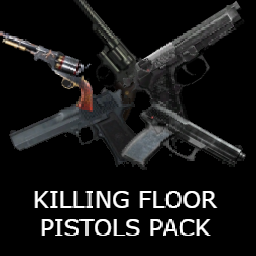
KILLING FLOOR PISTOLS PACK (LEGACY 41 EDITION)
von 76561198052106234
THERE IS IN THIS PACK 5 PISTOLS WERE YOU CAN FOUND IN POLICE STATION MILITARY OUTPOSTS GUN STORE IN THIS PACK CONTAINS MK23 PISTOL 9MM TACTICAL 44 MAGNUM HANDCANNON FLARE REVOLVER 42 EDITION: https://steamcommunity.com/sharedfiles/filedetails/?id=3779570363 ENJOY WITH THIS WEAPONS AND FEEL LIKE WHEN YOU ARE PLAYING IN KILLING FLOOR WITH PERK 5 SHARPSHOOTER Workshop ID: 3250463124 Mod ID: KFPISTOLS
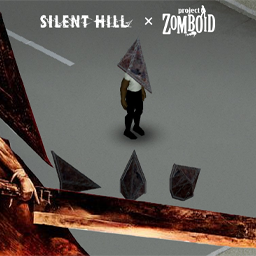
Pyramid Head | Silent Hill Item
von 76561198022994790
DEFINETELY NOT SQUARE. Be ready to be surrounded by many Pyramid Heads, and try to get your own! Workshop ID: 2931852035 Mod ID: PyramidHead
![Expanded Starting Loadout [B42] – Project Zomboid Mod](https://images.steamusercontent.com/ugc/17112039338201923969/3DFC10CA6C50210CA129648A27527F679619BC1B/)
Expanded Starting Loadout [B42]
von 76561199190604499
Choose optional starting equipment directly during character creation. Expanded Starting Loadout Pick starting gear during character creation without editing save files or spawning items manually. Features - Generate themed survivor scenarios: scavenger, first responder, lost tourist, prepared survivor, and robbed survivor. - Trade fair-start points for enforced hardships such as worn gear, hunger/thirst, fatigue/panic, or a rough start. - Dedicated slots for melee weapons, firearms, three backpacks, armor/clothing, and ammunition. - Five searchable inventory slots with quantities. - Put each selected item in the main inventory or any selected backpack. - Configure condition, fluid amount, remaining uses/charge, and firearm loading. - Search by item name, mod/source, category, and full item ID. - Filter by category and mod source, use recent items, favorites, presets, and import/export preset codes. - Generate random kits with category, power tier, and source rules. - Use firearm auto-kits, fair-start points, total weight, slot locking, and rerolling. - View equipment-conflict warnings and detailed item stats. - Use the UI 2.0 layout with separate Build, Scenarios, Presets, and Random modes. Every slot is optional. The first backpack and selected armor are equipped automatically when supported. Changelog / Список изменений (v2.1.0) UI 2.0 - Reworked the main window around separate Build, Scenarios, Presets, and Random modes. - Replaced the plain slot list with richer loadout cards showing category markers, quantity, fair cost, weight, locks, and conflicts. - Added compact catalog row metrics and moved character preview, item settings, and details into one right-side panel. - Moved points, weight, filled slots, hardship, and fair-mode state into a persistent top summary bar. Previous changes / Предыдущие изменения (v2.0.0) Survivor scenarios - Added themed scenario generation for scavenger, first responder, lost tourist, prepared survivor, and robbed survivor starts. - Scenarios use the current validated item catalog, so bans, whitelist, vanilla-only mode, disabled categories, and enabled mod items are respected. - Scenario generation can still use the selected random source filter for mod-focused starts. Fair hardships - Added optional fair-start hardships: worn gear, hunger/thirst, fatigue/panic, and rough start. - Hardships reduce fair-start point cost only after the server applies their consequences. - Worn/rough starts cap item condition, charge, fluid fill, and loaded firearm state server-side. Preset sharing - Added import/export preset codes for sharing builds through Steam or Discord. - Preset codes include selected items, quantities, destinations, item settings, scenario, and hardship. Build 42.19+ Mod ID: ExpandedStartingLoadout Русский: Расширенный выбор стартового снаряжения при создании персонажа: сценарии выжившего, честные недостатки, слоты под оружие, рюкзаки, броню, боеприпасы и предметы инвентаря; выбор контейнера для каждого предмета; состояние/жидкость/заряд/патроны; поиск по моду, категории и полному ID; история, избранное, пресеты, импорт/экспорт кодов, случайные наборы и предупреждения о конфликтах экипировки. Поддерживаются предметы активных модов. Workshop ID: 3744098864 Mod ID: ExpandedStartingLoadout
![The Only Cure [B42] - Русификация – Project Zomboid Mod](https://images.steamusercontent.com/ugc/14209149359246736750/A34DD5FF2AF319662F5D7E2553A9881264EA5AD0/)
The Only Cure [B42] - Русификация
von 76561198414246143
Русификация The Only Cure Когда вас укусили, у вас есть выбор. Смириться с вирусом или отрезать зараженную конечность, чтобы прожить ещё один день. Реалистичная система ампутаций и протезирования. Что делает мод? • Ампутация: Пилой или садовой пилой отрежьте укушенную конечность. Используйте жгут, чтобы снизить урон, и бинты/швы для повышения шанса выживания. • Заживление: Следите за состоянием культи в медпанели. Регулярно перевязывайте рану, пока она не заживёт полностью, иначе возможны кровотечения. • Протезирование: Восстановите функциональность с помощью протезов-крюков или полноценных рук. Прокачивайте навык владения протезом для ускорения действий. • Важные нюансы: Ампутация выше локтя не позволит использовать протез. После операции вы получите перк, ускоряющий действия одной рукой. Ключевые особенности: Жёсткий выбор, глубокая механичка выживания, интеграция в ванильный геймплей, поддержка мультиплеера. Dear foreign friends, this mod is only a localization of the main mod. If you came here because of the preview or text on it, you can safely go to the modification page itself. Хочу перевод Поддержать переводчика Workshop ID: 3587267195 Mod ID: THONCURUS
![(SEE DESCRIPTION) Inventory Tetris - Escape From Tarkov Backpacks REALISTIC [B41] – Project Zomboid Mod](https://images.steamusercontent.com/ugc/11327433053336994277/B36D836A87C9D01F107D1E6D6CB551BB9B84D4D6/)
(SEE DESCRIPTION) Inventory Tetris - Escape From Tarkov Backpacks REALISTIC [B41]
von 76561198425382522
Ok, so I released this mod with some errors, and one of the backpacks didn't have a design. I've now launched another mod that includes everything from this one and much more. I'll be updating my most recent creation, so if you have any requests, just leave a comment on the newer and improved version. https://steamcommunity.com/sharedfiles/filedetails/?id=3526281964 Resized container grids for Nik's Escape From Tarkov Backpacks for B41 Project Zomboid using Notloc's Inventory Tetris. If u want to steal this, reupload this, change this, sell this... yeah go ahead, dont even give me credits because i stole all the shit from various modders. Workshop ID: 3519958390 Mod ID: InventoryTetris_EFT_Backpacks_Realistic
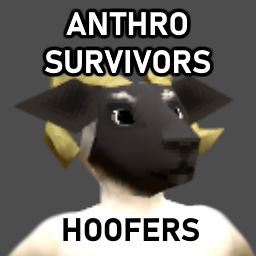
Anthro Survivors - Ungulate Friends (B42)
von 76561198121400420
Adds a few different species of hoofed critters to the species selector for Anthro Survivors. Sheep - White, Black, Norfolk Horn, Jacob's Sheep, Scottish Black, Herdwick, Pink Cows - Angus, Jersey, Holstein, Blue Goats - Brown Boar - Wild Boar Thank you to the Anthro Survivors team for making this such a breeze! B41 version here: https://steamcommunity.com/sharedfiles/filedetails/?id=2934987146 Workshop ID: 3411037098 Mod ID: AnthroUngulates
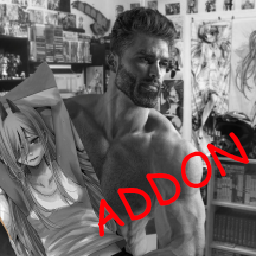
Big Degen's Dakimakuras Addon: Kiara
von 76561198154737074
Takanashi Kiara & Daewoo Lanos dakimakura Workshop ID: 3068593558 Mod ID: Kiaramakura
![[B42] Useful Flares Reborn – Project Zomboid Mod](https://images.steamusercontent.com/ugc/17581917773620035640/9271B28FF54291FA725291F6C6925474C3EE1F2A/)
[B42] Useful Flares Reborn
von 76561198875202045
Useful Flares Reborn A Build 42 rebuild and fix of an original mod. Features - Flare Gun — a single-shot signal pistol that fires custom flare shells. - Flare Shells — dedicated ammo. Where the flare lands, it sets the spot ablaze and floods a wide area with warm light. - Hand Flare — a held, drainable road flare to light your way on the move. Requires Gunworks framework (it's listed as a dependency — subscribe to it too, or the gun won't load). Languages English, Українська, Русский, Deutsch, Français, Español, Italiano, Polski, Português (BR), 简体中文. "Light it up". An upcomind mod... Also check out my other mods in my collection! Your support is much appreciated! Workshop ID: 3747797778 Mod ID: UsefulFlaresReborn
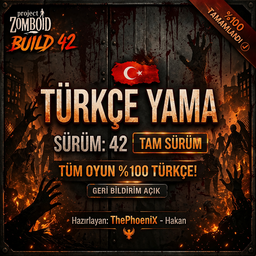
Project Zomboid | %100 Türkçe Yama | Build: 42+
von 76561198164898781
PROJECT ZOMBOID: TÜRKÇE YAMA | BUILD 42+ Selam hayatta kalanlar. Ben ThePhoeniX - Hakan. Bu projede tek bir hedefim var: Oyunda İngilizce tek bir kelime bile bırakmadan, Project Zomboid deneyimini tamamen Türkçe hale getirmek. Build 42 ile gelen tüm yeni sistemler, mekanikler, zanaat içerikleri ve atmosfer — tamamı en doğru ve akıcı Türkçeyle çevrildi. Bu mod şu an %100 çeviri kapsamına ulaşmış durumdadır. Oyunun içinde İngilizce tek bir satır bırakılmamıştır. YENİ SİSTEM: ÇOKLU SÜRÜM DESTEĞİ Artık bu mod tek bir oyun sürümüne bağlı değildir. Tek bir moda abone olduğunuzda, oyun içerisinde farklı sürümlere ait çeviri modları ayrı ayrı listelenir. Desteklenen sürümler: - Build 42.17.0 - Build 42.19.0 Kullandığınız oyun sürümüne uygun olanı seçmeniz yeterlidir. Modlar birbirleriyle uyumsuz olacak şekilde ayarlanmıştır. Bu sayede aynı anda birden fazla çeviri modunun aktif edilmesi engellenir. MOD NASIL ÇALIŞIR? Bu mod oyunun sistemine dokunmaz. - Kodlara müdahale etmez - Oynanışı değiştirmez - Mekanikleri etkilemez - Performans kaybı yaratmaz - Multiplayer ile uyumludur Kısacası bu mod, oyunun üzerine eklenmiş bir “altyazı” gibi çalışır. OLASI SORUNLAR Bu modun tek başına oyunu bozması teknik olarak mümkün değildir. Eğer bir problem yaşıyorsanız büyük ihtimalle sebebi: - Farklı bir Türkçe çeviri modu kullanıyor olmanız - Eksik veya bozuk indirilmiş dosyalar Çözüm: - Moddan çıkın - Tamamen kaldırın - Yeniden abone olup temiz kurulum yapın Çoğu problemi bu şekilde çözebilirsiniz. RESMİ HEDEF Project Zomboid’de çeviriler topluluk tarafından hazırlanır. Bu modun amacı: Bu çeviriyi en yüksek kaliteye ulaştırarak ileride oyunun resmi dosyalarına (vanilla) dahil edilmesini sağlamaktır. Bu noktada en büyük destek: → Abone olmanız → Beğeni bırakmanız Workshop’taki destek arttıkça bu hedefe ulaşma ihtimali de artar. GERİ BİLDİRİM Bu proje tek başına yapılmış bir iş. Ve evet, arada gözden kaçan şeyler oluyor. Eğer: - Anlam hatası görürseniz - Daha iyi bir karşılık biliyorsanız - Yazım hatası fark ederseniz Lütfen yazın. Bakıyorum. Düzeltiyorum. DESTEK & GERİ BİLDİRİM - Hata & Teknik Sorunlar → Buraya yazın - Çeviri Düzeltmeleri & Öneriler → Buraya yazın - Sık Sorulan Sorular (SSS) & Genel Bilgilendirme → Detayları inceleyin DİĞER MODLARIM Eğer bu modu beğendiysen, benzer kalite ve detayda hazırladığım diğer projelere de mutlaka göz at 😉 Hepsi aynı kalite standardıyla hazırlanmıştır. SON SÖZ Kentucky’de hayatta kalmak zor. Ama en azından neyin ne olduğunu anlamak zorunda değilsin artık. Workshop ID: 3685099322 Mod ID: ThePhoeniX_TRLoc42.17.0 Mod ID: ThePhoeniX_TRLoc42.19.0
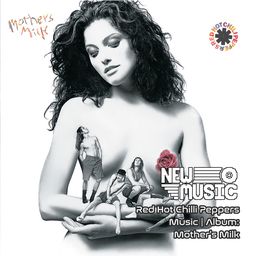
Red Hot Chilli Peppers Music | Album: Mother's Milk
von 76561199258285984
Red Hot Chilli Peppers Music | Album: Mother's Milk Generated with New Music Builder Mother's Milk Side A 01 Good Time Boys 02 Higher Ground 03 Subway To Venus 04 Magic Johnson 05 Nobody Weird Like Me 06 Knock Me Down Mother's Milk Side B 01 Taste The Pain 02 Stone Cold Bush 03 Fire 04 Pretty Little Ditty 05 Punk Rock Classic 06 Sexy Mexican Maid 07 Johnny, Kick A Hole In The Sky Workshop ID: 3756749283 Mod ID: 3PeppersAlbum
Death Marker - B42 SP&MP
von 76561197960772922
Death Marker Death does not have to take every lesson with it. Death Marker is a standalone Project Zomboid Build 42 mod that leaves a grave marker where a survivor fell. Not everything dies with the body. If that survivor walks the world again, they may return to the grave and reclaim echoes of the former life: hard-earned skills, remembered recipes, studied knowledge, zombie kill count, and fragments of media once seen and heard. Tested On - Project Zomboid Build 42.20. - Dedicated multiplayer testing, including repeated deaths in one connection. - Singleplayer testing, including fatal-fall labels and progression recovery. How It Works - When a player dies, the mod records eligible character progression. - A cemetery cross is placed at the death location. - The grave shows memorial text: Here lies Killed by - A vanilla world-map Cross marker is added for the pending recovery. - A movable on-screen recovery window shows the current effective skill XP recovery and decay timing while a pending marker exists. - The next character must travel back to the death location. Standing on or next to the recovery tile automatically opens the recovery prompt. - The recovery prompt previews the skills, recipes, recipe resources, skill-book progress, media history, zombie kill count, and effective skill XP recovery percent that can be restored. - After recovery, the recovery action, world-map marker, and recovery window are removed. - Server admins can choose whether the Death Cross remains as a memorial or is removed after recovery. - If the Death Cross remains, players can pick it up and place it back down somewhere else as a memorial. - Admin-tagged players can use a Death Cross right-click cleanup action to clear pending Death Marker recoveries and remove recovery crosses/tiles from pending recovery locations, the clicked tile, and the admin's nearby area. What Can Be Recovered - Skills and XP. - Known recipes from recipe literature and researched items. - Read recipe magazines, schematics, clippings, and other recipe-resource items. - XP boost skill-book page progress. - Watched and heard media history, including VHS, TV broadcasts, CDs, and radio. - Zombie kill count. Sandbox Options - Death Marker Visual: choose which marker appears at the death tile. Options include Wood Cross, Headstone #1, Headstone #2, Stone Cairn, Wood Picket, Angel Statue, or Random. Default is Wood Cross. - Require Same Profession: require the new survivor to have the same profession as the dead survivor. Default is enabled. - Player Death Skill Recovery Percent: choose how much of the missing skill XP gap is restored for deaths attributed to another player, from 0% to 100%. Default is 100. - Zombie Death Skill Recovery Percent: choose how much of the missing skill XP gap is restored for zombie, bite, scratch, drag-down, or zombie-infection deaths, from 0% to 100%. Default is 100. - Unknown Death Skill Recovery Percent: choose how much of the missing skill XP gap is restored when Death Marker cannot confidently attribute the death to a player or zombies, from 0% to 100%. Default is 100. - Recover Recipes: enable or disable recipe knowledge and recipe-resource recovery. Default is enabled. - Recover Skill Books: enable or disable XP boost skill-book page progress recovery. Default is enabled. - Recover Media History: enable or disable watched and heard media history recovery. Default is enabled. - Recover Strength and Fitness: enable or disable recovery of trained Strength and Fitness gains. When disabled, Strength and Fitness are never recovered, while other enabled recovery categories still work normally. Default is enabled. - Recover Zombie Kills: enable or disable zombie kill count recovery. Default is enabled. - Keep Death Marker After Recovery: choose whether the death marker remains as a memorial or is removed after recovery. Default is enabled. - Recovery Decay Enabled: enable or disable time-based skill XP recovery decay. Default is enabled. - Recovery Max Hours: choose how many in-game hours pass before skill XP recovery starts decaying. Default is 6. - Recovery Decay Percent Per Hour: choose how many percentage points of skill XP recovery are lost each in-game hour after the max window. Default is 10. Below is an image showing the available death marker visuals. Recovery Rules - Recovery is bound to SteamID when available, with username fallback. - The new character must return to the recorded death location and stand on or next to the recovery tile. - By default, the new character must match the dead survivor profession. Server admins can disable this with the DeathMarker.RequireSameProfession sandbox option. - Skill recovery uses the matching death-type percentage and applies it to the missing XP gap. For example, if the new survivor has 1000 XP, the dead survivor had 2000 XP, and the matching death-type recovery percent is 50%, recovery raises the new survivor to 1500 XP. - Zombie kill recovery is additive. If the dead survivor had 100 kills and the new survivor gets 2 more before recovery, the recovered total becomes 102. - Skill XP recovery can decay over in-game time. By default, the first 6 in-game hours keep full configured skill recovery, then recovery drops by 10 percentage points per in-game hour until it reaches 0%. - Recovery decay affects skill XP only. Recipes, recipe resources, skill-book progress, media history, and zombie kill count are controlled by their own sandbox toggles. - Recovery never lowers progress the new character already gained. - A snapshot can only be restored once. - The Death Cross is visual-only. Moving or carrying a memorial cross does not move the recovery location or create another recovery. What Is Not Recovered - Equipped items. - Inventory contents. - Character starting traits, including their starting stat and skill bonuses. Important Note This is an early public release for Build 42. It has been tested in dedicated multiplayer and singleplayer, but Project Zomboid Build 42 and modded servers can behave differently depending on load order, server settings, and other mods. There may still be bugs. Back up important saves before using this on a long-running world. Server Configuration Workshop ID: 3727968998 Mod ID: deathmarker
![Grit [B42][MP] – Project Zomboid Mod](https://images.steamusercontent.com/ugc/10461339595732028136/4079ADCFEB059DDA7980C532D8CF733E8A47C096/)
Grit [B42][MP]
von 76561198049030260
Grit Build 42 multiplayer-safe. A passive toughness skill that grows with zombie kills and survival days, reducing panic, pain, infection progression, wound penalties, and unhappiness. Works in multiplayer 42.1.17. Early Access — This mod is in active development. The core effects listed below are functional, but balance and new features are still being refined through playtesting. If something feels off or you have ideas for what Grit should do, your feedback and suggestions are very welcome in the comments. Adds a passive Grit skill (levels 0-10) under the Survivalist category. Grow tougher by killing zombies and surviving days. Effects - Panic Reduction — Reduces panic buildup when spotting zombies (per level) - Pain Tolerance — Reduces initial pain from scratches, bites, and blunt hits (per level) - Infection Resistance — Slows zombie infection progression (per level) - Wound Penalty Reduction — Reduces movement and combat penalties from active wounds (per level) - Unhappiness Reduction — Passive unhappiness reduction at a configurable Grit level (default: level 10) - Wound Hardening — Tracks lifetime wounds. At configurable thresholds, removes Thin Skinned and grants Thick Skinned (1.3x dodge chance) Sandbox Options All settings are fully configurable. Set any option to 0 to disable that feature. XP Settings - XP Per Zombie Kill (default: 1, range: 1-20) — Base XP per kill - XP Per Survival Day (default: 5, range: 1-100) — Base XP per day survived - XP Multiplier (default: 1x) — Overall multiplier: 0.5x / 1x / 2x / 3x Effect Settings - Effect Strength (default: Normal) — Overall effect multiplier: Mild / Normal / Strong - Panic Reduction Per Level (default: 2.5%) — % panic buildup reduced per level. Level 10 = 25% reduction - Pain Reduction Per Level (default: 2%) — % pain reduced per level. Level 10 = 20% reduction - Infection Resistance Per Level (default: 2%) — % infection slowdown per level. Level 10 = 20% slower - Wound Penalty Reduction Per Level (default: 2%) — % less movement/combat penalty from wounds per level. Level 10 = 20% less - Unhappiness Reduction Unlocks At (default: 10, range: 0-10) — Grit level needed for passive unhappiness reduction Wound Hardening - Thin Skinned Removal Threshold (default: 100, range: 0-10000) — Wound score to remove Thin Skinned - Thick Skinned Grant Threshold (default: 500, range: 0-10000) — Wound score to grant Thick Skinned Wound weights: scratch=1, laceration=2, deep wound=3, bite=5. Recommended Companion Mod Pair with Knox Antidote for the best wound hardening experience. Without it, bites are a death sentence — you'll never accumulate enough wound score to reach Thick Skinned. Knox Antidote lets you craft an antidote to cure zombie infections, so you can survive bites and keep building your wound score over a long playthrough. Multiplayer Fully multiplayer-safe. XP syncs via server-side commands. Wound scores and traits persist with save files. Support If this mod helped you push through the pain, help me push out the next update: My Mod Collection This is the list of mods I use on the server I play with my friends: Faitas' PZ MP Mod Collection Workshop ID: 3670404473 Mod ID: PZGritSkillMod
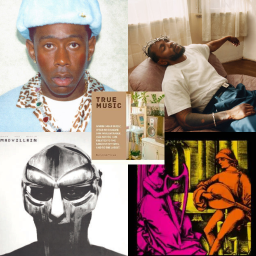
ULTRA RAP PACK (True Music)
von 76561198144090341
Add a large choice of rap music ! (With some pop, metal and other genre) Music list : See you again - Tyler the creator See you again remix by billos - Tyler the creator She - Tyler the creator She remix by billos - Tyler the creator Answer - Tyler The Creator Boyfriend Girlfriend - Tyler the creator I am the Grinch - Tyler the creator Die hard - Kendrick Lamar DNA. - Kendrick Lamar HUMBLE. - Kendrick Lamar Like that - Kendrick Lamar, Metro Booming, Future Not Like Us - Kendrick Lamar Untilted 08 - Kendrick Lamar Collard Greens - ScHoolboy Q feat Kendrick Lamar All caps - Madvillain, MF DOOM One Beer - MF DOOM Rapp Snitch Knishes - MF DOOM Doomsday - MF DOOM Location - Playboi Carti Sundress - A$AP Rocky (Do The) Act Like You Never Met Me - TV GIRL Not Allowed - TV GIRL Better In The Dark - TV GIRL, Jordana Lovers Rock - TV GIRL Song About Me - TV GIRL Tek it - Cafune i walk this earth all by myself - Ekkstacy BOOMBOOMBOOM!! - Vengaboys We Like To Party (Vengabus) - Vengaboys Borderline - Tame Impala Loose Cannon - Puzzle What She Might Say To Me - Puzzle War Outside - Drownmili Tell Em - Cochise Phonkeveryday - ??? I Don't Wanna Be Me - Type O Negative Workshop ID: 3282747926 Mod ID: ultrarappackts
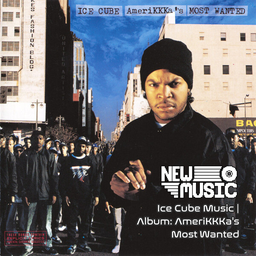
Ice Cube Music | Album: AmeriKKKa's Most Wanted
von 76561199258285984
Ice Cube Music | Album: AmeriKKKa's Most Wanted Generated with New Music Builder AmeriKKKa's Most Wanted Side A 01 Better Off Dead 02 The Nigga Ya Love To Hate 03 AmeriKKKa's Most Wanted 04 What They Hittin' Foe¿ 05 You Can't Fade Me - JD's Gaffilin' 06 Once Upon A Time In The Projects 07 Turn Off The Radio 08 Endangered Species (Tales From The Darkside) (Feat. Chuck D) AmeriKKKa's Most Wanted Side B 01 A Gangsta's Fairytale 02 I'm Only Out For One Thang (Feat. Flavor Flav) 03 Get Off My Dick And Tell Yo Bitch To Come Here 04 The Drive-By 05 Rollin' Wit The Lench Mob 06 Who's The Mack¿ 07 It's A Man's World (Feat. Yo-Yo) 08 The Bomb Workshop ID: 3755825123 Mod ID: 1CubeAlbum
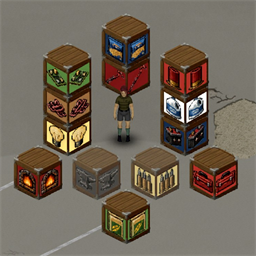
Themed Crates - 56 caisses thematiques
von 76561197967070624
Themed Crates 🇫🇷 Version française — Scroll down for English 🇬🇧 Marre de fouiller 10 coffres pour retrouver UNE balle de 9mm ? Themed Crates ajoute 56 caisses thematiques pour enfin trier ton bordel d'apocalypse. Chacune avec sa peinture distincte pour la reperer en un clin d'oeil. 7 categories x 8 sous-types - Bouffe - conserves, chips, lait, jarres, graines, legumes - Munitions - 9mm, .45, fusil, pompe, SMG, cartouches - Armes - pistolets, fusils, batte, machette, masse - Outils - marteau, scie, tournevis, hache, pelle, cle - Metal - enclume, lingots, plaques, forge, tenailles - Electronique - cables, circuits, batteries, generateurs - Peche - canne, hamecons, bouchons, filets, appats Caracteristiques - Empilables sur 3 niveaux comme les caisses vanilla - Capacite 60 par caisse (idem coffre bois) - Crafting via Building > Furniture (animation marteau + son) - Menuiserie 7 requis Compatibilite Build 42 only. Multiplayer safe. Pas de conflit avec d'autres mods - clone propre des caisses Wood_Crate / Metal_Crate vanilla. Bug ou suggestion ? Laisse un commentaire ! 🇬🇧 English version Tired of digging through 10 chests to find ONE 9mm round? Themed Crates adds 56 themed crates to finally sort out your apocalypse mess. Each one features a distinct paint job so you can spot it at a glance. 7 categories x 8 sub-types - Food - canned goods, chips, milk, jars, seeds, vegetables - Ammo - 9mm, .45, rifle, shotgun, SMG, shells - Weapons - pistols, rifles, bat, machete, sledgehammer - Tools - hammer, saw, screwdriver, axe, shovel, wrench - Metal - anvil, ingots, plates, forge, pliers - Electronics - cables, circuits, batteries, generators - Fishing - rod, hooks, floats, nets, bait Features - Stackable up to 3 levels like vanilla crates - Capacity 60 per crate (same as wooden chest) - Crafting via Building > Furniture (hammer animation + sound) - Carpentry 7 required Compatibility Build 42 only. Multiplayer safe. No conflicts with other mods - clean clone of vanilla Wood_Crate / Metal_Crate. Bug or suggestion? Drop a comment! Workshop ID: 3722831180 Mod ID: ThemedCrates

Shark's Law Enforcement Overhaul (Weight Reduction Buff)
von 76561198098651298
Shark's Law Enforcement Overhaul edited for better leg bags Workshop ID: 2829076229 Mod ID: SLEO(Edit)
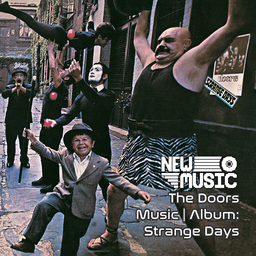
The Doors Music | Album: Strange Days
von 76561199258285984
The Doors Music | Album: Strange Days Generated with New Music Builder Strange Days Side A 01 Strange Days 02 You’re Lost Little Girl 03 Love Me Two Times 04 Unhappy Girl 05 Horse Latitudes Strange Days Side B 01 Moonlight Drive 02 People Are Strange 03 My Eyes Have Seen You 04 I Can’t See Your Face in My Mind 05 When the Music’s Over Workshop ID: 3754911185 Mod ID: 2DoorsAlbum
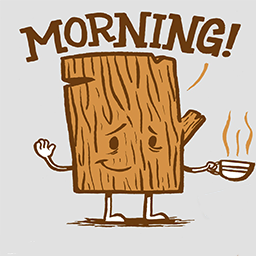
Morning Wood
von 76561197994012435
The weight of logs is now zero the weight of planks is now zero the weight of ripped sheets is now zero axe tree damage has been buffed slighty Workshop ID: 1408081919 Mod ID: MorningWood
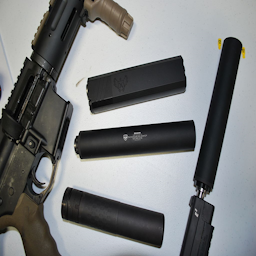
Simple Silencers Selective Patch
von 76561197991088090
Adds support for the a selection of weapons from Totally Innocent's Collection, namely the Scavenged Weapons, M1 Garand, Thompson and the SMLE and G3 Variants. Also changes the sound of suppressed fire to be a little less hilarious. Workshop ID: 3373145084 Mod ID: SimpleSilencersSLPatch
![Craftable Suppressor - Shotgun [Arsenal] – Project Zomboid Mod](https://images.steamusercontent.com/ugc/2112806966243134983/09058B4F8FC743761AB7A9187BF0FCDABE27E520/)
Craftable Suppressor - Shotgun [Arsenal]
von 76561198098612663
Allows the player to craft a Shotgun Suppressor. Crafting recipe is under the Weapons Category. Requires: Metalworking 3 Oil Can Solvent Trap Hammer Propane Torch Workshop ID: 3037424742 Mod ID: Craftable Suppressor Shotgun
Vehicle-Recycling-2-CN
von 76561199253254276
Project Zomboid mod Vehicle Recycling 汉化 本项目语言文本翻译使用大语言模型翻译。 汉化mod地址订阅地址:https://steamcommunity.com/sharedfiles/filedetails/?id=2289429759 Workshop ID: 3244026197 Mod ID: Vehicle-Recycling-2-CN_for_DXCHXX
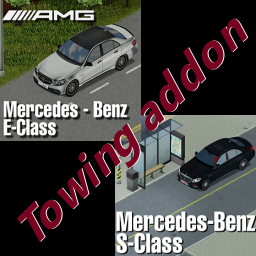
Mercedes E-Class + S-Class Towing addon
von 76561197990989389
Towing points for 2 cars. Workshop ID: 3106624957 Mod ID: benztowing
Project Zomboid Details →
Project Zomboid Guides
Project Zomboid Mods installieren - Workshop Guide
Installiere Project-Zomboid-Mods sauber per Steam Workshop: IDs eintragen, Reihenfolge prüfen, Server neu starten und typische Fehler beheben.
Project Zomboid Build 42 auf dem eigenen Server: Umstieg, Spielstände und Mods
Build 42 ist Stable: Spielstände aus Build 41 sind nicht kompatibel. Umstieg, legacy41-Zweig, neue Serveroptionen, Anti-Cheat und der Hotfix 42.20.1 gegen Serverlag.
Project Zomboid Server mieten – Multiplayer Guide
Project Zomboid Server einrichten: RAM, Sandbox-Einstellungen, Workshop-Mods, Admin-Rechte und typische Fehler sauber prüfen.
Project Zomboid Server mit Mod-Support
Kompatible, unterstützte Mods über das Server-Dashboard installieren.
Project Zomboid Server mieten