Project Zomboid Mods für Server
Für einen modifizierten Project-Zomboid-Server brauchst du pro Projekt die Steam-Workshop-ID und die interne Mod-ID. Prüfe zusätzlich Spiel-Build, Abhängigkeiten und Lade-Reihenfolge, bevor du deine Welt mit den Änderungen startest.
Project Zomboid Mods sicher installieren
Ein Workshop-Abo allein aktiviert eine Mod auf dem Dedicated Server nicht. Die Einträge in `WorkshopItems=` und `Mods=` müssen zusammenpassen; außerdem muss jede Mod den gewählten Build 41 oder Build 42 ausdrücklich unterstützen.
- 1. Build prüfen: Build-41- und Build-42-Mods nicht ungeprüft mischen.
- 2. Workshop-ID, Mod-ID, Abhängigkeiten und erforderliche Reihenfolge vollständig dokumentieren.
- 3. Welt und Konfiguration sichern, Server neu starten und Logs sowie den Beitritt mit einem Test-Client prüfen.
Die vollständige Schritt-für-Schritt-Anleitung findest du im Project-Zomboid-Mods-Guide. Oder starte direkt mit einem Project Zomboid Server mit Mod-Support.
Häufige Fragen zu Project Zomboid Mods
Was ist der Unterschied zwischen Workshop-ID und Mod-ID?
Die Workshop-ID bezeichnet das Steam-Workshop-Projekt und steuert den Download. Die Mod-ID aktiviert den enthaltenen Mod im Spiel. Auf dem Server müssen beide Listen vollständig und passend gepflegt sein.
Laufen Build-41-Mods automatisch mit Build 42?
Nein. Nutze eine Mod nur dann auf Build 42, wenn ihre Workshop-Seite diese Kompatibilität ausdrücklich bestätigt. Prüfe dabei auch alle Bibliotheken und weiteren Abhängigkeiten.
Wie teste ich ein Mod-Update ohne Risiko für die Welt?
Sichere zuerst Welt, Sandbox-Konfiguration und Server-INI. Aktualisiere danach die zusammengehörigen Mods, starte den Server neu und prüfe Logs, Kernfunktionen und einen vollständigen Client-Beitritt.
Fruit Farming (B42)
von 76561198133046879
Grow 13 vanilla fruits (apple, avocado, banana, cherry, grapefruit, grapes, lemon, lime, mango, orange, peach, pear, pineapple) - plus rice! Rice grain chain (v0.2): collect rice seeds from a bag of rice, sow in late spring, scythe-harvest the sheaves, dry them on a drying rack, thresh for seeds, and bag 12 seeds back into cookable rice. Exactly parallel to vanilla barley/wheat farming. Coffee (v0.2): plant a coffee tree, harvest its pods, dry them on a drying rack, roast the dried pods in an oven or over a campfire, then grind them at a stone quern into vanilla Coffee - which your coffee machine brews into a hot mug, exactly as usual. Unroasted pods cannot be ground, and they scorch if you leave them on the heat. The tree is perennial and cold-hardy, so it keeps producing season after season. - Extract seeds from any looted fruit with tweezers or a knife (rotten fruit works too). - Sow them in a farming plot like any vanilla crop, with full growing-season support. - Plants are perennial: after harvest they regrow instead of dying (like strawberries). - Harvesting also returns seeds, so your orchard is self-sustaining. - Harvested fruits are the vanilla items, so all vanilla recipes work with them. - EN / KO / TR / FR translations included. Sowing seasons (in-game months): - March-April: Cherry - March-May: Apple, Peach, Pear, Coffee - April-June: Avocado, Grapefruit, Grape, Lemon, Lime, Olive, Orange, Pineapple, Peanuts - May-June: Banana, Mango, Rice, Ginger Perennials (apple, pear, peach, cherry, citrus, grape, olive, mango, avocado, banana, pineapple, coffee) regrow after harvest; rice, ginger and peanuts are annuals. Ginger and peanuts are planted directly from looted Ginger Root / Peanuts, just like vanilla potatoes. Growth sprites currently reuse vanilla crop sprites; custom tree sprites planned. Built for Build 42.20. Works in singleplayer and multiplayer. Workshop ID: 3779625821 Mod ID: FruitFarming

Coin Flip
von 76561197995667711
Adds a gold coin to Zomboid that can be flipped and land on heads or tails. This mod was custom made for the The Grimsby Elite RP server. ( https://discord.gg/tgye ) Workshop ID: 2918252803 Mod ID: coinflip

No Cal Cap
von 76561198039256021
A mod that remove the vanilla calorie cap of 3,699. Workshop ID: 3407088284 Mod ID: caloriecapremoval
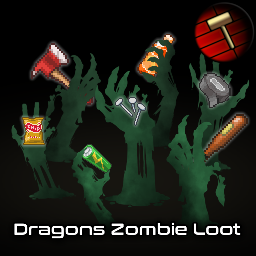
Dragons Zombie Loot
von 76561197976409671
Description Adds useful loot to zombies, with simple configuration settings that allows for customization of the way these items are added. Mod was inspired by Zombie Loot by Dylan. What is included? The primary focus of this mod is simplicity, versatility, balance and compatibility. I wanted a zombie loot mod that has some sensible presets, but also the ability to configure some aspects, such as which item "groups" to add, and their rarity. The full list of features in this mod are: - Add items to male zombies toggle - Add items to female toggle - Loot chance flat adjustment - Loot chance multiplier adjustment - Add modded items (does nothing yet) - Add misc items - Add food items - Add drink items - Add medical items - Add material items - Add tool items - Add melee weapon items - Add ranged weapon items Check out this discussion thread for base values and which items are added: Flat increases are applied AFTER multiplication, and all settings only apply to items added through THIS mod. Normal sandbox loot rarity settings are also applied on top of the base rarity, so the rarity settings is mostly to make the added items more or less rare than what can already spawn in vanilla. Customization You can configure singleplayer settings through Mod Options. Servers use vanilla sandbox settings. - Install Mod Options. - Open Project Zomboid. - Enable "Mod Options" in the mod menu. - Go to "Options". - Go to "Mods". - Adjust settings for "Dragons Zombie Loot" to your liking. - Apply. NB: If you change settings while a save is loaded, you will have to reload the save for changes to apply. No need to shut down the game though. NB: If you want to change the settings for a server, you need to use the sandbox settings instead. Remember to have the mod enabled if you use the "Host" approach, as the sandbox settings wont show/get added otherwise. Default Settings - Add to Male = true - Add to Female = true - Loot Chance Flat Adjustment = +0 (no changes) - Loot Chance Multiplier Adjustment = +0% (no changes) - Add Modded Items = false - Add Misc Items = true - Add Food Items = true - Add Drink Items = true - Add medical Items = true - Add Material Items = true - Add Tool Items = true - Add Melee Weapon Items = true - Add Ranged Weapon Items = true Compatibility - The mod is entirely self-contained and does NOT: modify loot chance of other mods. - Existing save compatible, though zombies that have already spawned in wont be affected by changes to settings - Keep in mind that if you have mods that remove/replace vanilla items, there could be some issues or unexpected behavior, but that is why the item group toggles are for. Balance It is a bit tricky to balance a mod like this due to how Project Zomboid distributes items into inventories. The main issues is that there is a hard limit on how many items in total that can be added to an inventory. What this means, is that high commonality items take precedence, and will "overwrite" items that are more rare if the amount limit is reached. In theory, this means that the more items you add to the loot table, the less of a chance there is for there to be a "slot" open for a rare item to spawn, thus making them even more rare than what the rarity stat implies. For this reason, I have made an attempt at tweaking the rarity of these added items to be mostly on the more uncommon/rare side, compared to vanilla items. My design philosophy is that the zombie loot should be a nice bonus, but not something that should straight up replace say farming for food, or going to POIs to get weapons or ammo. I have also noticed that some other loot mods only add items to male zombies, but this mod gives you the option to add items to both male and female zombies, which automatically doubles the chances that these items can spawn in, another reason why I would rather be a bit more on the conservative side when it comes to rarity. Known Issues None so far, but let me know if you encounter any. Workshop ID: 3007689043 Mod ID: DragonsZombieLoot
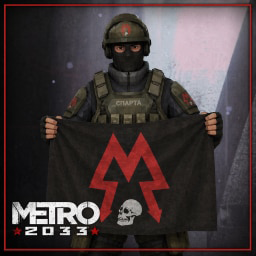
Metro 2033 - Flag Collection
von 76561198014453375
Metro 2033 - Flag Collection adds over 70 faction flags inspired by the lore of Metro 2033, designed for immersive roleplay servers set in a post-apocalyptic Moscow setting. Overview Place flags as world decorations to give life and identity to your settlements, outposts, and faction territories. Each flag can be crafted using basic materials and comes in a small display size, with its own unique icon in your inventory. Factions Included Major Metro Powers Hansa, Polis, Order of Spartan Rangers, Red Line, IVth Reich Minon Metro Powers Confederation 1905, Arbat Confederation, Kalinine Confederation, Pechatniki Confederation, VDNKh, Ryazan, Yasenevskaya, Touchinskaya, Mitino, Sevastopolskaya HPP, Kuznetsky Most, Belorusskaya, Donskoy Conglomerate, Emerald City, Bauman Alliance, Northern Emirate, Hulyaipole Republic, Republic of Ichkeria Forces & Government MVD, OMON, GRU, Moscow Command Criminal Factions & Cults Bandits (5 variants), Scavengers, Great Worm Cult, Satanists, Trotsky Brigade, Che Guevara Brigade, Farms and Kolkhozes, Independant (4 variants) Nations Russia, Ukraine, Belarus, Georgia, Dagestan, Siberia, Ural, Kazakhstan, USSR, NATO, and others Other CSKA, Lokomotiv, Spartak Features - 70+ unique flag textures with individual inventory icons - Craft flags using Sheets and Yarn at Tailoring level 1 - 7 faction magazines to unlock recipes ? find them in libraries and bookstores - Common flags (national flags, USSR, Medic, Free Stalkers) are craftable without a magazine - Government and military flags can be found in police stations and military loot - Football club flags spawn in garages and shelves Languages 🇫🇷 French — 🇬🇧 English Compatibility - Project Zomboid Build 41.78 and 42.20 - - Multiplayer compatible - No known conflicts with other mods Lore inspired by the Metro 2033 universe by Dmitry Glukhovsky. Feel free to ask any addition
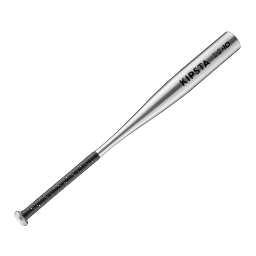
纳米石墨烯钛合金棒
von 76561198850181288
末日下的可靠脏比头部润滑剂 *高耐久,21425712分之一的概率耐久劣化几率 *高伤害,提高伤害,一棒可以打三个 可以制作,不过我不太熟悉制作的方法,最终的结果是在打开建造对应菜单,靠近陶艺工作台时制作 制作材料:1 金属棒、10份黏土、10份鸡蛋 更新: 12.22 : 版本更新修复 5.19:修复错误,修复只有新游戏首次创建角色才能拥有打火棒刮片套装的错误,现在只要创建新角色就有 5.13更新: 1.模组界面新增Icon 2.打僵尸有维护经验了,另外极低的增加了其他武器类型的经验 5.12更新:开局拥有变成载入拥有导致每次新载入游戏新生成一个棒子的错误,修复这个美丽的错误 5.11更新:开局拥有一个 Workshop ID: 3479163787 Mod ID: namisimoxiti

简单交易修改版,服务器联机群597095423
von 76561198162915831
感谢原作者的优秀作品. 删减了富二代与快递小哥 电台重量改为10 简单交易修改版,服务器联机群:597095423 Workshop ID: 2733799507 Mod ID: jiandanjiaoyi_1 Mod ID: jiandanjiaoyikuozhan1 Mod ID: jiandanjiaoyiduanzao1
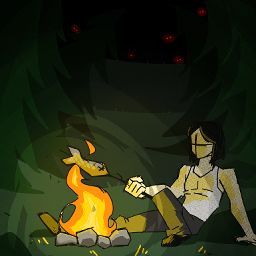
Wilderness Survival
von 76561198355910215
Ever wanted try those wiilderness survival challanges on youtube? I did and made a map for it. Enjoy. :) Workshop ID: 2825064295 Mod ID: WildernessSurvival Map Folder: WildernessSurvival
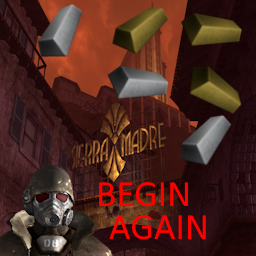
Forge Gold and Silver Ingots
von 76561198052872078
Begin again, let go. Makes you able to forge gold and silver ingots from the scraps you collect. Also called gold bars and silver bars, added for visibility. Begin again in the night Let's sway again tonight Your arm on my shoulder Your cheek against mine Where can we go When will we find that we know Where can we go When will we find that we know To let go Begin, begin again tonight I got tired of waiting for Indiestone or another modder to add the recipe, so I did it myself. Hoarding deliciously large amounts of precious metals like a dragon has been one of the more niche aspects I was looking forward to very much in build 42. So here we are, you can now do that! Collect jewelry from zombies and houses and scrap them using pliers (vanilla feature) Melt those scraps into sheets (vanilla feature) 4 sheets of gold or silver make 1 small ingot (mod) 8 small ingots make 1 big bar (mod) You use any of the forges to make the bars. Metalworking level 1 is required, to keep in line with similar recipes vanilla already has. Enjoy! Now I have to go show Kentucky why my name is Johnny Dollar. Workshop ID: 3542603837 Mod ID: ForgeGoldandSilverIngots
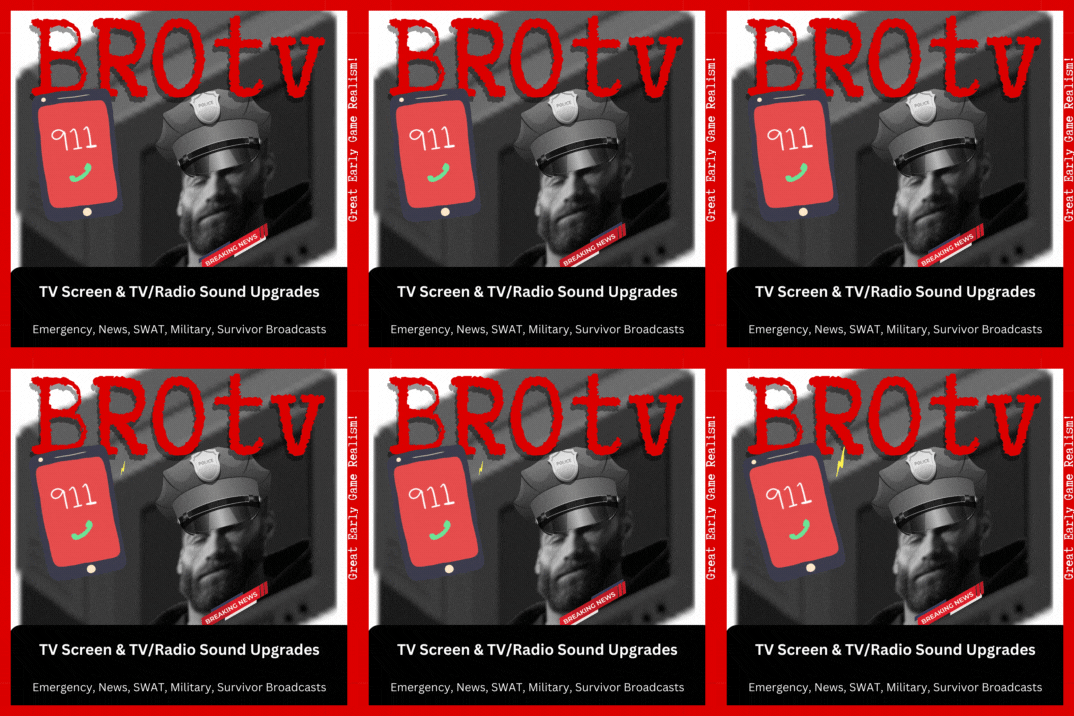
BROtv911 - TV Screen Image & TV/Radio Sound Upgrades
von 76561198030803166
Replaces TV screen and sounds with Emergency, News, SWAT & Military Broadcasts Enhance your Project Zomboid experience with the dynamic BROtv911 mod. This immersive addition integrates realistic radio transmissions from police, SWAT, military, and news broadcasts into your gameplay. Navigate through the chaos of a collapsing civilization with the help of critical updates, survival tips, and live reports conveyed through the airwaves. This mod not only enriches the game environment but also contributes to the unfolding narrative of a society under siege. - GREAT FOR EARLY GAME PLAY! - News Broadcasts about the virus - News Broadcasts with Tips - Emergency Broadcasts on zombie situation - Emergency Broadcasts with CDC recommendations - Emergency Broadcasts System Tests - Emergency Broadcasts on the virus - Emergency Broadcasts on staying alive - Survivor begs for help over CB radio - Horde vs Man with Chainsaw - SWAT Team Gun Battle with Zombies - SWAT Team Radio Conversations - Bad Reception News Broadcasts - Random Weak Signal Broadcasts - Public Announcements on Zombies/Tips/Infections Info - Changing the channel or just pressing "Tune In" on the same channel will play a new clip. - The full audio clips will play in the early game when the TV shows play. - This also applies to Radio channels. - You gain XP normally - All TV's and angles - 21 sound files (24m 52s) - Sound files stop playing when the TV/Radio broadcasts end - VHS tapes will play the sound files before/after the TV/Radio broadcasts end. - Likely will not work with other mods that use RadioTalk or alter Radio/TV. Features - Sound fades in/out with distance - 3D spatial sound Other BROtv Themes: This mod was made for The Battle of BROmageddon dedicated server. Workshop ID: 2992556462 Mod ID: BROtv911
True Music Addon: Doom Eternal OST
von 76561198090660031
It's just the base game ost for now. True Music https://steamcommunity.com/sharedfiles/filedetails/?id=2613146550&searchtext=True Workshop ID: 2805644029 Mod ID: Doom_OST I don't mind if anything I make is used elsewhere just as long I'm credited
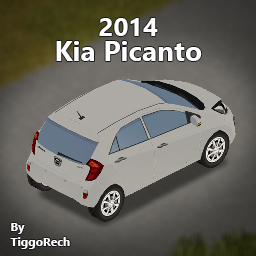
2014 Kia Picanto
von 76561198020887897
Working on latest multiplayer build (41.65) This mod will be "friends-only", because it's my car in the real life, so I think it's weird the idea of making it public, lol EDIT: I will let it public for a while. It will be a secret car, because I posted it 2 years ago and it will not be featured on front page, lol Features: ● Can attach things on it (Trailers, cars, etc). ● Complete damage, blood and rust textures (Not finished). ● Original game colors (vanilla colors, not colors by skins-textures). ● Openable doors and windows (Animated). Know issues: Front left and rear left windows are reflecting an weird grey sky for some reason. Additional Information: Workshop ID: 2713288290 Mod ID: tr_14kiapicanto

Quincy's Electrical Training
von 76561197966224624
Adds simple, logical method for levelling electrical skills through study, so budding electrician's don't need to demolish hundreds of appliances. Simply find an electronics magazine to study, something to write with & a piece of paper, and consumable electrical scraps to practice with. You can then create some study notes, and get electrical xp for doing so! If you have an eraser, you can erase the notes and get your nice pristine sheet of paper back. Includes sandbox settings to adjust xp returns, and set how boring study is. Workshop ID: 3287516428 Mod ID: QET
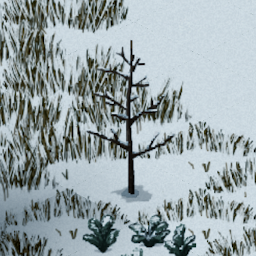
Dead grass and dead trees
von 76561198418020605
Dead_grass_and_dead_trees - change month In other seasons ,grasses and trees maybe not covered in snow even if sonw on ground. This mod frezzing date to December ,so its winter forever, forcing grasses and trees to wither. This will cause date to be invalidated,so I blocked out the date display on watch. If you care about date please use the following texture replacement mods. Dead_grass_and_dead_trees_texture_replace - repalce textures This mod replace all plant textures with winter and has snow type, but it look abnormal if no snow on the ground. Dead_grass_and_dead_trees_texture_replace_trees_no_snow - repalce textures This mod replace all plant textures with winter type, cover of snow is not mandatory, so that maybe there are no snow on some trees outside of winter. Warning After add or remove texture mod you need restart game program, otherwise some texturepacks cant load successful. Don't use these mods at same time, effect will not get better. Others Recommended for use with the following mods: Cryogenic Winter Permafrost Workshop ID: 3131156904 Mod ID: Dead_grass_and_dead_trees Mod ID: Dead_grass_and_dead_trees_texture_replace Mod ID: Dead_grass_and_dead_trees_texture_replace_trees_no_snow

(Requested) 4chan Schizo
von 76561198104478186
You are fat and you claim to hear voices in your head. Years of living in the basement made you unfit for combat and inflicted constant fear of outdoors. God be with you. Profession framework required. Workshop ID: 2678258177 Mod ID: 4chanschizomod

EUPVPVanilla
von 76561198111123530
EUPVPVanilla Workshop ID: 3023885142 Mod ID: EUPVPVanilla
True Music Addon: Red Dead 2 - The Housebuilding Song
von 76561197972730383
Red Dead Redemption 2: The Housebuilding Song (David Ferguson) YouTube Link Workshop ID: 2769451019 Mod ID: the_housebuilding_song
![[B42.20] Whisperers Mask TWD – Project Zomboid Mod](https://images.steamusercontent.com/ugc/27688449398214975/C60F2CA6CDACEA370626F0496B7EDAB0C0B6F3DE/)
[B42.20] Whisperers Mask TWD
von 76561198217396863
ACTUALIZADO PARA BUILD 42.20 ESTABLE COMPATIBLE CON MULTIJUGADOR Si encontrás algún error, avisame en el tema correspondiente dentro de la sección Discusiones. ¿QUÉ HACE ESTE MOD? Este mod te permite obtener piel de los zombis y usarla para crear una máscara con la que podrás camuflarte y caminar entre ellos sin ser atacado, al estilo de los Susurradores de The Walking Dead. También podés configurar el comportamiento de los zombis para hacer que te ignoren, te sigan o te ataquen cuando te acerques demasiado. ¿CÓMO CREAR LA MÁSCARA? - Matá a un walker. - Tené un cuchillo en tu inventario. - Hacé clic derecho sobre el cadáver y seleccioná Obtener piel. - Creá la máscara, equipala… ¡y empezá a susurrar! Actualmente necesitás un cuchillo y nivel 1 en Armas contundentes cortas. Estos requisitos pueden configurarse desde las opciones Sandbox. ¿CÓMO FUNCIONA EL CAMUFLAJE? Mientras tengas equipada la máscara, podrás moverte entre los zombis sin que te ataquen, siempre que permanezcas en movimiento y no realices acciones que llamen su atención. Podrás explorar y recoger objetos, pero hacer ruido, realizar movimientos bruscos o comportarte de forma sospechosa puede alertarlos. Si un zombi te detecta, la máscara dejará de funcionar temporalmente. Para recuperar el camuflaje tendrás que: - Esperar a que vuelva a activarse. - Alejarte lo suficiente para que los zombis pierdan tu rastro. - Eliminar a todos los zombis alertados, siempre que no haya otros cerca. MODOS DE COMPORTAMIENTO El mod incluye tres modos configurables desde las opciones Sandbox: - MODO NADA: Los zombis te ignoran. - MODO SEGUIR: Los zombis comienzan a seguirte. - MODO ATACAR: Los zombis te atacan si te acercás demasiado. ESTADOS DE LOS ZOMBIS Podés activar o desactivar un indicador visual que muestra el estado actual de los zombis. De esta manera podrás saber si están: - Siguiéndote. - Alertados. - Enfadados. CARACTERÍSTICAS IMPLEMENTADAS - Caminata de walker: Cuando tengas equipada la máscara, podrás caminar como un zombi presionando la tecla asignada. - Movimiento más lento: La animación de walker permite reducir la velocidad del personaje al desplazarse con la horda. Puede configurarse desde las opciones Sandbox. - Herramienta obligatoria: Ahora necesitás un cuchillo para obtener la piel de los zombis. - Requisito de habilidad: Se requiere nivel 1 en Armas contundentes cortas, con la posibilidad de modificarlo desde Sandbox. - Compatibilidad multijugador: El sistema fue actualizado para funcionar en MP. DESARROLLO FUTURO Este mod continuará recibiendo mejoras. Actualmente estoy trabajando en agregar susurros ocasionales de algunos walkers para aumentar la inmersión. Esta característica todavía se encuentra en desarrollo. ¡Disfruta! ✅ No olvides calificar mi mod ⭐⭐⭐⭐⭐ 💬 ¡Dejame un comentario, crítica o sugerencia! Toda opinión es bienvenida. --- UPDATED FOR BUILD 42.20 STABLE MULTIPLAYER COMPATIBLE If you encounter any bugs, please report them in the corresponding thread under the Discussions section. WHAT DOES THIS MOD DO? This mod allows you to collect skin from zombies and use it to craft a mask that lets you camouflage yourself and walk among them without being attacked, just like the Whisperers from The Walking Dead. You can also configure zombie behavior so they ignore you, follow you, or attack when you get too close. HOW DO YOU CRAFT THE MASK? - Kill a walker. - Have a knife in your inventory. - Right-click the corpse and select Obtain Skin. - Craft the mask, equip it… and start whispering! You currently need a knife and Short Blunt level 1. These requirements can be adjusted through the Sandbox options. HOW DOES THE CAMOUFLAGE WORK? While wearing the mask, you can move among zombies without being attacked, provided that you remain in motion and avoid actions that draw their attention. You can explore and collect items, but making noise, moving suddenly, or behaving suspiciously may alert nearby zombies. If a zombie detects you, the mask will temporarily stop working. To restore your camouflage, you must: - Wait for the mask to reactivate. - Move far enough away for the zombies to lose track of you. - Eliminate every alerted zombie, provided that no others are nearby. BEHAVIOR MODES The mod includes three modes that can be configured through the Sandbox options: - NOTHING MODE: Zombies ignore you. - FOLLOW MODE: Zombies begin following you. - ATTACK MODE: Zombies attack if you get too close. ZOMBIE STATUS INDICATOR You can enable or disable a visual indicator that displays the current state of nearby zombies. It will show whether they are: - Following you. - Alerted. - Enraged. IMPLEMENTED FEATURES - Walker movement: While wearing the mask, you can walk like a zombie by pressing the assigned key. - Slower movement: The walker animation slows the player while moving with the horde. This can be adjusted through the Sandbox options. - Required tool: A knife is now required to obtain skin from zombies. - Skill requirement: Short Blunt level 1 is required and can be adjusted through the Sandbox options. - Multiplayer compatibility: The system has been updated to work in MP. FUTURE DEVELOPMENT This mod will continue to receive improvements. I am currently working on adding occasional whispers from some walkers to make the experience more immersive. This feature is still under development. Enjoy! ✅ Don’t forget to rate my mod ⭐⭐⭐⭐⭐ 💬 Leave me a comment, review, or suggestion! All feedback is welcome. If you want to support me, buy me a coffee. Si querés apoyarme, comprame un café. OTROS MODS / OTHER MODS Workshop ID: 3434395702 Mod ID: Whisperers-Mask-TWD
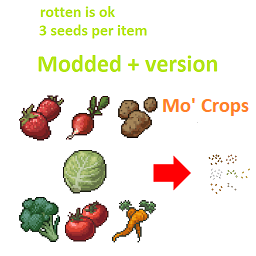
Seedy+ Mo'crops
von 76561198399440865
Get seeds from produce. Modded original version https://steamcommunity.com/workshop/filedetails/?id=2852709707. 3 seeds per item (watermel 8; bellpep, corn 6), rotten items now is ok for use. Made for use with Mo' Crops mod https://steamcommunity.com/sharedfiles/filedetails/?id=2762018937 Workshop ID: 3216935272 Mod ID: Seedy+ Mo'crops
TechGoat's Essential Firearms
von 76561198136842500
Essential Firearms This mod adds lore friendly firearms I believe were missing from the core game. All items have custom 3D models made by myself. Firearms Currently added firearms are: - Glock 17 - USP Match - SPAS-12 - Colt SAA Features - All weapons accept relevant attachments. - The SPAS-12 features a functional, detachable, folding stock. - The SAA features .45LC ammunition. Planned content Planned firearms: - HK MP5 - SVD-63 More custom attachments and a realistic reload cycle for the SAA to come in the future as well. Workshop ID: 2817711368 Mod ID: TGEF
Large Backpacks
von 76561198083802252
a very simple mod that adds three new backpads of increasing sizes for all your hauling needs, and a heavy axe for demolition and woodcutting. Backpacks are very rare finds in dead zombies, wardrobes and certain cabinets, while the axe is uncommonly found in storage locations Workshop ID: 1386713294 Mod ID: largebp Note: As I am no longer an active member of the Zomboid community, This item might never be updated again. There are many new features to the game however, and many other mods that do what this mod does in a better way. Thanks for understanding.
PARP Zones S12
von 76561198350265095
PARP Zones S12, only for use by PARP Workshop ID: 3543399000 Mod ID: PARPCaches_S12 Mod ID: OZD-PARP_S12 Mod ID: PARP10_distro_S12 Mod ID: PARPcommands_S12 Mod ID: sd6-dynamic-zombiesTEST_S12 Mod ID: PARPSoulForge_S12 Mod ID: PARP5_tweaks_TEST_S12

TDB Rules
von 76561198851810338
Doobie Brother Rules Workshop ID: 3348873956 Mod ID: TDB UI Rules
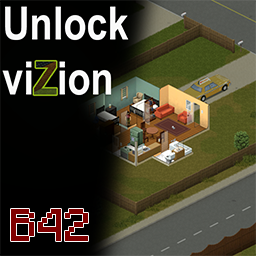
Unlock_viZionB42
von 76561198040780708
UNLOCK VIZION — 360° VISION Unlock viZion grants the player 360° vision and removes the visual effects associated with Project Zomboid's vision cone. IMPORTANT — MANUAL INSTALLATION REQUIRED This is not a regular Lua mod. Subscribing to the Workshop item only downloads the required files. You must manually copy them into your Project Zomboid installation folder. COMPATIBILITY - Works with the Steam and GOG versions - Supports Windows, Linux and macOS - Works in both Single Player and Multiplayer - Entirely client-side - Does not need to be installed on the server In Multiplayer, each player who wants 360° vision must install the files locally. The server and other players are not affected. HOW DOES IT WORK? Project Zomboid's vision cone is not based entirely on traditional geometry culling. Much of the scene visible on screen is already processed by the client and is then concealed through lighting and visibility effects. Unlock viZion overrides the relevant Java lighting classes and disables those cone-vision effects. The mod does not: - Increase the rendering distance - Change the maximum zoom level - Modify server-side data - Change the game simulation No significant performance difference has been observed, since the mod removes visibility effects rather than forcing the game to render an entirely new scene. INSTALLATION — WINDOWS AND LINUX 1. Locate the downloaded mod files For the Steam Workshop version, the default location is: ...\Steam\steamapps\workshop\content\108600\3421266450\ Inside the mod folder, open: common You should find a folder named: zombie 2. Copy the entire zombie folder Do not copy the common folder itself. 3. Paste the zombie folder into the root of your Project Zomboid installation For Steam on Windows, the default location is usually: C:\Program Files (x86)\Steam\steamapps\common\ProjectZomboid\ For Linux, it is usually located somewhere similar to: ~/.local/share/Steam/steamapps/common/ProjectZomboid/ Paste the folder beside the Project Zomboid executable and launcher files. The final structure must look like this: ProjectZomboid ├── ProjectZomboid64.exe └── zombie └── iso ├── LightingJNI.class └── LightingJNI$JNILighting.class └── LightingJNI$VisibleRoom.class If the zombie directory does not already exist, simply create it by copying the one included with the mod. INSTALLATION — macOS 1. Locate your Project Zomboid installation The default Steam location is usually: ~/Library/Application Support/Steam/steamapps/common/ProjectZomboid/ 2. Right-click the Project Zomboid application Select: Show Package Contents Then open: Contents └── Java 3. Copy the mod's common/zombie folder into the Java directory The final structure must contain: Contents └── Java └── zombie └── iso ├── LightingJNI.class └── LightingJNI$JNILighting.class └── LightingJNI$VisibleRoom.class STARTING THE GAME Launch Project Zomboid normally. This modification does not need to be enabled from the in-game Mods menu. The Java classes are loaded directly when the game starts. UPDATING THE MOD Because this is a manual installation, Workshop updates are not automatically copied into the game directory. After an Unlock viZion update: - Open the Workshop download folder again - Copy the updated common/zombie folder - Paste it into the Project Zomboid installation folder - Overwrite the two existing class files Major Project Zomboid updates may also require a new compatible version of Unlock viZion. UNINSTALLATION Delete the following files from the Project Zomboid installation: zombie/iso/LightingJNI.class zombie/iso/LightingJNI$JNILighting.class zombie/iso/LightingJNI$VisibleRoom.class Do not delete the entire zombie folder if another manually installed Java mod also uses it. TROUBLESHOOTING The mod has no effect Check that the files are located exactly here: ProjectZomboid/zombie/iso/LightingJNI.class ProjectZomboid/zombie/iso/LightingJNI$JNILighting.class These incorrect structures will not work: ProjectZomboid/common/zombie/iso/ ProjectZomboid/zombie/zombie/iso/ The game crashes during startup Remove the two class files. They may no longer be compatible with the currently installed Project Zomboid version. Java mod compatibility Unlock viZion may conflict with another manual Java modification that replaces the same LightingJNI classes. Workshop ID: 3421266450 Mod ID: unlock_vizionb42
Project Zomboid Details →
Project Zomboid Guides
Project Zomboid Mods installieren - Workshop Guide
Installiere Project-Zomboid-Mods sauber per Steam Workshop: IDs eintragen, Reihenfolge prüfen, Server neu starten und typische Fehler beheben.
Project Zomboid Build 42 auf dem eigenen Server: Umstieg, Spielstände und Mods
Build 42 ist Stable: Spielstände aus Build 41 sind nicht kompatibel. Umstieg, legacy41-Zweig, neue Serveroptionen, Anti-Cheat und der Hotfix 42.20.1 gegen Serverlag.
Project Zomboid Server mieten – Multiplayer Guide
Project Zomboid Server einrichten: RAM, Sandbox-Einstellungen, Workshop-Mods, Admin-Rechte und typische Fehler sauber prüfen.
Project Zomboid Server mit Mod-Support
Kompatible, unterstützte Mods über das Server-Dashboard installieren.
Project Zomboid Server mieten