Project Zomboid Mods für Server
Für einen modifizierten Project-Zomboid-Server brauchst du pro Projekt die Steam-Workshop-ID und die interne Mod-ID. Prüfe zusätzlich Spiel-Build, Abhängigkeiten und Lade-Reihenfolge, bevor du deine Welt mit den Änderungen startest.
Project Zomboid Mods sicher installieren
Ein Workshop-Abo allein aktiviert eine Mod auf dem Dedicated Server nicht. Die Einträge in `WorkshopItems=` und `Mods=` müssen zusammenpassen; außerdem muss jede Mod den gewählten Build 41 oder Build 42 ausdrücklich unterstützen.
- 1. Build prüfen: Build-41- und Build-42-Mods nicht ungeprüft mischen.
- 2. Workshop-ID, Mod-ID, Abhängigkeiten und erforderliche Reihenfolge vollständig dokumentieren.
- 3. Welt und Konfiguration sichern, Server neu starten und Logs sowie den Beitritt mit einem Test-Client prüfen.
Die vollständige Schritt-für-Schritt-Anleitung findest du im Project-Zomboid-Mods-Guide. Oder starte direkt mit einem Project Zomboid Server mit Mod-Support.
Häufige Fragen zu Project Zomboid Mods
Was ist der Unterschied zwischen Workshop-ID und Mod-ID?
Die Workshop-ID bezeichnet das Steam-Workshop-Projekt und steuert den Download. Die Mod-ID aktiviert den enthaltenen Mod im Spiel. Auf dem Server müssen beide Listen vollständig und passend gepflegt sein.
Laufen Build-41-Mods automatisch mit Build 42?
Nein. Nutze eine Mod nur dann auf Build 42, wenn ihre Workshop-Seite diese Kompatibilität ausdrücklich bestätigt. Prüfe dabei auch alle Bibliotheken und weiteren Abhängigkeiten.
Wie teste ich ein Mod-Update ohne Risiko für die Welt?
Sichere zuerst Welt, Sandbox-Konfiguration und Server-INI. Aktualisiere danach die zusammengehörigen Mods, starte den Server neu und prüfe Logs, Kernfunktionen und einen vollständigen Client-Beitritt.
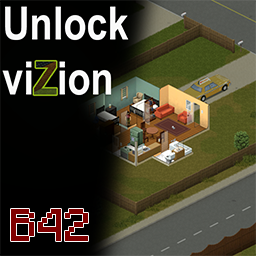
Unlock_viZionB42
von 76561198040780708
UNLOCK VIZION — 360° VISION Unlock viZion grants the player 360° vision and removes the visual effects associated with Project Zomboid's vision cone. IMPORTANT — MANUAL INSTALLATION REQUIRED This is not a regular Lua mod. Subscribing to the Workshop item only downloads the required files. You must manually copy them into your Project Zomboid installation folder. COMPATIBILITY - Works with the Steam and GOG versions - Supports Windows, Linux and macOS - Works in both Single Player and Multiplayer - Entirely client-side - Does not need to be installed on the server In Multiplayer, each player who wants 360° vision must install the files locally. The server and other players are not affected. HOW DOES IT WORK? Project Zomboid's vision cone is not based entirely on traditional geometry culling. Much of the scene visible on screen is already processed by the client and is then concealed through lighting and visibility effects. Unlock viZion overrides the relevant Java lighting classes and disables those cone-vision effects. The mod does not: - Increase the rendering distance - Change the maximum zoom level - Modify server-side data - Change the game simulation No significant performance difference has been observed, since the mod removes visibility effects rather than forcing the game to render an entirely new scene. INSTALLATION — WINDOWS AND LINUX 1. Locate the downloaded mod files For the Steam Workshop version, the default location is: ...\Steam\steamapps\workshop\content\108600\3421266450\ Inside the mod folder, open: common You should find a folder named: zombie 2. Copy the entire zombie folder Do not copy the common folder itself. 3. Paste the zombie folder into the root of your Project Zomboid installation For Steam on Windows, the default location is usually: C:\Program Files (x86)\Steam\steamapps\common\ProjectZomboid\ For Linux, it is usually located somewhere similar to: ~/.local/share/Steam/steamapps/common/ProjectZomboid/ Paste the folder beside the Project Zomboid executable and launcher files. The final structure must look like this: ProjectZomboid ├── ProjectZomboid64.exe └── zombie └── iso ├── LightingJNI.class └── LightingJNI$JNILighting.class └── LightingJNI$VisibleRoom.class If the zombie directory does not already exist, simply create it by copying the one included with the mod. INSTALLATION — macOS 1. Locate your Project Zomboid installation The default Steam location is usually: ~/Library/Application Support/Steam/steamapps/common/ProjectZomboid/ 2. Right-click the Project Zomboid application Select: Show Package Contents Then open: Contents └── Java 3. Copy the mod's common/zombie folder into the Java directory The final structure must contain: Contents └── Java └── zombie └── iso ├── LightingJNI.class └── LightingJNI$JNILighting.class └── LightingJNI$VisibleRoom.class STARTING THE GAME Launch Project Zomboid normally. This modification does not need to be enabled from the in-game Mods menu. The Java classes are loaded directly when the game starts. UPDATING THE MOD Because this is a manual installation, Workshop updates are not automatically copied into the game directory. After an Unlock viZion update: - Open the Workshop download folder again - Copy the updated common/zombie folder - Paste it into the Project Zomboid installation folder - Overwrite the two existing class files Major Project Zomboid updates may also require a new compatible version of Unlock viZion. UNINSTALLATION Delete the following files from the Project Zomboid installation: zombie/iso/LightingJNI.class zombie/iso/LightingJNI$JNILighting.class zombie/iso/LightingJNI$VisibleRoom.class Do not delete the entire zombie folder if another manually installed Java mod also uses it. TROUBLESHOOTING The mod has no effect Check that the files are located exactly here: ProjectZomboid/zombie/iso/LightingJNI.class ProjectZomboid/zombie/iso/LightingJNI$JNILighting.class These incorrect structures will not work: ProjectZomboid/common/zombie/iso/ ProjectZomboid/zombie/zombie/iso/ The game crashes during startup Remove the two class files. They may no longer be compatible with the currently installed Project Zomboid version. Java mod compatibility Unlock viZion may conflict with another manual Java modification that replaces the same LightingJNI classes. Workshop ID: 3421266450 Mod ID: unlock_vizionb42
True Music Addon: pardast musica
von 76561198307170373
musica Workshop ID: 3202919752 Mod ID: pardas

Sophia Peletier - Rainbow T-Shirt from The Walking Dead
von 76561198072777956
The infamous Rainbow T-Shirt that Sophia wears on the The Walking Dead TV Show is now available in Project Zomboid! The perfect piece for roleplaying Sophia and making her justice! The shirt can be found inside wardrobes or you can wear it from the start by using the mod "Fashion Montage - Begin with any outfit". You can find it inside the "Shirt" tab in character creation! My other The Walking Dead Mods! Carl Grimes Atomic Paw T-Shirt - https://steamcommunity.com/sharedfiles/filedetails/?id=3173845020 Carl Grimes TWD Voice Sound Effect - https://steamcommunity.com/sharedfiles/filedetails/?id=3143511778 Rick Grimes TWD Voice Sound Effect - https://steamcommunity.com/sharedfiles/filedetails/?id=3143510398 Daryl Dixon TWD Voice Sound Effect - https://steamcommunity.com/sharedfiles/filedetails/?id=3143513805 Shane Walsh TWD Voice Sound Effect - https://steamcommunity.com/sharedfiles/filedetails/?id=3148577212 Michonne TWD Voice Sound Effect - https://steamcommunity.com/sharedfiles/filedetails/?id=3165045380 Eugene Porter TWD Voice Sound Effect - https://steamcommunity.com/sharedfiles/filedetails/?id=3164314300 The Walking Dead 30 Songs Pack - https://steamcommunity.com/sharedfiles/filedetails/?id=2934759628 The Walking Dead Comics - https://steamcommunity.com/sharedfiles/filedetails/?id=3174374087 Workshop ID: 3174943761 Mod ID: Sophia(TWD)T-Shirt Workshop ID: 3174943761 Mod ID: Sophia(TWD)T-Shirt

60 Extra Points
von 76561198057010190
Give 60 Extra Points to players Workshop ID: 2721219508 Mod ID: 60points

Propane Generator
von 76561198048661700
🔧 Propane Generator Gives old generators a second life! Refuel them with propane to make them quieter and more reliable. Perfect for creating stealth bases in the city. 📖 About the Mod The Problem The game has old generators. They are too loud and break down quickly. Usually, players don't even pick them up — it's easier to find a regular generator or do without electricity. But what if these rare finds could get a second chance? The Solution The mod adds the ability to refuel old generators with propane — a rare resource that you need to search for. Propane makes the generator fundamentally different: Regular old generator (on gasoline): 🗣️ Loud — attracts zombies 🔧 Unreliable — breaks down quickly Propane generator (on propane): 🤫 40% quieter — less noise, fewer zombies 💪 60% more reliable — breaks down 1.6 times less often 🏠 Can be hidden in a small shed — noise will only be heard within 7-8 tiles 🎮 Gameplay Propane must be found — tanks can be found in grills, garages, and gas stations Rare resource — 3-4 tanks will last a long time The choice is yours — spend scarce propane on a quiet generator or use regular gasoline ⚡ Tactical Advantage The propane generator allows you to do what was almost impossible before: ✅ Quiet city base — you can live right in the center without attracting hordes ✅ Mini-shed — if you surround the generator with walls, the noise radius drops to 7-8 tiles ✅ Less maintenance — the generator breaks down less often, saving electronics for repairs 🕹️ How It Works 1. Find an old generator (they exist on the map, but many ignore them) 2. Get a propane tank (look in grills, garages, hardware stores) 3. Approach the turned-off generator → RMB → "Refuel with Propane" 4. The generator receives improved characteristics 🔧 Compatibility ✅ Build 42.13.1+ ✅ Single player 🌐 Languages English Russian 💡 Why This Mod Old generators are rare but useless. Now they can become your secret weapon for a quiet life in the city. Before: found an old generator → threw it away/ignored it. Now: found an old generator + found propane → built a quiet base in the city center.

Meltable Jewelry - Blacksmith Mod Addon
von 76561198440310790
This mod makes the jewelry meltable in the furnace from the Blacksmith mod. Jewelry from corpses is always a waste. From now, this mod gives you another reason to kill zombie. You can transform all kinds of jewelry in vanilla into usable metal tools, including: 1) Choker; 2) Necklace and long necklace; 3) Nose ring and nose stud; 4) Looped earrings, stud earrings, and dangly earrings; 5) Ring; 6) Wrist watch, digital watch(*), bangle, and bracelet; 7) Belly button dangle. Each jewelry has only one unit of iron. It means that you need to decompose 70 units of jewelry to make a metal pipe. (*) Noticed that the electric scrap is also meltable and mostly from the digital watch. If the player does not have a screwdriver, this mod allows players to directly melt the watch and bear the lesser reward. Feel free to tell me if the Blacksmith mod was updated or there are some new items that you want it be meltable. Workshop ID: 2949189579 Mod ID: Meltable Jewelry - Blacksmith Mod Addon
![[COS] claire_noire – Project Zomboid Mod](https://images.steamusercontent.com/ugc/5109928735894888913/706854F8D51B1AFE58CA4568DE8F2827EC01196B/)
[COS] claire_noire
von 76561199178116693
How Do I Use It? - You can go to the link below to see how to use it. - Link Recommended mode - Fashionoid - Gear Transmog - Hide All Attached Items - Clipping animation Fix How to use COS mode in build 42. - Navigate to the path where the mod is installed. - Create a 42.0 folder. - Create a common folder. - Paste the media folder / mod.info / preview.png into the 42.0 folder. The recipe code writing method has been changed in 42Build. Since COS (Costume) mode has approximately over 200 modes, converting to 42Build's recipe code is an extremely laborious task. In 42Build, you cannot create costumes in (42 build) the crafting tab. There are two methods: Spawn items in cheat mode. Select items in the clothing selection screen when creating a character. Like My Mode? - Join Our Discord If You Want Commission

True Music_v.2.15: Amazing Music
von 76561198396898493
Pene de pepe pepe Workshop ID: 3066805110 Mod ID: Amazing Music

Engineer Gaming - A Patch for Bombs
von 76561198141106341
“Hey look, buddy, I'm an Engineer. That means I solve problems. Not problems like "What is beauty?", because that would fall within the purview of your conundrums of philosophy. I solve practical problems. For instance… How am I gonna stop some big mean Mother Hubbard from tearin' me a structurally superfluous new behind? The answer? Use a bomb. And if that don't work… use more bomb.” This mod includes a number of changes and very minor fixes that should make explosives/throwables fun, Engineer/Electrical interesting, and provide an alternative to fire for clearing hordes. Changes + Recipes for Explosives can be found on survivors and safehouses. + New explosives: Bottle, Tin Can and Pop Can Bomb. + Damage increased. All bombs two-shot zombies, and Pipe Bombs insta-kill them. + More utility. Noise Makers are louder and Smoke Bombs have larger screens. + Higher portability. Reduced weight and swing times. + Better crafting recipes. Greater range of materials can be used in crafting. + Fairer ingredients. Aluminium and sparklers are more common, have more uses. + Logical sensors. The better the sensor, the smaller the trigger radius. + Increased remote range. Remote explosives are now much better at their job. - Select recipes reworked. Gunpowder costs better reflect the usefulness of bombs. • New placeable sprites for all placeable explosives. • New icons for engineering magazines and newly added explosives. • New tooltips for all throwables. • All throwables will now bounce from walls, eliminating a bug. • All attachment throwables can no longer be thrown, eliminating a bug. • All explosive type bombs have one tile of smoke and momentarily stun zombies. Some ideas to get you started • Pop and Tin Can Bombs are like grenades. Best used against groups due to their smaller blast. • Pipe Bombs can kill massive hordes from a distance through Remote Controllers. • Noise Makers can be used to clear an area by luring zombies away. • Smoke Bombs will pacify zombies, but they do not block pathfinding or noise! • Aerosol Bombs may not one-shot, but they have a sizeable blast radius and set fires. • Bottle Bombs can be crafted by everyone given the right magazine and materials. • Molotovs are a quick and easy means of clearing hordes, but Fire Bombs are more efficient. This mod is multiplayer compatible. However, bombs with attachments are broken in PZ multiplayer -- developers are already aware of this. Sensor variants never activate, remote variants immediately detonate but without damage, and timed variants activate but without environmental damage. All regular throwables work fine, and this mod does not break anything. Feel free to use this in MP, but be aware of the game’s limitations. If you encounter any problems aside from attachments being bugged, please leave a comment. Workshop ID: 3219554318 Mod ID: Engineer Gaming
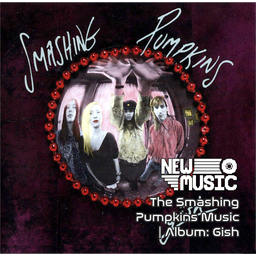
The Smashing Pumpkins Music | Album: Gish
von 76561199258285984
The Smashing Pumpkins Music | Album: Gish Generated with New Music Builder Gish Side A 01 I Am One 02 Siva 03 Rhinoceros 04 Bury Me 05 Crush Gish Side B 01 Suffer 02 Snail 03 Fristessa 04 Window Paine 05 Daydream Workshop ID: 3754941434 Mod ID: 1PumpkinsAlbum
![Ash's [ General Sam ] Day Off 2 J Off Shirt – Project Zomboid Mod](https://images.steamusercontent.com/ugc/27682271810655780/88CBA733B6AD796F58BFBF9D265621633ABE23F6/)
Ash's [ General Sam ] Day Off 2 J Off Shirt
von 76561198068788655
2025: In a Lack of Legitimate Partnership With General Sam The Day Off To J' Off Shirt This New Stylish Fit, works on the following - Male - Female - General Sam goverment told you to stay indoors, So WHY not Put on your favourite Shirt.........And Pass time? found in Homes & related tiles for them Workshop ID: 3390738747 Mod ID: DayOffToJOff
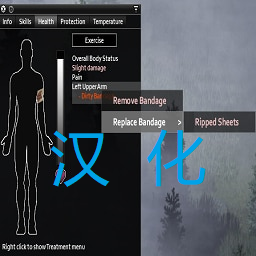
Replace Bandage 简中汉化
von 76561199103258790
有问题请指正。 排序在原MOD下面。 感谢作者Sioyth的制作。 原模组地址:https://steamcommunity.com/sharedfiles/filedetails/?id=2944344655 Workshop ID: 3349114975 Mod ID: Replace Bandage_CNJF
EngineX - Sound Overhaul - Variant A - MANUAL INSTALL OUTDATED
von 76561198972371782
Do not enable mod in mod menu it will not work. MUST DO TO HAVE MOD WORKING!!!! I I I I \ / \ / \ / \ / MANUAL INSTALL: Go to: steam / steamapps / content / 108600 / 3179527463 / Now go though all folders until you find ZomboidSound.bank and copy it. Your next step is now go to: steam / steamapps / common / Projectzomboid / media / sound / banks / desktop and paste it here. Boot up game and everything will be working. General Description I replaced all sounds with new refreshed sounds, keep in mind that this mod is still in progress and may change completely. They are COMPATIBLE with every car mod. More Variants Variant B Here: https://steamcommunity.com/sharedfiles/filedetails/?id=3188233636 Variant C Here: https://steamcommunity.com/sharedfiles/filedetails/?id=3190773737 Variant D Here: https://steamcommunity.com/sharedfiles/filedetails/?id=3215434743 Variant E Here: https://steamcommunity.com/sharedfiles/filedetails/?id=3257418977 Variant F Here: https://steamcommunity.com/sharedfiles/filedetails/?id=3275709830 Extra A Here: https://steamcommunity.com/sharedfiles/filedetails/?id=3189438844 **MOD IS ONLY FOR USE, You are not allowed to repack this mod under any circumstances.** Workshop ID: 3179527463 Mod ID: EngineX - Variant A
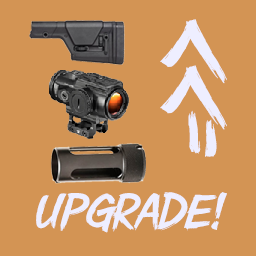
Upgradable Weapon Part
von 76561199109243913
Add some upgradable weapon parts. Support original weapons and Escape From Kentucky weapons(1.3). Use money to buy and upgrade weapon parts. Some parts can't install without Escape From Kentucky mod(Parts in Upgradable Weapon Parts-Extra). You'll need some mods to get some money, such as Trading Technology. I don't know much about weapon parts, so the arts and values were made casually. Workshop ID: 2962190638 Mod ID: UpgradableWeaponPart

FixRespiratorFilters
von 76561198966967835
修改了,滤芯消耗*10,电池*10,丙烷灯*10 Workshop ID: 3701375401 Mod ID: FixRespiratorFilters

CGSE
von 76561198171954111
This is a mod that introduces a PvP kit for a Server Event to reduce admin work. In addition, the mod introduce several outfit items comprising all associated clothing items. Workshop ID: 3498331459 Mod ID: CruGSE
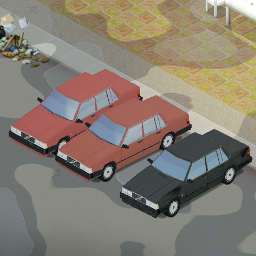
Volvo700Series
von 76561198250500378
For now it only adds Volvo 740 Sedan To the game Maybe later i will add Estate and coupe Workshop ID: 2932974679 Mod ID: Volvo700
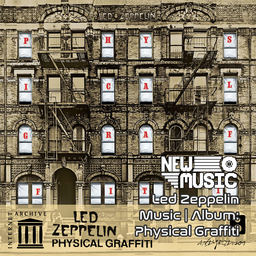
Led Zeppelin Music | Album: Physical Graffiti
von 76561199258285984
Led Zeppelin Music | Album: Physical Graffiti Generated with New Music Builder Physical Graffiti Side A 01 Custard Pie 02 The Rover 03 In My Time of Dying 04 Houses of the Holy 05 Trampled Under Foot 06 Kashmir Physical Graffiti Side B 01 In the Light 02 Bron-Yr-Aur 03 Down by the Seaside 04 Ten Years Gone 05 Night Flight 06 The Wanton Song 07 Boogie with Stu 08 Black Country Woman 09 Sick Again Workshop ID: 3757002986 Mod ID: 6ZeppelinAlbum
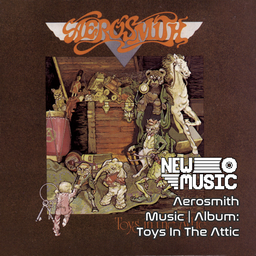
Aerosmith Music | Album: Toys In The Attic
von 76561199258285984
Aerosmith Music | Album: Toys In The Attic Generated with New Music Builder Toys In The Attic Side A 01 Toys In The Attic 02 Uncle Salty 03 Adam's Apple 04 Walk This Way Toys In The Attic Side B 01 Big Ten Inch Record 02 Sweet Emotion 03 No More No More 04 Round And Round 05 You See Me Crying Workshop ID: 3755339977 Mod ID: 3AerosmithAlbum
Lugli - Optimizations
von 76561198172703919
The engine repeats work every frame that did not need doing at all. This finds it and stops it, and because the work is per-frame the saving comes back on every frame you draw rather than once when you load. Nothing you see or play changes: every part recomputes the engine's own answer and disables itself if the two differ. In vegetation, zoomed out, calm wind: -16% frame time at the median, -18% at the 90th percentile. In a city centre: -9% at the 90th percentile, and no measurable median gain. The median is the typical frame; the 90th percentile is the roughest frame in ten, where stuttering shows. In vegetation both improve; in a city only the rough frames do. For Build 42.20 and later. Measured on 42.20.4 with 337 mods: same machine, same save, arms interleaved, every run checked against its own log, the mod ahead in all four vegetation pairs. Percentages only, because the harness sits in both arms: the deltas are sound, the milliseconds are not yours. Still in development, and maintained. Parts are added as they pass the gate below, so the numbers are a snapshot rather than a ceiling. I keep it current as Build 42 moves. Needs ZombieBuddy This is engine patching and ZombieBuddy is what permits it. Without it the mod does nothing, and says so on the main menu rather than pretending to work. What it does Wind gate - the one with a measurable frame-time win Vegetation that sways is redrawn every frame, on the thread that sets your framerate, whether or not it is moving. This returns it to the cached chunk texture until it moves again. The sway is untouched: nothing is disabled and nothing looks different. It pays off most zoomed out, in calm or light wind, and among trees rather than in a city centre. Above wind 0.3 nothing is at rest, so it stands aside and costs nothing. Chunk height scan The engine reads 130,321 array entries where 361 hold the answer. Replaced with an exact scan. Room square index Before adding a tile to a room the game checked every tile already in it, one at a time. Now it goes straight there. Every part can be switched off on its own. Most ideas do not make it in Every candidate is measured on its own, in several scenes, before a line of it is written: nanoseconds saved per operation times operations per frame, counted in the running game, against the noise floor. It only ships if it is safe (identical results, nothing assumed of the engine beyond what it guarantees, no behaviour traded for frames) and if the gain is real at that scale. Far more has been rejected than passed: a 361x algorithmic win the JIT had already erased, a cache slower than the walk it replaced. Both were deleted rather than shipped as a plausible-sounding bullet point, which is why this list is short. FAQ ZombieBuddy asks me to approve a Java mod. Expected. Approve it and enable the mod. ZombieBuddy never runs Java code you have not agreed to, and asks once. Why is this not signed, and should I trust it? ZombieBuddy verifies an unlisted author's key by fetching my Steam profile page on every launch, and anything other than that page (rate limit, outage, VPN) fails closed with no approve button. That is the "signature is invalid" people hit. Unsigned takes the ordinary approve-once path instead. My key is queued at PR #44; signing returns when it merges. A signature would only prove the file came from this Steam account. It is not an audit. The source is what you can actually check: MIT and public, including the measurements that failed. Decompile the jar and compare it; I would rather you did. If you would rather not, do not install it. That is a reasonable decision; Not subscribing or validating with real proofs and calling the author untrustworthy afterwards is not. Why is there no fps number? Because fps is not what was measured, and it is a poor instrument anyway: an average frame rate blends a whole session and hides the frames you actually feel. What is measured is frame time, per frame, at the median, 90th and 99th percentile, alongside the engine's own per-section probes, so a delta is attributed to code rather than to the run it happened in. Can I use it with other optimisation mods? You can, but expect conflicts. Anything patching the same engine methods collides with this one, and whichever loads last wins silently, so behaviour gets unpredictable and the numbers above stop applying. I cannot support that, having no way to tell which mod caused what. Turn one off before reporting a problem. Do I need it on a dedicated server? No. The Java half never loads on a server, so this is client side and each player gets it from their own install. Can I add or remove it mid-save? Yes. It writes nothing into your save and nothing into your game folder. Is it safe with my mod list? Every part recomputes the engine's own answer for its first calls and compares. On any disagreement it disables itself permanently and logs why. Each part also reports on the main menu whether it installed. Something looks wrong and I want to rule this mod out. Add -Dlugli.opt.windgate=off to vmArgs to disable the only part with a visual path. Every switch is listed on GitHub. If that fixes it, open an issue there. Also by me: Lugli - Fast Loading. This one is the milliseconds after you spawn; that one is the two minutes before. Neither needs the other. Open source under MIT. Full switch list, engine analysis and method: github.com/ViniciosLugli/PZWorkspace Built alongside LugliPack - B42, the 300+ mod list these numbers come from. Workshop ID: 3790863696 Mod ID: Lugli_Optimizations
![[COS]BSAA – Project Zomboid Mod](https://images.steamusercontent.com/ugc/2503521675909364851/84386C3A2109D7CF422A6758587D28E490B07365/)
[COS]BSAA
von 76561199178116693
How Do I Use It? - You can go to the link below to see how to use it. - Link Recommended mode - Fashionoid - Gear Transmog - Hide All Attached Items - Clipping animation Fix Like My Mode? - Join Our Discord If You Want Commission Workshop ID: 3288905579 Mod ID: BSAA

WWII IJA Uniform - Ultraviolet
von 76561198130139709
We are the imperial army and Our enemies are The Emperor's enemies, forsaken by heaven and earth The enemy's commander is one who through history has no equal — a hero From Imperial March "Battotai" This mod adds an Imperial Japanese Army military uniform to the game. Pieces of the uniform (Helmet,Top,Bottom and Fieldgear) can be found inside -as always- military lockers and chests in which you can find Veteran clothing. Fieldgear acts as a fanny pack and can hold 5 kilograms of weight. You can add foliage to the uniform parts with 5 twigs each and a needle and can remove them as well. I know this may be kind of inaccurate but I used Call of Duty: World at War soldiers for reference. Please comment any recommendations, tweaks, opinions and issues down below. I appreciate the feedback, and so does the Emperor. Workshop ID: 3160509675 Mod ID: UVsIJAUniform
![True Music Addon: Neuro-sama Sings [B41] – Project Zomboid Mod](https://images.steamusercontent.com/ugc/2066636825402880455/56ADC84DB09D7BE1D412E17CF906BCCFA1379A53/)
True Music Addon: Neuro-sama Sings [B41]
von 76561197982856267
🎵 True Music Addon: Neuro-sama Sings (Build 41) 🎵 This is the original Build 41 version of the addon for True Music. The revamped Build 42 release can be found version here: ► New Music Addon: Neuro-sama Sings ---------------------------------------- About Adds 138 collectible cassette tapes featuring songs by the popular AI VTuber Neuro-sama. Search homes, vehicles, and stores throughout Knox Country to build your own Neuro-sama music collection. ---------------------------------------- Included Songs View the complete list of all 138 included songs here: ► YouTube Playlist ---------------------------------------- Workshop Information Workshop ID: 2990860371 Mod ID: TMA_Neurosama_Sings
VHS Expanded - Tactical Medicine
von 76561198882973223
What is Tactical Medicine? Tactical medicine is a specialized field of medical practice that focuses on providing emergency care in high-risk, hostile, or combat environments. Unlike conventional medicine, which is typically practiced in controlled and safe settings such as hospitals and clinics, tactical medicine is designed to be applied in dynamic and potentially dangerous situations. English version In this Project Zomboid mode, we have introduced a unique VHS tape dedicated to the basics of tactical medicine. This tape contains fundamental information that will help players familiarize themselves with the essentials of medical science and apply them in surviving the post-apocalyptic world. Key Features: - Learn the first steps in tactical medicine. - Gain basic knowledge that can save your life and the lives of your companions. - Easy integration into gameplay with the VHS tape. This tape does not replace comprehensive medical courses but provides you with a necessary foundation for a beginner level. Explore, learn, and enhance your survival skills with our new modification! Русская версия В данной модификации для Project Zomboid мы добавили уникальную VHS кассету, посвященную основам тактической медицины. Эта кассета содержит базовую информацию, которая поможет игрокам познакомиться с основами медицины и применить их в выживании в постапокалиптическом мире. Ключевые особенности: - Узнайте о первых шагах в тактической медицине. - Получите базовые знания, которые могут спасти вашу жизнь и жизни ваших товарищей. - Легкая интеграция в игровой процесс с помощью VHS кассеты. Эта кассета не заменит полноценные медицинские курсы, но даст вам необходимую базу для начального уровня. Исследуйте, учитесь и улучшайте свои навыки выживания с нашей новой модификацией! This game modification (mode) contains educational material on medicine that has been taken from official and recognised textbooks. However, this information is provided for educational purposes only and is not intended for use in the diagnosis, treatment or prevention of any disease. The author of the modification is not responsible for any actions taken based on this information. Always consult a qualified medical professional before beginning any treatment or using the information presented in this modification. Use of this modification implies your agreement to these terms and conditions. Данная модификация содержит образовательный материал по медицине, который был взят из официальных и общепризнанных учебников. Тем не менее, данная информация предоставляется исключительно в образовательных целях и не предназначена для использования в диагностике, лечении или профилактике любых заболеваний. Автор модификации не несет ответственности за любые действия, предпринятые на основе данной информации. Всегда консультируйтесь с квалифицированным медицинским специалистом перед началом любого лечения или использования информации, представленной в данной модификации. Использование данной модификации подразумевает ваше согласие с данными условиями. Supported languages: English - Gree Russia - Gree Workshop ID: 3266980459 Mod ID: VHSETCMED
Project Zomboid Details →
Project Zomboid Guides
Project Zomboid Mods installieren - Workshop Guide
Installiere Project-Zomboid-Mods sauber per Steam Workshop: IDs eintragen, Reihenfolge prüfen, Server neu starten und typische Fehler beheben.
Project Zomboid Build 42 auf dem eigenen Server: Umstieg, Spielstände und Mods
Build 42 ist Stable: Spielstände aus Build 41 sind nicht kompatibel. Umstieg, legacy41-Zweig, neue Serveroptionen, Anti-Cheat und der Hotfix 42.20.1 gegen Serverlag.
Project Zomboid Server mieten – Multiplayer Guide
Project Zomboid Server einrichten: RAM, Sandbox-Einstellungen, Workshop-Mods, Admin-Rechte und typische Fehler sauber prüfen.
Project Zomboid Server mit Mod-Support
Kompatible, unterstützte Mods über das Server-Dashboard installieren.
Project Zomboid Server mieten