Project Zomboid Mods für Server
Für einen modifizierten Project-Zomboid-Server brauchst du pro Projekt die Steam-Workshop-ID und die interne Mod-ID. Prüfe zusätzlich Spiel-Build, Abhängigkeiten und Lade-Reihenfolge, bevor du deine Welt mit den Änderungen startest.
Project Zomboid Mods sicher installieren
Ein Workshop-Abo allein aktiviert eine Mod auf dem Dedicated Server nicht. Die Einträge in `WorkshopItems=` und `Mods=` müssen zusammenpassen; außerdem muss jede Mod den gewählten Build 41 oder Build 42 ausdrücklich unterstützen.
- 1. Build prüfen: Build-41- und Build-42-Mods nicht ungeprüft mischen.
- 2. Workshop-ID, Mod-ID, Abhängigkeiten und erforderliche Reihenfolge vollständig dokumentieren.
- 3. Welt und Konfiguration sichern, Server neu starten und Logs sowie den Beitritt mit einem Test-Client prüfen.
Die vollständige Schritt-für-Schritt-Anleitung findest du im Project-Zomboid-Mods-Guide. Oder starte direkt mit einem Project Zomboid Server mit Mod-Support.
Häufige Fragen zu Project Zomboid Mods
Was ist der Unterschied zwischen Workshop-ID und Mod-ID?
Die Workshop-ID bezeichnet das Steam-Workshop-Projekt und steuert den Download. Die Mod-ID aktiviert den enthaltenen Mod im Spiel. Auf dem Server müssen beide Listen vollständig und passend gepflegt sein.
Laufen Build-41-Mods automatisch mit Build 42?
Nein. Nutze eine Mod nur dann auf Build 42, wenn ihre Workshop-Seite diese Kompatibilität ausdrücklich bestätigt. Prüfe dabei auch alle Bibliotheken und weiteren Abhängigkeiten.
Wie teste ich ein Mod-Update ohne Risiko für die Welt?
Sichere zuerst Welt, Sandbox-Konfiguration und Server-INI. Aktualisiere danach die zusammengehörigen Mods, starte den Server neu und prüfe Logs, Kernfunktionen und einen vollständigen Client-Beitritt.

Looped TV
von 76561199228846864
I don't want to be a weirdo who still has to watch TV on time when the apocalypse comes. This mod makes it possible for TV programs to play endlessly. It also works great on multiplayer servers, ensuring all players have a fair chance to watch TV. Workshop ID: 3395689797 Mod ID: LoopedTV Mod ID: LoopedTV
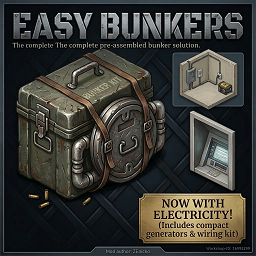
Bunker by ZEnicko
von 76561198064323679
Build 42.15.0 - March 2026 MULTIPLAYER SHIPPING DESTINATION SYNC IMPROVED LONG-DISTANCE TERMINALS NOW APPEAR MUCH MORE RELIABLY MULTIPLAYER STILL RECOMMENDED AS ACTIVE TESTING Current Status - Singleplayer is stable. - Multiplayer shipping destination sync was improved significantly. - Electric central system is usable. - Shipping terminal system is now much more reliable in Multiplayer. - Very distant shipping destinations should now keep appearing much more consistently. - Only the first central radius upgrade tier is enabled. How Shipping Works Right Now - Craft and place a Shipping Terminal. - Use the trash container terminal tile as the sender/receiver. - Activate the terminal near a powered central. - Drop items on the floor of the terminal tile. - Use right-click and choose a registered destination. - Items are transferred floor-to-floor between shipping terminals. - Remote Multiplayer destinations now stay synced much more reliably, even with no players near the target area. Changelog (English) - Fixed multiplayer shipping destination discovery so long-distance terminals appear in the menu much more reliably. - Added client and server destination counting to help track shipping sync state. - Reduced noisy shipping debug spam and guarded shipping cache/context code against runtime errors. - Fixed electric central depletion display so exhausted centrals now settle at 0%% and 0 minutes instead of 1%% and 1 minute. - Reworked shipping to use trash container terminals instead of old experimental shipping tiles. - Shipping now moves floor items between terminal coordinates. - Added craftable Shipping Terminal item. - Removed unused imported tilesets, military locker experiments, and old shipping tile files. - Cleaned legacy client and server code related to shipping_tile_01 and shipping_tile_02. - Updated workshop notes to clearly mark Multiplayer shipping as unstable. Main Features - Seal almost any staircase and convert it into a hidden bunker entrance. - Use the Bunker Kit to dismantle stairs, cover the gap with a persistent floor, and install an interactive hatch. - Teleport safely between Ground Floor (Z+0) and Basement (Z-1). - Use right-click context menus or the Interact key (E) for quick entry and exit. - Stable electric central system for bunker power management. - Shipping terminals for item transfer, now improved for Multiplayer destination sync. Where to Find the Kit, Central, and Terminal - Hardware Stores and Tool Shelves - Army Surplus Locations - Mechanics and Vehicles - Gigamarts Workshop Info Workshop ID: 3676050156 Mod ID: BunkersAnywhereByZEnicko Build 42.15.0 - Marzo 2026 [h1SINCRONIZACION DE DESTINOS DE SHIPPING EN MULTIPLAYER MEJORADA LOS TERMINALES MUY LEJANOS AHORA APARECEN MUCHO MAS CONFIABLEMENTE MULTIPLAYER SIGUE RECOMENDADO COMO PRUEBA ACTIVA Estado Actual - Singleplayer esta estable. - La sincronizacion de destinos de shipping en Multiplayer mejoro mucho. - El sistema de central electrica se puede usar. - El sistema de terminales de shipping ahora es mucho mas confiable en Multiplayer. - Los destinos de shipping muy lejanos ahora deberian seguir apareciendo mucho mas consistentemente. - Solo el primer tier de ampliacion de radio de la central esta habilitado. Como Funciona el Shipping Ahora - Craftea y coloca un Shipping Terminal. - El tile tipo trash container actua como emisor y receptor. - Activa el terminal cerca de una central con energia. - Deja los items en el suelo del tile del terminal. - Haz click derecho y elige un destino registrado. - Los items se transfieren de suelo a suelo entre terminals. - Los destinos remotos en Multiplayer ahora permanecen sincronizados de forma mucho mas confiable, incluso sin jugadores cerca del area destino. Changelog (Espanol) - Corregida la deteccion de destinos de shipping en multiplayer para que los terminales lejanos aparezcan mucho mas confiablemente en el menu. - Agregado conteo de destinos en cliente y servidor para seguir el estado de sincronizacion. - Reducido el spam de debug de shipping y protegidos los bloques de cache/menu contra errores en runtime. - Corregido el agotamiento de la central electrica para que termine en 0%% y 0 minutos, no en 1%% y 1 minuto. - Se rehizo el shipping para usar terminales tipo trash container en lugar de los viejos shipping tiles experimentales. - El shipping ahora mueve items del suelo entre coordenadas de terminals. - Se agrego el item crafteable Shipping Terminal. - Se eliminaron tilesets importados sin uso, experimentos con military locker y archivos viejos de shipping tile. - Se limpio codigo viejo de cliente y server relacionado con shipping_tile_01 y shipping_tile_02. - Se actualizaron las notas de Workshop para dejar claro que el shipping en Multiplayer sigue inestable. Caracteristicas Principales - Sella casi cualquier escalera y conviertela en una entrada de bunker oculta. - Usa el Bunker Kit para desmantelar escaleras, cubrir el hueco con un suelo persistente e instalar una escotilla interactiva. - Teletransportate de forma segura entre Planta Baja (Z+0) y Sotano (Z-1). - Usa el menu contextual o la tecla de Interaccion (E) para entrar y salir rapidamente. - Sistema de central electrica estable para gestionar energia del bunker. - Terminales de shipping para transferir items, ahora mejorados para sincronizacion de destinos en Multiplayer. Donde Encontrar el Kit, la Central y el Terminal - Ferreterias y estantes de herramientas - Tiendas de excedentes militares - Talleres mecanicos y vehiculos - Gigamarts Workshop ID: 3676050156 Mod ID: BunkersAnywhereByZEnicko

全物品减重50%
von 76561198425488778
游戏内所有原版物品只有一半重量 单人可用 联机可用 旧档可用 Workshop ID: 3652184935 Mod ID: FiftyPercentByWeight Mod ID: FiftyPercentByWeight
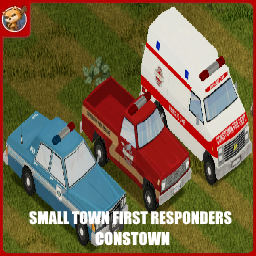
Small Town First Responders - Constown
von 76561198833978028
This is Constown support. Requires Constown! Credits: Code: Jack, albion. Textures: soze, Jan2004p, Bill, evansmine8, Emma, Henry, Racer, FoxInABeret. Special thanks to Guardian, Frozen and Doe! HUGE thanks to shark for letting us use the Police Belt model from his law enforcement mod. Though we did make our own textures for it. And thanks to StarFireReaper for making the 1987 GMC armored truck model for us. HUMONGOUS thanks to Albion for her extremely helpful support of the mod. Seriously, she's a legend! A MASSIVE thanks to Greywolf for some of the VVE textures. The STFR community is great. The STFR community: Being Awesome. Comments are locked because all feedback and questions should go to the new discord. https://discord.gg/usJNRbKq5Z Workshop ID: 3381597839 Mod ID: STFRConstown Mod ID: STFRConstownHeli Mod ID: STFRConstownSpongie
![马镇南方工厂[Muldraugh Southern Factoryy] – Project Zomboid Mod](https://images.steamusercontent.com/ugc/46819868688172802/3671E9B9DB217E049F5B601C04C0339906992FAF/)
马镇南方工厂[Muldraugh Southern Factoryy]
von 76561198324177848
一家在马镇南方的新建工厂,这栋新建的工厂尚在装修,还没有被投入使用,随着这场灾难的爆发,或许这里永远都无法完工了。 Cell:36x36,位于马镇南侧的公路转弯处 规模:改造后,适合1-2人入住 Workshop ID: 3371085846 Mod ID: Southern_factory_buildingy Map Folder: New_factory(single person)
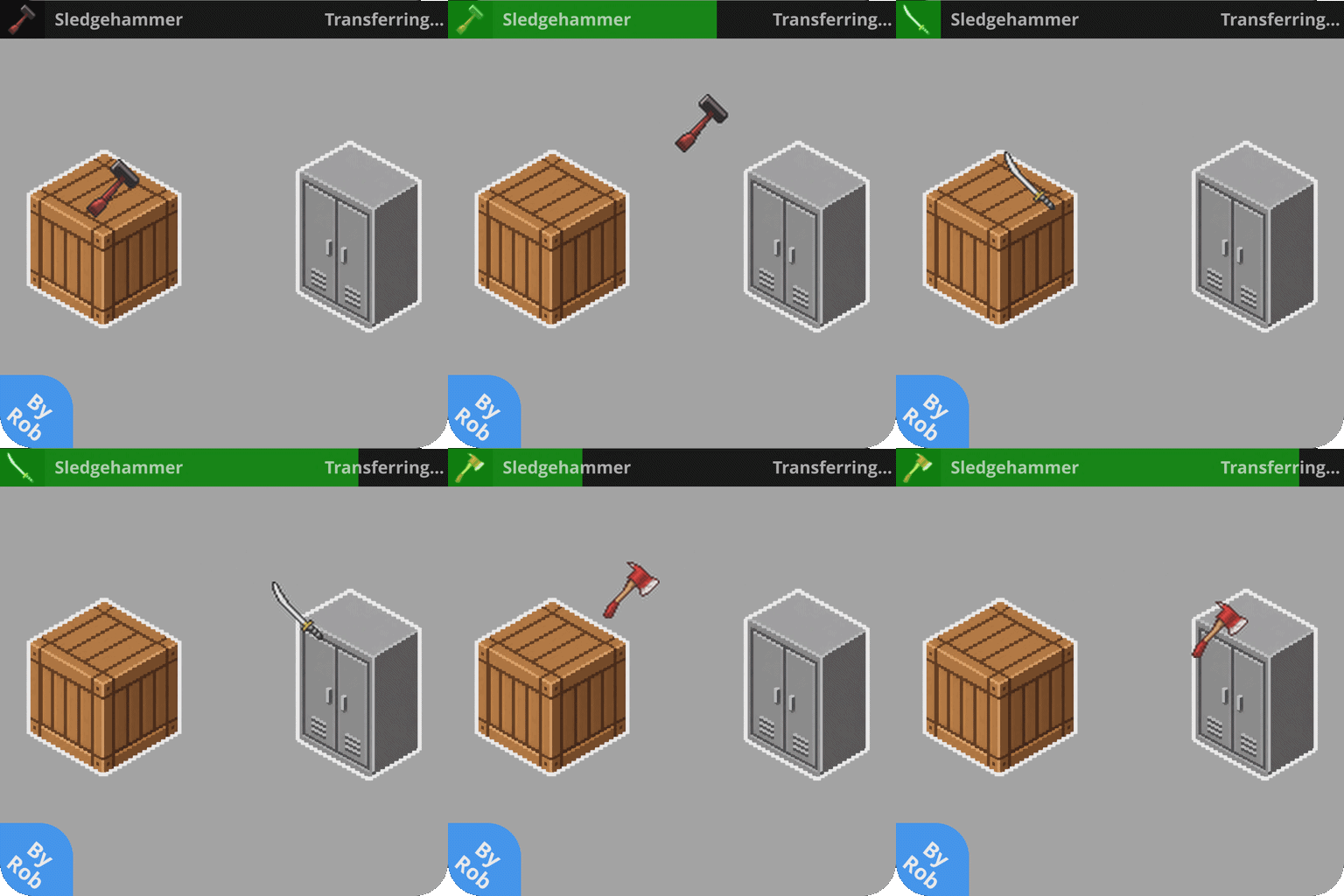
Rob's Smart Storage
von 76561199206091760
Rob's Smart Storage! Are you tired of manually moving items between crates? Do you spend more time sorting your loot than actually killing zombies? Smart Storage is here to revolutionize your storage management! This mod introduces a fully functional item routing system, allowing you to connect containers, set up automated sorting filters, and build complex logistical networks in your base. 🌟 Key Features - Automated Item Routing: Items automatically flow from source containers to destination containers based on your setup. - Interactive Visual UI: Manage your pipe network through an intuitive, custom visual interface. - Advanced Filtering: Configure custom filters for each link, featuring support for whitelists, blacklists, category matching, and specific item filtering. - Industrial Splitters: Need to route items to multiple locations? Install splitters to branch your pipe networks. - Transfer Speed: You can now adjust the item transfer speed multiplier through the pipes on sandbox options (from 1x up to 30x). - Multiplayer Compatible: Fully tested and functional in both Singleplayer and Multiplayer! 🔧 How It Works 1. Get the Materials: You will need Item Pipes, Industrial Splitters, Screwdriver and Pipe wrench. 2. Create a Link: Right-click a container to open the Pipe Network UI. Select the storage inside the UI and click "Start Pipe Link". Then, open the Pipe Network of your destination container and click its storage in the UI to complete the connection. 3. Install Splitters: With a splitter in your inventory, open the container's Pipe Network UI. Click the storage inside the UI and select the option to install a splitter for complex branching. 4. Configure Filters: Open the Pipe Network and click on a linked destination storage to access the UI and configure its filters. ⚠️ Important Notes & Bug Reporting This mod is considered feature-complete and has been built from the ground up for Project Zomboid Build 42. However, it has not yet been tested at a massive scale with dozens of players or enormous bases. If you encounter any bugs, please report them in the Bug Reports discussion thread! Do not report bugs in the normal comments, as it makes them hard to track. ☕ Support the Creator If you enjoy this mod and want to support, consider buying me a coffee! Your support helps me keep the mod updated and create new ones. If you like the mod, please don't forget to Rate and Favorite! It helps a lot! Workshop ID: 3791930234 Mod ID: RobsSmartStorage

Helldivers 2 Main Menu Theme
von 76561198155524054
This mod will change backgroud picture and background music to Helldivers 2 theme >>> REQUIRES " MUSICAL MENU FRAMEWORK " <<< https://steamcommunity.com/sharedfiles/filedetails/?id=3173081439&searchtext=musical I made this mod because . . . Death by zombies is happening all over the galaxy, Right now! You could be next. That is unless you make the most important decision of your life. Prove to yourself that you have the strength and the fitness to survive. Join... the Project Helldivers -------------------------------------------------- More Helldivers Mod - Helldivers 2 Level Up Sound https://steamcommunity.com/sharedfiles/filedetails/?id=3279159783 - Helldivers 2 Intro Text https://steamcommunity.com/sharedfiles/filedetails/?id=3279535280 -------------------------------------------------- Workshop ID: 3279483143 Mod ID: Helldivers2MenuTheme
![Carry More Stuff [FIXED] – Project Zomboid Mod](https://images.steamusercontent.com/ugc/2491134695818447651/002A492B0D3DF3D5A415CE6055AF62757AC35450/)
Carry More Stuff [FIXED]
von 76561198053541980
Original workshop link: https://steamcommunity.com/sharedfiles/filedetails/?id=2495555067 Fixes issues like sacks not working properly and dropped bags not using 3D models All carry bags and containers now weigh a bit less, their capacity and weight reduction percentages were slightly increased, and their tiny move speed penalties were removed. IMPORTANT Already existing / spawned carry bags and containers won't have the updated stats! You either have to find / craft / spawn new bags and containers in ongoing saves or start a new game for all stats to update correctly. Item Tweaker API mod is now required. -> -> -> I made this mod mainly for myself, but might as well share it with the crowd. It's not meant to be balanced, but it's also not meant to be overpowered as much. Also keep in mind that the Organized trait will further increase Capacity by 30%. And there are two new bags that take up the fanny pack slot and can only be spawned with mods like Cheat Menu and Necroforge. The Packpack (Console Spawn Only - Cheat Menu / Necroforge) ======================================================== Weight : 0.5 | Capacity : 150 | % Reduction : 99 % | Appearance : Satchel The Bag of Holding (Console Spawn Only - Cheat Menu / Necroforge) =========================================================== Weight : 1.5 | Capacity : 500 | % Reduction : 100 % | Appearance : Seed Bag VANILLA CONTAINERS ============================================ Container = Weight = = Capacity = = % Reduction = School Bag 1.0 > 0.5 15 > 20 60 > 65 % Hiking Bag 1.2 > 1.0 20 > 25 70 > 75 % Big Hiking Bag 1.5 > 1.25 22 > 30 80 > 85 % Backpack 2.0 > 1.0 27 > 35 85 > 90 % Large Backpack 2.0 > 1.25 28 > 40 87 > 90 % Military Backpack 1.5 > 1.25 28 > 50 87 > 95 % Duffel Bag 1.0 > 0.5 18 > 25 65 > 75 % Plastic Bag 0.1 > 0.05 8 > 10 30 > 40 % Garbage Bag 0.1 > 0.05 20 > 25 10 > 25 % Sack 0.1 > 0.1 15 > 25 10 > 25 % Tote Bag 0.5 > 0.25 12 > 20 50 > 55 % Purse 0.5 > 0.25 12 > 20 50 > 55 % Suitcase 3.0 > 2.0 16 > 25 50 > 55 % Handbag 1.0 > 0.5 8 > 15 40 > 50 % Toolbox 2.0 > 1.0 8 > 15 15 > 25 % First Aid Kit 1.0 > 0.25 4 > 10 5 > 25 % Lunchbox 1.0 > 0.25 4 > 10 5 > 25 % Flight Case 1.0 > 1.0 5 > 15 20 > 35 % Guitar Case 1.0 > 1.0 5 > 15 20 > 35 % Briefcase 1.5 > 1.0 7 > 15 5 > 35 % Fanny Pack 1.0 > 0.1 3 > 7 7 > 70 % Satchel 1.0 > 0.5 15 > 20 30 > 40 % Cooler 1.5 > 1.0 8 > 15 5 > 25 % Gun Case 1 0.5 > 0.5 7 > 15 5 > 50 % Gun Case 2 0.5 > 0.5 7 > 20 5 > 40 % Gun Case 3 0.5 > 0.5 7 > 25 5 > 30 % Seed Bag 0.1 > 0.1 5 > 10 30 > 50 % Sewing Kit 0.1 > 0.1 5 > 10 30 > 50 % Keyring 0 > 0 1 > 5 0 > 95 % Notes Keyring might not correctly provide weight reduction, since it's kinda a special container. UPDATE 1.2.0 - Mod now buffs the stats of carry bags for the following mods: Ammo Straps Carry Ammo Attach Items To Backpacks Arsenal(26) GunFighter Paw Low Loot (Main Option) Rod's Store (Orphanage) SWAT & Riot Pack Metadata Workshop ID: 2495555067 Mod ID: POETCarryBuff Tags:B41,Items,Easy,Easier Workshop ID: 3271235980 Mod ID: POETCarryBuffFixed
Brita ZNation
von 76561199244235491
Brita ZNation server setting Workshop ID: 2882887622 Mod ID: BrtiaZN
The Plagued - Dead of Winter/Black Death inspired texture mod.
von 76561198035231228
Inspired by my previous mods I went in search of more zombie types to create as textures for Project Zomboid. After thinking of ideas, I remembered a zombie board-game I'd played a few years ago called Dead of Winter, which features some gross, plaguey type zombies with horrible pustules ready to burst, cracked dry and rotting skin as well as those classic dead zombie eyes. Further inspired by the Black Death, I thought it would be cool for my next texture mod to make a combination of the two, and allow people to face some gnarly looking, pus-filled zombies. You'll be sure to avoid infection when it means you'll be getting something much worse than your typical acne zits! Whether you want to roleplay a mutant, zombie strain of the Black Death making a resurgence, or you just want some horrible, gross zombies this is the texture mod for you. Enjoy! UPDATE: I have included a Dead of Winter preset that starts you in November with very cold temperatures! I recommend you use the 'infinite snow' mod from the infinite weather mod or the Cryogenic Wasteland mod in order to get the full winter hell experience, unless you want the winter to eventually pass. To use this preset, place the sandbox preset file I included in steamapps/workshop/content/108600/2364689687/media in your C:/Users/you/Zomboid/Sandbox Presets folder. You can find Dead of Winter and its expansion if you are interested in it here: https://www.fantasyflightgames.com/en/products/dead-of-winter/ https://www.fantasyflightgames.com/en/products/dead-of-winter/products/long-night/ As always, thanks to all the people who left nice comments and subscribed and rated my mods. Workshop ID: 2364689687 Mod ID: The Plagued
![[Rebar Axe] – Project Zomboid Mod](https://images.steamusercontent.com/ugc/15729016038039201117/43E1CD50BF345CA3C89227EF61220A7E5A8E1C86/)
[Rebar Axe]
von 76561198068788655
B42 Adds a Scratch Made, "Rebar Axe" to kentucky! Scavenge up some parts and make a very powerful, Heavy, But loyal Rebar Induction Axe. Start by Trying to Craft A Tier 1 Axe. A Sturdy, Heavy Axe. Surely Nothing too special. Perhaps Just what you needed. If You Are Even More desperate to Craft the Tier 2. for extra Destruction You'll Be Rewarded for that The T2 Axe, Will Light Zeds hit on fire. Killing them very. quickly. The T2 Axe, Also Glows A Brilliant Red At All Times. Even in Darkness. ( Note. Fire Lands on the tile the zed lands on when z's are killed ) Some Parts of this Axe Require the Upgrade Function!. it is intended this be Built by hand. by you. after all. Some Upgrades, Like the Battery reduce weight. as a bonus. Model & TextureWork By Me! Code & Battery Level Checking By Nepenthe Original Concept Idea By DegenerateDak 512x512 textures! The Glow FrameWork is required. otherwise. the T2 Axe will not Glow. MOD PERMISSIONS ON LOCKDOWN This mod can only be added to and extended with the express permission from the original creator. Having received permission credit must be given to the original creator both within Any / All Of the files of the posted edit / mod and wherever the mod roams online. If no permission is received you may not alter the mod and it must be treated as a mod that is 'On Lockdown'. do not re-upload this Mod Modpack it Disseminate it under ANY circumstances. Workshop ID: 3687298477 Mod ID: Rebar_Axe
Fix NaN Nutrition Stats
von 76561198014072304
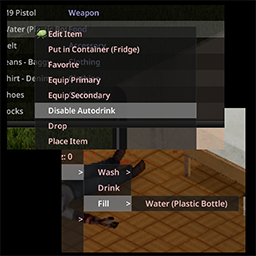
This mod fix nutrition stats like calories, carbs, fats, etc when they are "NaN." The bug causing this has been fixed in 42.3.1 So I removed the part of the code that fixed the issue but left the part that fixes the statistics in case you have a save where you want to restore the nutrition stats that are still set to NaN. Without having to enter debug mode, you can also install it, load the save, exit, and remove it. Love you all! <3 Workshop ID: 3426165280 Mod ID: FixAutoDrinkB42
Better CDDA B42
von 76561198253011462
Added more spawn points to original CDDA make it more fun. Fixed so doesn't spawn in fire - but made it a bit bigger. fixed issue where fire wouldn't spawn with sanity Workshop ID: 3392938968 Mod ID: BetterCDDA
Craft Bullet Molds for AmmocrafterB41
von 76561198098651298
Allows crafting of Bullet Molds with the metalworking skill. Full Credit to Hyzo. Workshop ID: 2797849406 Mod ID: CraftBulletMolds
![[b41] Furry Apocalypse Variety Pack Defaults – Project Zomboid Mod](https://images.steamusercontent.com/ugc/2407824359562470017/56B08C511E95EBB75DF93C0ACA25D674547A4A35/)
[b41] Furry Apocalypse Variety Pack Defaults
von 76561198047084923
Default settings for Variety Pack Workshop ID: 3319547275 Mod ID: FurryApocalypseVarietyPackDefaults

中文输入修复补丁
von 76561198261799001
40 41通用 需要你解压到游戏目录覆盖才可生效 有问题请留言 别加我steam了! Workshop ID: 2483765901 Mod ID: chineseinput
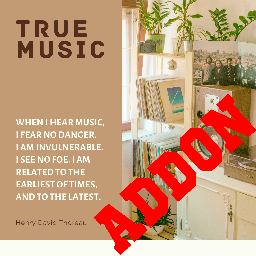
True Music Addon: demon
von 76561198307170373
music Workshop ID: 3219419190 Mod ID: demon

Fruit Gives Happiness
von 76561198152758399
Have you ever wandered the apocalypse for years dreaming of a fresh, juicy orange? If you by some miracle find any fresh fruit, it will now restore some happiness. This mod works well with Xnertot's Farmable Trees mod! Feedback in the comments is greatly appreciated. ============================================================ Want to support me AND get an amazing Project Zomboid server? Host your PZ server with the best! BisectHosting offers 20 server locations and a seamless gaming experience. New customers can use my link https://bisecthosting.com/Pek1gn to get 25% off their first month of a Project Zomboid server. ============================================================ You can also support me by joining my Discord server to chat or share mod ideas! ============================================================ Made by Pek1gn - DO NOT REDISTRIBUTE, DO NOT REUPLOAD ============================================================ Mod Version = 1.0 PZ Version = 41.78.16+ Workshop ID: 3056670018 Mod ID: PKFruitHappy

ServerRobotHelper
von 76561198155246959
给机器人用的,不了解用途的话请不要加(原鸭佬mod) Workshop ID: 3159075926 Mod ID: ServerRobotHelper

Vanilla Community Currency
von 76561198065774641
Custom currency and store mod for "Vanilla Camp Crew" Server! 45.35.136.223:30300 Workshop ID: 2934851499 Mod ID: VanillaCommunityCurrency

DIY Glue
von 76561198168843826
Another DIY mod, to make youself some glue. Start by gathering sap from wood logs - One log - A screwdriver This should give you 10 units of sap (a full bottle of sap). Then from the sap, create your own glue - One unit of sap - One unit of water - One sheet of paper - Mortar and pestle If you use the survivalist mod, this is especially useful to make papier mache, which requires glue to make. As always, feel free to extend the mod to your needs, give credit when it's due. Workshop ID: 2925854511 Mod ID: MaryannahDIYGlue
![Nade's Stalker Drinks [B42] – Project Zomboid Mod](https://images.steamusercontent.com/ugc/10310741943802292421/A713E1FCB34751266E2F4C135E92E0C0910BA445/)
Nade's Stalker Drinks [B42]
von 76561199263762467
This mod include drinks from STALKER games series: - Energy Drink - Energy Drink Non Stop - Energy Drink Non Stop Limited Edition - Cossacks Vodka Enjoy ! Workshop ID: 3569454584 Mod ID: STALKERDrinks

Vehicle's Extra Rv_Interiors Addon
von 76561198012477888
Vehicle's Extra RV_Interior Addon I love the trailers added from the "vehicles extra" mod and I got very tired of not being able to go inside them. So now you can too! (Finally..) This mod simply adds the RVinteriors to the additional trailer skins provided by Spoons mod "Vehicles Extra" Bluewater Logistics Trailer x 2 Camden Farms Trailer DHL Trailer Coca-Cola Trailer Maersk Trailer Budweiser Trailer John Deere Trailer Red Neck Trailer This mod does not add the trailers, only the RV interior. (Not Tested in MP) Should not have and compatibility issues that im aware and should be save to add mid save. I take absolutely no credit for any of these required mods and all rights go to their respective creators. Required mods: Vehicles Extra,W900 Semi-Truck,RV Interior This was my very first mod, im not well versed in code so If theres any issues leave a comment and ill see what i can do. Workshop ID: 3610492261 Mod ID: W900_Trailer_RVInterior_Compat

Craft Soap IWBUMS 41
von 76561198352754058
This mod lets you craft soap. Cut fat from zombies (you need to have corpse in inventory). Burn Log or zombie unusable meat to ashes (need to be near campfire). Run pot with water though ashes and you will get lye. Combine lye in pot with zombie fat and you will have raw soap mass. Cook for a bit, remove cooked soup with a knife. I wanted to add sustainable source for fats, but trappable animals don't have a lot of fat. Maybe in future versions there will be an option to collect fat from animals. In the plans, there are also foragable items to use as a soap, but not sure into what category to add them. Process of crafting soap is a bit simplified, few steps are skipped. If you want even easier way to craft soap, you can use my other mod - Simple Soap. But it doesn't use zombie fats for crafting, you will have to use meat instead. Workshop ID: 2009645877 Mod ID: CraftSoap
Project Zomboid Details →
Project Zomboid Guides
Project Zomboid Mods installieren - Workshop Guide
Installiere Project-Zomboid-Mods sauber per Steam Workshop: IDs eintragen, Reihenfolge prüfen, Server neu starten und typische Fehler beheben.
Project Zomboid Build 42 auf dem eigenen Server: Umstieg, Spielstände und Mods
Build 42 ist Stable: Spielstände aus Build 41 sind nicht kompatibel. Umstieg, legacy41-Zweig, neue Serveroptionen, Anti-Cheat und der Hotfix 42.20.1 gegen Serverlag.
Project Zomboid Server mieten – Multiplayer Guide
Project Zomboid Server einrichten: RAM, Sandbox-Einstellungen, Workshop-Mods, Admin-Rechte und typische Fehler sauber prüfen.
Project Zomboid Server mit Mod-Support
Kompatible, unterstützte Mods über das Server-Dashboard installieren.
Project Zomboid Server mieten