Project Zomboid Mods für Server
Für einen modifizierten Project-Zomboid-Server brauchst du pro Projekt die Steam-Workshop-ID und die interne Mod-ID. Prüfe zusätzlich Spiel-Build, Abhängigkeiten und Lade-Reihenfolge, bevor du deine Welt mit den Änderungen startest.
Project Zomboid Mods sicher installieren
Ein Workshop-Abo allein aktiviert eine Mod auf dem Dedicated Server nicht. Die Einträge in `WorkshopItems=` und `Mods=` müssen zusammenpassen; außerdem muss jede Mod den gewählten Build 41 oder Build 42 ausdrücklich unterstützen.
- 1. Build prüfen: Build-41- und Build-42-Mods nicht ungeprüft mischen.
- 2. Workshop-ID, Mod-ID, Abhängigkeiten und erforderliche Reihenfolge vollständig dokumentieren.
- 3. Welt und Konfiguration sichern, Server neu starten und Logs sowie den Beitritt mit einem Test-Client prüfen.
Die vollständige Schritt-für-Schritt-Anleitung findest du im Project-Zomboid-Mods-Guide. Oder starte direkt mit einem Project Zomboid Server mit Mod-Support.
Häufige Fragen zu Project Zomboid Mods
Was ist der Unterschied zwischen Workshop-ID und Mod-ID?
Die Workshop-ID bezeichnet das Steam-Workshop-Projekt und steuert den Download. Die Mod-ID aktiviert den enthaltenen Mod im Spiel. Auf dem Server müssen beide Listen vollständig und passend gepflegt sein.
Laufen Build-41-Mods automatisch mit Build 42?
Nein. Nutze eine Mod nur dann auf Build 42, wenn ihre Workshop-Seite diese Kompatibilität ausdrücklich bestätigt. Prüfe dabei auch alle Bibliotheken und weiteren Abhängigkeiten.
Wie teste ich ein Mod-Update ohne Risiko für die Welt?
Sichere zuerst Welt, Sandbox-Konfiguration und Server-INI. Aktualisiere danach die zusammengehörigen Mods, starte den Server neu und prüfe Logs, Kernfunktionen und einen vollständigen Client-Beitritt.

New Music - Graves 30's Mixtape
von 76561199111946290
New Music - Graves 30's Mixtape MADE FOR: NEW MUSIC GENERATED BY: NEW MUSIC BUILDER Graves 30's Mixtape 1/4 Side A 01 Billie Holiday – Strange Fruit 02 Judy Garland – Over the Rainbow 03 Benny Goodman – Sing, Sing, Sing (With a Swing) 04 Glenn Miller – In the Mood Graves 30's Mixtape 1/4 Side B 01 Duke Ellington – It Don't Mean a Thing (If It Ain't Got That Swing) 02 Cab Calloway – Minnie the Moocher 03 Robert Johnson – Cross Road Blues 04 Robert Johnson – Sweet Home Chicago Graves 30's Mixtape 2/4 Side A 01 Count Basie – One O'Clock Jump 02 Billie Holiday – God Bless the Child 03 Tommy Dorsey – Marie 04 Artie Shaw – Begin the Beguine Graves 30's Mixtape 2/4 Side B 01 Django Reinhardt & Stéphane Grappelli – Minor Swing 02 Fred Astaire – Cheek to Cheek 03 The Ink Spots – If I Didn't Care 04 Jimmie Lunceford – For Dancers Only Graves 30's Mixtape 3/4 Side A 01 Ella Fitzgerald & Chick Webb Orchestra – A-Tisket, A-Tasket 02 Louis Armstrong – When the Saints Go Marching In 03 Gene Autry – Back in the Saddle Again 04 Benny Goodman – Don't Be That Way Graves 30's Mixtape 3/4 Side B 01 Little Richard - Keep a Knockin (But You Cant Come In) 02 Ella Fitzgerald - Undecided 03 Eddy Duchin - Ol' Man Mose 04 Count Basie - Jumpin' At The Woodside Graves 30's Mixtape 4/4 Side A 01 Bob Crosby & the Bobcats - Way Back Home 02 Chick Webb - I Can'T Dance (I Got Ants in My Pants) 03 Cole Porter - Anything Goes 04 Cab Calloway - Jumpin Jive Graves 30's Mixtape 4/4 Side B 01 Ella Fitzgerald - When I Get Low I Get High 02 Chick Webb - Midnight in a Madhouse 03 The Ink Spots - Maybe 04 Bob Wills - Steel Guitar Rag Workshop ID: 3765058453 Mod ID: NewMusicG30s

True Music Addon: ZUTOMAYO pack
von 76561198175865639
Some ZUTOMAYO music List: - MILABO - Can't Be Right - Cat-reset - Dark and Black - Glittering Killer - Gray Intuition - Hanaichi Monme - It's painful to have good intuition - Machine Oil - Mirror Tune - One's Mind (Smoke in My Chest) - Remaining Lives - Running till the end - STUDY ME - The Cracker on the Back of my Mind - The Expeditionary Force of Dozing Off - The second hand of the clock moves - They're All in a Class Reunion - Though I'm not Stupid - Time Left - Underactive bolt if you want to add some songs feel free to dm me Workshop ID: 3021561382 Mod ID: zutomayo_musicpack
![Players Location On The Map [B42] – Project Zomboid Mod](https://images.steamusercontent.com/ugc/10445953928250651549/00BD4FAFF33D6395F9B2DC6AEDE29FD534A5F147/)
Players Location On The Map [B42]
von 76561199385567604
--------------------------------ENGLISH-------------------------------- Hey there! Tired of not being able to see only your Faction members on the Map? Tired of not being able to run GTA V-style Halloween “Werewolf Hunt” events? Tired of not being able to draw zones where, the moment a player steps inside, they become visible to everyone? Well, let’s put an END to that!! Alright, joking aside… this mod is not some kind of direct shortcut panel for the server’s .ini “MapRemotePlayerVisibility” setting. It’s a full recreation of the system that, among other things, lets you do stuff like choosing whether, on the map, each player only sees members of their own Faction. My beautiful girlfriend recorded a video (you’ll find it above) where she basically break down everything the mod does so you can understand it perfectly. That said, it’s also pretty intuitive if you just want to download it and try it out. Just remember: for any changes to actually apply, you must be an admin: setaccesslevel yourname admin To exit admin mode: setaccesslevel yourname user IMPORTANT: If the mod breaks or you find a bugs, please let me know. It’s very possible this happens since, after all, this is B42. Still, if you report a bug, Please try to be as specific as possible so it’s easier for me to understand where it might be coming from. EXTRAS - Read only if you’re interested I’m thinking it would be really cool to allow each zone to be assigned as PvP/PvE or players-choice, like it usually works. I’ll probably end up adding it. If you want that feature, let me know in the comments, it might motivate me even more to spend that time I should probably be dedicating to my actual job. Also, if you’ve got any mod ideas or improvements you want me to add, feel free to send them to: [email protected] And if you’re making mods and need a hand, don’t hesitate to reach out, I’ve got plenty of hands to spare, so I’m always down to help. THIS MOD IS 100% COMPATIBLE WITH ALL OF MY MODS -------------------------------ESPAÑOL------------------------------- ¡Hola! ¿Cansado de no poder ver solo a los miembros de tu Facción en el Mapa? ¿Cansado de no poder hacer eventos a lo GTA V Halloween de Caza al Hombre Lobo? ¿Cansado de no poder dibujar zonas donde al poner un pie dentro el jugador sea visible para todos? Pues pongamos fin a eso!!. Ya hablando en serio, este mod no es un panel de acceso directo a el "MapRemotePlayerVisibility" del .ini del servidor. Es una recreación del sistema para poder entre otras varias cosas, por ejemplo, elegir el que, en el mapa, cada Jugador solo vea a aquellos jugadores pertenecientes a su Facción. Mi hermosa Amine hizo un vídeo que podrás encontrar arriba donde prácticamente desglosa todo lo que es el Mod para que puedas entenderlo perfectamente, de igual forma considero que es bastante intuitivo por si simplemente quieres descargarlo y probarlo, pero recuerda, para que los cambios se vean efectuados, debes ser admin: setaccesslevel tunombre admin Salir del modo admin: setaccesslevel tunombre user IMPORTANTE: Si se rompe el mod o encuentras muchos Bugs, házmelo saber porfa, es probable que pase debido a que después de todo es la B42, aún así, si puedes, al reportarme algún bug intenta ser lo más específico posible, para que me sea más sencillo entender el de dónde podría provenir este mismo. EXTRAS - Lee sólo si te Interesa Estoy pensando en que sería genial hacer que se pueda asignar a cada Zona el si es una Zona PvP/PvE o libre para el jugador de elegir como normalmente es el caso. Probablemente termine incluyéndolo, si quieres que sea así dímelo en los comentarios, tal vez y me ánimo aún más a otra vez usar él tiempo que debería estarle dedicando a mi trabajo. De igual forma, alguna recomendación de modificación o aditamento al mod que quieras que haga, sin problema mandamela a: [email protected] Igual si estás haciendo mods y ocupas una mano amiga, no dudes en que tengo muchas manos así que no tengo problema en ayudar. ESTE MOD ES 100% COMPATIBLE CON TODOS MIS MODS Workshop ID: 3750727016 Mod ID: PlayersLocationOnTheMap
![[REUPLOAD] Rusty textures for Filibuster Rhymes' Used Cars. – Project Zomboid Mod](https://images.steamusercontent.com/ugc/54703705088731650/3996A958068603E511BD3516C7BF17A369EAC8E0/)
[REUPLOAD] Rusty textures for Filibuster Rhymes' Used Cars.
von 76561198002926687
Rusty textures for Filibuster Rhymes' Used Cars. Workshop ID: 3387137631 Mod ID: RTFFUC

Superb Survivors NPCs Use All Brita Guns
von 76561198060794500
SPECIAL NOTE: Turn "Auto Select Magazine Type" setting to OFF (Options>Mods>Gunfighter) and NPCs use magazine-fed weapons normally. Adds in every firearm from the Arsenal/Brita update to the list of possible NPC spawn weapons with the exception of: * .22 caliber weapons (they're total garbage) * explosives (untested, but I think due to the different aiming method, NPCs won't be able to use them. If they can, I imagine they'd kill themselves due to their short attack range with any weapon) * flamethrowers (for the same reasons above, plus keeping buildings intact for the player) * custom/special weapons (Like the Arsenal-brand named weapons or Saddam's Gold AK. Yes, that's a real weapon in their mod) * overpowered weapons (really just miniguns) This mod is really just to make it more viable for the player to go hostile on NPCs outside of roleplay reasons, since they can now spawn with some rare guns that you'd have a hard time finding elsewhere. This is only the second mod I've ever uploaded so, in the event that I've done something incorrect with the file structure/overwriting whatever, I suggest you back up the Superb Survivors mod folder. Assuming all goes correctly, this mod SHOULD place an edited file of Superb Survivor's "SuperSurvivorWeaponsList.lua" in 1905148104\mods\Superb-Survivors\media\lua\client\0_Utilities, overwriting the original file there. In the event that it doesn't, well, now you know how to do it yourself. PLEASE TELL ME IF THIS WORKS AUTOMATICALLY! I HAVE NO IDEA WHAT I'M DOING! Workshop ID: 2949957146 Mod ID: SSNPCUseAllGun
![Madax Weapon Pack [B42] - Русификация – Project Zomboid Mod](https://images.steamusercontent.com/ugc/13395887519424324272/686300B1696DAA06CF1B3688F45B6AA460BCDB91/)
Madax Weapon Pack [B42] - Русификация
von 76561198414246143
Русификация Madax Weapon Pack Workshop ID: 3508339325 Mod ID: RMWPRUS

Lucy's Patches - Mod Fixes Bundle
von 76561198066995541
Fourteen small fixes for bugs other mods cause on a heavily modded Build 42 server. Each one only runs if the mod it targets is installed, so you get exactly the fixes you need and nothing else. Most of the bundle has one shape: something interrupts a timed action, and the cleanup that should have run never does. The rest are missing nil guards. - The server freezes while you drive into town (Companion Dogs). Its stray-dog spawner scans every chunk that streams in, all in the same frame, which is worst exactly where chunks arrive fastest. I measured one call at 274 ms against a 100 ms tick budget, and 81% of a bad 30-second window inside that one function. I cap it at 8 ms a tick: dogs still spawn, they just stop arriving all at once. - Prying with a crowbar does nothing (Common Sense (Build 42 Fixed), that fork specifically). Right-clicking something pryable errors out before the crowbar's ever considered. That fork carries a second copy of the same defect in its tin-opener path and I haven't patched it, so if prying works and opening a tin still errors, that's why. - Lifestyle's own tables go missing mid-session (Lifestyle: Hobbies). Can't read books is the report I got, because the read action can't even be constructed without them, but the same loss breaks bladder moodles, ambitions and the per-hour tick. The tables go back every frame rather than guess what clears them, which nobody has worked out. - Baths (Lifestyle), two of them. You scrub clean and the meter jumps back past needing a shower: nine places in Lifestyle re-seed that value and disagree, so this keeps a shadow copy and puts yours back. And in multiplayer the tub never ends, because its only finish test reads a change your client hasn't sent yet. Ends at Lifestyle's own thresholds; showers were never affected. - Walking to a car door can strand you (vanilla). No timeout, and you only count as arrived within a twentieth of a tile, so wedged on the bodywork you walk on the spot, door and get-in stuck behind you. Gives up after two seconds of no progress and no movement; a detour round a fence is left alone. - Swapping clothes cancels everything you queued (The Only Cure with the Frockin packs, Vol.4 onward). Now it cancels just that one action. The same broken item also abandons an unequip mid-action on a server, and that half only installs on a dedicated server, so in single player you get the client fix alone. Alice's Weapon Sling trips the same path and is covered too. - Hair and face never sync to anyone else (Spongie's Character Customisation). One missing growth timer throws during the join sync, so your face, hair and stubble never reach anyone else for the rest of the session. I saw it 18 times in one day of server log. Written against the function, not the item, so it covers all three published versions. - Getting stuck after picking a lock (The Best Lockpicking). The flag lives in your save, so it survives relogs, server restarts and admin teleports. Covers both copies of that mod, frees saves that latched before this shipped, and works in split-screen from 2.1.0. - Server log spam from Authentic Z, Vanilla Clothing Expansion and Filibuster Rhymes' Used Cars, all referencing helper functions that aren't installed. I'm not repairing the mods, I'm stopping an issue they cause. The Frockin clothes still won't swap; this only stops that failure wiping your action queue. A quiet log doesn't mean a feature started working. One thing here isn't a fix at all: the duplicate-dog probe on Companion Dogs. It now watches from your own client, where the stale copy is, and it still only logs. Deleting a pet on a rule inferred from one dog isn't a default; if its reports match the twins you see, LucysModFixes.CompanionDogsGhostRemove = true arms it. Sometimes you wake up and your character won't walk. Mouse and menus still work, and opening ESC and closing it frees you. It's a vanilla bug, not a mod bug, but it takes a mod cancelling your action queue to trip it. From 2.1.0, a patch that can't find what it patches says so on one line naming the mod, the function and what it found instead. Before that it stood down silently and looked exactly like a working patch, which is the part I wanted rid of. The bundle also announces its version at load. Two of these read the game's own internals to decide whether you're really stuck. On a build where those have moved, the patch stops and says so rather than guessing, because guessing would mean clearing the flag mid-action. The cost is plain: it won't free you either. I report these upstream where there's somewhere to report them; I'd rather the authors fixed them than this be the permanent home. Companion Dogs ships its own performance timer and reaper, so my cap is a stopgap, not a verdict on their code. Every patch checks for the exact thing it's about to change before changing anything. If an author ships their own fix, the check stops matching and this mod quietly does nothing there. It won't double-apply or need a compatibility update, so leaving it installed is safe. AI assists in building my mods. I read every line that ships, and the measurements and engine behaviour quoted on this page were checked against the decompiled game rather than taken on trust. Workshop ID: 3780752367 Mod ID: LucysModFixes

芝士超级背包
von 76561199168478904
开局送一个超级军用背包,容量100,减重100% 能自动恢复内部物品的耐久 增加了将食物放入背包后回鲜,但貌似食物的营养值不会回复 本MOD已更新B42且为AI创作,目前我个人没遇上啥问题。 Workshop ID: 3668137263 Mod ID: SuperMilitaryBackpack
Lasgun
von 76561198086732209
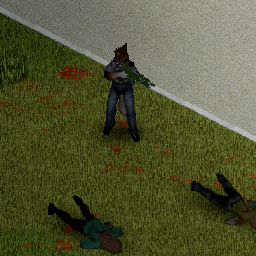
Adds in Lasguns, Laspistols, Chainswords, and Plasma Pistols. There is a small chance to find a lasgun/laspistol/plasma pistol/chainsword on dead zomboids. Imperial Guard will get a Lasgun. Imperial Guard Sergeant gets a Laspistol + Chainsword, or Plasma Pistol + Chainsword. There is a trait to take a plasma pistol/Chainsword as Imperial Guard You can reload laspacks using either the sun, or by taking them near a campfire/oven that is on. Reloading using the sun takes longer, but is useful for if you need more shots in a pinch. If playing with Brita, ensure the Brita Compat mod is being used. Do not enable both Base and Brita at the same time. File Credits Model for the Lasgun - DeltaMarine101 - https://skfb.ly/6VHqz Model for the Chainsword - leoxx300 - https://skfb.ly/oGZBv Model for the Laspistol - PFM - https://skfb.ly/6CuJU Model for the Plasma Pistol - Ivan Przhevalski - https://skfb.ly/6FWvC Changelog Added finding weapons in the world. Workshop ID: 3013650238 Mod ID: ThseLasgunsAndMore Workshop ID: 3013650238 Mod ID: ThseLasgunsAndMore Mod ID: ThseLasgunsForBrita
Toyota Cressida 1985
von 76561198086756116
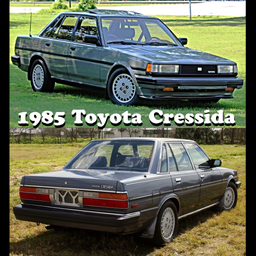
Adds a 1985 Toyota Cressida to the game! Workshop ID: 2947235731 Mod ID: 1985Cressida
Vampiro vs Zombies
von 76561199116881450
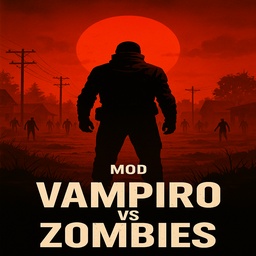
Vampirism – Survive as a Creature of the Night Step into the apocalypse as something more than human… This mod lets you experience Project Zomboid as a true vampire, trapped between eternal hunger, fragile blood reserves, and the dangers of a dying world. In this update, blood is no longer just something you drink — it is something you must manage, protect, and sometimes risk. Core Features - Blood Thirst HUD (v2.0): A redesigned gothic interface that tracks your blood level — a constant reminder that hunger never sleeps. - Feed on the Dead: Drink directly from zombie corpses (once per body) to survive the night. - Blood Storage System (NEW): Extract blood into transfusion bags to save it for later — but stored blood is fragile. - Blood Degradation: Blood spoils over time if not refrigerated, transitioning through Fresh → Coagulated → Rotten. - Risk-Based Feeding: Old blood causes unhappiness; rotten blood can make you sick — just like spoiled food. - Animal Feeding: Hunt and feed on animals, including baby animals (Build 42 entities). - Unpredictable Blood Extraction: You never know how much blood a corpse will give — like siphoning fuel from a wreck. - No Human Food: Bread, cans, and crops are useless to you. Blood is your only sustenance. - Low-Blood Consequences: Severe debuffs at low blood levels; death awaits at 0%. - Weakness to Sunlight: Daylight burns your flesh. The night is your ally. - Night Power: Stronger at night, weaker during the day. - Sandbox Customization: Adjust thirst decay, sunlight damage, healing, extraction balance, and more — from casual to hardcore vampirism. - Vampire Profession (Build 42 Ready): Start as a vampire directly from character creation, fully integrated with the new profession system. Blood Is Not Power — It Is a Resource Being a vampire does not make you invincible. Blood can be: - Fresh: Safe and effective. - Rancid: Still usable, but unpleasant. - Rotten: Dangerous — drink at your own risk. Fail to refrigerate your supplies, and your reserves will betray you. Plan poorly, and hunger will force desperate choices. Survival is no longer about feeding once — it’s about planning ahead. Traits Your vampirism is not a single curse, but a combination of strengths and burdens. Choose how you endure the night — and the day. - Blood Thirst: The core curse of all vampires. You no longer feed on normal food — only blood can sustain you. - Sun-Tolerant: Allows limited survival under direct sunlight. Solar damage is reduced and burns are prevented, but the sun remains deadly over time. - Night Hunter: Feeding and recovery are more effective at night, but daylight becomes even more punishing. - Night Thirst: Blood Thirst consumption increases during the night, demanding constant feeding to maintain stability. - Day Torpor: Your blood slows during daylight. Blood Thirst consumption is reduced while resting, encouraging a more cautious daytime rhythm. Ascension – The Lord Vampire Path When a vampire masters the art of killing, a darker power awakens. At 1500 zombie kills, you ascend and gain unique passive abilities: - Controlled Thirst: Blood decay slows by 25%. Hunger becomes easier to manage. - Carnal Dominion: +15% melee damage while well-fed (above 50% blood). “The Lord Vampire does not fear hunger; he commands it.” Immersion & Compatibility - Atmosphere: Feeding includes subtle sound cues — dangerous in crowded areas. - Build 42 Compatible: Fully adapted to the new animal and profession systems. - Multiplayer Ready: Feeding, blood storage, traits, and HUD sync correctly across clients. - Performance Friendly: No global scans, no heavy loops — optimized server-side logic. - Mod Interactions: Compatible with most gameplay mods; may conflict with mods that heavily replace corpse context menus or core timed actions. Enhanced Solar Visuals Compatibility If SCP-001 “When Day Breaks” is installed, Vampiro vs Zombies automatically defers visual solar effects to SCP-001 while keeping its own solar damage, burns, and vampiric mechanics active. It only works on B42.12.X Legacy or earlier. Build 42.13 version uses a new internal vampire system. Build 42.12 remains supported as legacy and will be deprecated over time. Recent Update Highlights – v2.0 - Introduced the Blood Storage System with transfusion bags. - Added blood degradation states and refrigeration mechanics. - Implemented unpredictable extraction RNG — no corpse is the same. - Added risk-based feeding effects (unhappiness & sickness). - Redesigned the Blood Thirst HUD with a darker gothic style. - Improved multiplayer stability and server authority. “Eternal hunger. Fragile blood. Burning daylight. In Knox County, immortality is not a gift — it is a challenge.” Credits - 3D models, system design, UI, and implementation by MasterGG This mod's permissions fall under TIS's policy Ask for permission This mod can only be added to and extended with the express permission from the original creator. Having received permission, credit must be given to the original creator, both within the files of the mod and wherever the mod roams online. If no permission is received you may not alter the mod, and it must be treated as a mod that is 'On Lockdown'. The only exception is that servers may freely include this mod in their modpacks, with the freedom to alter it or make modifications as they see fit, as long as credits are properly given to the original creator. Support the Mod Support the Project If you enjoy this mod and want to support future updates and new systems: Your support helps expand the project and keep development active. Every contribution makes a difference. Thank you for your support! ❤️ A like or favorite helps a LOT! Workshop ID: 3543913011 Mod ID: VampirovsZombie

Drivng Cars Chinese
von 76561198235740762
2018.1.20 需要配合Chinese han hua Mod实现文本汉化, 驾驶汽车MOD 最新修改汉化版 修改车辆耗油为原来0.01%, 修改车辆耐久损耗为原来0.01% 2018.1.20 needs to cooperate with Chinese Han Hua Mod to realize text Sinization, modify vehicle fuel consumption to 0.01%, modify vehicle durability loss to 0.01% 描述: 这个MOD添加车辆的游戏。车辆在道路和停车场等地方产生。这些汽车在产生时可能会损坏或工作。破损的汽车可以用适当的工具和配件修理。每辆车产生了一个钥钥在里面。如果钥匙因为某些错误而没有产卵,或者由于汽车是管理员产生的,您仍然可以获得钥匙,只需右键点击汽车从库存菜单到“搜索钥匙”找到钥匙。这个钥匙只能在找到的车辆上工作,显然不能被搜索两次。 将汽油罐放入车内,并用钥匙启动。然后使用箭头键来驱动。按任何步行键将关闭汽车。汽车可能会与他们的气体产卵,所以停止任何你通过检查汽油的破车。汽车即使在怠速时也会燃烧气体,但在移动的过程中,只有三分之一的气体不会消耗。打开你的空调会增加天然气的使用量。所以记得把它关掉。加热器只是稍微增加了用气量。如果你的车是完全满500/500的话,最多可以增加50%。 车辆碰撞造成伤害,甚至与僵尸碰撞。虽然僵尸没有太大的伤害。也直接命中与僵尸碰撞会杀死僵尸。以非最高速度与非僵尸发生碰撞可能会对驾驶员造成伤害并使车辆受到更多伤害。一旦车辆发生碰撞,车辆不能再被驾驶,但可以像其他产生的车辆一样修理。最高速度的碰撞有五分之一的机会立即打破汽车,并引发火灾。甚至在极少数情况下甚至会在爆炸中爆炸! 车辆可以存储大量的物品!而且显然可以在任何地方随身携带!驾驶时,您甚至可以使用车内的物品。驾驶时可以射击枪支等射程武器。鸣喇叭立即吸引所有僵尸! 在驾驶时你是无懈可击的,在车上攻击你的僵尸会在车破坏之前损坏你的车,直到车破了,然后你自己 控制: 向上键翻页打开汽车加热器 向下翻页键打开冷空调 在启动汽车后上下左右箭头键开车(不是W,A,S和D键) 步行键(W,A,S和D键)将停止驾驶 HOME键鸣喇叭 F键使用大灯 终止键使用收音机 在驾驶的同时,如果你想看看你要去的地方,还是需要用鼠标来面对你要去的方向 您可以通过转到mod文件夹来更改这些密钥,如果是在C:\ Program Files(x86)\ Steam \ steamapps \ workshop \ content \某处的蒸汽。 然后找到\ Drive Cars \ media \ lua \ client \ DriveCars.lua 用记事本或记事本++打开它。您将在页面顶部附近看到一个URL,在浏览器中打开该URL,以便您可以看到要设置的密钥的密钥ID /号码。然后用您在链接下方看到的默认值替换您的密钥ID。完成后重新启动PZ。 修理一辆破车: 二级电气,电子废料,锤子,螺丝刀,胶带 修理一辆工作的汽车回到100%情况: 电子废料,锤子,螺丝刀,胶带 注意:这些接受者可能会随着时间而改变,所以请检查游戏工艺菜单<br /> 向Hydrocraft团队致赠汽车产卵代码和一些各种想法! 经常问的问题 问题:为什么汽车如此巨大? 答:“调整世界图标”选项不存在,问题是运行项目zomboid兼容性 问题:为什么我不能右键点击汽车来搜索钥匙? 答:正如描述所示:“从”库存“菜单中右键单击车辆 这是因为这辆车是坐在地图上的Container类型的物品。就好像你把背包丢在地上一样。所以当你走到它的时候,库存菜单会告诉你什么是容器内,然后如果你点击地面瓷砖。您将在库存菜单中看到容器(CAR)并右键单击该容器。 报告与这些Mods不兼容: 1) ZomboidXBow 2) Quick guns 3) Quick bags Workshop ID: 1281620326 Mod ID: DriveCarsChinese
![PRY DOOR ADVANCED v1.4 [B42] – Animated Mini-Game & Realistic Tool Mechanics – Project Zomboid Mod](https://images.steamusercontent.com/ugc/10571186362974977285/1264D9F48B7ACD51B61D399D41FE8EBA772B5474/)
PRY DOOR ADVANCED v1.4 [B42] – Animated Mini-Game & Realistic Tool Mechanics
von 76561199528743049
Step up your survival game with Pry Door Advanced, the ultimate tool for unlocking doors, garages, and vehicles! This mod adds realistic animated prying actions, skill-based checks, and a challenging mini-game that rewards precision. Multiplayer-safe and optimized for performance. Features: Animated Pry Actions – Watch your character realistically pry open doors, garages, and vehicles with a smooth animation system. Skill-Based Unlocking – Each object type requires a specific skill level: Doors & Garages: Woodwork 1 (Doors), Metal Welding 2 (Garages) Vehicles: Mechanics 2 Tool Durability System – Tools wear out with use. Take care of your equipment! Crowbar: Lasts ~25–30 uses (reduced durability loss from previous versions) Screwdriver & Wrench: Lasts ~20–25 uses Failed attempts: 20% extra damage to the tool Tools break: A broken tool will prevent you from prying until repaired or replaced Mini-Game Challenge – Success depends on timing and accuracy: A slider moves back and forth across a track; align it with the highlighted pivot zone and LEFT CLICK to succeed. Press SHIFT or the QUIT button to exit the mini-game anytime. Successful mini-game triggers the animated pry and opens the target object. Failed attempts still consume some durability, so practice matters! Tool Selection & Detection – The mod automatically chooses the correct tool from your inventory: Crowbar: doors, garages Screwdriver or Wrench: vehicles MP-Safe & Optimized – Fully compatible with multiplayer without desync issues. Reduced tool durability loss keeps gameplay fair and balanced. Experience Gain – Prying successfully grants XP: Strength +2 for all actions Woodwork +3 for doors/garages Mechanics +3 for vehicles How to Use: Press the ` (Backtick) key to start the pry action. Stand near a locked door, garage, or vehicle. The mod will automatically detect your target. Make sure you have the required skill and the proper tool in your inventory. Enter the mini-game: move your cursor over the panel and click LEFT CLICK when the slider aligns with the pivot zone. Success opens the object and slightly reduces tool durability. Failure still costs some durability, so choose your timing carefully! Workshop ID: 3635626758 Mod ID: PryDoorAdvanced
![Slow-Mo Fast-Mo: Limitless Game Speed Change [B42] – Project Zomboid Mod](https://images.steamusercontent.com/ugc/46828747825742847/F675D1109516BA6FE78E34C1E71EC02B3116F4EF/)
Slow-Mo Fast-Mo: Limitless Game Speed Change [B42]
von 76561198410133704
The updated version for B42.7 has been released. Please unsubscribe then resubscribe, enable the mod and copy-paste the zombie folder, as usual. Introducing the first-ever slow-motion and fast-motion mod for Project Zomboid!!! This mod allows you to freely change the game speed anywhere between 0.1x and 4.0x?easily speeding up or slowing down gameplay whenever you'd like. Although the vanilla game offers speed controls (pause, normal, 5x, 20x, and 40x), these settings automatically reset to normal whenever your character moves, you press a key, or a zombie approaches. Also, there is no option to slow the game below normal speed. With this mod, you can comfortably set your game's pace anywhere from 0.1x (slow-motion) up to 4.0x (fast-motion). This means activities like combat, construction, walking and all other in-game tasks can now be experienced exactly at the speed you prefer, enhancing your gameplay experience. Features * You can easily customize the activation toggle key and keys for increasing, decreasing game speed in the Mod Options menu. Also, you can set a default game speed, which the game will revert to whenever you press the activation key. If you're using a gamepad, refer to the Game Controller Configuration Guide. * An in-game display panel shows the current game speed and indicates whether activation is on (Red) or off (Black). This panel can be freely moved anywhere on the screen. * A notification sound indicates when activation is toggled on or off, or when the game speed is increased or decreased. This sound can be enabled or disabled in the Mod Options menu. * This mod can be safely added to your existing save files. How to use Default Controls - Toggle Activation: Num 7 - Decrease Speed: Num 8 - Increase Speed: Num 9 - Default Speed Setting: Adjust using the slider The above settings can be set or changed in the Mod Option menu. How to Install This mod modifies a vanilla Java file, so it requires both a subscription and manual installation. Follow the installation instructions below carefully to manually install the mod. Uninstallation can be done by verifying the integrity of game files through Steam (However, be aware that this process removes ALL mods that modify Java code, "the Java mods", so you’ll need to copy and paste them again afterward for any you want to keep.) 1. Subscribe to the Mod - First, make sure your game version is B42, not B41, and that the game is fully closed. - Then, subscribe to Slow-Mo Fast-Mo: Limitless Game Speed Change on the Steam Workshop. 2. Locate the Mod Folder In File Explorer, navigate to your Steam Workshop directory, which by default is: C:\Program Files (x86)\Steam\steamapps\workshop\content\108600\3437810600\mods\SlowmoFastmoB42\42 (You may copy and paste the above path into the Windows search bar or File Explorer to quickly open it.) 3. Copy the “zombie” Folder Within the 42 folder, locate a folder named “zombie.” Right-click this folder and select “Copy.” 4. Find the Project Zomboid Installation Directory Open a File Explorer window and navigate to your Project Zomboid installation folder. Typically, this can be found here: C:\Program Files (x86)\Steam\steamapps\common\ProjectZomboid Make sure you see an existing “zombie” folder in this directory. 5. Paste and Replace Files Paste the “zombie” folder from Step 3 into your main Project Zomboid folder. When prompted with a warning message indicating that 3 files already exist, choose “Replace the files in the destination.” This will overwrite the necessary files. You have successfully installed Slow-Mo Fast-Mo: Limitless Game Speed Change. Now you can smoothly walk, fight, build, or perform any other actions at your chosen pace, creating a more comfortable and personalized gaming experience. NOTE: There is dependency between this mod and the Resurrect Character mod. Therefore, when installing both mods, you must first copy and paste the 'zombie' folder from the Resurrect Character mod, and then copy and paste this mod afterward. Credit Mods used to create the GIF posters: * Character models: VariableSkin v1.0 https://steamcommunity.com/sharedfiles/filedetails/?id=3387865555 * Hair models: Ash & Mae's Hair Salon: New Frontier V6 https://steamcommunity.com/sharedfiles/filedetails/?id=3026307069&searchtext=ash+%26+mae Workshop ID: 3437810600 Mod ID: SlowmoFastmoB42 Mod ID: SlowmoFastmoB42
![Reading Training Books [41] – Project Zomboid Mod](https://images.steamusercontent.com/ugc/1867305289901788538/0C59FB52310915946250E4FED40BA461D4DB6C7E/)
Reading Training Books [41]
von 76561198175839261
Implements books that can be used to learn and deleting negative traits. Mod adds 3 books to let you learn reading if you have (Illiterate), removes 'Illiterate' and 'Slow Reader' adds 'Fast Reader' (41.73 work) (Not working in MultiPlayer) Illiterate => Slow Reade => normal => Fast Reader DO NOT 'READ' BOOKS (THEY DISAPPEARED AND YOU GET NOTHING). USE SECOND, MOD COMMANDS IN ITEM MENU (Learn Read, Master reading) This mod is simple update for mod: Trait Training Books https://steamcommunity.com/sharedfiles/filedetails/?id=606059733 Check my other mods: beer bottle for molotov https://steamcommunity.com/sharedfiles/filedetails/?id=2562566068 Workshop ID: 2715375532 Mod ID: TTB

Hell Yeah Moodle
von 76561199218353085
Replaces drunk moodle with new COOLER moodle Workshop ID: 3386532537 Mod ID: HYM

Infinite Rain Barrel
von 76561198336078388
Lets admins right click and set a water collector to last forever Discord: https://discord.gg/p8bewUdcDg Credits to buffy DONT MODPACK WITHOUT PERMISSION Workshop ID: 3345167560 Mod ID: infiniterainbarrel
Scrap Guns Recipe Patch
von 76561198048017396
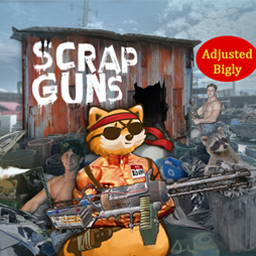
Summary Provides more realistic recipes to several items within the Scrap Guns mod. Inspired by this fork of Scrap Guns. Should be safe to add or remove without affecting your save. Features: - Shrapnel Shells: Increased output from 4 to 15 shells, maintaining the same input - Salvaged Bullets: Reduced GunPowder requirement, changing from 10 bullets per 30 GunPowder to 1 bullet per 1 GunPowder - Scrap Bullets: Adjusted recipe to match Salvaged Bullets (might change this, not sure about the difference between them gameplay-wise) - Nail Bomb: Reduced GunPowder cost - Glass Bomb: Halved the GunPowder cost - Pipe Bomb: Significantly reduced GunPowder cost - Decoy: Reduced the GunPowder cost Compatibility: This patch should be compatible with most mods, as it only adjusts specific recipes from Scrap Guns. Ensure that Scrap Guns is loaded before this patch in your mod load order. Changelog: See the Change Notes for detailed version history, recipe changes, and updates. Feedback: If you encounter any issues or have suggestions for further improvements, please leave a comment. Your feedback is appreciated! Workshop ID: 3324044405 Mod ID: SGunsRecipePatch

Umaboid 2023 KR Translate
von 76561198078153950
우마보이드 2023 번역 Umaboid 2023의 한국어 번역입니다. Casual을 평상복으로 번역한것 처럼 직역으로 안하고 널리 쓰이는 명칭으로 번역했습니다. 오역제보나 대안 번역 제안 받습니다. ---------23.06.18----------- 업데이트된 의상 중 몇몇이 번역이 적용이 되지 않는 문제가 있습니다. 아이템 이름에 뭔가 문제가 있는 듯한데, 고쳐지지 않아 일단 적용합니다. Workshop ID: 2962846035 Mod ID: Umaboid Kr

超级美少女丧尸修复 无刺版
von 76561199437622778
修复了 https://steamcommunity.com/sharedfiles/filedetails/?id=3632402975 模组里无刺版美少女无法正常启用的问题,本模组是无刺版的,需要同时订阅前置模组 http://steamcommunity.com/sharedfiles/filedetails/?id=3660958722 Workshop ID: 3660958987 Mod ID: SuperGirlZombiesNoSpikedFix

True Special
von 76561199093286905
Excavation Workshop ID: 3637514813 Mod ID: TrueSpecial42 Mod ID: TrueSpecial42
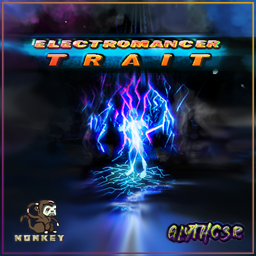
Monkey's Electromancer Trait
von 76561198013042524
Adds a trait that turns players into electromancers - you can cast lightning spells! There are two traits: Novice Electromancer and Master Electromancer Novice Electromancer Trait Spells take up more stamina. Have a smaller AOE. Less range. Smaller critical cast chance. Smaller chaining chance. Master Electromancer Trait Spells take up less stamina. Have a larger AOE. More range. Bigger critical cast chance. Bigger chaining chance. Ability to cloak themselves in lightning magic. This means that you can safely bulldoze through hordes of zombies, assuming your stamina holds up. If the balancing isn't what you want, you can tweak everything in the sandbox options! (See screenshots) Keybinds are also available in the game's settings. (See screenshots) Known Limitations Mod is a bit CPU intensive with very huge hordes, especially with bigger chance of chaining electricity. It might crash your game if you cast electricity on very large hordes. I don't suggest using this in MP because of this. But it still works on MP. Commissioned by VOD I do mod commissions - Discord: _mon.key Workshop ID: 2988892511 Mod ID: ElectromancerTrait

Fix Melee Context Menu
von 76561197990317343
This mod fixes melee combat so your context menu does not pop up while melee attacking zombies. You know how when you're melee fighting zombies and your context menu pops up at the worst times? This mod fixes that! (If you hold down right-mouse button for melee then your context menu will not pop up. You can still right-click normally and the context menu will work perfectly.) Shouldn't interfere with any other mods. (But if you notice any issues or conflicts please inform me in the comments below!) Works in Singleplayer + Multiplayer Check out my other mod! - Two Weapons On Back + Modded Bags Mod! Workshop ID: 2986816238 Mod ID: FixMeleeContextMenu

更多的书!
von 76561198311647583
“更多书籍”增加了1993年7月之前的100本书。(在僵尸工程发生时。它们有 10 种不同的颜色,不使用任何其他物品。 不替换“书”。 原mod More Books! 这个mod只是添加了中文。 原mod地址 https://steamcommunity.com/sharedfiles/filedetails/?id=2815857931 作者proof Workshop ID: 2890948275 Mod ID: MoreBooks
Project Zomboid Details →
Project Zomboid Guides
Project Zomboid Mods installieren - Workshop Guide
Installiere Project-Zomboid-Mods sauber per Steam Workshop: IDs eintragen, Reihenfolge prüfen, Server neu starten und typische Fehler beheben.
Project Zomboid Build 42 auf dem eigenen Server: Umstieg, Spielstände und Mods
Build 42 ist Stable: Spielstände aus Build 41 sind nicht kompatibel. Umstieg, legacy41-Zweig, neue Serveroptionen, Anti-Cheat und der Hotfix 42.20.1 gegen Serverlag.
Project Zomboid Server mieten – Multiplayer Guide
Project Zomboid Server einrichten: RAM, Sandbox-Einstellungen, Workshop-Mods, Admin-Rechte und typische Fehler sauber prüfen.
Project Zomboid Server mit Mod-Support
Kompatible, unterstützte Mods über das Server-Dashboard installieren.
Project Zomboid Server mieten