Project Zomboid Mods für Server
Für einen modifizierten Project-Zomboid-Server brauchst du pro Projekt die Steam-Workshop-ID und die interne Mod-ID. Prüfe zusätzlich Spiel-Build, Abhängigkeiten und Lade-Reihenfolge, bevor du deine Welt mit den Änderungen startest.
Project Zomboid Mods sicher installieren
Ein Workshop-Abo allein aktiviert eine Mod auf dem Dedicated Server nicht. Die Einträge in `WorkshopItems=` und `Mods=` müssen zusammenpassen; außerdem muss jede Mod den gewählten Build 41 oder Build 42 ausdrücklich unterstützen.
- 1. Build prüfen: Build-41- und Build-42-Mods nicht ungeprüft mischen.
- 2. Workshop-ID, Mod-ID, Abhängigkeiten und erforderliche Reihenfolge vollständig dokumentieren.
- 3. Welt und Konfiguration sichern, Server neu starten und Logs sowie den Beitritt mit einem Test-Client prüfen.
Die vollständige Schritt-für-Schritt-Anleitung findest du im Project-Zomboid-Mods-Guide. Oder starte direkt mit einem Project Zomboid Server mit Mod-Support.
Häufige Fragen zu Project Zomboid Mods
Was ist der Unterschied zwischen Workshop-ID und Mod-ID?
Die Workshop-ID bezeichnet das Steam-Workshop-Projekt und steuert den Download. Die Mod-ID aktiviert den enthaltenen Mod im Spiel. Auf dem Server müssen beide Listen vollständig und passend gepflegt sein.
Laufen Build-41-Mods automatisch mit Build 42?
Nein. Nutze eine Mod nur dann auf Build 42, wenn ihre Workshop-Seite diese Kompatibilität ausdrücklich bestätigt. Prüfe dabei auch alle Bibliotheken und weiteren Abhängigkeiten.
Wie teste ich ein Mod-Update ohne Risiko für die Welt?
Sichere zuerst Welt, Sandbox-Konfiguration und Server-INI. Aktualisiere danach die zusammengehörigen Mods, starte den Server neu und prüfe Logs, Kernfunktionen und einen vollständigen Client-Beitritt.
![[B41] More Loot Settings RUS Localisation – Project Zomboid Mod](https://images.steamusercontent.com/ugc/2456241225752186707/4ED67835E8CC4EA8295CFFBDA457E32372DE7B44/)
[B41] More Loot Settings RUS Localisation
von 76561199101576148
Russian Localization for More Loot Settings A Russian translation for the More Loot Settings mod. About the Mod As its name suggests, More Loot Settings provides more detailed control over loot spawning through the sandbox settings. Translated Content - Sandbox settings. - Loot spawn multipliers. - Options in the foraging panel. - Other related interface elements. Requirements This is a localization submod, so the original More Loot Settings mod must be installed. Feedback On my Discord server, you can suggest mods for translation, share your ideas, or report any translation errors: My Discord Server Credit Where It’s Due This mod may be modified or extended by members of the community, but the creators of the original materials must be credited both within the mod files and wherever the resulting work is published. Workshop ID: 3343981171 Mod ID: MoreLootSettings_RU

Lose weight(减重)
von 76561198203983131
减重戒指(负重属性为-99999)1美元兑换,放入容器即可,不想理货懒人必备。 减重项链(负重属性为-20)随身携带即可。 个人娱乐mod Weight loss ring(Load-bearing property is -99999)To the dollar,Just put it in the container,Lazy people who don't want to tally。 Slimming necklace(Load-bearing property is -20)Just take it with you。 Personal entertainment mod Workshop ID: 2789358652 Mod ID: 鍑忛噸 Map Folder: ModTemplateWorld1 Map Folder: ModTemplateWorld2
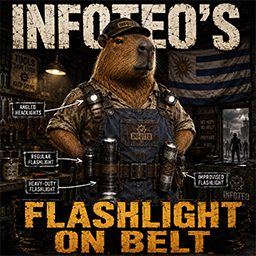
Infoteo's FixedLightOnBelt
von 76561198450882774
# Flashlight on Belt — Build 42.20.2 **Flashlight on Belt** permite colocar distintas linternas en las ranuras del cinturón y del correaje, manteniéndolas visibles sobre el personaje y disponibles desde la barra rápida. El mod utiliza las estadísticas originales de Project Zomboid, por lo que no modifica la duración de las baterías, la intensidad de la luz, el peso ni el funcionamiento de las linternas. ## Características * Permite colocar la linterna común en el cinturón. * Permite colocar la linterna pesada en el cinturón. * Permite colocar la linterna improvisada en el cinturón. * Añade compatibilidad para las linternas angulares. * Permite utilizar linternas angulares en cinturones y correajes. * Incluye posiciones visuales para personajes masculinos y femeninos. * Mantiene intactas las estadísticas y el balance vanilla. * Compatible con **Project Zomboid Build 42.20.2**. ## Agradecimientos Agradecimiento especial a **MineHost** por proporcionar el alojamiento y el entorno de servidor utilizado para realizar pruebas de funcionamiento y compatibilidad en multijugador dedicado. Su colaboración permite continuar desarrollando, revisando y adaptando mods para las nuevas versiones de Project Zomboid. ## Permission & Redistribution Notice Este mod no puede ser copiado, resubido, redistribuido, espejado, modificado, republicado, empaquetado, incorporado en colecciones privadas o públicas, incluido en modpacks, almacenado en sitios de terceros, utilizado como base para otros mods, ni utilizado total o parcialmente sin autorización escrita explícita del autor. Queda expresamente prohibido realizar forks de este mod, ya sea de forma pública o privada, total o parcial, con o sin modificaciones, sin permiso escrito explícito del autor. También queda prohibido extraer, reutilizar, adaptar, renombrar, modificar o redistribuir cualquiera de sus archivos, scripts, assets, sonidos, texturas, configuraciones, código Lua, traducciones o partes internas sin autorización escrita explícita. Se permite únicamente compartir el enlace original de Steam Workshop. Cualquier copia, fork, redistribución, reupload, modificación no autorizada, uso parcial, uso total, publicación alternativa o almacenamiento fuera de la página original será considerado una infracción a los permisos establecidos por el autor. Workshop ID: 3652543517 Mod ID: InfoteoFixedLightOnBelt

Do not reupload my mods.
von 76561198119757204
I am leaving this up to note that I do not give anyone permission to repost any of the mods that are exclusively credited to me. If we collaborated on something, do what you want. The Indie Stone has supported one of their developers in advocating suicide using a white supremacist dogwhistle, "natural selection", and engaged in other moderation practices that brought harm to harassment victims. I do not wish to be involved in this community or this game anymore.
Energy Drinks 简中汉化
von 76561199103258790
有问题请指正。 放置在原mod下面。 感谢作者neuro-iamwithstupid的制作。 原模组地址:https://steamcommunity.com/sharedfiles/filedetails/?id=2674541310 Workshop ID: 3349112605 Mod ID: IMWSEnergyDrinks_CNJF
Authentic Z CN 简中汉化
von 76561198341988495
Authentic Z自用汉化 Workshop ID: 3303150783 Mod ID: Authentic Z CN
![[B42] port True Moozic Argentina Casettes – Project Zomboid Mod](https://images.steamusercontent.com/ugc/11519955036726738011/6341E0FAF88F63F11F20AB4A6E4D884EA7E0D418/)
[B42] port True Moozic Argentina Casettes
von 76561198070816460
Generated with Simple Moozic Builder Port a true Moozic de las canciones cassette de la recopilacion de SoRek ¡MP 42.20! Si no andan los casettes deshabilita AntiCheatPermission Incluye canciones de Airbag Andres Calamaro ARBoL Attaque77 Bersuit Vergarabat Cacho Castana Callejeros Charly Garcia Coti Don Cornelio y la Zona Fabiana Cantilo Fito Paez Guasones Gustavo Cerati Intoxicados Katunga La Renga L-Gante Los Abuelos De La Nada Los Autenticos Decadentes Los Fabulosos Cadillacs Los Palmeras Los Pericos Los Redondos Los Rodriguez Los Tipitos Los Twist Miguel Mateos Miranda! Pappo's Blues Paulo Londra Pibes Chorros Rafaga Rata Blanca Rodrigo Sandro Seru Giran Soda Stereo Soledad Sueter Sui Generis Sumo Supermerk2 Tan Bionica Turf Valeria Lynch Viejas Locas Virus Walter Olmos Yerba Brava y mas... La lista completa de canciones esta en el mensaje pinneado del foro (es demasiado larga para la descripcion) Para mas canciones y mixtapes, ver la coleccion https://steamcommunity.com/workshop/filedetails/?id=3774156933 Workshop ID: 3774001221 Mod ID: port_moozic_argentina_cassette
![[Legacy] Woody's Killable Small Animals – Project Zomboid Mod](https://images.steamusercontent.com/ugc/15503661375195810417/CBE5A60AEF9E6E8195D1BB41FB3258CD9EC83D60/)
[Legacy] Woody's Killable Small Animals
von 76561198001041185
Retired - vanilla fixed this This mod does nothing on Build 42.14 and newer, and will not load there. If you are on 42.20, the current Stable, you can unsubscribe. The page stays up for anyone still on 42.12.x or 42.13.x, where it does still work. What it was for Killing or butchering a raccoon used to crash the game - the butchering data for the animal was missing. This mod supplied it, and added a configurable meat yield boost while it was there. Build 42.20 added those definitions properly. Raccoons, rabbits, rats and mice all butcher correctly now. Why it is capped rather than left alone It was written against the butchering code as it stood in 42.12, and that code has moved on since. Rather than let it run against a version it was never meant for, it declares a maximum game version of 42.13.999 - on anything newer the game skips it entirely. That is cleaner than asking people to remember to switch it off, and it means nothing can go quietly wrong on a build where the mod has no business running. Requires Woody's Lib (3622629134). Thanks to everyone who used it while it was needed. My mods that are current for 42.20 Please don't reupload or copy this one. If you want to build on it, ask me first. These get made in my free time, between playthroughs. If one of them saved you an evening of clicking and you feel like buying me a coffee, the button is below - and if not, that is genuinely fine. The same page is where I write about how these mods actually get built - what broke, how long it took to find, and what the game turned out to be doing instead. Reading it costs nothing and needs no account. The only reason to click the button is if you want to. Mostly I hope you have a good run out there. Watch the treeline, and try not to get bitten.
Bluemoji Moodles B42
von 76561198068877734
Fixed version of moodles Workshop ID: 3386557311 Mod ID: bluemoji
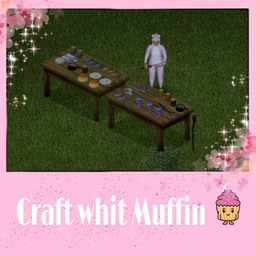
CraftWithMuffin
von 76561198119739527
CraftWithMuffin By LeyNevD Workshop ID: 3290776323 Mod ID: CraftWithMuffin
Yumi's Open All Ammo Boxes
von 76561199089009325
🌸 Taking a Mental Break from Modding 🌸 Hey everyone! I wanted to give you a quick update. ✨ I’ve decided to take a break from modding so I can rest, enjoy other games, spend more time with my family, and avoid burning myself out. I truly love modding, and I want to keep it that way instead of letting it feel like a chore. I’m not quitting or abandoning my mods. If something is genuinely broken or game-breaking, I’ll still do my best to fix it, but smaller updates and requests may take some time while I recharge. 🌿 I’ll also no longer be replying to comments on Steam. If you need to report an issue, please head over to my Discord instead! 🛠️ 🎮 YumiNekoGirl’s Modding Den 🌸 It’s a new 18+ community for mod support, questions, and updates. You’re also welcome to hang out, make friends, chill, play together, or watch me stream! 🎮✨ Join YumiNekoGirl’s Modding Den I’ll also be adding an optional donation link soon for anyone who wants to support my modding work. ☕💕 Thank you all for your patience and support. This isn’t goodbye. I just need some time to relax, recharge, and come back when I’m ready. 🌸 — Yumi <3 Open All Ammo Boxes (ノ◕ヮ◕)ノ*:・゚✧ Opening ammo boxes one at a time is fine… until you have 10 of them. Or 50. Or an entire pile because you loot like a gremlin and now your inventory looks like a small armory. At that point, it stops being gameplay and starts feeling like a second job. So I made this mod. (ง •̀_•́)ง This adds a simple right-click option that lets you open all your ammo boxes at once instead of clicking through them one by one like you're being punished. It’s a small quality-of-life change, but honestly, once you use it, you’re probably not going back. What This Mod Does (っ◔◡◔)っ - Adds a right-click option to open all ammo boxes at once - Works with supported vanilla ammo boxes - Works with supported modded ammo boxes - Supports supported arrow and bolt packs - Helps reduce repetitive clicking and inventory micromanagement How It Works (。•̀ᴗ-)✧ Right-click a supported ammo box stack in your inventory and you will see an option to open all of that ammo type. If you select multiple supported ammo boxes, the mod can open all selected boxes together. Simple. Fast. Less clicking. More surviving. (´。• ᵕ •。`) Compatibility (ง •̀_•́)ง - Compatible with Build 42.20+ - Supports vanilla ammo - Supports supported modded ammo boxes - Compatible with Real Firearms - Compatible with Gael’s Gun Store - Compatible with Guns of Mars - Compatible with Vanilla Firearms Rework - Compatible with Vanilla Firearms Expansion Redux - Compatible with VFE Redux Addons I’ve made this mod compatible with several of my favorite firearm mods so you can open supported ammo boxes without having to click through every single one manually. Compatible Gun Mods (づ。◕‿‿◕。)づ - Real Firearms - Gael’s Gun Store - Guns of Mars - Vanilla Firearms Rework - Vanilla Firearms Expansion Redux The gun mods listed above are NOT required for this mod to work, but if you enjoy using firearms, I highly recommend them for the best experience. Important Compatibility Note (。•́︿•̀。) Many firearm overhaul mods replace vanilla ammo systems and loot pools. You should only use ONE major gun overhaul mod at a time. Using multiple firearm overhaul mods together can cause: - Duplicate ammo - Broken loot pools - Conflicting firearm systems - Ammo box issues Notes (´• ω •`)ノ - Best used from your main inventory - Supports supported arrow and bolt packs from Gael’s Gun Store - If a mod adds completely custom ammo box types, those may need to be added manually for support - If something is not supported yet, feel free to report it Final Notes (´• ω •`)ノ Final Notes I’m a mom to a two-year-old, I work full-time, I run a household, and I have a life that exists well beyond this game. So updates won’t always be instant—I fit this in when I can, and I appreciate your patience. If you run into a glitch or bug, please let me know with as much detail as possible (what happened, any error messages, steps to reproduce). That genuinely helps me fix things faster. And about the images: yes, I use AI to make them. I don’t draw, I’m not paying someone to create art for a hobby project, and I’ve got far bigger things to deal with than pixel-perfect illustrations. I like the images I generate—they bring my OC to life in a way that makes me happy. That’s the point. So if you’re here to drop “AI slop” comments, save it. I don’t care. Move on. I’m here to have fun, share something I love, and build a little community around it. If that’s not your vibe, the door’s right there. ✌️ — Yumi <3 Check Out My Other Mods! Feel free to check out my other Project Zomboid mods! Thank you so much for the support. <3 - Yumi's The Right to Spawn Armed - Yumi's Fridge Expansion Deluxe w/ Storage Boost Add-On - Yumi's Moonlight Mayhem - Yumi's Superior Stews Reheated - Tactical Sling Reborn - Yumi's Faster Tree Chopping: A Lumberjack’s Dream - Eat Anything For Animals <3 - Animals Everywhere: A Hunter's Dream - Yumi's Endless Harvest-Regrowth Farming Overhaul - Advanced Trapping Overhaul - Yumi's Zombies Drop Ammo Boxes - Yumi's Fishing Expansion - Yumi's Meat Expansion - Run Faster, Die Later WARNING Any hateful or disrespectful comments towards me or my family will be deleted and reported. Workshop ID: 3708094305 Mod ID: OpenAllAmmoBoxes

JestSleep
von 76561198068125946
Tired of playing with your mates when bedtime comes around and your unable to sleep again because you accidently woke up before everyone else was sleeping leaving you stuck awake? This mod makes it so you can sleep even if you just woke up (assuming you are still tired and meet the other sleep requirements). the mod is really simple and small and I don't plan on actively modding this game, just didn't see a public solution for this when I looked so figured I'd share. There likely won't be many updates as I am busy with my own game development, but this works as of Build 41.65. Open Source, feel free to pack in your server mod or fix it once it breaks. Happy Surviving! Workshop ID: 2709140894 Mod ID: JestSleep
![[Food/Survival] Tooltips – Project Zomboid Mod](https://images.steamusercontent.com/ugc/13664963034140004647/B50724352F18923189CBD3A056A4D7E820BBD78C/)
[Food/Survival] Tooltips
von 76561198029886463
Enhances Project Zomboid's tooltips with useful information about food, bait, fishing, farming, hunting and exploration. The mod does not add any mechanics or content. It simply highlights information already present in the game in order to make player decisions easier and more intuitive. ━━━━━━━━━━━━━━━━━━━━━━━━━━ 🧭 FEATURES ━━━━━━━━━━━━━━━━━━━━━━━━━━ 🍔 Food • Food freshness and condition • Nutritional profiles 🐾 Survival & Exploration • Animals attracted by bait • Possible catches depending on traps • Fishing bait • Hunting opportunities based on biome • Natural resources available depending on the area 🌱 Farming • Planting period • Crop category • Growth time • Yield information ━━━━━━━━━━━━━━━━━━━━━━━━━━ 🧩 COMPATIBILITY ━━━━━━━━━━━━━━━━━━━━━━━━━━ ✔️ Compatible with most food mods ✔️ Compatible with farming and survival mods ━━━━━━━━━━━━━━━━━━━━━━━━━━ 🌍 Translations: FR / EN / DE / ES / IT / RU / CN / PT / JP 💡 Your feedback and suggestions are always welcome. ━━━━━━━━━━━━━━━━━━━━━━━━━━ 🔒 RIGHTS & DISTRIBUTION ━━━━━━━━━━━━━━━━━━━━━━━━━━ 🏴 Knox MCMXCI - 51.38.43.107:16261 🏴 👉 Available as an open mod. ❌ Any reproduction, modification, reupload or redistribution without permission is strictly prohibited. For any request, please contact me. ⬇️ Discord Contact ━━━━━━━━━━━━━━━━━━━━━━━━━━ 💖 SUPPORT ━━━━━━━━━━━━━━━━━━━━━━━━━━ Thanks to everyone who supports SenseTooltips ❤️ If you like the mod, leave a thumbs up 👍 And if you feel like it, you can also buy me a coffee ☕ ━━━━━━━━━━━━━━━━━━━━━━━━━━ Workshop ID: 3728122755 Mod ID: SenseTooltips
A Alternative Progression Mod
von 76561198066732137
Alternative progression mod. Leveling skills is now only possible through reading books and there's a limit of total skills the player can learn. recommended to use with https://steamcommunity.com/sharedfiles/filedetails/?id=2729436580 (Occupations Expertises & Balance) mod, which adds skillbooks for all skills. CONFLICTS: Do not use this with: abooknerfmod or XP gain mods * This mod makes progression only possible after reading a skill book. * The player can ONLY have 1 skill book active at a time!! * When reading skill books, the books will degrade and eventually become unusuable. * Reading speed is increased in this mod. * When a skill book is read and player can progress, the XP gain rate is VERY HIGH, meaning levels will be achieved very quickly after reading a skill book. * The progression is limited to max 25 skills. Recommended to use a mod that adds skillbooks to other skills as well (https://steamcommunity.com/sharedfiles/filedetails/?id=2729436580 (Occupations Expertises & Balance)) This was made because I don't like grinding, want characters specialize in a certain thing and to allow a different progression. Workshop ID: 2812864958 Mod ID: aprogressionmod
Extensive Power Rework - Slapstick Fork (B42.20)
von 76561197975907364
Extensive Power Rework - Slapstick Fork Power and water infrastructure for Project Zomboid Build 42.20 Stable. The grid goes down like it always does. The difference is that you can now do something about it, if you are willing to drive out there. The idea is not ours. Hunter built it, Grphx kept it going, and we forked it to keep it running on our own server. Build 42 broke a lot of it. Most of that works again, including several things that were built in and quietly did nothing at all. How this mod works Out of the box, without touching a setting, power and water are both a project, and not the same one: power comes back town by town, water comes back everywhere at once. The grid dies on schedule, the way the base game always kills it. That is when this mod starts to matter, and not a day before. Six facilities sit on the map as real buildings you can walk into, and a seventh transmits. Louisville Power Plant comes first. Until it runs, every substation you repair hums into nothing. After that, fix the substation that feeds your region and the lights come back in your town. Not everywhere: power is regional. Thirteen zones cover about a quarter of the map, and outside them the countryside stays dark, so a generator in the woods goes back to being infrastructure rather than a stopgap. A repair is a few steps and a shopping list. Look the thing over, replace what is broken, calibrate it, then guard the site while the whole facility spins up. It wants electrical, mechanical and welding skill, a welding torch with charge in it, a mask, and scrap electronics. A wrecked component takes twice as long as a lightly damaged one. The work makes noise and the startup makes considerably more. The noise is what to plan around. The radio tells you what is running, and where to go. A survivor channel broadcasts the state of the grid: which facilities run, which are down, which are due for maintenance, and the map coordinates of each one. It comes from a real place, the Knox County Radio Relay north of Riverside, and that place can be repaired like any other. Until it is, the channel still airs but only counts, with no names, plus one clear line naming the relay's own site. The frequency is rolled per save and named in the server log at startup. Water is one job for the whole map. The taps run dry on the base game's own schedule, and until then there is nothing to do. From that day on, Rosewood Water Treatment is the facility that matters: repair it and start it like any other, and water comes back everywhere at once, not town by town. Keep it running and it stays that way. Inside the zones a building still needs connecting by hand for taps and appliances; lights and fridges run on zone power alone. All of that is a switch. Water can be tied to the grid, water can be kept on for good, the countryside can be turned back on. Six settings change how a server actually plays, the other forty-three tune numbers. The guide in the Discussions tab covers all six and lists every facility and zone with coordinates. Do not run this alongside another Extensive Power mod This one has several forks by now, and there are other power overhauls doing much the same job. They all write the same save data, so two of them will fight over it. The symptom is not an error message. It is a zone that stays dark for no reason anyone can see. Pick one and stick with it. The ones we know are listed in this mod's mod.info, so your mod manager can warn you before the save is made. That list will never be complete: forks appear faster than we can test them. Compatibility with other mods Handled in code: Immersive Blackouts (integrated, the two take turns), PoweredBuildings V2, Useful Barrels. Anything not listed has never come up, which is not the same as tested. The pinned Mod compatibility discussion keeps the full list and says how well each answer is backed. Ask there and it gets checked. Save compatibility ModData keys are unchanged (EPR_GlobalData, EPR_GridData, EPR_PowerController), so coming from the original does not lose progress and updating does not need a new save. Zone borders and facility state are read on load; a running save picks up corrections after a restart. Bugs, ideas, and a request There will be bugs. This mod touches power, water, lighting and every fixture in the world, on a build that changed all of it. We fix what we find and what gets reported, and the reports have found more than we have. We are a small crew running one server with four people on it, and four people do not cover thirteen zones and forty-nine settings. The servers where this matters are the bigger ones, and we do not have one to test on. So if something looks wrong, please say so. Comments and Discussions both get read, and reports that turn out to be real get fixed and credited by name. There is a button to make that easy, behind a switch. Turn on Show Technical Menu Entries in the sandbox options, then right-click anything in the world and pick EPR: copy settings for a bug report. The switch is off by default because those entries were cluttering every context menu. It puts the mod version, every switch, which facilities are repaired and where you are standing into your clipboard. Every report so far turned out to hinge on a setting, and on a server you cannot look those up yourself. Before reporting odd power behaviour, check Sprite Generators and Require Prerequisite first. Both have produced reports that turned out to be the switch doing exactly what it says. And note that Project Zomboid keeps sandbox settings inside the save: changing them mid-game does not always reach the mod. Ideas are welcome too, especially about immersion. Fixing what was broken came first and still does, but the obvious things are out of the way now. If there is something you have always wanted this mod to do when the lights go out, say so. Most of what works today started with somebody writing instead of unsubscribing. Credits Original concept and codebase: Hunter, who opened the project to community forks when stepping back from PZ modding. Community continuation: Grphx, repository grphx/extensive-power-community on GitHub. Multiplayer fixes: Onyxjag. None of this exists without their work, and that is not a formality. Copyright for the original code stays with its authors, and this fork continues under Hunter's open invitation. Everything written for this fork is offered under the MIT licence, in the same spirit: fork it, learn from it, keep it running. Latest release: 0.17.3 - Emergency radio names the facility and its coordinates. - Your own barrels, tanks and plumbed fixtures are never gated. - Washing machines are asked instead of the tile under them. - Two mods declared incompatible: they restore the grid the same way this one does. Full notes in the Change Notes tab. Mod info - Mod ID: EPR_Slapstick - Workshop ID: 3775553383 - Build: 42.20 Stable Workshop ID: 3775553383 Mod ID: EPR_Slapstick
Moonshine - Alcohol Factory (Самогонщики)
von 76561198033414910
Мы не претендуем на авторство мода. Просто перевели его для вас. Все элементы мода вырезаны, кроме самого перевода. Для работы требуется оригинальный мод. Workshop ID: 3301605904 Mod ID: MoonshineModRUS

NSO CC
von 76561198123517410
Spawn in NSO CC Season I Workshop ID: 3645519776 Mod ID: NSOCCMaps Map Folder: NSO Community Center
Tsar Interior SP e MP PTBR
von 76561199131666750
Tradução para PTBR o Mod Tsar Interior SP e MP. Workshop ID: 2829866616 Mod ID: RV_Interior Mod ID: RV_Interior_MP
True Music Addon: Schizo Music
von 76561198271825010
This music adds a lot of cool schizo music from artists such as exodia sienna sleep death grips sewerslvt the smiths mr.kitty and goreshit Workshop ID: 2850240524 Mod ID: true_music_but_schizo
Custom Gunfighter Settings
von 76561198328722618
Custom gunfighter settings for use on servers managed by Intulect Workshop ID: 2775480573 Mod ID: GunfighterZL
Coot's Safehouse Tool
von 76561198042069087
Gives players a way to expand their safehouse with a payment item. Now tracks tiles owned and allows safehouse owners to transfer ownership of tiles with the house. This mod was only made possible by the amazing work of Glytch3r! Search his mod workshop!!! Workshop ID: 3491292654 Mod ID: CootSH
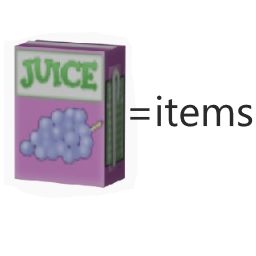
food In return for supplies
von 76561198050176944
You can exchange most of the food in the game for juice (some of the satiety and calories of the food will be inherited from the juice), and then you can use the juice to purchase supplies. ------------------------------------------------------------------------------------------------------ You can exchange most of the food in the game for juice (some of the satiety and calories of the food will be inherited from the juice), and then you can use the juice to purchase supplies. ------------------------------------------------------------------------------------------------------ This mod has added a composite label "Fs". Original props currently available for purchase: Wall breaking sledgehammer, a variety of throwing bombs, a variety of hammers, a variety of saws, generators, tire pumps, cross wrenches, propane blowlights, welding rods, iron wires, accessories for a variety of commercial vehicles, jacks, bulbs, metal bars, metal tubes, nail boxes, gasoline tanks, pipe tongs, propane tanks, screwdrivers, metal plates, Can opener, welder masks, wrenches, engine parts, scissors, needles, Bin bag, metal waste, bowls, frying pans, cooking pans, crowbars, Bourbon whiskey whisky, fire axe, electronic waste, Coffee, various glues, door handles, door hinges, baseball bats, hand axes, samurai knives, antibiotics, various bullet boxes, and various practical original tools ------------------------------------------------------------------------------------------------------ There are two new OP props that can be purchased, which are much stronger than the original version. ===Product 1: Modified M16, which can be hung on the belt and can attack up to 4 enemies at a time (if the angle is correct), with low sound and high durability ===Product 2: Jason's machete, which can be hung on his belt and can attack up to 5 enemies at a time. Its durability is very high and its attack power is very high. It can cut trees and doors quickly ===Product 3: Mounted flashlight. It is a flashlight that can be hung on a holster and has a wide angle illuminated view. It has permanent electricity. ===Product: 4: Space expansion pack. FPB It has a weight loss rate of 88% and a capacity of 2500 You can use it as a container (put it on your bookshelf, refrigerator, or container. It looks beautiful and elegant), or you can carry it with you. This backpack is very suitable for hamster players, as just one item can be summarized into tons of items, making the home look very clean. If your sandbox is set to automatically clear items, you need to manually set FPB to a whitelist, as shown in the following figure. The format should not be incorrect. Base.FPB ----------------------------------------------------------------------------------------------------- This mod only adds synthetic items and several self created items, theoretically compatible with most mods, and can be deleted and added at any time. Workshop ID: 2805377362 Mod ID: 椋熺墿鍏戞崲鐗╄祫 food In return for supplies
Super Lite Occupations
von 76561198007625335
Works with build. 41+ Only. (No Multiplayer Function Yet) Super Lite Version of More Occupations. Only New Occupations, and Starting Locations. Normal Version (More Occupations): https://steamcommunity.com/sharedfiles/filedetails/?id=2563469491 Requires: Profession Framework Build 41 Patch https://steamcommunity.com/workshop/filedetails/?id=2216760107 This simple mod would not be possible without framework- Thank you. :Credits: Thank You! https://steamcommunity.com/id/pckrrr/myworkshopfiles/ https://steamcommunity.com/id/6361058/myworkshopfiles/ Workshop ID: 2566158222 Mod ID: SuperLiteOccupations Map Folder: OSMuldraughKY Map Folder: OSRiversideKY Map Folder: OSRosewoodKY Map Folder: OSWestPointKY
FichinScoreboard
von 76561198142117152
Ranking PVE/PVP para el servidor dedicado de Adictos al Fichin. Workshop ID: 3664016350 Mod ID: FichinScoreboard
Project Zomboid Details →
Project Zomboid Guides
Project Zomboid Mods installieren - Workshop Guide
Installiere Project-Zomboid-Mods sauber per Steam Workshop: IDs eintragen, Reihenfolge prüfen, Server neu starten und typische Fehler beheben.
Project Zomboid Build 42 auf dem eigenen Server: Umstieg, Spielstände und Mods
Build 42 ist Stable: Spielstände aus Build 41 sind nicht kompatibel. Umstieg, legacy41-Zweig, neue Serveroptionen, Anti-Cheat und der Hotfix 42.20.1 gegen Serverlag.
Project Zomboid Server mieten – Multiplayer Guide
Project Zomboid Server einrichten: RAM, Sandbox-Einstellungen, Workshop-Mods, Admin-Rechte und typische Fehler sauber prüfen.
Project Zomboid Server mit Mod-Support
Kompatible, unterstützte Mods über das Server-Dashboard installieren.
Project Zomboid Server mieten