Project Zomboid Mods für Server
Für einen modifizierten Project-Zomboid-Server brauchst du pro Projekt die Steam-Workshop-ID und die interne Mod-ID. Prüfe zusätzlich Spiel-Build, Abhängigkeiten und Lade-Reihenfolge, bevor du deine Welt mit den Änderungen startest.
Project Zomboid Mods sicher installieren
Ein Workshop-Abo allein aktiviert eine Mod auf dem Dedicated Server nicht. Die Einträge in `WorkshopItems=` und `Mods=` müssen zusammenpassen; außerdem muss jede Mod den gewählten Build 41 oder Build 42 ausdrücklich unterstützen.
- 1. Build prüfen: Build-41- und Build-42-Mods nicht ungeprüft mischen.
- 2. Workshop-ID, Mod-ID, Abhängigkeiten und erforderliche Reihenfolge vollständig dokumentieren.
- 3. Welt und Konfiguration sichern, Server neu starten und Logs sowie den Beitritt mit einem Test-Client prüfen.
Die vollständige Schritt-für-Schritt-Anleitung findest du im Project-Zomboid-Mods-Guide. Oder starte direkt mit einem Project Zomboid Server mit Mod-Support.
Häufige Fragen zu Project Zomboid Mods
Was ist der Unterschied zwischen Workshop-ID und Mod-ID?
Die Workshop-ID bezeichnet das Steam-Workshop-Projekt und steuert den Download. Die Mod-ID aktiviert den enthaltenen Mod im Spiel. Auf dem Server müssen beide Listen vollständig und passend gepflegt sein.
Laufen Build-41-Mods automatisch mit Build 42?
Nein. Nutze eine Mod nur dann auf Build 42, wenn ihre Workshop-Seite diese Kompatibilität ausdrücklich bestätigt. Prüfe dabei auch alle Bibliotheken und weiteren Abhängigkeiten.
Wie teste ich ein Mod-Update ohne Risiko für die Welt?
Sichere zuerst Welt, Sandbox-Konfiguration und Server-INI. Aktualisiere danach die zusammengehörigen Mods, starte den Server neu und prüfe Logs, Kernfunktionen und einen vollständigen Client-Beitritt.

VGR Config for Brita's Weapon Pack
von 76561198062723944
Config de Britas para VinculoGamer(VGR) Workshop ID: 2896208323 Mod ID: VGRConfigforBritasWeaponPack
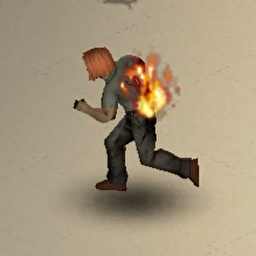
Flaming Sprinters
von 76561198026325628
Burn the zombies, but they fight back. Does the life of a fire-wielding survivor lack challenge? No more - Give zeds a chance to turn into sprinters when set ablaze! Features This mod adds a chance to make zombies start sprinting when they are on fire. Compatibility Should be compatible with all mods and ongoing saves. As always, please backup your world before using any new mod. Specific Mod Compatibility - Zambies - Action Playback Bug reporting Please report bugs under the Bugs (or similar) thread. Like what I do? If you enjoy what I do, consider supporting me on Ko-fi! A little support goes long way! Workshop ID: 3455397831 Mod ID: ZombieFireRun

Hobbies: Lifestyle Devcatt Moodle's Patch Non Cat
von 76561198076948732
This is a patch for Lifestyle: Hobbies so the default 30x moodles are replaced with 64x moodles that match Devatt's Furry Moodles. I made this coz I use Devcatt's Furry Moodles coz the new vanilla ones are awful, and cats are awesome. Lifestyle: Hobbies has 30x moodles by default, but this mod has options for x64 (default for the patch) and x128 versions. Please note that this is for the current version of Lifestyle: Hobbies, not the legacy version. New Non Cat version for those who aren't true cat lovers D: Workshop ID: 3493441501 Mod ID: LifestyleHobbiesDevcattMoodlePatchNonCat

True Music Addon: Fallout Lite (Only the good ones)
von 76561198022961009
57 songs, you get what you get. Yes, you MUST use the 3 required mods, do not cry if this suddenly breaks your save if you fail to download them. Mod is provided as is, don't complain. Workshop ID: 3306748861 Mod ID: truemusic_addonFalloutLite

Zona Vip Mapa
von 76561199526939457
Mapa da Zona Vip Zumbilandia Discord: linkme.bio/zumbilandia Workshop ID: 3169117793 Mod ID: ZonaVipZumbilandia Map Folder: ZonaVipMapa
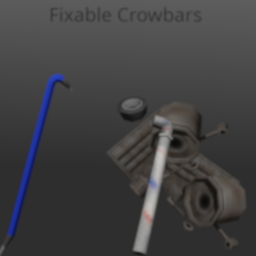
Fixable Crowbars
von 76561198444129889
Ever tired of losing that crowbar you've been using for the past 2000 zombies? Say no more! With this mod you can fix your crowbar if you have some metalworking skills! Just cram some scrap metal or a metal pipe into the crowbar and the problem's fixed! Fix your crowbar using either Metal pipes, Metal bars, Or Scrap Metal. Metalworking level 8 required. Note: This mod IS COMPATIBLE with Paintable Crowbars. And can be added/removed mid-playthrough. Workshop ID: 2967094232 Mod ID: fixableCrowbars
![Abby Voice Pack [TLOU2] [B42] – Project Zomboid Mod](https://images.steamusercontent.com/ugc/18315875021414449345/5007BB49A754071C308D096E0CB2F1086CE8ABC7/)
Abby Voice Pack [TLOU2] [B42]
von 76561198068916222
I went a bit overboard on this one. I meticulously sifted through and clipped hundreds of files and slimmed it down to just shy of 330 audio files. I hope there is enough variety in here for you, because it was a pain in the ass to collect all of them. I did my best to make sure most actions and weapon types would produce unique lines/efforts that you wont hear while performing other actions so that you aren't hearing the same sounds all the time. This one took me a while to gather and sort the audio clips, but I used what I learnt in the making of Ellie's voice pack and was able to easily put this one together. So once again shout out to Spongie! Your guides continued to help me immensely. Dina is next on my list, but no specific timeline on that, as this is something i just do in my spare time. If there's any issues, let me know and ill do my best to address it for you. I put a lot of time into this, please don't down vote just because you dislike Abby :( CHECK OUT MY ELLIE AND JOEL VOICE PACKS! https://steamcommunity.com/workshop/filedetails/?id=3489531031 Workshop ID: 3489519485 Mod ID: VoiceAbbyAnderson
![Auto Save Mod [B41/B42] – Project Zomboid Mod](https://images.steamusercontent.com/ugc/17559150255915433/6FDE0AB8797A8E3D92BD0803E7484329B917ACF6/)
Auto Save Mod [B41/B42]
von 76561199080219542
Tired of losing your valuable time after dying in a long-term save? Just activate Auto-save! ---- HOW TO INSTALL ---- This is a Java mod, meaning just enabling it won't be enough to make it work! In order to install it properly, follow the next steps: 1. Right click Project Zomboid from your Steam Library list. 2. Select Manage > Browse Local Files 3. This should open Project Zomboid's folder. 4. Now, open a new file browser, and go to IF YOU HAVE THE GAME INSTALLED IN OTHER DISK THAN THE OS ONE. "D:\SteamLibrary\steamapps\workshop\content\108600\3460681779\mods\AutoSaveMod" IF YOU HAVE THE GAME INSTALLED IN YOUR OS DISK. "C:\Program Files (x86)\Steam\steamapps\workshop\content\108600\3460681779\mods\AutoSaveMod" 5. If you're using Build 42, go inside the "42" folder. 6. In both cases (B41 or B42), go inside the media folder, and copy the "zombie" one. 7. Go back to Project Zomboid's game files, and simply paste and replace everything on it! 8. You should be done!! ---- HOW DOES THE MOD WORK ---- By default, it will auto-save your game every day you've survived for. You can customize it to make it save per week, month, and even year! In order to do so, please enable both this mod and the ones required (Mod Options) to be able to change it. Once you've set everything up, just go to Options, then "Mods" and find "Auto Save" to set it to your liking! ---- BE CAREFUL! ---- Every time the game auto-saves, it will freeze for a bit. Do NOT try to click anything or change windows at all, Windows (or whatever OS you're using) will think the game has frozen and attempt to automatically close it! How long it takes to save may depend on what is going on inside the game. If you're fighting a big horde, it'll probably take about a minute. Be patient! ---- HOW DO I UNINSTALL IT ---- Follow the same steps to install it, but, instead of copying the "zombie" folder, go to the one labeled "Vanilla" and copy the one inside it. If this doesn't work, or you want to make sure it's 100% gone, you can restore Project Zomboid's files with Steam. Thanks for reading, and consider rating it if you liked it! If you stumble into any bugs, PLEASE let me know so I can fix them as soon as possible! Workshop ID: 3460681779 Mod ID: AutoSave

气球
von 76561198401026277
6种气球,只能在僵尸身上找到! 它们没有任何属性!0负重!只是服装! Workshop ID: 3153709691 Mod ID: balloon
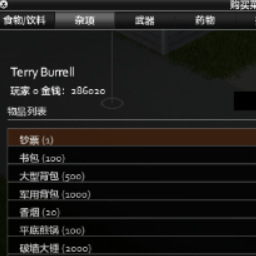
CoxisShopEnhancement
von 76561198144416767
使用O键打开内置商店菜单,新角色建立时获得 2000 金钱,死亡后创建的角色继承上一个角色的金钱,击杀一个僵尸获得 5 金钱,每活过一天奖励 总金额 * 0.025 的金钱。物品出售价格为原价的 10% (考虑到部分道具仅靠百分之十的售价售卖不合适比如钱和香烟,可以在CoxisShopSettings中配置指定物品的指定售价,在售卖时会优先考虑指定售价),注意如果出售的是“背包”,请一定要事先取出背包内的物品,不然背包售出后物品会全部丢失!! 杂项物品栏可以花费1000金钱购买MOD专属物品“背包扩容(10kg)”,该物品放入到任何一个容器里面即可扣除10kg的使用重量。 技能物品栏可以升级技能,这里购买的技能可以正常记录到技能日志里面。 特殊物品栏可以: 1、花费5000金钱完全治愈自己(治愈一切伤痛病包括尸毒感染,回满全部状态)。 2、花费2000金钱修复右手装备耐久(不消耗修复次数,注意右手装备指的是右手持握或者双手持握的装备)。 3、花费2000金钱获得当前所在车的车钥匙。 4、花费4000金钱修复当前所在车(满改装+配件满耐久+油加满)。 5、花费4000金钱复制右手装备(满状态,右手装备定义同上)。 6、花费1000金钱进行传送(使用传送功能填写坐标时一定要慎重!!!不要填不清楚的坐标!坐标地点可以参考在线地图 https://map.projectzomboid.com/ )。 7、花费4000金钱根据物品代码获取指定装备,比如Base.Money,主要是可以获取未预先添加的其他MOD的物品。 8、花费4000金钱习得全部配方(包括MOD添加的配方)。 若想去除这些功能可以直接在CoxisShopSettings配置中删除指定功能字段即可。 具体数值以及商店购买内容可以自己在MOD目录下media/lua/client/CoxisShopSettings.lua文件内进行修改。MOD物品也是可以自定义添加到本内置商店里面购买的,具体注意事项可以参考配置文件。建议手动保存一下自己配置的CoxisShopSettings.lua文件,避免因为MOD更新而丢失了自己的配置。 注意:多人模式使用本MOD可能会有未知问题。 Workshop ID: 2795784291 Mod ID: CoxisShopEnhancement

Zomboid Marketplace
von 76561198973575896
Market mode for Zomboid Latam Server. https://discord.gg/kQtnuHQUaF. Workshop ID: 2737351406 Mod ID: ZOMBOID_MARKETPLACE
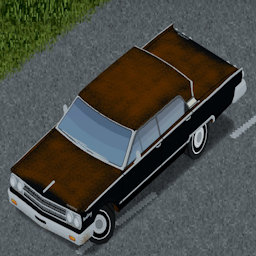
1963 Mercury Monteray
von 76561198042679014
1963 Mercury Monteray commission requested by peacefulltreasure He wanted his real life car in game and this vehicle is modeled to the full size sedan scale which 1950s - 1970s cars coming up in my car pack mod 15/11/23 Model and script updated This mod is waiting approval and will likely change from the feed back given by the commissioner of this mod If you would like a commission, please message me for a price on my steam profile or add me as a friend. Workshop ID: 3047030412 Mod ID: 63monteray
Monkey's PZ Dungeons - Official MrAtomicDuck MMO MMO Setup
von 76561198013042524
Monkey's PZ Dungeons - Official MrAtomicDuck's MMO Setup Dungeon Maps by Simon_MD. Full credits go to him. This mod just contains the setup for the dungeon instances, which require an upload of the maps. I do mod commissions - Discord: _mon.key Workshop ID: 3017069543 Mod ID: PZDungeons-AtomicDuckMMOServer Map Folder: burnedvillagedungeonmap Map Folder: undergroundlabdungeonmap
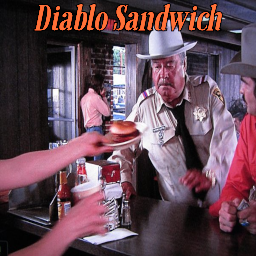
Diablo Sandwich
von 76561197966975040
Updated for B42.20.4! Introducing the Almighty Diablo Sandwich! Pairs well with a Dr. Pepper! Workshop ID: 3190717496 Mod ID: DS77

Knox Claim
von 76561198058270880
KNOX CLAIM Your house, your car, your rules. Built this for my own server. Vanilla safehouses always felt like a rectangle drawn on a map with no idea what building was underneath. Knox Claim reads the actual floor plan and lets you claim what is really there, room by room. CLAIMING A PROPERTY Right click the floor inside a building and open the panel. You get the real floor plan of the place you are standing in, every room named and measured, floor by floor including basements. Residential buildings are free to claim. Shops, stations, warehouses and clinics are not: those go to an admin as a request, with your reason and how many people will live there. No admin online? The request waits and you get the answer on your next login. WHAT IS PROTECTED - Doors, including the ones you built yourself - Containers and everything inside them - Building and dismantling on your ground - Sledgehammer demolition Everyone in your household gets through. Nobody else does. VEHICLES Sit in a car and claim it. From then on it is yours, and you hand out access per person in the panel: drive, ride along, or open the storage. Three separate rights, toggled by clicking. One switch unlocks the whole car: anyone may get in and drive it, but nobody may take anything out of it. Not the storage, not the parts, not the engine. Towing it away is blocked too. Handy for a shared work truck that you still want back in one piece. Trailers work the same way, claimed from outside with a right click since there is no seat to sit in. A claimed car will not start while a trailer you have no rights on is hitched to it, and smashing windows, slashing tyres, siphoning fuel or hotwiring are all blocked on someone else's vehicle. HOUSEHOLD AND FACTIONS Add other survivors to your property and they get the same access you have. If you are in a faction, the property belongs to the faction instead of to you, so it survives you logging off for a week. That behaviour can be switched off. Everything is reachable from anywhere: the panel lists every property you belong to, so you can manage the household, hand out vehicle rights or leave a household without walking home first. REQUESTS Admins get their own inbox in the panel: read the reason, see the building, jump straight to it, then approve or deny. No Discord ticket, no second tool. A second tab lists every property on the server, sorted by how long nobody has been home, so an abandoned base is easy to spot and release. DECAY Nobody from the household has been inside for a set number of days? The property goes back on the market, with a warning five days beforehand. Thirty days by default, and you can set it to zero if you want claims to be permanent. SEEING YOUR ZONE Your claimed ground can be highlighted on the floor so you know exactly where it ends. Admins can toggle every zone on the server at once. If an admin paints a larger zone around your place, the panel switches to an overview of the whole area with every building inside it, and you can click through their floor plans one by one. Optionally the server keeps claimed ground clear of zombies. WORKS WITH VANILLA SAFEHOUSES Every Knox claim also registers as a normal safehouse, so the safehouse list, the faction tools and admin panels keep working. Change a zone from the outside and Knox Claim adopts the new shape instead of fighting it. SERVER SETTINGS Twelve sandbox options under the "Knox Claim" page: claims per player, tile budget (and a switch to drop the tile limit entirely), tile cap per claim, household size, vehicles per player, decay and warning days, faction ownership, keeping claimed ground clear of zombies, and whether non residential buildings need approval at all. The vanilla safehouse settings are respected, including SafehouseDaySurvivedToClaim and the respawn switch, which each member can toggle for themselves right in the panel. NOTES You are welcome to try it on your own server. Expect updates though: I am testing this on my own server together with my players, so things will keep moving for a while. Feedback and bug reports are welcome. Workshop ID: 3776531408 Mod ID: KnoxClaim
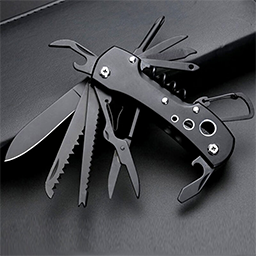
Multi-tool多功能蝴蝶刀 B42
von 76561198983848445
https://steamcommunity.com/sharedfiles/filedetails/?id=2812439957 从中分离出,只有一把多功能刀,僵尸5%掉落 https://steamcommunity.com/sharedfiles/filedetails/?id=3400857238&searchtext= 不能装水的版本 一把多功能刀,可以 Flashlight:手电筒 ChopTree:砍树 CutPlant:剪植物 SharpKnife:利刀 Hammer:锤子 RemoveBarricade:移除障碍物 Crowbar:撬棍 ClearAshes:清理灰烬 DigGrave:挖墓 DigPlow:犁地 TakeDirt:取土 FishingRod:钓鱼 Sledgehammer:大锤 BrokenGlass:碎玻璃 Fork:叉子 Scissors:剪刀 Spoon:勺子 DullKnife:钝刀 Screwdriver:螺丝刀 FishingSpear:鱼叉 SewingNeedle:缝衣针 Saw:锯子 CanOpener:开罐器 Corkscrew:螺旋开瓶器 MortarPestle:研钵和研杵 RemoveBullet:镊子 2024/12/25 water container (1.5L):装水(1.5L) 2025/1/9 修复被识别为可拆除的电子设备bug Zombie Loot Acquisition 5% Workshop ID: 3400186578 Mod ID: HUDPDC
Nena Music | Album: Nena
von 76561199258285984
Nena Music | Album: Nena Generated with New Music Builder Nena Side A 01 Kino 02 Indianer 03 Vollmond 04 Nur geträumt 05 Tanz auf dem Vulkan 06 99 Luftballons Nena Side B 01 Zaubertrick 02 Einmal ist keinmal 03 Leuchtturm 04 Ich bleib' im Bett 05 Noch einmal 06 Satellitenstadt Workshop ID: 3756203875 Mod ID: 1NenaAlbum

修士
von 76561198929132706
🎯 修士 Cultivator MOD "剑来修仙MOD:洞天福地、斩妖除魔、光阴加速、御剑飞行" 🌟 模组概述 修士 Cultivator 是一个基于《剑来》修仙世界观的僵尸末日MOD,为 Project Zomboid B42 添加了六个完整的修仙特质。 - 六大修仙特质:洞天福地、堪舆推演、竹楼武夫、火神转世、光阴长河、本命飞剑 - 洞天法宝:碧玉簪(可穿戴冰箱容器) - 全中文界面:所有菜单、提示、沙盒设置均为中文 - 沙盒配置:独立沙盒设置,可自由调节各特质参数 - 自定义键位:所有快捷键均可在设置中修改 ⚔️ 核心特质详解 🏰 洞天福地 创建私人洞天福地,安全修炼。 - 使用:右键"炼化洞天",右键"遁入洞天"/"返回人间" - 冷却:10秒(读条后),传送带淡入淡出特效 - 范围:炼化范围默认50格(沙盒可调10-500) - 碧玉簪:修士开局自带洞天法宝,可穿戴在长项链位,容量50,减重99%,具有冰箱保鲜效果 🔍 堪舆推演 扫描周围僵尸,在地图上标记。 - 按键:F10(可改键) - 范围:默认50格(沙盒10-100) - 冷却:默认30分钟(沙盒0-120) - 标记:紫色标记持续5秒(沙盒5-300),僵尸死亡自动消失 🥋 竹楼武夫 击杀僵尸提升武夫境界,获得永久增益(基于《剑来》九境体系,共10级)。 - 境界与累计击杀: - 1级 泥胚境(100杀):击杀减恐慌/压力,攻速×1.5 - 2级 木胎境(400杀):疼痛/中毒恢复加快,攻速×2.0 - 3级 水银境(1000杀):负重×1.2,耐力恢复加快,攻速×2.5 - 4级 英魂境(2000杀):击杀减情绪增强,情绪积累减缓,攻速×3.0 - 5级 雄魄境(3500杀):负重×1.5,Fitness经验×1.5,攻速×4.0 - 6级 武胆境(5500杀):疾病抵抗,冲刺耗耐力-40%,攻速×5.0 - 7级 金身境(8000杀):无痛感,Fitness×2.0,攻速×6.0 - 8级 羽化境(11000杀):负重×2.0,感染积累减缓,冲刺耗耐力-65%,攻速×7.0 - 9级 山巅境(14500杀):负重×2.5,冲刺/奔跑耗耐力-85%,攻速×8.0 - 10级 气盛境·止境(20000杀):负重×3.0,完全免疫感染,Fitness×2.5,攻速×10.0 - 沙盒:WarriorEnabled(默认关闭,需手动开启) 🔥 火神转世 掌控火焰,攻击点燃敌人,免疫火焰伤害。 - 攻击点燃:100%触发,F9开关(可改键),伤害倍率默认20000%(沙盒100-100000%) - 火焰免疫:完全不受火焰伤害,站在火中自动回血 - 御火:F8熄灭附近火焰(可改键),范围默认10格(沙盒5-50),冷却30秒(沙盒0-300) ⚡ 光阴长河 时间加速系统,所有动作快人一步。 - 双模式:简单模式(全局加速) / 高级模式(15类动作独立配置) - 加速倍率:0-5000%,设为0即瞬时完成 - 默认:阅读/制作/医疗等6倍速(500%),饮食4倍速(300%) - 弹匣瞬填:装弹/卸弹一次性完成,无需逐发操作 - 砍树一击:砍树直接倒下,无需多次劈砍 ⚔️ 本命飞剑 剑修终极杀招,范围秒杀,代价巨大。 - 按键:K(可改键),5秒读条后发动 - 范围:默认15格圆形(沙盒10-30),无视障碍 - 冷却:默认2小时(沙盒1-6) - 代价:生命-50%,体力-70%,饥渴+50%,获得1小时"根基受损"debuff 💎 洞天法宝 碧玉簪 文圣一脉嫡传法宝,修士开局自动获得。 - 穿戴位置:长项链位(necklace_long) - 容量:50,减重99% - 保鲜:等效冰箱,食物不会腐烂 - 获取:修士职业开局自带 🎯 键位设置 默认键位(均可在 设置→键位绑定→ 中修改) - F10:堪舆推演 - F8:火神御火(熄灭火焰) - F9:火神点火开关 - K:本命飞剑 📦 更新日志 v1.4.0 - ✅ 竹楼武夫新增攻速加成:Lv1 x1.5 → Lv10 x10.0,随境界提升 - ✅ 光阴长河弹匣瞬填:装弹/卸弹一次性完成,不再逐发操作 - ✅ 新增洞天法宝·碧玉簪:可穿戴冰箱容器,容量50减重99% v1.3.0 - ✅ 竹楼武夫完整重构:全10境界增益、感染减缓/免疫、负重/耐力/情绪系统、Fitness加成 - ✅ 修复火神御火跨层问题(仅熄灭同层火焰) - ✅ 修复武夫特质定义报错 "天地为炉,造化为工。末世既至,便以武证道,问鼎止境!" Workshop ID: 3671447980 Mod ID: Cultivator

Cuffs - Build 42.13.2MP (Testing Ready - Stable)
von 76561197998675461
This project has been a pain to update for 42.13.1MP, but I believe we've accomplished our goal with this for the current build of PZ. Updates will be less regular, unless something breaks or a new implementation is planned. As this is not my original work, I do not intend on expanding functionality directly and will likely follow up with a mod of my own creation to add functionality/etc. For those holding off due to the 50+ updates you should be good to fully test and use this on your MP servers. Please remember to report stack traces in the bug reports channel, or link your console.txt on my discord! https://discord.com/invite/YbBYJTjMT7 ----------------------- The Cuffs mod meant to be used with the 42.13.1 updated version of Prisonner originally by Tchernobill and ported to B42.13.1 by MAYHEM. Check out SFTZ:DADS via the attached collection to see this mod in use! ------------------------ ORIGINAL MOD DESC Hi! You can use this mod alone as decorative cuffs (character can put them on and off by themself) or use in combinetion with Prisonner mod and make them fuuly working (character surrenders and the other one can arrest them if has cuffs in inbentory). In this case cuffed person will not be able to do anything and even run. You can find them in police and military locations, gunshops, survivor homes and sometimes in bedside tables. Also may be looted from dead police, bikers, strippers, priests. If you start as police officer and do not have any mods related to starting items you will have cuffs from the beginning. I don't know how to use them on survivors or zombies. Try to ask authors of NPC mod to add surrender animation to NPC commands There are different types of cuffs: classic police cuffs fluffy cuffs plastic cuffs leather chains (with front and back animation) (craftable) rope (craftable) ABOUT MODPACKS and other usage: do whatever you want, just credit original mod in description. If you edit my mod or add it to modpack pls change Mod ID, so users will have no conflicts in future in case of any updates. Workshop ID: 2944740659 Mod ID: Cuffs ----------------------------------------------- For 42.13.1 with my update to Prisonner for MP use. I do not intend on adding any new features, only maintaining for my server's use. It will remain updated as long as I am committed to the game. I tend to take breaks and am a novice coder. Workshop ID: 3643231257 Mod ID: Cuffs_updated
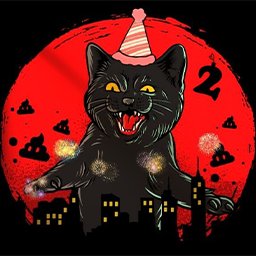
喵服任务系统
von 76561198352649250
喵服任务系统,会根据服务器需求随时调整奖励名单以及任务强度 Workshop ID: 3494914910 Mod ID: TaskSystem Miao

My Favorite Jobs - v2
von 76561199690289854
? **My Favorite Jobs – New Professions** This mod adds 3 new balanced professions to Project Zomboid: ????**Professional Athlete** High fitness, strength, sprinting, and agility. Ideal for fast and resilient survivors. ?? **Army Soldier** Expert in firearms, stealth, reloading, and tactical survival. Does not start with military gear. ? **Survivalist** Versatile and prepared, with XP in several essential skills such as carpentry, first aid, and gathering. ? **Available translations**: Português (Brasil), English, Español, ??, ??????? ? **Highlights**: - Fully integrated into the character creation system - Custom traits and icons - Balance and immersion maintained - Works in multiplayer and singleplayer - Updated to the latest version of the game ? **Installation**: 1. Subscribe to the mod 2. Activate in the game's Mods menu 3. Create a new character ? Tested for stability and optimized performance ? If you like it, please rate and share! Feedback is welcome. Workshop ID: 3508005481 Mod ID: MyFavoriteJobs Workshop ID: 3508005481 Mod ID: MyFavoriteJobs
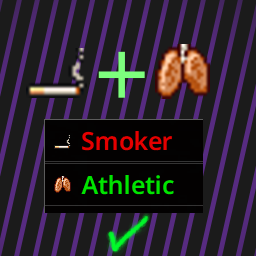
Smoker with athletic
von 76561198360387471
You can equip smoker and athletic at same time Workshop ID: 3636074458 Mod ID: AtleticWithSmoker_42
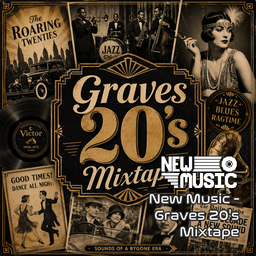
New Music - Graves 20's Mixtape
von 76561199111946290
New Music - Graves 20's Mixtape MADE FOR: NEW MUSIC GENERATED BY: NEW MUSIC BUILDER Graves 20's Mixtape 1/3 Side A 01 Louis Armstrong – West End Blues 02 Gene Austin – My Blue Heaven 03 Al Jolson – Swanee 04 Jelly Roll Morton – Black Bottom Stomp Graves 20's Mixtape 1/3 Side B 01 Fletcher Henderson – The Stampede 02 Blind Lemon Jefferson – Match Box Blues 03 Charley Patton – Pony Blues 04 Eddie Cantor – Yes Sir! That's My Baby Graves 20's Mixtape 2/3 Side A 01 Ruth Etting – Button Up Your Overcoat 02 Ben Bernie & His Orchestra – Sweet Georgia Brown 03 Red Nichols & His Five Pennies – Ida, Sweet as Apple Cider 04 Mamie Smith – Crazy Blues Graves 20's Mixtape 2/3 Side B 01 The Revelers – Dinah 02 Sophie Tucker – Some of These Days 03 Nick Lucas – Tiptoe Through the Tulips 04 Duke Ellington – East St. Louis Toodle-Oo Graves 20's Mixtape 3/3 Side A 01 Hoagy Carmichael – Stardust 02 Jimmie Rodgers – Blue Yodel No. 1 (T for Texas) 03 Bix Beiderbecke – Singin' the Blues 04 The Carter Family – Wildwood Flower Graves 20's Mixtape 3/3 Side B 01 Emmett Miller - That's the Good Old Sunny South 02 Blind Willie Johnson - Nobody's Fault But Mine 03 Bessie Smith - Down Hearted Blues 04 Paul Whiteman - Rhapsody in Blue Workshop ID: 3765058310 Mod ID: NewMusicG20s
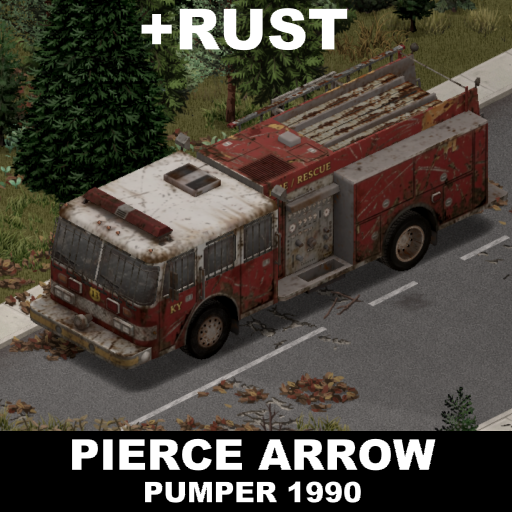
90 Pierce Arrow Pumper - Rust edition
von 76561198185334798
Textures for all 1990 Pierce Arrow Pumper variants have been reworked in a rust-themed style. This is not a new car, but a reworking of the appearance of all existing vehicles of this type. Rust has been added and details have been highlighted. Includes the body, interior, and parts as separate objects. Armor is unaffected by corrosion, as it must be crafted by the player using new materials. Designed for a more authentic experience with mods such as Project Seasons, World Decay, More Immersive Vehicles, and D.R. Set initial corrosion to maximum for increased immersion. The original modification belongs to KI5 The concept, visual style, and design belong to yO Workshop ID: 3756213607 Mod ID: 90pierceArrowRusty
Project Zomboid Details →
Project Zomboid Guides
Project Zomboid Mods installieren - Workshop Guide
Installiere Project-Zomboid-Mods sauber per Steam Workshop: IDs eintragen, Reihenfolge prüfen, Server neu starten und typische Fehler beheben.
Project Zomboid Build 42 auf dem eigenen Server: Umstieg, Spielstände und Mods
Build 42 ist Stable: Spielstände aus Build 41 sind nicht kompatibel. Umstieg, legacy41-Zweig, neue Serveroptionen, Anti-Cheat und der Hotfix 42.20.1 gegen Serverlag.
Project Zomboid Server mieten – Multiplayer Guide
Project Zomboid Server einrichten: RAM, Sandbox-Einstellungen, Workshop-Mods, Admin-Rechte und typische Fehler sauber prüfen.
Project Zomboid Server mit Mod-Support
Kompatible, unterstützte Mods über das Server-Dashboard installieren.
Project Zomboid Server mieten