Project Zomboid Mods für Server
Für einen modifizierten Project-Zomboid-Server brauchst du pro Projekt die Steam-Workshop-ID und die interne Mod-ID. Prüfe zusätzlich Spiel-Build, Abhängigkeiten und Lade-Reihenfolge, bevor du deine Welt mit den Änderungen startest.
Project Zomboid Mods sicher installieren
Ein Workshop-Abo allein aktiviert eine Mod auf dem Dedicated Server nicht. Die Einträge in `WorkshopItems=` und `Mods=` müssen zusammenpassen; außerdem muss jede Mod den gewählten Build 41 oder Build 42 ausdrücklich unterstützen.
- 1. Build prüfen: Build-41- und Build-42-Mods nicht ungeprüft mischen.
- 2. Workshop-ID, Mod-ID, Abhängigkeiten und erforderliche Reihenfolge vollständig dokumentieren.
- 3. Welt und Konfiguration sichern, Server neu starten und Logs sowie den Beitritt mit einem Test-Client prüfen.
Die vollständige Schritt-für-Schritt-Anleitung findest du im Project-Zomboid-Mods-Guide. Oder starte direkt mit einem Project Zomboid Server mit Mod-Support.
Häufige Fragen zu Project Zomboid Mods
Was ist der Unterschied zwischen Workshop-ID und Mod-ID?
Die Workshop-ID bezeichnet das Steam-Workshop-Projekt und steuert den Download. Die Mod-ID aktiviert den enthaltenen Mod im Spiel. Auf dem Server müssen beide Listen vollständig und passend gepflegt sein.
Laufen Build-41-Mods automatisch mit Build 42?
Nein. Nutze eine Mod nur dann auf Build 42, wenn ihre Workshop-Seite diese Kompatibilität ausdrücklich bestätigt. Prüfe dabei auch alle Bibliotheken und weiteren Abhängigkeiten.
Wie teste ich ein Mod-Update ohne Risiko für die Welt?
Sichere zuerst Welt, Sandbox-Konfiguration und Server-INI. Aktualisiere danach die zusammengehörigen Mods, starte den Server neu und prüfe Logs, Kernfunktionen und einen vollständigen Client-Beitritt.
SpongieOpenJacketsRU
von 76561198066745592
Translate RU Workshop ID: 2881191353 Mod ID: SpnOpenClothRU

TNP ADDON - Armed Squad
von 76561198316491144
This mod uses the PZNS NPC Framework and Take No Prisoners mod. Optionally, but recommended using the mod "Fix PZNS NPC Framework Awkward Movement". Features: 1. If you assign npcs with "Companion" job then you can access context menu order shortcut in hotbar radio. Just attach an walkie-talkie in your hotbar, right-click in walkie-talkie icon and select an option with the format "Squad -> Order". These orders will send order to all companions at same time. 2. Using the walkie-talkie there is a chance to spawn friendly npc armed with M14. Intended to be used in Take No Prisoners quests. Just attach your walkie-talkie in your belt, right-click and select the option "Call For Survivors". Beware, that there is a chance of hostile npcs spawn instead. Orders: 1. Chop Trees Nearby ; The npc will search and chop trees close to him, 2. Reload ; Reload Weapon if Necessary. 3. Toggle Ranged/Melee ; Toggle the weapon type if possible. 4. Move ; Wil move all companions close to player position. 5. Spread ; Will move all companions close to player position, but more distant to player. 6. Just Avoid Zombies ; Will assign the job just avoid zombies. New Experimental Job "Supervisioned Tasks", set the npcs to this job, set target area, drop area, material area and select a desired action using context menu. Still in development ... Other orders comes from PZNS NPC Framework. Obs.: 1. Better the walkie better the chance to spawn. Tactical Walkie-Talkie has more chance to spawn npcs. This feature comes from the Take No Prisoners mod. 2. Some orders and behaviors still need improvements, Workshop ID: 3062331905 Mod ID: tnp_pzns_framework_helper_squad
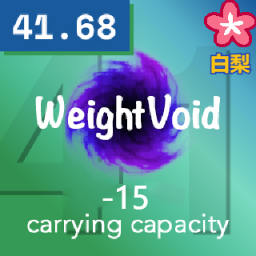
weightvoid(原版无限修改为减15容量)
von 76561199234027079
原版修改为-15容量 这是原作者的链接https://steamcommunity.com/sharedfiles/filedetails/?id=2287977869 Workshop ID: 2878687737 Mod ID: WeightVoid
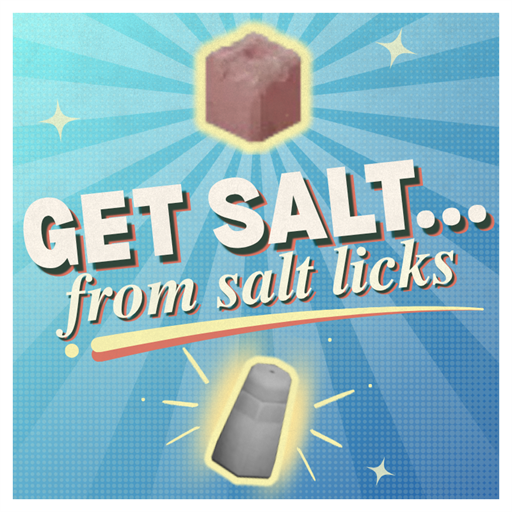
Get Salt From Salt Licks
von 76561199233424168
Turn salt licks found around farms into usable salt! Break apart a salt lick using a hammer and chisel to get salt chunks. Then, crush the salt chunk with a mortar and pestle to make salt. Does not conflict with anything on the workshop. Safe to add and remove from an existing save. Start a new save to customize the sandbox options. Get as much (or as little) salt as you like. Each salt chunk breaks down into 1 to 3 salt, for a little variation. By default, you'll get between 4 and 8 salt from a salt lick, which can be customized in the sandbox options. French thanks to Aatheom! On Lockdown This mod cannot be modified by anyone else, for anything else, at all, ever. Even if the user disappears, he or she would much rather you didn't touch the fruits of their hard labour. You are not allowed to repack this mod under any circumstances, ever. Workshop ID: 3784926561 Mod ID: GetSaltFromSaltLicks
![First aid overhaul [B42] – Project Zomboid Mod](https://images.steamusercontent.com/ugc/14643357701299483743/FF3E102C382F9D0C957BD3460C131F03D7AE75DD/)
First aid overhaul [B42]
von 76561198093788656
This mod is a standalone. The update for First Aid Overhaul from BitBraven is here! Notes - Perfumes can only be used as disinfectants in the crafting menu. - Advanced bandages can only be washed in the crafting menu. 🛑 Use in multiplayer at your own risk. This update is for SP. Credits Developed by BitBraven. I just updated it for build 42.19+. Vita's mods Workshop ID: 3746021655 Mod ID: VB_FirstAidOverhaul Mod ID: VB_FirstAidOverhaul_NoAntizin
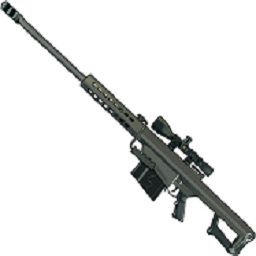
UCS_Standalone_Gunbag
von 76561198074479907
Standalone Gunbag from Unknown cloth shop. Capacity 200 Weight reduction 100 Included CreditCard to 50 cash recipe from original mod. Workshop ID: 3283082060 Mod ID: UCS_Standalone_Gunbag
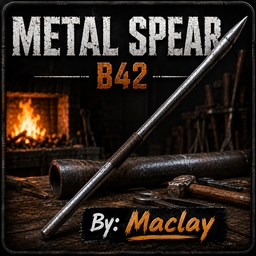
Metal Spear B42
von 76561198432305123
Adds a balanced metal spear crafted from a metal pipe. Features: - Craft a Metal Spear using a Metal Pipe, Hammer and Pliers. - Requires Blacksmith Level 2. - Uses the vanilla crafting system. - Uses vanilla animations and sounds. - More durable than the Wooden Spear. - Compatible with Single Player and Multiplayer. By: Maclay Workshop ID: 3776582701 Mod ID: MetalSpearB42
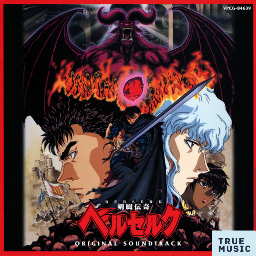
Berserk (1997 TV series) ost
von 76561199131199718
this True Music Addon created by me contains: 1 BEHELIT Susumu Hirasawa 2 1:42 Ghosts Susumu Hirasawa 3 1:09 Ball Susumu Hirasawa 4 3:35 Gats Susumu Hirasawa 5 9:30 Murder Susumu Hirasawa 6 3:27 Fear Susumu Hirasawa 7 4:04 Monster Susumu Hirasawa 8 4:24 EARTH Susumu Hirasawa 9 1:16 TELL ME WHY (TV version) 10 1:23 Waiting so long (TV Version) Workshop ID: 3032488818 Mod ID: berserk97_ost

Immersive Book Titles
von 76561198001534998
Replaces all the existing skill book titles with lore appropriate names. Names are: Carpentry: - Identifying wood - Wood Carver's Autobiography - Dovetail Joints Illustrated - Home DIY Compendium - Architecture Through the 20th Century Cooking: - Recipes for kids - Women's Weekly Biannual - Cucina Italiana - Souffles and Sautes - Modern Guide to Molecular Gastronomy Farming: - Lawn Maintainence Brochure - How Irrigation Changed the World - The World's Second Oldest Profession - How to build a Greenhouse - The Very Legitimate Businessman's Guide to Hydropronics Fishing: - Big Mouth Billy Bass; The Untold Story - The Old Man and The Sea - Rivers and Lakes of America - Fly Fishing Around The World - The Harpoon Fishing Almanac Trapping: - Mousetrap Board Game Instruction Manual - Scouts Introduction to Snares - How to Skin Small Game - 151 Knots You Simply MUST Know - Military Survival Guide Electrical: - Digital Watch Dissassembly For Dummies - What's a transistor? - Soldering like a Pro - Electrical Circuit Theory - Robots for Fun & Profit First-Aid: - My First Boo-Boo - Burns Illustrated - First Responder Guidebook - Plastic Surgeon's Memoir - Heart Surgery Textbook Foraging: - Outdoor Photography - Guide to edible snails - Kentucky Flora and Fauna - Mycologists Field Notes - Dirt Sample Studies Metalworking: - Screws, Nuts and Bolts - Carbon Steel Knife Maintainence - The Spot Welder's Annual '92 - Rebar: A complete history - Structural Engineering Textbook Mechanics: - 101 Vehicle Lifehacks - Under the Hood - Internal Combustion Fundamentals - Ferrari Schematics - Automotive Research and Development Papers Tailoring: - Knit your first sweater - How to replace Zippers - History of the Canadian Tuxedo - Leather; from Cow to Wallet - Clothing designer's portfolio Special to everyone who worked on Cataclysm: Dark Days Ahead, where I have spent countless hours and stolen some book names from, and thanks to people in the official discord that helped out with modding Workshop ID: 2760417215 Mod ID: ImmersiveBooks

Tom Petty And The Heartbreakers Music | Album: Let Me Up (I've Had Enough)
von 76561199258285984
Tom Petty And The Heartbreakers Music | Album: Let Me Up (I've Had Enough) Generated with New Music Builder Let Me Up (I've Had Enough) Side A 01 Jammin' Me 02 The Damage You've Done 03 It'll All Work Out 04 My Life - Your World Let Me Up (I've Had Enough) Side B 01 Think About Me 02 All Mixed Up 03 A Self Made Man 04 Ain't Love Strange 05 How Many More Days 06 Let Me Up (I've Had Enough) Workshop ID: 3757439438 Mod ID: 7PettyheartAlbum
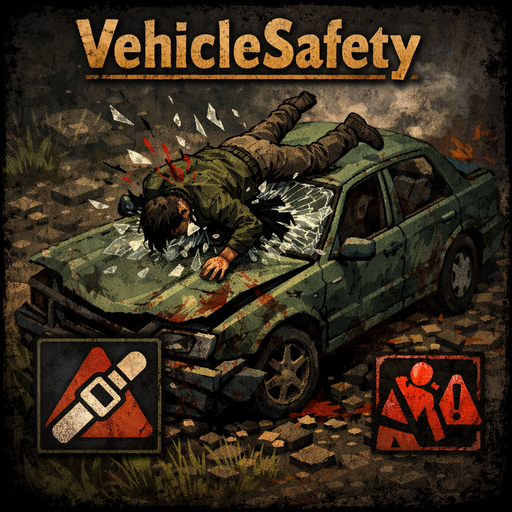
Vehicle Safety - Seatbelt, Crash & Ejection
von 76561198195808450
🚗 Vehicle Safety - Seatbelt, Crash & Ejection Every trip can turn into a one-way ride to the morgue. Buckle up. ⚠️ IMPORTANT: Set "Player Damage From Crash" to FALSE in sandbox options — this mod fully replaces the vanilla crash system. ✨ What's new in v2.2 - Radial menu integration: Buckle / Unbuckle Seatbelt slice in the vehicle radial menu (V key). - Dynamic label switches between "Buckle Seatbelt" and "Unbuckle Seatbelt" based on current state. - B keybind still works — both entry points share the same logic. ✨ v2.1 - Phantom crashes from network lag — FIXED. No more fake injuries for passengers on laggy servers. - Driver-authoritative crash detection with 2-tick confirmation (rejects brief lag spikes). - Server fan-out: every occupant takes proportional crash damage in MP. - Server-side anti-cheat: only the driver can report a crash. - Singleplayer behavior unchanged. Features 🪢 Seatbelt - Toggle on/off with a configurable keybind (default: B) or via the vehicle radial menu (V key) - 70% crash damage reduction when buckled up - Chest contusion and rib fracture risk on violent crashes - Realistic fumbling delay when exiting the vehicle with the seatbelt on - Moodle status indicator (requires Moodle Framework) 💥 Crash system - 3 severity levels — light, medium, violent — based on sudden deceleration - Damage distributed across head, torso and legs - Whiplash: neck stiffness and pain on medium/violent crashes - Risk of fractures starting from medium impacts (without seatbelt) - Head slams into the windshield during an unbuckled crash - Progressive windshield damage proportional to speed 🪟 Ejection through the windshield - Conditions: no seatbelt + destroyed windshield (0%) + violent crash - Breakthrough ejection: head punching through a weakened windshield triggers immediate ejection - Staged ejection with knockdown animation - Deep glass cuts from windshield shards - Structure collision: obstacles in the trajectory stop the ejection with bonus impact damage and arm fractures - Fracture chance proportional to speed 🎯 Passenger damage by seat - Driver: 100% damage - Front passenger: 90% damage (configurable), same windshield effects and ejection - Rear / middle passenger: 50% damage (configurable), no ejection, no windshield effects - Whiplash reduced by 50% for rear seats - Singleplayer, co-op and multiplayer (server-authoritative damage in MP) ⚙️ Full customization - 14 sandbox options to fine-tune every aspect of the mod - Configurable seatbelt keybind - Toggle ejection and windshield damage individually Compatibility - Build 42.16+ - Singleplayer, Co-op, Multiplayer / dedicated server - Compatible with KI5 vehicle packs and any vehicle mod respecting the vanilla API Optional dependency Moodle Framework — adds a visual seatbelt status indicator. The mod works perfectly without it. ☕ Support the mod If you enjoy this mod and want to support its development, you can buy me a coffee. ☕ ko-fi.com/tymox13 📋 Changelog v2.2 — Radial Menu - NEW: Buckle / Unbuckle Seatbelt slice in the vehicle radial menu (V key) - NEW: Dynamic slice label reflects current seatbelt state - KEEP: Configurable B keybind still works (shared logic) v2.1 — Phantom Crash Fix (MP) - FIX: Passengers no longer take phantom crash injuries from network lag spikes — driver-authoritative detection - FIX: Brief lag spikes no longer mistaken for crashes — 2-tick confirmation with rebound rejection - FIX: All occupants receive proportional crash damage from server fan-out - NEW: Server-side anti-cheat — non-driver clients can't report crashes - NEW: Seatbelt state synced server-side - TARGET: versionMin bumped to 42.16.0 v2.0 — Multiplayer Fix - FIX: Crash injuries no longer heal instantly in MP — server-authoritative damage - FIX: All vehicle occupants properly receive crash damage in MP - FIX: Ejection visible to other players (crash sound broadcast) - NEW: Server-side damage validation with anti-cheat - NEW: Windshield condition synced via transmitPartCondition - TECH: Full client-server architecture v1.5 - Initial release: seatbelt, crash system, ejection, passenger damage, 14 sandbox options

True Music Addon: Gachi Remixes
von 76561199273081300
!!!ВНИМАНИМЕ!!! Треки старых версий не работают, так как исходники были изменены (игра их соответственно не видит), потому ищите "починенные" старые кассеты с новыми названиями (и новые кассеты) в неоткрытых областях (города, форпосты и пр). Спасибо за понимание! Аддон для мода True Music с преимущественно ремиксами на треки исполнителей из РФ. !!!ATTENTION!!! The tracks of the old versions do not work, since the sources have been changed (the game does not see them accordingly), so look for "repaired" old cassettes with new names (and new cassettes) in undiscovered areas (cities, outposts, etc.). Thank you for understanding! An addon for the True Music mod with mostly remixes of tracks by artists from the Russian Federation. *В плейлисте 24 композиции/There are 24 songs in the playlist: 1. "Диалоги Тет-А-Тет" (Gachi Remix) 2. "Комарово" (Gachi Remix) 3. AFTER DARK (Gachi Remix) 4. Бошки Дымятся (Gachi Remix) * 5. Мальчик На Девятке (Gachi Remix) 6. Дора - Барбисайз (Gachi Remix) 7. Дурной Вкус - Пластинки (Gachi Remix) 8. 5sta Family - Зачем (Gachi Remix) 9. Корж - На Часах 0:0 (Gachi Remix) 10. Linkin Park - The End (Gachi Remix) 11. GAYAZOV BROTHER - Дип-Хаус (Gachi Remix) 12. В.Стрыкало - Я Бью Ж&Д (Gachi Remix) 13. Gorillaz - Feel Good Inc (Gachi Remix) * 14. Кузя - Шняга Шняжная (Gachi Remix) 15. Виталя ДЖА - Молодой (Gachi Remix) 16. Инстасамка - Отключай Телефон (Gachi Remix) 17. Нейромонах Феофан - Притоптать (Gachi Remix) 18. GAYAZOV BROTHER - Малиновая Лада (Gachi Remix) 19. Акуленок Ту-ру-ру (Gachi Remix) 20. BOOKER, МУККА, pyrokinesis - Некуда Бежать (Gachi Remix) 21. Руки Вверх - 18 Мне Уже (Gachi Remix) 22. Смешарики - От Винта (Gachi Remix) 23. В.Стрыкало - Наше Лето (Gachi Remix) 24. Zivert - Credo (Gachi Remix) =FIX (23.03.2024)= 25. Баста - Моя игра (Gachi Remix) 26. Дальнобойщики - Тиихий огонек (Gachi Remix) 27. Клава Кока Чат (Gachi Remix) 28. Shadowraze -ASShowdown (Gachi Remix) 29. Солдаты - Юность В Сапогах (Gachi Remix) 30. Король И Шут - Валет И Дама (Gachi Remix) Workshop ID: 3162520814 Mod ID: gachi_musicS_mod
Craftable Pepper
von 76561198018882379
You need to find and read a magazine first, it can be found in bookshelves, magazine racks or mailboxes. To make a Pepper you need Bell pepper seeds x25 and Mortar and Pestle. This mod require to install More common seed types (updated for 41) because the vanilla game has no bell pepper seeds in the current build. Ver.1.2 Added 3D model and world item texture, now the magazine can be placed anywhere. Added translation support: EN, RU, CN. Workshop ID: 2807015905 Mod ID: CraftablePepper
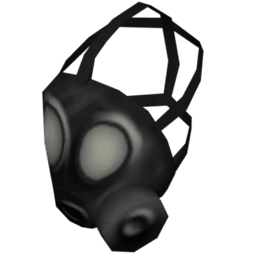
Attach Gas Mask to Belt
von 76561198217030952
🎭 Gas Mask & Respirator Belt Hotbar Allows gas masks and now half-mask respirators to be attached to the belt hotbar or webbing, allowing them to be worn directly from the hotbar instead of only being hand-equipped! ⚙️ Compatibility & Features * Version: Works on Build 42.19+ * Modes: Fully tested and working in Singleplayer (SP) and Multiplayer (MP) * Extensible: Clean architecture that works seamlessly alongside other gear mods. 👍 Enjoying the Mod? If this mod has saved you time in the Knox Event, please consider taking a second to give it a Thumbs Up! 👉 Click Here to Rate and Favorite! 👈 Your ratings keep the mod visible on the Workshop so more survivors can find it. Workshop ID: 3759537586 Mod ID: GasMaskBeltAttach
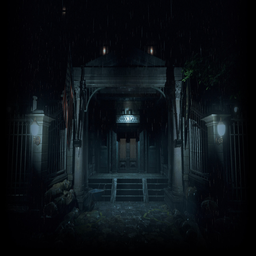
Resident evil 2 main menu music&theme
von 76561198155945496
Resident evil 2 And After That... theme and RPD background Credits to Ryuku for the musical framework! Workshop ID: 3241894258 Mod ID: RE2MMT
![[B41] Show Username Option – Project Zomboid Mod](https://images.steamusercontent.com/ugc/2420208624586771700/07C53F29B89FC206F0C9B318C0D224A5FCE46F4E/)
[B41] Show Username Option
von 76561198808526024
How does it work? Fixes broken game settings menu option to hide own character name on multiplayer servers with name display above players enabled. This will definitely improve your immersion in the game. To disable your name above your character in multiplayer, you must activate this mod and change the setting in the configuration menu in the "Multiplayer" tab before entering the server, as the mod will be downloaded when entering multiplayer matches. This setting will be saved, so you will not need to disable/enable it again. This mod is incompatible with... This mod should not present incompatibilities with other mods, unless the mod directly changes the "MainOptions.lua" file. Can be removed at any time during gameplay. Copyright and attribution This mod can be added to and extended by anyone in the community, but credit must be given to the original author within the files of the mod - and posted alongside the mod wherever it roams. How to support me By supporting me, you help ensure that I can continue to create, enhance, and develop more mods like this for the community. Thank you in advance! Workshop ID: 3076439267 Mod ID: ShowUsernameOption
![BRC [XD_Smile_SERVER] – Project Zomboid Mod](https://images.steamusercontent.com/ugc/1806530612030521264/A317448D1D8284409CDE5F657375F34CE17A6155/)
BRC [XD_Smile_SERVER]
von 76561197999838661
Better Repair Count for multiplayer Workshop ID: 2870795402 Mod ID: Better Repair Count
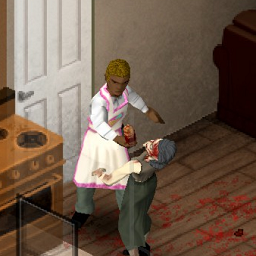
Trait - Homebody
von 76561198328364137
ATTENTION: This mod is abandoned. Feel free to take it and modify/re-upload/whatever you want to it. More info below. "You were quite the homemaker before the world went to pot. Time to see if you can put those skills to use and survive." Homebody trait costs 14 points and gives you: +1 Maintenance +2 Cooking +2 Farming +1 Tailoring +1 Lightfoot +1 PlantScavenging (Foraging) +1 Agility +1 FirstAid This is a trait mod! Compatible with the stable MP Build 41+, should be multiplayer compatible as far as I know. Compatible with Single Player unstable build 41.68+ I do not have a lot of coding knowledge, but have not encountered any errors playing in single player. I have abandoned this mod, but I am leaving it up for anyone who wants to use it for any purpose. Please feel free to make your own variation and upload them. My attention is on my physical health and as blunt as it may sound, I do not care about this mod anymore. I'm sorry. Use it however you wish. Everyone has my full permission. Please enjoy and have fun modding~ To Change The Point Cost To Your Own Liking Navigate to your Steam folder --> Steam\steamapps\workshop\content\108600\2716408144\mods\Homebody\media\lua\client <--- and edit the lua file in notepad to change the cost. You can do this in regular notepad. Notepad++ is not needed.Change the number of points to your liking then just hit "save". DO NOT hit "save as" or you could risk ruining your lua files. Always make sure you are choosing "open with/choose an app to open..." and that the "Always use this app" is NOT checked. If you leave it checked, you will also mess up your lua files. =( Workshop ID: 2716408144 Mod ID: Homebody
btRead
von 76561198029322017
This mod allows you to read books by equipping them in secondary. It will also "study" any book you've already read while it's equipped, earning you small amounts of XP in the given subject. This can, however, be turned off in the mods code. It also honors the Fast/Slow Reader traits. I originally wrote this mod a few years ago and had it on the old pzmods site, but since it is no longer around I decided to test it on the new build and - since it worked - I've reposted it here. UPDATE 1/16/2022 -- Pages will no longer be read while you're sleeping, moving or panicked. If you'd like to help me spend more time modding, consider buying me a coffee. Workshop ID: 1849219815 Mod ID: btRead
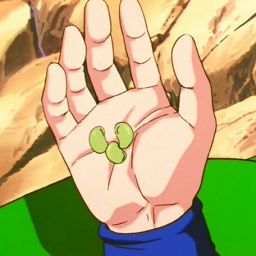
Senzu Bean
von 76561198218868119
Senzu Beans are mystical beans with immense properties Attention! Very rare loot to find in survivor houses Compatibel Workshop ID: 3191254169 Mod ID: senzu_bean

Start with a Watch
von 76561198067223797
Start with a watch so you know what time it is If you enjoy this mod and want to support future updates: Buy Me a Coffee Workshop ID: 2986948710 Mod ID: StartWithWatch
![[B42/B41] Camisetas de times – Project Zomboid Mod](https://images.steamusercontent.com/ugc/14318014537514378186/4F9550A33DF88D5B1F0206B7E246414D6DDF2903/)
[B42/B41] Camisetas de times
von 76561198119200064
Esse é o mod atualizado para a B42 (ainda compatível com a B41). Adiciona camisetas de times de futebol brasileiro. Elas podem aparecem em: - Lojas de roupas - Armarios de academia Times: - Athletico PR - Atletico MG - Bahia - Cascavel - Caxias - Ceara - Corinthians - Cruzeiro - Flamengo - Fluminense - Fortaleza - Gremio - Internacional - Jacuipense - Palmeiras - Santos - Sao Paulo - Sport - Vasco - Volta Redonda - Ypiranga Link do mod original: https://steamcommunity.com/sharedfiles/filedetails/?id=2973335681 Link do repositório: https://github.com/GuilhermeRaposo/ProjectZomboid-CamisetaTimes/ Workshop ID: 3594986821 Mod ID: tnt_camisetas_times
PZ Backup Manager
von 76561198004289064
What is this mod ? Allows you to create backups of your savegames, while playing, by pressing a hotkey or/and at various game events automatically. This is only possible due to an external Windows application i created. Without it, this mod won't do anything useful. Download IMPORTANT: I'm not a programmer and I made both programs just for fun and I began with not much knowledge about programming or designing software. Please consider, that YOU ARE USING BOTH PROGRAMS AT YOUR OWN RISK! Therefore, I am not liable for any damage to your savesgames or similar. Mod Description Main Features - Mod Option Menu: Adjust,Toggle and Test features via a mod option menu. - Adjustable Hotkey: Change the key, you want to use for creating a new backup. - Notifications: Shows colored text notifications above the player model, about the current status, when doing a backup. (Can be switched on/off) - Auto-Backups: Does backups automatically, when various game events occure. See below for more info. (Can be configured in mod option menu) - Cooldown/Timeout: Prevents auto-backups being made on too short intervals. (Uses gametime in hours) - Savegame Validation: An optional feature, which auto-checks on each backup, if the app & mod are matching the selected/playing savegame. Auto Backups & Cooldown/Timeout Auto Backups Does a backup automatically, when a game event occurs. Currently available trigger game events: Event Fires EveryDays when the ingame time reaches 00:00h OnEnterVehicle when the player enters any vehicle Cooldown/Timeout Pauses/Blocks auto backups for an adjustable amount of ingame hours, to prevent doing too many backups in a short amount of time. e.g when you enter vehicles multiple times in a row. Adjustable from 1hour - 48hour. The Cooldown/Timeout doesn't block the hotkey feature, to ensure, the player can do a backup anytime he wants. Requirements - PZBackupManager Desktop App - Download Installation - Download & install the PZBackupManager Desktop App - Instructions below (Don't forget to run "ZomboidBackupManager.exe" at least once, before you continue) - Start Project Zomboid, enable the PZBackupManager Mod. - Go to setting -> Mod Options -> PZ Backup Manager - Configure as you like. - Start a new game, or load an existing save - Don't forget to add the mod to the loaded mods, when loading an existing save for the first time with this mod) Windows Manager App Description PZBackupManager - Download App Features - Standalone Windows .Net App: The application doesn't require the mod to work. If you don't want to use the hotkey or auto-save feature of the workshop mod, you can just use the the manager app, even without Project Zomboid runnig. - No installation required: Just unpack the downloaded .zip file to a location of your choice & run the ZomboidBackupManager.exe. - A (Hopefully) Easy2Use GUI: - Toggle & adjust various features. - Display & select your savegame you want to create backups for. - Display, rename, manage & restore your created backups of multiple savegames. - Shows detailed informations about savegames & backups including an ingame screenshot. - Change Backup Data Directory: Select any folder on your pc, to be used as the base backup savelocation. - Project Zomboid Connection: With the workshop mod subscribed & enabled, you are able to establish some kind of connection between the game & the manager app. That will allow you to minimize the app or add it as an icon to your taskbar, while playing project zomboid. The manager app then will do backups silently in the background. - Auto Delete Backups: Keeps an constant amount of backups, by auto-deleting the oldest backup after each new backup being made, after reaching an adjustable threshold. - Auto Clean Backup Directory: Automatically finds (and deletes) unlisted & obsolete backup data of backups made in the past for savegames, that are currently not existing anymore. Requirements - Microsoft .Net 9.0 Desktop Runtime - Download Installation - Download the requirements above if not installed already. - Download the lastest version of the Manager App Here . - (File: PZBackupManager.zip) - Create a folder at the location you want the app to be installed & name it as you like. - (e.g. @ "D:\Program Files\PZBackupManger") - Extract the content of the PZBackupManager.zip to the folder, you just created. - Create a shortcut of the ZomboidBackupManager.exe and move it to the desktop or startmenu. (Create Shortcut: RightClick on "ZomboidBackupManager.exe" --> New --> Create Shortcut) - Run the application, wait until its loaded & start Project Zomboid. - Optional: Set the base backup savedata directory. (Settings --> Change Directory) Workshop ID: 3453009151 Mod ID: PZBackupManager
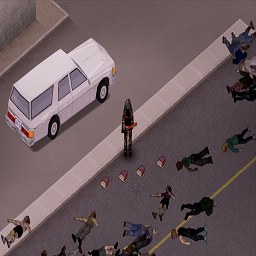
Zombie Loot Ammo
von 76561199238012612
Any zombies drop Pistol/Revolver ammo boxes with a small chance. You can enable/disable the mod in the existing world. When the mod is disabled, ammo stops falling from "live" zombies. Ru Из любого зомби с небольшой вероятностью выпадает коробка с патронами для пистолета/револьвера. Вы можете включить/выключить мод в существующем мире. При отключении мода патроны перестают падать из "живых" зомби. 41+ Build. Workshop ID: 2748881494 Mod ID: 2748881494
Project Zomboid Details →
Project Zomboid Guides
Project Zomboid Mods installieren - Workshop Guide
Installiere Project-Zomboid-Mods sauber per Steam Workshop: IDs eintragen, Reihenfolge prüfen, Server neu starten und typische Fehler beheben.
Project Zomboid Build 42 auf dem eigenen Server: Umstieg, Spielstände und Mods
Build 42 ist Stable: Spielstände aus Build 41 sind nicht kompatibel. Umstieg, legacy41-Zweig, neue Serveroptionen, Anti-Cheat und der Hotfix 42.20.1 gegen Serverlag.
Project Zomboid Server mieten – Multiplayer Guide
Project Zomboid Server einrichten: RAM, Sandbox-Einstellungen, Workshop-Mods, Admin-Rechte und typische Fehler sauber prüfen.
Project Zomboid Server mit Mod-Support
Kompatible, unterstützte Mods über das Server-Dashboard installieren.
Project Zomboid Server mieten