Project Zomboid Mods für Server
Für einen modifizierten Project-Zomboid-Server brauchst du pro Projekt die Steam-Workshop-ID und die interne Mod-ID. Prüfe zusätzlich Spiel-Build, Abhängigkeiten und Lade-Reihenfolge, bevor du deine Welt mit den Änderungen startest.
Project Zomboid Mods sicher installieren
Ein Workshop-Abo allein aktiviert eine Mod auf dem Dedicated Server nicht. Die Einträge in `WorkshopItems=` und `Mods=` müssen zusammenpassen; außerdem muss jede Mod den gewählten Build 41 oder Build 42 ausdrücklich unterstützen.
- 1. Build prüfen: Build-41- und Build-42-Mods nicht ungeprüft mischen.
- 2. Workshop-ID, Mod-ID, Abhängigkeiten und erforderliche Reihenfolge vollständig dokumentieren.
- 3. Welt und Konfiguration sichern, Server neu starten und Logs sowie den Beitritt mit einem Test-Client prüfen.
Die vollständige Schritt-für-Schritt-Anleitung findest du im Project-Zomboid-Mods-Guide. Oder starte direkt mit einem Project Zomboid Server mit Mod-Support.
Häufige Fragen zu Project Zomboid Mods
Was ist der Unterschied zwischen Workshop-ID und Mod-ID?
Die Workshop-ID bezeichnet das Steam-Workshop-Projekt und steuert den Download. Die Mod-ID aktiviert den enthaltenen Mod im Spiel. Auf dem Server müssen beide Listen vollständig und passend gepflegt sein.
Laufen Build-41-Mods automatisch mit Build 42?
Nein. Nutze eine Mod nur dann auf Build 42, wenn ihre Workshop-Seite diese Kompatibilität ausdrücklich bestätigt. Prüfe dabei auch alle Bibliotheken und weiteren Abhängigkeiten.
Wie teste ich ein Mod-Update ohne Risiko für die Welt?
Sichere zuerst Welt, Sandbox-Konfiguration und Server-INI. Aktualisiere danach die zusammengehörigen Mods, starte den Server neu und prüfe Logs, Kernfunktionen und einen vollständigen Client-Beitritt.
Hearing Impariment Zero
von 76561198062695591
Removes all HearingModifier stats, including mod outfits. It is compatible with existing saves Workshop ID: 3407031650 Mod ID: HearingModifierZero
ReWorkingBenchPress
von 76561198255115405
Use work bench WARNING: 18+ Workshop ID: 2933003177 Mod ID: ReWorkingBenchPress
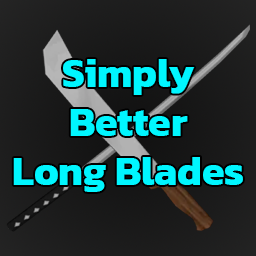
Simply Better Long Blades
von 76561198174617741
What does it do? Improves the durability of long blades by changing the ConditionMax. This allows long blades to last longer before breaking. Handles are unaffected by these changes. The durability of Long Blades have been increased by 3x Long Blades: Katana: 10 -> 30 Machete: 13 -> 39 Crude Machete: 10 -> 30 Forged Machete: 13 -> 39 Short Sword: 13 -> 39 Crude Short Sword: 10 -> 30 Scrap Short Sword: 10 -> 30 Sword: 13 -> 39 Crude Sword: 10 -> 30 Scrap Sword: 10 -> 30 Broken Sword: 13 -> 39 Broken Crude Sword: 10 -> 30 Broken Scrap Sword: 10 -> 30 Safe to add/remove mid-game? Yes with one thing to know before adding mid-game. While you can add my mod mid-game you will notice rendered/discovered long blades will look damaged. Long blades you've collected that were previously at 100% (13/13) their total durability value will now be at 33% (13/39) their total durability value. Long blades that have not been rendered/discovered are unaffected and will receive their full 100% (39/39) durability upon render. With that in mind, a new save is recommended but is not required. Safe to remove mid game. Singleplayer/Multiplayer Compatible >B42 Only< Tested Versions: 42.18 (Unstable) 42.19 (Unstable) 42.20.X (Stable) My Other Simply Better Mods Workshop ID: 3746428364 Mod ID: SimplyBetterLongBlades
![Skill Book Expansion [B42] - Русификация – Project Zomboid Mod](https://images.steamusercontent.com/ugc/16178901719562936142/E534000C856C59FE09A654972CCF682F99D6027C/)
Skill Book Expansion [B42] - Русификация
von 76561198414246143
Русификация Skill Book Expansion Мод добавляет все недостающие учебники по навыкам в игру, включая боевые, физические и специализированные умения. Полная коллекция книг для максимального развития персонажа. Ключевые особенности: Полный набор учебников, логичное распределение по локациям, сохранение игрового баланса. Dear foreign friends, this mod is only a localization of the main mod. If you came here because of the preview or text on it, you can safely go to the modification page itself. Хочу перевод Поддержать переводчика Workshop ID: 3603878291 Mod ID: SKIBOOEXPRUS
Make Pasta
von 76561198022220161
Did you ever want to use all that flour you would get from farming Barley, Rye, corn, and Wheat without needing to rely on foraging RNG or mods that add a bunch of hyper complicated crafting chains for yeast and salt? Well look no further! with this the only things you need is some Flour, Eggs, and water and presto! instant Pasta! (also need a Bowl, rolling pin, mixing utensil, and a knife) this is my first zomboid mod so YMMV on things like balance and complexity. if it gets popular I will try to make it betterer Workshop ID: 3468270330 Mod ID: make_pasta Workshop ID: 3468270330 Mod ID: make_pasta

Bernie's Cinnabuns
von 76561198929963282
-- Items added -- Cinnabun Mix : Can be found Cinnabun : Can be found Cinnabun batter : Must be made Cinnabuns on Tray : Must be made -- Crafting --- Making cinnabuns is very simple, you will need Cinnabun Mix (or raw ingredients), Spatula/Spoon/Fork, a bowl, an egg, and milk having these items in your inventory will allow you to make Cinnabun Batter, you can now also make Cinnabun Batter from scratch with: Spatula/Spoon/Fork, a bowl, 2 eggs, any baking fat, flour, yeast, sugar, and milk You can then take the Cinnabun Batter and if you have a Baking Tray in your inventory you can perform the action: Place Cinnabun Batter on Baking Tray this will give you Cinnabuns on Tray which you can then cook in an oven. once cooked you will have an option on the Cinnabuns on Tray that says Take Cinnabuns from Baking Tray: this will result in 6 cinnabuns! --Whats being worked on-- Screenshots for post More custom items (cinnabun tray, icing, etc) Cinnabuns without icing, and the ability to add icing yourself optionally --Whats been worked-- peter.bergdahl suggested making cinnabun batter without mix and raw ingredients Nyx2330 suggested cinnabun mix was spawning slightly too much now spawns slightly less Suggestions and feedback always welcome! Workshop ID: 3111643667 Mod ID: BernieCinnabunsMod

SundownWeapons
von 76561198854329410
Disclaimer: This mod is specifically made for the Server "Sundown Protocol" and is not authorized for use, republishing, or reposting under any circumstances. This applies to all other mods in my Workshop. Workshop ID: 3734136673 Mod ID: WeaponsSundownProtocol42

True Music - Runescape bangers
von 76561198071015609
Some bangers from OSRS, now murder zombies to such classics as Flute Salad. Workshop ID: 2978893381 Mod ID: True Music - Runescape bangers

ServerSafeZones0313
von 76561198208282725
ServerSafeZones0313 Workshop ID: 2841121079 Mod ID: SPE0313 Mod ID: SPE0313Server2 Mod ID: ServerSafeZonesSSR Map Folder: East_Shop1 Map Folder: Louisville, KY Map Folder: Middle_Shop1 Map Folder: North_Shop1 Map Folder: South_Shop1 Map Folder: West_Shop1 Map Folder: East_Shop1 Map Folder: HighwayCamp Map Folder: LouisNE Map Folder: Louisville, KY Map Folder: Middle_Shop1 Map Folder: MuldraughRadioCamp Map Folder: North_Shop1 Map Folder: SouthWestpoint Map Folder: South_Shop1 Map Folder: West_Shop1 Map Folder: Louisville, KY
Tom Petty And The Heartbreakers Music | Album: Hard Promises
von 76561199258285984
Tom Petty And The Heartbreakers Music | Album: Hard Promises Generated with New Music Builder Hard Promises Side A 01 The Waiting 02 A Woman In Love (It's Not Me) 03 Nightwatchman 04 Something Big 05 Kings Road Hard Promises Side B 01 Letting You Go 02 A Thing About You 03 Insider 04 The Criminal Kind 05 You Can Still Change Your Mind Workshop ID: 3757438098 Mod ID: 4PettyheartAlbum
![[B42] Susceptible Fork by Xela – Project Zomboid Mod](https://images.steamusercontent.com/ugc/16179227958917488500/C4EF4BBBFDD0B938EB950F2CC2D62A0B0BB56428/)
[B42] Susceptible Fork by Xela
von 76561198014936191
Susceptible Fork by Xela - Build 42 mod v0.1.7 Airborne exposure and blood contamination both matter. Susceptible turns Knox infection risk into something you manage through protection, hygiene, and awareness. Enter a dangerous area and exposure builds. Get clear, wear gear, seal the vehicle, clean your hands; exposure drops. Bad filters, damaged gear, open windows, nearby infected, fresh corpses, poor hygiene; it rises. This is a standalone continuation of Susceptible, updated for Project Zomboid Build 42.20. Features - Visible exposure meter. Severity colored, hover details, trend chevrons. Shows when danger is rising, stable, or falling. - Exposure builds over time. Bad air raises infection risk the longer you stay in it. Configurable grace period, gain, decay, and threshold. - Build 42 gear support. Gas mask filters, SCBA, hazmat, oxygen tanks, washable masks, sealed vehicles: all matter. Mask cleaning, cloth repair, alcohol wipe disinfection included. - Contamination risk. Bloody hands, gloves, held items, food, drinks, smoking, pills, and fresh corpses can spread infection. Wound aware shove warnings when handling infected bare handed. Blood soaked clothes on a wounded body part risk infection. Toggleable via BloodContactInfection sandbox option. - Auto Mask. Equips a working backup when airborne danger is active and current protection fails. - Sandbox control. Everyone susceptible by default. Switch back to Susceptible trait only. Tune loot, mask damage, filtering power, corpse danger, and special zombie spawns. - Infection speech. Generic sickness dialogue triggers after Knox infection is detected. (setting coming soon) Compatibility - Build 42.20. Standalone, no other mod required. - Single player and multiplayer. Server applies airborne infection in MP. - Skips Bandits, NPC actors, and their corpses. Compatible with Bandits and Week One. - Hooks for custom mask data: works with modpacks that add respirators or protective gear. Release Notes v0.1.7 - Change: updated for Project Zomboid Build 42.20. - Fix: sandbox percentage labels now render correctly. - Change: auto-mask now defaults to off. Enable it from the mask HUD right-click context menu. - Change: auto-mask "I'm outside" speech now defaults to off and is gated behind the auto-mask toggle. - Change: auto-mask check interval increased (2s -> 10s) and pending equip timeout increased (8s -> 12s) to reduce queue churn. - Fix: auto-mask and emergency auto-swap no longer queue a wear action while another timed action is running. - Fix: exposure moodle restacks cleanly with vanilla moodles instead of reserving clock clearance space. - Fix: blood contact infection now respects the BloodContactInfection sandbox toggle at runtime. - Fix: cloth mask clean/repair context menu branch no longer silently bails on valid items. Defaults apply to new games only; existing saves keep prior settings. Early Build Notes Defaults should feel playable. Balance feedback helps. When reporting, include what happened, sandbox settings, and active mods. Credits & Support Continuation of the original Susceptible mod by Mr Sunshine and contributors. Also check out Echoes of Knox, my other mod. Favorites, ratings, bug reports, and balance feedback help this fork grow. Workshop ID: 3740728277 Mod ID: SusceptibleFork
![Barter Items [B41] – Project Zomboid Mod](https://images.steamusercontent.com/ugc/17573062168520362404/E1248EF7304756F6BC3A4C60EAD5629E073ED131/)
Barter Items [B41]
von 76561198360266055
💰 BARTER ITEMS MOD 💎 In a world where money has lost its value and bullets, food, and survival are the new currency — there are still those who know how to trade! This mod adds a system of barter items to Project Zomboid, allowing players to exchange rare valuables and create true post-apocalyptic economy. 🛒 🎯 WHAT’S INCLUDED: 💾 TECH FROM THE OLD WORLD • Bitcoin — the digital gold of the apocalypse • Floppy Disk — outdated, but reliable data carrier • Solid State Drive — power in a small package • Graphic Card — rare treasure for any survivor • RAM Stick — a memory of the pre-collapse world 📱 GADGETS & COLLECTIBLES • Smartphone — useless, yet priceless reminder of civilization • RetroBoy — nostalgic handheld console • USB Flash Drive — who knows what’s stored on it? • PS Memory Card — a relic of the gaming era 💎 LUXURY & STATUS • Cross Chain — symbol of prestige • Pocket Watch — elegance never dies ⭐ MOD FEATURES: • ✅ Balanced spawn rate across different locations • ✅ Fully compatible with other mods • ✅ Bilingual support — English & Russian • ✅ Integrated with Procedural Distributions 📍 WHERE TO FIND: • 🏢 Offices — computer parts and tech junk • 🧰 Garages / Workshops — electronic scraps and drives • 🏪 Electronics Stores — gadgets and components • 💼 Rich Houses — jewelry, watches, smartphones • 🧟 Zombie Coders & Gamers — bitcoins, flash drives, retro toys ⚙️ HOW TO USE: • Use items as trading currency with other survivors. • Store them in safes or hidden stashes — they’re rare and valuable. • Perfect for roleplay or server economy setups. Workshop ID: 3595459802 Mod ID: BarterItems
![The Ark Español [Patch] – Project Zomboid Mod](https://images.steamusercontent.com/ugc/10047619566028886630/E385BEA04B44AD0D22CF7E8DEE2D7147E5B4918B/)
The Ark Español [Patch]
von 76561199116881450
The Ark Español Parche de traducción al español para The Ark. - Requiere el mod original The Ark (Workshop ID 3707475814) - Incluye solo los archivos traducidos y un ajuste de UI para la consola NOAH - No redistribuye el contenido completo del mod base Créditos del mod original: Slayer. Patch de traducción y empaquetado: DarylMasterGG Nota: Debido a la gran cantidad de actualizaciones del mod original pueden existir errores en la traducción. Si existe algún error o problema con las traducciones comentarme sobre ello en la sección de comentarios y tener paciencia hasta que pueda actualizarlo. This mod's permissions fall under TIS's policy Ask for permission This mod can only be added to and extended with the express permission from the original creator. Having received permission, credit must be given to the original creator, both within the files of the mod and wherever the mod roams online. If no permission is received you may not alter the mod, and it must be treated as a mod that is 'On Lockdown'. The only exception is that servers may freely include this mod in their modpacks, with the freedom to alter it or make modifications as they see fit, as long as credits are properly given to the original creator. Support the Mod Support the Project If you enjoy this mod and want to support future updates and new systems: Your support helps expand the project and keep development active. Every contribution makes a difference. Thank you for your support! ❤️ A like or favorite helps a LOT! Workshop ID: 3708821187 Mod ID: TheArkEspanolPatch
![Server Heat Fix [B42.13.1MP Only] [READ DESC] – Project Zomboid Mod](https://images.steamusercontent.com/ugc/11283132323862942796/51D7EB9D45C787B1F1B568AA51C8570ABA97C61C/)
Server Heat Fix [B42.13.1MP Only] [READ DESC]
von 76561198309926111
The bug only exists on the server, so this mod only makes sense if you host or play on a server. Regarding the Heat Source Bug Unfortunately, the bug where heat sources fail to warm the player cannot be fully resolved using only a LUA mod. Because of this limitation, this fix acts as a direct workaround: - It artificially and smoothly raises your body temperature. - It only works if you are within the radius of a campfire (or heat source) AND the air temperature is above 5°C (check your digital watch). Why not a full fix? The only way to fix this issue exactly as the developers intended involves replacing core Java classes. We avoided this method because: - It requires complex manual installation. - The fix would break every time the game updates. For Dedicated Server Owners If you are hosting a dedicated server (i.e., NOT using the in-game "HOST" button), a permanent Java-based fix is possible. If you need a guide on how to apply the dedicated server fix, please let me know in the comments! :) Workshop ID: 3635305157 Mod ID: ServerHeatFix_01
TwisTonFire - WANTED
von 76561197960296580
TwisTonFire - WANTED Ever searched through piles of containers, corpses, bags, shelves or dropped loot just to find one specific item? TwisTonFire - WANTED lets you create your own personal wanted list of items. If one of those items exists nearby, the mod highlights the matching container, corpse or dropped item with an outline. This makes looting faster, cleaner, and much less annoying — especially when you are looking for rare items, tools, magazines, weapons, clothing, or anything else you do not want to miss. Why is this useful? Project Zomboid can have a lot of loot in many different places. Sometimes the item you need is hidden inside: - A normal container - A corpse - A backpack on the ground - A wallet inside another container - A nested container inside another item WANTED helps you find the item without opening and checking every single container manually. Main Features - Create your own WANTED list: Add any item type you want to search for. - Nearby scanner: The mod scans loaded tiles around your character. - Outline highlights: Matching loot locations are highlighted clearly. - Nested container support: Items inside bags, wallets, backpacks, and other containers can still be found. - Corpse support: Perfect for checking large piles of corpses after fights. - Dropped item support: Items lying on the floor can be highlighted too. - Inventory context menu: Add or remove selected items directly from the inventory right-click menu. - Custom outline color: Change the WANTED outline color in Mod Options. - Custom UI hotkey: Open or close the WANTED UI with a configurable keybind. - Adjustable radius: Set how far around your character the scanner should search. - Adjustable refresh interval: Control how often WANTED updates its search. - Complete disable option: Fully disable the scanner, UI, highlights, and context menu from Mod Options. Scanner Modes You can choose how WANTED should scan the world. - Default: Normal scanner. Includes containers, corpses, floor items and nested containers. - Corpse Only: Only scans corpses, including nested containers inside corpse inventories. - Corpse and Floor Only: Scans corpses and dropped floor items, including dropped bags with nested containers. Fixed world containers such as shelves, cupboards, crates, and counters are ignored. This is useful if you only want help with corpse piles or floor loot without highlighting every fixed container in a building. WANTED UI The WANTED UI gives you a simple overview of: - All available item types - Your current WANTED list - Search radius - Refresh interval - Current scanner status - Current highlight count - Loaded tiles scanned - Last scan duration You can add or remove items directly in the UI. Your WANTED list is saved locally and persists between sessions. Default WANTED UI hotkey: KP_4 / Numpad 4 The keybind can be changed in: MAINMENU -> OPTIONS -> MOD OPTIONS Inventory Button WANTED adds a small toggle button to the inventory title area. This lets you quickly enable or disable the scanner without opening the full UI. If the scanner is disabled, current WANTED highlights are removed. Blacklist Compatibility WANTED includes compatibility logic for TwisTonFire - Blacklist. If Blacklist filtering is active, WANTED respects it. Items that would be hidden or filtered by Blacklist will not trigger WANTED highlights. This also applies to blacklist rules such as damaged clothing filters. Important: If TwisTonFire - Blacklist is loaded, Blacklist handles the shared inventory title button area. WANTED will integrate with that setup instead of replacing it. Clean UI Compatibility WANTED includes a dedicated Clean UI compatibility adjustment. The Clean UI compatibility file is only loaded when Clean UI is active. If you do not use Clean UI, the compatibility adjustment will not be loaded and has no effect on your game. Clean UI: No known incompatibilities. Performance Notes WANTED is designed to scan in small steps instead of checking everything at once. Default settings: - Search radius: 15 tiles - Refresh interval: 4 seconds You can lower or raise these values in the WANTED UI depending on your preference. Higher radius or faster refresh can increase scanner work. The default values are intended to be a good balance between usefulness and performance. Current Translations - Traditional Chinese - Simplified Chinese - German - Spanish - French - Japanese - Korean - Polish - Portuguese (Brazil) - Russian - Turkish - Ukrainian If you have suggestions for better translations, feel free to tell me! Compatibility Mode 42.19 42.20 Singleplayer ✅ ✅ Multiplayer ✅ ✅ Clean UI ✅ ✅ TwisTonFire - Blacklist ✅ ✅ Your support helps me keep going — thank you very much in advance! Workshop ID: 3747641501 Mod ID: twistwanted
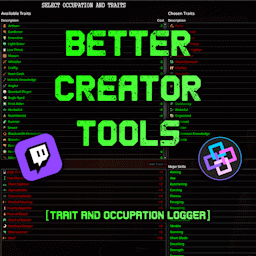
Better Creator Tools
von 76561197994478188
Better Creator Tools - Trait & Occupation Logger For content creators, streamers, and data-hungry survivors. Compatible with both 42.12 and 42.13 MP This mod automatically records your character name, traits, occupation, and now skills into simple text files that can be used with external software (such as StreamerBot) to display live information on your stream, overlay, or chat. Trait & Occupation Files When a new character is created, the mod generates a structured set of files inside: Zomboid/Lua/playertraits/ _/traits_snapshot.txt - Stores character name, occupation, and chosen traits directly from character creation. - Data is saved as raw IDs for compatibility. _LocalizedOutputs/traits_original.txt - Converts the snapshot into readable, presentable data (labels instead of IDs). - Ideal for direct output to chat or overlay. _LocalizedOutputs/traits_differential.txt - Tracks changes to character traits over time. - Automatically updated once per in-game day: - Line 1 - Added traits - Line 2 - Removed traits Skill Export System Automatically exports your current survivor�s skills for use with external tools or overlays. Files: _LocalizedOutputs/Skills/ One file per skill - for example: Strength.txt Tailoring.txt Foraging.txt Each file contains three lines: <Level> <Current XP within level> <XP needed for next level> Example: 3 300.25 9000 Level 3 with 300.25 / 9000 XP toward Level 4. Data updates every in-game hour. Compatibility with Existing Saves If you install the mod mid-save, it will generate all trait and skill data based on your current character. Edits to any snapshot file will refresh localized outputs automatically on next load. Perfect for: - Streamers who want real-time build and skill data - Content creators integrating overlays or chat commands - Players who like keeping readable logs of evolving survivors Support & Contact Questions or suggestions? You can reach me here: - Twitch - Discord Workshop ID: 3571159711 Mod ID: EURY_TRAITLOGGER
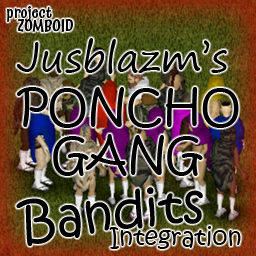
PONCHOGANG Bandits Integration
von 76561198096995823
Jusblazm's PONCHO GANG Bandits This is a silly integration that I made for my brother. This mod provides Bandits wearing military ponchos from Military Ponchos: Reloaded. The PONCHO GANG wear very little clothing. The current outfit is: military poncho, animal print underwear, animal print socks, and flip flops. They also spawn in larger groups than the rest of my integrations. 6-20 instead of 2-6. Clans added are meant to be seen and enjoyed, so by default they have a large window of settings. Feel free to modify to your liking, however be aware that settings will revert on every update*. *If you really want to adjust the settings and keep them permanent, you can save your custom clan settings in your local Zomboid file. It should always overwrite the mod, since local is loaded last. For details on how to do this please visit my GitHub from the link at the bottom. Updates My monthly bandit refresh has ended for this mod. It only adds ponchos, so the time spent generating new bandits and setting everything up is better spent on other mods. If a game update breaks this mod, I will return to fix it. It is not dead, just no longer receiving monthly updates. Compatibility Built using b42 tools. NOT compatible with b41. Absolutely no mod conflicts with two caveats: - someone uses my naming convention for their own integration. - A unique ID generates a dupe (Wikipedia: the probability to find a duplicate within 103 trillion version-4 UUIDs is one in a billion) GitHub Archive I will be keeping an archive of each update's bandits.txt and clans.txt files, so that if there is a set you really like, you can continue to use them even after the mod updates and moves away from them. GitHub Archive Permissions I actually created a pair of long socks with animal print for this mod, so I did do more than write a script. While I don't mind someone modifying as they see fit, please respect credits. The texture is The Indie Stone's Project Zomboid's Animal Print. With the exception of the clothing items added by me the item IDs belong to goatdog420's Military Ponchos: Reloaded, which is an extension of Akyet's Military Ponchos, and Slayer's Bandits NPC reads the text files. Be sure to credit everyone for their hard work. Credits The Indie Stone for Project Zomboid Slayer for Bandits NPC and BanditCreator Akyet for Military Ponchos goatdog420 for Military Ponchos: Reloaded Workshop ID: 3478899445 Mod ID: JusPONCHOGANGBanditsRANDOM
![侍刃(尖端科技)-[B42] – Project Zomboid Mod](https://images.steamusercontent.com/ugc/58088379735385581/3F0C4E795D6F1A3905D93FDD821384CA97E7FBF3/)
侍刃(尖端科技)-[B42]
von 76561198403171402
感谢“喵了个球v”大佬提供的MOD制作教程,小破站直导视频链接:https://b23.tv/f7C9bkU 想学自制MOD的小伙伴可以去给喵球大佬点个关注投两个硬币! 感谢“布偶旧猫”大佬的指导! 该模组提供了一把由“尖端科技”公司最新研发制作的融合现代科技与传统冷兵器美学的未来概念武器,采用纳米复合材质、能量传导系统与智能感应模块,兼具超高强度、动态锋刃校准及战术数据交互功能,象征着力量与技术的极致平衡。 目前只做了一把武器,以原版游戏“武士刀”为模板。 接下来此类武器MOD我会做成一个合集包,慢慢往里面添加更多好看的自制MOD。 1.0.0 模型微调整; 1.1.0 基础攻击速度系数调整为“3”; 1.2.0 修复了中文名称不显示的问题;调整了刷新概率权重,枪店刷新概率权重偏高; 1.3.0 再次调整刷新概率权重,枪店刷新概率权重再次提高、警察局、消防局、学校等高危地区都有概率会刷; 1.4.0 添加了英文翻译(下一把武器已经在制作中。。。。。。) Workshop ID: 3439249611 Mod ID: Laser_knife

Gears of War Level Up
von 76561198094347921
This mod utilizes the famous collectible obtained sound from the original Gears of War to replace the skill level up sound. Workshop ID: 3226912253 Mod ID: GearsLevelUp

【吉吉音乐】自用睡觉觉 music歌曲
von 76561198066010115
tsy-shuijiaojiao music 90记忆 吉吉毁灭工程自用音乐MOD 有独立编码,和其他音乐MOD不冲突,可同时订阅多个。 歌曲清单: 汪苏泷·巴赫旧约 汪苏泷·不分手的恋爱 汪苏泷·后会无期 汪苏泷·一笑倾城 薛之谦·丑八怪 薛之谦·你还要我怎样 薛子谦·认真的雪 薛之谦·我好像在哪见过你 薛子谦·演员 邓紫棋·我们的秘密 邓紫棋·泡沫 邓紫棋·喜欢你 Tungevaag & Raaban·Samsara(Instrumental) 胡夏·那些年 郭顶·水星记 颜小健·解药 颜小健·我以为我可以 张智成·保佑我 本MOD由爱丹丹的吉吉整理发布,无任何商业用途及盈利,如有侵权,请与我联系删除 Workshop ID: 3106717309 Mod ID: tsy-suijiaojiao music

Anthro Survivors - nekoya renta
von 76561198117432990
Anthro Survivors (the "Furry Mod") is required for this mod to work! OC by nekoya renta Workshop ID: 3106135268 Mod ID: nekoyarenta

Anthro Survivors - Aezze
von 76561198064765322
Adds Lynx to the menu Workshop ID: 3009889364 Mod ID: Aezze
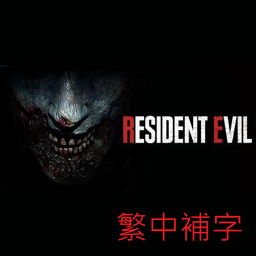
Resident Evil Item development for 41 繁體中文翻譯補充 - REvilCht-Fix
von 76561198003720572
對原MOD的繁體中文翻譯補充 Workshop ID: 2649167730 Mod ID: G-Head-RE
![Auto Doctor [B41] – Project Zomboid Mod](https://images.steamusercontent.com/ugc/55827067934839953/DF6687DD1CA8EF8564B74B049615E5152FF1257E/)
Auto Doctor [B41]
von 76561198121972048
Introducing a new mod that adds an interactive injury UI to enhance the gameplay experience. With this mod, players can view real-time information about their character's injuries and the estimated time required for healing. The mod also includes a self-treatment menu, allowing players to automatically treat their injuries using resources from their inventory. The UI appears whenever the player's character sustains an injury, providing a visual representation of the wound and preventing UI clutter when no injuries are present. The panel is movable and resizable, allowing players to customize the UI to their preference. The size of the UI can be adjusted using the mouse scroll wheel, and players can toggle the visibility of the panel using a button. Workshop ID: 3369012766 Mod ID: autoDoctor
Project Zomboid Details →
Project Zomboid Guides
Project Zomboid Mods installieren - Workshop Guide
Installiere Project-Zomboid-Mods sauber per Steam Workshop: IDs eintragen, Reihenfolge prüfen, Server neu starten und typische Fehler beheben.
Project Zomboid Build 42 auf dem eigenen Server: Umstieg, Spielstände und Mods
Build 42 ist Stable: Spielstände aus Build 41 sind nicht kompatibel. Umstieg, legacy41-Zweig, neue Serveroptionen, Anti-Cheat und der Hotfix 42.20.1 gegen Serverlag.
Project Zomboid Server mieten – Multiplayer Guide
Project Zomboid Server einrichten: RAM, Sandbox-Einstellungen, Workshop-Mods, Admin-Rechte und typische Fehler sauber prüfen.
Project Zomboid Server mit Mod-Support
Kompatible, unterstützte Mods über das Server-Dashboard installieren.
Project Zomboid Server mieten