Project Zomboid Mods für Server
Für einen modifizierten Project-Zomboid-Server brauchst du pro Projekt die Steam-Workshop-ID und die interne Mod-ID. Prüfe zusätzlich Spiel-Build, Abhängigkeiten und Lade-Reihenfolge, bevor du deine Welt mit den Änderungen startest.
Project Zomboid Mods sicher installieren
Ein Workshop-Abo allein aktiviert eine Mod auf dem Dedicated Server nicht. Die Einträge in `WorkshopItems=` und `Mods=` müssen zusammenpassen; außerdem muss jede Mod den gewählten Build 41 oder Build 42 ausdrücklich unterstützen.
- 1. Build prüfen: Build-41- und Build-42-Mods nicht ungeprüft mischen.
- 2. Workshop-ID, Mod-ID, Abhängigkeiten und erforderliche Reihenfolge vollständig dokumentieren.
- 3. Welt und Konfiguration sichern, Server neu starten und Logs sowie den Beitritt mit einem Test-Client prüfen.
Die vollständige Schritt-für-Schritt-Anleitung findest du im Project-Zomboid-Mods-Guide. Oder starte direkt mit einem Project Zomboid Server mit Mod-Support.
Häufige Fragen zu Project Zomboid Mods
Was ist der Unterschied zwischen Workshop-ID und Mod-ID?
Die Workshop-ID bezeichnet das Steam-Workshop-Projekt und steuert den Download. Die Mod-ID aktiviert den enthaltenen Mod im Spiel. Auf dem Server müssen beide Listen vollständig und passend gepflegt sein.
Laufen Build-41-Mods automatisch mit Build 42?
Nein. Nutze eine Mod nur dann auf Build 42, wenn ihre Workshop-Seite diese Kompatibilität ausdrücklich bestätigt. Prüfe dabei auch alle Bibliotheken und weiteren Abhängigkeiten.
Wie teste ich ein Mod-Update ohne Risiko für die Welt?
Sichere zuerst Welt, Sandbox-Konfiguration und Server-INI. Aktualisiere danach die zusammengehörigen Mods, starte den Server neu und prüfe Logs, Kernfunktionen und einen vollständigen Client-Beitritt.
![Transfer Any Amount [B42] – Project Zomboid Mod](https://images.steamusercontent.com/ugc/14674744388998070014/91646B7435D5F53EC8E78ECED40E98249DDC9A52/)
Transfer Any Amount [B42]
von 76561198294497542
Transfer Any Amount Tired of vanilla only letting you grab one / half / all, and dumping everything into your main inventory? This quality-of-life mod gives you full control over how many items you move, in both directions, and sends them exactly where you want. Transfers into the bag you have open No more dumping everything into your main inventory. Items go straight into the container/bag you have selected in your inventory panel. Have a backpack open? That's where they land. How it works Hover the "Divide" button on any stack (it replaces the vanilla "Grab all" / "Drop all" quick button) and a small panel pops up. Or right-click and pick "Transfer amount". Then: - Drag the slider, type the number in the box, or use the mouse wheel (hold Shift for steps of 10). - Quick buttons: 1, 1/2, Max. - Confirm with the Transfer button or Enter. Features - Move an exact number of items, not just all / half / one. - Works both ways: take X out of a container, or store X into it. - Delivers into the selected bag/container, not just the main inventory. - Slider + editable number + mouse wheel, all in sync. - Usable while walking (no keyboard lock). - Uses the game's own transfer actions (timed, queued, weight-aware). - Lightweight, no new keybinds, no config needed. Compatibility - Made for Project Zomboid Build 42. - Safe on existing saves. - Multiplayer compatible. Found a bug or have a suggestion? Drop a comment below. Workshop ID: 3741704660 Mod ID: TransferAmount
![[B41] Better Sorting Revamped – Project Zomboid Mod](https://images.steamusercontent.com/ugc/63712806306164074/D82F2990B40E23D0A60BA3542FED21C14FD064D1/)
[B41] Better Sorting Revamped
von 76561198066796431
Complete overhaul to item categories and various name tweaks (with some changes to the item categories that make sense to me). Items that had categories changed Item Old category New category Reason Base.EmptyConcreteBag --- Container This item doesn't exists in tweaks Radio.CDplayer --- Elec This item was incorrect placed as `Base.CDplayer` in tweaks Base.Paintbrush Paint Tool Make more sense Paint Brush in Tool because is a tool used to paint Base.PropaneTank Craft CraftMetal Make more sense Propane Tank in Crafting - Metalworking because is a item used to refill Propane Torch Base.Razor Junk Appear This item is used to remove beard Base.Belt ClothAcc Junk Junk is a better category since this item is useless and has been removed New categories created Category name Reason CraftMec This category isn't used in vanila items but I've created to categorize damnlib craft mechanics items like tire rubber, rim, etc ChobitsCrazy's Better Sorting Compatibility This mod includes a compatibility patch for ChobitsCraz's Better Sorting. Do not enable ChobitsCraz's Better Sorting and compatibility mod at the same time. To make Better Sorting-compatible mods work, simply activate the compatibility mod. Built-in mods supported - KI5's that DAMN Library - KI5's '63 Volkswagen 1300 Beetle - KI5's '69 Chevrolet Camaro - KI5's '70 Dodge Challenger - KI5's '86 Ford Econoline E150 - KI5's '87 Ford B700/F700 Trucks - KI5's '88 Chevrolet S10 - KI5's '92 AM General M998 + M101A3 Cargo trailer - KI5's '99 Ford Crown Victoria Police Interceptor - KI5's Trailers! - Arithmechick's Convert Radios to AC Power - Myself's Firearms B41 Revamped Built-in language supported - English - Português do Brasil (Brazilian Portuguese) This item is not authorized for posting on Steam, except under the Steam account named Voguh. Workshop ID: 3397105859 Mod ID: BetterSortingRevamped Mod ID: BetterSortCC
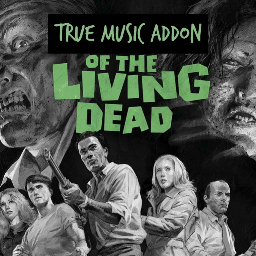
True Music Addon of the Living Dead
von 76561198014748819
Have you been sitting around your lovely palatial Rosewood fire station lately and thinking to yourself, "You know what would really enhance this whole fighting-for-survival-against-the-ravenous-undead thing? If only I had the complete soundtracks to all of the classic zombie films to really drive home the isolation and madness!" Well boy howdy do I have the True Music addon for you! This is the True Music Addon of the Living Dead, the complete scores to Night of the Living Dead (the 1968 original and the 1990 remake), Dawn of the Dead, Day of the Dead, The Return of the Living Dead, and Zombie Holocaust scattered throughout the wasteland of Knox county on cassette, plus the complete soundtrack albums on vinyl. All the classically creepy synths, keyboards and dirty punk rock that your frantically beating heart desires, right here in one pack. Workshop ID: 2762273735 Mod ID: TCTGYBA23
![WTVL + UH-1B Helicopter Fix [B42.20 SP/MP Patch] – Project Zomboid Mod](https://images.steamusercontent.com/ugc/10173977803274309745/92D0A24E6ACC69B572748F72131681B0C4D8ECFD/)
WTVL + UH-1B Helicopter Fix [B42.20 SP/MP Patch]
von 76561198984190356
Community compatibility patch for WarThunderVehicleLibrary (3399660368) and the UH-1B Helicopter (3409723807), updated for Build 42.20 Stable (v14.1). WHAT IT FIXES This patch fixes bugs and incompatibilities that broke the WarThunder Vehicle Library and the UH-1B Helicopter on Build 42. - Restores helicopter flight without needing the -debug launch flag - works in singleplayer and on dedicated servers. - Fixes crashes and error spam introduced by recent game updates. - Fixes multiplayer world spawns, trunk access, passenger handling, and burnt wreck spawning. - Fixes the broken rotor blade models. - Improves flight handling: smoother takeoff, controlled tilt, proper cruise speed, and a stable altitude ceiling. CONTROLS (unchanged): W/S ascend-descend, arrow keys tilt to fly, A/D yaw. AutoBalance and NightLight via the radial menu. REQUIRES both original mods. Load order is enforced automatically: WarThunderVehicleLibrary -> UH-1BHelicopter -> this patch. NOTE ON SPAWN POINTS: Build 42.20 rebuilt Muldraugh, Riverside, Rosewood and West Point. The library's built-in helicopter spawn coordinates may now land inside new geometry. This patch skips invalid spots rather than spawning inside a wall, but a point that no longer works needs new coordinates. REMOVE these if you have them (they override the same files): "UH-1B Helicopter B42 Fix" (3688683236), "WarThunderVehicleLibrary 42.13-42.14 Helicopter Patches", "WarThunder Vehicle Library - Helicopter MP Patch", "Helicopter Flight Engine Framework / PZFlyByWire". CREDITS: 耄耋 (WarThunderVehicleLibrary), the UH-1B Helicopter author, and the PZFlyByWire project, whose published technical documentation of the engine's physics timing, force APIs, and the phantom-wheel technique this patch's flight implementation is built on. Original authors: if you want any of this merged upstream or want this page taken down, say the word. Workshop ID: 3768328640 Mod ID: WTVLB42Patch
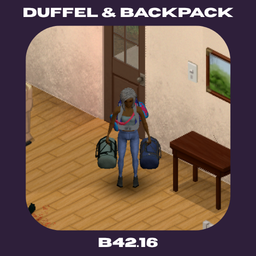
Duffel & Backpack
von 76561198397333703
This mod will replace the slot for duffel bag from character back, it'll allow players to wear a backpack and duffel bag at the same time. Increasing your carry capacity for adventure and moving items. Inventory management is crucial in project zomboid that's why I made this mod. Work well with Bag Upgrade Plus Support Me : https://ko-fi.com/joelaxolotl Forum : https://axclub.vercel.app Update Logs (24/4) : - Patch for B42.17 - Some item name changes Special Request From : @Xalvador How To Use : Just right click the duffel bag and click wear, same goes for the backpack. Workshop ID: 3707195783 Mod ID: duffel_backpack

Masaii's RedBull 41.65+ MP
von 76561198232210532
You feel bad? Don't worry. Take a RedBull. But not too much. ---- Add only 1 kind of RedBull in game. Don't worry, multiple kind of RedBull gonna be add in few hours, or few days. And 3D MODELS SPECIAL REDBULL too. Big thanks to co' ! Workshop ID: 2690268154 Mod ID: REDB
![Shin's Robotics [ a FNaF mod ] – Project Zomboid Mod](https://images.steamusercontent.com/ugc/10974195868778143173/9DF9E21AFE54ACADAF33D561443BE1A3C218043B/)
Shin's Robotics [ a FNaF mod ]
von 76561199117254164
Currently in Development Overview Shin's Robotics. This mod introduces wearable animatronic suit parts inspired by Five Nights at Freddy's (FNaF) into the world of Project Zomboid. This is my very first clothing mod created to learn and explore Project Zomboid's modding mechanics. More features and suits may be added in future updates. -You can salvage broken animatronic parts to recover the Endoskeleton Frame and use it to craft other animatronic shells. -Add Fredbear's Family Diner Security Guard & Employee Uniforms. I always come back. Shin's Robotics - Main --------------------------------------------------------- Items - Animatronic Endoskeleton Frame - Fredbear - Spring Bonnie - Classic Freddy - Classic Bonnie - Classic Chica - Unwithered Foxy (Note: It can only be obtained by crafting it by yourself.) - Marionette Mask Shin's Robotics - Animatronics --------------------------------------------------------- - Toy Mangle (Note: It can only be obtained by crafting it by yourself.) Shin's Robotics - Employee --------------------------------------------------------- Items - Fredbear's Purple Security Shirt - Fredbear's Blue Security Shirt - Fredbear's Employee Shirt - Fredbear's Employee Pant - Fredbear's Technician Suit You can get the uniforms by crafting them, you'll also be able to get them by choosing the Fredbear's Employee profession. Shin's Robotics - Traits and Occupations --------------------------------------------------------- Occupations - Fredbear's Security Guard Skill : Sneak+1 , Lightfoot+1 Trait : Night Owl - Fredbear's Employee Skill : Nimble+2 , Lightfoot+1 - Fredbear's Junior Technician Skill : Electricity+1 , Mechanics+2 , Metal Welding+1 Shin's Robotics - Basic Animatronic Starter --------------------------------------------------------- -Animatronic Suit Collector Traits (Costs 4 points each): Start the game with a full mascot suit of your choice (Fredbear, Spring Bonnie, Classic Freddy, Classic Bonnie, or Classic Chica). Q&A Q: Can I add/remove this mod mid-game? A: It depends on which submods you are using. If you have activated the "Traits and Occupations" submod, it cannot be safely removed mid-game. For other submods. If you didn't use Traits and Occupations, we recommend deleting all modded items from your inventory before disabling. Q: Will I die from a Springlock failure if I wear the suit? A: No. There's no Springlock mechanic in this mod, so it's 100% safe to wear (just for now). Q: Can these items be found in world loot? A: No. Items from this mod will not spawn anywhere in the world. You have to craft them yourself! Q: Where did you get these models? A: I made all of them by myself. So they might not look very good right now because I'm still learning, but I promise to practice and make them better Q: What program did you use to make the mod icon preview, and where did you get the model? A: I used Blender to set up the character's pose, composition, and rendering for the mod icon image. I used vanilla's model. I only modified the mouth area. Known Issues Tomb's Body Compatibility : Currently, suit models may have clipping issues when used with Tomb's Body. Supported Languages -English -Thai Thank you, Scott, for making my childhood so special! V1.7.1 Workshop ID: 3783353681 Shin's Robotics (Main) Mod ID: ShinsRobotic Shin's Robotics - Animatronics Mod ID: ShinsRobotic_ToyAnimatronics Shin's Robotics - Employee Mod ID: ShinsRobotic_Employee Shin's Robotics - Traits and Occupations Mod ID: ShinsRobotic_Traits_And_Occupations Shin's Robotics - Traits and Occupations (No items and uniform on spawn) Mod ID: ShinsRobotic_Traits_And_Occupations_NoSpawn Shin's Robotics - Basic Animatronic Starter Mod ID: ShinsRobotic_AnimatronicStarterPack
![[B42]Show Skill Xp – Project Zomboid Mod](https://images.steamusercontent.com/ugc/17224798511303801688/BA609DC61577E93097A964B66F5432FB81A6AE5F/)
[B42]Show Skill Xp
von 76561198013004553
Skill XP Log A small log window that displays the skill name, current level, XP gained, and progress towards the next level whenever you gain XP! Play while intuitively tracking the experience you gain! Key Features - Real-time XP Log — Displays the skill and XP gained instantly upon earning them. Supports all skills. - Progress Gauge — Shows the progress towards the next level with animations and accurately displays the remaining XP needed. - Multiplayer Support — Works seamlessly on servers. Only your own experience will be displayed. - Move & Lock — Drag it to your desired position and lock it in place to prevent accidental movement. The right-click menu is also disabled when locked. - 3 Size Options — Supports Small / Medium / Large sizes. The layout automatically adjusts based on your game's font size settings. - Skill Selection — You can select and display only the specific skills you want by category via the right-click menu. - Languages — Korean, English How to Use - F9 — Open / Close the window - F10 — Lock / Unlock (Disables dragging and the right-click menu) - Right-click on the window — Change size, select skills to display, skills Options, open the user guide - Drag the window — Move to your desired position. The position is saved automatically. Hotkeys can be changed in Options → Mod Options → Skill XP Log. Compatibility - Build 42 (42.20) — Built and tested for this version. - Custom Skill Mods are also automatically added to the categories, and any uncategorized skills will be automatically placed in the 'Other' category. Newbie Crow's Mod Collection Take a look at the mods I made! Workshop ID: 3775616145 Mod ID: Show_Skill_Xp
True Music Addon: Blue Archive OST
von 76561198358396636
All of Blue Archive OST Workshop ID: 2858058420 Mod ID: blue_archive_mod

StrykerBags
von 76561198854329410
Disclaimer: This mod is specifically made for the Server "Sundown Protocol" and is not authorized for use, republishing, or reposting under any circumstances. This applies to all other mods in my Workshop. Workshop ID: 3734133995 Mod ID: SPbackpack42
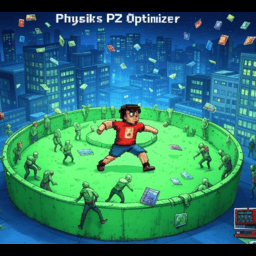
Physiks PZ Optimizer SP/MP 41.78
von 76561198082088147
Physiks PZ Optimizer - Boost Your Project Zomboid Experience! Version 1.0 | Build 41.78 | Single-Player & Multiplayer Compatible WORK IN PROGRESS!!!!!!!!!!!!!!!!!!!!!!!!!!!!!!!!!!!!!!!!!!!!!!!!!!!!!!!!!!!!!!!!! DO NOT USE YET | IF YOU ARE, PLEASE LET ME KNOW! Made for The Best Roleplayers on Project Zomboid, HANDS DOWN. LAST HOPE ROLEPLAY | PVE with Ai Bandits/Friendlies IP: 192.227.64.200 PORT: 16261 🧟♂️ Tired of lag and FPS drops in Project Zomboid? Solo or hosting a huge MP server? Physiks PZ Optimizer saves the day! 🚀 This lightweight, API-compliant mod boosts FPS 📈 and cuts server lag 🔧, letting you focus on surviving the zombie apocalypse! 🧟 What Does It Do? 🎮 +40–60% FPS Boost Say goodbye to choppy gameplay! 😎 Reduces render distance to 90 tiles (configurable), easing GPU load in dense areas like West Point or Louisville. 🌆 Only nearby areas render, saving resources while keeping immersion. Tweak it to fit your rig! ⚙️ 🖧 50–70% Less Server Lag Running a server? This mod updates zombies within 45 tiles every 0.3s, pausing distant ones’ pathfinding. CPU usage drops, keeping servers smooth even with 10–20 players! 🖥️ Works for solo too! 💪 🌐 Optimized Network Sync Multiplayer lag? Gone! Syncs objects within 55 tiles every 0.6s, cutting bandwidth and stopping jittery zombies or desync. 😍 Smooth MP for all! ⚡ Smart Caching Frequent Java calls slow things down? Not anymore! Caches grid squares and zombies, refreshing every 1s (server) or 0.15s (client) to minimize laggy calls. Efficiency maxed! 🛠️ 🎮 Single-Player & MP Ready Seamless for solo (local server) or MP dedicated servers. Clients and servers stay synced with proper network commands for a consistent experience. 🔄 ⚙️ Configurable Settings Adjust render distance, cache intervals, and more in Lua files. Want an in-game UI? Use ModOptions (optional). No extra mods needed to start! 🖱️ 🧟♂️ Survive without the lag! Get Physiks PZ Optimizer and dominate the apocalypse! 💥 #PZMod #LagKiller Workshop ID: 3475415764 Mod ID: PhysiksPZOptimizerSPMP

Lets Get Naked Redux
von 76561198038239551
Have you ever came back from bashing zeds, and wanted to quickly throw your bloody clothes into the washer? Have you ever needed to drop your firefighter clothes before working out? Have you ever wanted to sleep like a human being and not like a hobo with all your gear and clothes? if any of these is a yes, then this mod is right for you. Undress/dress with ease into/from your inventory, container of choice, or the floor An option to remove only dirty clothes Keeps belt equiped Keeps already worn items when dressing ----------------- Credits: Original Lets Get Naked mod by RadicalZephyr https://steamcommunity.com/sharedfiles/filedetails/?id=2847567270 which was inspired by and code initially based on Easy Undressing by MCF. https://steamcommunity.com/sharedfiles/filedetails/?id=2275103198 Workshop ID: 3393196262 Mod ID: LGN2

Unlimited Water Source Sink & Fixtures
von 76561198079581882
Admin-only-placeable Fixtures Only shows up in the building context menu if you are an admin. The perfect mod if you happen to build in-game instead of using the map-editor and suddenly the water shut off and now you have to place water barrels everywhere for plumbing. No more! Simply set down an admin sink and boom. Done did. Workshop ID: 3528026713 Mod ID: adminplumbing
![[B42.20] Mini Compass SP/MP – Project Zomboid Mod](https://images.steamusercontent.com/ugc/10626932921077728731/FCB844038E35C39173471F6B13F0BAABB69FCB9B/)
[B42.20] Mini Compass SP/MP
von 76561198292496295
Mini Compass A lightweight, customizable compass HUD with live direction and heading information for walking and driving. Overview Mini Compass is a client-side navigation HUD for Project Zomboid Build 42. It provides clear directional information without changing inventory, XP, vehicles, character stats, world data, or gameplay balance. Choose between a circular compass dial or a compact text display, then customize its size, degree display, dragging, and screen position through Game Options. Key Features - Two display styles: Circular Compass Dial or Simple Text. - Live heading: Displays 0°–359° with N, NE, E, SE, S, SW, W, and NW. - Walking and vehicle support: Updates on foot and while driving. - Optional degrees: Show or hide the numerical heading. - Three HUD sizes: Small, Medium, and Large. - Draggable HUD: Move the compass anywhere on the screen. - Per-player saving: Each player keeps their own settings and position. - Reconnect and restart persistence: The HUD returns to its last saved location. - Reset position: Restores the default placement beside the in-game clock. How It Works - Enable Mini Compass in the Mods menu. - Open Game Options → Mods → Mini Compass. - Choose the style, size, degree display, and dragging preference. - Drag the HUD to the preferred position. Its location and settings are saved locally. Single Player and Multiplayer Single Player: Supported. Hosted Multiplayer: Runtime-tested and confirmed working. Different players keep separate settings and HUD positions. Dedicated Server: The mod is client-side and performs no authoritative gameplay changes. Separate dedicated-server runtime validation is still pending. Confirmed hosted multiplayer behavior: - Independent settings and positions for different players. - Position survives reconnecting and restarting the game. - Fresh players receive the default upper-right placement. - Reset Position remains saved after reconnect or restart. - No shared gameplay or server state is modified. Configuration Game Options → Mods → Mini Compass - Enable Mini Compass: Show or hide the HUD. - Compass Style: Select Circular Compass Dial or Simple Text. - Show Degrees: Show or hide numerical heading values. - Allow Dragging: Enable or lock manual HUD movement. - Compass Size: Select Small, Medium, or Large. - Reset Compass Position: Return the HUD beside the in-game clock. Settings are personal and local. No Sandbox Options are required. Compatibility Compatible with: - Existing Single Player saves - Hosted Multiplayer servers - Common resolutions and window-size changes - Other mods that do not block the same HUD area Possible conflicts: - Other HUD mods may overlap the compass in the upper-right corner. - Interface overhauls may move or resize the in-game clock. Enable dragging and move the compass when overlap occurs. Mini Compass adds no world objects or permanent gameplay data. Current Limitations - No waypoints, map markers, GPS routing, or minimap features. - HUD overlap may occur with other interface mods. - Dedicated-server runtime validation is pending. Troubleshooting - Confirm that the Workshop item and MiniCompass Mod ID are enabled. - Restart the game or server after updating. - Remove stale or duplicate local copies of older versions. - Use Reset Compass Position when the HUD is off-screen. - Test with only Mini Compass enabled when checking a conflict. Bug reports should include the mod version, Project Zomboid build, game mode, reproduction steps, relevant console lines, screenshot, and enabled HUD/interface mods. Permissions and Reupload Policy This mod and its original code, text, branding, configuration, and packaged assets are the work of Beelz3bub, unless another creator or license is specifically credited. You may: - Use the original Workshop item for personal gameplay or multiplayer servers. - Add the original Workshop item to a Steam Collection. You may not, without prior written permission: - Reupload, mirror, redistribute, or repack this mod or any part of it. - Publish modified copies, unofficial ports, translations, compatibility patches, or derivative versions. - Include its files in another Workshop item, server pack, mod pack, collection download, or external archive. - Claim ownership, remove credits, or use the original work for commercial redistribution. Permission is granted only when given explicitly in writing. Third-party works remain governed by their own licenses. Credits - Author and developer: Beelz3bub Mod Information Author: Beelz3bub Mod Name: Mini Compass Mod ID: MiniCompass Workshop ID: 3772670381 Current Version: 1.0.0A Minimum Game Version: 42.19.0 Dependencies: None Thank you for using Mini Compass.

Zed's Better Wring
von 76561198043849998
Zed's Better Wring Improves the wringing clothing mechanic by making it more realistic and efficient based on item weight and character strength. Features: - Wringing duration now considers item weight - lighter items are faster to wring - Character strength affects wringing speed - each strength level reduces time by 5% - Optional automatic wringing after washing clothes (enabled by default) - Configurable through mod options menu What it does: In vanilla Project Zomboid, wringing clothing takes time based only on wetness (0-500 ticks). This mod makes wringing more realistic and rewarding by: - Item Weight Consideration: Lighter items (like t-shirts) are faster to wring than heavier items (like leather coats) - Strength Skill Bonus: Characters with higher strength levels wring clothes faster - each level reduces wringing time by 5% - Auto-Wring Option: Automatically queue a wring action after washing clothes, so you don't have to manually wring each item ☕ Support the Developer: Workshop ID: 3628394955 Mod ID: ZBetterWring

Čeština
von 76561198038296068
CZ překlad pro nový obsah v buildu 42 Workshop ID: 3399959756 Mod ID: CZ

zRe Vaccine Fix
von 76561198102206070
A slapdash, jury-rigged patch to fix the recipe issue with antibodies and the chromatograph lab equipment. Only use this mod if you cannot craft: "2.3 Extract Antibodies from Leukocytes (Chromatograph + Computer)". This can happen as a result of mod incompatibility which thus far I have been unable to narrow down. Workshop ID: 2950612400 Mod ID: ReModVaccineFix
Project Zomboid Garbage Disposal Chinese
von 76561198235740762
2018.1.20 需要配合Chinese han hua Mod实现文本汉化, 垃圾处理MOD 最新汉化版 增加垃圾填埋场容量:500 需要:铲; 特别的:你必须在柔软的污垢类型的瓷砖上。路面/室内不会为这些工作。右键单击要在库存中用铲子挖掘垃圾填埋场的地面。 焚化炉容量:200, 需要:丙烷火炬,四张金属片,焊接面具,金属加工:2级. 这个MOD增加了垃圾填埋场和焚化炉,方便和方便的垃圾清除。它不依赖于其他MODS。 增加垃圾填埋场容量:500需要:铲;焚化炉容量:200,需要:丙烷火炬,四张金属片,焊接面具,金属加工:2级. 难道你不是每隔几个月就不得不拾起搬家基地,因为大量的空瓶子,碎屑袋和腐烂的尸体?我知道我是。在古代,你必须把所有的垃圾带到一个停车场,然后放火焚烧一堆木箱,只有一个僵尸群众兴高采烈地stag in catch catch地着火,烧毁了城镇其他地方。那么,不要再有人了! 有了这个MOD,你就可以在任何草地或泥土表面上挖一个垃圾填埋场,或者建造一个焚化炉,并把它放在任何地方。 2018.1.20 needs to cooperate with Chinese Han Hua Mod to realize text localization and increase landfill capacity: 500: shovel; incinerator capacity: 200; need: propane torch, four sheet metal, welding mask, metalworking: 2 level. Workshop ID: 1281627323 Mod ID: ChineseRPGarbageDisposal

UFP - Farming Coffee Time Patch
von 76561198131954636
Adds general compatibility between Farming Coffee Time and Ultimate Farming Patch . Workshop ID: 3222602432 Mod ID: UFPFCT

Medical Professional Cosplay
von 76561198068788655
Sexy Nurse: Medical Professional Cosplay Oh No! you've run out of clean clothes at the hospital! But there's a stack of masks.....if only... WAIT BUT NOW YOU CAN! Grab 3 Masks & craft the "Medical Professional Outfit" i teased this like 2 months or more ago. decided to fix it up for all Crafted with 3x Medical Masks! FITS EVERYTHING. MALE, FEMALE, V1X, tomb's body, etc! 512x512 textures! MOD PERMISSIONS ON LOCKDOWN This mod can only be added to and extended with the express permission from the original creator. Having received permission credit must be given to the original creator both within Any / All Of the files of the posted edit / mod and wherever the mod roams online. If no permission is received you may not alter the mod and it must be treated as a mod that is 'On Lockdown'. do not re-upload this Mod Modpack it Disseminate it under ANY circumstances.
![[COS] BF2042Hellhound – Project Zomboid Mod](https://images.steamusercontent.com/ugc/2470871583358838815/8E32DC3F45BFF7847E9C752BA62F6309900B4594/)
[COS] BF2042Hellhound
von 76561199178116693
How Do I Use It? - You can go to the link below to see how to use it. - Link Recommended mode - Fashionoid - Gear Transmog - Hide All Attached Items - Clipping animation Fix How to use COS mode in build 42. - Navigate to the path where the mod is installed. - Create a 42.0 folder. - Create a common folder. - Paste the media folder / mod.info / preview.png into the 42.0 folder. The recipe code writing method has been changed in 42Build. Since COS (Costume) mode has approximately over 200 modes, converting to 42Build's recipe code is an extremely laborious task. In 42Build, you cannot create costumes in (42 build) the crafting tab. There are two methods: Spawn items in cheat mode. Select items in the clothing selection screen when creating a character. Like My Mode? - Join Our Discord If You Want Commission Workshop ID: 3299449627 Mod ID: BF2042Hellhound

Redesigned book icons
von 76561198874214262
This mod replaces the textures of almost all books that can be studied. Unfortunately, the texture of the embroidery and the mechanic could not be redone, and all because they have one texture for two. Этот мод заменяет текстуры почти всех книг, которые можно изучать. К сожалению, текстуру вышивки и механику переделать не удалось, а все потому, что у них одна текстура на двоих.
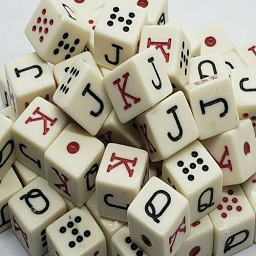
Poker dice
von 76561197999361439
This mod adds usable poker dices and the recipe for creating one Select one or more dices and open your context menu to throw them! Workshop ID: 2890768447 Mod ID: PokerDice
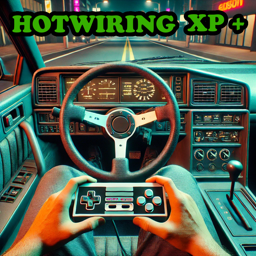
Hotwiring XP
von 76561198077215097
Have you found yourself thinking "Gee, I've been trying to hotwire a car or multiple cars for a while and I think I should be getting xp from it since it's a specialized skill"? If so, then this mod is for you! Now you'll get XP for Mechanics and Electrical from attempting to hotwire a car! Failed in hotwiring the car? That's okay! You'll still get some XP for it! (Though you will only get half; amount configurable in sandbox settings). For the nerds (like me): The logic of this mod is such that it will calculate how much xp you would get if the game calculated it normally. Since hotwiring doesn't normally give xp, we have to calculate it manually. Then the mod compares this calculated xp amount against the amount set in the sandbox settings and rewards the player with the higher number of XP for both Mechanics and Electrical. 09 Feb 2025 Currently the amount of XP you get is static and *not* affected by XP modifiers and I intend on the xp rewarded being the amount set in sandbox settings OR the amount you'd receive after xp modifiers, whichever is greater, and I will be changing this once I get this working and tested. I also intend on updating this to work in B42. Stay tuned. 02 October 2025 Now updated for B42! Functionality has been tested thoroughly, but if you run into any issues, please do not hesitate to report them in the bug report discussion page. Workshop ID: 3269362278 Mod ID: HotwireXP
Project Zomboid Details →
Project Zomboid Guides
Project Zomboid Mods installieren - Workshop Guide
Installiere Project-Zomboid-Mods sauber per Steam Workshop: IDs eintragen, Reihenfolge prüfen, Server neu starten und typische Fehler beheben.
Project Zomboid Build 42 auf dem eigenen Server: Umstieg, Spielstände und Mods
Build 42 ist Stable: Spielstände aus Build 41 sind nicht kompatibel. Umstieg, legacy41-Zweig, neue Serveroptionen, Anti-Cheat und der Hotfix 42.20.1 gegen Serverlag.
Project Zomboid Server mieten – Multiplayer Guide
Project Zomboid Server einrichten: RAM, Sandbox-Einstellungen, Workshop-Mods, Admin-Rechte und typische Fehler sauber prüfen.
Project Zomboid Server mit Mod-Support
Kompatible, unterstützte Mods über das Server-Dashboard installieren.
Project Zomboid Server mieten