Project Zomboid Mods für Server
Für einen modifizierten Project-Zomboid-Server brauchst du pro Projekt die Steam-Workshop-ID und die interne Mod-ID. Prüfe zusätzlich Spiel-Build, Abhängigkeiten und Lade-Reihenfolge, bevor du deine Welt mit den Änderungen startest.
Project Zomboid Mods sicher installieren
Ein Workshop-Abo allein aktiviert eine Mod auf dem Dedicated Server nicht. Die Einträge in `WorkshopItems=` und `Mods=` müssen zusammenpassen; außerdem muss jede Mod den gewählten Build 41 oder Build 42 ausdrücklich unterstützen.
- 1. Build prüfen: Build-41- und Build-42-Mods nicht ungeprüft mischen.
- 2. Workshop-ID, Mod-ID, Abhängigkeiten und erforderliche Reihenfolge vollständig dokumentieren.
- 3. Welt und Konfiguration sichern, Server neu starten und Logs sowie den Beitritt mit einem Test-Client prüfen.
Die vollständige Schritt-für-Schritt-Anleitung findest du im Project-Zomboid-Mods-Guide. Oder starte direkt mit einem Project Zomboid Server mit Mod-Support.
Häufige Fragen zu Project Zomboid Mods
Was ist der Unterschied zwischen Workshop-ID und Mod-ID?
Die Workshop-ID bezeichnet das Steam-Workshop-Projekt und steuert den Download. Die Mod-ID aktiviert den enthaltenen Mod im Spiel. Auf dem Server müssen beide Listen vollständig und passend gepflegt sein.
Laufen Build-41-Mods automatisch mit Build 42?
Nein. Nutze eine Mod nur dann auf Build 42, wenn ihre Workshop-Seite diese Kompatibilität ausdrücklich bestätigt. Prüfe dabei auch alle Bibliotheken und weiteren Abhängigkeiten.
Wie teste ich ein Mod-Update ohne Risiko für die Welt?
Sichere zuerst Welt, Sandbox-Konfiguration und Server-INI. Aktualisiere danach die zusammengehörigen Mods, starte den Server neu und prüfe Logs, Kernfunktionen und einen vollständigen Client-Beitritt.
![[deprecated] Airdrops Patch b42.20 – Project Zomboid Mod](https://images.steamusercontent.com/ugc/17697165905801250715/D2D367FBAE89B4E111B5B1AF370F7D5D84E0D72C/)
[deprecated] Airdrops Patch b42.20
von 76561198097281623
DEPRECATED main mod is kinda bad and i don't have a time to fix all his code. pz have trash modding policy so i cant just pull his mod and reupload it with fixed version by modding policy. so yeah - do it yourself if you want. mod have free for all policy. do whatever your want with this mod - i dont care because i dont have problem with ego like people who make "on lockdown" policy Various fixes for Airdrops on Build 42. Requires Airdrops; enable after it. main mod workshop id: 3590950467 main mod Mod ID: airdrops Workshop ID: 3768196771 Mod ID: AirdropsPatch
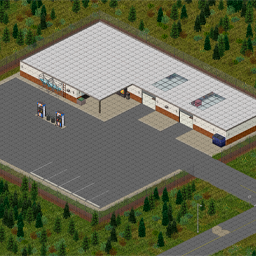
Trosski's NSCar Workshop Redux
von 76561198033355716
This is a ground up reproduction of the NSCarWorkshop mod from B41. There are a few differences. 1: Workshop expansion and garage pit basement 2: A reporduction of the Vanilla Radio Tower has been added I really liked the original mod, and I wanted to keep it alive with a bit of my own twist. Workshop is located north of Muldraugh. Hope you enjoy! Workshop ID: 3630031209 Mod ID: nscarworkshop Map Folder: TrosskisNSCarWorkshop_Redux

All Skills Profession
von 76561198905133382
Adds profession that lets you have all traits and skills unlocked. Workshop ID: 2987205328 Mod ID: asp
![(FO3) Three Dog Radio [Survivor Radio V3.4] – Project Zomboid Mod](https://images.steamusercontent.com/ugc/1840284834998135494/5BF0CF6FB781FE4526FE732801A5A7507B17CF08/)
(FO3) Three Dog Radio [Survivor Radio V3.4]
von 76561198012212042
Fallout 3 Three Dog Radio Custom Tracks for Survivor Radio. Each song is opened with Three Dog giving some news or PSA's. Incompatible with any mod that adds custom tracks to Survivor Radio V3.4, as it overwrites those files. Workshop ID: 2730093940 Mod ID: ThreeDogRadio
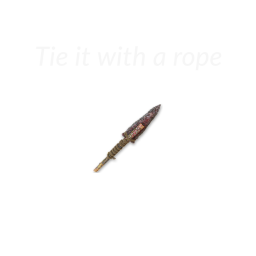
Rope Spear
von 76561198071563538
ENG: Adds the ability to attach items to the spear with a rope. Adds the ability to create a rope from 5 sheet rope. PL: Dodaje możliwość mocowania przedmiotów za pomocą liny do włóczni. Dodaje możliwość stworzenia liny z 5 lin z materiału. Workshop ID: 2399606723 Mod ID: RopeSpear
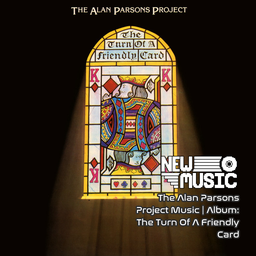
The Alan Parsons Project Music | Album: The Turn Of A Friendly Card
von 76561199258285984
The Alan Parsons Project Music | Album: The Turn Of A Friendly Card Generated with New Music Builder The Turn Of A Friendly Card Side A 01 May Be A Price To Pay 02 Games People Play 03 Time 04 I Don't Wanna Go Home 05 The Gold Bug The Turn Of A Friendly Card Side B 01 The Turn Of A Friendly Card - Part 1 02 Snake Eyes 03 The Ace of Swords 04 Nothing Left to Lose 05 The Turn of a Friendly Card, Pt. 2 Workshop ID: 3755898199 Mod ID: 5ParsonsAlbum
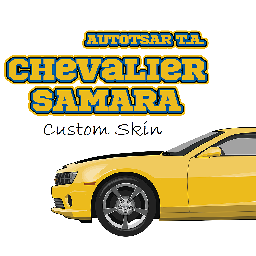
Samara Custom Skin
von 76561198315858247
This adds custom skins for ATA_Samara , It may still get unstable from time to time since I'm still updating the skins. If you like this mod, consider supporting me for buying a Coffee. So that I can stay awake for creating mods like this. Workshop ID: 3318975939 Mod ID: ATA_Samaraskn
Nightvision API SFX Replacer
von 76561198044742469
Sound replacer for Ricochete's Nightvision API (2776633989) sounds. Say goodbye to bass with sounds from CODMW2019. Does not replace low-battery, recharged and toggle-fail sounds as they are fine as is. Workshop ID: 3287289203 Mod ID: NVAPIresound
Blobs Wonderfully Weird cars!
von 76561199568769703
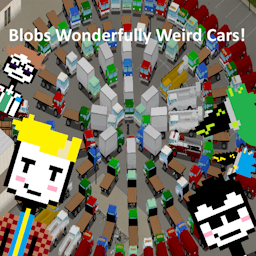
This is the official public release of my mod!!! now with a discord ! THIS MOD ONLY WORKS ON B42 NOW WITH WORKING FUEL TRUCKS! and a single RV! This mod is a collection of cool or weird, and generally unconventional (mostly american) vehicles i think are cool!! (not everything is necessarily weird, some vehicles may just be ones i like) there is a full list of every vehicle located in the linked discord, including trailers there are both fuel trailers and trucks in this mod, as far as i know there arent any conflicts all vehicles have a custom mechanics UI, and some have shadows there are some vehicle-related items included some stuff may not look the best, since im not the greatest at texturing, please let me know if you notice anything weird! CURRENT PLANS Working propane trucks Working water trucks Tow trucks compatible with Project RV Interior make sure to activate my included submod! HUGE thanks to the following people Filibuster Rhymes for ALOT of help figuring out stuff when i first started, and for providing fuel truck code!! Jack/Nightscale alot of help figuring out file structure FHQ for help with mechanics UI's Mickey Knox for helping teach me mapping! and for fixing the broken fuel truck code! various smaller thank yous are in the mod folders :D Workshop ID: 3589351115 Mod ID: BlobsWonderfullyWeirdCars Mod ID: BWWCLA Mod ID: BWWCRVinterior Map Folder: map_blobrv

New Music - ABBA
von 76561199446419840
New Music - ABBA Time Period Accurate ABBA - Arival Side A 01 ABBA - Arrival 02 ABBA - Dancing Queen 03 ABBA - Dum Dum Diddle 04 ABBA - Fernando 05 ABBA - Happy Hawaii 06 ABBA - Knowing Me Knowing You ABBA - Arival Side B 01 ABBA - Money Money Money 02 ABBA - My Love My Life 03 ABBA - Thats Me Video 04 ABBA - Tiger 05 ABBA - When I Kissed The Teacher 06 ABBA - Why Did It Have To Be Me ABBA - Super Trouper Side A 01 ABBA - Andante Andante 02 ABBA - Happy New Year 03 ABBA - Me And I 04 ABBA - On And On And On 05 ABBA - Our Last Summer 06 ABBA - Super Trouper ABBA - Super Trouper Side B 01 ABBA - Elaine 02 ABBA - Lay All Your Love On Me 03 ABBA - Put On Your White Sombrero 04 ABBA - The Piper 05 ABBA - The Way Old Friends Do ABBA - Voyage Side A 01 ABBA - Dont Shut Me Down 02 ABBA - I Can Be That Woman 03 ABBA - I Still Have Faith In You 04 ABBA - Little Things 05 ABBA - When You Danced With Me ABBA - Voyage Side B 01 ABBA - Bumblebee 02 ABBA - Keep An Eye On Dan 03 ABBA - No Doubt About It 04 ABBA - Ode To Freedom ABBA - Waterloo Side A 01 ABBA - Dance While The Music Still Goes On 02 ABBA - Gonna Sing You My Love Song 03 ABBA - Hasta Manana 04 ABBA - Honey Honey 05 ABBA - King Kong Song 06 ABBA - My Mama Said ABBA - Waterloo Side B 01 ABBA - Ring Ring 02 ABBA - Sitting In The Palmtree 03 ABBA - Suzy-Hang-Around 04 ABBA - Watch Out 05 ABBA - Waterloo 06 ABBA - What About Livingstone Want an Album Comment It! Workshop ID: 3750068892 Mod ID: NMABBA

TrueVideo - Playable Videos - Gameboy Emulation
von 76561198023260416
DO NOT DOWNLOAD THIS MOD, ITS NOT THE CURRENT VERSION. ITS AN EXPERIMENTAL VERSION THAT BARELY WORKED, (i mean like .05 fps in tetris) IN DEVELOPMENT These video's show the first working examples of not just video piped into Project Zomboid, but a working GAMEBOY EMULATOR. There are NO game slowdowns, NO save issues, no audio issues, NOTHING. With this technology I have added ACTUAL VHS TAPES THAT PLAY and made it possible to add MULTIPLE DIFFERENT TYPES OF GAME EMULATORS into Project Zomboid for you to play and watch to pass the time. I saw alot of excitement when I originally posted this experimental rework of a broken mod, so I wanted to share with everyone that this rewritten, and completely working mod is coming. Soon. I just need to fix a few things, and get it in a easily deployable state for players that wish to use it and add it to their servers. For video, it's a simple workshop download like a truemusic mod, but for the gameboy emulation It's slightly more complex than a typical mod, but once you've gone through a 60 second setup it works like a breeze. We will maintain and make sure that video's always will be as simple as downloading a workshop mod, and be both b42/multiplayer compatible so you can watch with all your friends. Wokshop ID: 3665970132 Mod ID: TrueVideo-Beta Mod ID: TrueVideo-Beta

True Music Addon: Lyrical Lemonade Hits
von 76561198000929035
A Small collection of Lyrical Lemonade's Top Hits. Current Music list: Internet Money - Lemonade ft. Don Toliver Gunna & Nav Jasiah - Crisis Juice WRLD - All Girls Are The Same Juice WRLD - Armed & Dangerous Juice WRLD - Bandit ft. NBA Youngboy Juice WRLD - Lucid Dreams Juice WRLD - Robbery Lil Durk - What Happened to Virgil ft.Gunna Lil Mosey - Blueberry Faygo Lil Mosey - Noticed Lil Skies - Nowadays ft. Landon Cube Lil Skies - Red Roses ft. Landon Cube Lil Tecca - Ransom NLE Choppa - Camelot NLE Choppa - Shotta Flow Remix ft. Blueface Nardo Wick - Who Want Smoke ft. Lil Durk 21 Savage & G Herbo Ski Mask The Slump God - Catch Me Outside Workshop ID: 3298535732 Mod ID: LyricalLemonadeHits
Wolf Predator
von 76561198299596157
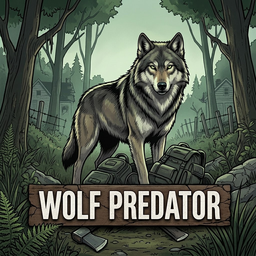
v1.3.5: Spawn-candidate and butchering hotfix for Project Zomboid 42.20.x. Hostile, territorial dire wolves for Project Zomboid Build 42. They are predators, not pets. Wolves patrol a home territory, hunt humans at close range, avoid zombies, stress nearby animals, and return to patrol after losing prey or completing a flee. WHAT'S NEW — 1.3.5 - Fixed valid players being discarded when MP ghost/invisibility state is temporarily unavailable during connection or player reconstruction. - Force One Test Pack now works for hidden admins and tries every connected living player if the first player has no valid loaded outdoor square, expanding beyond large bases when needed. Minimum player distance and outdoor safety remain enforced. - Increased adult wolf meat base yield from 2-3 to 7-12 cuts and pup yield from 1-2 to 3-5. Final ground yield still varies through vanilla size, genetics, freshness and Butchering modifiers. - Adult wolf meat yield now sits between vanilla raccoon and deer definitions. CHANGELOG 1.3.5 — Spawn Candidate and Butchering Hotfix: Reliable SP/MP player discovery, force testing across all connected players and vanilla-scaled wolf meat yields. 1.3.4 — Spawn Reliability Hotfix: Reliable forced-spawn retries, true debug-force behavior and cap-tolerant automatic partial packs. 1.3.3 — Lone-Wolf Audio Hotfix: Removed bite-triggered pack howls, removed the multi-animal pursuit clip, lowered growl volume and deduplicated vocal cadence per wolf. 1.3.2 — Multiplayer Audio, Spawn and Balance Hotfix: Null-safe remote sounds, administrator-only cleanup, corrected urban spawning and configurable wolf-meat nutrition. 1.3.1 — Spawn and Combat Reliability: Safe outdoor spawning, deer-aligned damage/collision metadata, bite wind-up, configurable wounds, loaded-world cleanup, pelt conversion and MP hit verification logs. 1.3.0 — Shadow and Bite Balance: Added projected wolf shadows and a configurable bite-miss chance. FEATURES - Hostile adult wolves and wolf pups; canine idle, walk, run, attack, death, hit, sniff, eat, drink, and jump support. - Server-authoritative bites and wounds; clients receive cosmetic feedback only. - Players can break combat pressure by creating distance, shouting, shoving, landing a hit, firing nearby, or using a vehicle horn. - Wolves flee from shouts, confirmed impacts, missed gunshots, and vanilla horns when enabled. - Vanilla ground-carcass loop: carry, place, butcher meat/sinew/pelt, then collect bones. No wolf-head drops. - Persistent corpse weight, local territory depletion, and gradual zone recovery. SANDBOX OPTIONS — DEFAULTS Spawn preset (Manual): Manual keeps all sliders; Light, Strong, and Nightmare override spawn-related values only. Enable Wolf Predator (true): Enables predator AI; spawned wolves need this to attack. Automatic Wild Spawning (true): Enables periodic automatic pack creation. Auto-spawn Chance Per Scan (12%%): One eligible scan roll to create a pack; effective chance is multiplied by 1.5 at night, capped at 100%%. Auto-spawn Cooldown (60 world minutes): Minimum in-game/world time between automatic packs. Minimum/Maximum Pack Size (1/2): Requested wolves per automatic or debug pack; caps can lower the result. Loaded Wolf Cap / Cap Per 200x200 Sector (10/2): Maximum currently loaded/tracked wolves overall and in one mod-defined sector; this is not a persistent whole-world population cap. Detection / Pursuit / Leash Radius (20/6/26): Notice, start chase, and abandon a retained chase target distances. Wolf Pursuit Speed (1.35): Run/root-motion speed while chasing or fleeing. Lower values improve readability and reduce visual correction jumps on higher-latency clients. Bite Contact Range / Wind-up / Cooldown / Damage (0.85 / 650 ms / 1450 ms / 8): Contact, readable warning delay, and successful bite damage. Bite Miss Chance (75%%): A completed attack can miss without applying damage. Physical Bite / Deep Wound / Laceration Chance (45%% / 10%% / 20%%): Remaining successful hits become non-infectious scratches. Wolf Meat Base Hunger Reduction (30%%): Full raw piece before butchering and cooking modifiers; calories, fat and protein scale with it. Range 5%%–80%%; 60%% restores the previous balance. Flee From Player Shouts (true): Nearby wolves flee temporarily from a player shout. Flee From Loud Noises (true): Nearby wolves flee from real gunshots or vanilla vehicle horns; noise never wounds them. Minimum Loud-Noise Radius (20): Sounds must meet this radius; weapon radius is script-defined and a vanilla horn is 150 tiles. Loud-Noise Flight Duration (9 seconds): Flight time after a qualifying gunshot or horn. Gunshot Wounds (true): Non-lethal firearm hits cause a separate wounded flee and blood trail. Gunshot-Wound Survival Chance / Duration (65%% / 70 seconds): Wound outcome and bleed period. Minimum Spawn Distance From Players (10): Prevents packs appearing on connected players. Avoid Safehouses / Safehouse Buffer (true / 150): Blocks spawning inside and near safehouses. Territory Wander Radius / Interval (12 / 18 seconds): Idle patrol area and delay. Animal Stress Radius / Target / Interval (12 / 75 / 5 seconds): Non-wolf animal stress pressure. Reduce Respawn After Clearing Wolves (true): Kills suppress local future spawns, then recovery restores them. Spawn Suppression Per Killed Wolf / Zone Recovery (35%% / 72 hours): Clearing strength and recovery time. Minimum Repopulation Factor / Repopulate As Pups / Pup Chance (10%% / true / 100%%): Recovery spawn behavior. Zone Filter (true): Enables terrain weighting below. Deep Forest / Forest / Farm / No-Zone / Road / Town Weights (100%% / 70%% / 40%% / 40%% / 5%% / 1%%): One acceptance roll per terrain candidate. Force a Pack on Game Start (false): Debug-only test pack; disable after testing. Debug Logs (false): Writes Wolf Predator diagnostics to console.txt. CREDITS AND PERMISSION Husky model, skeleton, animation set, and UV layout derived from Companion Dogs (Workshop 3740052292), used with permission. Dire-wolf derivative, proportion adjustment, and dark-brown texture by Wolf Predator contributors. Full attribution is included in ATTRIBUTION_COMPANION_DOGS_HUSKY.md inside the mod. Tierra de Lobos Land of Wolves — Hardcore PvE Community This mod is part of the ecosystem developed by Tierra de Lobos, a Project Zomboid community focused on high-difficulty PvE survival, meaningful progression and cooperative play. Join us to follow development, participate in multiplayer testing and discover our servers: Join the Tierra de Lobos community on Discord Este mod forma parte del ecosistema desarrollado por Tierra de Lobos, una comunidad de Project Zomboid centrada en la supervivencia PvE de alta dificultad, la progresión significativa y el juego cooperativo. Únete para seguir el desarrollo, participar en las pruebas multijugador y conocer nuestros servidores: Únete a la comunidad de Tierra de Lobos en Discord Workshop ID: 3781714574 Mod ID: WolfPredator

BoatCore - Motorboats SP
von 76561197970880715
BoatCore Motorboat B42 This adds 3 boats with motors to Project Zomboid B42 This pack includes: - SunSeeker — a powered speedboat - Shanty Houseboat — a rustic DIY River House boat - Rosalind Houseboat — An urban houseboat Requirements BoatCore is required. Finding boats Boats are intentionally uncommon and appear at 28 curated dock and waterfront locations around the map on the River and in lakes\ponds. They are placed so they can be boarded from legitimate shore or dock access points. The Sunseekers are generally found around developed waterfronts along with the Rosalind Houseboat. Shanty Houseboats are more common at rural and remote docks. Using a boat - Board from a nearby shore or dock. - Start the engine when you have fuel and a key by Radial menu or clicking dash - If a boat has no key, hotwire it, or row it with oars from seat 1 or 2. - You can fish from seats 1 and 2 Just like Vanilla. Just equip Rod and Aim - Refuel from inside the boat seated in Seat 2 - Seat 4 is the Galley You can turn the Icebox Off and on via Radial menu V - Icebox Consumes its own Auxiliary battery. It can be replaced and is charged when boat is running. - Approach shorelines and docks slowly. Hitting the Docks or Shore can cause the boat to get stuck. - Use a dock or shore to get out safely. Always debark from Port or Starboard, never Aft or Bow. - If You still manage to get your boat stuck, cut the engine, exit onto dry land, and then right click and move your boat in the direction of water. Its gonna cost your prop 5 health. Only you can stop boating core accidents. Sandbox options Single-player Sandbox settings can control: - How often boats spawn - How often newly spawned boats include keys Compatibility The optional BoatCore - PROJECT RV Interior Addon adds PROJECT RV Interior support for these boats. Arcadia already supports BoatCore BoatCore — Workshop ID 3781475653 WorkingMotorboatB42 — Workshop ID 3781475765 BoatCoreRVInteriorAddon — Workshop ID 3781475848 There is an issue where swimming into the boat moves the boat and can make it unstable so that it sinks under the water line and wont drive. For now, if that happens the best thing to do, is just go inside the RV and back out and it will reset the boat. If you don't have the RV mod then quitting and reloading will fix the boat. Best to just find a nice easy docking spot. Swimming has been removed from Boatcore and made its own mod called SwimCore.
Neat Building – Safe Uninstall Support
von 76561199133259679
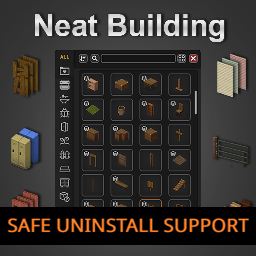
Build Support: Build 42 only Neat Building – Safe Uninstall Support keeps compatibility references required by existing saves/servers after removing Neat Building or one of its buildable/entity variants. This is not the full Neat Building mod. It does not provide the Neat Building UI or usable build recipes. Important — Enable the Matching Variant Before Loading If a save/server previously used a Neat Building buildable variant, do not load that world with neither the original variant nor its matching Safe Uninstall Support enabled. Use these correspondences: Previously used → Safe Uninstall Support - Neat Building → Neat Building – Safe Uninstall Support - Neat Building - Buildables - SES Compatibility → Safe Uninstall Support - SES Compatibility - Neat Building - Railings → Safe Uninstall Support - Railings Neat Building - UI Only does not add buildable entities and normally does not need Safe Uninstall Support. However, switching from a full/buildable variant to UI Only does not replace the support needed for buildables already registered or placed in that world. How to Change / Remove a Variant - Make a full backup - Disable/remove the old Neat Building buildable variant - Enable its matching Safe Uninstall Support variant - Then load the existing save/server Do not load the world once in between without either the old variant or its matching support. The support variant may need to remain enabled because old placed objects and registered references can remain in the world. Stairs East & South If the world uses Stairs East & South and previously used: Neat Building - Buildables - SES Compatibility use: Neat Building – Safe Uninstall Support - SES Compatibility Do not replace it with the full or Railings support variants, because those preserve different Neat Building references. Multiplayer All Safe Uninstall variants share Workshop ID: 3743063232 Full support: Mods=...;Neat_Building_SafeUninstallSupport;... WorkshopItems=...;3743063232;... SES-compatible support: Mods=...;Neat_Building_SafeUninstallSupport_SESCompat;... WorkshopItems=...;3743063232;... Railings support: Mods=...;Neat_Building_SafeUninstallSupport_Railings;... WorkshopItems=...;3743063232;... What It Keeps Depending on the variant, the support mod preserves compatibility references for: - Entity scripts - SpriteConfigs - CraftRecipe entries - Textures and tiles - XUI / UI references Build recipes included for compatibility are hidden and are not intended to function as the full Neat Building mod. What It Does Not Do - Does not add the Neat Building interface - Does not provide usable build categories - Does not require NeatUI Framework - Does not delete old constructions from the world - Does not make unsafe mod-list changes risk-free - Cannot guarantee recovery from every mod-removal problem Credits - Original Neat Building by Rocco - Safe Uninstall Support and newer Build 42 maintenance by Afyrmo Workshop ID: 3743063232 Mod ID: Neat_Building_SafeUninstallSupport Mod ID: Neat_Building_SafeUninstallSupport_Railings Mod ID: Neat_Building_SafeUninstallSupport_SESCompat

Craftable Metal molds
von 76561198070541195
Adds crafting recipe for iron/steel bar and ingot molds Workshop ID: 3578791594 Mod ID: HIEMMolds
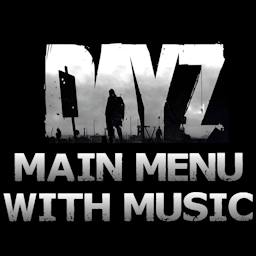
DayZ Main Menu with Music (B42)
von 76561198048833753
TO MAKE THIS WORK ON VERSION B42.15 PLEASE FOLLOW RYUKU THE AUTHOR OF MMF'S INSTRUCTIONS: B42.15 NOTICE Unfortunately, due to changes in B42.15, you now need Reflection Enabler. Reflection Enabler link: https://steamcommunity.com/sharedfiles/filedetails/?id=3682136459 I understand installing a Java mod to play custom music in the main menu is overkill, but, that's the way it is at present. When/if this changes, I'll update the mod to support a non-Java solution. ----Description---- B42 version! B41 version HERE A DayZ themed main menu! Replaces the game's original background, with 3 variations to choose from! Also plays the DayZ main theme music. -REQUIRES: "BACKGROUND FRAMEWORK" After enabling the mod, go into the games options and under the mod category you will find the switchers. Choose your preferred background, logo position and highlight colour then accept the changes. No need to reset. Check out the other standalone mods in this series: - Shaun of The Dead Main Menu with Music - Speed Demon Main Menu with Music - A Journeys End Main Menu with Music - Dead Island Main Menu with Music - We are F*cked Main Menu with Music - False Hope Main Menu with Music - Hope is Lost Main Menu with Music - Left 4 Dead Main Menu with Music - The Last Of Us Main Menu with Music - The Walking Dead Main Menu Remix - 28 Days Later Main Menu with Music - An Alternative Main Menu - Days Gone Main Menu with Music - Dying Light Main Menu with Music - Refashioned Main Menu Remix - Xirszo Main Menu Remix - MaDeInCCCP Main Menu Remix Want a cleaner main menu? Then check out my other main menu mods: - Main Menu Watermark Remover (B42) - Main Menu Credits Disabler (B42) A massive thanks to Blessed Mother for her highlight code! Workshop ID: 3488671360 Mod ID: DayZMM_B42
![Carry Weight Multiplier [B42] – Project Zomboid Mod](https://images.steamusercontent.com/ugc/14187809243739965814/E40BB8DB2E56586AE3C00FD298D51F2599150942/)
Carry Weight Multiplier [B42]
von 76561198157550710
Carry Weight Multiplier - Build 42 Carry more. This mod scales your character's carry capacity - and nothing else. By default you carry three times as much as in vanilla, and the multiplier is configurable in the Sandbox Options. What it changes - The player character's base carry capacity (1.0x - 100.0x, default 3.0x) That is the whole list, on purpose. See below. What it deliberately does not change Bags, world containers, vehicle storage, item sizes and item weights. Versions up to 1.3.0 scaled all of those; version 2.0.0 removed them. They fought the engine on every read. The game re-clamps container capacity to 50 for bags, 100 for world containers and 1000 for vehicle storage on EVERY single read, so most of what the mod wrote was discarded again - and loading an area overwrites capacity straight from the save, so containers reverted to vanilla whenever a chunk reloaded. Keeping that working meant sweeping every container near every player once a minute, which is exactly where the constant errors came from. Carry weight has neither problem, so that is what the mod does now - and it does it reliably. Configuration Everything lives on its own page in Sandbox Options > Carry Weight Multiplier: a master switch, the multiplier, and a maximum as a safety net. The maximum is applied as a multiple of the multiplier, so it never clips the value you chose. Good to know Your Strength skill and traits such as Strong, Stout, Weak or Feeble still apply on top of the multiplier, exactly as in vanilla, and injuries and moodles still take their bite out. The mod raises the base value the game feeds into its own formula rather than replacing that formula. Unlike container capacity, carry weight has no ceiling in the engine - verified in the Build 42 bytecode. The 50 people run into belongs to bag capacity, which this mod no longer touches. The slider stops at 100x by choice, not by force. Safe to add to a running save. Uninstalling needs no preparation at all: the mod stores nothing in your save, and the game rebuilds carry weight for every character it loads. Languages English and German. Mod ID: CarryWeightMultiplier Version: 2.0.1 Dedicated server The values are stored under SandboxVars.CarryWeightMultiplier and can be edited in <servername>_SandboxVars.lua. Carry Weight Multiplier - Build 42 (Deutsch) Mehr tragen. Diese Mod skaliert die Tragekapazitaet des Spielers - und sonst nichts. Standardmaessig traegst du das Dreifache, der Multiplikator ist ueber die Sandbox-Optionen einstellbar. Was veraendert wird - Die Grund-Tragekapazitaet des Spielers (1.0x - 100.0x, Standard 3.0x) Das ist die vollstaendige Liste, und zwar mit Absicht. Siehe unten. Was bewusst NICHT veraendert wird Taschen, Behaelter in der Welt, Fahrzeug-Stauraum, Item-Groessen und Item-Gewichte. Bis Version 1.3.0 wurde all das mitskaliert; Version 2.0.0 hat es entfernt. Der Grund: das Spiel begrenzt das Fassungsvermoegen von Behaeltern bei JEDEM Lesezugriff neu auf 50 (Taschen), 100 (Welt) und 1000 (Fahrzeuge). Das meiste, was die Mod geschrieben hat, wurde also sofort wieder verworfen - und beim Laden eines Bereichs wird das Fassungsvermoegen direkt aus dem Spielstand ueberschrieben, Behaelter fielen also beim naechsten Nachladen auf ihre normalen Werte zurueck. Das am Laufen zu halten hiess, einmal pro Minute alle Behaelter um jeden Spieler herum abzuklappern - genau daher kam der staendige Fehlerstrom. Die Tragekapazitaet hat keines dieser Probleme. Deshalb macht die Mod jetzt nur noch das - dafuer zuverlaessig. Einstellungen Alles liegt auf einer eigenen Seite unter Sandbox-Optionen > Tragekapazitaet-Multiplikator: ein Hauptschalter, der Multiplikator und eine Obergrenze als Sicherheitsnetz. Die Obergrenze wirkt als Vielfaches des Multiplikators und beschneidet den gewaehlten Wert daher nie. Gut zu wissen Staerke-Skill und Eigenschaften wie Stark, Kraeftig, Schwach oder Schwaechlich wirken wie gewohnt zusaetzlich, Verletzungen und Moodles ziehen weiterhin ab. Die Mod hebt den Grundwert an, den das Spiel in seine eigene Rechnung einsetzt, statt diese Rechnung zu ersetzen. Anders als beim Fassungsvermoegen von Behaeltern kennt die Engine fuer die Tragekapazitaet keine Obergrenze - im Bytecode von Build 42 nachgeprueft. Die viel zitierte 50 gehoert zum Fassungsvermoegen von Taschen, das diese Mod nicht mehr anfasst. Der Regler endet bei 100x, weil das eine bewusste Entscheidung ist und nicht, weil die Engine es erzwingt. Kann jederzeit zu einem laufenden Spielstand hinzugefuegt werden. Zum Deinstallieren sind keinerlei Vorbereitungen noetig: die Mod legt nichts im Spielstand ab, und das Spiel baut die Tragekapazitaet fuer jeden geladenen Charakter ohnehin neu auf. Workshop ID: 3782254402 Mod ID: CarryWeightMultiplier
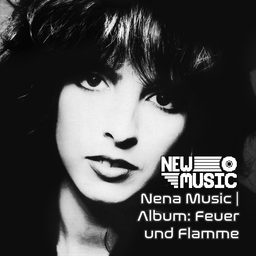
Nena Music | Album: Feuer und Flamme
von 76561199258285984
Nena Music | Album: Feuer und Flamme Generated with New Music Builder Feuer und Flamme Side A 01 Utopia 02 Haus der drei Sonnen 03 Jung wie du (Single Version) 04 Ein Brief 05 Feuer und Flamme Feuer und Flamme Side B 01 Gestern Nacht 02 Das alte Lied 03 Du kennst die Liebe nicht 04 Es wird schon weitergehn 05 Irgendwie, irgendwo, irgendwann (Special 12in Dance Mix) Workshop ID: 3756207281 Mod ID: 5NenaAlbum
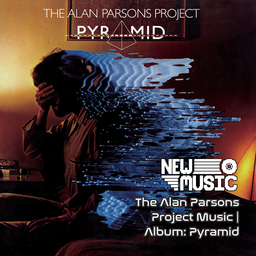
The Alan Parsons Project Music | Album: Pyramid
von 76561199258285984
The Alan Parsons Project Music | Album: Pyramid Generated with New Music Builder Pyramid Side A 01 Voyager 02 What Goes Up 03 The Eagle Will Rise Again 04 One More River 05 Can't Take It with You Pyramid Side B 01 In the Lap of the Gods 02 Pyramania 03 Hyper-Gamma-Spaces 04 Shadow of a Lonely Man Workshop ID: 3755896068 Mod ID: 3ParsonsAlbum

Kino Music | Album: Это не любовь
von 76561199258285984
Kino Music | Album: Это не любовь Generated with New Music Builder Это не любовь Side A 01 Это не любовь 02 Весна 03 Уходи 04 Город 05 Проснись это любовь 06 Саша Это не любовь Side B 01 Я объявляю свой дом 02 Разреши мне... 03 Верь мне 04 Дети проходных дворов 05 Музыка волн 06 Рядом со мной 07 Стишок 08 Прохожий Workshop ID: 3753828825 Mod ID: 4AlbumKino
![[B42/B41] Firearms 中文汉化 – Project Zomboid Mod](https://images.steamusercontent.com/ugc/12067875347845015483/C4CEF2C0A151C59FBC6FB7BF5636D45192B7ABF7/)
[B42/B41] Firearms 中文汉化
von 76561199244235491
Firearms - Simplified Chinese Language Pack Workshop ID: 3581242249 Mod ID: FirearmsCN

92amgeneralM998_merryskin
von 76561198365106923
This mod changes the skins of 92AM General M998. Workshop ID: 2778497215 Mod ID: 92amgeneralM998_merryskin

Show Skill Xp Gain (Build 40 Legacy)
von 76561197969620670
This mod will display the XP gain of any skill over the player's head. Strength and Fitness are removed for being too spammy. This is for build 40 Legacy only. Build 41+ is here: https://steamcommunity.com/sharedfiles/filedetails/?id=2313633950 Workshop ID: 2719212362 Mod ID: ShowSkillXpGain
Project Zomboid Details →
Project Zomboid Guides
Project Zomboid Mods installieren - Workshop Guide
Installiere Project-Zomboid-Mods sauber per Steam Workshop: IDs eintragen, Reihenfolge prüfen, Server neu starten und typische Fehler beheben.
Project Zomboid Build 42 auf dem eigenen Server: Umstieg, Spielstände und Mods
Build 42 ist Stable: Spielstände aus Build 41 sind nicht kompatibel. Umstieg, legacy41-Zweig, neue Serveroptionen, Anti-Cheat und der Hotfix 42.20.1 gegen Serverlag.
Project Zomboid Server mieten – Multiplayer Guide
Project Zomboid Server einrichten: RAM, Sandbox-Einstellungen, Workshop-Mods, Admin-Rechte und typische Fehler sauber prüfen.
Project Zomboid Server mit Mod-Support
Kompatible, unterstützte Mods über das Server-Dashboard installieren.
Project Zomboid Server mieten