Project Zomboid Mods für Server
Für einen modifizierten Project-Zomboid-Server brauchst du pro Projekt die Steam-Workshop-ID und die interne Mod-ID. Prüfe zusätzlich Spiel-Build, Abhängigkeiten und Lade-Reihenfolge, bevor du deine Welt mit den Änderungen startest.
Project Zomboid Mods sicher installieren
Ein Workshop-Abo allein aktiviert eine Mod auf dem Dedicated Server nicht. Die Einträge in `WorkshopItems=` und `Mods=` müssen zusammenpassen; außerdem muss jede Mod den gewählten Build 41 oder Build 42 ausdrücklich unterstützen.
- 1. Build prüfen: Build-41- und Build-42-Mods nicht ungeprüft mischen.
- 2. Workshop-ID, Mod-ID, Abhängigkeiten und erforderliche Reihenfolge vollständig dokumentieren.
- 3. Welt und Konfiguration sichern, Server neu starten und Logs sowie den Beitritt mit einem Test-Client prüfen.
Die vollständige Schritt-für-Schritt-Anleitung findest du im Project-Zomboid-Mods-Guide. Oder starte direkt mit einem Project Zomboid Server mit Mod-Support.
Häufige Fragen zu Project Zomboid Mods
Was ist der Unterschied zwischen Workshop-ID und Mod-ID?
Die Workshop-ID bezeichnet das Steam-Workshop-Projekt und steuert den Download. Die Mod-ID aktiviert den enthaltenen Mod im Spiel. Auf dem Server müssen beide Listen vollständig und passend gepflegt sein.
Laufen Build-41-Mods automatisch mit Build 42?
Nein. Nutze eine Mod nur dann auf Build 42, wenn ihre Workshop-Seite diese Kompatibilität ausdrücklich bestätigt. Prüfe dabei auch alle Bibliotheken und weiteren Abhängigkeiten.
Wie teste ich ein Mod-Update ohne Risiko für die Welt?
Sichere zuerst Welt, Sandbox-Konfiguration und Server-INI. Aktualisiere danach die zusammengehörigen Mods, starte den Server neu und prüfe Logs, Kernfunktionen und einen vollständigen Client-Beitritt.

IndoPZMusic
von 76561198403511072
lagu untuk server IndoPZ Workshop ID: 2939148114 Mod ID: IndoPZMusic

Sling mod fix_CHNTextFix
von 76561198145161926
Adds a craftable/lootable Rifle Sling to the game. Allows you to attach an extra sawn-off or rifle to your chest while leaving your back slot for whatever you like. Adds a Hotbar slot for the weapon attached to the sling. CHN text random code display fix. 汉化乱码修复。 Workshop ID: 2750391885 Mod ID: SlingModFixCNHTextFix
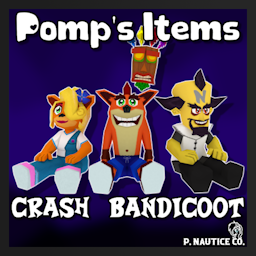
Pomp's Items - Crash Bandicoot
von 76561198115582328
Like breaking the canon with cute plushies? Maybe this'll speak to ya' I've had these guys sitting around since last year, but ended up stopping a bit short. However, since I recently updated the main mod I figure I should also probably put out the standalone portion of this mod, and so... er... here ya' go! I've wanted to make some older vidya' game plushies for a few years now and figured that Crash Bandicoot characters would be a great idea! Granted, it isn't really that time period accurate - most of my plushies aren't anyways! - There aren't too many little guys here, just 8 as of now. What a small selection! - Aku Aku is able to be worn and offers minimal protection, how kind! - Some sandbox options to customize the spawn chances. - It may be worth checking out childrens' wardrobes. - Various businesses, such as Giga Mart, toy stores, or daycares could prove useful, amidst a variety of other locations. - Maybe there'll even be a zombie toting one around! - So, you wanna' know who all is in this mod? Well, there ain't much, so that's easy peasy! - Aku Aku - Crash Bandicoot - Coco Bandicoot - Dingodile - Neo Cortex - N. Brio - Ripper Roo - Tawna Bandicoot - For a list of credits for the people who have helped me out, click here. - Want to see what's planned next for the mod? Check out this link. If you're interested in joining a niche Discord server, well I s'pose mine is always up for those curious on asking me questions about the mod or any of my other modding endeavors. Stop on by! Discord Link: Discord You're free to use this in any server, you may also modify some stuff in this mod - though I ask for credit if that's done. Workshop ID: 3731458540 Mod ID: PompsItemsBandicoot
![zRe Bandaged Status Info [b42.13+] – Project Zomboid Mod](https://images.steamusercontent.com/ugc/11870437571930169337/EDB920F8F881834A990C4965CDB99BD349859BFA/)
zRe Bandaged Status Info [b42.13+]
von 76561198034347328
- The damage status is visible under the bandage in the same way as without bandage. - There are sandbox settings, by default it is displayed only for First Aid level >= 3! You can support me: 2202 2055 0691 1756 SBER (MIR) https://boosty.to/kerhus/single-payment/donation/493985 Workshop ID: 3632795534 Mod ID: zReBandagedStatusInfo
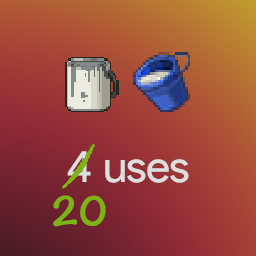
More Paint and Plaster (39)
von 76561198029369281
Changes the amount of uses for paint cans and plaster buckets from 4 to 20. Tested with build 40.43. If you play on another version please let me know whether it works or not. Build 41 version: https://steamcommunity.com/sharedfiles/filedetails/?id=2290447799 Inspired by "Fix Paint and Plaster" (https://steamcommunity.com/sharedfiles/filedetails/?id=617707824), but overrides nothing beside all paint cans and plaster buckets themselves. Workshop ID: 2280076178 Mod ID: MorePaintAndPlaster

Mod money Currency Exchange
von 76561199143346101
Zamazon and Zbay money Currency Exchange Workshop ID: 3295799818 Mod ID: Mod money Currency Exchange
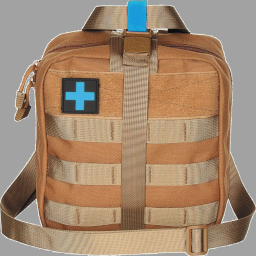
Buraki Backpack
von 76561198057240717
A new backpack which you can craft from Military Backpack. This new backpack has 88 weight limit and 99 percent weight reduction. It works in Multiplayer. You can add it to existing saves. To be able to craft it you need a Military Backpack, Tailoring Skill Level 1 or above, 1 needle, 3 threads, 2 duct tapes and 1 first aid kit. Have fun! Workshop ID: 3143616519 Mod ID: BurakiBackpack
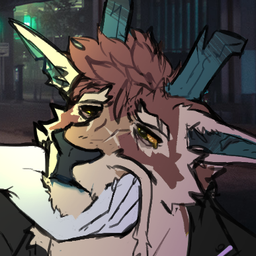
Anthro Survivors - Kilo The Noodle
von 76561199117439476
Add my truesona (references taken of Xochi) The character is my propety, i hope y'all like it! Workshop ID: 2981978017 Mod ID: KiloNoodle
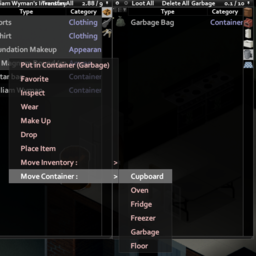
Item Move To Right Click
von 76561198174819823
Add item movement to the item's right-click menu. 아이템의 우클릭 메뉴에 보관함 이동을 추가합니다. Workshop ID: 2925286254 Mod ID: MNItemMoveContextMenu
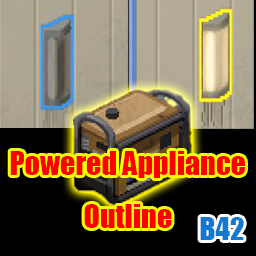
Powered Appliance Outline
von 76561197975526631
Powered Appliance Outline A mod that outlines the supported electric appliances within a running generator's power range, color-coded by their on/off state. For Build 42 Why this mod exists The vanilla generator info window shows something like: Power Consumption: Chest Freezer x2 (0.016 L/h) Mini Fridge x6 (0.078 L/h) Gas-powered Generator (0.002 L/h) Total: 0.479 L/h It tells you what types are drawing power, how many of each, and at what cost — but not where they physically are. Finding which actual fridge or lamp is running meant walking around your base and checking each one by hand. This mod draws an outline directly on the appliances in range, so you can spot them at a glance. Note: the mod also works before the world power goes out. While the grid is still up, no appliance is drawing from the generator yet, so the vanilla info window stays empty — but this mod outlines candidates based on the generator's geometric range alone, letting you preview "what would this generator cover if I placed it here?" ahead of the blackout. How to use - Right-click a running generator - Generator submenu → "Highlight powered devices" - All supported appliances in range light up How to turn the outlines off - Right-click the generator again → "Stop highlighting powered devices" - Right-click anywhere else in the world (the ground, a building, anything that isn't the generator) → pick "Stop highlighting powered devices" — no need to walk back to the generator - Or just stop the generator (outlines clear automatically) What the two colors mean - Yellow — Currently ON and drawing power - Blue — In range but OFF (turn it on and it becomes yellow) The outline color updates within 0.25 seconds of any on/off change. Supported appliances (matches vanilla generator behavior) Fridges and freezers / Stoves, microwaves, and ovens / Televisions / Washers, dryers, and combo units / Light switches / Car battery chargers / Gas pumps Range is identical to the vanilla generator: a 20-tile radius cylinder spanning ±3 floors (7 floors total). Anything not in the list above will not be outlined, even if it is currently powered. Performance The full-area scan happens only once, when tracking starts. After that, the mod only re-evaluates the state of the appliances it already knows about. Polling interval is 250 ms — no perceptible FPS impact. Known limitations - Appliances brought into range after tracking starts are not added automatically. Re-run "Highlight powered devices" to rebuild the candidate list - Tracking multiple generators at once is not supported — starting tracking on a second generator stops the first - Designed for single-player. Should work in multiplayer but is untested Language Menu entries are available in English and Japanese. Feedback Bug reports and feature requests are welcome in the Workshop comments. Workshop ID: 3743594564 Mod ID: PoweredApplianceOutline
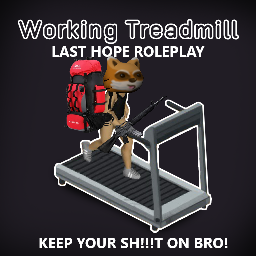
LAST HOPE WORKING TREADMILLS
von 76561198082088147
This is a redux of the mod WORKING TREADMILLS by FC4RICA. Removed the need to remove containers and bags but KEPT restrictions on TOO HEAVY TO USE! KEEP YOUR SH!!!T ON BRO! Redone for LAST HOPE ROLEPLAY by Physiks Join us for Amazing Roleplay by Amazing People! discord.gg/QM4GVebZwW Workshop ID: 3400436623 Mod ID: LH HamsterWheelRedux
Xirszo Main Menu Remix (B41)
von 76561198048833753
B41 version! B42 version HERE A remixed version of the main menu! Comes with 2 different (but similar) 16:9 HD backgrounds to choose from and the Xirszo main theme remix! -REQUIRES "MUSICAL MENU FRAMEWORK" -RESET YOUR GAME TO SEE ALL CHANGES This mod is also included in my mix and match pack: HD Main Menu Suite Also did you know you can use all MMF main menu mods together? Use my Menu Suite as a base! Check out the other standalone mods in this series: - We are F*cked Main Menu with Music - False Hope Main Menu with Music - Hope is Lost Main Menu with Music - Left 4 Dead Main Menu with Music - The Last Of Us Main Menu with Music - The Walking Dead Main Menu Remix - 28 Days Later Main Menu with Music - Project Zomboid Main Menu HD - Days Gone Main Menu with Music - DayZ Main Menu with Music - Dying Light Main Menu with Music - Refashioned Main Menu Remix - MaDeInCCCP Main Menu Remix Serious massive thanks to Ryuku for his framework, support and help with most of the coding! Please go and like/favourite his Framework! Also thanks to Zodiac for his logo code and dannyboy for allowing me to use his mod as a base. Credits to Xirszo for the theme song! Workshop ID: 3185604283 Mod ID: XirszoMMV1 Mod ID: XirszoMMV2

True Music Addon:RA Corridos
von 76561199229068090
no quema cuhh Workshop ID: 2992083566 Mod ID: RA_music

Fat man saying Joe Biden (intro text) (EN, RU)
von 76561198413053811
Joe Biden This mod only works if your settings are set to English or Russian. Workshop ID: 2977716469 Mod ID: joebiden
More Nimble
von 76561198037538179
More Nimble grants additional Nimble skill xp (configurable) when walking in combat stance. It can also be configured to grant Nimble xp when moving outside of combat stance. ---------------------------------------- TL;DR Grants 3x ADDITIONAL Nimble xp for a total of 4x Nimble xp when walking in combat stance. ---------------------------------------- The amount is configurable in the sandbox settings. Additionally, you may set an amount of xp to grant when the player is moving outside of combat stance. The setting will be multiplied by the amount normally given. Example 1 - Additional aiming xp set to 3: - If you character normally was gaining 1.3 Nimble xp while moving in aim mode, they will continue to do so - They will also occasionally gain 3.9 additional xp - this will average out to 4x normal xp gain Example 2 - Moving xp set to 2: - If you character normally was gaining 1.3 Nimble xp while moving in aim mode, they will continue to do so - They will also occasionally gain 2.6 additional xp when walking, running, sprinting or sneaking I know this is a bit of an odd way to do this, but I wanted the mod script to be as minimally invasive as possible for the sake of stability. Workshop ID: 2908195009 Mod ID: CMMORENIMBLE
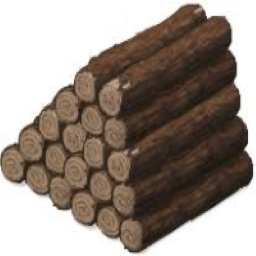
NoWeightForLogsAndPlanks (old build 41, pre-log sprite change. process on how to change an items weight in comments)
von 76561198272335246
I finally fixed the plank issue (I did the plank one wrong, apparently you can't do the item trick for the plank like how I did for the log since it's under weapons instead of items like the log) ((sorry about that and sorry for the update taking a long time, I had pc problems)) (my Mod maybe defunct as its rather old (old builds of 41, pre-spite change). I did make a guide awhile back on how to change an items weight in the comments, that info should still work)
![[B42.20.3]Mumu Teleport – Project Zomboid Mod](https://images.steamusercontent.com/ugc/17581633812016184709/8A3F56B7D9954C649CDAF0CB81138E51A902A781/)
[B42.20.3]Mumu Teleport
von 76561198144212868
按键打开传送面板(按键可绑定,默认不绑定),双击坐标即传送。 Open the teleport panel with a hotkey (unbound by default); double-click a point to teleport. 20 个传送位:左列 1-9 + 上车点(10),右列 11-19 + 下车点(20);坐标用 ModData 持久化。 20 slots: left column 1-9 + vehicle-board point (10), right column 11-19 + vehicle-alight point (20); coordinates persist via ModData. 修改传送位:先左键选中 → 「设为当前坐标」用当前位置覆盖选中项,或「自定义坐标」手动输入 XYZ 后确认。 Editing a point: left-click to select it first -> "Set Point" overwrites it with your current position, or "Customize Point" to enter XYZ manually. 大量参考了原版 DebugMenu 的实现,感谢原作者大佬! Heavily references the vanilla DebugMenu. Shoutout to the master behind it! Workshop ID: 3505236067 Mod ID: MumuTeleport 只在单机版测试正常运行,多人模式未经测试。 Only tested in single-player; multiplayer untested. Workshop ID: 3505236067 Mod ID: MumuTeleport
Walter Drug Mod (Disabled Drug spawn)
von 76561198432315715
Stop whining about updating mods to B42, i will not do that. - Added the ability to pack a cocaine back block using 22x Cocaine and any useless bag - Due to the downgrade of some crafts, drug effects are downgraded too - Rebuild crack craft, added Baking Tray/Roasting Pan with glue/wood glue needs. - Removed the need for a full bottle of bleach and bourbon to create crystal meth from crafts (because its a food, craft consume all bottle) - Added weed crafting (like a cigarette); If you cut up kale (a substitute for hemp). And then drizzle with any source of gasoline. You can get a billet. If the player bakes it and grinds, you get cocaine. If you roll it in paper, you get a marijuana/weed joint. - Simplified packaging by adding plastic bags instead of only aluminium Workshop ID: 3081058896 Mod ID: DrugMod_Walter
SSR:Examine - Vanilla Conversion
von 76561197995819728
A mod of the SSR:Examine mod that converts existing vanilla journal/sheets of paper to use the examinepanel system. There are 6 unique images that can be displayed, 3 for journals and 3 for sheets of paper, that are also unique to the object and persist each time its viewed; so for instance two people will see the same crummy journal image for immersion. The sound upon examining can be toggled in Sandbox Options. Workshop ID: 2796224858 Mod ID: examineMod
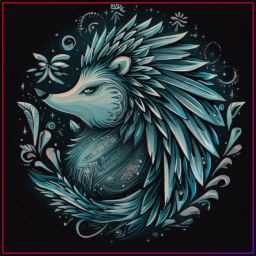
Paint Signs | More wall patterns
von 76561199218026428
Description This mod adds more designs for painting signs and can be easily expanded to add more options. Overlaying colors can produce countless combination. It's any world builder's must have mod! Compatibility Tread's Paint Symbols : tested, no issues found. Created by: Poltergeist Tiles by: Poltergeist, Glytch3r Commissioned by: RavenousEye, xRetrox Permissions: Ask for permission Workshop ID: 2966846210 Mod ID: TOMorePaintSigns
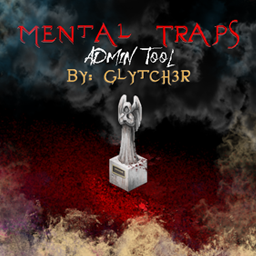
MentalTraps
von 76561199042257388
Mental Traps by Glytch3r Admin Tool / Trap: Admins can now participate in without being unfair they can now setup ambiance sounds and more by placing markers on the ground when a player steps on it events will occur Note the Fogs are local only including the ones on the admin.. so every one has their own experience of fogs and lights Controls Fog, Lights and Sound Player animation changed when panic Most of the events are visible to the player who got trapped only no one else can see it, hence the title Mental Trap Best suited for horror themed or RP themed servers Join Glytch3r Mods Discord Server: https://discord.gg/2skchrKrDv Coded by Glytch3r Commissioned by FuReNzIc Dead Runner Server Contact me if you need any custom mod for your server Discord: Glytch3r#1337 Hire Team Orbit for Custom Mod Commission Click the banners Donations: Workshop ID: 2931916573 Mod ID: MentalTraps

Comrade (My Best Friend) - NPC MODE -
von 76561198971905740
NPC FRIEND MODE: You can avoid loneliness by saying "NPC Follow". You can assign your NPC various tasks such as load handling, crafting, building structures, and working on the farm, allowing them to take over these responsibilities. You can trade with some NPCs, recruit NPCs from small groups, or fight, loot, and exchange them as a last resort. NPCs can be sent to different locations to gather items and protect you. However, be careful not to send them alone, as they might not survive. NPC characters use zombie artificial intelligence, but there are no significant difficulties in handling them. With NPCs, you can create your own story, plan routes, and develop your own adventure and movie-like experiences. Note: (Some of our followers weren't satisfied with the original explanation, so I revised it. I hope you like this version. My English isn't the best, but I worked on improving the mod's description. Also, this is for a canceled mod that you may have forgotten. I fixed the explanation and made a 3D cover photo. Do you like it? ).

Evangelion - Main Menu pack
von 76561198361747134
Pack of backgrounds for the game menu from the anime "Evangelion". Compatibility Works on B42 and B41. Instruction - Enable mod. Quit game and re-enter. - If it doesn't work, disable other mods main menu backgrounds. Workshop ID: 3636682323
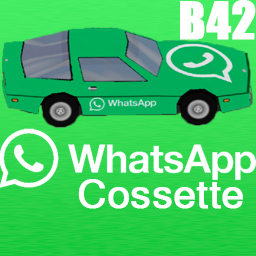
WhatsApp Cossette
von 76561199113984281
This mod adds WhatsApp Chevalier Cossette to the game. The vehicle's speed is slightly faster than average Cossette. YOU SHOULD CHECK MY OTHER ADDONS, NOW! . 👉SUGGEST YOUR MODS IDEAS👈 Workshop ID: 3490249128 Mod ID: StasiksWhatsappCossette
Project Zomboid Details →
Project Zomboid Guides
Project Zomboid Mods installieren - Workshop Guide
Installiere Project-Zomboid-Mods sauber per Steam Workshop: IDs eintragen, Reihenfolge prüfen, Server neu starten und typische Fehler beheben.
Project Zomboid Build 42 auf dem eigenen Server: Umstieg, Spielstände und Mods
Build 42 ist Stable: Spielstände aus Build 41 sind nicht kompatibel. Umstieg, legacy41-Zweig, neue Serveroptionen, Anti-Cheat und der Hotfix 42.20.1 gegen Serverlag.
Project Zomboid Server mieten – Multiplayer Guide
Project Zomboid Server einrichten: RAM, Sandbox-Einstellungen, Workshop-Mods, Admin-Rechte und typische Fehler sauber prüfen.
Project Zomboid Server mit Mod-Support
Kompatible, unterstützte Mods über das Server-Dashboard installieren.
Project Zomboid Server mieten