Project Zomboid Mods für Server
Für einen modifizierten Project-Zomboid-Server brauchst du pro Projekt die Steam-Workshop-ID und die interne Mod-ID. Prüfe zusätzlich Spiel-Build, Abhängigkeiten und Lade-Reihenfolge, bevor du deine Welt mit den Änderungen startest.
Project Zomboid Mods sicher installieren
Ein Workshop-Abo allein aktiviert eine Mod auf dem Dedicated Server nicht. Die Einträge in `WorkshopItems=` und `Mods=` müssen zusammenpassen; außerdem muss jede Mod den gewählten Build 41 oder Build 42 ausdrücklich unterstützen.
- 1. Build prüfen: Build-41- und Build-42-Mods nicht ungeprüft mischen.
- 2. Workshop-ID, Mod-ID, Abhängigkeiten und erforderliche Reihenfolge vollständig dokumentieren.
- 3. Welt und Konfiguration sichern, Server neu starten und Logs sowie den Beitritt mit einem Test-Client prüfen.
Die vollständige Schritt-für-Schritt-Anleitung findest du im Project-Zomboid-Mods-Guide. Oder starte direkt mit einem Project Zomboid Server mit Mod-Support.
Häufige Fragen zu Project Zomboid Mods
Was ist der Unterschied zwischen Workshop-ID und Mod-ID?
Die Workshop-ID bezeichnet das Steam-Workshop-Projekt und steuert den Download. Die Mod-ID aktiviert den enthaltenen Mod im Spiel. Auf dem Server müssen beide Listen vollständig und passend gepflegt sein.
Laufen Build-41-Mods automatisch mit Build 42?
Nein. Nutze eine Mod nur dann auf Build 42, wenn ihre Workshop-Seite diese Kompatibilität ausdrücklich bestätigt. Prüfe dabei auch alle Bibliotheken und weiteren Abhängigkeiten.
Wie teste ich ein Mod-Update ohne Risiko für die Welt?
Sichere zuerst Welt, Sandbox-Konfiguration und Server-INI. Aktualisiere danach die zusammengehörigen Mods, starte den Server neu und prüfe Logs, Kernfunktionen und einen vollständigen Client-Beitritt.
![Play Video Games [b41] – Project Zomboid Mod](https://images.steamusercontent.com/ugc/754844126807864081/5622889849F948BF5054F69EA615BF1BB2770FC5/)
Play Video Games [b41]
von 76561198006713652
Are you tired of boring old books? Magazines' pages mysteriously fall out of the cover? Say no more, my friends! Drop your screwdriver, and pick that game up that you were about to disassemble for parts, because NOW you can PLAY those games at your own leisure! INFO: This mod is, literally, my first one ever, and most of its code wasn't even done by me, but by Discord User: Okamikurainya. Most of the credits go to them! Naturally, I had permission to post it, so all should be good! In truth, all I really did was adjust the animation to be "Crafting", and put together the sounds that the Video Games play. WORTH NOTING: You won't be able to see the standard Moodle Bonuses, yet. It removes 50 Boredom and 25 Unhappiness, as well as plays a sweet sound! The sound will keep playing if you move, but your character will stop playing the game. For now, it's advisable to just hold still and stop playing YOUR game for a few seconds, and let your character play THEIR game, instead! As always, I hope y'all enjoy! ^_^ Workshop ID: 1907869139 Mod ID: oka_pvg
![Upgrade Hydration Backpack[SP/MP][42.20] – Project Zomboid Mod](https://images.steamusercontent.com/ugc/18214349470641562590/3418F26C100AACB380F410A06F5D6ABC705E172F/)
Upgrade Hydration Backpack[SP/MP][42.20]
von 76561198327185242
Travel Lighter, Ditch the Canteen! Tired of always carrying a water bottle in your inventory? This mod turns your backpack into a portable liquid reservoir—so you can leave the canteen behind. We’ve added a customizable liquid container to the backpack system. Set your own storage capacity, and free up that precious inventory slot normally reserved for bottles and flasks. Drink directly, refill on the go—your backpack is now your hydration station. Whether you’re exploring, building, or looting, one less container means more room for what really matters. Travel light, survive smarter. Key Features 🎒 Backpack as Canteen:Built-in liquid storage—no extra bottle needed ⚙️ Customizable Capacity:Set your preferred liquid volume per backpack 🧪 Works Naturally:Drink, refill, and use liquids directly from your backpack 🧰 Most Backpacks Supported:Configure everything from daypacks to military bags Upgrade your backpack with Duct Tape and a Plastic Water Bottle to add extra water storage. Even a backpack without a built-in hydration bladder can be granted water-carrying ability. Note: Support backpacks from other mod Mod ID:vac_hydration_backpack Workshop ID: 3712569610 Mod ID: vac_hydration_backpack
![[B42.13+] Tornado – Project Zomboid Mod](https://images.steamusercontent.com/ugc/20929878932710063/7900415BA9BF03CCCED969DA5818A1B6C3EEDA3A/)
[B42.13+] Tornado
von 76561198112144017
Tornado This mod introduces tornadoes to Project Zomboid, adding chaotic and unpredictable weather events to your survival experience. Tornadoes can drag players into the core and fling them away, creating unique challenges and environmental hazards. Features - Highly compatible with b42 BonzBetterCombat mod - Streamer Integration Framework (SIF) Compatibility: Fully supports integration with the SIF mod for interactive gameplay events. Write To File for streamerbot: {type = "nado"} - Emergency Alert Broadcast System: Automated radio warnings announce tornado watches and warnings through nearby radios, TVs, and vehicle radios - Two-Stage Warning System: Tornado Watch (default 90 min advance notice) followed by Tornado Warning (default 10 min) with sirens - Enhanced Fujita Scale: Tornadoes spawn with varying intensity levels (EF1-EF5) with weighted randomization and scaled destruction radii - Player Interaction: Players caught within the tornado's radius experience scaled damage, wounds, and physics forces based on proximity and EF level - Zombie Interaction: Zombies are flung with physics forces that scale with tornado intensity - Vehicle Physics: Vehicles experience impulse forces, window damage, and passenger injuries based on distance from tornado core - Dynamic Weather Spawn: Tornadoes spawn based on wind intensity, temperature, and humidity thresholds - Environmental Destruction: Buildings, tiles, and objects are destroyed within the destruction radius, spawning realistic debris - 8 Sandbox Options: Customize warning durations, max EF level, damage multipliers, and toggle sirens/debris/destruction/vehicle damage - Single-player only How It Works When weather conditions are favorable (high wind, temperature, and humidity), the mod has a chance to trigger a tornado event: 1. Tornado Watch (default 90 minutes before spawn): Radio and TV devices within range broadcast an automated emergency alert warning you of favorable tornado conditions. The EF level is pre-selected and announced. 2. Tornado Warning (default 10 minutes before spawn): Sirens activate across Knox County and emergency broadcasts intensify, warning you to take shelter immediately. 3. Tornado Touchdown: The tornado spawns with the pre-announced EF rating and begins its path of destruction. Different zones affect players, zombies, and vehicles: - Destruction Radius: Core zone destroys buildings and causes maximum damage - Pull Radius: Vortex zone pulls entities toward the center with swirling physics - Damage Radius: Outer zone with debris hazards and environmental damage More Sandbox Options Customize your tornado experience with 8 more configurable options: - WatchDuration: Adjust minutes for watch phase (default 90) - WarningDuration: Adjust minutes from warning to spawn (default 100) - MaxEFLevel: Cap tornado intensity 1-5 (default 5) - PlayerDamageMult: Scale all player damage (default 1.0, set 0 for immunity) - EnableSirens: Toggle siren activation on/off (default true) - EnableDebris: Toggle debris items scattering on/off (default true) - EnableDestruction: Toggle building/tile destruction on/off (default true) - EnableVehicleDamage: Toggle vehicle physics & damage on/off (default true) Enhanced Fujita Scale WIP Tornadoes are classified by intensity with realistic spawn probabilities: - EF1: 5m destruction, 15m pull, 30m damage radius (45% spawn chance) - EF2: 10m destruction, 25m pull, 55m damage radius (30% spawn chance) - EF3: 18m destruction, 40m pull, 85m damage radius (18% spawn chance) - EF4: 30m destruction, 60m pull, 140m damage radius (5% spawn chance) - EF5: 50m destruction, 100m pull, 220m damage radius (2% spawn chance) Higher EF levels feature increased movement speed, spin speed, sound volume, debris spawning, and damage output. But still needs work. For now I treat it as a skeletal frame for actual EF tornado mechanics in the future Planned Updates - Update the tornado sound effects - Expand rubble and debris variety based on building types - Add tiles to exclusion list like boulders - Further EF mechanic refinements and balance adjustments Known Issues - Game may freeze when exiting while the tornado event is still active - Ongoing performance optimization Credits Tornado Model: "Tornado" (https://skfb.ly/oERtT) by Jacob Quintana is licensed under Creative Commons Attribution (http://creativecommons.org/licenses/by/4.0/). STICK O' MEDIA Entertainment: https://www.youtube.com/@STICKOMEDIA Siren Model: "Classic Siren With 2 Speakers" (https://skfb.ly/osqSq) by The Pre Alpha Man is licensed under Creative Commons Attribution (http://creativecommons.org/licenses/by/4.0/). Workshop ID: 3397952613 Mod ID: Tornado Workshop ID: 3397952613 Mod ID: TornadoSP

Since Day Zero
von 76561198139828647
Description Ever wondered how long you have been living in this world since it happened? You may say.. "ThAt Is WhY tHe DiGiTaL wAtCh Is ThErE" and to that I say, you can do math if you want but I would rather not. This mod simply shows how many days passed since the beginning of the world without using math (I did for this but you don't)! P.S. Many Thanks to my friend Wyatt for coming up with the name because I can't. Features - "Since Day Zero" counter under the char info menu - The Top right overlay can be toggled on/off at will by assigning a hotkey under the keybind menu Compatibility - Should be working in both SP and MP (Currently using it in my own server) - Safe to add or remove to any existing save. - Should be compatible with any mod Feedback Please leave any suggestions, comments, issues, or feedback that you have. It would be greatly appreciated. I am still very new to this so please be nice :) Don't forget to like and favorite this mod if you enjoy it! Permissions This mod's permissions fall under TIS's policy Credit Where It's Due You are free to use the mod for personal use, in multiplayer servers, and even include it in mod packs! Just please do not redistribute or reutilize the files of this mod elsewhere without permission ❤. This mod can be added to and extended by anyone in the community, but credit must be given to the original author within the files of the mod - and posted alongside the mod wherever it roams. Workshop ID: 2954288323 Mod ID: SinceDayZero If you like this mod, check out my other mods!

Kano Music | Album: Another Life
von 76561199258285984
Kano Music | Album: Another Life Generated with New Music Builder Another Life Side A 01 I Need Love 02 Mad In Love 03 Dance School Another Life Side B 01 Another Life 02 Ikeya-Seki 03 China Star Workshop ID: 3756156519 Mod ID: 3KanoAlbum
PZ Main Menu Theme Pack - Musical Menu Framework
von 76561198048833753
A pack of all the remix mods I have done, now for the Musical Menu Framework. A random remix of the main menu theme song every time you load up your game! This is also fully compatible with my standalone main menu mods! Check them out: - 28 Days Later Main Menu with Music - Refashioned Main Menu with Music - Xirszo Main Menu Remix REQUIRES THE "MUSICAL MENU FRAMEWORK" MOD Massive thanks to Ryuku for his amazing framework! Source tracks: PZ Main Menu Music - Armin Hass Remastered Version PZ Main Menu Music - MaDeInCCCP Remix PZ Main Menu Music - Refashioned PZ Main Menu Music - Refashioned + Slowed + Reverb PZ Main Menu Music - Xirszo Remix PZ Main Menu Music - Kenneth Chou Remastered OST Workshop ID: 3173084931 Mod ID: PZMMTMMFP
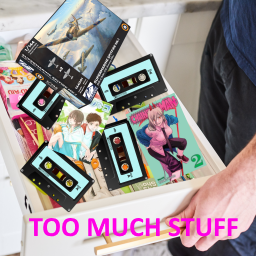
TLLootTweaks
von 76561198012212042
Does NOT require all items listed, enable only the ones you want or need Playing on rare loot and find it annoying that you open a drawer or wardrobe and its plum full of cassettes, manga, and video game consoles? Me too. Created for the purpose of my personal use, but if others want less loot (about 1/2 to 1/4th) in their playthrough, be my guest. Install and make sure the load order is at the end, needs to be AFTER whatever mod its patching. Note : If I was smart and not lazy, I'd edit the loot tables without overwriting a file, but alas I am not smart and am lazy, so it is what it is. If a mod such as true music addons add music, they won't spawn unless I keep this up to date. Do check for yourself the dates on each page. Workshop ID: 2871753041 Mod ID: BetterMasksEdit Mod ID: BigSpiceLootEdit Mod ID: ComputerLootEdit Mod ID: 6Pack12PackLootEdit Mod ID: GamingGamerMusicLootEdit Mod ID: GreenFireLootEdit Mod ID: HobbiesLootEdit Mod ID: HoloLiveLootEdit Mod ID: MixTapeMusicLootEdit Mod ID: MoreMapsEdit Mod ID: NailgunLootEdit Mod ID: PkmnCardsLootEdit Mod ID: ReadYourMangaLootEdit Mod ID: SanAndreasMusicLootEdit Mod ID: StarTrekTNG_VHSLootEdit Mod ID: TimePeriodMusicLootEdit Mod ID: TrueMusicLootEdit Mod ID: ViceCityRadioMusicLootEdit Mod ID: VideoGameConsoleLootEdit

Plant Creature Props
von 76561198088110633
NOTE: These are just props, items with the world model of a monster. These are not functional enemies. These will never be functional enemies. They're not animated, nor can I add AI to them since that is WAY beyond my mediocre skills. They're just intended for use in turn based combat, or as decorations. A collection of (mostly) plant related monster props intended for use with the Overgrowth lore of the (long dead) Project Phoenix roleplay server. Workshop ID: 2787378672 Mod ID: PlantProps
![Glasses Icons Fixed [41.71+] (OBSOLETE) – Project Zomboid Mod](https://images.steamusercontent.com/ugc/1853799960226971308/1D58A0B66B1DC7F73800B436128679928763F0F2/)
Glasses Icons Fixed [41.71+] (OBSOLETE)
von 76561197990989389
NO LONGER NEEDED, DON'T USE! Fixes the Shooting and Reflective glasses' icons being swapped. Workshop ID: 2758393761 Mod ID: GlassesIconsFixed41-66

Kipfel【42联机版暂时失效】
von 76561199422601502
这里是Kipfel猫猫 让猫猫走向世界!让更多人知道TA 使用方法:1、订阅后进入游戏 2、取消订阅其它可能会导致冲突的mod模组 3、然后开新档,勾选Kipfel模组后进入游戏 4、进入游戏后,找到窗帘,做成碎布条,右键制作成Kipfel(无帽子) 然后穿上,等待一会儿(如无反应请右键该物品点击检查)即可 由缘流_Official(上传及宣传) 注:非VRChat的UP主身份,本是僵毁到VRC留学 qqnima(适配制作) 自8月15日制作完成 11月15日现已发布创意工坊 注:该人物mod可能会与一些原版衣物出现穿模问题 尽力解决了,希望各位大佬提出解决方案 目前方法:隐藏部分原版衣服,作用效果保留 联系方式:B站 缘流_Official This is Kipfel the cat Let the cat go global! Let more people know them. What is this mod? Of course, it’s a character appearance mod. How to use: 1. Subscribe and then enter the game. 2. Unsubscribe from other mods that might cause conflicts. 3. Start a new save, check the Kipfel mod, and enter the game. 4. In the game, find a curtain, make it into scraps, right-click to craft Kipfel (without hat), then wear it, wait a moment (if nothing happens, right-click the item and select 'Check') and you’re set. Created and promoted by Yuanliu_Official Note: Not a VRChat content creator, originally a zombie modder who switched to VRC. Adapted and created by qqnima Completed on August 15 Released on the Workshop on November 15 Note: This character mod may have clipping issues with some original clothing. We’ve tried to fix it and hope experienced users can suggest solutions. Current method: hide certain original clothes while keeping their intended effects. Contact: Bilibili - Yuanliu_Official
Itim UI Font
von 76561198047485926
Itim Designed by Cadson Demak BoonJot — Handwriting font Designed by Sungsit Sawaiwan SIL Open Font License (OFL) From the OFL FAQ (OFL-FAQ.txt), copyright (c) 2005-2017 SIL International. Used by permission. OFL-FAQ web version (1.1-update6) Workshop ID: 2927611477 Mod ID: ItimFont
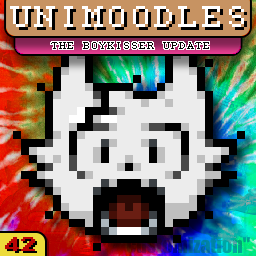
UNIMOODLES (B42)
von 76561198877863184
UNIMOODLES !! A moodle mod in 2025? You've gotta be kiddin' me... Seeing creators make moodle mods for B42 was pretty cool, and inspired me to get off of my ass and brush off Aseprite to make my own. This mod replaces every single moodle for B42. (B41 version coming as soon as I get tired of Runescape) Comes with borders, variants, and extras so you can customize the mod to your liking. MAKE SURE TO ENABLE THE BASE MOD !! (then you can add all those other thingies)
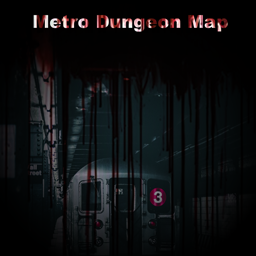
Metro-Dungeon
von 76561198006141780
Simon_MDs Metro Dungeon Map to be used with Monkey's PZ Dungeons Framework. It is in cell 38/3 (11.400x900). Please refer to Monkey's PZ Dungeons Framework mod and description on how to set this up. Workshop ID: 3096383319 Mod ID: SimonMDMetroDungeon Map Folder: metrodungeon

Bruh Jumpscare
von 76561198028261406
Replaces the annoyingly loud jumpscare sound with a not-so-loud meme. Workshop ID: 2739643524 Mod ID: bruh
![[B42.20] Visual Sound Cues – Project Zomboid Mod](https://images.steamusercontent.com/ugc/12344390086876142941/4D5EBCBC53532D2CFA9E072FF03DEB3156FC65C9/)
[B42.20] Visual Sound Cues
von 76561197960385239
WorkshopItems=3779020636 Mods=VisualSoundCues An accessibility mod: see what you would hearDirectional on-screen indicators for sounds your character can hear - built for deaf and hard-of-hearing players, and anyone else playing without audio. Zombies, gunshots, vehicles, house alarms, thunder, appliances and more appear as glyphs on a ring around your character, each one pointing toward its sound and colour-coded by distance. Works in single player and on Build 42 multiplayer servers; the mod is client-side apart from two server tuning options. Everything is off by default - nothing changes for players who don't opt in. Where the settings liveAccessibility options tab (Options > Accessibility), alongside a rendered legend showing every glyph and what it means. The same settings, plus the toggle keybind, are also available under Options > Mods > Visual Sound Cues. Player settings - Enable visual sound cues - master switch. Off by default. - Toggle cues in-game - keybind (default F10) that flips cues on or off for the session without opening the options screen. - Max cues shown at once - 1 to 24, default 10. When more sounds are audible, the nearest ones win. - Indicator distance from player - how far from your character the glyph ring sits on screen, 60 to 240 px. - Show cue types - five independent filters, so you can show only what matters to you: Zombies / Vehicles / Radios, TVs, generators and appliances / Loud events (gunshots, alarms, thunder) / Everything else (doors, other players, unknown sounds). Each sound category has its own glyph shape: - Zombies - movement, banging on doors, groans. Groaning zombies get a cue even when they aren't making footsteps. - Loud - gunshots, house alarms, thunder. These carry much further than anything else. - Vehicles - engines and horns, tracked live as they move. - Devices - radios, TVs, generators, washers, dryers, stoves. - Other - doors, other players, anything unclassified. Overlay markers are drawn on top of a glyph when they apply: - On your tile - the sound is right where you stand, so there is no direction to point. - Floor above / Floor below - the sound is on a different z-level. - Banging - a zombie is actively hitting a door or barricade. Hearing traitsKeen Hearing widens the range you get cues from, Hard of Hearing narrows it, and a Deaf character gets no cues, period - the mod visualises what your character can hear, not a radar. For server adminsTwo sandbox options on a Visual Sound Cues page control how strongly the hearing traits scale the cue range: Keen Hearing cue range multiplier (default 1.2) and Hard of Hearing cue range multiplier (default 0.8). Set both to 1.0 to make the traits irrelevant to cues. Values are read live, so changing them does not need a restart. WorkshopItems=3779020636 Mods=VisualSoundCues Workshop ID: 3779020636 Mod ID: VisualSoundCues

Traduzione Italiana Completa B42
von 76561198254613034
Hey! Stanco/a di giocare con il gioco tradotto a metà? Hai installato una mod ma non supporta l’italiano? Vorresti più immersività nelle tue run? Questa mod fornisce una traduzione completa in italiano per la Build 42 e supporta oltre 140 mod tra le più conosciute! Sostieni il progetto Non c'è speranza di sopravvivenza, ma almeno capirai perché sei morto/a! Tradurre migliaia di linee di testo e gestirne i costi non è uno scherzo! La gestione richiede l'uso di strumenti IA con costi "vivi" (vivi... l'hai capita??), per non parlare del tanto tempo speso per sviluppi e correzioni manuali di migliaia di testi. Se la mod ti ha aiutato a sopravvivere un giorno in più e ti va, supportami su Kofi! Il progetto La traduzione è stata creata inizialmente per uso personale e condivisa con la community affinché sia utile anche ad altri. Ogni testo è stato inizialmente tradotto tramite AI con un prompt ottimizzato specificamente per Project Zomboid, per garantire uno stile naturale, realistico e coerente con il tono del gioco, in modo da migliorare l'immersività. Eventuali errori di traduzione vengono poi corretti manualmente perché, si, l'AI sbaglia ancora! Compatibilità Tutte le versioni della B42 fino alla 42.17 Con le versioni successive, si può comunque utilizzare ma non tradurrà i nuovi testi introdotti. UPDATE 1.4.11 Compatibilità con la B42.17 Revisione di oltre 20K traduzioni Fix minori IMPORTANTE Piena compatibilità anche con salvataggi pre-esistenti. La mod deve essere caricata per ultima per poter tradurre correttamente tutti i testi. Le mod tradotte non sono obbligatorie, semplicemente verranno tradotte, se presenti (non vengono auto-installate), altrimenti verrà tradotto solo il gioco base. È possibile vedere la lista completa delle mod tradotte in questa collezione. Feedback e contributi La traduzione è in continuo aggiornamento. Se noti bug o errori di traduzione, scrivi pure nella discussione apposita. Workshop ID: 3598676507 Mod ID: itaitranslation

纳米修复器
von 76561198287470005
用小金属板、金属板、电子废料、铁丝、焊条、丙烷喷灯制作纳米修复器 用碎布条、牛仔布条、皮革条给纳米修复器填充 把纳米修复器带身上每隔一段时间会自动修补身上破损的衣服 (手动缝衣服太麻烦了!!!!) Workshop ID: 3324043517 Mod ID: Nano repair

Realistic professions
von 76561199037116822
A mod that aims towards making all professions more realistic and powerful! A veteran that can't aim properly? A doctor that can't treat wounds? Or a carpenter that can't even build a rain collector? It shouldn't be like that. Inspired by Giraffe King's professions mod! Increases most profession's starting skill points, and adds a few more starting skills! Should be compatible with any mod as long as it doesn't change professions. If you have any suggestions, leave them below! Workshop ID: 3265458827 Mod ID: RealisticProfessions
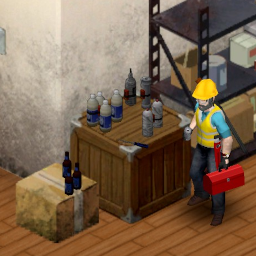
Engineer's PipeBomb Model Fix
von 76561198851137541
If you play with engineer traps you would notice that there is no holding model for engineer traps. It is all replaced by a molotov. I made this mod, because it was bugging me, so I fixed it. This is my first mod and I made it in one night. I believe there shouldn't be any bugs. Workshop ID: 3021063078 Mod ID: pipebombmodelfix
![Lootbound: RPG Equipment Bonuses [B42] – Project Zomboid Mod](https://images.steamusercontent.com/ugc/10441029366095754857/9F703F258CA7072FA0C0F3E148734C07EAF440F9/)
Lootbound: RPG Equipment Bonuses [B42]
von 76561198089891314
Don't forget to like it, if you enjoy! Switching from Accessory Skill Bonuses Lootbound is a separate successor to Accessory Skill Bonuses, not a direct update. The two mods are marked as incompatible and cannot be active together. Disable Accessory Skill Bonuses before enabling Lootbound for your save. Existing saves are supported, but bonuses previously assigned by Accessory Skill Bonuses are not transferred. After enabling Lootbound, eligible equipment will be processed using Lootbound's new item families, skill pools, and sandbox rules. Previously annotated accessories may therefore receive different results. Back up your save before switching. A new save is not required, although starting fresh provides the cleanest and most consistent equipment progression. Updates / Fixes 8/9/2026: v1.0.2 - Added the new Bonus Quality sandbox setting. Choose from Very Low, Low, Default, High, or Very High to control how frequently stronger bonuses appear without changing the overall number of bonus items. Default preserves the existing balance. Current saves automatically remain on Default, and previously processed equipment keeps its original bonus permanently. 8/7/2026: v1.0.1 - Removed the label from regular items for cleaner inventory names. No-bonus results are still stored permanently and cannot reroll. Every Piece of Gear Can Shape Your Build Lootbound: RPG Equipment Bonuses is the ambitious RPG successor to Accessory Skill Bonuses. It expands the idea from accessories into a complete equipment-driven progression system for Project Zomboid. Clothing, armor, bags, jewelry, underwear, watches, belts, conventional melee weapons, and firearms can become permanent finds with themed XP bonuses. The result is a world where checking one more wardrobe, corpse, locker, or weapon rack can genuinely change the build you are creating. Build a Survivor Through Their Equipment Every supported item family has a deliberate skill pool. Technical gear can favor crafting and maintenance. Field clothing can support survival skills. Bags can reward physical or practical development. A conventional weapon supports its own weapon skill, while firearms favor Aiming or Reloading. Jewelry and underwear are the wild cards: their bonuses can reach across the complete skill list, creating unusual combinations and giving collectors a reason to inspect even the smallest finds. Permanent, Individual Loot Each eligible item is processed from its own unique game identity. Its result is stored permanently and does not change when it is dropped, transferred, equipped again, placed in a container, or carried across a server restart. Most equipment remains ordinary. Useful bonuses are uncommon, stronger results are rare, and exceptional pieces can become the center of an entire loadout. Features - More than 1,700 explicitly selected vanilla equipment definitions - Wearable clothing, armor, accessories, bags, underwear, and conventional weapons - Themed skill pools based on equipment family and weapon type - Permanent deterministic bonuses unique to each individual item - Matching equipped bonuses stack additively - Weapons provide their bonus only while held - Works with ordinary XP, skill books, television, VHS, and trait-modified XP - Colored item annotations show bonus strength at a glance - Total equipped bonuses appear directly in the Skills panel with tooltips - Inventory, worn-item, opened-container, and loot-generation scanning - Single-player and multiplayer support - English interface text with no forced replacement of vanilla translations Explosives, traps, throwables, bare hands, and ambiguous improvised objects are intentionally excluded. Your World, Your Rules Lootbound includes five Bonus Frequency presets. The default setting keeps bonuses small and rare, while higher settings make equipment progression increasingly noticeable. Additional sandbox controls let you: - Include or exclude conventional weapons - Include or exclude protective equipment - Allow or remove the rare +10% item tier - Enable or disable a nearly impossible mythical discovery Changing these options affects newly processed items. Equipment already discovered keeps its permanent result. A Secret Worth Searching For There are rumors about an extraordinary piece hidden among the world's belly-button jewelry. Most survivors will never see it. The stubborn, the lucky, and the truly obsessed may want to keep looking. Adding Lootbound to a Game For a new game, subscribe, restart Project Zomboid if it is running, enable Lootbound: RPG Equipment Bonuses in the Mods menu, and make sure it is enabled for the new save. For an existing save, choose Load, select the save, choose More..., open Choose Mods..., and enable Lootbound. Carried and worn equipment will be processed automatically. Other existing items are processed when encountered or when their container is opened. Multiplayer Lootbound uses server-authoritative XP awards and permanent synchronized item data. Hosts and dedicated servers should add both the Workshop item and Mod ID to their configuration. Every player must use the same current Workshop version. If you report a multiplayer issue, please mention whether you were hosting, using a dedicated server, or joining as a client. Compatibility Built for Project Zomboid Build 42.20+. Lootbound uses explicit vanilla item IDs, so custom equipment from other mods is normally compatible but will not receive bonuses. Lootbound replaces Accessory Skill Bonuses and should not be enabled alongside it. Feedback and Bug Reports This is an ambitious system with a lot of equipment and many possible loadouts. Feedback, balance ideas, compatibility reports, and clear bug reports are always appreciated. When reporting a problem, include the item name, expected and observed behavior, active sandbox options, solo or multiplayer mode, and a screenshot or console error when possible. Originally Posted by: onestis Ask for Permission This mod can only be added to and extended with the express permission of the original creator. Having received permission, credit must be given to the original creator, both within the files of the mod and wherever the mod appears online. If no permission is received, you may not alter the mod, and it must be treated as a mod that is "On Lockdown." Workshop ID: 3779251105 Mod ID: LootboundRPGEquipmentBonuses
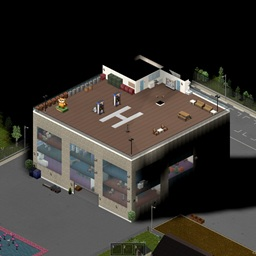
CN'shour
von 76561198154805804
CNXAHouse位于 马尔德劳 北,地图大小为1x1,单元格为 1.自用安全屋,以后不在建房子!物资全图去找,家只有一个,为以后联机准备,适合多人居住不拥挤。 2.楼顶有停机坪,还不会怎么设置让飞机模组直接刷飞机在楼顶。 3.游泳池,农田,牧场,锻造房,一楼大型停车区。 4.我重新画了标线,记得靠右行驶,注意行人(在我的mod道路)。 5.这是一个很小的地图,主要是不想在建房子了!有出生点,新档直接选就行。 6.地下室他。 Workshop ID: 3440668013 Mod ID: CNhours Mod ID: CNhours Map Folder: CNXAHouse
![Master Sword PZ [B42] – Project Zomboid Mod](https://images.steamusercontent.com/ugc/2487761350970571537/3AC04B6A985CE0C2BEBD078707390D9733267FCE/)
Master Sword PZ [B42]
von 76561198339507664
Este mod trae la icónica arma de la saga Zelda al apocalipsis zombi, con todo el poder, el estilo y el brillo que merece. Con un alto daño crítico, efectos visuales épicos y un sonido inconfundible, esta espada te convertirá en el héroe que Knox Country necesita. ¿Estás listo para cortar zombis como si fueran hierba? Workshop ID: 3306044034 Mod ID: Master
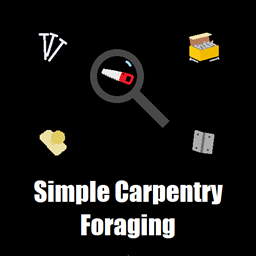
EPF - Simple Carpentry Foraging
von 76561198333748355
This mod allows you to find carpentry materials (nails, nail boxes, hinges, doorknobs, and saws/garden saws). Now you can build your house with carpentry in the middle of the forest, if you search enough you can find the materials. These items are classified as Junk/Trash, so you have to select that focus to forage them. You are more likely to find them in urban areas, not as common in other areas but you can still find. It should work fine for MP servers. I hope you find this mod useful. Good luck. Workshop ID: 3010950256 Mod ID: EPFSimpleCarpentryForaging
![Survival Inventory Overhaul [B42.20] – Project Zomboid Mod](https://images.steamusercontent.com/ugc/15223007713399768132/C16F4A36D8AF42A2266C818D1E56030679CF59C4/)
Survival Inventory Overhaul [B42.20]
von 76561198114636753
For Project Zomboid Build 42.20. Survival Inventory Overhaul A tile-based inventory where item size and placement matter. Worn bags and pockets expand one player grid while carry weight remains separate. Requirements - Unified Carry Weight Framework - Disable Inventory Tetris and other complete inventory replacements. - Disable the older Equipment UI mod. NeatUI Equipment is supported. Features - One seven-column player inventory with saved item positions and rotation. - Worn clothing, bags, held weapons, and attached items use no grid space. - World containers use tile space. Vehicles keep their normal weight limit. - Search, Auto Loot, Quick Store, item locking, and nine Quick Slots. - Useful item types stack while condition, freshness, poison, and attachments stay separate. - Overflow stays accessible in temporary red rows instead of deleting items. - English and Russian included. Controls - R: Rotate an item. - Shift+R: Compact the open inventory. - Double-click: Transfer an item or open a carried bag. - Shift, Alt, or Ctrl + Click: Quick move, equip, or use. - Ctrl + Right Click: Lock or unlock an item. - Ctrl+F: Search the open inventory. Customization Sandbox settings and Mod Options control layout, colors, Auto Loot, and other interface choices. Set Grid & Stack can change an item type for the current save. Only server staff can use it in multiplayer. Compatibility Supports Proximity Inventory, Safehouse Inventory, Smarter Storage, SMB AutoHIDEhud, Wilderness QoL, HGO Expansion, and NeatUI Equipment . Controller support is not included. Complete inventory replacements remain incompatible. Existing Saves and Multiplayer Existing saves are supported, but back up your save before updating an inventory overhaul. Servers and clients must use the same version and settings. Installation - Enable Unified Carry Weight Framework. - Disable other complete inventory replacements. - Enable Survival Inventory Overhaul in the main Mods screen and in the save's mod list. - Restart Project Zomboid. Reporting Problems Include the game version, mod version, game mode, inventory mods, settings, steps to reproduce, and the relevant console error. Support Development This mod is free and will always remain free. Thank you for using my mods! Workshop ID: 3780564171 Mod ID: SurvivalInventoryOverhaul
Project Zomboid Details →
Project Zomboid Guides
Project Zomboid Mods installieren - Workshop Guide
Installiere Project-Zomboid-Mods sauber per Steam Workshop: IDs eintragen, Reihenfolge prüfen, Server neu starten und typische Fehler beheben.
Project Zomboid Build 42 auf dem eigenen Server: Umstieg, Spielstände und Mods
Build 42 ist Stable: Spielstände aus Build 41 sind nicht kompatibel. Umstieg, legacy41-Zweig, neue Serveroptionen, Anti-Cheat und der Hotfix 42.20.1 gegen Serverlag.
Project Zomboid Server mieten – Multiplayer Guide
Project Zomboid Server einrichten: RAM, Sandbox-Einstellungen, Workshop-Mods, Admin-Rechte und typische Fehler sauber prüfen.
Project Zomboid Server mit Mod-Support
Kompatible, unterstützte Mods über das Server-Dashboard installieren.
Project Zomboid Server mieten