Project Zomboid Mods für Server
Für einen modifizierten Project-Zomboid-Server brauchst du pro Projekt die Steam-Workshop-ID und die interne Mod-ID. Prüfe zusätzlich Spiel-Build, Abhängigkeiten und Lade-Reihenfolge, bevor du deine Welt mit den Änderungen startest.
Project Zomboid Mods sicher installieren
Ein Workshop-Abo allein aktiviert eine Mod auf dem Dedicated Server nicht. Die Einträge in `WorkshopItems=` und `Mods=` müssen zusammenpassen; außerdem muss jede Mod den gewählten Build 41 oder Build 42 ausdrücklich unterstützen.
- 1. Build prüfen: Build-41- und Build-42-Mods nicht ungeprüft mischen.
- 2. Workshop-ID, Mod-ID, Abhängigkeiten und erforderliche Reihenfolge vollständig dokumentieren.
- 3. Welt und Konfiguration sichern, Server neu starten und Logs sowie den Beitritt mit einem Test-Client prüfen.
Die vollständige Schritt-für-Schritt-Anleitung findest du im Project-Zomboid-Mods-Guide. Oder starte direkt mit einem Project Zomboid Server mit Mod-Support.
Häufige Fragen zu Project Zomboid Mods
Was ist der Unterschied zwischen Workshop-ID und Mod-ID?
Die Workshop-ID bezeichnet das Steam-Workshop-Projekt und steuert den Download. Die Mod-ID aktiviert den enthaltenen Mod im Spiel. Auf dem Server müssen beide Listen vollständig und passend gepflegt sein.
Laufen Build-41-Mods automatisch mit Build 42?
Nein. Nutze eine Mod nur dann auf Build 42, wenn ihre Workshop-Seite diese Kompatibilität ausdrücklich bestätigt. Prüfe dabei auch alle Bibliotheken und weiteren Abhängigkeiten.
Wie teste ich ein Mod-Update ohne Risiko für die Welt?
Sichere zuerst Welt, Sandbox-Konfiguration und Server-INI. Aktualisiere danach die zusammengehörigen Mods, starte den Server neu und prüfe Logs, Kernfunktionen und einen vollständigen Client-Beitritt.
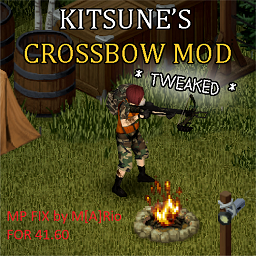
Arty`s Crossbow Patch V3(no noise)
von 76561198054891563
Had to fix the crossbows doing too much noise,they were louder than gunshots with brita`s(no noise edition) Workshop ID: 2872992657 Mod ID: Remastered Kitsune's Crossbow Mod 1.60 Mp Fixed Arty
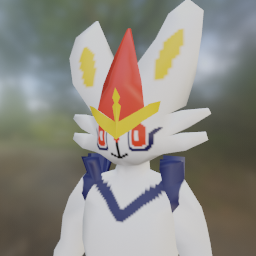
Cinderace Species
von 76561198144363471
Adds the pokemon Cinderace to be a playable character. Requires the Anthro Survivors mod: https://steamcommunity.com/sharedfiles/filedetails/?id=2893930681&searchtext=anthro+survivors Probably not perfect but the best I could make it. First mod I've made too! Have fun! Workshop ID: 3167782207 Mod ID: CinderaceSpecies
![True Music Addon: Lady Pank [B41/B42] – Project Zomboid Mod](https://images.steamusercontent.com/ugc/2023858969546029152/D436CC71B87C4F393B35C8BFD2BAB9105A7DB146/)
True Music Addon: Lady Pank [B41/B42]
von 76561198148694493
Selection of songs made by popular Polish Band called Lady Pank - A to ohyda - Bez satysfakcji - Chmurka - Co mnie to obchodzi - Du Du - Dwuosobowa Banda - Fabryka Małp - Hrabia - Hymn Czarownika - Kryzysowa Narzeczona - Kupiłem sobie psa - Latający Kot - Made in ???? - Marchewkowe Pole - Mała Wojna - Mała lady punk - Mniej Niż Zero - Moje Kilimandżaro - Na co komu dziś - Na na - Nie ma ochoty - Oh Luczija - Osobno - Raport z N. - Rozbitkowie - Stacja Warszawa - Tacy Sami - Tańcz głupia tańcz - To jest tylko rock and roll - Vademecum Skauta - Wciąż Bardziej Obcy - Wilcze stado - Wędrówka - Zabić strach - Zakrętka - Zamki Na Piasku - Zawsze tam gdzie Ty - Znowu pada deszcz - Zostawcie Titanica Workshop ID: 3024879285 Mod ID: lady_pank_truemusicaddon
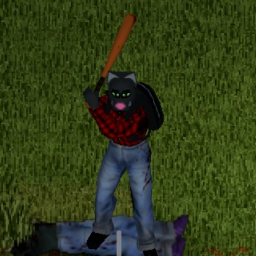
Anthro Survivors - Lee
von 76561198098164837
Furry mod of Lee for project Zomboid (Mod of a Mod, Anthro Survivors - (Furry Mod) By Jaql and Wuffrick) Here's a link to the original mod (Might be required ???) https://steamcommunity.com/sharedfiles/filedetails/?id=2893930681 Workshop ID: 2924342597 Mod ID: LeeMod
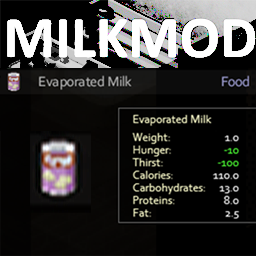
MilkMod
von 76561197971326063
This is an item mod that adds two non-perishable milk sources, evaporated milk and sweetened condensed milk. Both are opened using can openers resulting in perishable edible milk items. Opened evaporated milk can be used for anything regular milk can. Sweetened Condensed Milk replaces milk and sugar in the cake batter recipe. Enjoy sweet Nestle endgame canned milk. This is the beta version for milkmod . Workshop ID: 887507384 Mod ID: MilkMod

Indoor Climate (EHR Addon)
von 76561198079270621
This mod is created mainly for compatibility with Extensive Health Rework Evolved, since Realistic Temperatures mod has it's own systems that hard to make fully compatible, especially body temperature Just like Realistic Temperatures this mod makes indoor temperatures respond to outdoor weather. Temperature depends on central heating systems(shut's off after power goes down), the condition of the building, and open/broken/barricaded windows or doors. It works quite different tho and performance wise is much lighter If you want purely indoor temps simulation it's probably better to use Realistic Temperatures mod (tho it can be quite performance heavy). My mod just fully compatible with EHR unlike RT Main Features - Separate temperatures for individual rooms within the same building. - Heat gradually moves between rooms through doors, open passages, and stairways. - Open or broken exterior doors and windows increase heat exchange with the outdoors. - Barricaded windows still cause a small amount of leakage, but retain heat much better. - After the power shuts off, buildings gradually cool down or warm up toward the outdoor temperature. - Unvisited buildings begin close to the current outdoor temperature, with a configurable +2 °C buffer by default. To avoid offline simulation and keep performance high. - Supports vanilla buildings, multiple floors, and roofed player-built structures. - Room temperatures are preserved while moving through the building and when returning later. - Adds several placeable heating and cooling devices. - Simulation speed, heat loss, opening leakage, and other values can be configured through Sandbox settings. - IC changes ambient air temperature only. - IC does not directly overwrite the character's core temperature. - IC does not modify clothing or item insulation. - IC does not replace vanilla thermoregulation. - IC uses room-based simulation, cached building data, and scheduled updates. - IC can provide its ambient temperature data to EHR for a more complete health simulation. Items Cheap Heater A basic electric space heater with a 6-tile radius. Best suited for small rooms. Premium Heater A powerful electric heater with a 12-tile radius. It attempts to maintain a temperature of approximately 25 °C. Standing Fan An electric standing fan with an 8-tile radius. It can reduce the local temperature by up to 10 °C near the device. Propane Heater A propane-powered heater with a 10-tile radius and a target temperature of approximately 25 °C. It uses vanilla propane tanks. Tanks can be inserted, removed, or replaced through the object's context menu. Electric devices require grid or generator power and automatically stop working after losing electricity. Devices powered by a generator add to its fuel consumption. All devices can be found in appropriate loot locations, including electronics stores, household departments, garages, warehouses, U-Store-It facilities, camping suppliers, and residential storage. Electronics Stores, warehouses and U-Store-it has highest chances where you can find it. Place this mods at the bottom of load order list Build ✅42.20 ✅42.19 Multiplayer tested as one person on the server Workshop ID: 3772549209 Mod ID: IndoorClimateLiteB42 Workshop ID: 3772549209 Mod ID: IndoorClimateLiteB42
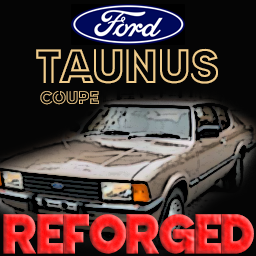
Ford Taunus Coupe (Taunus)
von 76561198045258392
"This mod adds the 1983 Ford Taunus Coupe vehicle." "I want to clarify that I am new to this, and it's possible that my mod may have some errors, as I made them with very little knowledge. However, after testing, I can confirm that they are 100% functional. Any feedback, bug reports, or suggestions are more than welcome in the respective sections." "Thank you very much, and I hope you enjoy the Mod." ***UPDATE*** Skin Added: Depeche Mode "Useless" Yellow ================================================ "Este mod agrega el vehiculo Ford Taunus Coupe del año 1983" "Quiero aclarar que soy nuevo en esto, posiblemente mi mod tenga algún error, ya que los hice con poco y nada de conocimiento. Pero luego de pruebas puedo afirmar que son 100% funcionales. Ante cualquier error, bug o sugerencia serán más que bienvenidos sus comentarios en las secciones correspondientes" "muchas gracias y espero que disfruten el Mod" Workshop ID: 3037735898 Mod ID: F_Taunus
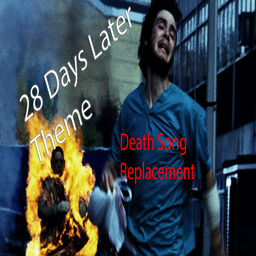
28 Deaths Later - Death Music
von 76561198036754873
A mod that replaces the death screen music with the theme from the film 28 Days Later, can most likely be added and removed during a save. Workshop ID: 2941957094 Mod ID: 28DeathsLaterTune
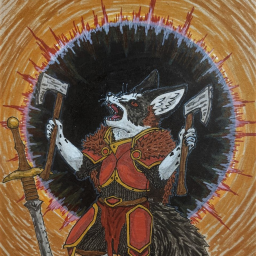
Cirvulp Pack
von 76561198039899413
The gang of only mostly unhinged drunken furballs. Requires the Anthro Survivors Mod. Credit for the model and base textures goes to Jaql and Wuffwick respectively, who did a great job with the base mod and guide to make your own mod. If you encounter any errors with this mod feel free to let me know and I'll try to at least point you in the right direction. Workshop ID: 2933596798 Mod ID: CirvulpPack Current textures included in this pack are... Ralliron - Fox Wynter - Fox Dale - Canine To be added... Zephan - Fox The Idiot Raccoon - Raccoon And a couple more if I am motivated enough. Workshop ID: 2933596798 Mod ID: CirvulpPack

Choccy Milk
von 76561198309759758
Adds craftable choccy milk! Grab yourself some cold milk, cocoa power, and get to mixing! Workshop ID: 2932181786 Mod ID: IterableChoccyMilk

Jewelry to money
von 76561198314677009
从简单交易提取了首饰换钱的功能 一饰品(电子表除外)=一张钞票 服务器不生效的话需要在创意工坊插件和模组插件中同时启用 Workshop ID: 2860976863 Mod ID: Jewelry to money
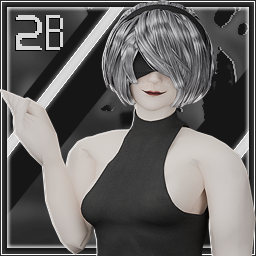
Ash's 2B Cosplay
von 76561198068788655
Ash's 2B Cosplay 2026: 2B or not 2B. ( the answer is rigged ) Fits both V1X Project Ava & Tomb's female body mod 512x512 textures MOD PERMISSIONS ON LOCKDOWN This mod can only be added to and extended with the express permission from the original creator. Having received permission credit must be given to the original creator both within Any / All Of the files of the posted edit / mod and wherever the mod roams online. If no permission is received you may not alter the mod and it must be treated as a mod that is 'On Lockdown'. do not re-upload this Mod Modpack it Disseminate it under ANY circumstances. Workshop ID: 3664117031 Mod ID: NPDM_2B Mod ID: TOMB_2B

House Fire Survivor
von 76561198020939509
A few days ago you narrowly survived the flaming inferno that used to be your home. You were covered head to toe in burns and have been bed ridden ever since. The hospital discharged you way sooner than normal because of some new virus that's spreading. From the window you can see people roaming the streets. Are they rioting or is something more sinister going on? It would probably be best to lay low while your body continues to heal. This mod aims to reintroduce the old behavior of the "Burn Ward Patient" trait from HypnoToadTrance's More Traits mod with no fear of fire. This mod works with or without More Traits by introducing a brand new trait, "House Fire Survivor". I've tested that both mods can be used at the same time and work in multiplayer. I've done my best to exactly replicate the previous behavior down to the 18 point trait value and the severity of the burns. Huge shout out to @albion for providing the sandbox code to change the trait price. Now starting covered in burns can be as valuable or detrimental as you want it to be. Workshop ID: 2983332744 Mod ID: 2983332744
CA
von 76561198966967835
e Workshop ID: 3719158759 Mod ID: AmmoCraftingRecipe
![[B42] Legion Zomboid Server/Admin Tools – Project Zomboid Mod](https://images.steamusercontent.com/ugc/10277760053650875987/E732FFEB65607243CD687AA2DFA400F8EAE9DF5B/)
[B42] Legion Zomboid Server/Admin Tools
von 76561197965142309
This is settings for Legion Zomboid mod when Build 42 Multiplayer is released. For information when Build 42 multiplayer is released. Google 'b42 multiplayer' for more information on when b42 multiplayer is released https://letmegooglethat.com/?q=b42+multiplayer You will find what you're looking for there Legion Zomboid This is the client side mod for Legion Zomboid modded server. Requires the modded server to work. Will include UI and settings for the modded server and the Death Legion specific server settings Legion Zomboid Features - Adds admin commands - Adds multithread chunk loading - better map loading when multiple people are loading separate cells at the same time Legion Zomboid Commands - /ncar <integer> - spawns cars in car spawn locations in area of integer - /rcar <integer> - removes damaged cars in area of integer - /repcar <integer> - removes damaged cars and spawns in car spawn locations in area of integer - /rst <integer> - resets area of integer size to default state - /buildr - resets building to default state - /backfld <string> - sets the backup folder location from current save directory ex. /multiplayer/servername - to set backup folder to world of servername - /backrst <integer> - resets area of integer size to map in backup folder - /gcf - Gets construction flag of cell - if you're using construction disables respawn - /fcf - resets construction flag to false allowing item respawn - /lootspawn - respawns loot in current building Legion Hosting - Rent a Legion Zomboid Server Support us on ko-fi https://ko-fi.com/deathlegion Contact Xiolec on discord if you're interested in running the modded server. Join or discord for more information https://discord.gg/gSZGN6Ggfj Or search for the Death Legion project zomboid server to test out the features Do not copy, redistribute, modify, or repackage this mod without permission from the creator. This includes on or off of steam, within another mod or mod pack Workshop ID: 3604221400 Mod ID: LegionZomboid

Captain Busket's Quick Weed Fix
von 76561198023824231
This mod is not my original work, but a simple correction to some sought-after recipe deficiencies. No longer requires cigarettes to roll joints. Can craft rolling papers from a few paper items. Workshop ID: 3003934094 Mod ID: CBQWFix
![[41]/[42]自用乳袋(49负重bag,减重100%) – Project Zomboid Mod](https://images.steamusercontent.com/ugc/2044117726593295291/5622889849F948BF5054F69EA615BF1BB2770FC5/)
[41]/[42]自用乳袋(49负重bag,减重100%)
von 76561198301801164
自用乳袋(49负重bag,减重100%) 女性在建角色能发现惊吓。 41版修复覆盖手搓枪的bug,更新容量为50,减重100%。奔跑速度1.2加成,合成配方没变。 42版更新合成配方为布条,现在开局可以手搓,需要光源,太黑搓不了。更新容量为49,减重100%。奔跑速度1.2加成。 PS:必须女性角色,男性图像无效果。 此MOD创意出于旧猫。 Workshop ID: 2984262218 Mod ID: BreastPack Mod ID: BreastPack
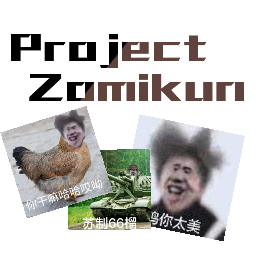
ProjectZomikun
von 76561199025679144
ikun必备 添加必看 制作界面有ikun毁灭工程 5钞票换绿尸寒 b42不兼容也不会兼容 本人淡坑
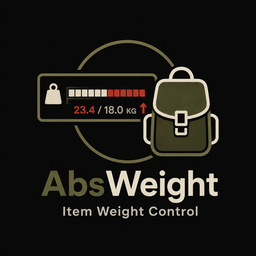
AbsWeight - Item Weight Control
von 76561198843199017
AbsWeight — Item Weight Control Change the weight of every item in the game directly through the Sandbox settings—no configuration files or additional mods required! ✓ Compatible with Build 42.20 ✓ Multiplayer Compatible ✓ Works with Existing Saves, safe to add or remove mid-game ✓ Fully compatible with Extended Categories, Better Containers and Better Sorting ⚙️ Features - Global Multiplier: Changes the weight of every item in the game. - 11 Category Multipliers: Weapons, Food, Clothing, Ammunition, Containers, Literature, Materials, Medical Items, Tools, Vehicle Parts, and Other. - Vehicle Parts Multiplier: Adjusts the weight of installed vehicle components, including batteries, tires, brakes, suspension, fuel tanks, seats, doors, windows, hoods, trunks, and mufflers. - The Vehicle Parts Multiplier is applied together with the Global Multiplier. - Vehicle-part weight affects a vehicle's total mass, so reducing it may change vehicle acceleration and handling. - Individual Item Overrides: Assign custom values to specific items through a simple text field. - Base.Axe=2.0 sets the axe's absolute weight to 2.0. - Base.Axe=*0.5 reduces the axe's weight to 50% of its default value. - Bulk Category Selectors: Target every item under a specific DisplayCategory. - cat:Firearm=*0.5 reduces the weight of all firearms by 50%. - Bulk selectors also work with items added by other mods. - Presets: Change the weight of common item groups through dropdown menus—no typing required. - Wood - Metal - Concrete and Plaster - Blacksmithing Items - Walkie-Talkies - Available values: 100%, 75%, 50%, and 25% - Remove Key Weight: A separate toggle that removes the weight of keys and key rings. - Minimum and Maximum Limits: Keeps final weight values within reasonable limits, even when multiple settings are applied together. - 28-Language Support: The English and Turkish translations were manually prepared. Other languages are machine-translated; translation corrections are welcome in the comments. 🧩 Compatibility with Other Content Mods Approximately 94% of items added by other mods are defined under module Base rather than the name of the mod that added them. For example, a selector such as Firearms.M16 will usually not exist. The item will most likely be registered as Base.M16. For reliable bulk changes, use cat: selectors. These selectors use the item's DisplayCategory value regardless of which mod added it. 📦 Container Behavior This mod changes only the weight of the items themselves. The following container properties are intentionally left unchanged: - Container Capacity - WeightReduction Container capacity is calculated using the same unit as item weight. Therefore, reducing item weights indirectly increases the effective carrying capacity of every container. Keep this in mind when adjusting the Global and Category Multipliers. ⚠️ Known Conflict If another installed mod rewrites the weight of the same item—for example, by using setActualWeight without a custom-weight flag—the mod that runs last will determine the final value. This is a natural limitation of the Lua loading order and is not necessarily a bug in either mod. 🌐 Multiplayer The server is authoritative. All settings are stored in the server's Sandbox configuration and automatically synchronized with connected players. Players only need to subscribe to this Workshop item so the required mod files can be downloaded. 🛠️ Dedicated Server Installation 1. Add the following values to your server's .ini file: WorkshopItems=3780301677 Mods=AbsWeight 2. Add an AbsWeight table to your _SandboxVars.lua file. Example configuration: AbsWeight = { Enabled = true, GlobalMultiplier = 1.0, Overrides = "cat:Firearm=*0.5;Base.Axe=2.0", } 3. Restart the server. Your selected Sandbox settings will automatically be synchronized with all players. 💬 Support Please share your questions, suggestions, translation corrections, and bug reports in the comments below. When reporting a compatibility issue, please include your mod list and any relevant error logs. If you enjoy the mod, don’t forget to add the Workshop page to your favorites and leave a rating! 📌 Mod Information Workshop ID: 3780301677 Mod ID: AbsWeight
![NPC Chat with Me! [B42.14+] [MP] – Project Zomboid Mod](https://images.steamusercontent.com/ugc/12034332988795561174/5D0269D5A238650DE8495468A7E96A2438356B3C/)
NPC Chat with Me! [B42.14+] [MP]
von 76561199249323542
✦・Chat with Me!・✦ ✦・this is a community API for making much more interactive NPCs possible in Zomboid!・✦ ✦・currently used by... ✦・ Project Fallout: Muggy・✦ ・ Introduces: ・ Interactive NPC framework! ・ Interactive UI elements! ・ NPC Memory! ・ Custom Spawns! ・ Custom NPC Behaviors! ・ Dialogue with Sound Effects! ・ Two Trading Systems! ・ Special Quest API! ・ FAQ: ・Q: Can this be installed mid-save? ・A: absolutely! ・Q: What does this mod do? ・A: by itself, this mod does not do much. if used with other mods tho, it gives everything needed for truly interactive NPCs! ・Q: Does this work with IsoZombie NPCs? ・A: it can indeed! ^-^ ~ all it needs is a little code adjusted in order to work with them! ・Q: Does this work in MP? ・A: ye! if you run into any issues, please drop a bug report! Multiplayer is a bit quirky at the moment... As of 42.13.2, there's some wonkiness with MP which has been reported by the community. With the game being unstable, TIS might release an update which breaks certain parts of this mod. In the event of any bugs occurring, I will work to update it ASAP! Are you a modder? Do you love NPCs? :3 We've got some awesome stuff in the works! if you'd like to use "Chat with Me!" in any of your own projects ~ please reach out to Freylith. ✦・She can be contacted at @Freylith in our Discord Community if you have any inquiries regarding this project, or anything about animals in general・✦ ✦・Making Mods is a true passion project・✦ Creating mods for zomboid takes an immense amount of time, patience & dedication. If you enjoy the mod, please check out our kofi pages. every little bit of support genuinely means the world! <3 ~ Credits: Freylith ~ programming, lead development We have a community! Come join our Discord! :3 PERMISSION OF USE: ASK FOR ALL MOD INQUIRIES RELATED TO PERMISSIONS: IE: do not re-upload this Mod under ANY circumstances. Not on the Workshop, or Anywhere Else Do Not reverse engineer, edit, take code from, or otherwise modify this project WITHOUT FIRST receiving explicit consent from the original creators if TIS releases an update for the game which breaks any functionality in this mod; do not create a patch for it UNLESS first granted permission all mod inquiries can be made to @Freylith on Discord for any bug reports, please use the discussion thread ❤️ V: 1.0.0 Workshop ID: 3667458787 Mod ID: CHATWITHMENPC
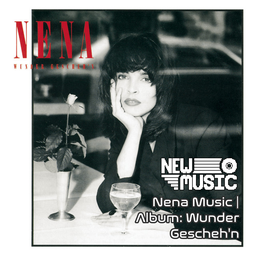
Nena Music | Album: Wunder Gescheh'n
von 76561199258285984
Nena Music | Album: Wunder Gescheh'n Generated with New Music Builder Wunder Gescheh'n Side A 01 Wunder gescheh'n 02 Du bist überall 03 Hero 04 Schlaflied 05 Weißes Schiff Wunder Gescheh'n Side B 01 Im Rausch der Liebe 02 La vie c'est la chance 03 Keine Langeweile 04 Steht auf 05 Abschied Workshop ID: 3756208530 Mod ID: 6NenaAlbum

Gaucho AVCS Logs
von 76561198316166770
Adds some useful logs to AVCS mod Workshop ID: 3680774180 Mod ID: GauchoAVCSLogs

True Music Addon MALFA & Others
von 76561198348597697
True music addon that adds various russian songs. List of added tracks: - LIDUS - ИЩИ ДРУГУЮ - LIDUS - ПЕРОВО - LIDUS - Петарда. Премьера клипа - БЕСТИЯ - Бьянка - Травой - Глюкozа (Глюкоза) - Невеста - Глюкozа (Глюкоза) - Ненавижу - Глюк'оZа (Inspired by Little Big) - Ebobo - Жу-жу (feat. ГлюкoZa, ST) - Монеточка - Падать в грязь - Мотыльки (feat. KYIVSTONER) Workshop ID: 2860487304 Mod ID: amaz_ruz_mus
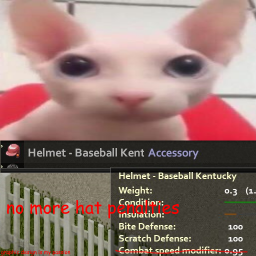
no combat penalties for hats
von 76561198068907991
hats and helmets no longer impair your combat capabilities. why would a baseball player wear something that makes him swing his bat slower? Workshop ID: 2731449897 Mod ID: nocombatpenaltiesforhats
Project Zomboid Details →
Project Zomboid Guides
Project Zomboid Mods installieren - Workshop Guide
Installiere Project-Zomboid-Mods sauber per Steam Workshop: IDs eintragen, Reihenfolge prüfen, Server neu starten und typische Fehler beheben.
Project Zomboid Sandbox-Einstellungen: alle 62 Panel-Werte
Project Zomboid SandboxVars.lua im Panel konfigurieren: alle 62 Werte, Build-41/42-Unterschiede, Grenzen und sichere Empfehlungen.
Project Zomboid Build 42 auf dem eigenen Server: Umstieg, Spielstände und Mods
The Indie Stone veröffentlichte am 26. August 2026 Sicherheitskorrekturen für 42.20.4 Stable, 42.19.2 Unstable und 41.78.21 Legacy. Wähle den Patch für…
Project Zomboid Server mit Mod-Support
Kompatible, unterstützte Mods über das Server-Dashboard installieren.
Project Zomboid Server mieten