Project Zomboid Mods für Server
Für einen modifizierten Project-Zomboid-Server brauchst du pro Projekt die Steam-Workshop-ID und die interne Mod-ID. Prüfe zusätzlich Spiel-Build, Abhängigkeiten und Lade-Reihenfolge, bevor du deine Welt mit den Änderungen startest.
Project Zomboid Mods sicher installieren
Ein Workshop-Abo allein aktiviert eine Mod auf dem Dedicated Server nicht. Die Einträge in `WorkshopItems=` und `Mods=` müssen zusammenpassen; außerdem muss jede Mod den gewählten Build 41 oder Build 42 ausdrücklich unterstützen.
- 1. Build prüfen: Build-41- und Build-42-Mods nicht ungeprüft mischen.
- 2. Workshop-ID, Mod-ID, Abhängigkeiten und erforderliche Reihenfolge vollständig dokumentieren.
- 3. Welt und Konfiguration sichern, Server neu starten und Logs sowie den Beitritt mit einem Test-Client prüfen.
Die vollständige Schritt-für-Schritt-Anleitung findest du im Project-Zomboid-Mods-Guide. Oder starte direkt mit einem Project Zomboid Server mit Mod-Support.
Häufige Fragen zu Project Zomboid Mods
Was ist der Unterschied zwischen Workshop-ID und Mod-ID?
Die Workshop-ID bezeichnet das Steam-Workshop-Projekt und steuert den Download. Die Mod-ID aktiviert den enthaltenen Mod im Spiel. Auf dem Server müssen beide Listen vollständig und passend gepflegt sein.
Laufen Build-41-Mods automatisch mit Build 42?
Nein. Nutze eine Mod nur dann auf Build 42, wenn ihre Workshop-Seite diese Kompatibilität ausdrücklich bestätigt. Prüfe dabei auch alle Bibliotheken und weiteren Abhängigkeiten.
Wie teste ich ein Mod-Update ohne Risiko für die Welt?
Sichere zuerst Welt, Sandbox-Konfiguration und Server-INI. Aktualisiere danach die zusammengehörigen Mods, starte den Server neu und prüfe Logs, Kernfunktionen und einen vollständigen Client-Beitritt.

True Moozic: Juice WRLD
von 76561199446419840
Juice WRLD Songs now in B42 Released and Unreleased Currently Adds -------------------- 183 Songs Too long for me to put in a description so heres a link :) https://docs.google.com/spreadsheets/d/1UoVq6Diz1dbsso8zKWAaoj1AwiDUoKVmxvX3gyOTaWo/edit?usp=sharing -------------------- Want a song added? Just put a comment with the song name! Workshop ID: 3664703556 Mod ID: TM_JuiceWRLD
Aren's Dupe Patch
von 76561198179177535
Description Patches a long-standing vanilla bug where wearable items (like fanny packs or backpacks) could be duplicated if you tried to switch their worn position while overencumbered. Instead of dropping an extra copy on the ground, items now move correctly between slots with no dupes. Compatibility - Other Mods - No known incompatibilities with other mods - Game Version - B41 - Not compatible with B42 - Multiplayer - Works in MP - Pre-existing saves - Can be added to your pre-existing save. Known Bugs/Issues - None at the moment Links - I love Coffee. Perhaps you'll consider buying me one? Feedback Whether it is a suggestion, feedback, or something else you've got on mind, it'd be hugely appreciated! Credits This mod's permissions fall under TIS's policy Ask for permission This mod can only be added to and extended with the express permission from the original creator. Having received permission, credit must be given to the original creator, both within the files of the mod and wherever the mod roams online. If no permission is received you may not alter the mod, and it must be treated as a mod that is 'On Lockdown'. The only exception is that servers may freely include this mod in their modpacks, with the freedom to alter it or make modifications as they see fit, as long as credits are properly given to the original creator. Workshop ID: 3562822308 Mod ID: ArensDupePatch

Frieren: Beyond Journey's End - Main Menu Background
von 76561198872228515
B41 High resolution causes a black line to appear on the screen, which is a game issue. B42 The black line problem has been resolved, but now there's an image aliasing issue. Waiting for the developers to fix it in a future update. Image link https://x.com/Artrextino_/status/1770215391265955917 Mod icon link. https://www.pixiv.net/artworks/124605256 Workshop ID: 3371431056 Mod ID: FrierenMainMenuBackground
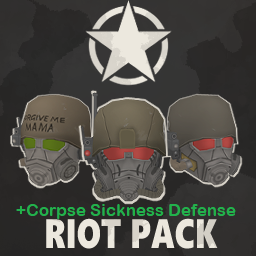
Fallout: Riot Armor Pack - Helmets + CorpseSicknessDefense
von 76561198308711076
I added "corpsesicknessdefense" with all of the helmets of Odz's "Fallout: Riot Armor Pack". Nothing else really, I just really wanted the helmets to have that gas mask functionality. I don't know how to exactly make them work LIKE the actual refillable gas masks in game, but this seems to be the next easiest step. Workshop ID: 3781988882 Mod ID: RiotArmorPackHelmets+CSD

Gumi Plush - B41/B42
von 76561199075437321
requires a library mod in B42 adds a wearable gumi plush, thats it, thats all it does. possible incompatibilities: - non-windows operating systems (no clue why they hate this mod). Workshop ID: 3768362228 Mod ID: GumiPlush

Zurrupios Airdrop
von 76561198219159492
MOD de Airdrops de Zurrupios Land. Discord: discord.gg/KVryPCUTPy Workshop ID: 3637525455 Mod ID: ZurrupiosAirdrop
True Music Addon: Weezer - Blue Album
von 76561198394491876
funny buddy holly Workshop ID: 3145761988 Mod ID: weezerbluetruemusic
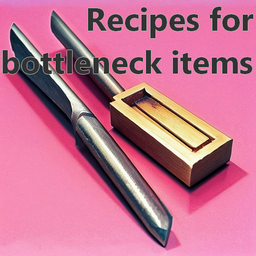
Bottleneck Homemade Recipes
von 76561198032168200
This mod adds balanced recipes to craft bottleneck items such as the fleshing tool, or the stone chisel. Workshop ID: 3418152949 Mod ID: BottleneckHomemadeRecipes
![[ 曙光服 ] 自用二元维度 – Project Zomboid Mod](https://images.steamusercontent.com/ugc/2511404613969548311/5622889849F948BF5054F69EA615BF1BB2770FC5/)
[ 曙光服 ] 自用二元维度
von 76561199041938227
经作者授权,修改的和谐版 防抓防咬:10 只保留了服装和背包 用作于幻化 Workshop ID: 3301551447 Mod ID: BD_Zy
Infoteo's Proximity Inventory
von 76561198450882774
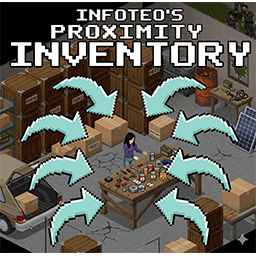
Infoteo Proximity Inventory es una actualización temporal para Project Zomboid Build 42.18 del mod original Proximity Inventory, creado por Mxswat FRV Enjoyer.. El mod original puede encontrarse en Workshop como: Mod original: Proximity Inventory Autor original: Mxswat FRV Enjoyer ID original de Workshop: 2847184718 Todo el crédito por la idea, el concepto y la base original del mod corresponde a su autor original. Aviso importante Esta es una actualización temporal de compatibilidad, pensada para mantener el mod funcional en la versión actual de Build 42, mientras el autor original actualiza el mod oficial. Cuando el autor original publique una versión compatible con la última versión de Project Zomboid, este mod será eliminado de la Workshop. Por favor, apoyá y seguí el mod original siempre que sea posible. Descripción Infoteo Proximity Inventory mejora la gestión de inventario agregando un sistema de inventario por proximidad, permitiendo acceder de forma más cómoda a los contenedores y objetos cercanos sin tener que abrir cada uno manualmente. Es un mod pensado para hacer más fluida la experiencia de saqueo, construcción, crafteo y organización, especialmente en bases, vehículos, almacenes o zonas con muchos contenedores cerca. Características principales Agrega un inventario de proximidad para objetos y contenedores cercanos. Permite ver y usar items cercanos de forma más práctica. Ayuda a construir, craftear y organizar sin revisar contenedor por contenedor. Incluye opciones Sandbox para ajustar el comportamiento del sistema. Sistema liviano y configurable. Adaptado para Build 42.18. Incluye traducciones en español e inglés. Funciona en Single Player y Multiplayer. Uso Al estar cerca de contenedores u objetos, el sistema permite acceder a ellos desde una vista de proximidad, facilitando la administración del loot cercano. Es especialmente útil para: Bases con varios contenedores. Garages y talleres. Zonas de construcción. Saqueo rápido. Organización de recursos. Crafteo con materiales cercanos. Compatibilidad Compatible con la versión actual de Project Zomboid al momento de esta descripción: B42.18. Se puede instalar en medio de una partida. Funciona en Single Player y Multiplayer. Puede usarse en otros servidores. Créditos Basado en el mod original Proximity Inventory de Mxswat FRV Enjoyer. Esta es una actualización temporal de compatibilidad para Project Zomboid Build 42.18. Todo el crédito por la idea original, el código base original y el mod original pertenece a su respectivo autor. ID original de Workshop: 2847184718 Servidores Río de la Plata Adaptado temporalmente para los servidores Río de la Plata. IP: sv37.minehost.pro Puerto: 16261 Agradecimientos / Special Thanks Gracias a MineHost por su apoyo y por brindar hosting confiable para servidores de Project Zomboid. Thanks to MineHost for their support and reliable hosting services for the Project Zomboid community. minehost.com.ar Aviso de permisos y redistribución Esta es una actualización temporal de compatibilidad basada en el mod original Proximity Inventory de Mxswat FRV Enjoyer. Este artículo de Workshop será eliminado cuando el autor original actualice el mod oficial a la última versión de Project Zomboid. Este mod no puede copiarse, resubirse, redistribuirse, espejarse, incluirse en colecciones/modpacks ni almacenarse en sitios de terceros, total o parcialmente, sin permiso escrito explícito. Se permite enlazar a esta página de Workshop o a la página original del mod, pero no se permite subir ni redistribuir este mod en otro lugar. Workshop ID: 3728462120 Mod ID: infoteoproximityinventory

KRBK_I&T_1
von 76561198179477498
KRBK_I&T_1 Workshop ID: 3179919244 Mod ID: 3000000055
Panty Collector
von 76561198091199713
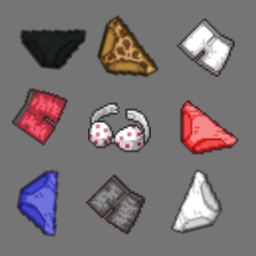
Adds a Panty Collector trait. granting Brave when you hold 10 or more underwear at once. It's just a coping mechanism guys. The trait is NOT compatible with Brave normally, as it'll just remove it from you if you don't have enough underwear. Workshop ID: 2848838295 Mod ID: PantyCollector
![Project Writing [42.20] – Project Zomboid Mod](https://images.steamusercontent.com/ugc/9666362365830818155/474011B6962C88E6FF70B8E8D3A4C69AF365D5C7/)
Project Writing [42.20]
von 76561199214960935
✒️ Project Writing Everything you write on, in one panel. Keep a diary, fill a notepad, sign a card, draw on a map — in your own handwriting, with the pen that is actually in your pocket. Built for Build 42 and styled to match NeatUI down to the last rounded corner. 🧡 📔 Write on paper Right-click a notebook, a diary, a sheet of paper and choose Write something. The page opens full screen, the world pauses and settles into the game's own reading light, and the Writing panel comes to rest against the edge of the paper — with the pen already in your hand and the cursor already on the first line. - ✍️ Nine kinds of paper, each with its own: spiral notepad, ruled notebook, journal, blue diary, red diary, torn sheet, graph paper, index card, and a folded card - 📇 All nineteen writable items the game has — including the menu card, the blank ID card and every greeting card, which used to fall back to a plain text box - 📖 Notebooks and diaries open as two facing pages, and you cannot write across the binding or over the spiral — every writable area is measured on the image itself, not guessed - 🖋️ Handwriting — the game's own, the same one it uses for notes on the world map - 📏 On ruled paper the lines are the paper's: the page takes the scale at which your writing lands on the printed rules - ↩️ Words wrap at the edge of the sheet, Enter starts a new line, and when the page is full it politely stops - 🖱️ Click any line to write there — or into the middle of a sentence, like any editor - 📄 More pages than vanilla gives — twenty in a notepad, thirty in a notebook, eighty in a diary - ⬅️➡️ Turn the page with the arrow keys, with Page Up and Page Down, or with the two buttons under the paper - 💾 Saved as you write. There is no save button because there is never a moment when it is not saved - 🏷️ Rename the sheet from the panel — the new name shows in your inventory 🗺️ Write on maps The same panel, on the world map and on every paper map you carry. A paper map opens the way a page does: still, centred, with the world paused behind it. - ✏️ Draw freehand with a real brush: one stroke is one line, not a thousand stacked symbols - 🖱️ Left draws, right moves the view. One button, one meaning - 🧭 Maps a survivor annotated open as one of your own sheets, with their marks already on the paper. Add to them, rub them out, and one button takes the view to that place on the world map - 💾 Your drawing is still there tomorrow — kept with the map it was drawn on, so it travels with the map when it changes hands - 🔤 Text notes typed where they land, not in a dialogue box - 📍 Symbols from a sheet that files them by what they are, not by which mod brought them - ✋ Move, turn and resize anything already there, with one orange handle for all three — the same handle, the same shape, on the map and on the page - 🧽 Rubber — takes away strokes, symbols and notes alike, and written text one line at a time - ↩️ Ctrl+Z takes back the last stroke, symbol or note, on either surface 🖌️ Your own pens The tool strip shows the real items out of your bag — your pen, your pencil, your eraser, each with its own icon. No abstract colour chips. - 🖊️ Black, pencil, red, blue and green, from whatever writes in that colour - 🌈 A multi-colour pen opens its palette: pick the colour, don't cycle through it - ✂️ Third-party pens work without being named, because the game's own item tags are what is read 📖 Reading Brochures, newspapers and printed maps open in a Neat panel instead of vanilla's: the document name, the buttons that reveal its place on the map, and nothing else. Drag it by the header, resize it from the corner, and it stays on screen where you can reach it. 📍 141 extra map symbols, included Nine tabs, from marks and places to loot, roads, tools, weapons, hazards and animals. Two symbol packs come bundled and neither of their mods is required: - ExtraMapSymbols by Wipe, Lexx and B (Rotators) - Add More Map Symbols by Golem Each pack can be switched on and off in Options → Mods, and the change reaches the panel straight away. A symbol you have already drawn keeps its picture even after its pack is turned off. ⚙️ Options - 🔍 Drag the corner of the Writing panel to make it bigger: the text, the buttons and the symbol tiles all grow with it, and the size is remembered. For anyone on 4K, where a panel drawn at 360 pixels is a postage stamp - ⏸️ The pause can be turned off, so the world keeps moving while you write - and being interrupted closes the page, the same way the game closes a book when you start running - 🗺️ The map can be left to the game entirely: its own panels, its own buttons, its own annotation sharing, exactly as if this mod were not installed. The bundled symbol packs stay, and writing on paper is untouched. Written for servers built around the vanilla map The last two live in Options → Mods → Project Writing. 🔊 Sound The game's own: a book opening, a page turning, a mark going down on a map. Nothing new was recorded — they are the sounds you already know, played where the game itself would have gone quiet. 🌍 Languages Translated into all 26 languages the game ships with — interface, symbol names and map legend. 📦 Requirements None. It ships its own art and runs on its own. 🔗 With NeatUI Framework installed it borrows the family's widgets, and looks the same either way. 💾 Compatibility ✅ B42.20+ 🌐 Multiplayer: what you write and draw is stored in the item itself and sent with it, so a notebook that changes hands keeps its pages. Freehand drawing on the world map is your own — saved for you, not shared with the server. 🖥️ Client-side only, so no checksum trouble on servers. 🤝 Designed to work alongside the other Neat mods. Workshop ID: Workshop ID: 3796402502 Mod ID: ProjectWriting
Hennessey Exorcist ADD SERVER
von 76561199136350009
Hennessey Exorcist ADD SERVER Workshop ID: 3290850472 Mod ID: Hennessey ADD SERVER
Better Car Physics Fix
von 76561199139323760
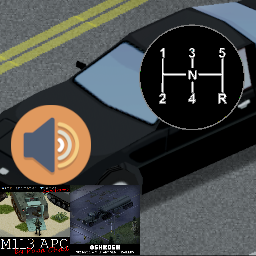
Este mod edita las características de los siguientes vehiculos: - 82 oshkosh M911 - M113 APC by Papa_Chad Tambien modifica el archivo engine_rpm.txt creando un motor de 2 marchas para el M113. Puedes editar este mod para añadir mas caracteristicas de vehiculos a tu gusto. This mod edits the characteristics of the following vehicles: - 82 oshkosh M911 - M113 APC by Papa_Chad It also modifies the engine_rpm.txt file creating a 2-speed engine for the M113. You can edit this mod to add more vehicle features to your liking. Workshop ID: 3151890459 Mod ID: BetterCarPhysicsFix

Build Your Own Occupation.
von 76561198034473069
Tired of only being able to use predefined builds? Want to make your own? Want to start as a fisherman that knows how to use a spear but is a complete klutz? Want to start as a snapshot trapper that is claustrophobic? Want to start as a baseball player with the best swing in the county? Want to start as a homeless man who no one notices but knows how to forage for the best things? Now you can! This mod adds level 1-5 traits for every skill except for Fitness and Strength (Hard to balance those so left it to the vanilla traits). Now you have more options for what you want to be in the apocalypse. Picking a level in a skill will block the other levels in that skill, so the max you can have is LV5 unless you use this mod with an occupation other than the unemployed occupation, and while they can be used on the other occupations, it is recommended that you use these skilled traits with the unemployed occupation. Since that is what this mod is balanced towards. No longer do you need to download a specific mod or learn to mod to get the start you want. Skills are priced by cost multiplied by level. so for level 1 the cost is 3 points, level 3 will cost 9, and so on. Some skills have a "Tax" on them for balancing, there are two Taxes. Power Tax and Entry Tax. Power Tax means after level 2, you need to pay extra skill points to level that skill higher. Levels 1 & 2 for these skills are not taxed. From level 3 onward you need to pay 25%, 50%, and 75% more on top of the base cost to unlock those levels. You can still get level 5 in long blade, but it will cost 26 points. Entry Tax means that it cost more to unlock level one for that skill, and afterwords further levels are base cost. electronics for example cost 4 points for level 1, but the cost for each subsequent level only increases by 1. ~~~~~~~~~~~~~~~~~~~~ Agility~ Sprinting: Multiplication. Lightfooted: Multiplication. Nimble: Power Tax. Sneak: Multiplication. Combat~ Axe: Power Tax. Long Blunt: Power Tax. Small Blunt: Power Tax. Long Blade: Power Tax. Small Blade: Power Tax. Spear: Power Tax. Maintenance: Power Tax. Crafting~ Carpentry: Multiplication. Cooking: Multiplication. Farming: Multiplication. First aid: Multiplication. Electrical: Entry Tax. Metalworking: Multiplication. Mechanics: Entry Tax. Tailoring: Multiplication. Firearm~ Aiming: Power Tax. Reloading: Multiplication. Survivalist~ Fishing: Multiplication. Trapping: Multiplication. Foraging: Multiplication. ~~~~~~~~~~~~~~~~~~~~ For more options I recommend getting these two mods: More traits mod. More Simple Traits (MST) Mod For more dynamic traits like starting injured or finding more loot in trash cans. If anything feels like it needs to be rebalanced, like maybe reducing the max levels from 5 to 3, tweaking cost to points, or if I should add Fitness and Strength traits, please let me know in the comments. Known Bugs: If you add a skilled trait and remove it (Example Skilled01:Sneak), it will add duplicate of the other levels of that skilled trait to the traits pool. Workshop ID: 2845718820 Mod ID: MYOO Workshop ID: 2845718820 Mod ID: MYOO
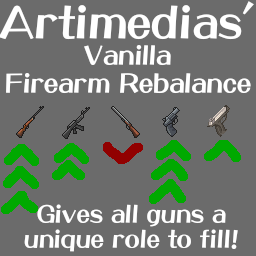
Artimedias' Firearm Rebalance
von 76561198315635706
UPDATE 2/16/2026: Once again, this mod is unaffected by the update, and works despite the changes to ammo. B42 made nearly all guns have the exact same stats. Every handgun and rifle has the same base hit, crit, crit multiplier, and hit/crit growths. This is a mod made to fix that! The general philosophy is bolt actions -> High base accuracy, making these the ideal starter guns, but later on fill the nieche of being the most accurate guns, and can therefore kill zombies at long range. The MSR700 doesn't deal enough damage to always one shot headshot, but it's has a much better crit rate and lower aim time compared to the MSR788, representing it being a lighter weapon Assault Rifles -> Extremely low base stats, but high damage, and good growths. They're like the bolt actions, but don't need to constantly be reloading. The M16 is intended to be the most powerful gun in the game, but won't be accurate enough to be worth using until ~aiming 6 or 7. The M14 comes online earlier, and deals a ton of damage (only surpassed by the MSR788), but it's low crit rate means you'll be wanting to always be getting headshots Revolvers -> More accurate than pistols (representing the fixed barrel and (imo) smoother trigger irl), but have a longer aim time than pistols. So a revolver is more likely to hit a shot if you're holding it for long enough, but pistols are better for rapid fire. I'm also giving revolvers a bit more damage to compensate for the lower magazine capacity Pistols -> Low damage, high crit rate, meh accuracy. The idea with these is that you'll be using them like b41 guns, nearly at point blank when shooting to be able to constantly land critical headshots, which is what lets them keep pace damage wise with the rifles and their greately superior damage numbers. Shotguns -> Lowering their damage from the absurd levels of b42.12, and making them less accurate, so they become options only a little earlier than pistols. They still have the best damage in the game, and will always one shot headshot because of this. However, they have weak crits, so shooting multiple zombies at once is less effective. General progression intention is Aiming 0: MSR700, MSR788 Aiming 2: Shotguns Aiming 3: M9, M36 AIming 4: M1911, M625 Aiming 5: M14, Magnum, Deagle Aiming 7: M16 This mod should, in theory, be compatible with any other mods that don't overwrite the stats of the same guns. I highly recommend everyone sticks to using chance to hit with this mod, as chance to damage is currently bugged in vanilla, so all guns will always hit when using chance to damage. With the buffs this mod gives to pistols and rifles, this makes them far stronger than intended. But if you want guns to be *really* strong, go ahead lol. A link to a spreadsheet going over all the changes can be found here: https://docs.google.com/spreadsheets/d/1Vg43p39_5e5_BF9cKtHt0SEAnYkzT8lZ_YNVDzb0HAA/edit?gid=0#gid=0 Workshop ID: 3577435658 Mod ID: ArtimediasGunRebalance Workshop ID: 3577435658 Mod ID: ArtimediasGunRebalance

制作粘土MAKECALY2
von 76561198378454016
把没用的动物排泄物变成粘土 Workshop ID: 3393864808 Mod ID: claymake
DG Configurable Ammo Weights
von 76561198065509973
Brief: This Mod allows you to Configure the Weight of all Vanilla Ammunition and Clips/Magazines DefectGaming - Game Development & Modding Community - Please consider leaving Feedback, Suggestions and a Rating - Your support is greatly appreciated :) Description: DefectGamings Configurable Ammo Weights Mod - This Mod allows you to Configure a multiplier to Raise or Lower the Weights of all Vanilla Ammunition and Clips/Magazines FAQ: - Does this work on Existing Save Files? - Yes - Can it be Safely Removed? - Yes at anytime, all changed Weights will be reverted - Though your Character/Storage may become overburdened after removal of mod. - Does this work with Multiplayer? - Yes Check out my Collection of Mods below: DefectGaming Collection Updates: - v1 - Initial Release Workshop Info Workshop ID: 3201209313 Mod ID: DGConfigurableAmmoWeights
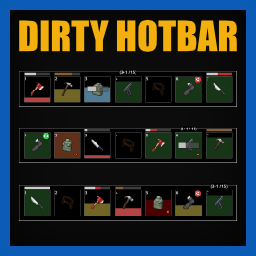
Dirty Hotbar
von 76561199113018152
Dirty Hotbar This mod improves Project Zomboid's hotbar and hand-equipped UI by adding item-status information, optional tooltips, scaling controls, and built-in slot reordering, while retaining Project Zomboid's visual identity. Dirty Hotbar is a fork of Clean Hotbar. You can support the original author through his Afdian. Changes and additions: - Changed the visual appearance to match vanilla Project Zomboid. - Configuration options are only available through mod configuration menu. - Added config option to choose between split and combined ammo counter display. - Added "tiny" as a new size option for the ammo counter display. - Added option to hide hand equipped UI. - Added option to change hand equipped UI position. - Added option to change hand equipped UI orientation. This mod will be supported in my free time. Please don't expect immediate updates or responses. Workshop ID: 3787753909 Mod ID: DirtyHotbar

Faster Cooking B42
von 76561198068682228
Tired of waiting 5895593 minutes for that roast to cook? Faster Cooking turns your oven and microwave into time-defying survival tools. No more standing around waiting or fast-forwarding the game to get cooking done, now it is a lot faster! When you turn on an oven or microwave, all food inside is cooked at dramatically faster speeds, frozen items are instantly thawed, and unnecessary temperature modifiers are cleared. Meals that used to take ages are ready in minutes — Perfect for multiplayer or for those that don't like waiting forever for meals to cook. What this mod does: Greatly reduces cooking time for all food placed in ovens or microwaves (default: ~3 in-game minutes or a few seconds IRL) Instantly unfreezes frozen food Removes betterhot/badcold status effects from items when cooking starts Works with both ovens and microwaves Single Player & Multiplayer tested Sandbox options for customization Works with B42+ Note: Does not speed up cooking on a campfire, maybe will come back to fix this at some point =P Should be save compatible, works with a ton of existing mods. Here is my collection if interested on compatibility: https://steamcommunity.com/sharedfiles/filedetails/?id=3634732623 Workshop ID: 3638759446 Mod ID: fastcooking
Customizable Smoke Time
von 76561199415608832
Ever felt rushed huffing a cigarette in less than 10 seconds? Fret no more! You can now decide how long it will take to smoke most of your stuff, in seconds. Default smoking duration is 60 seconds. Goes from 5 seconds minumum to 10 irl minutes. Smoking duration can be decided upon Sandbox mode game creation, or altered in-game with Sandbox Options. Supports all major smoking mods: - Greenfire - More Smokes - Smoker's Delight - Smoker - QuickWeed Can be added and removed from existing saves safely. You will need to restart your save for Sandbox Options changes to take effect. Untested in MP. To Do: implement ModOptions settings. Credit for the original mod goes to Atophite. Workshop ID: 3153845649 Mod ID: CustomizableSmokeTime

La Campora | Remera | T-Shirt | Argentina MODS
von 76561198116898622
Remera de La Campora, para argentinizar tu PZ. Si este funciona bien la idea es hacer de los demás partidos politicos o agrupaciones. Aclaración: No fue hecho bajo ninguna preferencia ni ideal político. Workshop ID: 3052701364 Mod ID: Campora Nota 12/11/2023: estoy estudiando, espero poder hacer más cosas en algun momento. Gracias a todos los que descargaron el mod, cualquier comentario es bienvenido. Nota 19/7/2024: Hace tiempo no juego y no he pensado en hacer nada más para PZ, muchas gracias a todos los que disfrutan del mod. _______________________________________ ALGO QUE ME AYUDARÍA MUCHO SERÍA QUE VOTEN EN MI WORKSHOP LA P250 QUE HICE PARA CS2

buzai服装店
von 76561198408285292
大聪明自用。请勿订阅 Workshop ID: 2891478861 Mod ID: Cosplaywa Modified
Project Zomboid Details →
Project Zomboid Guides
Project Zomboid Mods installieren - Workshop Guide
Installiere Project-Zomboid-Mods sauber per Steam Workshop: IDs eintragen, Reihenfolge prüfen, Server neu starten und typische Fehler beheben.
Project Zomboid Sandbox-Einstellungen: alle 62 Panel-Werte
Project Zomboid SandboxVars.lua im Panel konfigurieren: alle 62 Werte, Build-41/42-Unterschiede, Grenzen und sichere Empfehlungen.
Project Zomboid Build 42 auf dem eigenen Server: Umstieg, Spielstände und Mods
The Indie Stone veröffentlichte am 26. August 2026 Sicherheitskorrekturen für 42.20.4 Stable, 42.19.2 Unstable und 41.78.21 Legacy. Wähle den Patch für…
Project Zomboid Server mit Mod-Support
Kompatible, unterstützte Mods über das Server-Dashboard installieren.
Project Zomboid Server mieten