Project Zomboid Mods für Server
Für einen modifizierten Project-Zomboid-Server brauchst du pro Projekt die Steam-Workshop-ID und die interne Mod-ID. Prüfe zusätzlich Spiel-Build, Abhängigkeiten und Lade-Reihenfolge, bevor du deine Welt mit den Änderungen startest.
Project Zomboid Mods sicher installieren
Ein Workshop-Abo allein aktiviert eine Mod auf dem Dedicated Server nicht. Die Einträge in `WorkshopItems=` und `Mods=` müssen zusammenpassen; außerdem muss jede Mod den gewählten Build 41 oder Build 42 ausdrücklich unterstützen.
- 1. Build prüfen: Build-41- und Build-42-Mods nicht ungeprüft mischen.
- 2. Workshop-ID, Mod-ID, Abhängigkeiten und erforderliche Reihenfolge vollständig dokumentieren.
- 3. Welt und Konfiguration sichern, Server neu starten und Logs sowie den Beitritt mit einem Test-Client prüfen.
Die vollständige Schritt-für-Schritt-Anleitung findest du im Project-Zomboid-Mods-Guide. Oder starte direkt mit einem Project Zomboid Server mit Mod-Support.
Häufige Fragen zu Project Zomboid Mods
Was ist der Unterschied zwischen Workshop-ID und Mod-ID?
Die Workshop-ID bezeichnet das Steam-Workshop-Projekt und steuert den Download. Die Mod-ID aktiviert den enthaltenen Mod im Spiel. Auf dem Server müssen beide Listen vollständig und passend gepflegt sein.
Laufen Build-41-Mods automatisch mit Build 42?
Nein. Nutze eine Mod nur dann auf Build 42, wenn ihre Workshop-Seite diese Kompatibilität ausdrücklich bestätigt. Prüfe dabei auch alle Bibliotheken und weiteren Abhängigkeiten.
Wie teste ich ein Mod-Update ohne Risiko für die Welt?
Sichere zuerst Welt, Sandbox-Konfiguration und Server-INI. Aktualisiere danach die zusammengehörigen Mods, starte den Server neu und prüfe Logs, Kernfunktionen und einen vollständigen Client-Beitritt.

Sturdy Spear
von 76561198069415648
Sturdy Spear... it's just a spear Since prehistoric times, humans treated wood to make it more resistant and waterproof. This mod attempts to recreate those processes within the game. Sturdy Spears: - Sturdy Spear - Raw - Sturdy Spear - Hardened Tip - Sturdy Spear - Ready-to-Bake - Sturdy Spear - Sealed - Sturdy Spear - Refined Uncraftable Sturdy Spears: - 3 new easter egg Sturdy Spears, find them and maybe taste them. As the name says, all the spears are more durable than the normal version, and each one is a bit more resistant than the last. In addition, they maintain the same damage and characteristics as the normal spear and thus maintain a perfect balance to integrate them naturally into the game. Creation process: All start with the "Sturdy Spear - Raw", from there you can... Sturdy Spear - Raw -----------> Sturdy Spear - Hardened Tip |-------------------------------> Sturdy Spear - Ready-to-Bake Sturdy Spear - Hardened Tip --> Sturdy Spear - Ready-to-Bake Sturdy Spear - Ready-to-Bake -> Sturdy Spear - Sealed Sturdy Spear - Sealed ---------> Sturdy Spear - Refined Finish with the "Sturdy Spear - Refined". Refurbish: You can Refurbish any BROKEN Sturdy Spear and acquire a Raw one again (Carpentry Lv2). Repair: You can repair any Sturdy Spear with a wide variety of materials. Experience: All steps in the creation process gives you EXP related to the step you're in, the higher the step, the higher the EXP it gives you. Localization: - English - Spanish If you like my mod remember to Workshop ID: 2930977981 Mod ID: SturdySpear
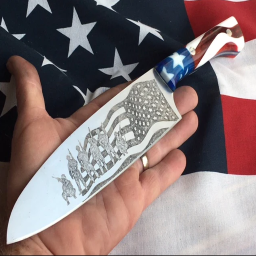
Knives are not made in China
von 76561198116474693
Knives won't break in 6 hits :) Replaces a few knives with an actual blade instead of chinese plastic. Knives affected: Hunting Knife, Ice Pick, Stone Knife, Kitchen Knife. That's it. Workshop ID: 2858454357 Mod ID: Knives_are_not_made_in_China

LottusMakeup
von 76561198133311008
Delineados e cores de batom com melhor acabamento. Eyeliners and lipstick colors with better finish. Workshop ID: 3469272444 Mod ID: LottusMakeup

KI5's Vehicle Collection - Deutsche Übersetzung
von 76561197967983626
KI5's Vehicle Collection - Deutsche Übersetzung Komplette Übersetzung auf Deutsch für die gesamte Kollektion von KI5 Funktioniert nur mit den Fahrzeugen von KI5. Kein Standalone! *Complete Translation for KI5's Vehicle Collection* Works only with KI5's Vehicles! No Standalone! credits to KI5 for the nice vehicles translated by me Workshop ID: 3417266572 Mod ID: ZisDeutschKI5

black wolf blue eyes
von 76561198380384965
black wolf blue eyes Workshop ID: 2928074528 Mod ID: blackwolfblueeyes shit furry mod, feel free to bully in comments
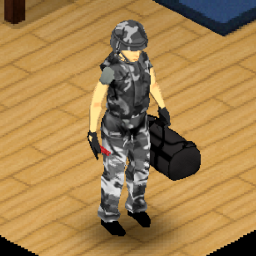
Replace Forest Camo with Urban Camo (Set)
von 76561198060208392
Replace Forest Camo with Urban Camo (Set) Urban Camo pants exist in the game Works with all 41.x builds as this only modifies textures: "ProjectZomboid\media\textures" Workshop ID: 2113766132 Mod ID: ReplaceForestCamowithUrbanCamoHelmet Mod ID: ReplaceForestCamowithUrbanCamoVest

Volume Extended
von 76561198098561442
Volume Extended Volume Extended unlocks Project Zomboid's built-in Advanced Sound Options and adds a live search bar, making it practical to locate and adjust individual sounds—even when the menu contains thousands of entries. From UI, to car horns, to alarms, all supported sounds are exposed for adjustment (including those added by mods). How to Use - Enable Volume Extended from the Mods menu - Reload Lua or restart the game - Open Options → Audio - Select Advanced - Enter part of a visible sound name or internal sound ID in the search bar - Adjust the matching sound with its volume slider Clear the search field to restore the complete sound list. Compatibility - Project Zomboid Build 42.20 or newer - No dependencies - Client-side interface mod - Does not modify sound files or sound definitions - Does not affect zombie hearing, sound propagation, or gameplay noise The old Advanced Volume Enabler is not required when using Volume Extended. Volume Extended has no server-side logic. Each player who wants access to the interface should have the mod enabled. Formal multiplayer testing is still limited. Mod Information Mod ID: VolumeExtended Required Build: 42.20+ If you encounter an issue, please include your Project Zomboid version, active UI/audio mods, and any relevant errors from console.txt.
![Inventory Lag Fix [OBSOLETE] – Project Zomboid Mod](https://images.steamusercontent.com/ugc/9892326693980942627/79960E7144972315D17960A3A26A8F5B0652AD12/)
Inventory Lag Fix [OBSOLETE]
von 76561198054621120
Fixes inventory lag in build 42.11. Don't use on Build 42.12. This mod is obsolete now. Only for Build 42.11 This mod will become redundant after 42.12 patch as devs already stated the fix is already done. Compatible with Inventory Tetris Original solution found in Clean UI by Rocco. I just implemented same fix without Clean UI mod so I could play with Inventory Tetris installed Load Order - It is best to load this mod before all other mods, especially inventory ones. Currently mod fully overrides Vanilla inventory script, so any other mod changes could be lost if this mod is loaded after. Workshop ID: 3565427354 Mod ID: InventoryLagFix

自用UIAPI
von 76561198355912114
This is an example mod with two worlds. You can use this as a template for your own map mods. The first world has a single 300x300-tile cell. The second world adds cells all around the first world. Workshop ID: 3475868191 Mod ID: UIAPI

TNP ADDON - Survivor Recruit System
von 76561198316491144
ATTENTION: recent update of the Take No Prisoners mod, re-subscribe if necessary. This mod is an Addon for Take No Prisoners raider mod, will not work without it. This is a conceptual mod for "TakeNoPrisoners" mod and "PZNS NPC Framework" to spawn friendly survivors. (So, this mod need some polishment) In this mod you can recruit survivors using a container (crates or lockers) and placing tents or beds nearby. To recruit survivors: 1. Place a "crate|container" with equipment, food, ammo, weapons inside. 2. Place "tents|beds" close to that "crate|container". 3. Place a Two Way Radio (Ham Radio or Walkie) close to this crate. 4. Right Click on the "crate|container" and select option to recruit survivor. You should wait at least two in-game hours (and can fail) to spawn the survivors. The number of survivors one can recruit is determined by: 1. Number of "Tents|Beds" nearby the crate. 2. Amount of food inside the crate. 3. Number of Months Survived. ( Survivor Points ) 4. Number of Zombies Killed. ( Morale Points ) I f you don't have enough morale and survivor points just put enough "caloric food" (Whiskey, Rice, Pasta, Beans, Cereals, Oatmeals) inside the crate. The survivors spawned will wear the equipment, weapons and ammo inside the crate and consume some of the food. (Only the food is consumed, so you just need to put one set of equipment). If you don't put any weapon and equipment the survivor will spawn naked (I should change that, but my mind is busy with other things) Workshop ID: 3084852815 Mod ID: tnp_pzns_framework_tentsurvivorrecruitmentsystem
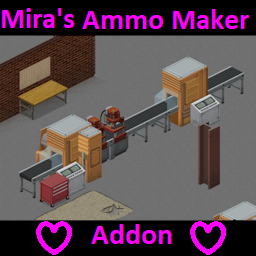
Industrial Revolution = Addon = Mira's Ammo Maker
von 76561198305780149
!!!!!!!!!!!!!!!!!!!!!!!!!!!!!!!!!!------------WIP------------!!!!!!!!!!!!!!!!!!!!!!!!!!!!!!!!!! For now usable + stable If you have request, just comment it. HOW TO USE ? Firstly you need These mod shown at right. Current recipes for mill !!!!!!!!!!!!!!!!! EVERY AMMO BOX RECIPE NEED 1 PAPER + 1 GUNPOWDER SCALE ITEM PAPER WILL CONSUME BUT GUNPOWDER SCALE ARE WILL KEEP = 20 Handgun S tip + 80 grain gunpowder + 20 Casing straight S rim = 50 Handgun S tip + 500 grain gunpowder + 50 Casing straight S = 30 Handgun S tip + 600 grain gunpowder + 30 Casing bottleneck S = 50 Handgun M tip + 800 grain gunpowder + 50 Casing straight M = 20 Handgun M tip + 600 grain gunpowder + 20 Casing straight M rim = 50 Handgun M tip + 600 grain gunpowder + 50 Casing straight M rim = 20 Handgun M tip + 360 grain gunpowder + 20 Casing straight M rim = 50 Rifle S tip + 2400 grain gunpowder + 50 Casing bottleneck S = 20 Rifle M tip +1800 grain gun powder + 20 Casing bottleneck M = 50 Rifle L tip + 8800 grain gun powder + 20 Casing bottleneck L = 20 Rifle S tip + 1120 grain gunpowder + 20 Casing bottleneck S = 50 Rifle S tip + 2500 grain gunpowder + 50 Casing bottleneck S = 50 Rifle S tip + 2500 grain gunpowder + 50 Casing bottleneck S = 50 Rifle M tip + 4300 grain gunpowder + 50 Casing bottleneck M = 20 Rifle M tip + 2000 grain gunpowder + 20 Casing bottleneck M rim = 250 Ball00 + 1000 grain gunpowder + 25 Hull Shotgun S = 10 Charcoal + 10 Plastic scrap = 20 Charcoal + 20 Plastic scrap = 2 Iron block + Handgun Ball00 Mold + Metalwork Punch + Circular Sawblade = 4 Iron block + Handgun Slug Mold + Metalwork Punch + Circular Sawblade = 1 Iron block + Handgun S Mold + Metalwork Punch + Circular Sawblade = 2 Iron block + Handgun M Mold + Metalwork Punch + Circular Sawblade = 3 Iron block + Handgun L Mold + Metalwork Punch + Circular Sawblade = 4 Iron block + Handgun S Mold + Metalwork Punch + Circular Sawblade = 5 Iron block + Handgun M Mold + Metalwork Punch + Circular Sawblade = 6 Iron block + Handgun L Mold + Metalwork Punch + Circular Sawblade = 5 Iron block + Brass Catcher Adv.+ Metalwork Punch + Circular Sawblade = 2 Iron block + Brass Catcher Adv.+ Metalwork Punch + Circular Sawblade = 2 Iron block + Brass Catcher Adv.+ Metalwork Punch + Circular Sawblade = 3 Iron block + Brass Catcher Adv.+ Metalwork Punch + Circular Sawblade = 3 Iron block + Brass Catcher Adv.+ Metalwork Punch + Circular Sawblade = 4 Iron block + Brass Catcher Adv.+ Metalwork Punch + Circular Sawblade = 4 Iron block + Brass Catcher Adv.+ Metalwork Punch + Circular Sawblade = 3 Iron block + Brass Catcher Adv.+ Metalwork Punch + Circular Sawblade = 4 Iron block + Brass Catcher Adv.+ Metalwork Punch + Circular Sawblade = 4 Iron block + Brass Catcher Adv.+ Metalwork Punch + Circular Sawblade = 5 Iron block + Brass Catcher Adv.+ Metalwork Punch + Circular Sawblade = 1 Charcoal + Mortar Pestle = 100 Bird Excrements + 2 Filter Paper + 2 Ripped Sheets + Base.Pot = 10 Stone = 10 Paper Sheet = 1 Gun Powder + Gunpowder Scale = 30 Charcoal + 20 Sulphur + 150 Nitre + Mortar Pestle More mod support + recipes will come as soon!!! Workshop ID: 3441855577 Mod ID: IndustrialRevolutionMiraAmmoMaker

Start Game On Fire
von 76561197968647786
This mod adds a negative trait that makes you start the game on fire. Updated to support B41 and B42. Workshop ID: 3131760684 Mod ID: NepStartGameOnFire
![[B41] The Workshop - no magazines – Project Zomboid Mod](https://images.steamusercontent.com/ugc/2047486928313112669/FD52624B8C6723799E57A9C590E1F0A93062EFDE/)
[B41] The Workshop - no magazines
von 76561197972532323
THIS IS THE OLD VERSION This mod automatically learned new recipes each time you leveled up Metalworking. Did not support Scrap Armor. Here is the new version: The Workshop - all recipes. When you make a new character, it automatically reads all 20 magazines. Start with every recipe. Supports Scrap Weapons / Scrap Guns / Scrap Armor. Workshop ID: 2943505229 Mod ID: TheWorkshop-nomagazines
![Project Fallout: [Pip Boy 3000] – Project Zomboid Mod](https://images.steamusercontent.com/ugc/15109510411966068655/02655E6AC91CB020EB2D46D67CACC8FA8CE23800/)
Project Fallout: [Pip Boy 3000]
von 76561198068788655
A Project Fallout: B42 Stable Release The Rob-Co™ Pip-Boy™ 3000 Rob-Co's™ Finest, Portable Information Processor Recreates the Pip-Boy™ and Various Features from the fallout Games for you to enjoy Enjoy Your Pip-Boy™ UI Colour: As you Wish Now in RGB+! The Rob-Co™ Pip-Boy™ Has The Following Functional Features: - when the player wears a pipboy, and hits 'TAB' the pipboy will appear onscreen with its animation playing on the char. - Working Radio, 3 Stations, & Proper non Repeat Music Functions - Radio Station 3, is now used for Custom Player Provided Music! Use the Template mod released after this to see how to do so. - Radio Station 1 & 2 are used for FNV lyric or ambient music - Animated UI, Health, Conditions, Etc, All Change How Vault™Boy™ Reacts - Draggable, Hide-Able, Clickable, Customise it, hide it, Wherever you wish - UI Scaling Feature, In Pip-Boy™ Screen for X1 & X2 Scaling - Live Updated UI Ingame, No Need for health mods etc, A Rob-Co™ Pip-Boy™ Is All You Need if you dont wish to go scavenge one. best use the sandbox option when making a world to allow all clothing. and give yourself the pipboy there The Rob-Co™ Pip-Boy™ Must Be Found! - Generally Found in the following places: Albeit quite rarely. - ArmyHangarOutfit - ArmySurplusOutfit - SafehouseArmor_Late - ArmyBunkerMedical - BinHospital - HospitalLockers Project Fallout: Pip-Boy™ Dev Team & Credits - Ash: Project Fallout: Team Co Lead, Design, Code, Scripting, Modeling, Sound Team Lead, WorkShop Design & implementation - Pallontras: Project Fallout: Team, Overall Head Lua & General Code / ~ Design / UI Team & Dev Staff - CosmicEngineer: Project Fallout: Team, Overall Head Lua & General Code / ~ Design / UI Team & Dev Staff - Drew: Project Fallout: Team, Code repairs, ~ Lua & General Code Project Fallout: And its Content May Not be Released By Any Non Authorised Team Member On The Workshop And Follows PZ Permissions Listed Below: IE ask for permission Project Fallout & All Similar Mods Charge No Monetary value for development & is and always was, Completely. Free. The Project Fallout Discord Workshop ID: 3784275640 Mod ID: PFO_PipBoy3000
New Music - Black Sabbath
von 76561199446419840
New Music - Black Sabbath Time Period Accurate Black Sabbath - Heaven and Hell Side A 01 Black Sabbath - Children of the Sea 02 Black Sabbath - Die Young 03 Black Sabbath - Heaven and Hell 04 Black Sabbath - Lady Evil Black Sabbath - Heaven and Hell Side B 01 Black Sabbath - Lonely Is the Word 02 Black Sabbath - Neon Knights 03 Black Sabbath - Walk Away 04 Black Sabbath - Wishing Well Black Sabbath - Master of Reality Side A 01 Black Sabbath - After Forever 02 Black Sabbath - Children of the Grave 03 Black Sabbath - Embryo 04 Black Sabbath - Into the Void Black Sabbath - Master of Reality Side B 01 Black Sabbath - Lord of This World 02 Black Sabbath - Orchid 03 Black Sabbath - Solitude 04 Black Sabbath - Sweet Leaf Black Sabbath - Paranoid Side A 01 Black Sabboth - Electric Funeral 02 Black Sabboth - Hand of Doom 03 Black Sabboth - Iron Man 04 Black Sabboth - Jack the Stripper Black Sabbath - Paranoid Side B 01 Black Sabboth - Paranoid 02 Black Sabboth - Planet Caravan 03 Black Sabboth - Rat Salad 04 Black Sabboth - War Pigs Black Sabbath - Sabbath Bloody Sabbath Side A 01 Black Sabbath - A National Acrobat 02 Black Sabbath - Fluff 03 Black Sabbath - Killing Yourself To Live 04 Black Sabbath - Looking for Today Black Sabbath - Sabbath Bloody Sabbath Side B 01 Black Sabbath - Sabbath Bloody Sabbath 02 Black Sabbath - Sabbra Cadabra 03 Black Sabbath - Spiral Architect 04 Black Sabbath - Who Are You Black Sabbath - Vol. 4 Side A 01 Black Sabbath - Changes 02 Black Sabbath - Cornucopia 03 Black Sabbath - FX 04 Black Sabbath - Laguna Sunrise 05 Black Sabbath - Snowblind Black Sabbath - Vol. 4 Side B 01 Black Sabbath - St. Vitus' Dance 02 Black Sabbath - Supernaut 03 Black Sabbath - Tomorrow's Dream 04 Black Sabbath - Under the Sun 05 Black Sabbath - Wheels of Confusion Want an Album Comment It! Workshop ID: 3751891615 Mod ID: NMBlackSabbath

The Ark Professions!
von 76561198144761504
Professions The Ark adds new post-collapse survival professions and traits to Project Zomboid, now built as an addon for The Ark. Each profession comes with strong XP boosts, thematic traits, dynamic in-game effects, unique starter kits, and compatibility hooks for The Ark mechanics. Technical, medical, logistics, combat, and amnesiac professions now interact better with The Ark through starter support items, generator knowledge, memory-regain triggers, and lore-friendly bonuses. The mod also includes positive and negative traits with real gameplay effects, including night adaptation, combat bonuses, happiness while reading, comfort indoors or outdoors, bloodlust, old injuries, bad back, and more. Automatic profession clothing is disabled to avoid visual conflicts, keeping the focus on gameplay, progression, and character identity. The mod has translations for Brazilian Portuguese, English, Spanish, and Chinese. Workshop ID: 3716904170 Mod ID: ProfessionsTheArk
B42 简中汉化补丁 / Simplified Chinese Fix - 纯文本
von 76561198379893741
【中文】 Project Zomboid Build 42 简体中文补丁。补全并润色官方未完成或不准确的简中翻译,覆盖界面、设置、教程、物品、配方、广播、录音等文本。 包含翻译补全文本,以及让中文翻译正确显示/生效的界面布局、制作分类、地图街道名等辅助修复;不包含字体缺字修复。 版本:v0.1.9(Workshop version 10)。 最近更新: - 修复右键菜单中带数量的世界物体名称仍显示英文的问题,例如 5 Log Stack。 - 将新版建造界面标题由“建筑”调整为“建造”。 使用说明:只需要翻译时,订阅并启用“纯文本”包即可;如果游戏内缺字,再额外启用一个 0.75x/1x/2x/3x/4x 字体缺字修复包。不要同时启用多个字体倍率包。 相关包: 缺字时按需选择一个字体包,不要同时启用多个: - 0.75x 缺字修复:https://steamcommunity.com/sharedfiles/filedetails/?id=3759511826 - 1x 缺字修复:https://steamcommunity.com/sharedfiles/filedetails/?id=3751215952 - 2x 缺字修复:https://steamcommunity.com/sharedfiles/filedetails/?id=3750168238 - 3x 缺字修复:https://steamcommunity.com/sharedfiles/filedetails/?id=3750168420 - 4x 缺字修复:https://steamcommunity.com/sharedfiles/filedetails/?id=3750870403 本补丁是标准创意工坊 Mod,不修改游戏安装目录。 作者:Soulless 【English】 Simplified Chinese patch for Project Zomboid Build 42. It fills in and improves incomplete or inaccurate official Chinese localization across UI, settings, tutorial text, items, recipes, radio, recorded media, and more. Contains translated text plus the UI layout, crafting-category, and map street-name helpers needed for the Chinese localization to display and work correctly. Does not include missing-glyph font fixes. Version: v0.1.9 (Workshop version 10). Latest changes: - Maintenance release. Usage: if you only need the translation, subscribe to and enable the Text Only package. If you see missing glyphs in game, additionally enable exactly one 0.75x/1x/2x/3x/4x font-fix package. Do not enable multiple font-scale packages together. Related packages: If you see missing glyphs, enable exactly one font-fix package: - 0.75x Font Fix: https://steamcommunity.com/sharedfiles/filedetails/?id=3759511826 - 1x Font Fix: https://steamcommunity.com/sharedfiles/filedetails/?id=3751215952 - 2x Font Fix: https://steamcommunity.com/sharedfiles/filedetails/?id=3750168238 - 3x Font Fix: https://steamcommunity.com/sharedfiles/filedetails/?id=3750168420 - 4x Font Fix: https://steamcommunity.com/sharedfiles/filedetails/?id=3750870403 This is a normal Workshop mod and does not modify Project Zomboid installation files. Author: Soulless Workshop ID: 3750019772 Mod ID: PZ_B42_CN_Text

True Music Addon: Classics of the USSR rock
von 76561198165533449
Набор музыки советского и пост советского времени, дабы не портить атмосферу, вся музыка не старше 1993 года, в сборники входят синглы (S), по одной песни, а так же альбомы (A) по четыре песни в файле, общей продолжительностью в среднем 15-20 минут. Полный набор музыки: Альбомы: 1) АРИЯ - мания величия (1985) Жизнь за даром Бивни чёрных скал Позади Америка Торреро 2) АРИЯ - С кем ты (1986) Воля и разум Встань, Страх преодолей Икар Без тебя 3) АРИЯ - Герой асфальта (1987) Герой асфальта Улица роз 1100 Баллада о древнерусском войне 4) АРИЯ - Игра с огнём (1989) Дай жару Искушенье Раб страха Игра с огнём 5) АРИЯ - Кровь за кровь (1991) Не хочешь, не верь мне Зомби Бесы Следуй за мной 6) КИНО - Сборник (Не какой-то конкретный альбом) Кукушка Пачка сигарет Звезда по имени солнце. Требуем перемен Синглы: АРИЯ - Волонтёр (1985) АРИЯ - Все эти игры не для нас (1986) АРИЯ - На службе силы зла (1987) АРИЯ - Раскачаем этот мир (1989) АРИЯ - Прощай Норфолк (1991) АРИЯ - Кровь за кровь (1991) КИНО - Группа крови (1986) КИНО - Спокойная ночь (1986) Сектор газа - Бомж Сектор газа - Колхозная Сектор газа - Колхозный панк Сектор Газа - Наркоман Workshop ID: 3028565006 Mod ID: Classics_of_the_USSR_rock
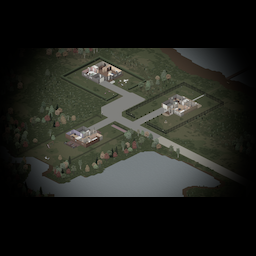
Prewitts Lake Spawn Point
von 76561197991001879
Simple mod to add Prewitts Lake spawn location Workshop ID: 2728195552 Mod ID: PrewittsLakeSpawnLocation Map Folder: Prewitts Lake
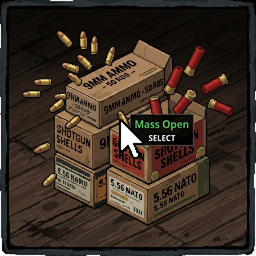
Bulk Ammo Box mp
von 76561198266144531
Bulk Ammo Box Tired of opening ammo boxes one by one? This mod lets you open and box multiple ammo boxes at once with a single right-click. Features - Open All Boxes — Select 2 or more ammo boxes of the same type, right-click, and extract all rounds at once. - Box All Rounds — Right-click on loose rounds and pack them back into boxes automatically. - Vanilla Sounds — Uses the game's original ammo box sounds (different for bullets and shells). - Progress Bar — Visual green bar with time scaling based on box count, just like vanilla. - All Ammo Types — Supports 9mm, .45, .38, .357, .44, .308, 5.56mm, .30-30, and Shotgun Shells. Compatibility - Build 42 - Singleplayer ✓ - Co-op (Host & Play) ✓ - Multiplayer (Dedicated Server) ✓ - Save-persistent — changes survive reconnects and restarts How It Works - Shift-select or Ctrl-select multiple ammo boxes of the same type. - Right-click → "Open All" to extract all rounds. - To re-box: right-click on loose rounds → "Box All" to pack them into boxes. No conflicts with other mods. No overwrites. Lightweight client-server architecture. Toplu Mermi Kutusu Mermi kutularını tek tek açmaktan sıkıldın mı? Bu mod, tek bir sağ tıkla birden fazla mermi kutusunu aynı anda açmanı ve geri kutulamanı sağlar. Özellikler - Hepsini Çıkar — Aynı türden 2 veya daha fazla mermi kutusunu seç, sağ tıkla ve tüm mermileri tek seferde çıkar. - Hepsini Kutula — Dağınık mermilere sağ tıkla ve otomatik olarak kutulara geri paketle. - Orijinal Sesler — Oyunun orijinal mermi kutusu seslerini kullanır (mermi ve saçma için farklı sesler). - İlerleme Çubuğu — Kutu sayısına göre ölçeklenen yeşil ilerleme çubuğu, tıpkı vanilya gibi. - Tüm Mermi Türleri — 9mm, .45, .38, .357, .44, .308, 5.56mm, .30-30 ve Saçma destekler. Uyumluluk - Build 42 - Tek oyuncu ✓ - Co-op (Ev Sahibi ve Oyna) ✓ - Çok oyunculu (Ayrılmış Sunucu) ✓ - Kayıt kalıcı — değişiklikler yeniden bağlanma ve yeniden başlatmadan sonra da kalır Nasıl Çalışır? - Aynı türden birden fazla mermi kutusunu Shift veya Ctrl ile seç. - Sağ tıkla → "Hepsini Çıkar" ile tüm mermileri çıkar. - Geri kutulamak için: dağınık mermilere sağ tıkla → "Hepsini Kutula" ile kutulara paketle. Diğer modlarla çakışma yok. Üzerine yazma yok. Hafif istemci-sunucu mimarisi. Workshop ID: 3679335732 Mod ID: BulkAmmoBox

42版自用音乐合集(Music for B42 )
von 76561199258230412
一些歌曲,懒狗不定时更新(吧) Workshop ID: 3424840087 Mod ID: mymusic
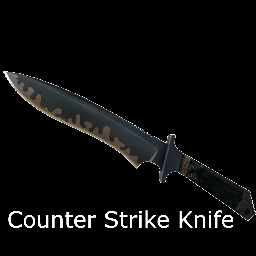
COUNTER STRIKE KNIFE (LEGACY 41 EDITION)
von 76561198052106234
THE CLASSIC KNIFE FROM COUNTER STRIKE AND NOW IS HERE IN PROJECT ZOMBOID 42 edition: https://steamcommunity.com/sharedfiles/filedetails/?id=3780185597 Workshop ID: 3043259286 Mod ID: CSknife

Internal Forces
von 76561197961408931
An attempt at making some retextures that look like Internal Forces from Dead Ahead. Affects Trauma Duffel Bag variant 3 and PASTG Helmet Variant 2 If you know texturing/modeling and wanna help make Dead Ahead stuff let me know. Workshop ID: 3061940551 Mod ID: IF
Project Zomboid Details →
Project Zomboid Guides
Project Zomboid Mods installieren - Workshop Guide
Installiere Project-Zomboid-Mods sauber per Steam Workshop: IDs eintragen, Reihenfolge prüfen, Server neu starten und typische Fehler beheben.
Project Zomboid Sandbox-Einstellungen: alle 62 Panel-Werte
Project Zomboid SandboxVars.lua im Panel konfigurieren: alle 62 Werte, Build-41/42-Unterschiede, Grenzen und sichere Empfehlungen.
Project Zomboid Build 42 auf dem eigenen Server: Umstieg, Spielstände und Mods
The Indie Stone veröffentlichte am 26. August 2026 Sicherheitskorrekturen für 42.20.4 Stable, 42.19.2 Unstable und 41.78.21 Legacy. Wähle den Patch für…
Project Zomboid Server mit Mod-Support
Kompatible, unterstützte Mods über das Server-Dashboard installieren.
Project Zomboid Server mieten