Project Zomboid Mods für Server
Für einen modifizierten Project-Zomboid-Server brauchst du pro Projekt die Steam-Workshop-ID und die interne Mod-ID. Prüfe zusätzlich Spiel-Build, Abhängigkeiten und Lade-Reihenfolge, bevor du deine Welt mit den Änderungen startest.
Project Zomboid Mods sicher installieren
Ein Workshop-Abo allein aktiviert eine Mod auf dem Dedicated Server nicht. Die Einträge in `WorkshopItems=` und `Mods=` müssen zusammenpassen; außerdem muss jede Mod den gewählten Build 41 oder Build 42 ausdrücklich unterstützen.
- 1. Build prüfen: Build-41- und Build-42-Mods nicht ungeprüft mischen.
- 2. Workshop-ID, Mod-ID, Abhängigkeiten und erforderliche Reihenfolge vollständig dokumentieren.
- 3. Welt und Konfiguration sichern, Server neu starten und Logs sowie den Beitritt mit einem Test-Client prüfen.
Die vollständige Schritt-für-Schritt-Anleitung findest du im Project-Zomboid-Mods-Guide. Oder starte direkt mit einem Project Zomboid Server mit Mod-Support.
Häufige Fragen zu Project Zomboid Mods
Was ist der Unterschied zwischen Workshop-ID und Mod-ID?
Die Workshop-ID bezeichnet das Steam-Workshop-Projekt und steuert den Download. Die Mod-ID aktiviert den enthaltenen Mod im Spiel. Auf dem Server müssen beide Listen vollständig und passend gepflegt sein.
Laufen Build-41-Mods automatisch mit Build 42?
Nein. Nutze eine Mod nur dann auf Build 42, wenn ihre Workshop-Seite diese Kompatibilität ausdrücklich bestätigt. Prüfe dabei auch alle Bibliotheken und weiteren Abhängigkeiten.
Wie teste ich ein Mod-Update ohne Risiko für die Welt?
Sichere zuerst Welt, Sandbox-Konfiguration und Server-INI. Aktualisiere danach die zusammengehörigen Mods, starte den Server neu und prüfe Logs, Kernfunktionen und einen vollständigen Client-Beitritt.
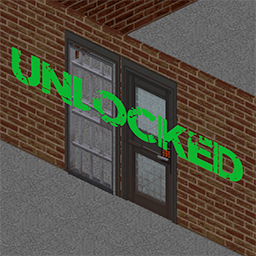
Unlock Security Doors & Prison Doors
von 76561198278571151
PERSONAL ITEM FOR MAP TESTS. THIS WILL DECREASE DIFFICULTY. DO NOT SUBSCRIBE UNLESS YOU NEED. Security Doors & Prison Doors are unlocked from the very beginning. Only works in a new save or chunks that are not being loaded yet. Workshop ID: 2928326826 Mod ID: UnlockSecurityDoorsAndPrisonDoors

BetterStarterGear (Build 42.20)
von 76561198390677673
🎒 Better Starter Gear Give your fresh spawns thematic starting equipment based on their chosen profession! No more spawning empty-handed when your job implies you'd carry basic tools of the trade. ✨ Features & Compatibility - Game Version: Updated & tested for Build 42.20 (B42.20) - Game Modes: Works fully in Singleplayer and Multiplayer - Save Compatibility: Safe to add mid-game! (Applies to any newly created characters) 📦 Starting Items by Profession Unemployed - Plastic Bag, Chips, Empty Water Bottle Burger Flipper - Spatula, Garbage Bag, Kitchen Knife, White Apron Chef - Meat Cleaver, Matches, Rolling Pin, Black Apron Fitness Instructor - Full Water Bottle, Sweatband, Tote Bag, Apple Fire Officer - Lead Pipe, Bandage, Matches Police Officer - Nightstick, Black Radio, Notebook, Pen Security Guard - Nightstick, Walkie-Talkie, Coffee, Flashlight Veteran - Hunting Knife, Full Water Bottle, Lighter, Cigarettes Park Ranger - Hunting Knife, Matches, Front Fanny Pack, Walkie-Talkie Doctor - Scalpel, Bandage, Suture Needle, First Aid Kit Nurse - Bandage (x2), Alcohol Wipes, Pills, First Aid Kit, Scissors Carpenter - Hammer, Saw, Wood Glue, Nails (x10) Construction Worker - Club Hammer, Hard Hat, Dust Mask, Ear Muffs Metalworker - Welding Mask, Propane Torch, Welding Rods, Metal Pipe Electrician - Screwdriver, Scrap Electronics, Wire (x2) Engineer - Pipe Wrench, Battery, Cold Pack, Sparklers Mechanic - Wrench, Lug Wrench, Screwdriver, Tool Box Repairman - Tool Box, Screwdriver, Wrench, Duct Tape Tailor - Needle, Thread, Scissors, Denim Strips (x2), Leather Strips (x2) Lumberjack - Hand Axe, Wood Glue, Leather Gloves Farmer - Hand Shovel, Fertilizer, Tomato Seeds, Cabbage Seeds Fisherman - Fishing Rod, Fishing Line, Fishing Tackle Rancher - Hand Scythe, Full Watering Can, Rope, Carrot Seeds Blacksmith - Hammer, Tongs, Charcoal, Leather Gloves Burglar - Screwdriver, Flashlight, Battery, Paperclip ⚙️ Technical Details - Workshop ID: 3777460628 - Mod ID: BetterStarterGear 💬 Support & Bugs If you run into any issues, have questions, or suggestions, feel free to contact me directly on Discord! Discord: Kaaskiller007 If you enjoy the mod, please leave a thumbs up! 👍
Spawn on Coordinates
von 76561198117954001
Features - Choose spawn location yourself using the x, y and z coordinates! Now with floor support! Notes - Using Mod Config Menu as a hard dependency for user input textboxes, wont work without it. - Use Project Zomboid Map Project to get coordinates, and put them in Options>MCM. - On the website you can find coordinates on your left, ignore "Coords" and instead get the Cell X,Y, Rel X,Y and optionally Floor/Level, and put them in appropriate boxes in Options>MCM and press Accept. (Apply doesnt seem to work) - If you decide to use the floor setting, a good way to get correct coordinates is to get them from the ground floor of the building and just changing the floor. Somehow getting coordinates on floors can be weird (prob because of the perspective) and when i get them from the ground floor i always spawn correctly on roofs etc. - Only works on a new save (obviously) After inputting your coords choose the "Coordinate Spawn" spawn option - I clamped the values as much as I could but as the zomboid map is not a perfect square make sure you enter them correctly to avoid crashing. - Bad spawns include: in water, out of map bounds, mid-air, and they will crash your game. My Other Mods - It's NOT Fine - Turn the oven on and off automatically, and a few other oven QoL tweaks https://steamcommunity.com/sharedfiles/filedetails/?id=3161578967 - Train Carpentry - Level up carpentry using tools and planks https://steamcommunity.com/sharedfiles/filedetails/?id=3170803277 Workshop ID: 3165835650 Mod ID: CoordSpawn Map Folder: CoordinateSpawn

Customizable FAQ Clock
von 76561198408285292
This MOD is very appropriate for MP, which gives a FAQ Clock to new players, and they can use it to conviently query frequently asked questions! The texts of questions and answers are customizable in sandbox options. Q:How to gain a FAQ Clock? A:Every new character will get one. Q:How to use a FAQ Clock? A:Right click it then you will see options. Give it a thumb if this mod is useful for you! Workshop ID: 2912598989 Mod ID: CatchMeee_Clock
![Proximity Inventory - Smart Store [B42] – Project Zomboid Mod](https://images.steamusercontent.com/ugc/17829886174550098473/E1CB41C1B85F14378696FF8028C602532E603A26/)
Proximity Inventory - Smart Store [B42]
von 76561198294497542
Proximity Inventory - Smart Store Requires Proximity Inventory to work. This is an add-on that gives the Proximity Inventory panel the one thing it is missing: the ability to drop items into it. What it does With Proximity Inventory you can already see and take items from every nearby container at once. With this add-on, you can also drag items onto the Proximity Inventory panel (or its button) and they get sorted into the nearby containers automatically. No more opening each crate one by one to put things away. How it decides where things go For each item, in order of priority: - Top up existing stacks - a container that already holds that exact item. - Keep categories together - a container that already holds items of the same category. - First container with room - if nothing matches. It respects weight/capacity, skips containers locked to other players, skips active appliances (stove, washer, dryer) so it won't interrupt cooking or drying, and never auto-stores your favorited items. How to use - Enable both Proximity Inventory and this mod. - Open a container near other containers so the Proximity panel shows up. - Drag items from your inventory onto the Proximity Inventory panel or button. If nothing nearby has room, the item stays with you and you get a quick on-screen notice. Compatibility - Made for Project Zomboid Build 42. - Hard dependency on Proximity Inventory. - Multiplayer: includes guards for locked containers, but not yet tested in MP. Credits All credit for the proximity inventory feature itself goes to the author of Proximity Inventory. This mod only adds the smart-store behavior on top of it. Found a bug or have a suggestion? Drop a comment below. Workshop ID: 3747943463 Mod ID: ProxInventorySmartStore

明石飛行社精选音乐包1
von 76561199020860145
受明石飛行社委托制作,后续有可能会出2 歌单制作:明石飛行社 模组制作:Dr.寻一 Workshop ID: 3371760419 Mod ID: TsarcraftYwZWWy
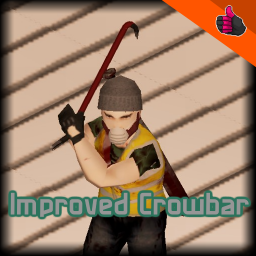
Improved Crowbar
von 76561198852015246
Description Hello it's me, has been a while! I took a little break from modding because of aa few different reasons, but im back I guess. So but enough of me and back to the mod. Like all of my other "Improved x" mods, this mod aimes to replace the vanilla crowbar with a better model. Because lets face it, the vanilla crowbar model is just awful. Because all the other mods, that replace the crowbar are often times to high detailed and don't capture the artstyle of project zomboid that I like, I made a better and vanilla friendly version by myselfe! Bonus Like my improved fire axe and hand axe mod, this mod replaces only the model of the vanilla crowbar. So this mod doesn't change the vanilla texture and can be used along side mods that reskin the crowbar texture, for example: https://steamcommunity.com/sharedfiles/filedetails/?id=2819231854&searchtext=half+life So yeah thats it, hope everyone is going to enjoy it :D Workshop ID: 3249862681 Mod ID: Improved Crowbar
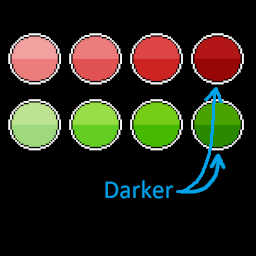
Clearer Moodle Colors
von 76561198095825414
Makes level 4 moodles slightly darker so it's easier to distinguish between level 3 and 4. Workshop ID: 2863285247 Mod ID: moodlecolors_TSW

More Indoor Plants
von 76561199149611545
More Indoor Plants Bring more life and variety to the interiors of Project Zomboid with More Indoor Plants. This mod adds 40+ new indoor plants that naturally appear in houses, offices, stores, and other buildings, making the world feel more diverse and alive while staying true to the game's original art style. Features • 🌿 Adds 40+ new indoor plant variations. • 🏠 Plants spawn naturally throughout the world. • 🎛️ Sandbox Configurable: Choose what percentage of vanilla indoor plants will be replaced by the new variants. Keep mostly vanilla plants, create a balanced mix, or replace them all. • 🎨 Designed to blend seamlessly with the vanilla aesthetic. Compatibility Compatible with Project Zomboid Build 42.20 or later. Mod Compatibility Mods that replace or modify the same vanilla indoor plants may conflict with More Indoor Plants. If multiple mods edit the same world objects, the load order will determine which plants appear. Translation Notice The translations included in this mod were created with the help of artificial intelligence. Although they were reviewed as carefully as possible, AI can make mistakes or use unnatural terms. If you notice an incorrect, incomplete, or unusual translation, please let me know in the comments and mention the language and plant name so I can correct it in a future update. Notes This mod will continue to receive updates. If you find any bugs or unexpected behavior, please report them in the Workshop comments. I'll do my best to fix any issues that arise and keep the mod compatible with future game updates. ━━━━━━━━━━━━━━━━━━━━━━━━━━━━━━━━━━━━━━━━━━━━━━ More Indoor Plants Dale más vida y variedad a los interiores de Project Zomboid con More Indoor Plants. Este mod añade más de 40 nuevas plantas de interior que aparecen de forma natural en casas, oficinas, tiendas y otros edificios, haciendo que el mundo se sienta más vivo y variado sin perder la estética original del juego. Características • 🌿 Añade más de 40 nuevas plantas de interior. • 🏠 Las plantas aparecen de forma natural durante la generación del mundo. • 🎛️ Configurable desde Sandbox: Elige qué porcentaje de plantas de interior del juego será reemplazado por las nuevas variantes. Puedes mantener la mayoría de las plantas originales, crear una mezcla equilibrada o reemplazarlas por completo. • 🎨 Diseñado para integrarse perfectamente con la estética original del juego. Compatibilidad Compatible con Project Zomboid Build 42.20 o superior. Compatibilidad con otros mods Los mods que reemplazan o modifican las mismas plantas de interior del juego base pueden entrar en conflicto con More Indoor Plants. Si varios mods editan los mismos objetos del mundo, el orden de carga determinará qué plantas aparecerán. Nota sobre las traducciones Las traducciones incluidas en este mod fueron creadas con ayuda de inteligencia artificial. Aunque fueron revisadas lo mejor posible, la IA puede cometer errores o utilizar términos poco naturales. Si encuentras alguna traducción incorrecta, incompleta o poco común, por favor házmelo saber en los comentarios e indica el idioma y el nombre de la planta para poder corregirla en una futura actualización. Notas Este mod continuará recibiendo actualizaciones. Si encuentras algún error o comportamiento inesperado, repórtalo en los comentarios del Workshop. Haré todo lo posible por corregir los problemas que vayan surgiendo y mantener el mod compatible con futuras actualizaciones del juego. Workshop ID: 3775324405 Mod ID: moreindoorplants
![Tree Branches Stack [42.20] – Project Zomboid Mod](https://images.steamusercontent.com/ugc/13320708881332831129/1A3BFBD10200969EDB795706363F51247E702297/)
Tree Branches Stack [42.20]
von 76561198362138303
Allows you to gather 12 tree branches into one stack. The gathered pile can be used as fuel Workshop ID: 3628418491 Mod ID: TreeBranchesStack
![[B41-B42-Multi] Bandits - FR - Doublage – Project Zomboid Mod](https://images.steamusercontent.com/ugc/9990834923218142667/BFBE85FDE049A3CE11519723CE3598298D0E7B1A/)
[B41-B42-Multi] Bandits - FR - Doublage
von 76561198082272783
Traduction du mod Bandits Ils parlent en français ! Attention à respecter l'odre de chargement : Bandits, , Bandits FR Maj N'hésitez pas à me faire vos retours si vous trouvez des problèmes ! N'hésitez pas à checker les notes de changements lors des mises à jour ! A noter que ce n'est pas nécessaire pour Week One qui a son propre mod de Doublage. Merci énormément à tous les doubleurs qui ont prêté leurs voix ainsi qu'a MisterPacoThai pour l'idée du doublage! Pour les bandit(a)s : - Danouna - BotaLeaf - Cassandre - Zakiou - Popoche - Stopiax - Popi - Monsieur Poney Workshop ID: 3597402790 Mod ID: BFRMAJ


服务器车皮和歌单
von 76561198208282725
服务器车皮和歌单 Workshop ID: 2951436872 Mod ID: JeepSkins0324 Mod ID: RAboiDodgeSkinESP Mod ID: RAboiyemaMod0816 Mod ID: ServerMusicPack0324
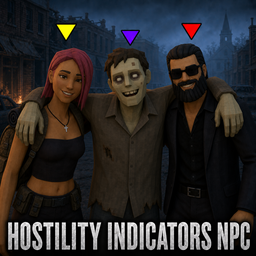
Hostility Indicators NPC
von 76561197978290112
⚙️ Hostility Indicators — Build 42 Edition (v2: Enemy Warning Update) A lightweight HUD mod that adds clear visual indicators for NPCs and zombies, plus a new **Enemy Nearby** warning text for early danger detection. Fully compatible with **Bandits 2**, **Bandits Day One**, and **Bandits Week One**. --- ✳️ Features - Yellow triangles (▼) = neutral or friendly NPCs when NPC Markers are enabled - Red triangles (▼) = hostile NPCs; hostile markers remain active independently of the NPC Markers toggle - Purple triangles (▼) = zombies when Zombie Markers are enabled - Top-center HUD notifications (zoom-proof, minimal impact) - Enemy Warning displays only the “ENEMY NEARBY” text when a hostile NPC is within range; it does not control the red hostile markers - The warning text can be **dragged anywhere on screen** and its position is saved between sessions - Smart visibility logic via `visibleOnScreen()` (same as previous stable build) --- 🕹️ Controls - **F7** → Open options menu Inside the menu you can toggle: ☑ Enemy Warning ☑ NPC Markers ☑ Zombie Markers and switch Visibility (ALWAYS ↔ ONSCREEN) - ONSCREEN shows markers only when the NPC or zombie is currently visible on screen - ALWAYS keeps marker detection active even when the target is not directly visible - **Drag and drop** the “ENEMY NEARBY” text to any location you prefer. --- ⚙️ Default startup state - Enemy Warning = ON - NPC markers = OFF - Zombie markers = OFF - Visibility = ONSCREEN --- 💡 Tip If you use the mini-map mod, place the “ENEMY NEARBY” text **directly above the mini-map** for best situational awareness. --- Requires **Bandits NPC**. Updated for Project Zomboid Build 42.20+ and tested in-game on 42.20.3. Workshop ID: 3588196494 Mod ID: HostilityIndicators
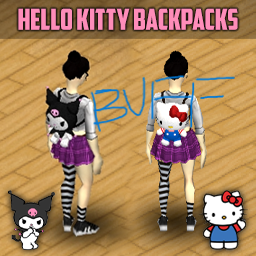
KuromiBackpackBUFF
von 76561198091799334
KuromiBackpackBUFF Workshop ID: 3571345685 Mod ID: KuromiBackpack BUFF
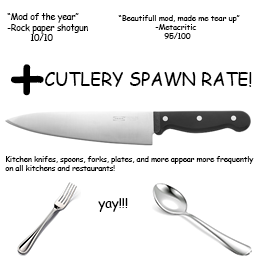
Better Cutlery And Dishes Spawn Rate
von 76561199082851629
Are you tired of barely even finding kitchen knives on kitchens and other kitchen utensils in their respective place? Well fear no more! This mod increments the spawn rate of all kitchen utensils and cutlery, like knives, plates, mugs, etc. Making for a realistic and immersive experience, since the base game dosen't spawn kitchen tools on, well, kitchens. Seriously though, WHO DOSEN'T HAVE A KNIFE IN THEIR HOUSE!? Anywho, this is my first mod, I hope you enjoy it. Should be compatible with other maps. Workshop ID: 3137840639 Mod ID: FrequentCutlery
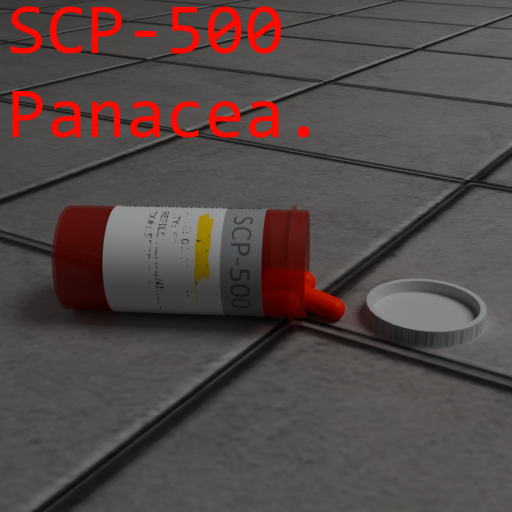
SCP-500 Pill
von 76561198282182011
Okay lets say that some scp-500 got into the kentucky. Now updated to work in b42.20 Workshop ID: 3060050314 Mod ID: SCP500
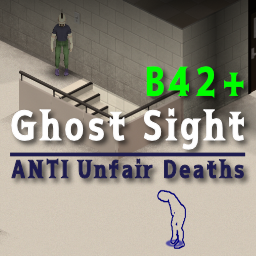
GhostSightB42
von 76561198062851438
Ghost Sight B42.19 Compatible! ★🔤English description is below🔤★ 別階層のゾンビを検知・視覚化 / Detect and visualize zombies on other floors. ゲーム開始時に表示されるセットアップガイドを追加しました。 ■ このMODの目的 階段、梯子、窓枠越しの移動など、ゲームシステムの制限で視界が遮られる状況において、不可避なゾンビとの遭遇を防ぐためのMODです。 ■ 主な機能と挙動 - 死角の可視化: システム的に非表示になる上下階や、建物の裏側にいるゾンビの存在を察知可能。 - 装備連動の視界制限: 探知範囲をプレイヤーの「視界(扇形)」に限定可能。ガスマスクやヘルメット装着時、その装備に応じて物理的に探知範囲が狭まるリアルなシステムの採用。 - 階段の立体検知: 階段の上、踊り場、階段下などに潜むゾンビの、より確実な捕捉。 - 二段階の追跡表示: 直接視認時は「アウトライン」、壁越しや気配のみを捉えている間は足元の「サークル」としての表示。 - 表示階層の選択: 別フロアの検知に加え、同一フロアも可視化可能。※難易度低下のしすぎに注意。 ■ MODオプションでの調節 各種設定(ゲーム内Escメニュー→オプション→MODタブ)にて、お好みの難易度・表示形式にカスタマイズ可能。 - 表示条件 (常時 / エイム中 / 隠密中 / エイムor隠密中 / 探索中): MODの効果が有効になる条件。 - 検知半径 (2.0 ~ 50.0): ゾンビをスキャンする距離(タイル数)。 - 探知範囲を視界(扇形)に制限 (ON/OFF): 探知の視覚内のみへの絞り込み。※装備品による角度の動的変化。 - 壁による遮蔽 (透過 / 視界+階段 / 視界): 壁越しを検知するか、視覚が通る場所のみか、階段付近だけは通すかの選択が可能。 - 最大表示数 (10 ~ 500): 同時に描画するゾンビの最大上限。 - 感度モード (高い / 標準 / 低い): ゾンビの動きや音に対する検知感度。 - 視覚モード (円のみ / 縁取りのみ / 円+縁取り): サークルやアウトラインの表示スタイル。 - サークルの大きさ (0.2 ~ 3.0): 足元に表示される円のスケール。 - 垂直走査範囲 (1 ~ 10階層): 上下階のゾンビを検知する高さ(階数)の設定。 - 各種表示切り替え: 同階層の非表示、視認済みゾンビの表示、検知の揺らぎの有無。 - カラー & 透過度設定: 同階層 / 上の階 / 下の階ごとの表示色と不透明度。 ■ マルチプレイヤー(MP)対応 - サーバー設定: 管理者によるサンドボックス設定を通じた、サーバー全体での検知距離や最大表示数などの一括制限。 ※MP環境での挙動は完全には検証しきれていないため、不具合や同期ズレなどにお気づきの場合はコメント欄で教えていただけると助かります。 ■ 注意事項 - ゲームバランス: 広範囲検知によるゲーム緊張感喪失の恐れ。適切な設定での利用推奨。 - リセットボタン: オプション画面の「デフォルトに戻す」ボタンにおける、カラー設定のリセット対象外化(B42エンジンのクラッシュ回避用)。 - 描画の制限: プレイヤーの視界内や階下ゾンビのアウトライン強調が可能。上階ゾンビについてはエンジンの描画仕様上、足元の「サークル」のみの表示。 ■ おまけ情報(カスタマイズ) 足元の円のデザイン変更。MODフォルダ内 media/textures/GS_Circle.png のお好みの画像への差し替えによる変更(256x256px、透過PNG、メタデータなし推奨)。 ■ クレジット Author: Uni-SJ 背後に気をつけて。幸運を祈る。 ----------------------------------------------------------- Added a setup guide that appears at the start of the game. ■ Objective Provides visual aid to prevent surprise zombie encounters in blind spots like stairs, ladders, or window frames. ■ Key Features & Behaviors - Blind Spot Detection: Sense zombies on other floors or behind buildings that are normally hidden. - Gear-Linked FOV: Limits detection to your FOV. Gas masks and helmets dynamically narrow the detection angle for realism. - 3D Stair Scan: Accurately detects targets on stairs, landings, or different levels. - Visual Feedback: Outlines for direct sight; circles for targets behind walls/floors. *Upper floor outlines limited by B42 engine. - Floor Toggles: Detect other floors or include your current level. *Adjust for balance. ■ Adjustments via Mod Options Customize difficulty and visuals via Mod Options (Esc -> Options -> MOD tab). - Activation: Choose when the mod is active (Always, Aiming, Sneaking, Aiming or Sneaking, Searching). - Radius: Set scan distance (2.0 to 50.0 tiles). - FOV Lock: Limit scan to your front view. *Angle adapts to headgear. - Occlusion: Choose Transparent, Hybrid (Stairs focus), or Strict (Vision only). - Max Targets: Set limit for simultaneous zombie rendering (10 to 500). - Sensitivity: Adjust detection response to zombie noise or movement. - Style: Toggle between Circles, Outlines, or Both. - Circle Scale: Adjust the size of floor markers. - Z-Range: Set vertical scan depth (up to 10 floors). - Toggles: Hide same-floor targets, show visual targets, or toggle jitter. - Colors: Customize color and opacity for each floor level. ■ Multiplayer (MP) Support Detect and visualize zombies around yourself and other players in MP. - Admin Controls: Admins can cap radius and targets via Sandbox Options. *Report MP bugs or desync in comments (testing ongoing)! ■ Precautions - Balance: High radius reduces tension. Balanced settings recommended. - Reset: "Reset to Default" excludes color settings to prevent B42 engine crashes. - B42 Limits: Outlines work for vision/lower floors; upper floors are limited to circle markers. ■ Bonus Info (Customization) Change circle design by replacing media/textures/GS_Circle.png (256x256px PNG). ■ Credits Author: Uni-SJ Watch your back. Good luck. Workshop ID: 3722530128 Mod ID: GhostSightB42
![Storage-O-Matic 3000[B42MP] – Project Zomboid Mod](https://images.steamusercontent.com/ugc/18445519700213481941/ECEEC7529CBAAFFE49114CA54BDE30207FF6C0AC/)
Storage-O-Matic 3000[B42MP]
von 76561197988446860
The Storage-O-Matic 3000 is the solution to your hoarding problem! Do you have way too much stuff ? Do you have too many crates/shelves/cabinets with small storage? Then this mod is made for you! Storage-O-Matic is a simple container with a lot of storage. Find memory cards and materials to craft one of 4 tiers storage computer: 1 MB - 250 storage 10MB - 750 storage 100 MB - 1500 storage 1000 MB - 3000 storage! Storage capacity has been changed, see change notes. WARNING! This mod might be considered overpowered and unrealistic :) WARNING!! You NEED the mod Yumi's Fridge Expansion Deluxe w/ Storage & Inventory Boost Add-On https://steamcommunity.com/sharedfiles/filedetails/?id=3736408852 !! Many credits and special thanks to: Juuriaan Workshop ID: 3645221891 Mod ID: Storage0Matic3000
![[COS] Hayley – Project Zomboid Mod](https://images.steamusercontent.com/ugc/17087297847419679075/F2B1DC0FAF26C5582077F7223F61CA85A5162ACF/)
[COS] Hayley
von 76561198074175464
Racing Master Hayley (Black Version) This model is make by @CreamPie and I'm just commission it to him. If you have some problems Let me know and comment here. You can find more files If you want use this in B42 Version! Thanks for allowing to @CreamPie upload this on Steam workshop! You can see more his description with scroll down! 해당 모드는 제작자가 따로 있으며, 커미션을 통해 제작 되었고 서로 의논하에 파일은 제가 받아 대신 업로드 및 설명을 추가 하였습니다. B42 버전으로도 사용가능 하도록 파일이 정리 되어 있습니다. '스킨 제작' 에 대해 본래 주인은 @CreamPie 에게 있음을 알립니다. 아래에 원 제작자의 설명서를 그대로 읽으실 수 있습니다. ---------------------------------------------- How Do I Use It? - You can go to the link below to see how to use it. - Link Recommended mode - Fashionoid - Gear Transmog - Hide All Attached Items - Clipping animation Fix Like My Mode? - Join Our Discord If You Want Commission Workshop ID: 3567266421 Mod ID: Hayley
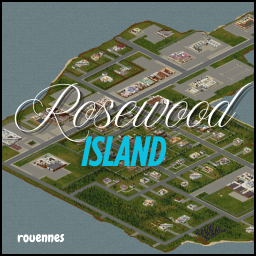
Rosewood Island
von 76561199105300502
This is like vanilla Rosewood, but it's an island. From the gas station to the police station. New spawnpoints (police and fire station included). Incomplete ingame map (no buildings, no roads). Made for PVP. Made for B41. Standalone map. Check out my others mods Workshop ID: 3512375539 Mod ID: RI41 Map Folder: Rosewood Island
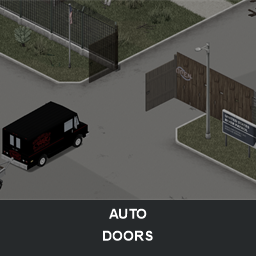
Todds mods: Auto doors
von 76561197961614308
Automatically opens doors, double doors, garage doors and vehicle gates as you approach. Works on foot and while driving. The mod looks for doors directly in your path, so passing beside one should not trigger it. Locked doors require the matching key, including keys stored on a key ring. Barricaded doors are always ignored. Both sides of double doors and vehicle gates open together. Automatic closing can shut doors after you pass through and relock doors that were opened with a key. The delay and vehicle detection range are configurable. The Large doors only option leaves ordinary doors under manual control while continuing to automate garage doors and vehicle gates. Automatic opening can also be disabled while sneaking or while in combat stance. These settings are optional and configured individually through the native Mod Options screen. Support Discord for Todds Mods—please join and report any bugs you may find: https://discord.gg/RyMnCzFPUE If you enjoy the mod, please consider rating and favouriting it, or buying me a Ko-fi :) All rights reserved. Use of the official unmodified Workshop item is permitted. Reuploads, forks, ports, translations, mod-pack inclusion, and reuse of code or artwork require prior written permission. Mod ID: AutoDoors Workshop ID: 3780591182
![Addon [M&S] Star Wars: A New Hope – Project Zomboid Mod](https://images.steamusercontent.com/ugc/17946187230989561451/5D477A5802B2F2F20A71716C964983C5DF4D4B97/)
Addon [M&S] Star Wars: A New Hope
von 76561199123838323
Luke Skywalker joins forces with a Jedi Knight, a cocky pilot, a Wookiee and two droids to save the galaxy from the Empire's world-destroying battle station, while also attempting to rescue Princess Leia from the mysterious Darth Vader. This is my first mod ever, on any game actually. Given the materials to make it, it was pretty easy. SHOUT OUT MR MAEUL! Workshop ID: 3688217499 Mod ID: ANewHope

DebugMenuBeGone
von 76561198874264767
Disables the debug HUD button, debug menu, and debug-only context reports (Build 42). Workshop ID: 3646847759 Mod ID: DebugMenuBeGone Made for personal use. Feel free to use/edit/redistribute all you want. But don't expect perfection or a good quality :P
Project Zomboid Details →
Project Zomboid Guides
Project Zomboid Mods installieren - Workshop Guide
Installiere Project-Zomboid-Mods sauber per Steam Workshop: IDs eintragen, Reihenfolge prüfen, Server neu starten und typische Fehler beheben.
Project Zomboid Sandbox-Einstellungen: alle 62 Panel-Werte
Project Zomboid SandboxVars.lua im Panel konfigurieren: alle 62 Werte, Build-41/42-Unterschiede, Grenzen und sichere Empfehlungen.
Project Zomboid Build 42 auf dem eigenen Server: Umstieg, Spielstände und Mods
The Indie Stone veröffentlichte am 26. August 2026 Sicherheitskorrekturen für 42.20.4 Stable, 42.19.2 Unstable und 41.78.21 Legacy. Wähle den Patch für…
Project Zomboid Server mit Mod-Support
Kompatible, unterstützte Mods über das Server-Dashboard installieren.
Project Zomboid Server mieten