Project Zomboid Mods für Server
Für einen modifizierten Project-Zomboid-Server brauchst du pro Projekt die Steam-Workshop-ID und die interne Mod-ID. Prüfe zusätzlich Spiel-Build, Abhängigkeiten und Lade-Reihenfolge, bevor du deine Welt mit den Änderungen startest.
Project Zomboid Mods sicher installieren
Ein Workshop-Abo allein aktiviert eine Mod auf dem Dedicated Server nicht. Die Einträge in `WorkshopItems=` und `Mods=` müssen zusammenpassen; außerdem muss jede Mod den gewählten Build 41 oder Build 42 ausdrücklich unterstützen.
- 1. Build prüfen: Build-41- und Build-42-Mods nicht ungeprüft mischen.
- 2. Workshop-ID, Mod-ID, Abhängigkeiten und erforderliche Reihenfolge vollständig dokumentieren.
- 3. Welt und Konfiguration sichern, Server neu starten und Logs sowie den Beitritt mit einem Test-Client prüfen.
Die vollständige Schritt-für-Schritt-Anleitung findest du im Project-Zomboid-Mods-Guide. Oder starte direkt mit einem Project Zomboid Server mit Mod-Support.
Häufige Fragen zu Project Zomboid Mods
Was ist der Unterschied zwischen Workshop-ID und Mod-ID?
Die Workshop-ID bezeichnet das Steam-Workshop-Projekt und steuert den Download. Die Mod-ID aktiviert den enthaltenen Mod im Spiel. Auf dem Server müssen beide Listen vollständig und passend gepflegt sein.
Laufen Build-41-Mods automatisch mit Build 42?
Nein. Nutze eine Mod nur dann auf Build 42, wenn ihre Workshop-Seite diese Kompatibilität ausdrücklich bestätigt. Prüfe dabei auch alle Bibliotheken und weiteren Abhängigkeiten.
Wie teste ich ein Mod-Update ohne Risiko für die Welt?
Sichere zuerst Welt, Sandbox-Konfiguration und Server-INI. Aktualisiere danach die zusammengehörigen Mods, starte den Server neu und prüfe Logs, Kernfunktionen und einen vollständigen Client-Beitritt.
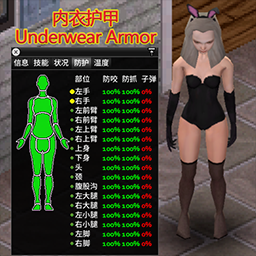
ren 内衣护甲
von 76561198113393362
丝袜/连裤袜/内裤,文胸/紧身胸衣/兔子装,长手套,兔耳/兽耳/鹿角/金星,泳衣/比基尼有防御值. Workshop ID: 3452286978 Mod ID: neiyihujia
![Dungeon Maker [FIXED] – Project Zomboid Mod](https://images.steamusercontent.com/ugc/2424718567241368903/FFBCC3A571C019B317FC4D3384FC7311892C9DE0/)
Dungeon Maker [FIXED]
von 76561199042257388
Dungeon Maker Mod Update: Fixed the issue with sledge not working after entering dungeon the mod will now disable sledge only if youre dungeon crawling (as intended) Allows Server Admins to Setup Dungeon Challenges Keys = Entrance Chest = Exit (you may also exit anytime via right click context option) Keys and Chest Colors are related to their Level | LEVEL | COLOR | | 1 | White | | 2 | Blue | | 3 | Red | | 4 | Gold | Teleport: Entering / exiting will je done via teleport (require an anticheat to be turned off) Players may choose to leave dungeon anytime using context menu option, they will be sent back to entrance When a player enters a dungeon it will be locked no one else may enter time limit: there is a time limitation in real time seconds duration based on sandbox time limit = duration x level when time is up player will be sent back to the entrance dungeons will open again after its cooldown when a player logs out during dungeon crawl they will be teleported back when they login rewards can be configured for each dungeon chests Minions: during dungeon crawl the zeds are skeletons they have random set of properties they have various attack abilities: cause panic, knockdown, disarm, injure Defeating Minions: theres a chance for skeletons to drop random loot drop rate and loot list(per level) are customizeable via sandbox options skeletons will standback up Population control: each dungeon stage have population limit (sandbox) the mod will slowly despawn and spawn skeletons based on the number of zeds in the cell Players buffs: infinite carry weight no hunger no thirst no boredom no stress Player Restriction: players may not use sledgehammer during dungeon crawl Dungeon Maker Panel: Panels color changes based interactions Editing Existing Dungeons / Adding new Dungeon / Deleting Dungeons Adding new dungeon gate requires entrance and exit coordinates use the textbox to input dungeon destination coordinates or use the set exit button to automatically set to current players location to add entrance click set entrance and click on the floor (same as brush tool) To Delete / Overwrite Choose a dungeon id from the drop down Levels: lets you pick what level you want to set the dungeon Teleportation: You my teleport to entrance and exit points using teleport button Buttons: button sets random name button toggles the cooldown(for admins to manually turn on or off existing dungeons Ambiance: foggy dark blue color during dungeon crawl Can Be Installed Mid Save Made for MP Beta Version Mod is dynamic due to its panel feature Unlike most mods that relies you to use configured patch This mod uses its own system to do manage its data Disclaimer: There are no border restrictions It is up to the Server Admins to creatively setup their Dungeons Make sure you restrict players form crossing dungeon and non-dungeon areas Compatibility with other Mods: Not tested with anything as of now Requires some anti cheat to be turned off ----------------------- --------------------------- Custom Tileset Info: tiledef=ExtendedDungeon 109 pack=ExtendedDungeon Mod by Glytch3r Commissioned by Krusttyx For custom pz mod commissions contact me discord: Glytch3r#7331 / glytch3r https://ko-fi.com/glytch3r Workshop ID: 3359266342 Mod ID: ExtendedDungeon

Anthro Survivors - Chocos
von 76561199029430889
When haces tus momos en la Workshop PD: Chocos / Taken references by Harko Workshop ID: 3018414039 Mod ID: Chocos
![[COS] Altair – Project Zomboid Mod](https://images.steamusercontent.com/ugc/43442802928143829/176F7AEDEE18A7801071E2611DB1B1BFA09E9988/)
[COS] Altair
von 76561199178116693
How Do I Use It? - You can go to the link below to see how to use it. - Link Recommended mode - Fashionoid - Gear Transmog - Hide All Attached Items - Clipping animation Fix How to use COS mode in build 42. - Navigate to the path where the mod is installed. - Create a 42.0 folder. - Create a common folder. - Paste the media folder / mod.info / preview.png into the 42.0 folder. The recipe code writing method has been changed in 42Build. Since COS (Costume) mode has approximately over 200 modes, converting to 42Build's recipe code is an extremely laborious task. In 42Build, you cannot create costumes in (42 build) the crafting tab. There are two methods: Spawn items in cheat mode. Select items in the clothing selection screen when creating a character. Like My Mode? - Join Our Discord If You Want Commission Workshop ID: 3372901165 Mod ID: Altair
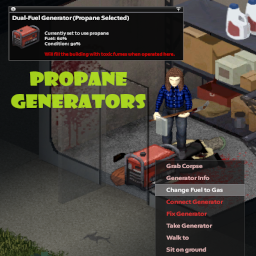
Propane Generators
von 76561197965618304
Adds propane and dual-fuel generators to the game as world objects and items. At first encounter, unmodded world object generators will randomly be assigned a type of gas, propane, or dual-fuel. Tips: As they exist in item form, you can store the new propane and dual-fuel generators just as you would the vanilla generator. Propane (or dual-fuel with propane selected) generators can be filled with propane tanks. Dual-fuel generators can be switched freely between types of fuel, as a timed action. Sometimes the event which fires to mod the generator is a little slow-- if you walk up to a generator and it looks unmodded, try right-clicking it to force things along. Positive ratings are encouraged, enjoyed, and very helpful for Workshop mods, so please rate Propane Generators highly if it adds something valuable to your Project Zomboid experience! If you have feedback of any kind, positive or negative, please feel free to leave a comment here, find me on Twitter, or create an issue on GitHub: https://github.com/TheCrimsonKing92/pz-propane-generators/issues. You may also like Item Searcher, the first mod I created for Project Zomboid! Item Searcher adds a custom UI which allows you to automate the task of looking through containers for an item, including searching all containers in an entire room. If you'd like that convenience in your PZ client, you can find it on the Steam Workshop here: https://steamcommunity.com/sharedfiles/filedetails/?id=2789003239. For those especially motivated to share their appreciation and support, I have a Ko-fi page: https://ko-fi.com/thedecenttech. Anything you are able to give further enables me to spend time outside of my full-time job polishing the mods I've created, or even creating other mods which may be enjoyed. Workshop ID: 3167672659 Mod ID: PropaneGenerators
Spiffomon3D (Unofficial B42.15 Port)
von 76561199005664891
my friends and i love spiffo, and cannot image b42.15 without him. a port of Spiffomon 3D for b42 by crunchyoctopus that makes a few changes and adds a few new spiffos with more planned (see discussion post for a list of all spiffos)! once the original mod is updated, i'll remove all the spiffos from that mod from this one, and make this just an expansion/addon :) COMPATIBILITIES: - optional submod “SpiffomonArcade15” to add compatibility with Project Arcade prize pools thanks to the code template from Spiffomon 3D Prizes for Project Arcade by bass! - currently experiencing potential compatibility issues with PZCH Realism Workshop ID: 3682777768 Mod ID: Spiffomon3D15 Mod ID: SpiffomonArcade15
![Generator Powered Buildings [B42] - Русификатор – Project Zomboid Mod](https://images.steamusercontent.com/ugc/16358251179555442912/D940BAAED13621D9E551A3C7DB6E1CA9510504FB/)
Generator Powered Buildings [B42] - Русификатор
von 76561198414246143
Русификатор Generator Powered Buildings Мод позволяет подключить до 10 генераторов к одному зданию для полноценного энергоснабжения с расширенной системой управления и экономией топлива. Что делает мод? • Объединение генераторов: До 10 генераторов на одно здание с сохранением ванильного радиуса 20x20 • Многоэтажная поддержка: Работает с уровнями от -3 до +16 • Управление через выключатели: Доступ к системе питания через любой выключатель в здании • Дополнительные топливные баки: Подключение бочек и коллекторов для хранения топлива • Система нагрузки: Эффективность зависит от соотношения мощности генераторов и размера здания • Простая навигация: Клик по генератору в интерфейсе для автоматического подхода к нему Ключевые особенности: Централизованное управление энергоснабжением, экономия топлива, поддержка многоэтажных зданий. Dear foreign friends, this mod is only a localization of the main mod. If you came here because of the preview or text on it, you can safely go to the modification page itself. Хочу перевод Поддержать переводчика Workshop ID: 3603349810 Mod ID: GENPOWBUIRUS
Gimme Smore
von 76561198018515088
You're sitting in the kitchen. In your right fist, you have chocolate. In your left fist, you have graham crackers. In front of you - a stove with some marshmallows on the burner. You angrily stuff the chocolate and graham crackers into your awaiting mouth, a tear in your eye as you watch the marshmallows burn. --- Yo I dont know It just a smore Workshop ID: 2713536368 Mod ID: gimmeSmore
![Exercise FIX [OBSOLETE] – Project Zomboid Mod](https://images.steamusercontent.com/ugc/1607177405574957421/A847C056E588F648968A123F5365A0BFFB1C2C45/)
Exercise FIX [OBSOLETE]
von 76561198077548084
!!THIS MOD IS NOW OBSOLETE!! The Devs have implemented fitness mechanic into the game :) This mod is not needed anymore! Workshop ID: 2214752934 Mod ID: ExerciseFIX
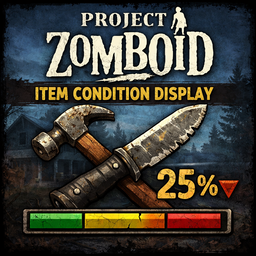
Item Condition Display
von 76561197999326268
Displays the condition of items and it's parts Workshop ID: 3640995590 Mod ID: ItemConditionDisplay

KRBK_C&P
von 76561198179477498
KRBK_C&P Workshop ID: 3212657121 Mod ID: 3000000999

Mod Template
von 76561198157062928
This is an example mod with two worlds. You can use this as a template for your own map mods. The first world has a single 300x300-tile cell. The second world adds cells all around the first world.
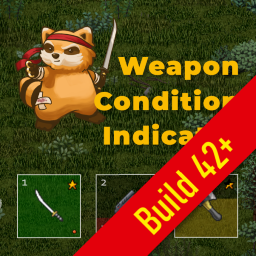
Weapon Condition Indicator B42.20.x
von 76561199156298355
The mod shows condition (durability) of a weapon attached to the hotbar (back, belt, holster, etc.) or equipped in the primary hand. And many other useful features. Features - Two types of weapon condition indicators: icon (star or bubble) and progress bar; - Blinking when condition lowers and shows an overhead notification; - Overhead notification will also be displayed when your character falls on the ground and drops an equipped weapon; - Ammo count and battery charge is dislayed in the hotbar and near the equipped item icon (top left); - Tooltips with a detailed information about an item, ammo and battery when hovering mouse over the hotbar slots or equipped item icon; - Fully configurable. Options You can configure the mod according to your needs. Go to Options -> Mods -> Weapon Condition Indicator section. Requirements Game version: Build 42.20+ Compatibility May conflict with other mods that override ISHotbar.lua and/or ISEquippedItem.lua. Original Mod: https://steamcommunity.com/sharedfiles/filedetails/?id=2619072426 by NoctisFalco Thanks to: https://steamcommunity.com/sharedfiles/filedetails/?id=3459969372 by Luke42 It works but I won't update this anymore (at least for now). There's also a scaling issue for those whose sidebar is bigger than 48. So set your sidebar to 48 so it works. Workshop ID: 3791797252 Mod ID: TheStar42.20.x
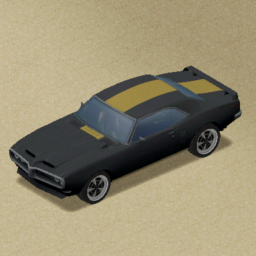
Firebird Skins Expanded
von 76561199088286216
Adds some 26~ new color skins for the Pontiac Firebird by KI5. Simple new colors, single color. One more extra unique skin for the RamAirCustom. (This mod is on my list of "Re-do this". Expect it to be changed in the future.) Workshop ID: 3315046443 Mod ID: FirebirdSkinsExpanded Do not alter the mod, and treat it as a mod that is 'On Lockdown'. You are not allowed to repack this mod under any circumstances, ever.
Arsenal(26)-모르핀
von 76561198059519461
OVERRIDE SETTINGS FOR YOUR SERVER 모르핀서버용 options = { box1 = false , -- SHOW HIT DAMAGE (true or false) box2 = false , -- SHOW HIT % RANGE (true or false) dropdown3 = 1 , -- SHOW WEAPON INFO (1 - 3) box4 = true , -- DISPLAY AMMO COUNTER (true or false) box5 = true , -- DISPLAY MOVEMENT GAUGE (true or false) box6 = false , -- DYNAMIC RECOIL SYSTEM (true or false) dropdown7 = 1 , -- DYNAMIC RANGE SYSTEM (1 - 5) box8 = false , -- RESET SIGHT PICTURE (true or false) dropdown9 = 1 , -- FIREARM JAM (1 - 5) box10 = false , -- FIREARMS NEVER BREAK (true or false) dropdown11 = 5 , -- ATTACHMENTS BREAK ON MELEE (1 - 5) dropdown12 = 5 , -- ATTACHMENTS BREAK ON FIRE (1 - 5) dropdown13 = 6 , -- SOUND SUPPRESSION (1 - 6) dropdown14 = 21 , -- SOUND LINEAR BASE (1 - 21) dropdown15 = 1 , -- LAUNCHER RANGE MULTIPLIER (1 - 5) box16 = false , -- VEHICLE PENALTY (true or false) dropdown17 = 2 , -- DEBUG LEVELS (1 - 4) box18 = false , -- USE VANILLA SHOT SOUNDS (true or false) dropdown19 = 11 , -- EJECT SPENT CASINGS (1 - 11) dropdown20 = 9 , -- TYPE BOW (1 - 11) dropdown21 = 3 , -- TYPE FLAME (1 - 11) dropdown22 = 6 , -- TYPE GRENADE / ROCKET (1 - 11) dropdown23 = 3 , -- TYPE MINIGUN (1 - 11) dropdown24 = 8 , -- TYPE LIGHT MACHINEGUN (1 - 11) dropdown25 = 8 , -- TYPE SEMI AUTOMATIC (1 - 11) dropdown26 = 10 , -- TYPE AUTOMATIC RIFLE (1 - 11) dropdown27 = 7 , -- TYPE AUTOMATIC PISTOL (1 - 11) dropdown28 = 1 , -- TYPE LEVERGUN (1 - 11) dropdown29 = 1 , -- TYPE REVOLVER (1 - 11) dropdown30 = 5 , -- TYPE PUMP ACTION (1 - 11) dropdown31 = 5 , -- TYPE BOLT ACTION (1 - 11) dropdown32 = 5 , -- TYPE BREAK ACTION (1 - 11) dropdown33 = 10 , -- ORIGIN (UNITED STATES) (1 - 11) dropdown34 = 8 , -- ORIGIN (SOVIET UNION) (1 - 11) dropdown35 = 10 , -- ORIGIN (REP KOREA) (1 - 11) dropdown36 = 8 , -- ORIGIN (PAC RIM) (1 - 11) dropdown37 = 8 , -- ORIGIN (CZECH REP) (1 - 11) dropdown38 = 10 , -- ORIGIN (EUROPE) (1 - 11) dropdown39 = 8 , -- ORIGIN (ISREAL) (1 - 11) dropdown40 = 8 , -- ORIGIN (REST WORLD) (1 - 11) dropdown41 = 1 , -- CALIBER (50 BMG/MAG) (1 - 11) dropdown42 = 1 , -- CALIBER (4g SHOT) (1 - 11) dropdown43 = 1 , -- CALIBER (10g SHOT) (1 - 11) dropdown44 = 7 , -- CALIBER (12g SHOT) (1 - 11) dropdown45 = 1 , -- CALIBER (20g SHOT) (1 - 11) dropdown46 = 7 , -- CALIBER (30-06 SPG) (1 - 11) dropdown47 = 9 , -- CALIBER (308 WIN) (1 - 11) dropdown48 = 9 , -- CALIBER (7.62x54mm R) (1 - 11) dropdown49 = 9 , -- CALIBER (5.45x39mm) (1 - 11) dropdown50 = 8 , -- CALIBER (7.62x39mm) (1 - 11) dropdown51 = 9 , -- CALIBER (5.56x45mm) (1 - 11) dropdown52 = 1 , -- CALIBER (.223 REM) (1 - 11) dropdown53 = 1 , -- CALIBER (45 COLT / 410g) (1 - 11) dropdown54 = 1 , -- CALIBER (46-70) (1 - 11) dropdown55 = 1 , -- CALIBER (44 Mag) (1 - 11) dropdown56 = 7 , -- CALIBER (45 ACP) (1 - 11) dropdown57 = 1 , -- CALIBER (38 SPC) (1 - 11) dropdown58 = 9 , -- CALIBER (9mm) (1 - 11) dropdown59 = 7 , -- CALIBER (5.7x28mm) (1 - 11) dropdown60 = 1 , -- CALIBER (380 ACP) (1 - 11) dropdown61 = 1 , -- CALIBER (22 LR) (1 - 11) dropdown62 = 1 , -- CALIBER (177 BB) (1 - 11) dropdown63 = 4 , -- RANDOM CASES / CCW (1 - 11) dropdown64 = 6 , -- ATTACHMENT SUPPRESSOR (1 - 11) dropdown65 = 9 , -- ATTACHMENT OPTICS (1 - 11) dropdown66 = 7 , -- ATTACHMENT LIGHTS / LASER (1 - 11) dropdown67 = 6 , -- ATTACHMENT ALL OTHER (1 - 11) dropdown68 = 6 , -- AMMUNITION CANISTER (1 - 11) dropdown69 = 7 , -- AMMUNITION BOX (1 - 11) dropdown70 = 7 , -- MAGAZINE STANDARD (1 - 11) dropdown71 = 6 , -- MAGAZINE EXTENDED (1 - 11) dropdown72 = 5 , -- MAGAZINE DRUM (1 - 11) dropdown73 = 4 , -- POLYMER CANISTER (1 - 11) dropdown74 = 5 , -- MELEE KNIFE LARGE (1 - 11) dropdown75 = 4 , -- MELEE KNIFE SMALL (1 - 11) dropdown76 = 6 , -- MELEE SWORD (1 - 11) dropdown77 = 4 , -- MELEE AXE (1 - 11) dropdown78 = 4 , -- MELEE BLUNT (1 - 11) dropdown79 = 6 , -- MELEE SPEAR (1 - 11) dropdown80 = 8 , -- ARMOR (Brita's / USMC) (1 - 21) dropdown81 = 4 , -- POST 1992 PRODUCTION (1 - 5) dropdown82 = 3 , -- LEO IN CIV (1 - 5) dropdown83 = 2 , -- MIL IN CIV (1 - 5) dropdown84 = 2 , -- CIV IN LEO (1 - 5) dropdown85 = 3 , -- MIL IN LEO (1 - 5) dropdown86 = 1 , -- NON MIL IN MIL (1 - 5) dropdown87 = 3 , -- NON SEC IN SEC (1 - 5) dropdown88 = 3 , -- NON HNT IN HNT (1 - 5) dropdown89 = 3 , -- NON SUR IN SUR (1 - 5) dropdown90 = 4 , -- ROLLS GUNSTORE (GUNS) (1 - 5) dropdown91 = 5 , -- ROLLS GUNSTORE (AMMO) (1 - 5) dropdown92 = 3 , -- ROLLS GUNSTORE (PARTS) (1 - 5) dropdown93 = 3 , -- ROLLS GUNSTORE (ARMOR) (1 - 5) dropdown94 = 3 , -- ROLLS POLICE (GUNS+++) (1 - 5) dropdown95 = 3 , -- ROLLS POLICE (AMMO/MAG) (1 - 5) dropdown96 = 2 , -- ROLLS POLICE (NOT USED) (1 - 5) dropdown97 = 3 , -- ROLLS POLICE (ARMOR) (1 - 5) dropdown98 = 4 , -- ROLLS MILITARY (GUNS+++) (1 - 5) dropdown99 = 4 , -- ROLLS MILITARY (AMMO/MAG) (1 - 5) dropdown100 = 4 , -- ROLLS MILITARY (NOT USED) (1 - 5) dropdown101 = 4 , -- ROLLS MILITARY (ARMOR) (1 - 5) dropdown102 = 3 , -- ROLLS SECURITY (GUNS+++) (1 - 5) dropdown103 = 2 , -- ROLLS SECURITY (AMMO/MAG) (1 - 5) dropdown104 = 2 , -- ROLLS SECURITY (NOT USED) (1 - 5) dropdown105 = 3 , -- ROLLS SECURITY (ARMOR) (1 - 5) dropdown106 = 3 , -- ROLLS SURPLUS (GUNS) (1 - 5) dropdown107 = 2 , -- ROLLS SURPLUS (AMMO) (1 - 5) dropdown108 = 2 , -- ROLLS SURPLUS (PARTS) (1 - 5) dropdown109 = 3 , -- ROLLS SURPLUS (ARMOR) (1 - 5) dropdown110 = 3 , -- ROLLS HUNTING (GUNS) (1 - 5) dropdown111 = 3 , -- ROLLS HUNTING (AMMO) (1 - 5) dropdown112 = 2 , -- ROLLS HUNTING (PARTS) (1 - 5) dropdown113 = 3 , -- ROLLS HUNTING (ARMOR) (1 - 5) dropdown114 = 5 , -- CIVx (1 - 21) dropdown115 = 11 , -- LEOx (1 - 21) dropdown116 = 16 , -- MILx (1 - 31) dropdown117 = 5 , -- SECx (1 - 21) dropdown118 = 11 , -- HNTx (1 - 21) dropdown119 = 5 , -- SURx (1 - 21) box120 = true , -- CIVammo (true or false) box121 = true , -- LEOammo (true or false) box122 = true , -- MILammo (true or false) box123 = true , -- SECammo (true or false) box124 = true , -- HNTammo (true or false) box125 = true , -- SURammo (true or false) dropdown126 = 5 , -- MIL REGION (1 to 10) Workshop ID: 2927134351 Mod ID: Arsenal-Morphjne
![Pulp Fiction - Addon [M&S] – Project Zomboid Mod](https://images.steamusercontent.com/ugc/14720030275490159188/A4A04028E9895E0E1448365F69218AEE89AAD6BD/)
Pulp Fiction - Addon [M&S]
von 76561198348762232
Had to make one for the pretentious film bros such as myself :3 Workshop ID: 3688607299 Mod ID: mspulpfiction
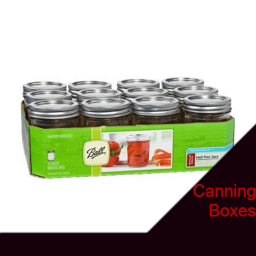
CanningBoxes
von 76561198037338618
Adds small and large boxes filled with random canning supplies. Small Box can roll up to 12 items and the Large Box can roll up to 24 item rates are below -20% nothing -30% jar -30% jar lid -5% vinegar -10% sugar -5% brown sugar Workshop ID: 2946473524 Mod ID: CanningBoxes

Metal Salvage
von 76561198076948732
This mod added more Metalworking recipes, and a new tool to the game. Although some of the new recipe start off unlocked, one needs to search garages, metalworking stations and tool shops for the new Tin Snips needed for salvage crafting. They can also be used as a weapon in a pinch! The remaining recipes are gated behind three new ScrapCraft magazines, which each volume teaching harder crafts. B42: I left this mod late coz I knew I was gonna have to rework most of it for B42. Welp, here's the new version. As per the B41 version, this mod adds more uh, Metalwelding recipes to the game. You will once again need to find the ScrapCraft magazines 1-4 in order to learn the majority of the recipes. Pretty much everything else has changed - Tin Snips were retired, as B42 has vanilla Sheet Metal Snips, which have taken over their position. I could of left them in for legacy, but I decided against it. - A few recipes were removed, as they no longer meshed well with the game. - A bunch of recipies were tweaked, and now require additional items, or technical skill, but also reward additional XP in those skills. - A few new recipes were added, along with new items for some of them. - Some new items! ScrapCraft Vol 1 teaches some Basic ScrapCraft recipes. Can be crafted with the Sheet Metal Snips, and a Ball-Peen Hammer. ScrapCraft Vol 2 teaches some ScrapCraft Welding recipes. Requies a welders mask and blowtorch amongst either things. ScrapCraft Vol 3 teaches some ScrapCraft Projects, these are useful items that require more tools and materials. ScrapCraft Vols 4 , and 5 teaches Scrapping Vehicles, specifically the doors, trunk, hood, muffler and gas tank. B42MP: Fixed to work for SP, haven't checked if it is working on MP. Please let me know. Workshop ID: 2938616550 Mod ID: MetalSalvage12 Mod ID: MetalSalvage13 Mod ID: MetalSalvage
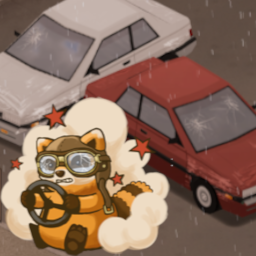
Samir....You're breaking the car!!!
von 76561198000070781
Meme mod that adds sound effects from "Samir....You're breaking the car!!!" when you damage the car. - 5 different voice lines from video. Workshop ID: 2739333451 Mod ID: SamirYourBreakingTheCar
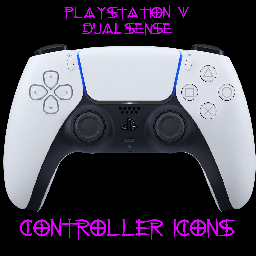
PS5 Dualsense Icons
von 76561198124295438
Playstation 5 Dualssense controller icons. For use with gamepad. Restart after enabling to refresh ui. Workshop ID: 2369688235 Mod ID: PS5_Icons

Anthro Survivor - Lust (YamikaDesu)
von 76561198032694297
Add's Yami's OC, Lust! Updated for B42 Workshop ID: 3288631352 Mod ID: Lust
![[龙服自用]隐形套装InvisibleEquipment – Project Zomboid Mod](https://images.steamusercontent.com/ugc/2072262428758183671/5622889849F948BF5054F69EA615BF1BB2770FC5/)
[龙服自用]隐形套装InvisibleEquipment
von 76561198155246959
龙服自用 删除了所有物品的合成配方 Workshop ID: 2971164488 Mod ID: LongServerInvisibleEquipment
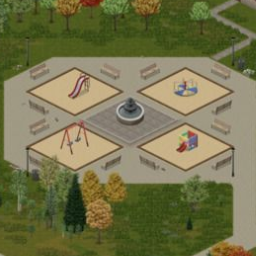
Louisville Spawns Expanded
von 76561198004772522
An expansion of the Louisville Spawn mod by Gery D. This mod adds 15 new unemployed spawn locations to the 4 included in the original mod for a total of 19 spawns. Instructions for use on a dedicated server: 1. Navigate to your Zomboid folder. Easiest method of doing this on Windows is to open the Run dialog with Win+R and typing "%userprofile%", then go to the "Zomboid" folder. Example of this would be C:\users\YourUserHere\Zomboid 2. Open the Server folder 3. Edit your save's spawnregions.lua file Example if your save's name is "servertest" the file would be "servertest_spawnregions.lua" 4. Add in this line under the other spawn regions: { name = "Louisville, KY", file = "media/maps/Louisville, KY/spawnpoints.lua" }, Workshop ID: 2734837733 Mod ID: LouisvilleEx Map Folder: Louisville, KY
![Key Glow - Corpse Key & Keyring Drops + Highlights [B42.20+] – Project Zomboid Mod](https://images.steamusercontent.com/ugc/17292408497333172746/35F5A1AFF10EDDEAA856C2C69937569C4F3FDA3A/)
Key Glow - Corpse Key & Keyring Drops + Highlights [B42.20+]
von 76561198014790631
Get useful keys and keyrings out of corpse inventories and into view. When a zombie dies carrying a key or keyring, or its corpse is given one by the game's loot system, Key Glow moves that exact item onto the ground beside the body. Nearby dropped keys and keyrings then receive a configurable outline, with hot pink as the default. Features - Automatically drops house keys, car keys, and keyrings carried by zombies when they die, plus keys generated in corpse loot - Supports vanilla decorative keyrings, including the 8-ball, rabbit foot, rainbow star, Spiffo, and other variants - Preserves the original item, all key IDs, and any keys stored inside a keyring - Highlights compatible keys and keyrings already on the ground, whether naturally spawned, player-dropped, or corpse-dropped - Configure Key Glow through Options > Mods or the world right-click menu - Use a client-wide toggle to hide the world entry for compatibility with radial context-menu mods - Choose from nine static colours or the animated Rainbow mode - Toggle highlighting and blinking independently - Choose a 4, 8, 12, 16, or 20-tile detection radius - Glow settings are saved per player and apply immediately - Settings menu translated into English, Russian, Simplified Chinese, Traditional Chinese, Spanish, Brazilian Portuguese, German, Japanese, French, Polish, Korean, and Turkish - Supports compatible modded keys - Does not spawn duplicate or bonus keys/keyrings - No dependencies What It Does Not Do Key Glow does not reveal loose keys inside gloveboxes, cupboards, bags, nested containers, or other non-corpse containers. Only direct keys and keyrings in zombie/corpse inventories are moved. Keys already inside a moved keyring stay safely inside it. Compatibility - Project Zomboid Build 42.20+ - Dropped-key highlighting tested on Build 42.20.2 - Corpse drops are server-authoritative for single-player, multiplayer, and dedicated servers - Can be added to or removed from existing saves Performance After a zombie dies, its square is checked briefly while native corpse conversion finishes; final corpse loot is also checked when filled. Highlighting uses a throttled local scan around each player, and Rainbow mode only recolours objects already found by that scan. While Project Zomboid uses the shared outline for hovering or selecting an item, Key Glow yields and restores the chosen glow afterward. The mod does not edit loot tables, key IDs, or keyring contents. Help Other Survivors Find Key Glow If Key Glow has been useful, leaving a thumbs-up rating helps more players discover it. Bug reports and suggestions are always welcome. Support Key Glow Key Glow will always remain free and fully available to everyone. If it has saved you from searching through one too many corpse piles for a missing key, you can optionally support my future modding work here: Tips are entirely optional and do not unlock additional features or priority support. Credits Created by Fitzy. Pixel-art mod icon contributed by Salty. Workshop ID: 3784912695 Mod ID: KeyGlowB42
Project Zomboid Details →
Project Zomboid Guides
Project Zomboid Mods installieren - Workshop Guide
Installiere Project-Zomboid-Mods sauber per Steam Workshop: IDs eintragen, Reihenfolge prüfen, Server neu starten und typische Fehler beheben.
Project Zomboid Sandbox-Einstellungen: alle 62 Panel-Werte
Project Zomboid SandboxVars.lua im Panel konfigurieren: alle 62 Werte, Build-41/42-Unterschiede, Grenzen und sichere Empfehlungen.
Project Zomboid Build 42 auf dem eigenen Server: Umstieg, Spielstände und Mods
The Indie Stone veröffentlichte am 26. August 2026 Sicherheitskorrekturen für 42.20.4 Stable, 42.19.2 Unstable und 41.78.21 Legacy. Wähle den Patch für…
Project Zomboid Server mit Mod-Support
Kompatible, unterstützte Mods über das Server-Dashboard installieren.
Project Zomboid Server mieten