Project Zomboid Mods für Server
Für einen modifizierten Project-Zomboid-Server brauchst du pro Projekt die Steam-Workshop-ID und die interne Mod-ID. Prüfe zusätzlich Spiel-Build, Abhängigkeiten und Lade-Reihenfolge, bevor du deine Welt mit den Änderungen startest.
Project Zomboid Mods sicher installieren
Ein Workshop-Abo allein aktiviert eine Mod auf dem Dedicated Server nicht. Die Einträge in `WorkshopItems=` und `Mods=` müssen zusammenpassen; außerdem muss jede Mod den gewählten Build 41 oder Build 42 ausdrücklich unterstützen.
- 1. Build prüfen: Build-41- und Build-42-Mods nicht ungeprüft mischen.
- 2. Workshop-ID, Mod-ID, Abhängigkeiten und erforderliche Reihenfolge vollständig dokumentieren.
- 3. Welt und Konfiguration sichern, Server neu starten und Logs sowie den Beitritt mit einem Test-Client prüfen.
Die vollständige Schritt-für-Schritt-Anleitung findest du im Project-Zomboid-Mods-Guide. Oder starte direkt mit einem Project Zomboid Server mit Mod-Support.
Häufige Fragen zu Project Zomboid Mods
Was ist der Unterschied zwischen Workshop-ID und Mod-ID?
Die Workshop-ID bezeichnet das Steam-Workshop-Projekt und steuert den Download. Die Mod-ID aktiviert den enthaltenen Mod im Spiel. Auf dem Server müssen beide Listen vollständig und passend gepflegt sein.
Laufen Build-41-Mods automatisch mit Build 42?
Nein. Nutze eine Mod nur dann auf Build 42, wenn ihre Workshop-Seite diese Kompatibilität ausdrücklich bestätigt. Prüfe dabei auch alle Bibliotheken und weiteren Abhängigkeiten.
Wie teste ich ein Mod-Update ohne Risiko für die Welt?
Sichere zuerst Welt, Sandbox-Konfiguration und Server-INI. Aktualisiere danach die zusammengehörigen Mods, starte den Server neu und prüfe Logs, Kernfunktionen und einen vollständigen Client-Beitritt.
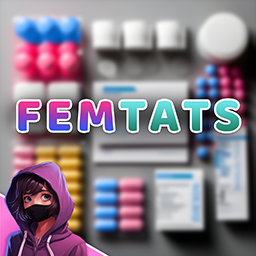
Femtats
von 76561199184800558
Description Update: A mod that adds Estrogen & Testosterone pills to the game! The pills are merely a fun/rp use and function the same as antidepressants. Created by Braven, all credit goes to him. Workshop ID: 3107833106 Mod ID: BB_Femtats

ONES playlist
von 76561199100805131
원스 서버 플레이 리스트 Workshop ID: 3009494700 Mod ID: write_unique_id_use_any_letters
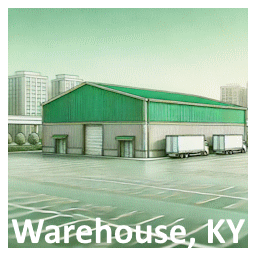
Warehouse
von 76561198062055440
Warehouse facility in east Louisville Workshop ID: 3344459567 Mod ID: Warehouse Map Folder: warehouse

B42 Lightspeed Reading
von 76561199086675849
Channel: Read all skill books and magazines at blazing speed (mod-added books included). Reading time is set to 0.01 – that’s 100 times faster than vanilla (only 1% of the original time). If you subscribe, please give the mod a thumbs up; Steam awards are also greatly appreciated! ⚠️ Warning: This mod does not work in multiplayer mode. Multiplayer has its own fast-reading setting, which must be enabled by the server admin. Keywords: reading, reading speed, read, instant read, fast read Workshop ID: 3777910842 Mod ID: Miaodu
![[B42.20 MP] Hide in Car - Build 42 Port – Project Zomboid Mod](https://images.steamusercontent.com/ugc/14043138554405867513/09F5074FD30F8ADE1299FBA51F4901F35888F8B4/)
[B42.20 MP] Hide in Car - Build 42 Port
von 76561199040290634
Hide in Car — Build 42 port This is NOT my mod. The idea, the code and the design are the work of overdose. I only made the existing Build 41 mod load and work on Build 42. I claim no ownership of this mod or any part of it. All rights remain with the original author. Original mod Hide in Car by overdose Please rate and thank the original author, not me. Required Moodle Framework by Tchernobill. The mod will not work without it. What it does Sit in a car and you become hidden from zombies, as long as: - the engine is off - the doors of your row are shut and the windows are intact and rolled up - those parts are above the minimum condition you set - no zombie is within the detection radius on your floor - no zombie is currently tracking you A moodle shows whether you are hidden. The Conspicuous and Inconspicuous traits change the radius, and a separate radius applies while you sleep. What the port changes Only what Build 42 requires. No mechanics were added, removed or rebalanced. - Invisibility now uses the two-argument setGhostMode. Build 42 put a role permission on the one-argument form, which silently did nothing for a normal player — the mod would not have worked at all otherwise. - Trait checks rewritten for the Build 42 CharacterTrait API, which no longer accepts strings. - All translations converted to JSON. Build 42 does not read the old .txt translation files, so every label would have shown as a raw key. - Mod repackaged into the Build 42 folder layout. - The zombie scan runs without a square root and skips other floors first, since Build 42 populations are larger. - The redundant "Mod Active" sandbox toggle was removed. Enabling the mod is what enables the mod. Fixes to the original - The German translation shipped with eight umlauts replaced by placeholder characters. Restored. - The Spanish translation was missing both strings for the Zombie Memory option. Added. - Russian added — the original had Ukrainian but no Russian. Compatibility Do not run alongside the original Build 41 version. No anti-cheat setting needs to be changed — the checks that could fire already skip players inside a vehicle. Mod ID: HideInCarB42 Workshop ID: 3776917919 Mod ID: HideInCarB42

La Covacha Airdrops B42 MP
von 76561198242628022
Mod modificado por daru. para el server La Covacha Workshop ID: 3660156850 Mod ID: lacovachaairdropb42
![[B42] Michael De Santa Voice – Project Zomboid Mod](https://images.steamusercontent.com/ugc/56959309580661379/09EBA13DFDED321964A21D6307DF9F0DE8991A92/)
[B42] Michael De Santa Voice
von 76561198165814841
Why did I move here? I guess it was the weather. Adds Michael De Santa from GTA V, voiced by Ned Luke, as a player voice. Includes lots of lines for most voiced interactions in the game, for a total of 220 lines. Done as a request.

Это история, про то, как я попал в зомби апокалипсис
von 76561199208331575
Выживал среди зомбаков... Мод добавляет мега тематичный экран загрузки в мир. Workshop ID: 3231898914 Mod ID: StoryAboutZombieApocalypse
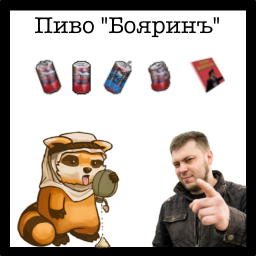
The "Boyarin" Beer. Update 1.1
von 76561198171111713
Presenting to your attention the top-notch mod for the legendary in Russia beer "Boyarin". The idea came to mind after watching a well-known and truly legendary video featuring Ozonich (he's so good) and Boyarin, where an unexpected incident occurred with Boyarynya vomiting. Therefore, don't drink Boyarynya (except for me). In the Noks District, you can now find the best beer - "Boyarin". The beer can be found in homes and bars throughout the state. While strolling around the district, you can also discover the Ozon magazine at the post office and bookstores, which can be used to make a bomb from Boyaryn (just in case, I disapprove). Description: Adds 5 new items to the game: 1) Closed Boyarin: - Custom icon, custom opening sound, custom static model (3D model); - After opening, 5 reaction sounds can randomly play. I recommend hearing them all if you know Russian. 2) Opened Boyarin: - Custom icon, custom consumption sound, custom model, custom static model (3D model). 3) Empty Boyarin: - If you somehow drank Boyarin, you can get scrap metal from an empty can (with a custom sound). 4) Ozon Magazine: - This guide will help you create a useful and indispensable item in the fight against walkers (disapproving again). Just make sure it doesn't end up in the wrong hands. 5) Explosive Boyarin: - Custom assembly sound, custom icon, custom static model (3D model); - If you have already studied Ozon's teachings and have some electronics skills (level 2+), you can easily make the Explosive Boyarin; - The craft requires a screwdriver, Closed Boyarin can, 20 nails, 1 aluminum foil, and 3 electronic components. 6) Suspicious Boyarin: - New item. You can, of course, drink it and risk getting poisoned, but I would make a top-notch bleach instead. 7) Homemade Bleach: - New item. Allows you to create homemade bleach from the suspicious Boyarin. Place it on the shelf until it's fully ready. - If you have found a bug or simply want to suggest your idea, please write in the comments! - Support the author with a small contribution to "Boyariny" - 2200 7001 4455 8524 Update 1.1 Changelog: - Added a new item - suspicious can of beer "Boyarinъ". Now, after opening Boyarin, you may discover that with some chance you will get a "suspicious can of beer 'Boyarinъ'"; - Due to numerous requests, the suspicious "Boyarin" can poison you, so I wouldn't recommend drinking it, but read the next point; - Thanks to the new item, you can make homemade bleach instead of drinking this poison; - Also, now the explosive Boyarin requires a suspicious "Boyarinъ" for crafting. No more freebies!; - Fixed minor errors. Workshop ID: 2969440389 Mod ID: BBRN
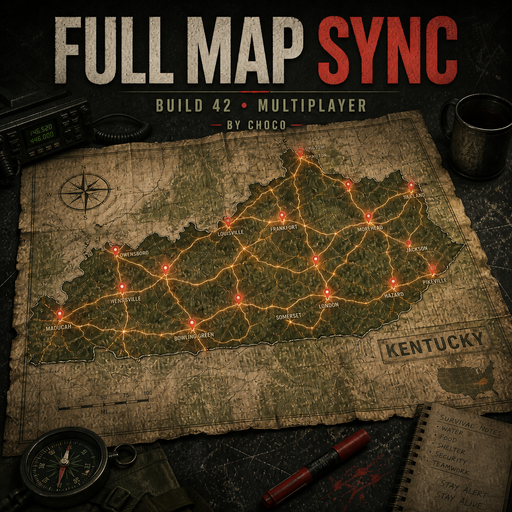
Full Map Sync B42 — by Choco
von 76561198986697187
Reveals the entire world map on Build 42 servers when MapAllKnown is enabled. Re-applies visibility upon player creation, connecting, and completing initial synchronization. Does not modify the world, characters, vehicles, items, or databases. A workaround for the MapAllKnown issue in Build 42 multiplayer. Workshop ID: 3786080891 Mod ID: FullMapSyncB42
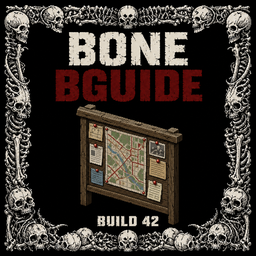
BONE > Bguide 42.20
von 76561199480855931
BONE > Bguide An in-game bilingual server guide and rules interface for Project Zomboid Build 42.20. Guide Interface - Complete English and Turkish rule sets selectable directly inside the UI. - UTF-8 Turkish text to prevent broken Turkish letters on Windows PZ clients. - F6 opens/closes the guide. - Dedicated launcher icon can be dragged and its position is saved for the player. - Display preferences and language selection persist between sessions. Server Announcements - Scheduled bilingual server announcements remain available. - Announcement and guide activity is logged through embedded BONE diagnostics. Diagnostics - Embedded diagnostics cover guide loading, language selection, UI state, launcher movement, announcements, and relevant network events without a separate Log.lua dependency. - Diagnostics use BONE_Bguide.log when file logging is available. Server Configuration Mods=Bguide Copyright and License Copyright (c) 2026 ReapBone. All rights reserved. Unauthorized copying, modification, repackaging, redistribution, re-uploading, resale, or incorporation of the original protected code and assets into another project is prohibited. Workshop ID: 3768291119 Mod ID: Bguide
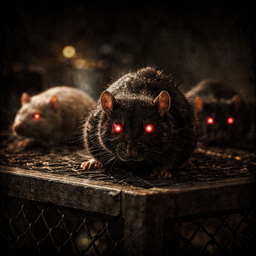
Pest Consumption Framework
von 76561199116881450
Pest Consumption Framework Food does not disappear instantly. It is slowly taken, ruined, and forgotten. Pest Consumption is a systemic survival mod for Project Zomboid that introduces long-term food loss, contamination, and environmental pressure caused by rats, insects, and neglect. This is not a random loot remover. It is a slow, invisible system that reacts to how you live, store food, and protect your base. Designed for long-running saves. What This Mod Does - Food can be eaten by pests over time. - Food can be ruined without disappearing. - Buildings matter: sealed houses protect you, ruins expose you. - Leaving food outside is dangerous. - Protection and mitigation help, but never grant immunity. - The world teaches through consequences, not UI warnings. Core Systems Overview Environmental Consumption Food is slowly consumed inside containers depending on: - Game stage (Early / Mid / Late) - Container protection level - Building exposure - Player decisions Exposed Food Food left on the ground, tables, or counters is always vulnerable. It is processed first and more aggressively. Container Protection Levels - SAFE – never touched (fridges, locked containers) - PARTIAL – slow degradation (pantries, shelves) - NONE – fully exposed SAFE is absolute. Nothing ever bypasses it. Pest Mitigation & Security Locks - Padlocks and combination locks can turn PARTIAL containers into SAFE. - No crafting, no exploits. Mitigation Items - Insect Repellent - Rat Poison - Mouse Traps They reduce pest activity but never grant full immunity. Visual & Narrative Feedback Pests are not simulated as populations. Instead, the game shows reactive visual traces: - Rats or insects may appear briefly after recent food loss. - Only near the player. - Never persistent. - Never spammy. No UI icons. No alerts. The world shows you what happened. Building Exposure The state of your base matters. - Broken windows - Open or destroyed doors - Abandoned structures Sealed homes protect you. Living in ruins has consequences. Exposure is cached and capped for performance and balance. Contaminated Food Food is not always removed. Sometimes it is ruined instead: - Nutrition slowly degrades. - Risk of sickness increases. - Repeated consumption can cause stress, sadness, panic, or illness. - Food still exists — but becomes dangerous. No instant deletion. No guaranteed sickness. Just doubt. Implicit Player Feedback The mod avoids tooltips and warnings. Instead, the character may occasionally express doubt: - "Something feels off about this…" - "I shouldn’t have eaten that." - "Leaving food here was a mistake." Messages are rare, RNG-based, and rate-limited. No UI. No certainty. Only suspicion. Performance & Stability - Budgeted tick system - No per-frame scans - Chunk-safe catch-up logic - Nil-safe everywhere - Stable in SP and MP Designed to run for months or years of in-game time. Sandbox & Balance - Balanced for long-term survival - Multiple tuning knobs via sandbox - Hardcore-friendly - No sudden inventory wipes Food is worn down over weeks, not erased overnight. Compatibility - Build 42.13 - No hard dependencies - Soft integrations only with Open All Containers - Does not overwrite vanilla systems Designed to coexist with other survival and realism mods. Design Philosophy - Never punish without environmental explanation - Never grant immunity outside SAFE - Better false negatives than false positives - The world teaches — not the UI Who Is This Mod For? - Players who enjoy long-term survival - Hardcore or realism-focused saves - Servers that want slow, systemic pressure - Anyone tired of infinite food stockpiles If you want food to matter again — slowly, quietly, relentlessly — this mod is for you. Roadmap – Planned Features 🌿 Outdoor Food Degradation - Food stored or dropped outdoors will be affected by environmental exposure. - Campsites, forests, roads and open areas will no longer be fully safe. - Carrying food for long periods outdoors may increase contamination risk. 💧 Water Contamination System - Contamination of rain collectors, rivers, lakes and unprotected containers. - Repeated consumption may cause sickness, stress or unhappiness. - Interaction with boiling, purification and container safety. Roadmap represents planned direction, not guaranteed timelines. Pest Consumption does not rush you. It waits. Credits Framework Developer: DarylMasterGG Architecture & Module System: DarylMasterGG This mod's permissions fall under TIS's policy Ask for permission This mod can only be added to and extended with the express permission from the original creator. Having received permission, credit must be given to the original creator, both within the files of the mod and wherever the mod roams online. If no permission is received you may not alter the mod, and it must be treated as a mod that is 'On Lockdown'. The only exception is that servers may freely include this mod in their modpacks, with the freedom to alter it or make modifications as they see fit, as long as credits are properly given to the original creator. Support the Mod Support the Project If you enjoy this mod and want to support future updates and new systems: Your support helps expand the project and keep development active. Every contribution makes a difference. Thank you for your support! ❤️ A like or favorite helps a LOT! Workshop ID: 3624437445 Mod ID: PestConsumption
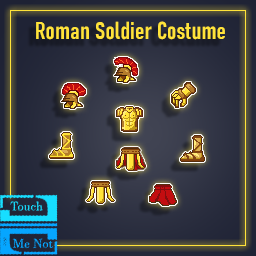
TouchMeNot's Roman Soldier
von 76561198073912868
This mod introduces a Roman soldier costume for roleplaying, with defense stats balanced based on the game's vanilla items. Items added: 2 variants of the Roman helmet Roman Soldier Armor Roman Pterux Tunic lower part Roman soldier bracers and gloves 2 variants of sandals Also added costume on zeds Workshop ID: 3571669473 Mod ID: TouchMeNot_RomanSoldier Workshop ID: 3571669473 Mod ID: TouchMeNot_RomanSoldier

Main Menu artwork by Xavier Rault
von 76561198036884121
Main Menu mod art by Xavier Rault Using 1920x1080 & 2560x1080 res (notes:screenshots above taken from Steamdeck 16:10 res) Only enable 1 mod then restart the game to see the changes. Artwork by Xavier Rault https://www.artstation.com/r-xavier Workshop ID: 3149703637 Mod ID: art by Xavier Rault - Seven "Cover" 21:9 Mod ID: art by Xavier Rault - Seven "Cover" 16:9 Mod ID: art by Xavier Rault - Winter Hunt 21:9 Mod ID: art by Xavier Rault - Winter Hunt 16:9

브리타 번역
von 76561198452257569
This is an example mod with two worlds. You can use this as a template for your own map mods. The first world has a single 300x300-tile cell. The second world adds cells all around the first world. Workshop ID: 2937999452 Mod ID: NEW MOD KOREAN PATCH(41.56) Dynamic Traits Mod ID: NEW MOD KOREAN PATCH(41.56) more Drop Mod ID: NEW MOD KOREAN PATCH(41.56) With Brita'sWeaponPack Mod ID: NEW MOD KOREAN PATCH(41.56) With Firearms B41
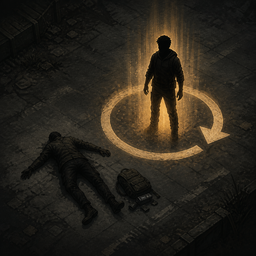
Respawn With Penalty (B42 Stable)
von 76561197991286750
RESPAWN WITH PENALTY Build 42 Stable | Multiplayer | Server-authoritative After death, choose between reviving the same character profile or creating a completely new character. Revive - Preserves the character's locked name, intrinsic appearance, profession and traits. - Restores known recipes and a configurable percentage of skill XP earned above the profession and trait starting baseline. - Allows separate recovery settings for Fitness and Strength. - Can optionally preserve body weight. - Creates a clean new body with only a hospital gown and slippers, plus ordinary glasses for Short Sighted characters. - Restores no keys, ID cards, weapons, bags or other inventory. All old loot remains on the corpse. New character Uses the vanilla character-creation flow. Nothing from the dead character is restored. REVIVER COM PENALIDADE Build 42 Stable | Multiplayer | Servidor autoritativo Depois da morte, escolha entre reviver o mesmo perfil ou criar um personagem completamente novo. Reviver - Preserva nome bloqueado, aparência intrínseca, profissão e traits do personagem. - Restaura receitas conhecidas e uma porcentagem configurável do XP adquirido acima da base inicial da profissão e dos traits. - Permite configurar separadamente a recuperação de Aptidão e Força. - Pode preservar o peso corporal. - Cria um corpo novo e limpo somente com bata hospitalar e chinelos, além de óculos comuns para personagens míopes. - Não restaura chaves, cartões de identificação, armas, bolsas nem qualquer outro item. Todo o loot antigo permanece no cadáver. Novo personagem Usa a criação vanilla. Nada do personagem morto é restaurado. Workshop ID: 2824591038 Mod ID: RespawnWithPenalty
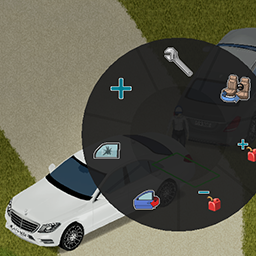
Benz E with tow
von 76561198092437415
Now Benz E class can tow or be towed. All credits goes to the original mod creator → Kite. Workshop ID: 2769506845 Mod ID: benze

Alternate Belt
von 76561198034266578
for 215 Workshop ID: 2758939966 Mod ID: fdutybelt
Lucy's Performance Optimization - Streaming Cuts
von 76561198066995541
A mod you may already have builds a throwaway string for every square the server streams. This uses the coordinates directly instead. Plain coordinates answer the same question about three times quicker. It looks for the function inside that DAMN Library rather than for the mod name, so a fork or a rename still works. The patched mod behaves no differently afterwards: same spawns, same everything. As you move, the server streams the world in one square at a time, about four thousand squares for an average cell. That DAMN Library tests each of those squares against its spawn-point table by assembling a short string and hashing it. The table's keyed by coordinates, so the string was only ever a way of writing them down. This indexes on the numbers instead. About 31 nanoseconds per square becomes about 10. How many spawn points exist depends on your mod list rather than on DAMN Library itself: other mods register them, and a heavy list runs to hundreds. Until 1.1.0 I also patched an item scan in Vanilla Foods Expanded, which attached 84 bytes of empty table to every item it looked at. Vanilla Foods Expanded 3.2.13 fixed that upstream, so I deleted the patch rather than keep it for the sake of the changelog. That matters for the numbers below, because the item scan was most of what they measured. This version does less than the version those figures came from. With both patches in place, streaming a cell cost 0.13% of one server tick before and 0.04% after. I measured that against the game's own Lua engine rather than on a live server, so it's a microbenchmark and not a claim about your box, and it's a share rather than a millisecond count because raw timings only mean anything on the machine they were taken on. With the item scan gone, what's left is the key string, and I haven't re-measured it on its own. The reasonable reason to run it: you'd rather your server not do pointless work. It will make my server faster isn't a claim these measurements support. The patch prints one line naming what it wrapped. If the function isn't where it expects, it prints a line saying so, with state=unbound and the name it looked for, rather than standing down in silence. Either way the log tells you which of the two happened. To turn it off, set LucysOptStreamingTax.DAMN_SquareLookup = false. That's a boolean rather than a sandbox option, and switching it off yourself is not reported as a failure. I report these upstream where there's somewhere to report them. I'd rather the original authors fixed them than have this be the permanent home of the fix. Vanilla Foods Expanded is what that looks like when it works: they fixed it, and my patch went away. Every patch I ship checks for the exact thing it's about to change before changing anything. If an author ships their own fix, the check stops matching and this mod quietly does nothing for that case. It won't double-apply, it won't fight the author's version, and it won't need a compatibility update. Leaving it installed is safe. AI assists in building my mods. I read every line that ships, and the measurements and engine behaviour quoted on this page were checked against the decompiled game rather than taken on trust. Workshop ID: 3780752887 Mod ID: LucysOptStreamingTax
![[B41] Christmas Presents – Project Zomboid Mod](https://images.steamusercontent.com/ugc/10793773203288155/27EFD51BB1EF5D3E16D2DADA78B8791B78B2C20A/)
[B41] Christmas Presents
von 76561198042464272
Adds wrapping paper that can be used to wrap presents for your fellow survivors. Wrapping paper can be found in toy shops or crafted with paper, crayons and glue. Credits Programmed by albion Item models and textures by chloe Item icons by teha View on GitHub Workshop ID: 3389880972 Mod ID: ChristmasPresents
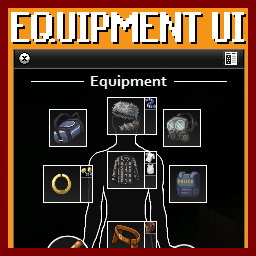
Tarkov Equipment UI Fixed
von 76561198884740890
Fixed the bug where it would throw an error on right click, causing a short freeze. Workshop ID: 3727339896 Mod ID: EQUIPMENT_UI_fixed

小型武器
von 76561199081028024
把m9替换为p320手枪(只有贴图模型,名字啥的都没改——) Workshop ID: 2871887335 Mod ID: firearmmod
Mooland SERVER MOD OPTIONS
von 76561198013649097
Consolidated mod options and tweaks and fixes for Mooland. Requires Brita's Guns and Armor Settings, '67 Cadillac Gage Commando V100, Walter White's RV, Eggon's Sharpen Your Blades, ExtraSauce Bagmerge, ExtraSauce Instant Consolidation, ExtraSauce Sac, Immersive Solar Arrays, Money Variety Mod , Dingo's Trading, Kitsune Ammo Craft Brita , Kitsune Misc Craft Brita , and Realistic weapon durabilities v41. Workshop ID: 2733127333 Mod ID: Mooland
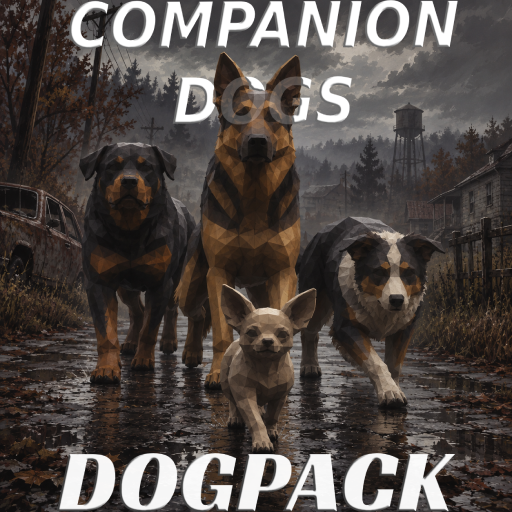
Companion Dogs: DogPack
von 76561198011991599
Companion Dogs: DogPack Your dogs are no longer alone. Now they're part of a pack. Have you ever wanted to go on an expedition with all your dogs, only to find that Companion Dogs allowed just one active dog? Companion Dogs: DogPack is designed to solve that without changing the spirit of the original mod. With DogPack, you can bring together a small pack, choose its leader, give every dog a purpose and travel with them in a more organised way. Your dogs still have their own skills, strengths and problems; the difference is that they can now work together. You need Companion Dogs. This add-on does not include any of its files or resources. WHAT DOES IT ADD? - A pack of up to four active dogs, with three as the default limit. - A leader you can change whenever you want, plus roles, orders and formations. - A dedicated tab to manage the pack and follow its affinity. - Sandbox options to adjust the pack's size, cost and difficulty. The goal is to make bringing more dogs an interesting decision, not a free way to multiply your power. HOW DO YOU ACTIVATE IT? Right-click one of your dogs and open Pack..., or open its normal Companion Dogs window and select the Pack tab. From there you can add or remove dogs, choose the leader, change roles, select a formation and issue orders. You can also drag suitable food or a water container from your inventory directly onto one of your dogs' portraits. The leader remains the main dog in Companion Dogs, with its usual window, portrait and tabs. The other dogs follow it with the extra coordination provided by Companion Dogs: DogPack. The pack screen shows who is with you, how each dog is doing, its role, the current affinity, the weakest bond and the latest change. EVERY DOG CAN BRING SOMETHING Protector A close escort that helps keep the group safe. Attacker An aggressive dog that takes the initiative and deals a little more damage, but also exposes itself more. Scout A dog that works at a greater distance, detects threats sooner and avoids unnecessary fights. Carrier A dog that stays behind and does not enter combat, suited to a logistical role. Roles give dogs different priorities and make the composition of your pack matter. TRAVEL AS A PACK You can choose between five ways for the pack to move: - Compact: everyone stays close to the leader. - Wedge: scouts move ahead, attackers take the sides, protectors cover the centre and carriers stay behind. - Column: useful for narrow paths, interiors and places where the pack should not spread out. - Spread: leaves more room between dogs and reduces the feeling of moving as one block. - Free: removes fixed positions so dogs can follow naturally, relax and use nearby feeders without fighting the formation. Every formation yields control when a dog is automatically heading for food or water. Obedience and experience affect precision. A poorly trained dog will not hold its position as well as one used to working with you. Followers now ease into a valid position instead of chasing an exact point. Formations smooth small direction changes, briefly tighten during sharp turns and use a wider release margin to prevent constant stop-and-start movement. Fences, stairs, changes of floor and difficult places are still challenging. When needed, dogs temporarily return to normal Companion Dogs following so they can find their way and recover from getting stuck. AFFINITY AND COHESION Affinity is not simply a bar that rises because the dogs are nearby. It represents the trust they have built with each other and with you. It is shaped by three things: - The individual bond between every pair of dogs. - The experience of the dog currently leading the pack. - The pack's recent operational confidence. Leadership also creates practical authority. Its strength depends on the leader's experience and its direct bond with each follower. In a group order, that authority helps nearby followers only if the leader obeys first. Daily time together helps, but slowly. To make a real difference, you will need to travel together, hold formation, follow orders, survive fights and look after one another. Things that can improve affinity include: - Travelling while maintaining formation. - Following orders and regrouping after a retreat. - Surviving a fight together and returning safely. - Helping the pack recover when a dog is hungry, thirsty or stressed. Affinity can also fall. Separation, accumulated stress and refusals mainly damage the bonds connected to the affected dog. Not every pair has to get along equally well, which is why the pack screen shows the weakest bond. Activities have cooldowns and limits. Repeating the same order over and over will not raise affinity forever. WHAT DO YOU GAIN FROM MORE THAN ONE DOG? - You can build an escort that fits the way you play. - Scouts, attackers and protectors can cover different needs. - Orders and formations make longer expeditions more manageable. - Changing the leader gives different dogs a chance to grow into the role. WHAT DOES IT COST? - More dogs means more food and water to maintain. - A larger pack is harder to move through interiors and narrow spaces. - Damage has diminishing returns and does not simply copy the leader's power. - Stress, injuries, separation and low affinity require more attention. The reward is having more options, not removing the danger. A good pack can save you on an expedition, but it still needs planning and care. SANDBOX OPTIONS You can adapt the mod to your game by changing: - The maximum number of deployed dogs. - How quickly daily familiarity grows. - The loss caused by refusing orders. - How strongly affinity affects obedience. - Additional food and water consumption. - The damage penalty for extra dogs. - The Scout's detection radius. - The level required to coordinate targets. You can make the pack more relaxed and story-focused, or increase the costs so every extra dog becomes a real responsibility. VEHICLES, EXISTING SAVES AND MULTIPLAYER Your dogs get into vehicles with you and get out alongside you. Make sure you have enough free seats. Disconnects and temporarily stored dogs are also accounted for, reducing the risk of them disappearing or being incorrectly marked as missing. The mod can be added to an existing save. If you remove it, secondary members stop being deployed, but they are not deleted or released: their data remains owned by Companion Dogs. It supports single-player, co-op and dedicated servers. Orders and important changes are checked by the server. HOW TO INSTALL - Subscribe to and enable Companion Dogs. - Subscribe to and enable Companion Dogs: DogPack. - Make sure no Chihuahuas are in the microwave. - Make sure Companion Dogs appears before Companion Dogs: DogPack in the mod load order. - Restart Project Zomboid before loading the save. Mod ID: CompanionDogsPack Dependency: CompanionDogs Declared minimum build: 42.18.0 CREDITS Companion Dogs and its resources belong to Bjorn. Our family keeps growing. Join us on the Companion Dogs Discord and help the community grow with us. A pack is not measured by how many dogs you bring, but by how well they learn to work together. Workshop ID: 3796123931 Mod ID: CompanionDogsPack
Project Zomboid Details →
Project Zomboid Guides
Project Zomboid Mods installieren - Workshop Guide
Installiere Project-Zomboid-Mods sauber per Steam Workshop: IDs eintragen, Reihenfolge prüfen, Server neu starten und typische Fehler beheben.
Project Zomboid Sandbox-Einstellungen: alle 62 Panel-Werte
Project Zomboid SandboxVars.lua im Panel konfigurieren: alle 62 Werte, Build-41/42-Unterschiede, Grenzen und sichere Empfehlungen.
Project Zomboid Build 42 auf dem eigenen Server: Umstieg, Spielstände und Mods
The Indie Stone veröffentlichte am 26. August 2026 Sicherheitskorrekturen für 42.20.4 Stable, 42.19.2 Unstable und 41.78.21 Legacy. Wähle den Patch für…
Project Zomboid Server mit Mod-Support
Kompatible, unterstützte Mods über das Server-Dashboard installieren.
Project Zomboid Server mieten