Project Zomboid Mods für Server
Für einen modifizierten Project-Zomboid-Server brauchst du pro Projekt die Steam-Workshop-ID und die interne Mod-ID. Prüfe zusätzlich Spiel-Build, Abhängigkeiten und Lade-Reihenfolge, bevor du deine Welt mit den Änderungen startest.
Project Zomboid Mods sicher installieren
Ein Workshop-Abo allein aktiviert eine Mod auf dem Dedicated Server nicht. Die Einträge in `WorkshopItems=` und `Mods=` müssen zusammenpassen; außerdem muss jede Mod den gewählten Build 41 oder Build 42 ausdrücklich unterstützen.
- 1. Build prüfen: Build-41- und Build-42-Mods nicht ungeprüft mischen.
- 2. Workshop-ID, Mod-ID, Abhängigkeiten und erforderliche Reihenfolge vollständig dokumentieren.
- 3. Welt und Konfiguration sichern, Server neu starten und Logs sowie den Beitritt mit einem Test-Client prüfen.
Die vollständige Schritt-für-Schritt-Anleitung findest du im Project-Zomboid-Mods-Guide. Oder starte direkt mit einem Project Zomboid Server mit Mod-Support.
Häufige Fragen zu Project Zomboid Mods
Was ist der Unterschied zwischen Workshop-ID und Mod-ID?
Die Workshop-ID bezeichnet das Steam-Workshop-Projekt und steuert den Download. Die Mod-ID aktiviert den enthaltenen Mod im Spiel. Auf dem Server müssen beide Listen vollständig und passend gepflegt sein.
Laufen Build-41-Mods automatisch mit Build 42?
Nein. Nutze eine Mod nur dann auf Build 42, wenn ihre Workshop-Seite diese Kompatibilität ausdrücklich bestätigt. Prüfe dabei auch alle Bibliotheken und weiteren Abhängigkeiten.
Wie teste ich ein Mod-Update ohne Risiko für die Welt?
Sichere zuerst Welt, Sandbox-Konfiguration und Server-INI. Aktualisiere danach die zusammengehörigen Mods, starte den Server neu und prüfe Logs, Kernfunktionen und einen vollständigen Client-Beitritt.

Xnertot Farmable Trees RU
von 76561198831418186
Перевод на русский язык Workshop ID: 2908834462 Mod ID: XnerTreeRUMoks
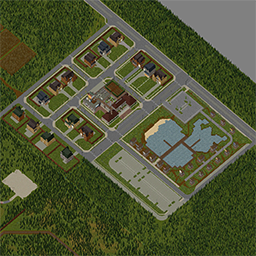
Community Center
von 76561198029232657
Community Center Building Player Safehouses Overflow Parking Player Shops Workshop ID: 3774052732 Mod ID: sd_cc_test Mod ID: SD_CC_TEST_42 Map Folder: sd_cc
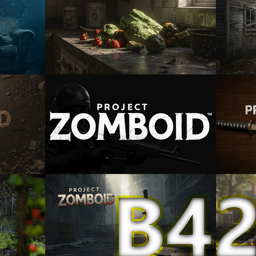
BM Ultimate Custom Background Compilation
von 76561198002525459
All of my custom main menu backgrounds and logos together in one mod! You can mix and match the backgrounds with whatever logo you want, or have no logo enabled at all, via the Mod options tab in-game! You must have the Background Framework mod and the Starlit mod for the lightning strike in order for this to fully work. Enable all three mods in-game and you are good to go! Four custom Play Style Icons are included as well. Huge thanks to UnCheat for creating the Background Framework mod and template, making this mod possible! Artwork credits: "There Is No Escape" and "American Dream" by Polaris "NCR Troops," "Cryogenic Winter," and "Last Radio Signal" by Senior-Kurb "Officer On Motorcylce" by Chase "In Mourning" by ????<3 "Pater Noster Qui Es In Caelis" (originlly "Church Drama") by My4eHuk Check out my other mods here: https://steamcommunity.com/profiles/76561198002525459/myworkshopfiles/?appid=108600 Workshop ID: 3405763212 Mod ID: BM_Ultimate_Custom_Background
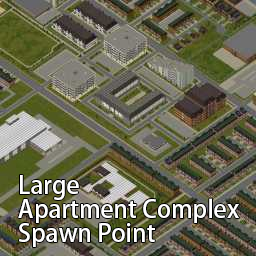
Louisville Mammuthus Skyscraper Rooftop Spawn Point B42
von 76561199020860145
Louisville Mammuthus Skyscraper Rooftop Spawn Point B42 Workshop ID: 3388392324 Mod ID: LouisvilleMammuthusSkyscraperRooftopSpawnPointB42 Mod ID: LouisvilleMammuthusSkyscraperRooftopSpawnPointB42 Map Folder: Louisville Mammuthus Skyscraper Rooftop Spawn Point, KY Map Folder: Louisville Mammuthus Skyscraper Rooftop Spawn Point, KY
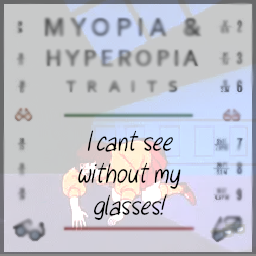
Myopia Hypertopia Tweak - I cant see without my Glasses!
von 76561197998118290
Is this you? You're running away from the fastest zombies known to man... You hop over a fence... You get casually bumped by one of your fellow survivors... And your darn glasses fly off your face at meteoric speed and shatter into a fine mist of sand upon impact! Better hope there are no zombies about, and that you have an entire office depot worth of tape around to keep yourself capable of sight! This mod basically just makes Hypertopia and Myopia -6 points in character creation, and reduces glasses repair costs from 4 tape or 6 glue to 2 tape or 4 glue. Because oh boy, you can break those things multiple times a minute. Multiple pairs of them in fact. Workshop ID: 2793424655 Mod ID: MyopiaHyperopiaPatch

综合交易行-Money
von 76561199041938227
击杀僵尸后,有几率掉落美钞,会自动存放到交易行里。 After defeating a zombie, there is a chance that US dollars will drop, and they will be automatically deposited into the trading house. Workshop ID: 3493086814 Mod ID: CpMzy
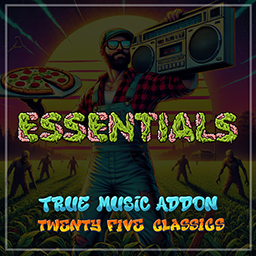
ESSENTIALS - True Music Addon
von 76561197969430887
Twenty-five absolute era-accurate classics that simply needed to be available in Knox County as you attempt to survive. This simple little mod is designed to work alongside 'Spiffo's True Music', which is an excellent collection of (mostly) era-accurate music. However, there were twenty-five songs that were conspicously absent, and simply had to be added to the game! There's a variety of music genres, covering everything from rock to pop and hip-hop. These songs can only be found on cassette (no vinyls), and are found in the same locations as other cassettes around the world. Enjoy! You can find the list of songs here: https://pastebin.com/P25cE3ki Workshop ID: 3383335352 Mod ID: EssentialsTrueAddon
Scrapworks: VHS Collection
von 76561198032860570
Features New VHS Tapes: - Adds 5 unique VHS tapes to your game. - Gain metalworking experience at a rate comparable to the vanilla Woodcraft show’s effect on carpentry. Broadcast Schedule: - Tune in to Life and Living TV at 8 PM to catch each new episode! Workshop ID: 3372068658 Mod ID: MetalworkingTVShow
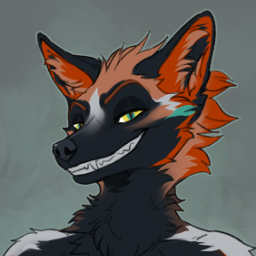
Anthro Survivor - Eden
von 76561198020480193
It Eden. Workshop ID: 3301901125 Mod ID: Eden

Dr who Sonic Screwdriver
von 76561198006741376
DR WHO'S SONIC SCREWDRIVER - Can''t find your lighter to save your life? (cause ya mate pocketed it) Can't find your key's? Need to get rid of those pesky barricades? Can't find something sharp to use on your arm? Have you been regenerated recently? !!Look No Further!! !!!Your trusty sonic screwdriver mod is here!!! Sticks pretty good ? (will buff out sounds when I learn how hahaha) Requires common sense for opening doors https://steamcommunity.com/sharedfiles/filedetails/?id=2875848298&searchtext=common+sense MADE FOR FREE USE YOU MAY DO AS U PLEASE WITH THIS Workshop ID: 3151860661 Mod ID: SonicS
Bows
von 76561198007849146
Adds the crossbow based off the one from Antize mod that you can craft and fight with, since his mod isn't currently working in multiplayer. Balance is also slightly more realistic. Workshop ID: 2051458698 Mod ID: Bows

True Music Addon: ASTROWORLD by Travis Scott
von 76561198887174940
"ASTROWORLD" by Travis Scott, including the songs "A man" and "Green & Purple". Contains 19 cassettes and one vinyl. Workshop ID: 3011454106 Mod ID: ASTROWORLD - Album by Travis Scott

농사패치
von 76561199002789447
asdf Workshop ID: 2913944015 Mod ID: farmsetting1 Mod ID: farmsetting2 Mod ID: farmsetting3 Mod ID: farmsetting4 Mod ID: farmsetting5 Mod ID: K-food11 Mod ID: kfarmingset11 Mod ID: mocrops-fix Mod ID: farmsetting16 Mod ID: farmsetting17 Mod ID: farmsetting18 Mod ID: farmsetting19 Mod ID: farmsetting111 Mod ID: farmsetting123
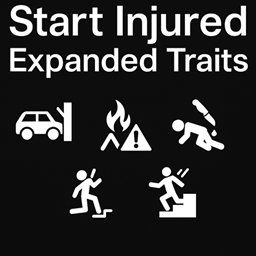
Start Injured - Expanded Traits
von 76561198007455961
Adds five new negative traits that start your survivor with realistic pre-apocalypse injuries. Each trait provides bonus points and comes with its own custom and randomized injury pattern. Perfect for players who enjoy hard starts, injury-focused runs, or custom roleplay backgrounds. Workshop ID: 3608905130 Mod ID: startinjuredexpandedtraits
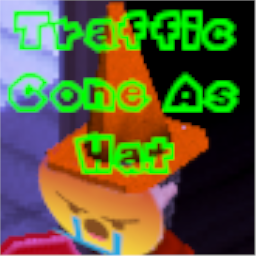
Traffic Cone as Hat
von 76561198070317624
Its a Traffic Cone but now its also a hat. You can wear it...Duh you can get it by picking up the traffic cones already placed on the map. i dont know if this will break stuff. enjoy Workshop ID: 3077148542 Mod ID: TCHat

Make Coffee Machine
von 76561198156892986
더 이상 훔치지 말고 만들어 사용하자! 커피머신과 에스프레소 두 종류를 제작 가능하게 됩니다. Let's stop stealing and start crafting! You can now craft two types of coffee machines. 추천 모드 https://steamcommunity.com/sharedfiles/filedetails/?id=2655192961 Workshop ID: 2950843851 Mod ID: Make coffee machine
Kolzz Make Sensor
von 76561198190833943
This mod adds the possibility to make sensor. ITEMS - Soldering Iron - Solder wire - Magazine how to make sensor How To Make - Electronic scrap > 10 - Solder wire > 1 - Electrical skill 6 - Keep soldering iron I need to read the magazine. Workshop ID: 2725346226 Mod ID: KS
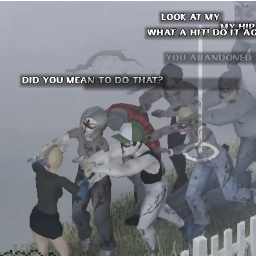
Crossed Zeds
von 76561198057035798
Replaced standard zeds with Crossed instead Profanity and other chance settings in Sandbox options Version 1.01 Special Crossed will be added in future with ability to use weapons as well. Workshop ID: 3381262197 Mod ID: 3381262197

Download More Ram
von 76561198102445296
Probably the only way of actually downloading more ram... Installation: Replace the configuration file ProjectZomboid64.json found in your project zomboid game directory with one of the preconfigured ones from the workshop folder that suits your RAM needs. Make sure to remove the 2gb, 3gb etc from the configuration file's name you decide to go with. Available configurations: 2gb (2048mb) 3gb (3072mb) 4gb (4096mb) 5gb (5120mb) 6gb (6144mb) 7gb (7168mb) 8gb (8192mb) 9gb (9216mb) 10gb (10240mb) 11gb (11264mb) 12gb (1288mb) Workshop ID: 3041381055 Mod ID: downloadmoreram Note: if you want to just edit your own configuration file you can as I have included the decimal numbers next to their corresponding GB. If this doesn't work for you, I recommend you try the alternative www.downloadmoreram.com
Item Weight Rebalance Rebalance
von 76561198025511301
Fixes an oversight in Item Weight Rebalance. Will probably only be this one thing unless people let me know of other quirks. - 44 Magnum Box is 1.25 despite the ammo that goes into it being 0.48. Reduced box weight to 0.36 Workshop ID: 2873479272 Mod ID: TVK_ItemWeightRBRB
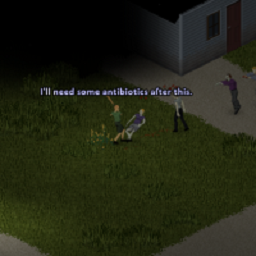
Player Taunts 0.7.4
von 76561197970037122
This is Robomat's Player Taunts 0.7.2: http://pz-mods.net/gameplay/PlayerTaunts/ Updated to work with PZ 36.4, and also *now works in Multiplayer*. It also includes more taunts, and other changes to fit into newer PZ builds Players will say/shout expressions when in combat, when they change health, and occasionally when they spot zombies. Expressions will change as the player kills more zombies. If used with the Survivors! mod, this will also be used by NPC survivors. I also added RMUtility 2.0 that this mod originally required. If you are using a different version of RMUtility and this mod causes problems, remove the 'RMutilityPT' folder and see if that fixes it. NOTE: If used in MP, the combat taunts are based off an event on the server side. I could not get sendServerCommand to target a specific player, so had to use broadcast. This looks to be a bug with that underlying function. Just an FYI, that the network performance in this mod is not as optimal as it could be. All credit to Robomat. Workshop ID: 911381545 Mod ID: RMPlayerTaunts Mod ID: RMUtility
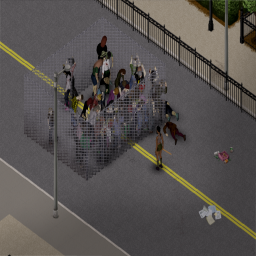
Indestructible Fences & Gates (upgraded 41+)(READ DESCRIPTION!!!!)
von 76561198124250190
VERY IMPORTANT: at this moment there is a known issue where after closing/opening a double door its hp values reset to default This issue is better explained in this bug repport I made: https://theindiestone.com/forums/index.php?/topic/69239-4178-double-door-hp-resetting-on-central-tiles/. To avoid zombies breaking in, make sure to hit BOTH central parts of a duble door YOURSELF -->(1 2___3 4 --> hit tiles 2 and 3). This fix will only work with doors placed by default on the world, not palyer built ones. The fix to that issue is the following one: If you really want fully functioning double doors -doing the trick mentioned above of hitting tiles 2 and 3-, then I recommend doing the following: 1. Get the required materials and skill level to build a Metal Double Fence Door 2. Install the following mod and only enable it for doing what I am going to tell you right now -just to avoid cluttering your context menu-→Better Tiles Picker: https://steamcommunity.com/sharedfiles/filedetails/?id=2792714394 3. Right-click anywhere > BetterTilesPicker > TilesPicker > A window will open, in the top left corner there is a black rectangle above the first category that works as a search bar, paste the following: fixtures_doors_fences_01 then click on the only category that will appear (with the same name) and scroll down a bit until you find the metal fence door tilesets -you will see 16 in total-. 4. Now you need to select the 4 tiles that compose a door, there are 4 groups of 4 tile sets, beginning from the first on the left -they are: (1,2|3,4) (5,6|7,8), (9,10|11,12) (13,14|15,16), the | symbol denotes that, for example, 1,2 are in the upper row and 3,4 in the lower. ONLY use tilesets (1,2|3,4) & (5,6|7,8), the others are thought only for half doors and will never snap together to form 4 tile full-doors. The following values: {2,3,6,7} are the doors extremes and the other ones are the central tiles. What you want to do is place in the world (left-click the desired tile on the window and then left-click on a tile in the world) the 4 tiles of the SAME tileset (the previous 2 groups in this step), NEVER combine them, or trying to open the door will crash the game -nothing serious, but annoying-. 5. After doing this, dispose of the materials as you like and then disable the Better Tiles Picker Mod. 6. And there you have it, this new door will have unlimited HP and you will be able to perform the trick mentioned at the beginning of the description of the mod for resetting the hp of the central tiles ------------------------------------------------------------------------------------------------------------------------------------------------------------------------------------------------------------ Makes Player placed Chainlink fences and both Black Pole and Chainlink Double Doors (natural or in the second case both placed or natural) virtually indestructible. Doors that are considered indestructible by this mod and that have been spawned during world gen can't be dissasembled by players -that way, you are playing by the same rules as the zomboids-. This mod allows for zombies to interact with fences and doors, unlike the Unbreakable Metal Fences + Gates! mod. As anyone can deduce, I took great inspiration from: Unbreakable Metal Fences + Gates!: https://steamcommunity.com/sharedfiles/filedetails/?id=2900870031 & Indestructible Door HP: https://steamcommunity.com/sharedfiles/filedetails/?id=2971617269 I am not a full time modder, I just built this for one of my playthroughs and decided to share it, so expect no updates or compatibility fixes, etc. IMPORTANT: I have noted that zombies MIGHT break doors that where damaged before the mod was added to the save, so I seriously recommend adding the mod before starting your save. Workshop ID: 3065834861 Mod ID: IndestructibleFences

僵尸百分之10跑
von 76561199187790532
僵尸百分之10跑 Workshop ID: 2861009473 Mod ID: CustomizableZombies

Project Tarkov
von 76561198350357813
PROJECT TARKOV One subscription. A complete interface suite. Enable only the parts you want. Project Tarkov brings your survivor, gear, health, skills, map and HUD together in a clear tactical interface. It improves how information is presented while Project Zomboid remains in control of combat, survival, items, wounds and progression. ONE DOWNLOAD, YOUR OWN SETUP The download contains eight selectable modules. Framework is the shared foundation; every other module can be enabled or disabled from Project Zomboid's Mods menu. A disabled module is not loaded and does not run in the background. - Overall - a readable survivor dossier with condition, nutrition, progression, equipment and world information. - Gear & Loot - equipment, carried storage and nearby containers in one workspace, with optional Search & Reveal. - Health - detailed wounds, body status, Medical Check and familiar treatment actions for yourself or another player. - Skills - levels, XP progress, training manuals, exercise options and recent gains at a glance. - Map - a tactical world map with personal markers, faction sharing and multiplayer group tools. - HUD - configurable weapon, hotbar, status, timed-action, endurance and carry-load information. - Main Menu - an optional Project Tarkov presentation for the game's front end. BUILT FOR DIFFERENT SCREENS AND INPUTS - Responsive layouts and interface scaling for 1080p, 1440p and 4K displays. - Xbox and PlayStation controller navigation with split-screen-aware layouts. - Fullscreen and compact workspace options where the current screen mode supports them. - Shared accessibility settings, including scale, contrast, opacity and background visibility. MULTIPLAYER IN MIND Project Tarkov supports single-player, hosted co-op, split-screen and dedicated servers. Multiplayer features are designed around server-validated state, including container searches, remote medical information and shared faction map data. REQUIREMENTS & COMPATIBILITY Framework: enable it with any other Project Tarkov module you select. Loot & Inventory only: requires Inventory Tetris. If you leave Loot & Inventory disabled, Inventory Tetris is not required by the other modules. Build support: Project Zomboid 42.20-42.99 Known incompatibility: do not enable Legacy TacticalUIV150 at the same time. LANGUAGES Available in all 28 public Project Zomboid locales. Community corrections and more natural wording from native speakers are always welcome. COMMUNITY & SUPPORT Join the community to follow development, suggest features, share server feedback and report reproducible bugs: PROJECT TARKOV DISCORD When reporting a problem, please include your game resolution, input device, enabled mods and the relevant client/server logs whenever possible. SUPPORT DEVELOPMENT ON KO-FI Workshop ID: 3786513059 Mod ID: ProjectTarkovFramework Mod ID: ProjectTarkovHealth Mod ID: ProjectTarkovHUD Mod ID: ProjectTarkovLootInventory Mod ID: ProjectTarkovMainMenu Mod ID: ProjectTarkovMap Mod ID: ProjectTarkovOverall Mod ID: ProjectTarkovSkills
Project Zomboid Details →
Project Zomboid Guides
Project Zomboid Mods installieren - Workshop Guide
Installiere Project-Zomboid-Mods sauber per Steam Workshop: IDs eintragen, Reihenfolge prüfen, Server neu starten und typische Fehler beheben.
Project Zomboid Sandbox-Einstellungen: alle 62 Panel-Werte
Project Zomboid SandboxVars.lua im Panel konfigurieren: alle 62 Werte, Build-41/42-Unterschiede, Grenzen und sichere Empfehlungen.
Project Zomboid Build 42 auf dem eigenen Server: Umstieg, Spielstände und Mods
The Indie Stone veröffentlichte am 26. August 2026 Sicherheitskorrekturen für 42.20.4 Stable, 42.19.2 Unstable und 41.78.21 Legacy. Wähle den Patch für…
Project Zomboid Server mit Mod-Support
Kompatible, unterstützte Mods über das Server-Dashboard installieren.
Project Zomboid Server mieten