Project Zomboid Mods für Server
Für einen modifizierten Project-Zomboid-Server brauchst du pro Projekt die Steam-Workshop-ID und die interne Mod-ID. Prüfe zusätzlich Spiel-Build, Abhängigkeiten und Lade-Reihenfolge, bevor du deine Welt mit den Änderungen startest.
Project Zomboid Mods sicher installieren
Ein Workshop-Abo allein aktiviert eine Mod auf dem Dedicated Server nicht. Die Einträge in `WorkshopItems=` und `Mods=` müssen zusammenpassen; außerdem muss jede Mod den gewählten Build 41 oder Build 42 ausdrücklich unterstützen.
- 1. Build prüfen: Build-41- und Build-42-Mods nicht ungeprüft mischen.
- 2. Workshop-ID, Mod-ID, Abhängigkeiten und erforderliche Reihenfolge vollständig dokumentieren.
- 3. Welt und Konfiguration sichern, Server neu starten und Logs sowie den Beitritt mit einem Test-Client prüfen.
Die vollständige Schritt-für-Schritt-Anleitung findest du im Project-Zomboid-Mods-Guide. Oder starte direkt mit einem Project Zomboid Server mit Mod-Support.
Häufige Fragen zu Project Zomboid Mods
Was ist der Unterschied zwischen Workshop-ID und Mod-ID?
Die Workshop-ID bezeichnet das Steam-Workshop-Projekt und steuert den Download. Die Mod-ID aktiviert den enthaltenen Mod im Spiel. Auf dem Server müssen beide Listen vollständig und passend gepflegt sein.
Laufen Build-41-Mods automatisch mit Build 42?
Nein. Nutze eine Mod nur dann auf Build 42, wenn ihre Workshop-Seite diese Kompatibilität ausdrücklich bestätigt. Prüfe dabei auch alle Bibliotheken und weiteren Abhängigkeiten.
Wie teste ich ein Mod-Update ohne Risiko für die Welt?
Sichere zuerst Welt, Sandbox-Konfiguration und Server-INI. Aktualisiere danach die zusammengehörigen Mods, starte den Server neu und prüfe Logs, Kernfunktionen und einen vollständigen Client-Beitritt.
![Vehicle Climate Control [B42.15-42.20][MP] – Project Zomboid Mod](https://images.steamusercontent.com/ugc/16479018765002347972/0CF3E87AB60BECFCE0AE5829E286588B749C4900/)
Vehicle Climate Control [B42.15-42.20][MP]
von 76561198102843814
Description This mod adds full customization for car air conditioning, making it perfect for use with complex weather mods. Now you can easily adjust temperature settings for your vehicle’s AC through the Sandbox options. - Set your own temperature ranges for heating and cooling - Perfect for players using advanced weather mods, ensuring the AC works properly - Safe to install or remove during gameplay - Compatible with other vehicle mods - Multiplayer Support Take control of your vehicle’s climate and adapt it to any extreme weather conditions in your game. No more awkward AC behavior. Found a bug? Please report it in the comments! Enjoying the mod? A thumbs-up would be much appreciated! You can support my work on Project Zomboid mods on Boosty Support is completely voluntary - you can reward me if you want, but the mods remain free for everyone. Workshop ID: 3597169956 Mod ID: VehicleClimateControlB42
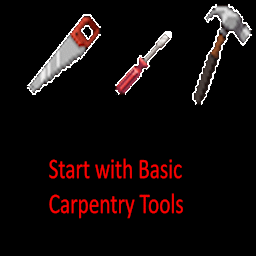
Start with Carpentry Tools
von 76561198067223797
Start out with basic carpentry tools including a hammer, screwdriver, and a saw. Workshop ID: 2987492479 Mod ID: StartWithCarpentryTools

True Music Addon: Ork's Gachi Remix Pack#1
von 76561198242691388
This addon require "True Music" mod. Including cassetes: (Right) Stereo Love (Right) Barbiesize (Russian song's remix) (Right) Big Baby Tape - Surname (Right) DOOM Eternal - Meathook (Right) fem.love - photographiryu zakat (Russian song's remix) (Right) Fixiki (Russian song's remix) (Right) Gorillaz - Feel good inc. (Right) Maybe Baby - ASSkorbinka (Russian song's remix) (Right) Mick Gordon - The only thing they fear is you (Right) MORGENSHTERN - ICE (Russian song's remix) (Right) Nurminskiy - Valim (Russian song's remix) (Right) Sia - Chandelier (Right) Smeshariki - Ot Vinta! (Russian song's remix) (Right) The Only Thing I Know For Real (Right) Timati - Baklajan (Russian song's remix) Workshop ID: 2798589209 Mod ID: orks_pack_gachi_1

Anthro Survivors - Sawians
von 76561199118998009
Currently adds the Experiment and Milky. Others might be added in time. I am very new to 3d modeling if there are any bugs please let me know. Current bugs that I know of: -slight clipping issue on the back of neck (looks a bit like a trapezoid) -torso clips through most shirts? The majority of bugs have been fixed thanks to Shizik!!! You can contact me on discord @breadisbest Workshop ID: 3777806418 Mod ID: sawians
![[B42] Maintenance Driven Repair Count – Project Zomboid Mod](https://images.steamusercontent.com/ugc/18412607164165980661/B967176EB2C6FF1BBF46CCFF5280F3E2854C8A6A/)
[B42] Maintenance Driven Repair Count
von 76561198040182071
IMPORTANT! READ BEFORE REPORTING If you've just encountered "Repair Count" issue after repaired an item, check the game log for entries starting with "". The log path: X:\Users\your account name\Appdata\Zomboid\logs . What's this? Consider this as B42 version of "Better Repair Count". Just like the original, if your Maintenance level reached certain value, or you feel lucky, perform a repair will no longer increase item's Repaired Count (RC), and can be even reset. What's the difference? - Reworked the hooking logic by retracing the B42 fix call chain. - Native Mod Options support for easier gameplay customization, SandboxVars no longer being used. - Built-in Vehicle Repair Overhaul support. Multiplayer? Should work. Validated through multiple rounds of testing on a locally hosted server. Save-baked? No, safe to add/remove at any time. Compatibility - Vehicle Repair Overhaul, Take VRO as an example: if a mod implements its own repair system and blocked the vanilla repair event, you need to make compatibility manually. - This mod listens to two events: ISHandcraftAction and FixingManager. For handcraft, I filtered the recipe item with flag "IsDamaged" as native Java function did, it's been verified to work as intended. For FixingManager, it's being used in ISFixAction (vanilla gun repair) or other events maybe. Known Issues - ***Vehicle Repair Overhaul*** Due to the way VRO is implemented, if you have Multi SAME vehicle parts in your inventory (fixing part through vehicle panel is fine), perform a repair to one of them may result in incontrollable "RC" value, as VRO always picks the lowest condition part to repair no matter which one you were clicking if multi parts are in player inventory. - Mod Options is client-side, what if someone set the values too cheaty? Right, the server-side code will read the player client sent value and do calculation based on it. There's no any protection for this "cheat", that's it. Workshop ID: 3612823857 Mod ID: mdrc_b42
![[B42] No, I'm not a Human | Death Sound – Project Zomboid Mod](https://images.steamusercontent.com/ugc/18396652057510219855/E2ECAC218C6640A5B0F28BE381652B4460616D7A/)
[B42] No, I'm not a Human | Death Sound
von 76561199230987283
Description This addon replaces the default death sound effect. Workshop ID: 3591419783 Mod ID: DeathSound
![[COS] Erisa – Project Zomboid Mod](https://images.steamusercontent.com/ugc/2450599769574463067/0DB505E33A38D2B316EE69DC675C8DAD604A199B/)
[COS] Erisa
von 76561199178116693
How Do I Use It? - You can go to the link below to see how to use it. - Link Recommended mode - Fashionoid - Gear Transmog - Hide All Attached Items - Clipping animation Fix Like My Mode? - Join Our Discord If You Want Commission Workshop ID: 3252945937 Mod ID: Erisa_
![[B41/B42] Bandits Creator 한글 – Project Zomboid Mod](https://images.steamusercontent.com/ugc/9679119976084433/69027DC5A6D67E90678B87AF6196EA1366B20522/)
[B41/B42] Bandits Creator 한글
von 76561198007766167
*26.07.27 부터 업데이트가 안되거나 느릴 수 있습니다. 문제 있으면 댓글 번역 모드 순서 밴딧 밴딧 크리에이터(있으면) 위크원(있으면) 바닐라 한글 다른 모드 한글 밴딧 한글 밴딧 크리에이터 한글 위크원 한글 사용법 BANDITS CREATOR 들어가면 나오는 것은 밴딧 집단들임. 새 집단 누르면 만들고자하는 집단의 첫 유닛의 생성 화면이 뜸. 일단 저장 누르면 그 집단의 소속원들이 나오고 왼쪽에 그 집단에 대한 설정이 나옴. 저장을 local에 하면 모드가 업데이트 되어도 덮어씌워지지 않음. 자세한 건 원본 페이지에서 확인하셈. Workshop ID: 3469484368 Mod ID: BanditsCreator_B41_KO Mod ID: BanditsCreator_B42_KO Workshop ID: 3469484368 Mod ID: BanditsCreator_B41_KO Mod ID: BanditsCreator_B42_KO

Playboi Carti Discography
von 76561198084788725
Every Playboi Carti track I could find. Includes: In Abundance Self-Titled Die Lit Whole Lotta Red Various Leaks, updated December 2022. Workshop ID: 2900805921 Mod ID: carti_discography_mod Workshop ID: 2900805921 Mod ID: carti_discography_mod
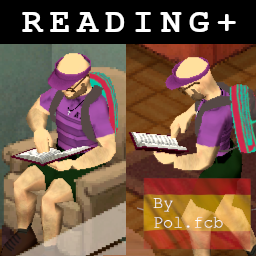
Reading+ - Spanish Translation
von 76561199592234537
Traduccion completa del mod Reading+ al Español para B42. Workshop ID: 3666757967 Mod ID: reading+_spanish
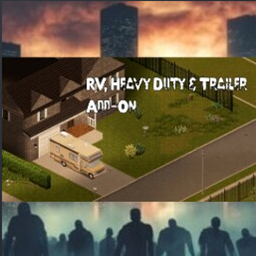
RVs, Heavy Duty & Trailers B41
von 76561197960801216
RVs, Heavy Duty & Trailers brings a curated collection of classic-style vehicles and utility trailers to Project Zomboid—built for long hauls, demanding jobs, and life on the road. 🚐🛠️ What You Get • Driveable RVs, ambulances, vans, and dependable work vehicles • Utility and moving trailers for hauling equipment and supplies 📦 • Special vehicles, including the General Lee and General Meh • Natural world spawning in appropriate vehicle zones • Vanilla-friendly styling and gameplay balance • 18 included vehicle variants RV Interior Compatibility 🏠 Compatible RV-capable vehicles support either: • Original RV Interior • Arcadia RV Interior Expanded Use only one RV Interior system at a time. Do not enable the original RV Interior and Arcadia RV Interior together, as duplicate systems and maps may cause conflicts. An RV Interior mod is optional. The vehicles and trailers can still be used normally without interiors. Existing Saves This mod can be added to an existing save. New vehicles will begin appearing in newly generated or previously unexplored areas. Existing explored areas will not automatically regenerate vehicle spawns. Always create a complete backup before changing the mods on an established save or multiplayer server. 💾 Multiplayer Setup 🌐 • Install and enable this mod on the server and every connecting client • Restart the server completely after installing or updating • If using interiors, install the selected RV Interior system on both server and clients • Make sure every player has received the latest Workshop update before connecting Vehicle IDs Base.80f350ambulance Base.86bounder Base.86econolineambulance Base.86econolinerv Base.astrovan Base.chevystepvan Base.chevystepvanswat Base.generallee Base.generalmeh Base.isuzubox Base.isuzuboxelec Base.isuzuboxfood Base.isuzuboxmccoy Base.moveurself Base.Trailer51chevy Base.Trailercamperscamp Base.Trailermovingbig Base.Trailermovingmedium Workshop ID: 3735717458 Mod ID: RVs_HeavyDuty_Trailers Support Midgar's Project Zomboid Workshop If this mod has improved your game, server, or community, optional support helps fund Build 42 testing, compatibility updates, server infrastructure, artwork, audio production, and continued maintenance. Public fixes and releases remain free and are never paywalled. Join the Arcadia Rising Community Get update news, support, bug-report help, and join our active long-term Project Zomboid RP/PVE server community. Server: 50.5.46.175:16261
SledgeProofNonPvPZones
von 76561199042257388
Sledge-Proof Non-PvP Zones by Glytch3r you need instructions? players (except admins) cannot sledge if they are standing on a non-pvp zone.. you can however sledge stuff inside non pvp zone if you re outside of it, keep that in mind made this mod just to increase visibility took me longer to do the poster than the code I only have 3 mods that are not commissioned secretstash , audibleshouts and now this we do mod commissions join our discord if youre a modder collaborate with us we can build awsome things together also if you want to use this for your tiles you can add moddata to the object isCantSledge = true Glytch3r non-commissioned Contact me for custom mod commission: Glytch3r#7331 / glytch3r Support Me: https://ko-fi.com/glytch3r Workshop ID: 2967496439 Mod ID: SledgeProofNonPvPZones
ZBLuaPerfMon
von 76561198043849998
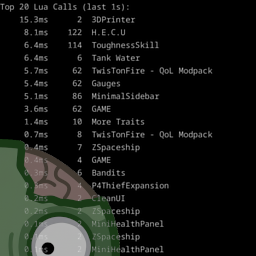
Lua Performance Monitor A Project Zomboid mod that provides a real-time On-Screen Display (OSD) and logging for monitoring Lua function performance. Features: - Real-time OSD: View top time-consuming Lua functions directly in-game. - Detailed Logging: Periodic logging of performance statistics to the console. - Configurable OSD: Customize the number of functions shown, minimum time threshold, update interval, and visual appearance. - Smart Filtering: Categorizes functions by source (Mod, Game, or Internal). - Mod Options Integration: Easily configure all settings through the game's mod options menu. - Toggleable OSD: Bind a key to quickly show/hide the performance monitor. What it does: ZBLuaPerfMon hooks into the game's Lua execution engine to track the execution time of Lua functions. It provides a real-time OSD showing the most time-consuming functions and can log detailed statistics to the console. This is an essential tool for modders to identify and optimize performance bottlenecks in their Lua scripts. Tested with game versions - 42.13 - 42.14 - 42.15 📦 Installation: 1. Prerequisites: You must have ZombieBuddy installed and configured first. 2. Enable the mod: Enable ZBLuaPerfMon in the Project Zomboid mod manager. Links: GitHub Repository ZombieBuddy Framework ☕ Support the Developer: If you find this mod useful, consider supporting the developer with a coffee: ⚠️ Disclaimer: This mod modifies core game Lua execution behavior. While designed for performance monitoring, the overhead of tracking every Lua call may slightly impact game performance when enabled. Use at your own risk. Workshop ID: 3684572876 Mod ID: ZBLuaPerfMon
![[B42] Glimmer's RP Chat – Project Zomboid Mod](https://images.steamusercontent.com/ugc/13031308855137125527/7A80D0443B61A80A32D37C0EC413195F7E30E1BA/)
[B42] Glimmer's RP Chat
von 76561197993498131
Glimmer's RP Chat - Build 42 A lightweight roleplay chat mod for Build 42 multiplayer servers. Adds emote actions, RP names, environment narration, OOC chat, admin local events, and a visual color picker - all designed to keep your chat immersive and easy to use. Features /me <action> - Emote actions in your chosen color Elena smiles warmly, "Hello!" Regular speech - Automatically formatted with your RP name and color Elena says, "Hello!" /ooc <text> - Local out-of-character chat (green, say range) (( OOC: Elena says, "brb grabbing food" )) /gchat <text> - Global out-of-character chat (gold, server-wide) (( Global Chat: Elena says, "is the server restarting?" )) /narrate <text> (or /n) - Environment narration with author attribution The floorboards creak under the weight of silence. (Glimmer) /name <rpname> - Set an RP display name visible to all players /name - Clear your RP name and revert to username /color r,g,b - Set a custom RGB color, or use the built-in color picker Local Events (Admin) /le <text> - Broadcast a themed, range-limited announcement to nearby players. Shows as an on-screen overlay and in chat. Anonymous to players, logged to server console. 4 themes: Red Alert, Gold Decree, Shadow, Nature Customizable range: 10-500 tiles (default 100) - /le:gold <text> - Temporary theme override - /le:200 <text> - Custom range - /le:gold:200 <text> - Theme + range - /letheme - Preview or set default theme - /lerange - View or set default range RP Chat Panel Click the speech bubble icon next to the gear in chat to open the settings panel. Pick from 12 RP-friendly color presets and set your RP name - all in one place. Click outside the panel to close it. The icon updates to show your active color. Details - Quoted speech in emotes renders in white for readability - RP names are encoded per-message so other players see the correct name - Narration shows the real username in grey for accountability - OOC messages use fixed colors (green local, gold global) to stand out from IC chat - Color, RP name, theme, and range persist across sessions - Compatible with other B42 chat mods Commands Quick Reference /me <action> Emote (uses RP name if set) /ooc <text> Local out-of-character (green) /gchat <text> Global out-of-character (gold) /narrate <text> Environment narration /n <text> Shortcut for /narrate /name <rpname> Set RP display name /name Clear RP name /color r,g,b Set custom color /le <text> Local event (admin) /le:theme <text> Local event with theme /le:range <text> Local event with range /letheme Set default LE theme /lerange Set default LE range Planned - /do command for scene-setting - /roll for dice rolls - Permission options for /le (everyone/rank-based) Made for the Ashbloom RP community. Feedback and suggestions welcome. Workshop ID: 3677612126 Mod ID: GlimmersRPChat
![[B42] Instant Pause on Load – Project Zomboid Mod](https://images.steamusercontent.com/ugc/9610988999622347110/D7156A8EC3DCCFE54F4086044EB0D2CE9CFF3F5F/)
[B42] Instant Pause on Load
von 76561199122089982
Compatible with Build 42.19 Automatically pauses the game immediately when you start or load a save, giving you full control before taking any actions. Features: - Pauses the game as soon as your character is ready - Player can unpause anytime Note: This is my first Project Zomboid mod. Enjoy! Workshop ID: 3581354357 Mod ID: B42_Instant_Pause_on_Load

Show Skill Xp Gain KR
von 76561198062695591
Show Skill Xp Gain 한글 버전 Workshop ID: 3338119642 Mod ID: ShowSkillXpGain_KR
True Music Addon: Sigma male pack
von 76561199256175381
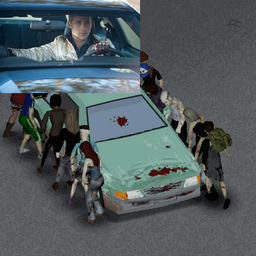
Даа, пак всего из 3 песен. Зато каких! Music: The Pixies - Where is my mind? (Fight Club) College - A real hero (Drive) Kavinsky - Nightcall (Drive) Workshop ID: 3204592387 Mod ID: sigma_male_pack
VFE Attachments to Scrap Guns
von 76561198981800588
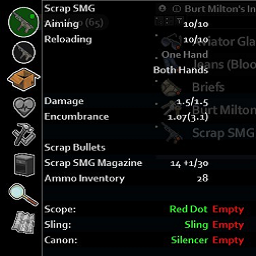
A simple addon making Scrap Guns be compatible with VFE's attachments by using Udderly Attachments' database. Using on my private server. Workshop ID: 3015744491 Mod ID: VFE_Attachments_to_SGuns
木制品
von 76561198924335538
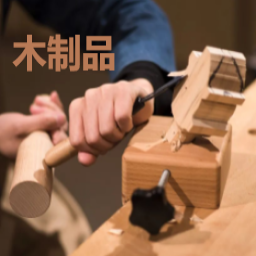
用木头制作一些物品,如钉子.螺丝.门铰链.门把手,更方便的野外建设 Workshop ID: 2933484625 Mod ID: woodwork

TheFastandtheMooriousVHS
von 76561198382202648
Watch TheFastandtheMooriousVHS INGAME FOR REALZ WITH YO BUDS ^-^ N YO POPP CORN &^ Workshop ID: 3687740078 Mod ID: TFastTMoorious
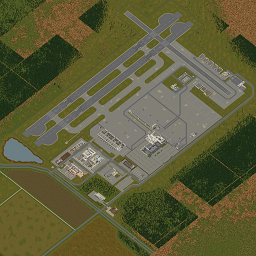
More Spawns - Louisville International Airport
von 76561197992866806
Updated to 42.15+ only. You awakened with a start, you just remembered it was the last day you could redeem your frequent flyer miles at the airport duty free store. You rushed there only to get lost and be ambushed by some very crazy acting people. You took refuge in the closest building..... Louisville International Airport is the Kentucky major travel hub to the rest of the world featuring many flights a day and is also a bustling local business goods import and export distribution depot. Twelve new spawn points within the area of the Louisville International Airport. Good luck. Workshop ID: 3500658363 Mod ID: MoreSpawnsLVIAP Map Folder: Louisville International Airport, KY
![[COS] MW2_Ghost – Project Zomboid Mod](https://images.steamusercontent.com/ugc/2481012291897801161/854FE30E717D9917D29A19622BDE5A73A24F2DD1/)
[COS] MW2_Ghost
von 76561199178116693
How Do I Use It? - You can go to the link below to see how to use it. - Link Recommended mode - Fashionoid - Gear Transmog - Hide All Attached Items - Clipping animation Fix How to use COS mode in build 42. - Navigate to the path where the mod is installed. - Create a 42.0 folder. - Create a common folder. - Paste the media folder / mod.info / preview.png into the 42.0 folder. The recipe code writing method has been changed in 42Build. Since COS (Costume) mode has approximately over 200 modes, converting to 42Build's recipe code is an extremely laborious task. In 42Build, you cannot create costumes in (42 build) the crafting tab. There are two methods: Spawn items in cheat mode. Select items in the clothing selection screen when creating a character. Like My Mode? - Join Our Discord If You Want Commission Workshop ID: 3350117448 Mod ID: MW2_Ghost
Let Me Think Classic - v38,v39,v40, v41.56, 41.65
von 76561198014897042
Legacy Support for Older Versions of the Game This contains three sub-mods that support older versions of the game. Click here for the IWBUMS version. Description Project Zomboid isn't a fast-paced shooter or a precision platformer. You should be allowed some time to open menus and queue up tasks for your character while the game is paused. This mod makes it so that most right-click context menus now work even when the game is paused. Important - What This Mod Does, and What It Doesn't Do To clarify, this does not let your character actually do anything while the game is paused. It just lets you add tasks to the queue. Your character won't actually start doing them until you unpause. Like in The Sims, or Rimworld Troubleshooting - Check to make sure you are playing version 41. If you are not sure, then you probably aren't. - If it still does not work, please post your modlist in the bugs discussion or in the comments. You can find your modlist here: PC Location: C:\users\your_login_name_here\Zomboid\mods\default.txt Mac Location: /Users/your_login_name_here/Zomboid/mods/default.txt If you enjoy this mod please like and favorite Fake internet points are easy to give, totally free, and I enjoy them immensely! https://i.imgur.com/p7Fv1Z6.gif https://i.imgur.com/jEczML7.png Tags:B40,Interface,Tweak Workshop ID: 2214424537 Mod ID: LetMeThink4156 Mod ID: LetMeThink4165 Mod ID: LetMeThink38 Mod ID: LetMeThink39 Mod ID: LetMeThink40
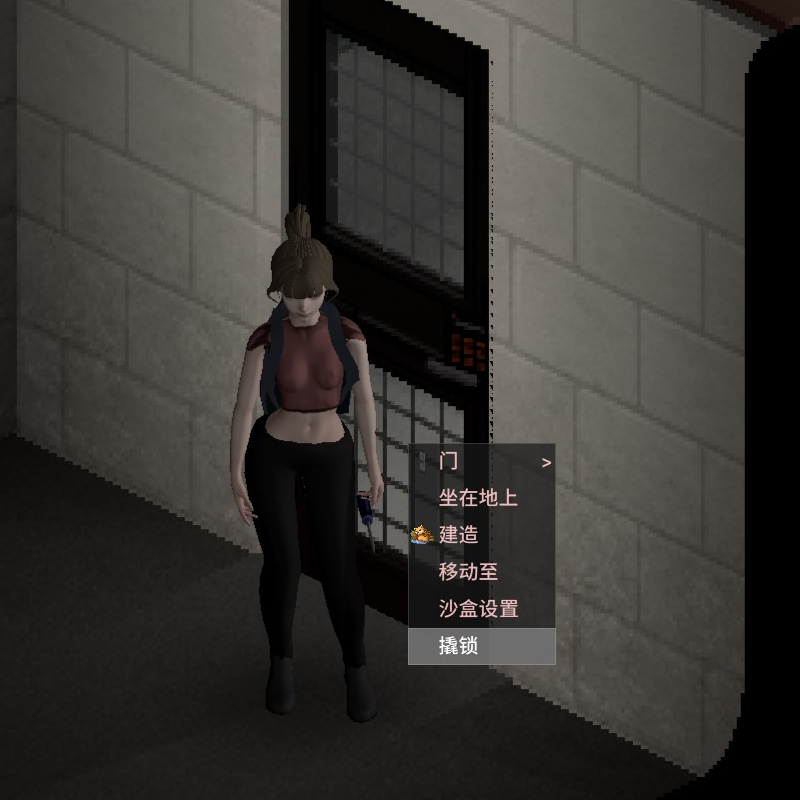
Simple Lockpicking
von 76561199079710102
**简易开锁** 42.19 原mod 可以正常使用了!!!! 原mod一直未更新,所以自行修复,侵权立删。 原mod地址 https://steamcommunity.com/sharedfiles/filedetails/?id=2991923398 简易开锁,简易撬锁,需要身上有螺丝刀和回形针 **更新内容 - 2026/05/21** 1. 添加一个删除物品的功能,右键背包,地上,容器的物品可以删除(用于删掉生成在背包的钥匙 **更新内容 - 2026/05/25** 1. 添加json翻译文件 modID:3717762143 **Simple Lockpicking** Since the original mod hasn't been updated for a long time, I fixed it myself. I will take this down immediately if it infringes on the original author's rights. Original mod link: https://steamcommunity.com/sharedfiles/filedetails/?id=2991923398 Simple Lockpicking: Requires a screwdriver and a paperclip in your inventory to pick locks. **Update - 2026/05/21** 1. Added an item deletion feature. You can now delete items from your inventory, the ground, or containers via the right-click menu (mainly designed for deleting unwanted keys that spawn in your backpack). **Update - 2026/05/25** 1. added json tranlste file
Project Zomboid Details →
Project Zomboid Guides
Project Zomboid Mods installieren - Workshop Guide
Installiere Project-Zomboid-Mods sauber per Steam Workshop: IDs eintragen, Reihenfolge prüfen, Server neu starten und typische Fehler beheben.
Project Zomboid Sandbox-Einstellungen: alle 62 Panel-Werte
Project Zomboid SandboxVars.lua im Panel konfigurieren: alle 62 Werte, Build-41/42-Unterschiede, Grenzen und sichere Empfehlungen.
Project Zomboid Build 42 auf dem eigenen Server: Umstieg, Spielstände und Mods
The Indie Stone veröffentlichte am 26. August 2026 Sicherheitskorrekturen für 42.20.4 Stable, 42.19.2 Unstable und 41.78.21 Legacy. Wähle den Patch für…
Project Zomboid Server mit Mod-Support
Kompatible, unterstützte Mods über das Server-Dashboard installieren.
Project Zomboid Server mieten