Project Zomboid Mods für Server
Für einen modifizierten Project-Zomboid-Server brauchst du pro Projekt die Steam-Workshop-ID und die interne Mod-ID. Prüfe zusätzlich Spiel-Build, Abhängigkeiten und Lade-Reihenfolge, bevor du deine Welt mit den Änderungen startest.
Project Zomboid Mods sicher installieren
Ein Workshop-Abo allein aktiviert eine Mod auf dem Dedicated Server nicht. Die Einträge in `WorkshopItems=` und `Mods=` müssen zusammenpassen; außerdem muss jede Mod den gewählten Build 41 oder Build 42 ausdrücklich unterstützen.
- 1. Build prüfen: Build-41- und Build-42-Mods nicht ungeprüft mischen.
- 2. Workshop-ID, Mod-ID, Abhängigkeiten und erforderliche Reihenfolge vollständig dokumentieren.
- 3. Welt und Konfiguration sichern, Server neu starten und Logs sowie den Beitritt mit einem Test-Client prüfen.
Die vollständige Schritt-für-Schritt-Anleitung findest du im Project-Zomboid-Mods-Guide. Oder starte direkt mit einem Project Zomboid Server mit Mod-Support.
Häufige Fragen zu Project Zomboid Mods
Was ist der Unterschied zwischen Workshop-ID und Mod-ID?
Die Workshop-ID bezeichnet das Steam-Workshop-Projekt und steuert den Download. Die Mod-ID aktiviert den enthaltenen Mod im Spiel. Auf dem Server müssen beide Listen vollständig und passend gepflegt sein.
Laufen Build-41-Mods automatisch mit Build 42?
Nein. Nutze eine Mod nur dann auf Build 42, wenn ihre Workshop-Seite diese Kompatibilität ausdrücklich bestätigt. Prüfe dabei auch alle Bibliotheken und weiteren Abhängigkeiten.
Wie teste ich ein Mod-Update ohne Risiko für die Welt?
Sichere zuerst Welt, Sandbox-Konfiguration und Server-INI. Aktualisiere danach die zusammengehörigen Mods, starte den Server neu und prüfe Logs, Kernfunktionen und einen vollständigen Client-Beitritt.
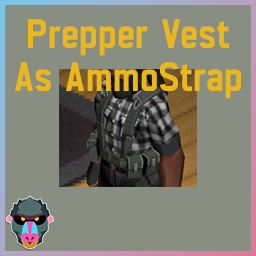
Monkey's Undead Survivor Prepper Vest Fix
von 76561198013042524
Makes Prepper Vest from Undead Survivor use the AmmoStrap slot instead of TorsoExtra Commissioned by Mitsurugi2424 Workshop ID: 3250891829 Mod ID: PrepperVestFix
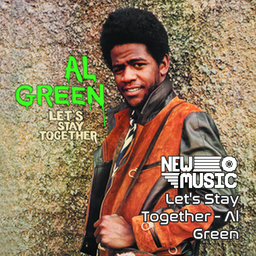
New Music - Let's Stay Together - Al Green (1972)
von 76561198824087521
New Music - Let's Stay Together - Al Green (1972) Check out The Spindoctor's New Music Mixes! MADE FOR: NEW MUSIC GENERATED BY: NEW MUSIC BUILDER Let's Stay Together - Al Green Side A 01 Let's Stay Together 02 La-La for You 03 So You're Leaving 04 What Is This Feeling 05 Old Time Lovin' Let's Stay Together - Al Green Side B 01 I've Never Found a Girl 02 How Can You Mend a Broken Heart 03 Judy 04 It Ain't No Fun to Me Workshop ID: 3759830684 Mod ID: NewMusic_LetsStayTogether
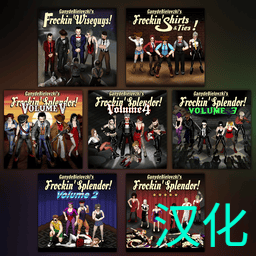
Frockin 系列服装 中文汉化
von 76561199157783277
📌 Frockin 系列服装 · 简体中文汉化 · Build 42 👗 Frockin 系列服装 简体中文汉化 🛑 【使用说明 · 请务必先看】 本模组为 GanydeBielovzki 创作的 Frockin 系列服装模组提供 简体中文 文本,不包含 原版服装资源与机制。 请 同时启用 你需要游玩的 对应原版 Frockin 模组 与本汉化(Frockin_clothing_CN),并将游戏语言设为 简体中文 🌏 若原版更新后物品 ID 或文案键发生变化,可能出现部分条目未翻译或显示异常,请先 关闭本汉化 待更新后再启用。🙏 🎮 模组描述 本模组为 Frockin 系列服装扩展在 Build 42 下提供 简体中文 界面与文本 ✨ 覆盖物品 DisplayName 与 Tooltip、右键 ContextMenu、相关 UI / IG_UI 等玩家可见字符串;在保留原版机制、数值与联机兼容的前提下,不改变 游戏逻辑与网络同步行为 🛡️ 💬 问题反馈欢迎在 Steam 创意工坊评论区 留言~ 📦 已覆盖原版模组 请按需订阅并启用对应原版,再启用本汉化: - GanydeBielovzki's Frockin Splendor! - GanydeBielovzki's Frockin Splendor! Vol.2 - GanydeBielovzki's Frockin Splendor! Vol.3 - GanydeBielovzki's Frockin Shirts n Ties - GanydeBielovzki's Frockin Splendor! Vol.4 - GanydeBielovzki's Frockin Wiseguys - GanydeBielovzki's Frockin Splendor! Vol.5 - GanydeBielovzki's Frockin Stompers! 🙏 致谢 额外感谢汉化模组 Frockin passer Translation CN 的参考与帮助。 感谢原作者 GanydeBielovzki! Workshop ID: 3741538649 Mod ID: Frockin_clothing_CN
![10YL - Grapeseed [B41 ReUpload] – Project Zomboid Mod](https://images.steamusercontent.com/ugc/17863062881140667013/6A1350907FF5DA081B8EBF793FB388D9CF779F18/)
10YL - Grapeseed [B41 ReUpload]
von 76561198393866378
This is a reupload of the original 10 Years Later - Grapeseed map modification created by Dane based on the original Grapeseed map. Original map is not required! MAKE SURE TO DOWNLOAD THE ORIGINAL MAP'S DEPENDENCIES ONLY COMPATIBLE WITH B41! Credits to Dane for creating such amazing mods! Workshop ID: 3640628357 Mod ID: 10YL_Grapeseed Map Folder: 10YL_Grapeseed Map Folder: 10YL_Grapeseed_standalone
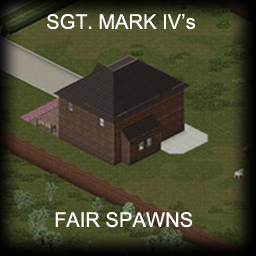
Fair Spawns
von 76561198068839161
This is a simple mod that rebalances the existing spawn points, adds balanced Louisville spawns, and adds some fixed spots, like that house in the walled community at south of Muldraugh, or the Rusty Rifle bar. I have created this mod because in most of my runs I either: Spawn near/inside a police/fire station or store, and have a huge arsenal, hundreds of bullets, and 3 axes by the end of the FIRST DAY. Which causes me to get bored and abandon the game. Or spawn in a terrible home with no loot and that can't be properly defended, forcing me to move to a new place, and usually dying in the first day if I'm playing with sprinters. Or have a 10% chance of spawning in an actually fair and balanced house and actually have fun. With this mod, unless you choose base Muldraugh, you will always spawn inside a 2-floor house that is worth staying inside and defending, but that is reasonably far from good resources. This keeps things more balanced and fair. This mod also adds some locations in Louisville too. They are in the outskirts of the city, you don't have to go through the trouble of traveling from your hometown to it, but you can't simply just walk into the Great Ohio Mall either. It's still going to take you days or weeks to accumulate the tools and combat skills for a trip downtown. And you are just close enough to the center for meta-events to bring large hordes to you. I'm tired of other Louisville spawn mods spawning me inside a huge empty apartment with food that can last forever. Some locations in random remote rural areas are avaiable too. Many players choose moving out of the spawn towns and going to these remote areas, and it sounds easy surviving there when they have full gear and a Pazuzu truck filled to the roof with canned food, seeds, and tools, but spawning on these shitholes with only the food they have in the fridge and maybe a tool or two in the shed is another level of challenge. Greatly recommended fun with mods like Horde Night and Please Don't Feed the Zombies. Want a new challenge? Tired of the same "Spawn in Muldraugh/Rosewood, move to West Point, and then Louisville" gameplay plan? Then choose The Roulette and spawn in any random place, make up a plan in the fly, you gotta make it do with whatever resources you can find. Why moving to some bleak warehouse? You were born in this house, your parents built it, you can't just abandon it. Stay and defend it! Workshop ID: 2945562661 Mod ID: fairspawns
![Enter/Exit Trunks – More Vehicles Support [WIP] – Project Zomboid Mod](https://images.steamusercontent.com/ugc/10245420989877658894/A4C8423516B10922FF2A54578BD41A7D7439C23A/)
Enter/Exit Trunks – More Vehicles Support [WIP]
von 76561198390389741
Enter/Exit Trunks – More Vehicles Support is an expansion for the trunk enter/exit feature from the original “More Car Features + Spawn Zones Expansion” mod created by GamestaMechanic. Original Mod - Required More Car Features + Spawn Zones Expansion I created this addon to add the trunk enter/exit feature to more vehicles that cannot be detected automatically by the original mod. Each vehicle is added manually using its Vehicle Script ID and tested individually to ensure that the feature works correctly and is only enabled on vehicles where entering or exiting through the trunk makes sense. Features - Safe to add mid-save. - Compatible with Build 42.20.4 Singleplayer & Multiplayer. - Supports vehicles that aren't already handled by More Car Features. - You cannot enter through the trunk if the trunk door is locked by default. - You cannot exit through the trunk if its contents exceed the trunk's capacity by default. - You can exit through the trunk from any seat on supported vehicles by default. - When entering through the trunk, the first installed and available seat is used, prioritizing the driver's seat by default. Vehicle Compatibility This mod is currently a WIP. I started by adding compatible vehicles from PZK VLC and Vanilla, but I plan to gradually expand support to vehicles from other mods, including MotoriousZone, and more. Vehicles are currently added manually by their Vehicle Script ID. This allows me to test each vehicle individually and only add vehicles where the trunk enter/exit feature makes sense. If you know a vehicle that should be compatible, feel free to send me its Vehicle Script ID in the comments. I'll check it and try to add it in a future update. If you found any bug, please include the vehicle mod name and Vehicle Script ID when requesting compatibility. A list of currently supported vehicles can be found here: Supported Vehicles List. Animations Support - Trunk opening/closing animations are supported through: Vanilla Vehicle Animations. - Without VVA installed, the mod will still work normally, but without trunk animations. - For PZK VLC (Vanilla look-like car pack) use PZKVLC Animated. Sandbox Options - All Disabled by Default - Require Rear Seat for Trunk Exit - For more realistic trunk exits, vehicles with more than 2 seats require the character to already be seated in a rear seat before exiting through the trunk. 2-seat vehicles can exit from either seat. Special Compatibility vehicles ignore this option. - Require Rear Seat for Trunk Entry - For more realistic trunk entry, vehicles with more than 2 seats will place the character in an available rear seat when entering through the trunk instead of using the first available seat. 2-seat vehicles can use either seat. Special Compatibility vehicles ignore this option. - Allow Entry Through Locked Trunk - Allows entering through the trunk even when it is locked. If enabled, the trunk will be unlocked automatically before entering and will remain unlocked afterward. - Allow Blocked Trunk Exit - Allows exiting through the trunk even when the rear exit is physically blocked. If possible, the character will be moved to a clear side of the vehicle instead. If no safe side exit is available, the character will remain inside the vehicle. - Leave Trunk Open After Exit - Keeps the trunk open after exiting through it instead of closing it automatically. - Ignore Trunk Capacity for Entry/Exit - Ignores trunk capacity and contents-weight restrictions when entering or exiting through the trunk. This does not change the trunk's actual storage capacity, and all other entry/exit restrictions still apply. Credits All credits for the original system and implementation belong to GamestaMechanic. This mod only expands compatibility to additional vehicles. Huge thanks to GamestaMechanic for allowing this upload and for creating the original mod. I'm still very new to Project Zomboid modding and mod adaptation, but I'll do my best to fix bugs and improve compatibility whenever possible. 🧟♂️ Workshop ID: 3788458806 Mod ID: EnterEnterExitTrunksMMV
特质 TraitPoints 500
von 76561199096571792
可选特质肯塔基超人+500特质 Optional trait: Kentucky Superman 500 traits Can be used for other trait mod choices Workshop ID: 3780336488 Mod ID: MoreTraitPointsMod

Whirlybird Special
von 76561198092513405
Build 42.20 and Solo Server ready (True Multiplayer still needs testing due to lack of fellow survivors) Whirlybird Special Adds airdropped supply crates to helicopter events, turning dangerous noise attractors into potential loot opportunities. Overview Whirlybird Special expands helicopter events with randomized supply drops. Crates arrive at a configurable point during the flight and typically land in open areas such as fields, roads and parking lots, though rare roof drops may occur. Supply Crates Each drop contains one of four crate types: - Basic Supply Crate: The most common drop. Provides essential food, water, and basic medical supplies, often including Military MREs. - Utility Crate: A rarer drop focused on exploration and survival. Contains gear such as flashlights, batteries, radios, maps, and water purification tablets. - Vehicle Recovery Crate: A very rare drop containing one of three vehicle-support kits: a 2L fuel bladder with a rubber hose, a battery charger, or a vehicle maintenance toolset. - Military Crate: A very rare, high-value drop. Contains a firearm with matching ammunition alongside high-tier medical and survival equipment. Military MREs The mod introduces Military MREs, which function as containers filled with randomized, non-perishable supplies. - Contents: Each MRE provides one main food item, one side, one spread, and one dessert, along with a plastic knife and spork. - Bonus Items: There is a chance to find extra condiments, drinks, candy, or other small shelf-stable items. - Curated Loot: Contents are pulled from a list of non-perishables, including jerky, crackers, peanut butter, honey, canned fruit, chocolate, and shelf-stable snack cakes. Pager Alerts The previously non-functional vanilla Pager is now a wearable alert device for Whirlybird events. Clip one into its dedicated hotbar slot to receive advance warnings when air activity is detected and confirmation when a supply crate has landed. Pager messages can include an estimated arrival time, drop direction and crate contents depending on sandbox settings. Messages are stored on the device for later review, and individual entries can be deleted. Choose from seven alert sounds and six rhythm patterns. The Pager also functions as a clock and configurable alarm - but be careful: its alerts can attract nearby zombies. Pagers can be found in appropriate locations such as offices, hospitals, police and fire stations, and emergency-service vehicles. Recurring Helicopter Events Whirlybird follows Project Zomboid's vanilla helicopter schedule by default. For long-running saves and multiplayer servers, an optional scheduler can replace it with a helicopter event every configurable number of in-game days. Configure the event's starting hour, active window and Pager warning time to create anything from an occasional supply opportunity to a weekly server event. Supply crates arrive 15–45 in-game minutes after helicopter activity begins by default, with configurable minimum and maximum delays. Compatibility: Scheduled events use the genuine vanilla helicopter, so mods such as HEF which react to vanilla helicopter activity are expected to respond. Compatibility is not guaranteed when another mod also replaces or controls helicopter timing. Leave Whirlybird on its default vanilla schedule if another helicopter mod behaves unexpectedly. Loot Integration Beyond helicopter drops, Military MREs are integrated into the world's existing loot tables. You can find them in: - Military Sites: Army bunker containers, barracks storage, and military medical containers. - Civilian/Survivor Sites: Survivor caches, food caches, humanitarian crates, and army surplus stores. Sandbox Options - Survivor Direction Clues: Provides a rough direction and distance after a crate lands. - Multiplayer Notifications: Send targeted private drop messages to selected, nearby or all players. - Map Search Circle: Draws a temporary rough search area around the drop. - Crate Type Weights: Adjust the relative frequency of each crate type or disable individual types. - Maximum Helicopter Duration: Experimental control for limiting vanilla helicopter activity. Leave disabled with frameworks that depend on the full event lifecycle. Optional Mod Integrations Whirlybird includes built-in support for the following mods. None are required. - Squeak Energy: Optional compatibility is built-in. If installed, Squeak Energy sachets may appear as bonus items within MREs. This mod is not required for Whirlybird Special to function. - MRE XIII: If installed, MRE XIII ration packs may replace Whirlybird’s standard MREs in supply drops. Both Build 42 versions are supported, including the newer rework. This integration can be enabled or disabled in the sandbox settings. - MRE Chronicles: If installed, ration packs from The MRE Chronicles may replace Whirlybird’s standard MREs in supply drops. This integration can be enabled or disabled in the sandbox settings. Workshop ID: 3772895055 Mod ID: WhirlybirdSpecial
![[B42] Reduced Walkie Talkie Weight – Project Zomboid Mod](https://images.steamusercontent.com/ugc/1786573940673504/25F2FBEC66D572EE5BEAB766122903F5B36E3DA3/)
[B42] Reduced Walkie Talkie Weight
von 76561199088286216
Changes all of the walkie talkie's weight to 0.1 You are not allowed to repack this mod under any circumstances, ever. Workshop ID: 3387607298 Mod ID: ReducedRadioB42
Ammocraft + Inventory Tetris
von 76561198065522495
A simple mod that add compatibility between Inventory Tetris and Ammocraft B41 It also adds some sandbox options that allows customize some options Workshop ID: 3319001019 Mod ID: ThePub_AmmocraftInvTetrisFix
True Music Addon:
von 76561198883469520
Музыка для сервера Workshop ID: 3315144247 Mod ID: True Music
![Resident Evil 4 Remake Main Menu and Music [b41/b42] – Project Zomboid Mod](https://images.steamusercontent.com/ugc/13519757879531817845/FC1EEEA398F32FD1915820F57638C9D238EF9A67/)
Resident Evil 4 Remake Main Menu and Music [b41/b42]
von 76561198025036026
If you like this mod, or have any suggestions, leave a comment or give it a thumbs up! This mod uses edited clips of music from RE4R and JJBA. When this mod is enabled it will change the menu background, loading screen, and death song when you die in game. In order to change the menu music you will need to follow the steps below 1. On your windows desktop, open the "Run" program. You can search for it by clicking on the windows start button in the bottom left corner of your screen. 2. Copy and paste the entire line of text below, and change the hard drive letter to the one where your Steam files are. A new window will open with a readme file and 2 .bank files. Keep this window open. E:\Steam\steamapps\workshop\content\108600\2974221035\mods\Enhanced Menu Theme\media\OPEN FOR README AND FILES 3. In the "Run" program, copy and paste the entire line of text below. This will open a new window and you should have 2 windows open now. Remember to change the letter of the hard drive again. E:\Steam\steamapps\common\ProjectZomboid\media\sound\banks\Desktop 4. You can create a backup of the 2 original files you're going to replace if you wish. In the first window you opened with the 2 .bank files, copy and paste them into the new window you just opened. 5. You can now close everything and start Project Zomboid. Enable the mod and restart your game for everything to take affect. Workshop ID: 2974221035 Mod ID: enhancedmenu
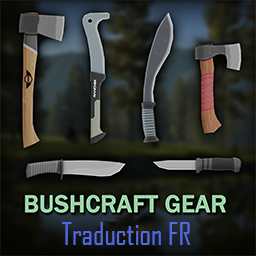
Bushcraft Gear - Traduction FR
von 76561198128018359
Traduction Francaise des mods : - Bushcraft Gear - Tools - Bushcraft Gear - Rare Weapons Workshop ID: 3604570327 Mod ID: BushcraftTradFR
AutoTsar Datsun SpawnSettings
von 76561198072602765
This is a mod to change the vehicle spawn for the Tsar Datsun mod. Mod adds sandbox settings where you can easily change vehicle spawn chance For solo: 1) Activate Tsar's Common Library 2.0 https://steamcommunity.com/sharedfiles/filedetails/?id=2392709985 2) Activate Autotsar Tuning Atelier - Dadsun 240Z '69 https://steamcommunity.com/sharedfiles/filedetails/?id=2984487137 3) Then activate this mod https://steamcommunity.com/sharedfiles/filedetails/?id=3020665117 4) Launch a new game with sanbox and you will see "Tsar Van DeRumba SpawnList Customization" Tab 4.1) If you want to change spawn settings during the game- you need to have "Change Sandbox Options" mod https://steamcommunity.com/sharedfiles/filedetails/?id=2670674997 Spawn settings will be updated after restarting the game and will ONLY affect spawning in unexplored areas of the map 5) Have fun) For Host/MP: 1) Activate this mod in Main menu-Mods https://steamcommunity.com/sharedfiles/filedetails/?id=3020665117 That will show Spawn Settings in Server configuration menu 2) Add Tsar's Common Library 2.0 to your server https://steamcommunity.com/sharedfiles/filedetails/?id=2392709985 3) Add Autotsar Tuning Atelier - Dadsun 240Z '69 to your server https://steamcommunity.com/sharedfiles/filedetails/?id=2984487137 4) Add this mod to your server https://steamcommunity.com/sharedfiles/filedetails/?id=3020665117 5) Change Spawn Settings in Server Configuration tab before launching the server. 5.1) You can change Spawn Settings ingame from Sandbox Settings in Admin menu, but you need to restart the server 6) Have fun) Be aware, all spawn changes occur during the launch of the game. To change the spawn, change the settings and restart the save/server. Spawn will change only in unexplored parts of the map, nothing will change in already explored parts. If you encounter errors or incompatible mods (although there may be incompatibility only with the original car mod), please comment in the comments, I will try to respond promptly Thanks to IbrRus for great mods and inspiration Workshop ID: 3020665117 Mod ID: ATSS_Datsun
Commandeer - Roleplay Commands
von 76561198082048419
This mod adds a number of roleplay-oriented commands, using the Commandeer framework. It also removes usernames from chat. The commands are as follows: /name, /act - Set your roleplay name. /say, /s - Speak in-character. /shout, /sh - Shout in-character. /all, /ooc, // - Speak out-of-character, to the entire server. /looc, /l - Speak out-of-character, to those around you. /me, /m - Emote/perform an action in-character, visible to those around you. The source is available at https://github.com/MarinaGryphon/Commandeer-Roleplay and is licensed under the Unlicense, making it under the public domain. This mod, and mods developed using Commandeer, shouldn't break due to updates as it doesn't overwrite any core game files. Workshop ID: 2697245018 Mod ID: CommandeerRP
![[42.20] Lethal Stealth Fix - LTSSync nil guards – Project Zomboid Mod](https://images.steamusercontent.com/ugc/14426638286250308325/A47612B6115F373CBCD95DD14CB964E39A21C7BF/)
[42.20] Lethal Stealth Fix - LTSSync nil guards
von 76561197961242658
Lethal Stealth Fix - LTSSync nil guards Fixes the crash "Expected a table" at LTSSync.lua:66 (LTSSyncProneStatesFromServer) and prevents the same class of error in sibling network handlers when a server/client command delivers an empty/nil payload. What does it do? In Build 42, RET_LTS.LTSSyncProneStatesFromServer(args) calls pairs(args) without checking args, so an empty payload from the server throws "Expected a table" and breaks the prone-state sync. This fix monkey-patches the global RET_LTS network handlers to bail out early when args is not a table, and also hardens the sibling handlers LTSSyncProneStatesFromClient, LTSSyncSpeedFromClient/FromServer, OnSneakActionEvent and CrawlUnderVehicleClientAction. Requirements - Lethal Stealth (Mod ID RET_LethalStealth) - must be active Compatibility - Build 42.20 - Load this mod after Lethal Stealth in your mod list If the original author fixes their mod, use theirs instead. Workshop ID: 3755731521 Mod ID: LethalStealthB4219Fix
![True Smoking [B42] - Русификация – Project Zomboid Mod](https://images.steamusercontent.com/ugc/18343350908197784749/BE29511FF9C0E90B5F7844F64913824E8FB0F39C/)
True Smoking [B42] - Русификация
von 76561198414246143
Русификация True Smoking Мод предоставляет более реалистичный и иммерсивный опыт курения, превращая его из краткого действия в отслеживаемую механику с распределенными по времени эффектами и опциональной системой никотиновой зависимости. Что делает мод? • Динамическое курение: Курение как продолжительный процесс с отслеживанием прогресса • Гибкое управление: Ручные затяжки или пассивное курение при бездействии • Реалистичное горение: Сигареты быстрее горят при затяжках и движении • Сохранение: Можно тушить и докуривать позже с видимым остатком • Визуальные эффекты: Отображение сигареты на лице персонажа Ключевые особенности: Реалистичная механика курения, система зависимости, полная настраиваемость и поддержка контроллера. Dear foreign friends, this mod is only a localization of the main mod. If you came here because of the preview or text on it, you can safely go to the modification page itself. Хочу перевод Поддержать переводчика Workshop ID: 3631668028 Mod ID: TRUSMORUS
![[B41] Outdoor SafeZone – Project Zomboid Mod](https://images.steamusercontent.com/ugc/29941237059242599/D342421E5DCECAFAE4EB059F669B8C14C07B25A4/)
[B41] Outdoor SafeZone
von 76561198874017305
Create a Safezone without the need for Builds or Admins 4 Zones sizes: • 5x5 • 10x10 • 15x15 • 20x20 Notes: • Safezone uses the Safehouse mechanics to set up a safe zone without the need to build or claim the entire environment. • Claims the location using the player as the center. • Restricts operation on tiles that are roads to prevent blocking. • Any location can be claimed as long as it doesn't have roads. This mod can be translated. Original Mod: Player Made Safe Zone by WhiskeyNights Workshop ID: 3441674649 Mod ID: OutdoorSafeZone
Genetic Mutation
von 76561198009889146
Genetic Mutation Info - Characters that survive for at least 7 days will have a genetic mutation (time can be change in sandbox settings) - Each character can only mutate once - Gene mutations will result in 1 random positive gene, and have a rate of 0 to 2 random negative genes. - You can view information about mutated genes in trait info Genetic Mutation full list here: https://docs.google.com/spreadsheets/d/1PrCKSDExzw7f05AoSc_tzkro_cFlMCSx-TdrjeaQJ9Y/edit#gid=0 Multiplayer only Requirements MoodleFramework its safe to add or remove in existing saves Please like and favorite if you like it: Translation - If the language you want is not available, please help me translate if you want. - Ask me in the discord if you need any translation assistance: https://discord.gg/6V5wJR82bt Buy me a coffe? Copyright 2024 QDas This item is not authorized for posting on Steam, except under the Steam account named QDas. Don't add this mod to Server mod packs without my Permission Workshop ID: 3246387988 Mod ID: VLGeneticMutation
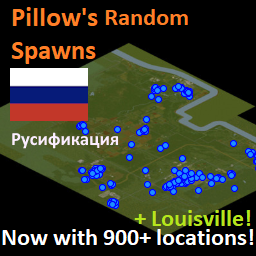
Pillow's Random Spawns Russian Translation
von 76561197972823934
!ОРИГИНАЛЬНЫЙ МОД НЕ ТРЕБУЕТСЯ! Русская версия прекрасного мода, созданного pillow Страница оригинального мода: https://steamcommunity.com/sharedfiles/filedetails/?id=1911132112 Страница на Git: https://github.com/dexd4mn/Pillow-s-Many-Spawns-Pack-RussianTranslation Если найдёте какие-то ошибки или неточности (а они вероятны), пишите - разберусь Все кредиты и респекты создателю оригинального мода - pillow ------------------------------- !NO ORIGINAL MOD REQUIRED! Russian version of a beautiful mod created by pillows Original mod page: https://steamcommunity.com/sharedfiles/filedetails/?id=1911132112. Git page: https://github.com/dexd4mn/Pillow-s-Many-Spawns-Pack-RussianTranslation If you find any errors or inaccuracies (and they are possible), write - I'll figure it out All credits and respects to the creator of original mod - pillow Workshop ID: 3024618849 Mod ID: ManySpawnsLouisville Mod ID: ManySpawnsLouisvilleByNeighborhood Mod ID: ManySpawns Mod ID: ManySpawnsAll Mod ID: ManySpawnsAnywhereBut Mod ID: ManySpawnsLocation Mod ID: ManySpawnsProfession Mod ID: ManySpawnsMP Mod ID: ManySpawnsVariations Map Folder: Many Spawns Louisville Map Folder: Audubon Map Folder: Central Louisville Map Folder: Evergreen Hill Map Folder: Old Louisville Map Folder: Phoenix Hill Map Folder: Many Spawns Casual Map Folder: Many Spawns root Map Folder: Many Spawns All Map Folder: Rosewood Map Folder: Valley Station Map Folder: Dixie Map Folder: Ekron Map Folder: Industrial Zone Map Folder: March Ridge Map Folder: McCoy Logging Map Folder: Muldraugh Map Folder: Riveside Map Folder: Rosewood Map Folder: Valley Station Map Folder: West Point Map Folder: By Profession Map Folder: Many Spawns All Reduced Map Folder: Many Spawns Knox Reduced Map Folder: Knox County Building Inspector Map Folder: Knox County Car Wrecks Map Folder: Knox County Hitchhikers Map Folder: Knox County Patients Map Folder: Knox County Prisoners Map Folder: Knox County Schools Map Folder: Knox County Visitors

MandoDB - CEDA Vehicles
von 76561199158095080
This mod add unspawnable custom vehicle for CEDA Lore Workshop ID: 2997728512 Mod ID: 93townCar_CEDA Mod ID: CEDAVan

Viet Hoa
von 76561199185581268
This is an example mod with two worlds. You can use this as a template for your own map mods. The first world has a single 300x300-tile cell. The second world adds cells all around the first world. Workshop ID: 2973542676 Mod ID: ModTemplate Map Folder: ModTemplateWorld1 Map Folder: ModTemplateWorld2
小腾的洋文汉化
von 76561198213932523
汉化模组: -------------------汉化----------------------- Spongie Open Jackets —— 海绵的开放式夹克 Plumbing —— 管道工程 Small Town First Responders - Main Mod —— 小镇响应者主MOD Small Town First Responders - RavenCreek Support —— 小镇响应者渡鸦港版本 Bianca Boxes —— Bianca的容器 -------------------补全----------------------- Customizable Containers —— 自定义背包(补全) CommonSense —— 常识(补全) Authentic Z - Lite—— 真实Z - Lite版(补全) Build Menu —— 建造菜单(补全) -------------------纠正----------------------- ClothesBOX —— 服装盒(纠正) 纠正了一个 分类中武器显示成武器T 的错误 ****************提示***************** 如果想启用我的汉化文本,把我的汉化模组放在模组顺序最底下 感谢 @等仗打完了就回老家结婚 为我制作贴图 Workshop ID: 3169881051 Mod ID: TenG'sTranslation

Quality of Life
von 76561198027144856
Lets you chip stones using a hammer or another stone to create chipped stones. Added recipes for turning ripped sheets into sheets, pillows, thread, sheet ropes, and rope; as well as cutting those items to get ripped sheets back. Added recipes and tweaks to the game to implement things that feel like they should have already been there. Workshop ID: 2553797544 Mod ID: QualityOfLife
Project Zomboid Details →
Project Zomboid Guides
Project Zomboid Mods installieren - Workshop Guide
Installiere Project-Zomboid-Mods sauber per Steam Workshop: IDs eintragen, Reihenfolge prüfen, Server neu starten und typische Fehler beheben.
Project Zomboid Sandbox-Einstellungen: alle 62 Panel-Werte
Project Zomboid SandboxVars.lua im Panel konfigurieren: alle 62 Werte, Build-41/42-Unterschiede, Grenzen und sichere Empfehlungen.
Project Zomboid Build 42 auf dem eigenen Server: Umstieg, Spielstände und Mods
The Indie Stone veröffentlichte am 26. August 2026 Sicherheitskorrekturen für 42.20.4 Stable, 42.19.2 Unstable und 41.78.21 Legacy. Wähle den Patch für…
Project Zomboid Server mit Mod-Support
Kompatible, unterstützte Mods über das Server-Dashboard installieren.
Project Zomboid Server mieten