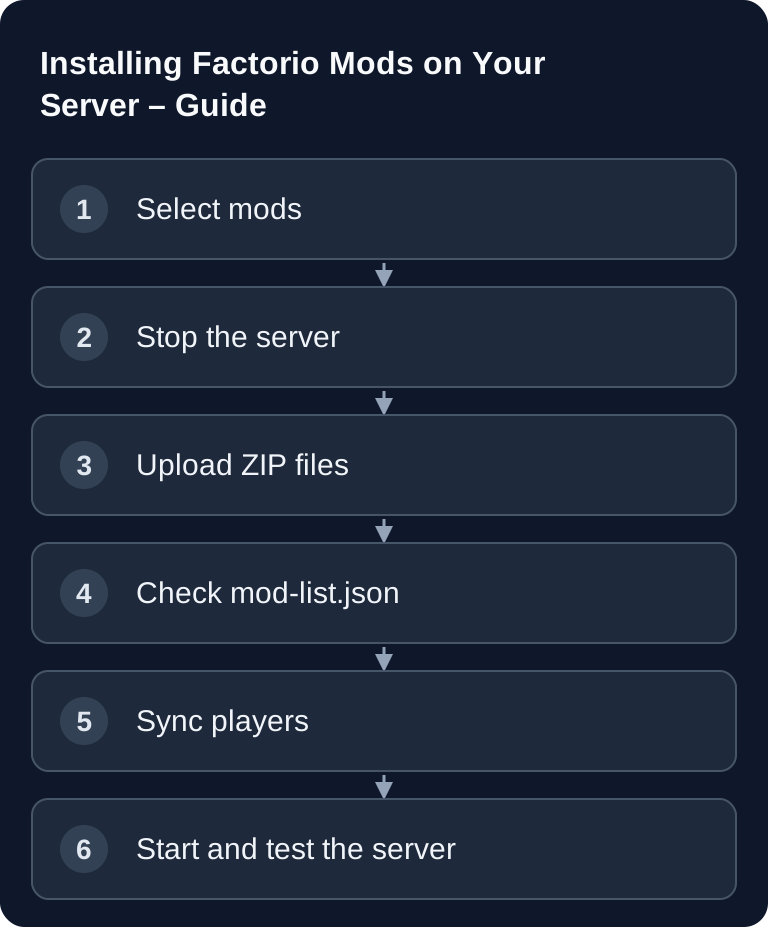
You install Factorio mods on a server by placing the mod ZIP files from the official mod portal into the mods/ folder, maintaining the mod-list.json cleanly, and getting all players onto identical mod versions. What matters is a stopped server, unmodified ZIP files, and a quick connection test after the restart.
Requirements
Before you change mods, you should have access to the server files, a running Factorio server, and a way to restart it. On a rented game-serverhosting server, you typically handle upload, restart, and file checks via the management interface or via file/SFTP access, depending on the booked environment.
Before larger mod changes, create a backup of your save and the existing mods/ folder. Large mod packs in particular change recipes, technologies, and map progress. Removing them later can make a save unplayable or at least require manual rework.
As the primary source for mods, use the official Factorio mod portal: mods.factorio.com. There you will find mod files, versions, and notes on dependencies. Do not use renamed or unpacked ZIP files if the server expects the regular mod structure.
Installing Mods from the Mod Portal
- Find mods on mods.factorio.com
- Download them (
.zipfile) - Upload them to the
mods/folder on the server - Restart the server
Make sure the mod version matches the Factorio version of your server. If you install multiple mods, also check the dependencies in the mod portal. Required dependencies must be present; optional dependencies can unlock additional features but are not always strictly necessary.
Stop the server before uploading. Uploading while the server is running can cause the server to keep using old files or to read an incomplete file at the next start. After the upload, restart the server and check the log for hints about missing dependencies, wrong versions, or disabled mods.
Editing mod-list.json
Factorio controls active mods via the mod-list.json. The file is located in the mod directory and contains the enabled mods. The base mod must stay enabled.
{
  "mods": [
    {"name": "base", "enabled": true},
    {"name": "Krastorio2", "enabled": true},
    {"name": "space-exploration", "enabled": true}
  ]
}
The name must match the internal mod name, not necessarily the pretty display name. If you are unsure, go by the file name of the downloaded ZIP or the information in the mod portal. Only set enabled to true for mods that are actually in the mods/ folder.
After changing the JSON file, pay attention to valid syntax: commas only between entries, double quotation marks, and no comments. A small JSON error is enough for Factorio to be unable to read the list correctly.
Mod Sync with Players
All players must have the same mods and versions!
Recommended approach:
- Install the mods on the server
- Share the mod list with players
- Players install the same mods locally
- Factorio automatically checks whether the mods match
For stable sessions, it makes sense to send players a short change note after every mod change: mod name, version, and whether an existing save is affected. If players see a mismatch when connecting, they should not install just any newer version but use exactly the server version.
If you run multiple modded survival or building servers, a consistent process can help: first backup, then upload, then version list, then test join. You can find similar sync topics for other games too, for example in the guide to Installing Satisfactory Mods with SMM or in Project Zomboid Workshop Mods on the Server.
Popular Mod Packs
| Pack | Description | Difficulty |
|---|---|---|
| Krastorio 2 | Extended endgame | Medium |
| Space Exploration | Space colony | High |
| Bob's + Angel's | Complex production chains | Very high |
| Industrial Revolution | Steam-based tier | Medium |
| Nullius | Completely different | Very high |
This table is meant as orientation, not as a promise of performance or stability. Large packs significantly increase complexity and can require longer planning, more coordination, and more careful updates. With a new group, it is better to start with a few mods and only expand once the server runs stably.
Mod Order and Dependencies
Factorio checks dependencies and determines the load order from them. As a result, a headless start does not automatically download missing mod ZIPs. Install all required dependencies in a version that matches the game version before you start; check the log for the specific missing mod or version requirement.
Nevertheless, you should not ignore error messages. A missing required dependency often prevents the start or disables the affected mods. Incompatibilities can also matter when the server starts but recipes, technologies, or interfaces in the game seem faulty.
Headless Server and Mods
factorio --start-server save.zip --server-settings server-settings.json
The mod folder is determined by the configuration in use; it does not have to be next to the executable. With --mod-directory /absoluter/pfad/mods you can set it explicitly when starting manually. Check the official command line parameters and the paths used in the startup log.
If you run a headless server manually, also check the working directory from which Factorio is started. At startup, the server must see the same mods/ folder you uploaded the files to. In hosting setups, this path logic is usually predefined; with your own management, it is a common source of errors.
Verifying the Result
After the restart, connect with a local client. If Factorio lets you onto the server without a mod mismatch and the save loads, the installation is generally successful. Then check in the game whether mod content such as recipes, technologies, items, or interfaces is present.
Also open the server log and look for warnings about mods. A session can seemingly start even though optional components are missing or individual mods have been disabled. Keep a record of the final mod list so that later updates remain traceable.
Troubleshooting
Server does not start after mod upload
First check whether all uploaded files are complete .zip files and whether the mod-list.json contains valid JSON. Test the most recently added mods on a copy of the save with enabled: false. Do not load and overwrite the production save without its previous content mods; if there are problems, restore the save, mod ZIPs, and mod list from the same backup state.
Players cannot join
Compare the mod list and versions between server and client. Even a single mismatched version can prevent joining. Give the players the exact list and have them adjust their local mod versions accordingly.
A dependency is missing
Open the mod page in the official mod portal and check the listed dependencies. Download missing required dependencies, place them in the mods/ folder as well, and enable them in the mod-list.json if needed.
Mod content does not appear in the game
Check whether the mod is really enabled and whether the loaded save was started or migrated with this mod. Some content only appears after research, map generation, or certain game events.
FAQ
Do I have to unpack Factorio mods?
No. For the usual server installation, you place the downloaded .zip files unchanged in the mods/ folder.
Can players use different mods than the server?
For multiplayer, the relevant mods and versions must match. Factorio checks for mismatches when connecting and reports conflicts.
Can I add mods to an existing save later?
Often that is possible, but not risk-free. Create a backup beforehand and check the notes of the respective mod, especially for large overhaul packs.
What do I do first with large mod packs?
First install all required dependencies, start with a test save, and document the versions. Only then should you continue a production save with the group.
How do I keep mod updates under control?
Do not update during a running play session. Stop the server, back up the save and mod folder, update selectively, and test joining before you release the session.