WorldGuard protects defined Minecraft regions with members, owners and flags. Check selection height, overlapping regions and bypass permissions separately. A successful admin build test does not confirm the protection for normal players; test inside and outside the region with the intended role. The screenshots come from a test server running Paper 1.21.4, WorldGuard 7.0.12 and WorldEdit 7.3.9.
Requirements
WorldGuard needs WorldEdit for the selection. The world protection wizard in the panel installs both together with LuckPerms; alternatively, install them individually from Plugins → Browser. After the restart, /wg version confirms the installation.
Region management belongs in a group with the appropriate permissions. Grant required region commands selectively; a blanket asterisk is not a requirement for every helper. How groups work is explained in LuckPerms: Setting Up Permissions.
Creating the First Region
- Mark the area with the WorldEdit axe (
//wand) or with//pos1and//pos2. - Expand the selection to the full height:
//expand vert. Otherwise the region only protects the marked layers. - Create the region:
/rg define spawn.
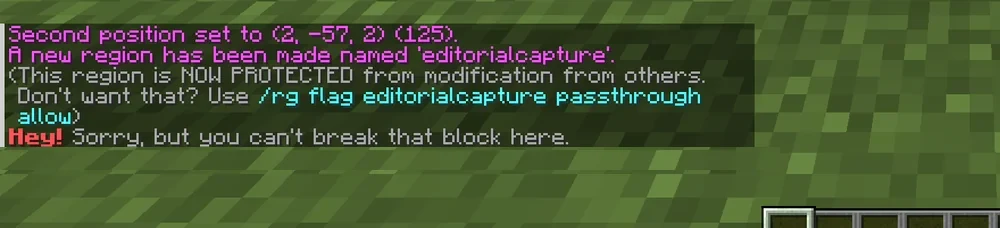
WorldGuard confirms the new region in chat and points to passthrough in case you do not want build protection. A non-member without bypass permission cannot break blocks there by default; the block stays in place and WorldGuard reports the denied action. Members and administrators with bypass are unsuitable for this protection test.
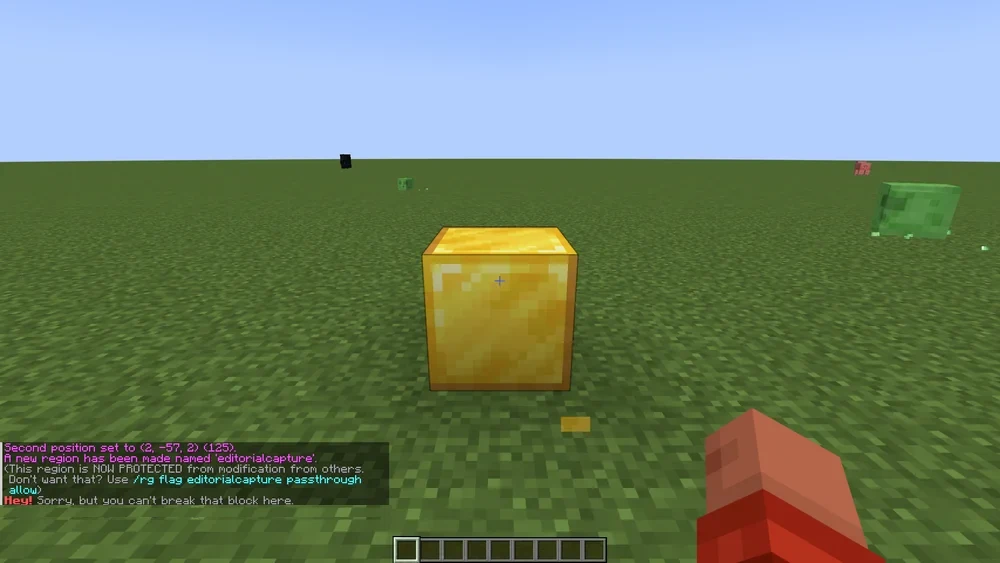
The region applies immediately, without a restart. /rg info spawn shows corner points, members and flags. /rg list lists all regions of the current world.
Members and Owners
A region without members is locked for everyone who does not have the bypass permission. With /rg addmember spawn Spielername, the player becomes a member and can build in the region as long as the protection flags are unchanged. /rg addowner spawn Spielername adds them as an owner; to manage members, they additionally need the appropriate WorldGuard command permissions for their own regions. LuckPerms groups work with the prefix g:, for example /rg addmember rathaus g:bauleute.
With the default option op-permissions: true, operators receive WorldGuard permissions and thus bypass the protection. For a protection test, join as a normal non-member player. If administration should also be restricted, check op-permissions in the WorldGuard configuration as well as the effective world-specific permission worldguard.region.bypass.<world name>; a single negative wildcard node is not a reliable test while OP permissions are active.
Flags That Matter on Survival Servers
Flags control what happens inside a region. The most commonly used:
/rg flag spawn pvp deny
/rg flag spawn mob-spawning deny
/rg flag spawn greeting Welcome to the spawn!
/rg flag arena pvp allow
/rg flag __global__ creeper-explosion deny
__global__ is the invisible region that covers the entire world. A flag set there applies everywhere that no more specific region says otherwise. Regions can overlap; in that case priority decides (/rg setpriority arena 10), and the higher number wins.
For beginner areas, invincible, fall-damage and hunger are useful; for farms, mob-damage and entry. The full list is in the WorldGuard documentation.
Changing and Deleting Regions
A region is not a final state. If the area no longer fits, you mark it anew with WorldEdit and overwrite the boundaries:
/rg redefine spawn
/rg select spawn
/rg remove arena
/rg redefine keeps the name, members and flags and only replaces the corner points. Conversely, /rg select turns the existing region into the WorldEdit selection — handy for seeing beforehand what is actually protected. /rg remove deletes it along with its flags; there is no confirmation prompt, so the name has to be right.
Typical Mistakes
- Region only protects a strip. The selection was not brought to full height with
//expand vert. - Players can still build. They are operators or have
worldguard.region.bypass.*. - Flag has no effect. An overlapping region with higher priority overrides it.
/rg infoin the region shows which one applies. - Message in the wrong language. WorldGuard ships its own texts; they cannot be translated in
plugins/WorldGuard/config.yml, but thegreetingandfarewellflags allow custom texts.
FAQ
Does a new region apply immediately or only after a restart?
Immediately. WorldGuard writes the region directly into its database and protects the area from the confirmation text in chat onward. Flag changes also take effect without a restart.
Why can operators still build in the region?
With op-permissions: true, WorldGuard grants permissions to operators by default. Check this option and the effective bypass permissions for the affected world. Whether the protection works for normal players, you test with a non-member without OP and without bypass permission.
How do I protect the whole world without marking a region?
Every world has its own invisible region __global__. /rg flag __global__ creeper-explosion deny sets the rule for the currently selected world, provided no more specific region sets a different flag. For the Nether, End or other worlds, you must configure and test the respective global region separately. Also check locally allowed exceptions.
What happens when two regions overlap?
For set flags, region priority decides first, for example /rg setpriority arena 10. With equal priority, for state flags such as pvp, an explicit deny wins over allow; an unset flag is not an additional prohibition. Other flag types have their own rules. At the affected position, check all overlapping regions with /rg info and test as a player without bypass.
Do I really have to extend the selection to full height?
In almost all cases, yes. Without //expand vert, the region only protects the marked layers, and a player simply undermines the spawn from below or builds above it. Only for deliberately limited areas such as one floor in a building does a flat region make sense.
Further Guides
The selection with WorldEdit is explained in WorldEdit: Building and Undoing. You can set up homes and warps for players with Setting Up EssentialsX.
Sources
- WorldGuard documentation: https://worldguard.enginehub.org/en/latest/
- Regions: https://worldguard.enginehub.org/en/latest/regions/
- Flag list: https://worldguard.enginehub.org/en/latest/regions/flags/
Signing Off Spawn Protection with Two Roles
With a normal non-member, test breaking and placing inside the region as well as directly outside it. Then check the same actions with a member. While doing so, verify the current world, region height, flags and priorities; this applies especially to an arena inside the spawn. A higher-priority allowing flag and a bypass permission are different causes. For the protection test, use an account without OP instead of just rebuilding the admin role. Back up region data before a redefinition and confirm the selection with /rg select before changing boundaries.
WorldGuard: view an example
Our own captures from a demonstration environment. The version and setup shown may differ from your server.
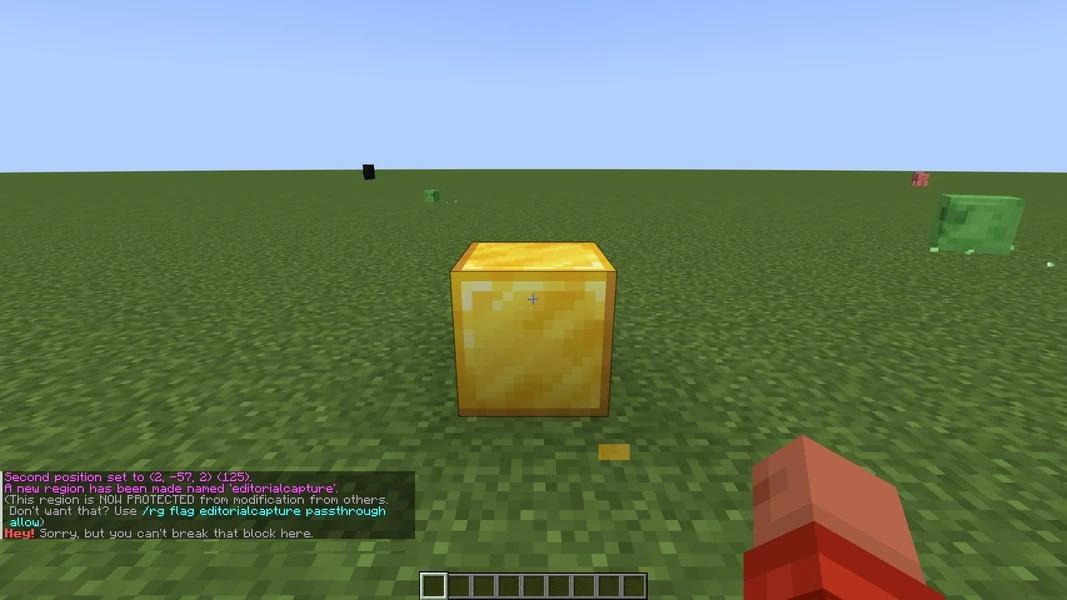
WorldGuard 7.0.12 · 2026-09-12
WorldGuard 7.0.12 · 2026-09-12