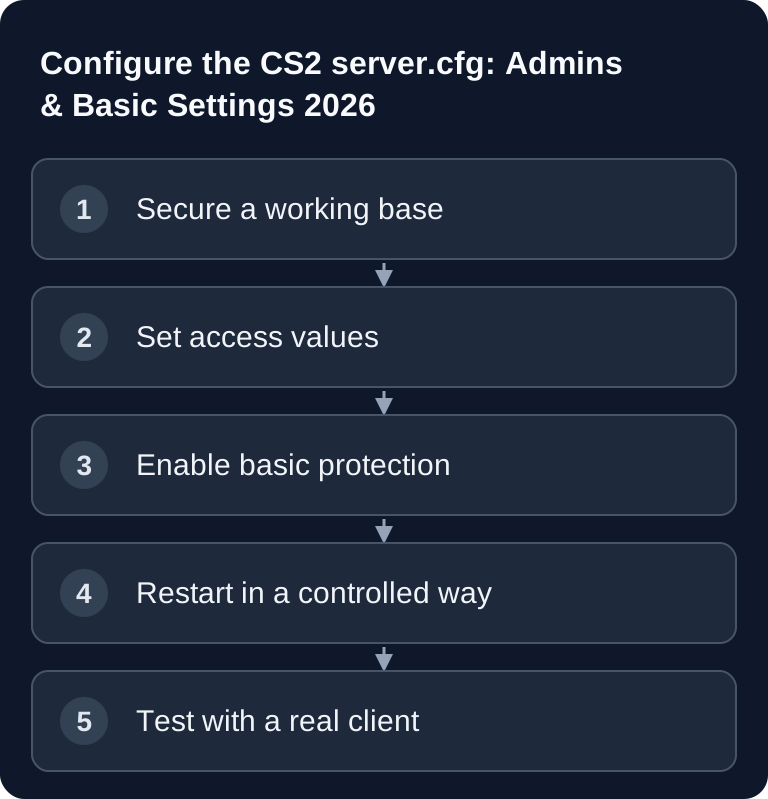
You set the CS2 basic configuration in server.cfg: server name, game password, RCON password and sv_cheats. Check every value after the restart, because match presets or plugins can overwrite the same settings. You can find prices at Rent a CS2 Server; GSLT and competitive rules are explained in the competitive setup.
What This Guide Covers – and What It Doesn't
Here you only set the reliable foundation: server name, private access, RCON, basic security values and a test after the restart. The specialized topics have their own guides:
- Loading CS2 Workshop Maps
- Installing CS2 Plugins with MetaMod, CounterStrikeSharp and MatchZy
- Setting Up the CS2 MatchZy Match Center
- Checking CS2 Tickrate and Performance
This way it stays clear which file is responsible for the basic values and which change you need to revert if something goes wrong.
Requirements
You need access to the panel, file manager or SFTP, the server console and the displayed address including port. For a publicly listed server you also need a Game Server Login Token. Valve manages GSLTs under Steam Game Server Account Management; for CS2, App ID 730 applies.
Treat the GSLT and RCON password like login credentials. They don't belong in screenshots, public repositories or chat histories.
Maintain server.cfg as the Single Traceable Base
Open the active server.cfg in the panel. Start small and only comment values whose purpose you understand:
hostname "My CS2 Server"
sv_password ""
rcon_password "YOUR_OWN_LONG_PASSWORD"
sv_cheats 0
sv_lan 0
hostname sets the visible name. An empty sv_password makes the server reachable without a game password; for training sessions, enter a separate password. rcon_password protects remote administration and must not be identical to the game password. sv_cheats 0 prevents normal cheat commands, and sv_lan 0 is intended for a server reachable over the internet.
Don't change the same values in the panel preset and in several cfg files at the same time. Decide which path is authoritative and document it. Otherwise a later restart looks like a random error, even though a second configuration is merely overwriting the value.
Test Access and the Admin Base
Save the file, restart the server in a controlled way and read the startup log first. Then connect via the CS2 console:
connect IP:PORT
Then check in this order:
- The server reaches the ready state without new cfg errors.
- The visible hostname is correct.
- The game password behaves as planned.
- RCON only accepts the new admin password.
- A second test client can join normally.
A successful process start alone doesn't prove a working join. GSLT, port, password and client/server build must also match.
Rolling Out Changes Safely
Back up the working server.cfg before every major change. Then adjust only one related group, restart and log the time and result. If you later install plugins or workshop maps, first test the unchanged base again. This tells you whether an error lies in the basic configuration or in the extension.
Current Valve patches, map pool changes and the verified version status can be found in the CS2 Update Hub. The hub doesn't replace configuration; it tells you when you should recheck the build, maps or extensions.
Troubleshooting
Changes don't take effect after the restart
Check whether the active server.cfg was actually edited and whether a panel preset or match configuration overwrites the same value later. Look in the startup log for the loaded configuration path and test with exactly one changed value.
The server doesn't appear publicly
Check GSLT, App ID 730, server build, port and startup log. Don't publish the token. If it has been exposed, replace it in the Steam management page.
Players can't connect even though the process is running
Compare client and server build, address, port and sv_password. First test without additional plugins and with an official map; afterwards, dig into map or plugin problems in the respective specialized guide.
RCON doesn't respond
Check the game password and rcon_password separately: the first allows joining, the second remote administration. In the admin client, compare the target address and RCON port with the assigned connection and check whether a later-loaded cfg overwrites the value. If the password has been exposed, replace it and test access with the new value.
FAQ
Do I need plugins for a simple CS2 server?
No. Hostname, access and basic rules work without CounterStrikeSharp. Only install plugins for a specific additional purpose.
Do workshop maps belong in this basic guide?
No. The server.cfg remains the stable foundation here; the workshop ID, download and rotation are explained in the separate workshop guide.
Where do I set up competitive rules?
GSLT, match cfg, overtime and map pool belong in the competitive guide. This way the basic article doesn't compete with the match setup.
Do I have to restart after every change?
For a reliable check, yes, unless you know for sure that the specific value can be cleanly reloaded at runtime. A controlled restart makes the test reproducible.