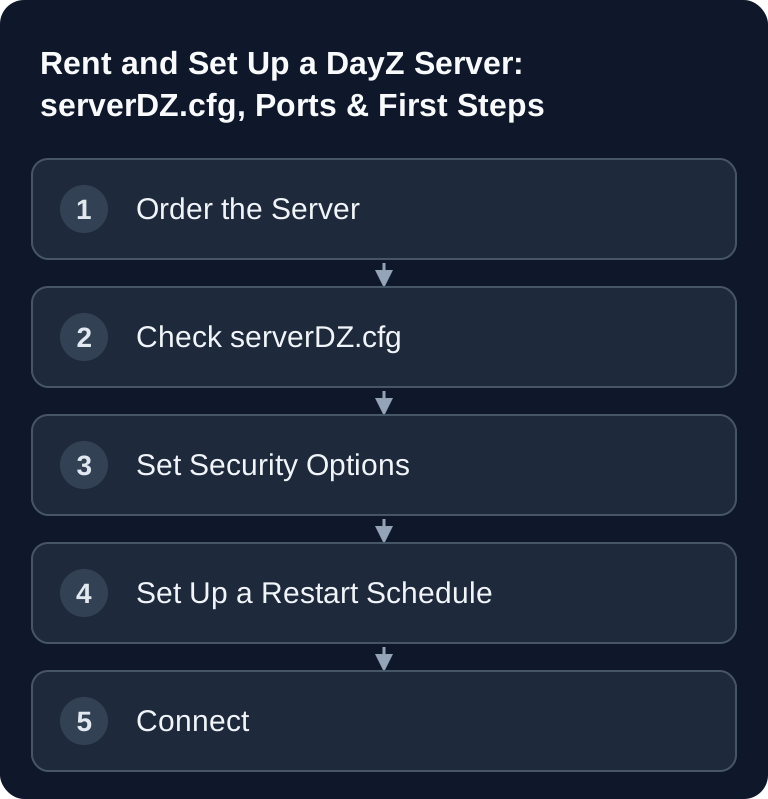
A DayZ server needs a serverDZ.cfg that matches the game build, assigned ports, and secure signature verification. First test that an unmodified client can join, then test mods and restarts. A visible server entry in the launcher does not prove a complete join.
DayZ: Post-Apocalyptic Hardcore Survival With Your Own Server
DayZ (Bohemia Interactive) drops players into a post-apocalyptic, open world with permanent hunger, thirst, and infection management, rare gear, and PvP encounters with real consequences — if you die, you lose all of your equipment. On your own server, you decide the rules, loot distribution via mods, player count, and security settings yourself, instead of playing on official or third-party community servers.
This guide covers the basic server setup; workshop mods, keys, and wipes are covered in the second part of this series.
Ordering a Server
Select DayZ in the order wizard and check the currently bookable resources and slot limits. Plan for your map, mods, and the expected number of concurrent players. A package or slot limit is not a measurement of server performance: check CPU, memory, and join behavior under real load before you raise the player count.
After ordering, your server is provisioned automatically. You can see the current status in the dashboard.
Ports at a Glance
The managed DayZ setup uses separate assignments for game traffic and Steam query. Take the actual values from your panel; a fixed sequence of three such as 2302–2304 does not reliably describe this hosting setup.
| Panel assignment | Purpose |
|---|---|
| Game port | Full client join via the server address |
| Steam query port | Query and visibility in the server browser |
The game port is set when the server starts; the query assignment is applied for steamQueryPort. A reachable query port does not prove a working game join. Do not change the two assignments independently of the server configuration.
serverDZ.cfg — the Central Configuration File
The basic settings of your DayZ server are located in serverDZ.cfg. With GSH, several entries are written from the panel settings at startup: name, join and admin passwords, signature and build verification, and other offered game values. Manage these values through the game settings in the panel, save them, and restart in a controlled way. A direct CFG change to such entries will not persist independently of that. Back up the file before changing other parameters. The most important manufacturer parameters at a glance:
- hostname: The server name as it appears in the in-game browser.
- maxPlayers: Manufacturer parameter for the player limit. The GSH setup writes it at startup from the booked slots; your own CFG change does not increase the package.
- password: Optional server password for closed groups.
- passwordAdmin: Admin password for extended in-game rights.
- verifySignatures: Checks client PBO files against their BISIGN signatures; an important baseline protection setting against tampered client mods.
- forceSameBuild: Checks the client's DayZ EXE build revision against the server. A differing revision can therefore lead to a kick; mod versions and mod signatures must also match.
- disable3rdPerson: Disables the third-person camera and enforces first-person perspective — often active on hardcore-oriented servers.
- serverTime and serverTimeAcceleration: Control the in-game time of day and how fast it passes relative to real time.
- respawnTime: Waiting time before a dead player can spawn again.
After saving and restarting, the generated configuration is what counts. If old values reappear, first check the panel startup values and then the file path and syntax, instead of repeatedly changing the same CFG entry.
Restart Schedule
Schedule restarts via the scheduled tasks in the web panel and announce them to your group. Choose the interval based on updates, save behavior, and observed load; a pattern such as every 4 to 6 hours is only an operational example. A restart can reset a current state, but it does not automatically fix a faulty mod, configuration, or lasting resource shortage.
Connecting via the DayZ Launcher
Your players connect via the official DayZ Launcher: either through the integrated server browser (provided Steam query is reachable, see above) or directly via the IP address and the game port actually assigned in the panel, as a favorite. A custom subdomain makes it easier for your community to find the server again, instead of having to remember a bare IP address.
Player Count and Server Load
The booked slots are the package limit. The GSH setup takes them over at startup as MAX_PLAYERS and writes maxPlayers into serverDZ.cfg from it; an independent file change does not book additional slots. For a different slot tier, use the offered package change.
How many players can play smoothly under your actual world and mod load is a separate matter. Check CPU, memory, simulation, and save spikes with a small group, and increase concurrent usage only within the booked scope. A package limit is not a load measurement.
Password Protection and Public Visibility
For a closed community group, set password to a shared join password — the server will then remain visible in the server browser (provided Steam query is reachable), but only players with the password can actually join. passwordAdmin is independent of this: this second password unlocks in-game admin commands and should only be given to your moderation team, never to the entire community. With GSH, you change both passwords via the corresponding panel settings. Save, restart the server, and test the protected join and a harmless admin action separately. The startup configuration writes password and passwordAdmin into serverDZ.cfg; entries edited directly will be overwritten again in the process.
Official Source and Safe Rollback
The official DayZ server configuration from Bohemia Interactive documents, among other things, hostname, maxPlayers, verifySignatures, forceSameBuild, and the startup parameters -config, -port, -mod, and -serverMod. Before making changes, note the previous panel startup values and back up serverDZ.cfg. If the server does not start afterwards or entries disappear from the browser, save the previous panel values again for managed parameters; for other file parameters, restore the last working CFG. Restart in a controlled way and test the join.
FAQ
When do changes to serverDZ.cfg take effect?
After saving and restarting the server. Save managed values in the panel first; for other parameters, save the CFG file. Stop in a controlled way and restart. Check the log, server browser, and a real test join; a running process alone is not enough.
Which value is correct for verifySignatures?
Bohemia's current server documentation lists 2 as the supported value for signature verification. This checks PBO files against their signatures. If you have mod problems, you should fix missing or outdated keys and not disable the check permanently.
Why are players rejected even though the server is running?
Often the client and server builds do not match, a port was applied incorrectly, or a mod signature is missing. First compare the panel address, the current build, and the server log at the exact time of the join.
How do I roll back a faulty configuration?
Stop the server. Reset changed managed values in the panel to the previously working state and save them. For other CFG parameters, restore the backed-up file. Restart and confirm a complete join before you repeat the problematic change individually.
Conclusion
Confirm suitable resources, the assigned game and query ports, and a valid serverDZ.cfg with a complete test join. How you manage workshop mods, keys, and persistence wipes is covered in the second part of this series.
Next: Installing DayZ Mods and Maintaining Your Server
Distinguishing Query Reachability From Game Join
If your server appears in the launcher but the join fails, check the game port, password, and client version separately from the query port. The port values must match the actual panel assignments; default numbers from a guide are only examples. For signature messages, check mod versions and keys instead of turning the check off. Back up serverDZ.cfg before the correction and first test without new extensions. After the restart, check the first log message and a complete join all the way to the character. For support, the time, build, port, and exact message are enough, without passwords.