Last checked: September 25, 2026. The server app is SteamCMD AppID 222860; modding baseline as of 09/2026: SourceMod 1.12, MetaMod:Source 1.12, L4DToolZ 2.2.0 (November 2025).
You set up a Left 4 Dead 2 server with the server app 222860, a left4dead2/cfg/server.cfg and a join test via connect host:port. Vanilla co-op offers four Survivors, Versus eight players. Additional co-op players and custom campaigns are separate extensions: a higher slot limit alone does not create additional Survivors.
Requirements and Planning
Left 4 Dead 2 is not a free-to-play game. All players need the game on Steam; the server runs separately from it as a dedicated instance. For installation and operation, the server side typically uses SteamCMD. Valve officially documents SteamCMD in the Valve Developer Community at Documentation at developer.valvesoftware.com.
For classic four-player campaigns, Left 4 Dead 2 is comparatively undemanding. However, more slots, many Workshop add-ons and gameplay plugins increase the requirements. So plan not only by player count, but also by custom maps, SourceMod plugins and the stability headroom you want.
| Players | RAM | Use case |
|---|---|---|
| 4 (standard co-op) | 2 GB | Vanilla campaigns; Versus 4v4 requires eight player slots |
| 8 | 3 GB | Extended slots via L4DToolZ, custom campaigns |
| 12–16 | 4 GB | Large co-op groups, many add-ons |
| 16+ | 6 GB | Heavily modded, custom game modes |
The table is meant as a practical planning basis, not as a performance guarantee. Large custom campaigns can load many assets; with several Workshop add-ons, an additional RAM buffer makes sense.
Choosing the Game Mode and Slots
| Mode | Description | Recommended slots |
|---|---|---|
| Co-op (Campaign) | 4 Survivors against AI Infected through a full campaign | 4–8 |
| Versus | 4v4, both teams alternate between playing Survivors and Special Infected | 8 |
| Survival | Hold out on one map as long as possible against endless horde waves | 4 |
| Scavenge | Survivors collect gas cans, Infected try to stop them | 8 |
| Realism | Co-op without Survivor outlines, tougher Infected | 4 |
| Mutations | Special rules such as melee focus or modified scenarios | 4–8 |
You control the mode in server.cfg via mp_gamemode, for example coop, versus, survival, scavenge or realism. If you are comparing similar co-op setups for other survival games, the Valheim co-op guide and the The Forest server guide also provide guidance on roles, access and group operation.
Ordering a Server
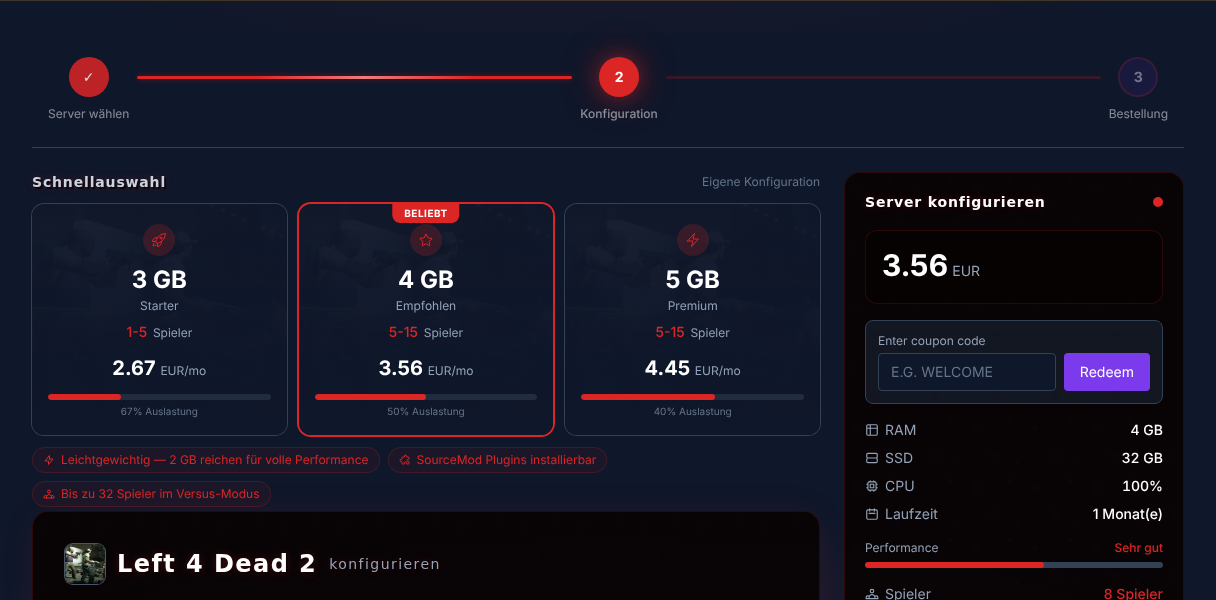
- Go to Rent a Left 4 Dead 2 Server.
- Choose 2 GB RAM for classic co-op; take more if you plan extended slots or many mods.
- Wait until the installation is complete and the server shows as online in the panel.
- Note down the hostname, port and access credentials for configuration and testing.
At game-serverhosting, the focus is on a controllable server environment: you manage configuration, files and operations centrally instead of relying on ad-hoc local hosts.
Configuring server.cfg Properly
The central configuration is located in left4dead2/cfg/server.cfg. A solid basic skeleton looks like this:
hostname "My L4D2 Server"
sv_password ""
mp_gamemode coop
sv_region 3
sv_steamgroup_exclusive 0
sv_consistency 1
sv_pure 0
sv_allow_lobby_connect_only 0
Important values:
hostname: Display name of the server.sv_password: Empty for public, with a value for private sessions.mp_gamemode: Game mode, for examplecooporversus.- Leave
sv_maxplayersout of the vanilla skeleton: the cvar only exists with L4DToolZ (range 0–32, -1 = default check). Without the plugin, the server ignores the value, and it stays at 4 Survivors in co-op or 8 players in Versus. sv_region 3: Europe region in the server browser.sv_allow_lobby_connect_only 0: Allows direct connections via the console, for example withconnect host:port.sv_pure 0: Relaxes the file check for client-side content; stricter setups can be more restrictive here.
Save the file and restart the server. Then check in-game whether hostname, mode and join behavior work as expected.
More Than Four Players with L4DToolZ
Vanilla co-op is designed for four Survivors. If you want to run larger co-op groups, you need L4DToolZ as a MetaMod extension. Proceed conservatively:
- Install MetaMod:Source and SourceMod matching Left 4 Dead 2.
- Place the L4DToolZ files in
left4dead2/addons/. - Set
sv_maxplayersinserver.cfgto a value that fits the plugin and game mode, at most the booked slots.8is only an example; the+maxplayersstart value set by the hosting and the other plugin requirements also apply. - Restart the server.
- Use
meta listto check whether the extension was loaded.
L4DToolZ lifts the connection limit. For actually more than four simultaneously playable Survivors, you additionally need a gameplay plugin suitable for your version. Test with five really connected clients whether the fifth player spawns and can keep playing after a chapter change. Only adjust the Director and Infected limits afterwards; additional slots alone do not change campaign balance in a controlled way.
Custom Maps and Workshop Campaigns
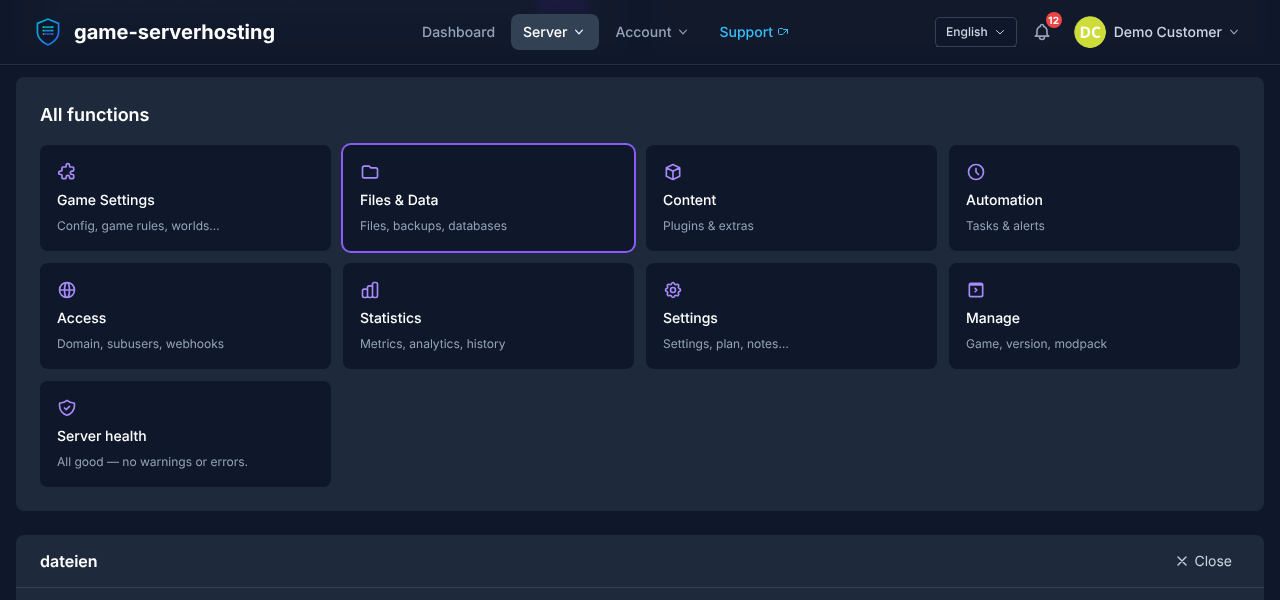
Custom campaigns and add-ons are usually available as .vpk files. The technical procedure:
- Download the desired map from the Steam Workshop or from GameMaps.com.
- Upload the
.vpktoleft4dead2/addons/via the file manager. - You don't need a
mapcycle.txt; Left 4 Dead 2 does not evaluate it. The campaign registers itself via its mission file (missions/*.txtin the VPK); for automatic switching from campaign to campaign, use a SourceMod plugin such as the Automatic Campaign Switcher (ACS). - Restart the server.
- Test the map change with a small group.
Popular custom campaigns such as Dead Before Dawn, Death Aboard or Yama are frequently used; whether a specific version runs cleanly depends on the file, dependencies and client add-ons. Make sure all players have installed and enabled the same required add-ons.
SourceMod and Admin Rights
For admin commands, plugins and convenient moderation, you install MetaMod:Source and SourceMod:
- Download both packages for Left 4 Dead 2.
- Extract them to
left4dead2/addons/. - Enter your SteamID in
addons/sourcemod/configs/admins_simple.ini. - Restart the server.
- Open the admin menu in-game with
sm_admin.
Typical plugin categories are admin tools, map changes, statistics, L4DToolZ for additional slots, and gameplay adjustments for hordes, the Director or mutations. Install plugins one at a time and check the server log, join behavior and map start after each step. For further multi-game comparisons, you can consult the V Rising server guide or the Terraria multiplayer guide.
Verifying the Result
After setup, you should test four things: First, the server must be reachable via hostname or IP. Second, mp_gamemode must start the desired mode. Third, custom maps should load without missing assets. Fourth, admin commands such as sm_admin must work if SourceMod is installed.
Friends connect via the developer console with connect mein-server.gs.game-serverhosting.com:27015 or via Steam features, provided your lobby and access setup allows it.
Troubleshooting
- More than 4 slots are ignored: Use
meta listto check whether MetaMod and L4DToolZ are loaded. - Friends cannot join directly: Set
sv_allow_lobby_connect_only 0. If the server still gets stuck in a lobby reservation (typical with L4DToolZ), additionally setsv_force_unreserved 1and test again viaconnect host:port. - Consistency errors when joining: Add-ons differ between server and clients. First compare versions and required add-on files on both sides. Do not turn off file checks as the first diagnostic step.
- Server does not show up in the browser: Check
sv_region, password, the lobby-only setting and server status. - Custom map does not start: Check the
.vpkpath, required sub-packages and the exact start map name from the mission file.mapcycle.txtis not a solution here; test the direct map start before you set up a campaign-switching plugin. - SourceMod menu does not open: Check the SteamID entry, file paths and whether SourceMod was loaded at startup.
FAQ
Is Left 4 Dead 2 free to play?
No. All players need Left 4 Dead 2 on Steam. The dedicated server runs independently of that, but does not replace a game license.
How many players are possible without mods?
Classic co-op is designed for four Survivors, Versus for 4v4. Larger co-op groups require extensions such as L4DToolZ and should be tested because of balance.
Can I use Workshop campaigns?
Yes, if the content is available as suitable .vpk files and is correctly placed in left4dead2/addons/. All clients should also have the required add-ons enabled.
What do I need SourceMod for?
SourceMod provides the admin menu, commands and the plugin foundation. It is especially useful if you want to moderate, change maps, use statistics or deploy L4DToolZ.
Why can't friends connect directly?
Usually the server is reserved by a lobby or sv_allow_lobby_connect_only is set to 1. Set the value to 0, with L4DToolZ additionally sv_force_unreserved 1, restart and test connect host:port.
Conclusion
A rented Left 4 Dead 2 server gives you permanent availability, plannable administration and clean control over modes, files, add-ons and player access. Start with a lean server.cfg, test vanilla co-op, then add SourceMod, Workshop campaigns and L4DToolZ step by step. That way you spot errors early and keep operations transparent and under control even with larger groups.