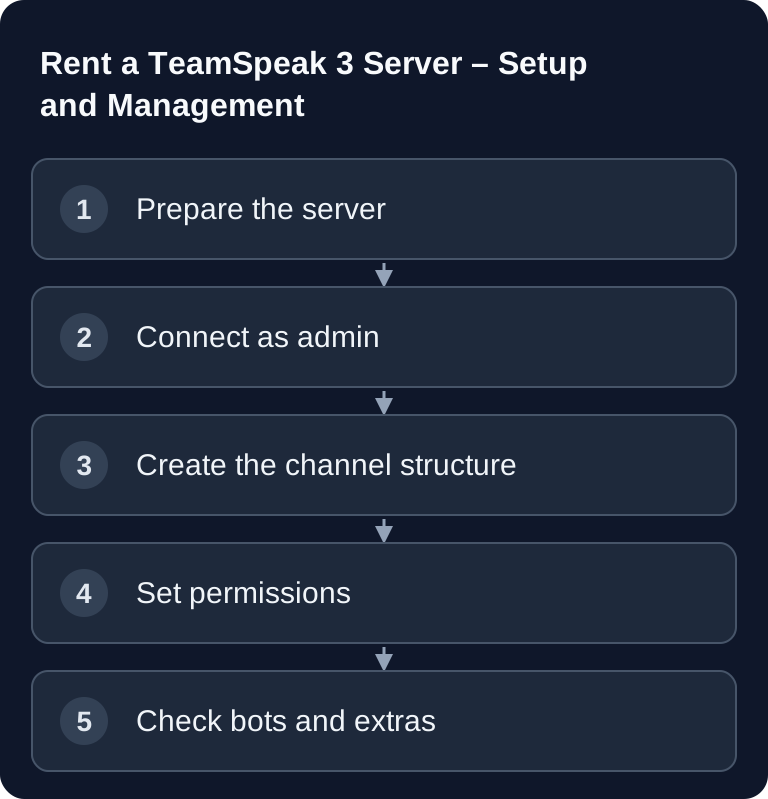
Your own TeamSpeak 3 server is worth it if you want to run voice communication for a clan, community or fixed co-op groups in a controlled way. What matters is a clear channel structure, cleanly separated permissions, a simple connection address and a setup you can verify. That way admins stay in control without having to walk every user through the setup manually.
Requirements
Before you start, you need the TeamSpeak client, the server address, optionally the port and the server admin token. You can get the official client at teamspeak.com. If your server is managed through a dashboard, the address, start/stop functions, backups or add-ons should be visible there. For the first login, ideally use a desktop client, because permission management is clearer there.
TeamSpeak is especially well suited for groups that need fixed voice rooms, controlled moderation and separate roles. For survival or co-op projects, you can tie voice organization directly into your game server concept, for example with a Valheim co-op server with clear group roles or a V Rising server for clan coordination.
Rent a TeamSpeak 3 Server
Why TeamSpeak?
- Low latency: Often the preferred choice for competitive gaming, when short voice paths and stable push-to-talk communication matter more than social features.
- Full control: Your own channels, permissions, groups, bots and moderation rules stay under your management.
- No strangers: Users only get onto the server if they have the address, password or matching permissions.
- Quality: The Opus codec allows adjustable voice quality, depending on the server configuration and channel settings.
Setting Up Your Own Server
According to the current scope of offerings in this guide, TeamSpeak 3 servers are not offered directly by GSH. For your own VPS or root server, you therefore need to sort out installation, license terms, operating system and network configuration separately. Plan the connection and a permission test before opening it up to your community.
If you already run game servers, plan TeamSpeak as fixed infrastructure alongside them. A voice server is no substitute for game server configuration, but it reduces coordination problems in the game. This is especially useful for titles with fixed groups, roles or boss preparation, for example with Valheim with mods and boss order or a co-op setup like renting a The Forest server.
Getting Started
- Install the right TeamSpeak client.
- Connect to the address and port of your actual TeamSpeak provider or your own server.
- Use the privilege key generated during server setup and confirm the assigned server group in the client.
According to this article, GSH does not offer a TeamSpeak 3 plan; a GSH game address or a dashboard there is therefore not a promise of TeamSpeak access. The privilege key can only be used once; keep it confidential. The TeamSpeak support describes the initial installation and how to issue further admin tokens.
After the first login, you should immediately check whether your user actually ended up in the Server Admin group. To do this, open the permissions or server group view in the client. If you entered the token incorrectly or it has already been used up, you will lack full administration rights. In that case you need a new privilege key or server admin token from the server management.
Setting Up Channels
A good channel structure is short, understandable and stable. Don't create ten rooms for every game right away. Start with Lobby, Gaming, Talk, Admin and AFK. You can add further sub-rooms later once the community actually uses them.
Typical channel structure:
├── Welcome
├── Gaming
│   ├── Lobby
│   ├── Team 1
│   ├── Team 2
│   └── Ranked
├── Chill
│   ├── General
│   └── Music
├── Admin
│   └── Meeting
└── AFK
For public or semi-public servers, a welcome channel with restricted permissions makes sense. Guests can land there but can't enter all rooms right away. Members get access to the gaming and talk areas. Admin rooms should only be visible or enterable for moderators and server admins.
Permission System
| Group | Permissions |
|---|---|
| Server Admin | Everything |
| Moderator | Kick, ban, create channels |
| Member | Join, speak, chat |
| Guest | Enter lobby only |
Work by the principle: as little as possible, as much as necessary. Server Admin should only be for people who really take on technical responsibility. Moderator permissions are usually enough for everyday situations: moving users, kicking troublemakers, temporary bans and managing channels. Members should be able to speak, write and enter normal rooms. Guests get only minimal permissions until they are approved.
Setting Up a Music Bot
If you use SinusBot in a separate, suitable environment, follow its installation guide and connect the bot identity to your actual TeamSpeak server. This guide does not assume a GSH SinusBot add-on.
- Check the requirements of your separate environment in the SinusBot installation documentation.
- Install and start the bot there following the guide; on Linux it runs under its own user and not as root.
- Open its web interface and enter the actual TeamSpeak connection details.
- Test joining and restrict the bot and playback permissions before you release playlists.
After setup, check whether the bot sits in its own channel, whether its volume is right and whether only authorized roles may control playback or playlists. A music bot should not need admin rights. If it doesn't connect, check the server address, port, bot identity and whether the target channel may be entered.
SRV Records
A properly configured TeamSpeak SRV record can link the target host and voice port to a short domain. Your actual TeamSpeak host or domain manager has to set this up. An automatic GSH TeamSpeak domain is not assumed here.
Still test the address with a second client or a different network. If the direct connection with IP and port works but the short address doesn't, the problem usually lies with DNS, the SRV record, the domain spelling or a DNS zone that hasn't been fully updated yet.
Checking the Result
After setup, a normal user without admin rights should be able to join the server, see the intended start area, speak and have no access to admin rooms. A moderator should be able to carry out management actions but not change server-critical settings. A guest should only land where new users are expected.
Also check voice quality, channel passwords, maximum user count, AFK rules and bot permissions. Document the connection address and the process for new members for your group. Short, clear onboarding rules prevent many support questions later.
Troubleshooting
I can't connect
First check the server address and port. Then test whether the server is running in the dashboard. If you use a domain, additionally try the direct IP with the port. If only the domain doesn't work, DNS or the SRV record is the more likely culprit.
The admin token doesn't work
A server admin token may already have been used or copied incorrectly. Make sure the character string is complete, with no spaces at the beginning or end. If the token has been used up, create a new privilege key in the management area.
Users can't enter certain channels
Check the permissions of the server group and the channel-specific permissions. Join permissions, password protection, talk power or inheritance often block access. Test with a normal member account, not just with your admin user.
The music bot stays silent
Check whether the bot is connected, sitting in the right channel and has playback permissions. Also check the volume, playlist source and bot permissions. Give the bot only the specific permissions it needs, not full admin rights.
FAQ
Do I need my own server for TeamSpeak 3?
Yes, if your group should be reachable permanently at a fixed address. A local server is enough for short tests, but for communities a permanently running server is more practical.
What is the server admin token?
The token is a one-time key that gives your client admin rights on the server. Keep it confidential and, if needed, create a new key through the management.
Can I use TeamSpeak for multiple games?
Yes. Create separate channels or sub-areas per game. Just make sure not to build the structure too large as long as your group isn't using it yet.
What does an SRV record do?
An SRV record allows connecting via a simple domain without a visible port. This makes it easier for users to get started and reduces typos when connecting.
Should every moderator be a Server Admin?
No. Moderators only need the permissions for everyday situations such as moving, kicking, banning or channel maintenance. Server Admin should stay limited to a few technically responsible people.